
%201.svg)


HIPAA Compliance Checklist for 2025

A security team runs a scan using Claude Code Security and it identifies an user authentication bypass vulnerability. The tool suggests a fix within seconds. But, who verified that fix, and what data was exposed during the scan?
Anthropic’s Claude Code Security review analyzes entire codebases, traces logic across files, and detects complex vulnerabilities like injection flaws. But using it requires giving AI visibility into your code, which introduces new governance risks.
In this article, we will break down how Claude Code Security works, the exact risks it introduces, and how to govern it across your development portfolio.
TL;DR
- Claude Code Security analyzes entire codebases and detects complex vulnerabilities using AI-driven reasoning.
- It introduces risks when sensitive code, credentials, or data are shared with the AI.
- Uncontrolled usage across teams can lead to inconsistent access, poor visibility, and portfolio-wide exposure.
- Effective governance requires strict policies, role-based access, and validation of AI-generated outputs.
- CloudEagle.ai enables AI governance with real-time visibility, policy enforcement, and audit-ready tracking.
1. What is Claude Code Security?
Anthropic’s Claude Code Security is an AI-powered security capability launched in February 2026. It analyzes entire codebases, detects agentic AI governance vulnerabilities across files, and suggests fixes.
Claude code data security goes beyond traditional scanners by understanding how different parts of the code interact.
- Full Codebase Analysis: Claude code security can scan multiple files together to detect issues like auth bypass or injection risks.
- Behavior-Based Vulnerability Detection: It identifies logic flaws by analyzing how code executes, not just matching known patterns.
- AI-Generated Fix Suggestions: The system recommends patches or code changes to remediate detected vulnerabilities.
- Integration Into Development Workflows: It can be used during development to identify issues before deployment.
Claude Code Security is different from traditional tools because it acts like a security reviewer. The Claude code data security model analyzes how code behaves across the application rather than scanning isolated files.
2. What Security Risks Does Claude Introduce in Real Development Workflows?
Claude code security introduces risk when real code, credentials, or sensitive data are shared with the model. These risks appear during everyday development tasks, not just edge cases.
Sensitive Data Entered Into Prompts
Developers may paste API keys, queries, or customer data into Claude for debugging or code generation.
Full Repository Access During Analysis
Granting Claude code security access to a codebase exposes internal logic, configurations, and security patterns.
AI-Suggested Fixes Applied Without Review
Generated patches may introduce new bugs or bypass existing Claude code security review if not validated.
Inconsistent Logging And Visibility
Prompt inputs and outputs may not be fully logged, making it hard to audit what data was shared.
These risks are already visible in real-world development. According to GitGuardian, millions of secrets like API keys and tokens are exposed in code repositories each year.
When AI tools are added to these workflows, the risk expands from Claude code data security exposure to AI-mediated data handling. This is where sensitive information can be processed outside controlled environments.

3. How Does Claude Usage Create Risk Across Your Engineering Portfolio?
Claude code security usage creates risk when access, code, and AI outputs are not consistently governed across teams and repositories. What starts as individual developer usage can quickly scale into portfolio-wide exposure.
Untracked Usage Across Teams
Different teams use Claude independently without centralized visibility or policy enforcement.
Inconsistent Access To Codebases
Some projects allow full repository access while others restrict it, creating uneven security controls.
AI Outputs Integrated Without Validation
Generated code or fixes are merged into production without consistent review standards.
These risks expand as Claude code security usage grows across the enterprise.
- Multiple Repositories Exposed To AI Tools: Engineering teams may connect several codebases without unified governance.
- No Standard Policy For Data Sharing: Developers decide what data to include in prompts on a case-by-case basis.
Without centralized AI governance, Claude usage shifts from a developer tool to a portfolio-level risk that is difficult to monitor and control.
4. What Does Governing Claude Usage Actually Require?
Governing Claude code security usage requires controlling what data is shared, who can use it, and how outputs are validated. Without these controls, AI usage becomes inconsistent and difficult to audit.
A. Defining Policies on What Code and Data Can Be Shared
You should define exactly which code, files, and data types can be shared with AI and block everything else by default. Without this, developers decide case-by-case what to paste into Claude code security review.
- Allowlisted Repositories Only: Permit AI access only to approved repos, not entire org codebases.
- Block Secrets And Sensitive Data: Prevent API keys, tokens, PII, and configs from being included in prompts.
- Mask Or Redact Before Submission: Require automatic redaction of queries, logs, and customer data.
- Define Approved Use Cases: Limit usage to tasks like linting, refactoring, or test generation.
Clear policies ensure claude code security processes only sanctioned code and data, reducing accidental exposure during everyday development.
B. Controlling Access to Claude Across Teams and Roles
Controlling access means defining who can use Claude, what they can access, and which actions are allowed. Without role-based control, any developer may use claude code security-review with full access to sensitive code.
Role-Based Access To AI Tools
Limit usage based on roles, such as developers, reviewers, or security engineers.
Restrict Repository-Level Access
Ensure users can only use Claude on repositories they are authorized to access.
Separate Permissions For Prompting And Integration
Some users may generate prompts, while others approve or integrate AI-generated code.
These controls are critical because access misuse is a major risk. According to the Verizon Data Breach Investigations Report, 74% of breaches involve the human element, often linked to misuse of legitimate access.
Without controlled access, claude code security usage can expose sensitive code and data across teams without clear accountability.
C. Aligning AI Usage With Existing Security and Compliance
You should align Claude usage with existing security controls instead of treating it as a separate tool. This ensures AI activity follows the same standards as code access and deployment workflows.
- Integrate With Identity And Access Systems: Enforce authentication and access policies through tools like Okta.
- Apply Existing Logging And Audit Controls: Capture prompt activity, code access, and AI-generated changes in audit logs.
- Enforce Code Review And Approval Workflows: Require human validation before merging AI-generated code into repositories.
- Map AI Usage To Compliance Requirements: Ensure Claude code security-review aligns with standards like SOX, SOC 2, or internal policies.
When AI usage follows existing security frameworks, it becomes easier to monitor, audit, and control across the organization.
5. How CloudEagle.ai Can Help You With AI Governance?
AI adoption like Claude code security is happening faster than most organizations can control. AI features activate inside existing SaaS apps, and sensitive data begins flowing through systems that were never reviewed.
CloudEagle.ai acts as a control plane for enterprise AI, giving organizations real-time visibility, enforcement, and auditability across every AI interaction.
A: Discovering Every AI Tool Across the Enterprise
CloudEagle.ai ensures no AI tool goes unnoticed, including shadow AI adopted outside IT oversight.
Current Process
AI tools are discovered through scattered logs or after incidents occur. Visibility is incomplete and delayed.
Pain Points
Organizations cannot answer basic questions about AI usage, access, or risk exposure.
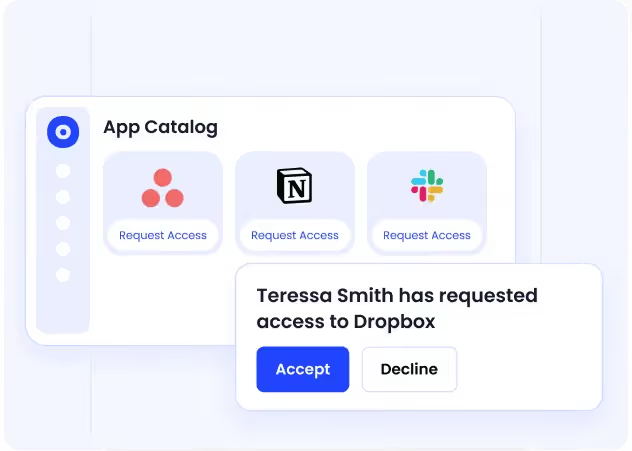
How We Do It
CloudEagle.ai correlates browser activity, security logs, and SaaS data using a self-service app catalog.
Why We Are Better
Every AI tool is visible in one place, with insights into adoption across teams, users, and departments.
B: Enforcing AI Usage Policies at the Point of Access
CloudEagle.ai ensures AI policies are applied in real time, exactly when users interact with tools.
Current Process
AI policies exist in documents but are not enforced during actual usage.
Pain Points
Employees unknowingly use unapproved tools, creating compliance and SaaS security risks.
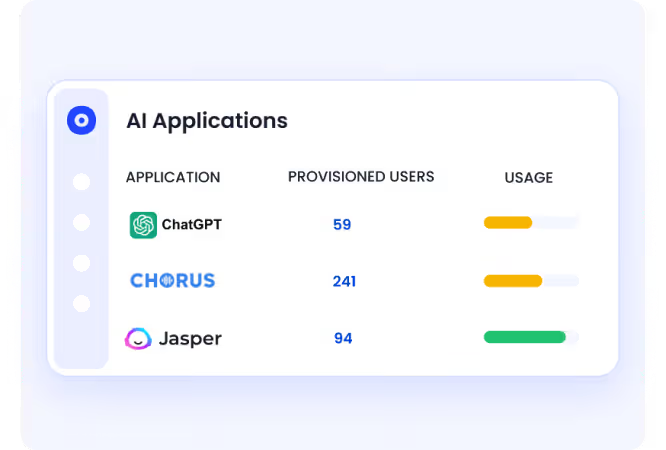
How We Do It
CloudEagle.ai uses real-time controls and shadow AI governance to redirect users from unapproved tools to approved alternatives.
Why We Are Better
Policies are enforced at the moment of behavior, not after risk has already occurred.
C. Monitoring AI Activity and Creating Audit-Ready Logs
CloudEagle.ai ensures every AI interaction is tracked and documented for compliance.
Current Process
AI usage is not logged consistently, making it difficult to provide audit evidence.
Pain Points
Organizations cannot prove how AI tools are used or whether policies are followed.
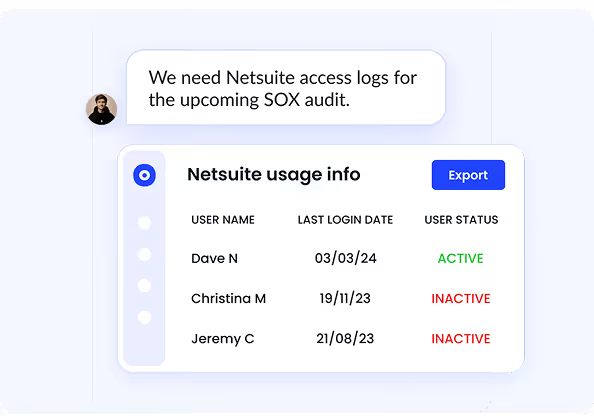
How We Do It
CloudEagle.ai audit-ready logs all AI access events, usage patterns, and enforcement actions automatically.
Why We Are Better
Audit-ready evidence is always available without manual tracking or reconstruction.
You Don’t Have One AI Tool


6. Conclusion
Claude Code Security improves how teams detect and fix vulnerabilities, but it also introduces new risks around code exposure and access control. The challenge is not using Claude. It is using it without governance.
This is where CloudEagle.ai becomes critical. It helps organizations track AI tool usage, control access across teams, and ensure sensitive data is not exposed.
When Claude usage is governed with clear policies, access controls, and validation workflows, enterprises can benefit from AI-driven security without expanding their attack surface.
7. FAQs
1. Is Claude code free?
Claude offers limited free access, but advanced features like Claude Code Security and higher usage tiers typically require paid plans or enterprise access.
2. Which is better, Claude code or Antigravity?
Claude focuses on AI-assisted coding, reasoning, and security analysis across codebases. Antigravity tools typically focus on specific developer workflows or automation. The better option depends on whether you need deep code reasoning or task-specific automation.
3. Is Claude better than ChatGPT?
Claude and ChatGPT serve similar purposes but differ in strengths. Claude is known for long-context reasoning and code analysis, while ChatGPT offers broader ecosystem integrations and tooling.
4. Is the Claude code actually useful?
Yes, Claude Code Security is useful for identifying complex vulnerabilities, analyzing code across multiple files, and suggesting fixes. However, its output still requires human validation before deployment.
5. Does Claude Code expose your code?
Claude does not automatically expose your code publicly, but risks arise when sensitive code or data is shared in prompts or when full repository access is granted. Proper governance and access controls are required to prevent unintended exposure.


.avif)


.avif)
.avif)




.png)





_.png)

.avif)
.avif)
.avif)


