Self-Service App Catalog
Give Employees the Right Apps Without Slowing IT
Enable secure access to approved healthcare and business applications from a single system. Teams get what they need quickly, while access stays controlled, auditable, and compliant across departments and locations.







Self-Service for Employees. Control for IT.
Imagine: Your employees need quick access to the tools they need to be productive, but the manual process of requesting access is slow and creates bottlenecks for both employees and IT teams.
Without CloudEagle.ai
With CloudEagle.ai


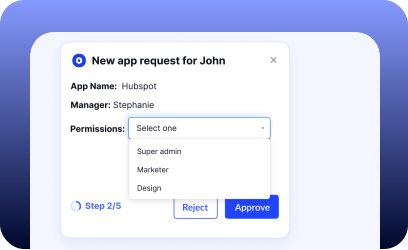
Give Employees the Ease of Requesting Access to Tools
Approve App Access Faster Through Slack

- Employees get access in minutes instead of waiting on ticket queues
- Managers approve requests without switching tools or interrupting work
- IT eliminates follow-ups, reminders, and manual coordination overhead

Reduce Access Request Tickets Without Losing Control
- Self-service requests cut repetitive tickets before they reach IT
- Approval history stays recorded for audits without manual documentation
- Helpdesk teams focus on complex issues instead of routine access work
Enforce Strong Controls for Privileged and Sensitive Access
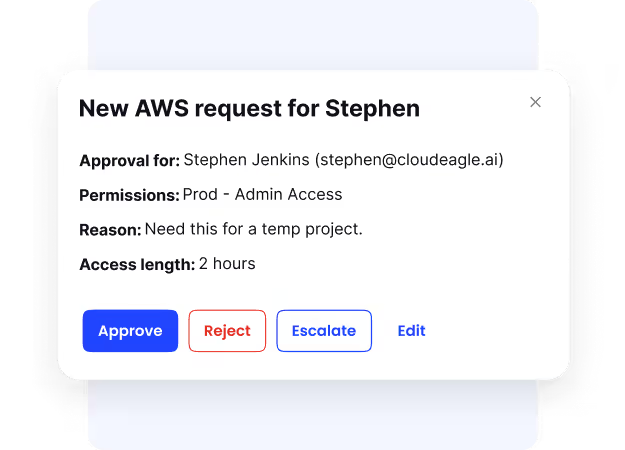
- Sensitive access is granted only after the right approvals are in place
- Privileged permissions don’t linger beyond their actual business need
- Security teams gain confidence without increasing operational friction
Optimize All Your SaaS and AI with One AI-Powered Platform
Frequently Asked Questions
A self-service app catalog gives employees a single place to request approved tools, without emails or tickets. Access requests follow identity-based approvals and remain fully auditable.
Employees request access directly from a curated catalog instead of messaging IT. Approvals, provisioning, and tracking happen automatically, removing repetitive access tickets.
Employees get access to required tools in minutes, not days. Faster approvals mean new hires and project teams stay productive without waiting on IT.
Employees see approved tools first and are guided toward existing apps instead of buying new ones. This stops duplicate purchases and unapproved tools early.
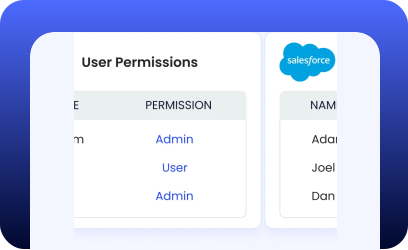
Yes. Employees only see apps relevant to their role, team, or location, reducing incorrect requests and over-provisioned access.
Approval policies are enforced automatically based on identity, app sensitivity, and ownership. Managers and app owners approve directly in Slack or email.
Yes. Access can expire automatically after a defined period, ensuring short-term needs never become long-term security or license risks.
Every request, approval, and access change is logged automatically. Audit evidence is always available without reconstructing workflows from tickets or emails.
Yes. CloudEagle.ai augments your helpdesk by syncing requests and approvals while keeping identity governance centralized.
IT reduces operational load, security gains consistent controls, and employees get faster access to the tools they need to work effectively.
Give Employees Faster Access Without Creating Security Gaps
Book a DemoSelf-Service App Catalog for Secure SaaS Access Checklist
