AI Governance

Claude Code Security Risks IT Teams Should Know in 2026

Share via:
Written by:
CloudEagle.ai Team
Review by:
Nidhi Jain
Last Updated:
August 24, 2026
blog-cms-banner-bg
Little-Known Negotiation Hacks to Get the Best Deal on Slack
cta-bg-blogDownload Your Copy

HIPAA Compliance Checklist for 2025

Download PDF

TL;DR

  • Claude Code has shell, file, and network access, so its risk profile looks like a privileged developer runtime, not a chatbot
  • Permission bypass modes and documented CVEs mean that commands can run unreviewed when teams reach for speed over safety
  • MCP servers return tool output Claude Code cannot always distinguish from instructions, making an unreviewed server a privilege-escalation path
  • The same assistant enters through enterprise seats, personal accounts, and cloud platforms like Bedrock, each invisible to the others
  • Because Claude Code runs outside the browser, the shadow AI tooling built to watch browser traffic misses it by design
  • CloudEagle's AI governance module closes that gap by correlating identity, finance, and browser signals in one place, and by bringing every MCP server under named ownership

Claude Code security risks are not hypothetical for most IT teams. They are discovered live, usually during onboarding or a SaaS audit, when an unmanaged AWS Bedrock deployment turns up next to an enterprise seat nobody cross-checked against it.

The risk is not that Claude Code is unsafe. It is that most IT teams have no single view of where it is running, who is using it, or what it can reach.

That visibility gap is the problem. And the tools most IT teams already have for shadow AI coding tools were not built to close it.

1. What Makes Claude Code a Different Kind of Security Problem

Claude Code is not a browser tab with a chat window. It has shell access, file access, and network access.

That means it behaves more like a privileged developer runtime than a SaaS login, and every risk below follows from that authority, not from the AI model itself.

A standard AI chatbot reads and writes text. Claude Code can execute.

It can:

  • read your codebase
  • execute shell commands
  • modify systems
  • interact with external services as part of its workflow

The risk surface is not the AI. It is the permissions that runtime carries and the governance infrastructure, or lack of it, sitting around that runtime.

That distinction is why standard SaaS governance approaches fail here. The controls IT has built for browser-based AI tools are watching the wrong surface.

If you want to see how real security teams are approaching Claude Code governance in practice, this webinar covers the shadow AI and hidden access crisis that surfaces when organizations start looking at their full AI footprint rather than just their approved tool list.

🎙️ Webinar- 60% Invisible: Shadow AI and Hidden Access Crisis in SaaS and AI Environments. 👉 Watch now

2. What Are the Claude Code Security Risks IT Teams Should Track in 2026?

Seven risks, each with its own mechanism and its own consequence.

Reading this list top to bottom should tell a security leader exactly what to go check first.

1. Permission Bypass Modes and Documented CVEs

Claude Code supports permission modes including default, acceptEdits, plan, auto, dontAsk, and bypassPermissions, with Anthropic warning that bypassPermissions should only be used in isolated environments such as containers or VMs.

The practical risk: when teams reach for speed, they reach for --dangerously-skip-permissions. Treat this like production database write access: logged, audited, and role-restricted. Most teams do not.

Beyond configuration risk, there are documented vulnerabilities.

After the Claude Code source leak on March 31, 2026, security firm Adversa found a deny rule bypass in bashPermissions.ts.

Claude Code enforces deny rules against risky commands like curl, but the source code contains a hard cap of 50 subcommands.

  • Exceed that limit and Claude Code defaults to asking for permission instead of blocking the command outright.
  • Adversa's proof-of-concept: 50 no-op true subcommands followed by a curl command.
  • With --dangerously-skip-permissions active, the curl command would have executed without any prompt.

Cymulate researchers also discovered two high-severity CVEs:

  • CVE-2025-54794 (path restriction bypass, CVSS 7.7)
  • CVE-2025-54795 (code execution via command injection, CVSS 8.7)

What to check first: Which engineers have bypassPermissions configured? Is it logged? Is it role-restricted?

2. MCP Servers Treated as Trusted by Default

Because a language model cannot reliably tell a trusted instruction from a malicious one embedded in data, injection can lead to command execution, data exfiltration, or silent code manipulation.

An MCP server's tool output can contain text that reads like an instruction. Tool poisoning embeds instructions in server responses: Claude can be steered before it ever calls a tool, simply by having a malicious server connected.

MCP servers run with your user's permissions: a compromised server can read files, exfiltrate data, and redirect Claude's behavior without triggering visible prompts.

The supply chain dimension compounds this.

In early 2026, an npm typosquatting campaign designated "Sandworm_Mode" planted rogue MCP servers by mimicking popular utilities, specifically targeting AI coding assistants including Claude Code.

Developers who installed what they believed to be legitimate MCP utility packages were instead installing packages that established covert channels to attacker infrastructure and injected malicious tool definitions.

Top MCP risks in production:

  • prompt injection from untrusted content
  • data exfiltration via tool calls
  • npm supply chain attacks
  • excessive permissions
  • credential theft

An unreviewed MCP server is not just an integration. It is a privilege-escalation path.

What to check first: Do you have a list of every MCP server connected in your environment? Does each one have a named owner? Has the source code been reviewed?

3. Shadow Provisioning Across Bedrock, Vertex, and Direct Plans

The same coding assistant can enter a company through three different doors: an enterprise seat, a personal account, and a cloud-platform deployment like AWS Bedrock or Google Vertex.

Each has its own billing. Each is invisible to the others.

During a customer onboarding call, IT discovered two separate Claude Code instances live simultaneously, one on the enterprise plan, one running through AWS Bedrock, already active for more than half of a 3,771-person user base.

Neither team knew about the other's deployment.

This is not an unusual scenario. It is the default outcome when there is no unified AI inventory covering identity, finance, and cloud deployment signals simultaneously.

What to check first: Pull your AWS and GCP spend for Anthropic, Bedrock, and Vertex.

Cross-reference against your enterprise seat count. The gap between those two numbers is ungoverned Claude Code.

4. Shadow AI Coding Tools Evading Standard Detection

Most shadow AI controls watch browser traffic. A CLI tool does not generate browser traffic.

The population most likely to adopt Claude Code, engineers, is also the population most likely to know how to route around controls that only watch where they have been told to look.

Browser-based detection tooling catches the browser-based shadow AI problem. It misses the CLI-based one by design.

This is not a failure mode that gets better as shadow AI governance matures. It gets worse, because engineers adopt new tools faster than governance programs can adapt their detection surface.

What to check first: Does your shadow AI discovery layer include CLI tool detection, endpoint telemetry, and finance correlation?

Or is it watching browser traffic only?

5. Credentials and Secrets Exposed Through Prompts

A developer pastes a stack trace, a config file, or an .env snippet into a prompt to get unblocked faster.

That happens dozens of times per day across a typical engineering organization.

Claude Code cannot compensate for secrets exposed in the local environment, and a compromised prompt, malicious repository, or unsafe MCP server could cause the assistant to gather sensitive files, source code, tokens, or internal documentation and transmit them externally through API calls, shell commands, or generated requests.

The same mechanism that CloudEagle's AI governance module already catches when someone pastes an API key or card number into a browser-based AI tool applies here, but the detection surface is different.

  • Browser-based tools get caught at the session layer.
  • CLI-based tools require endpoint and identity correlation.

What to check first: Is there any monitoring on what developers are submitting to Claude Code through the CLI?

Is there a soft-block or alert mechanism for credential patterns in AI tool submissions?

6. Token and License Sprawl Across Duplicate Coding Assistants

Without an intake process, teams independently stand up Claude, Codex, and Copilot for the same job.

Nobody owns the comparison. Token costs are discovered after the fact.

A customer IT leader described parallel teams each building the same internal tooling in a different coding assistant, with token costs surfacing only after the billing cycle closed.

The cost problem and the governance problem are the same problem. Wherever there is duplicate spend, there is also duplicate ungoverned access.

What to check first: How many AI coding tool subscriptions are active across your engineering org?

Are any two teams paying for tools that overlap in function?

7. Prompt Injection Through Web Fetch and Documentation

The dangerous form of prompt injection is indirect.

You do not have to paste a malicious prompt; you only have to point Claude Code at a poisoned repository, a booby-trapped document, or an MCP server that returns hostile content.

A comment buried in a dependency's README can be enough. By early 2026, research was showing that a handful of crafted documents could steer model behavior through retrieval poisoning, and the agentic setting makes the payoff worse: a steered agent does not just answer wrong, it acts.

CVE-2025-59536 allowed remote code execution through malicious hooks in a repository's .claude/settings.json.

Cloning an untrusted repository was enough to trigger the exploit before the user could read the trust dialog.

This risk is named honestly because it requires an explicit scope statement.

Prompt injection defense in the session layer, content inspection for what Claude Code fetches, is a permissions, sandboxing, and network-policy problem IT owns directly inside Claude Code's own settings.

It is not a gap CloudEagle closes. Both things are true, and both need to be said.

What to check first: Does your Claude Code deployment restrict WebFetch to approved domains?

Are developers cloning external repositories with Claude Code hooks enabled?

📖 Worth a Read👉 CloudEagle.ai Now Works Inside Claude (MCP Connector)

3. Why Standard Shadow AI Controls Miss Claude Code Specifically

Most AI governance tooling was built to watch what happens in a browser.

A CLI-based coding agent, whatever provisioning path it came through, mostly does not touch the browser at all.

This is the architectural point that most shadow AI governance conversations skip. Browser-based detection catches the browser-based problem.

It does not catch:

  • Claude Code running through a terminal on a managed laptop
  • A Bedrock deployment generating API traffic through AWS rather than Claude.ai
  • A personal Claude Code account authenticated via CLI credentials rather than OAuth
  • An MCP server running as a local process with no browser-visible session

The engineers using these tools are not evading detection on purpose.

The detection layer simply was not designed for this surface. That is why the fix requires a different approach: identity and finance correlation, not browser telemetry alone.

4. How Should IT Teams Govern Claude Code Without Blocking It?

Blocking Claude Code in an engineering organization creates workarounds faster than the block takes effect.

The right goal is visibility and governance, not prohibition.

Correlate Identity, Finance, and Browser Signals in One Place

The unified inventory that makes Claude Code governance possible has three required inputs:

  • Identity signals: SSO and SCIM sync surfaces which enterprise-plan Claude Code seats are provisioned and to whom. This covers the enterprise provisioning path. It does not cover personal accounts or cloud deployments.
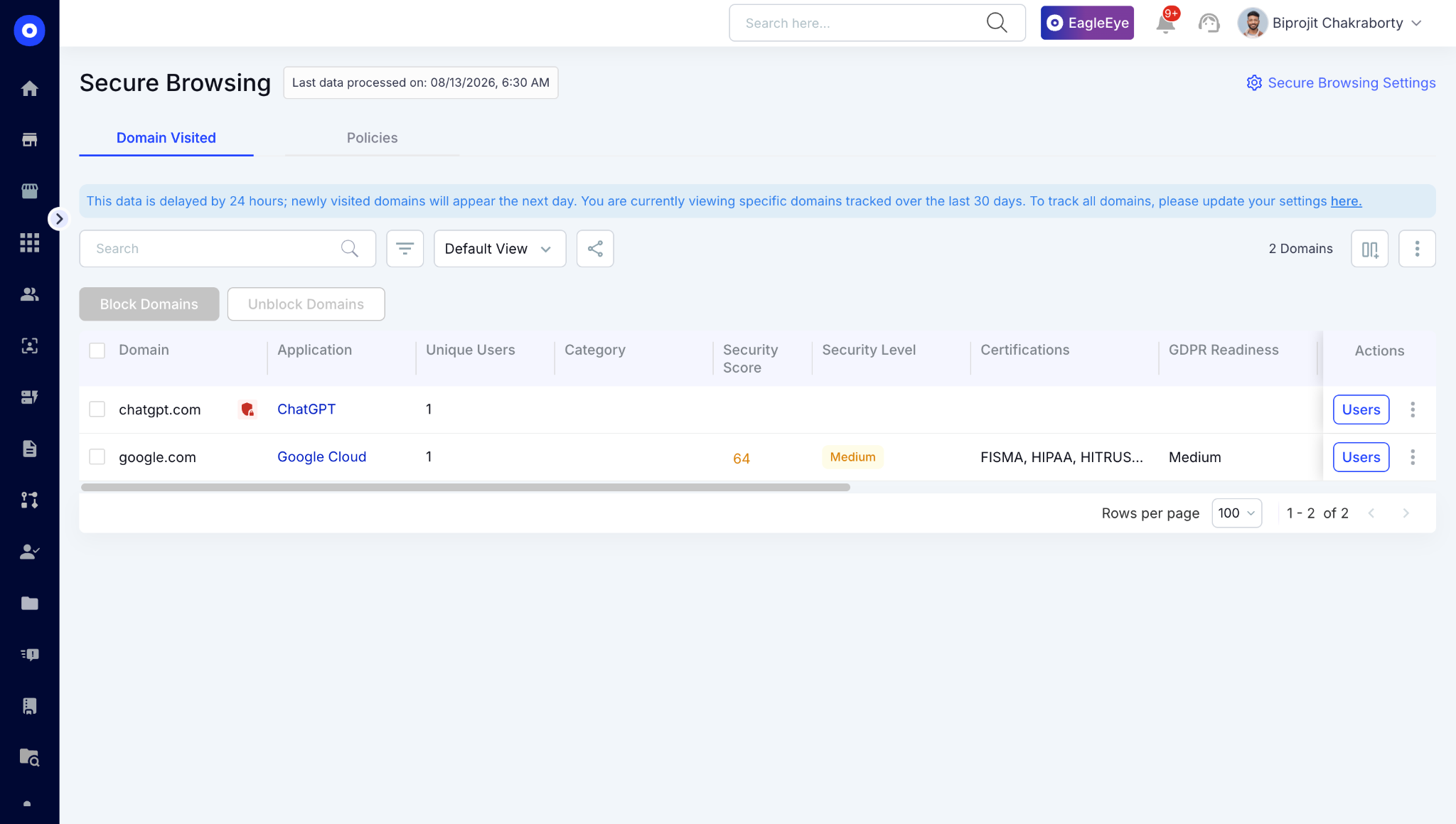
  • Finance and cloud spend correlation: AWS Bedrock and GCP Vertex charges for Anthropic model usage surface in finance system data. Cross-referencing these against provisioned enterprise seats reveals the gap between sanctioned and actual Claude Code usage. This is how you find the Bedrock deployment that never went through IT.
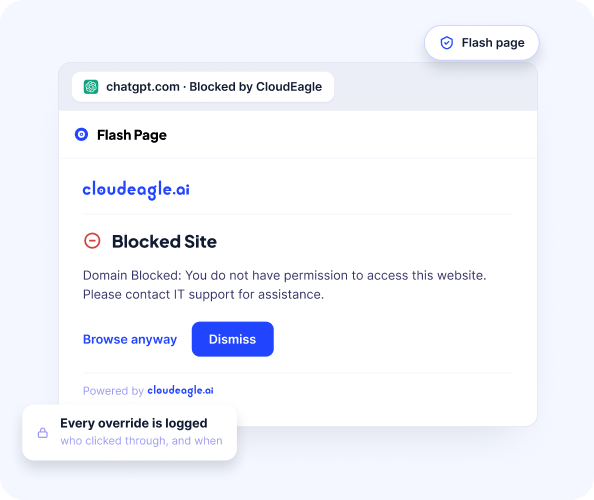
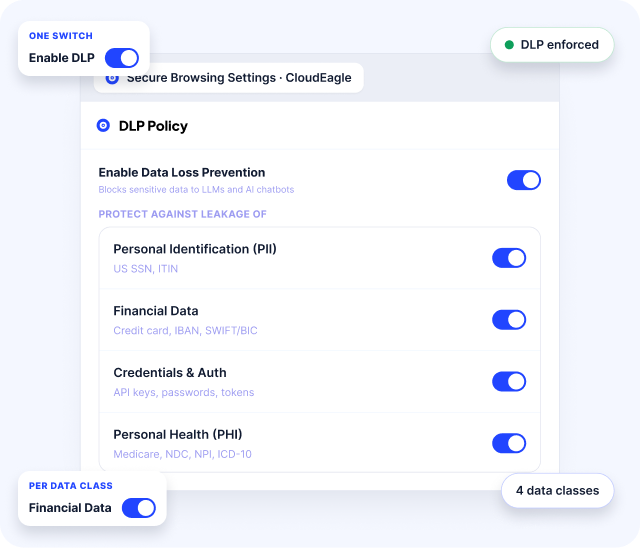
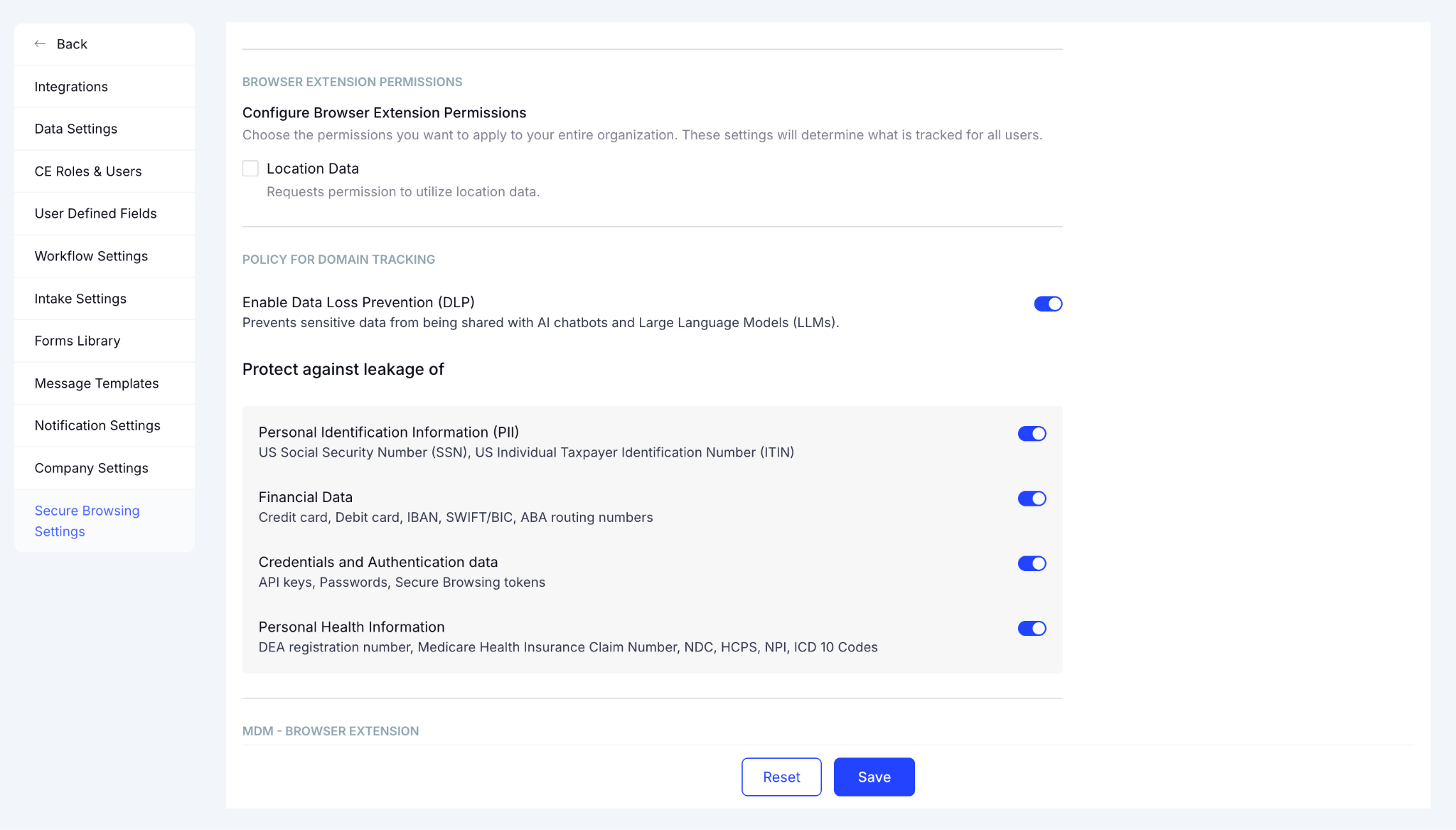
  • Browser extension for the personal-account and secret-paste cases: A browser plugin deployed via MDM catches browser-based personal Claude Code sessions, personal Claude.ai usage, and credential patterns submitted through web-based AI interfaces.

CloudEagle's AI governance module correlates all three in a single inventory, surfacing Claude Code usage across every provisioning path simultaneously rather than requiring separate discovery exercises for each one.

Set the Boundary Between Governance and Prompt-Level Enforcement

CloudEagle.ai covers visibility, spend, and identity governance for Claude Code and the MCP servers connected to it.

It does not cover prompt injection defense or in-session content inspection.

That boundary matters because it tells IT teams exactly what they still own directly.

Prompt injection defense in the session layer is a permissions, sandboxing, and network-policy problem that IT owns inside Claude Code's own settings:

  • restricting WebFetch to approved domains
  • sandboxing Claude Code in containers for high-autonomy tasks
  • reviewing bypassPermissions usage
  • monitoring the MCP servers connected in each environment

Those controls live inside Claude Code's configuration, not in a governance platform.

In A Nutshell

Claude Code governance starts with knowing where it is running, including the deployments that never went through IT.

CloudEagle's AI governance module gives you that visibility across enterprise seats, personal accounts, and cloud platform deployments in one place, alongside named ownership for every MCP server connected in your environment.

Book a demo with CloudEagle.ai to see what your Claude Code footprint actually looks like before the next audit does.

Frequently Asked Questions

1. Does Claude Code have internet access by default?

No. Claude Code can reach external data through tools, APIs, or integrations that a team configures. Unreviewed MCP servers or WebFetch permissions can significantly expand its access and change the risk profile.

2. Is Claude Code safe for enterprise use?

Claude Code has enterprise security controls, including encryption and data protections. The primary risk depends on how it is configured and governed within the organization. Settings such as bypassPermissions, unreviewed MCP servers, and shadow Bedrock deployments can introduce governance and configuration risks.

3. Can personal Claude Code accounts be detected the same way as Claude.ai?

Partially. Browser-based Claude.ai accounts can be detected through browser telemetry, while CLI-based personal Claude Code accounts require identity, finance, and cloud-spend correlation. A complete detection strategy therefore needs more than browser signals.

4. What should IT do about bypassPermissions immediately?

Treat bypassPermissions as a high-risk configuration that requires logging, auditing, and restricted access. IT should audit who has it enabled, establish an exception process, isolate deployments in containers or VMs, and monitor any automated CI/CD use.

5. How can enterprises govern Claude Code deployments?

Enterprises should inventory Claude Code usage across browser, CLI, and cloud environments, then connect each deployment to a user, team, or service identity. They should also review permissions, MCP servers, cloud spend, and configuration changes regularly to identify unmanaged or high-risk deployments.

Advertisement for a SaaS Subscription Tracking Template with a call-to-action button to download and a partial graphic of a tablet showing charts.Banner promoting a SaaS Agreement Checklist to streamline SaaS management and avoid budget waste with a call-to-action button labeled Download checklist.Blue banner with text 'The Ultimate Employee Offboarding Checklist!' and a black button labeled 'Download checklist' alongside partial views of checklist documents from cloudeagle.ai.Digital ad for download checklist titled 'The Ultimate Checklist for IT Leaders to Optimize SaaS Operations' by cloudeagle.ai, showing checklist pages.Slack Buyer's Guide offer with text 'Unlock insider insights to get the best deal on Slack!' and a button labeled 'Get Your Copy', accompanied by a preview of the guide featuring Slack's logo.Monday Pricing Guide by cloudeagle.ai offering exclusive pricing secrets to maximize investment with a call-to-action button labeled Get Your Copy and an image of the guide's cover.Blue banner for Canva Pricing Guide by cloudeagle.ai offering a guide to Canva costs, features, and alternatives with a call-to-action button saying Get Your Copy.Blue banner with white text reading 'Little-Known Negotiation Hacks to Get the Best Deal on Slack' and a white button labeled 'Get Your Copy'.Blue banner with text 'Little-Known Negotiation Hacks to Get the Best Deal on Monday.com' and a white button labeled 'Get Your Copy'.Blue banner with text 'Little-Known Negotiation Hacks to Get the Best Deal on Canva' and a white button labeled 'Get Your Copy'.Banner with text 'Slack Buyer's Guide' and a 'Download Now' button next to images of a guide titled 'Slack Buyer’s Guide: Features, Pricing & Best Practices'.Digital cover of Monday Pricing Guide with a button labeled Get Your Copy on a blue background.Canva Pricing Guide cover with a button labeled Get Your Copy on a blue gradient background.

Enter your email to
unlock the report

Oops! Something went wrong while submitting the form.
License Count
Benchmark
Per User/Per Year

Enter your email to
unlock the report

Oops! Something went wrong while submitting the form.
License Count
Benchmark
Per User/Per Year

Enter your email to
unlock the report

Oops! Something went wrong while submitting the form.
Notion Plus
License Count
Benchmark
Per User/Per Year
100-500
$67.20 - $78.72
500-1000
$59.52 - $72.00
1000+
$51.84 - $57.60
Canva Pro
License Count
Benchmark
Per User/Per Year
100-500
$74.33-$88.71
500-1000
$64.74-$80.32
1000+
$55.14-$62.34

Enter your email to
unlock the report

Oops! Something went wrong while submitting the form.

Enter your email to
unlock the report

Oops! Something went wrong while submitting the form.
Zoom Business
License Count
Benchmark
Per User/Per Year
100-500
$216.00 - $264.00
500-1000
$180.00 - $216.00
1000+
$156.00 - $180.00

Enter your email to
unlock the report

Oops! Something went wrong while submitting the form.

Get the Right Security Platform To Secure Your Cloud Infrastructure

Please enter a business email
Thank you!
The 2023 SaaS report has been sent to your email. Check your promotional or spam folder.
Oops! Something went wrong while submitting the form.

Access full report

Please enter a business email
Thank you!
The 2023 SaaS report has been sent to your email. Check your promotional or spam folder.
Oops! Something went wrong while submitting the form.

TL;DR

  • Claude Code has shell, file, and network access, so its risk profile looks like a privileged developer runtime, not a chatbot
  • Permission bypass modes and documented CVEs mean that commands can run unreviewed when teams reach for speed over safety
  • MCP servers return tool output Claude Code cannot always distinguish from instructions, making an unreviewed server a privilege-escalation path
  • The same assistant enters through enterprise seats, personal accounts, and cloud platforms like Bedrock, each invisible to the others
  • Because Claude Code runs outside the browser, the shadow AI tooling built to watch browser traffic misses it by design
  • CloudEagle's AI governance module closes that gap by correlating identity, finance, and browser signals in one place, and by bringing every MCP server under named ownership

Claude Code security risks are not hypothetical for most IT teams. They are discovered live, usually during onboarding or a SaaS audit, when an unmanaged AWS Bedrock deployment turns up next to an enterprise seat nobody cross-checked against it.

The risk is not that Claude Code is unsafe. It is that most IT teams have no single view of where it is running, who is using it, or what it can reach.

That visibility gap is the problem. And the tools most IT teams already have for shadow AI coding tools were not built to close it.

1. What Makes Claude Code a Different Kind of Security Problem

Claude Code is not a browser tab with a chat window. It has shell access, file access, and network access.

That means it behaves more like a privileged developer runtime than a SaaS login, and every risk below follows from that authority, not from the AI model itself.

A standard AI chatbot reads and writes text. Claude Code can execute.

It can:

  • read your codebase
  • execute shell commands
  • modify systems
  • interact with external services as part of its workflow

The risk surface is not the AI. It is the permissions that runtime carries and the governance infrastructure, or lack of it, sitting around that runtime.

That distinction is why standard SaaS governance approaches fail here. The controls IT has built for browser-based AI tools are watching the wrong surface.

If you want to see how real security teams are approaching Claude Code governance in practice, this webinar covers the shadow AI and hidden access crisis that surfaces when organizations start looking at their full AI footprint rather than just their approved tool list.

🎙️ Webinar- 60% Invisible: Shadow AI and Hidden Access Crisis in SaaS and AI Environments. 👉 Watch now

2. What Are the Claude Code Security Risks IT Teams Should Track in 2026?

Seven risks, each with its own mechanism and its own consequence.

Reading this list top to bottom should tell a security leader exactly what to go check first.

1. Permission Bypass Modes and Documented CVEs

Claude Code supports permission modes including default, acceptEdits, plan, auto, dontAsk, and bypassPermissions, with Anthropic warning that bypassPermissions should only be used in isolated environments such as containers or VMs.

The practical risk: when teams reach for speed, they reach for --dangerously-skip-permissions. Treat this like production database write access: logged, audited, and role-restricted. Most teams do not.

Beyond configuration risk, there are documented vulnerabilities.

After the Claude Code source leak on March 31, 2026, security firm Adversa found a deny rule bypass in bashPermissions.ts.

Claude Code enforces deny rules against risky commands like curl, but the source code contains a hard cap of 50 subcommands.

  • Exceed that limit and Claude Code defaults to asking for permission instead of blocking the command outright.
  • Adversa's proof-of-concept: 50 no-op true subcommands followed by a curl command.
  • With --dangerously-skip-permissions active, the curl command would have executed without any prompt.

Cymulate researchers also discovered two high-severity CVEs:

  • CVE-2025-54794 (path restriction bypass, CVSS 7.7)
  • CVE-2025-54795 (code execution via command injection, CVSS 8.7)

What to check first: Which engineers have bypassPermissions configured? Is it logged? Is it role-restricted?

2. MCP Servers Treated as Trusted by Default

Because a language model cannot reliably tell a trusted instruction from a malicious one embedded in data, injection can lead to command execution, data exfiltration, or silent code manipulation.

An MCP server's tool output can contain text that reads like an instruction. Tool poisoning embeds instructions in server responses: Claude can be steered before it ever calls a tool, simply by having a malicious server connected.

MCP servers run with your user's permissions: a compromised server can read files, exfiltrate data, and redirect Claude's behavior without triggering visible prompts.

The supply chain dimension compounds this.

In early 2026, an npm typosquatting campaign designated "Sandworm_Mode" planted rogue MCP servers by mimicking popular utilities, specifically targeting AI coding assistants including Claude Code.

Developers who installed what they believed to be legitimate MCP utility packages were instead installing packages that established covert channels to attacker infrastructure and injected malicious tool definitions.

Top MCP risks in production:

  • prompt injection from untrusted content
  • data exfiltration via tool calls
  • npm supply chain attacks
  • excessive permissions
  • credential theft

An unreviewed MCP server is not just an integration. It is a privilege-escalation path.

What to check first: Do you have a list of every MCP server connected in your environment? Does each one have a named owner? Has the source code been reviewed?

3. Shadow Provisioning Across Bedrock, Vertex, and Direct Plans

The same coding assistant can enter a company through three different doors: an enterprise seat, a personal account, and a cloud-platform deployment like AWS Bedrock or Google Vertex.

Each has its own billing. Each is invisible to the others.

During a customer onboarding call, IT discovered two separate Claude Code instances live simultaneously, one on the enterprise plan, one running through AWS Bedrock, already active for more than half of a 3,771-person user base.

Neither team knew about the other's deployment.

This is not an unusual scenario. It is the default outcome when there is no unified AI inventory covering identity, finance, and cloud deployment signals simultaneously.

What to check first: Pull your AWS and GCP spend for Anthropic, Bedrock, and Vertex.

Cross-reference against your enterprise seat count. The gap between those two numbers is ungoverned Claude Code.

4. Shadow AI Coding Tools Evading Standard Detection

Most shadow AI controls watch browser traffic. A CLI tool does not generate browser traffic.

The population most likely to adopt Claude Code, engineers, is also the population most likely to know how to route around controls that only watch where they have been told to look.

Browser-based detection tooling catches the browser-based shadow AI problem. It misses the CLI-based one by design.

This is not a failure mode that gets better as shadow AI governance matures. It gets worse, because engineers adopt new tools faster than governance programs can adapt their detection surface.

What to check first: Does your shadow AI discovery layer include CLI tool detection, endpoint telemetry, and finance correlation?

Or is it watching browser traffic only?

5. Credentials and Secrets Exposed Through Prompts

A developer pastes a stack trace, a config file, or an .env snippet into a prompt to get unblocked faster.

That happens dozens of times per day across a typical engineering organization.

Claude Code cannot compensate for secrets exposed in the local environment, and a compromised prompt, malicious repository, or unsafe MCP server could cause the assistant to gather sensitive files, source code, tokens, or internal documentation and transmit them externally through API calls, shell commands, or generated requests.

The same mechanism that CloudEagle's AI governance module already catches when someone pastes an API key or card number into a browser-based AI tool applies here, but the detection surface is different.

  • Browser-based tools get caught at the session layer.
  • CLI-based tools require endpoint and identity correlation.

What to check first: Is there any monitoring on what developers are submitting to Claude Code through the CLI?

Is there a soft-block or alert mechanism for credential patterns in AI tool submissions?

6. Token and License Sprawl Across Duplicate Coding Assistants

Without an intake process, teams independently stand up Claude, Codex, and Copilot for the same job.

Nobody owns the comparison. Token costs are discovered after the fact.

A customer IT leader described parallel teams each building the same internal tooling in a different coding assistant, with token costs surfacing only after the billing cycle closed.

The cost problem and the governance problem are the same problem. Wherever there is duplicate spend, there is also duplicate ungoverned access.

What to check first: How many AI coding tool subscriptions are active across your engineering org?

Are any two teams paying for tools that overlap in function?

7. Prompt Injection Through Web Fetch and Documentation

The dangerous form of prompt injection is indirect.

You do not have to paste a malicious prompt; you only have to point Claude Code at a poisoned repository, a booby-trapped document, or an MCP server that returns hostile content.

A comment buried in a dependency's README can be enough. By early 2026, research was showing that a handful of crafted documents could steer model behavior through retrieval poisoning, and the agentic setting makes the payoff worse: a steered agent does not just answer wrong, it acts.

CVE-2025-59536 allowed remote code execution through malicious hooks in a repository's .claude/settings.json.

Cloning an untrusted repository was enough to trigger the exploit before the user could read the trust dialog.

This risk is named honestly because it requires an explicit scope statement.

Prompt injection defense in the session layer, content inspection for what Claude Code fetches, is a permissions, sandboxing, and network-policy problem IT owns directly inside Claude Code's own settings.

It is not a gap CloudEagle closes. Both things are true, and both need to be said.

What to check first: Does your Claude Code deployment restrict WebFetch to approved domains?

Are developers cloning external repositories with Claude Code hooks enabled?

📖 Worth a Read👉 CloudEagle.ai Now Works Inside Claude (MCP Connector)

3. Why Standard Shadow AI Controls Miss Claude Code Specifically

Most AI governance tooling was built to watch what happens in a browser.

A CLI-based coding agent, whatever provisioning path it came through, mostly does not touch the browser at all.

This is the architectural point that most shadow AI governance conversations skip. Browser-based detection catches the browser-based problem.

It does not catch:

  • Claude Code running through a terminal on a managed laptop
  • A Bedrock deployment generating API traffic through AWS rather than Claude.ai
  • A personal Claude Code account authenticated via CLI credentials rather than OAuth
  • An MCP server running as a local process with no browser-visible session

The engineers using these tools are not evading detection on purpose.

The detection layer simply was not designed for this surface. That is why the fix requires a different approach: identity and finance correlation, not browser telemetry alone.

4. How Should IT Teams Govern Claude Code Without Blocking It?

Blocking Claude Code in an engineering organization creates workarounds faster than the block takes effect.

The right goal is visibility and governance, not prohibition.

Correlate Identity, Finance, and Browser Signals in One Place

The unified inventory that makes Claude Code governance possible has three required inputs:

  • Identity signals: SSO and SCIM sync surfaces which enterprise-plan Claude Code seats are provisioned and to whom. This covers the enterprise provisioning path. It does not cover personal accounts or cloud deployments.
  • Finance and cloud spend correlation: AWS Bedrock and GCP Vertex charges for Anthropic model usage surface in finance system data. Cross-referencing these against provisioned enterprise seats reveals the gap between sanctioned and actual Claude Code usage. This is how you find the Bedrock deployment that never went through IT.
  • Browser extension for the personal-account and secret-paste cases: A browser plugin deployed via MDM catches browser-based personal Claude Code sessions, personal Claude.ai usage, and credential patterns submitted through web-based AI interfaces.

CloudEagle's AI governance module correlates all three in a single inventory, surfacing Claude Code usage across every provisioning path simultaneously rather than requiring separate discovery exercises for each one.

Set the Boundary Between Governance and Prompt-Level Enforcement

CloudEagle.ai covers visibility, spend, and identity governance for Claude Code and the MCP servers connected to it.

It does not cover prompt injection defense or in-session content inspection.

That boundary matters because it tells IT teams exactly what they still own directly.

Prompt injection defense in the session layer is a permissions, sandboxing, and network-policy problem that IT owns inside Claude Code's own settings:

  • restricting WebFetch to approved domains
  • sandboxing Claude Code in containers for high-autonomy tasks
  • reviewing bypassPermissions usage
  • monitoring the MCP servers connected in each environment

Those controls live inside Claude Code's configuration, not in a governance platform.

In A Nutshell

Claude Code governance starts with knowing where it is running, including the deployments that never went through IT.

CloudEagle's AI governance module gives you that visibility across enterprise seats, personal accounts, and cloud platform deployments in one place, alongside named ownership for every MCP server connected in your environment.

Book a demo with CloudEagle.ai to see what your Claude Code footprint actually looks like before the next audit does.

Frequently Asked Questions

1. Does Claude Code have internet access by default?

No. Claude Code can reach external data through tools, APIs, or integrations that a team configures. Unreviewed MCP servers or WebFetch permissions can significantly expand its access and change the risk profile.

2. Is Claude Code safe for enterprise use?

Claude Code has enterprise security controls, including encryption and data protections. The primary risk depends on how it is configured and governed within the organization. Settings such as bypassPermissions, unreviewed MCP servers, and shadow Bedrock deployments can introduce governance and configuration risks.

3. Can personal Claude Code accounts be detected the same way as Claude.ai?

Partially. Browser-based Claude.ai accounts can be detected through browser telemetry, while CLI-based personal Claude Code accounts require identity, finance, and cloud-spend correlation. A complete detection strategy therefore needs more than browser signals.

4. What should IT do about bypassPermissions immediately?

Treat bypassPermissions as a high-risk configuration that requires logging, auditing, and restricted access. IT should audit who has it enabled, establish an exception process, isolate deployments in containers or VMs, and monitor any automated CI/CD use.

5. How can enterprises govern Claude Code deployments?

Enterprises should inventory Claude Code usage across browser, CLI, and cloud environments, then connect each deployment to a user, team, or service identity. They should also review permissions, MCP servers, cloud spend, and configuration changes regularly to identify unmanaged or high-risk deployments.

CloudEagle.ai recognized in the 2025 Gartner® Magic Quadrant™ for SaaS Management Platforms
Download now
gartner chart
5x
Faster employee
onboarding
80%
Reduction in time for
user access reviews
30k
Workflows
automated
$15Bn
Analyzed in
contract spend
$2Bn
Saved in
SaaS spend

Streamline SaaS governance and save 10-30%

Book a Demo with Expert
CTA image