
%201.svg)


HIPAA Compliance Checklist for 2025

Most AI security programs start with one question: "How many AI tools are employees using?" It's the right place to start. But it's the wrong place to stop.
The number of tools shows your AI footprint. The blast radius like what data those tools can access, where it goes, and whether you can stop it shows your actual exposure.
That's why mature AI governance programs are moving beyond approval lists to three harder questions:
- What company data can reach these tools?
- Are employees using personal AI accounts outside your perimeter?
- What permissions do AI agents carry?
CloudEagle.ai answers all three, surfacing every AI tool in use, blocking sensitive data before it leaves approved environments, and governing the agents and tokens that create risk after the human session ends.
In this article, we'll show you how.
TL;DR
- AI risk is determined by data exposure and access permissions—not the number of AI tools an organization uses.
- CloudEagle.ai discovers shadow AI, blocks sensitive data, and enforces real-time controls before risky AI interactions occur.
- GenAI risk scoring and token usage monitoring help security teams prioritize high-risk tools and detect unusual AI activity.
- Governing personal AI accounts and AI agents is critical because they can create persistent, unmanaged access to enterprise data.
- CloudEagle.ai reduces AI blast radius by combining AI discovery, DLP, risk scoring, usage visibility, and identity governance in one platform.
1. Why Counting AI Tools Gives You a False Sense of Control
Most AI governance programs start with discovery. Find every AI tool employees are using. Build an approved list. Block applications that don't meet security requirements. But it's not the finish line.
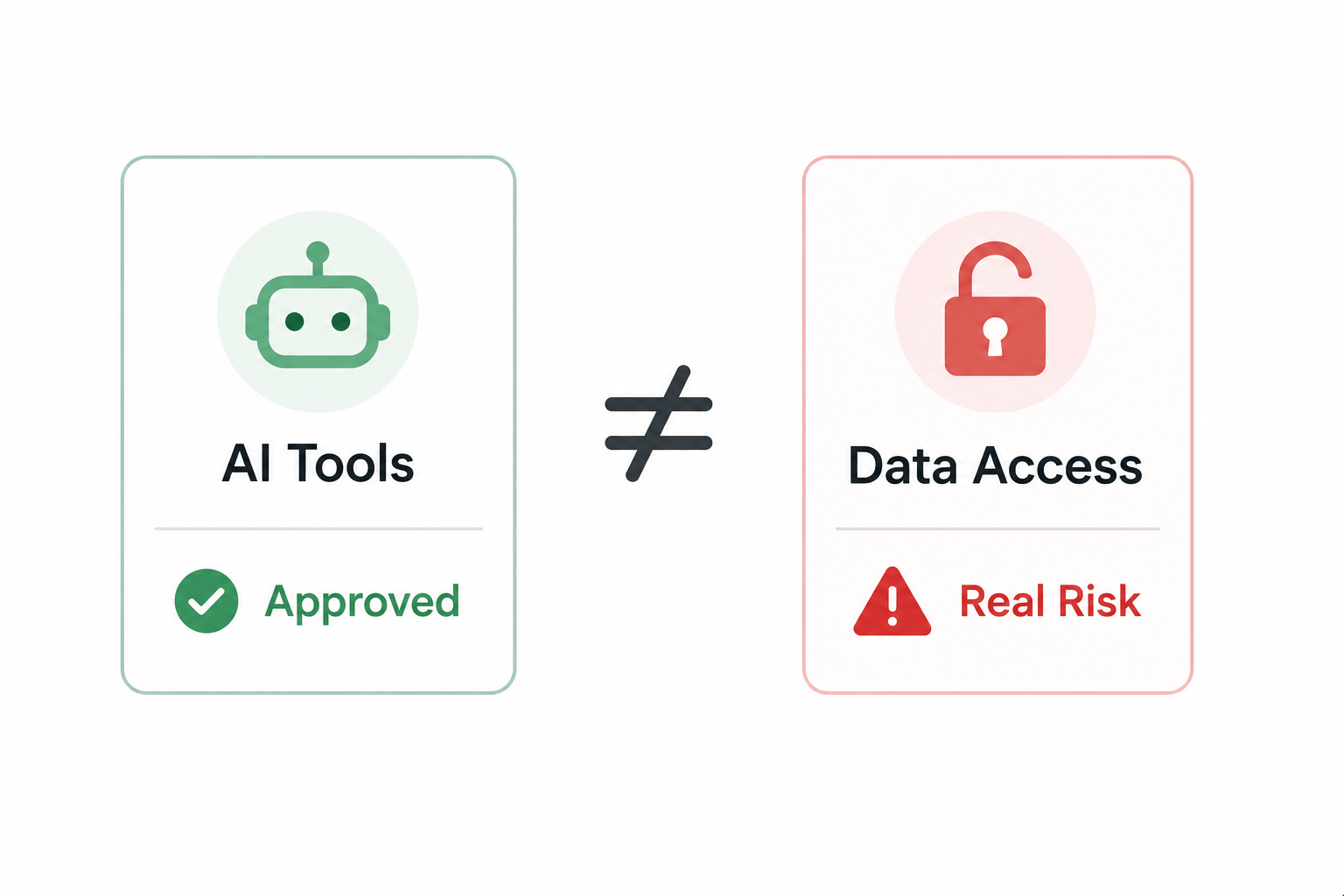
The biggest risk is what the AI tools can access and what happens when data enters them. An approved AI tool with weak access controls can create more exposure than tools with the right guardrails.
Howard Miller, CIO at UCLA Anderson School of Management, described it directly:
"We pushed so hard on AI engagement that we intentionally left security a little bit behind, and now we're trying to catch up, and I'm not sure anyone wants to pay that bill."
The number of AI tools only tells you the surface area. It doesn't answer:
- What Sensitive Data Can Reach Those Tools: Without data sensitivity mapping, you're approving tools without knowing what they can see.
- Which Users Have Access and to What: A broad license with no access scoping means every user carries the same blast radius regardless of their role.
- Are Personal AI Accounts Bypassing Enterprise Controls: Approved tools are governed. Personal accounts on the same vendors are invisible.
- Can You Stop Risky Actions Before They Happen: A blocklist tells you what isn't allowed. It doesn't stop the action in real time.
An organization with five AI tools and no enforcement can carry more risk than one with 40 tools and proper access controls.
You don't get breached by the number of AI tools you have. You get breached by the one session that moved data it shouldn't have, in a tool nobody was watching.

2. How CloudEagle.ai Helps CISOs to Mitigate AI Risks and Blast Radius
CloudEagle.ai addresses blast radius across five layers simultaneously. It surfaces ungoverned AI tools to blocking sensitive data, scoring risky applications, and tracking exactly who is consuming what across every AI tool in the stack.
A. Shadow AI Discovery: Surface Every Tool Before You Govern It
CloudEagle.ai detects Shadow AI through browser extensions, firewall logs, Zscaler, CrowdStrike, and finance signals simultaneously, building a single source of truth across every AI tool in use, sanctioned or not.
Here's how multi-signal Shadow AI discovery is designed to work:
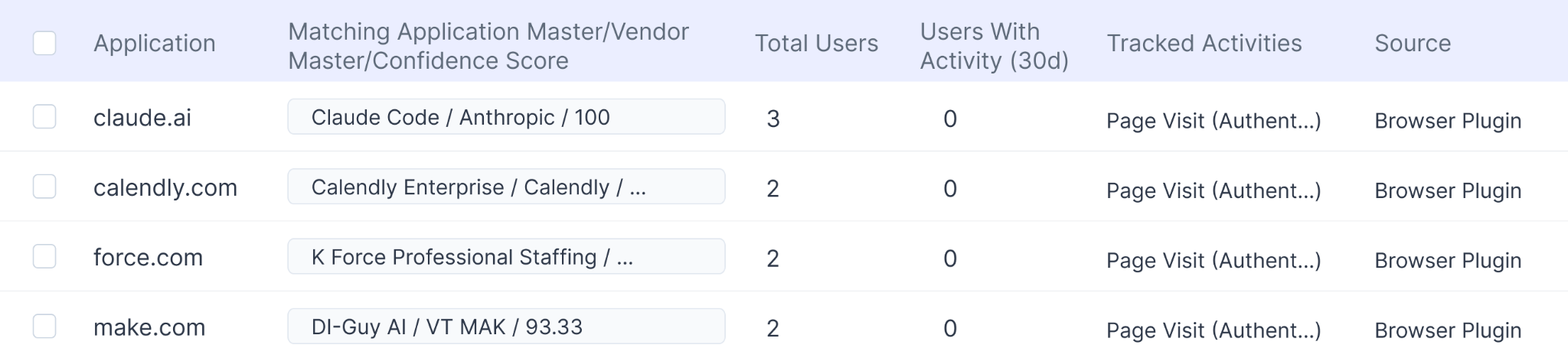
In CloudEagle.ai's AI application inventory, every tool appears with adoption by team and department.

It surfaces whether it was sanctioned or discovered through external signals, and whether it carries GenAI capabilities that were never part of the original procurement decision.
B. Secure Browser and Flash Page: Redirect Before Data Enters an Unapproved Session
CloudEagle.ai's browser plugin catches what CASB, DLP, and LLM gateways all miss, the moment an employee opens an unapproved AI tool in a browser tab. Here’s how the browser plugin works:
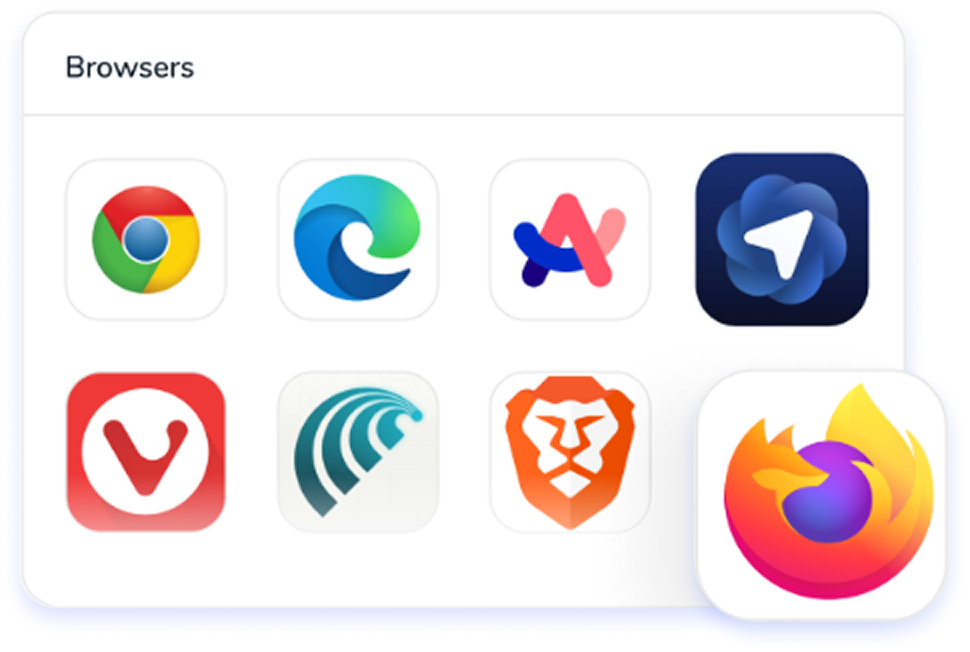
When that happens, a real-time flash page steps in before any company data is entered, redirecting the employee to the approved alternative automatically.
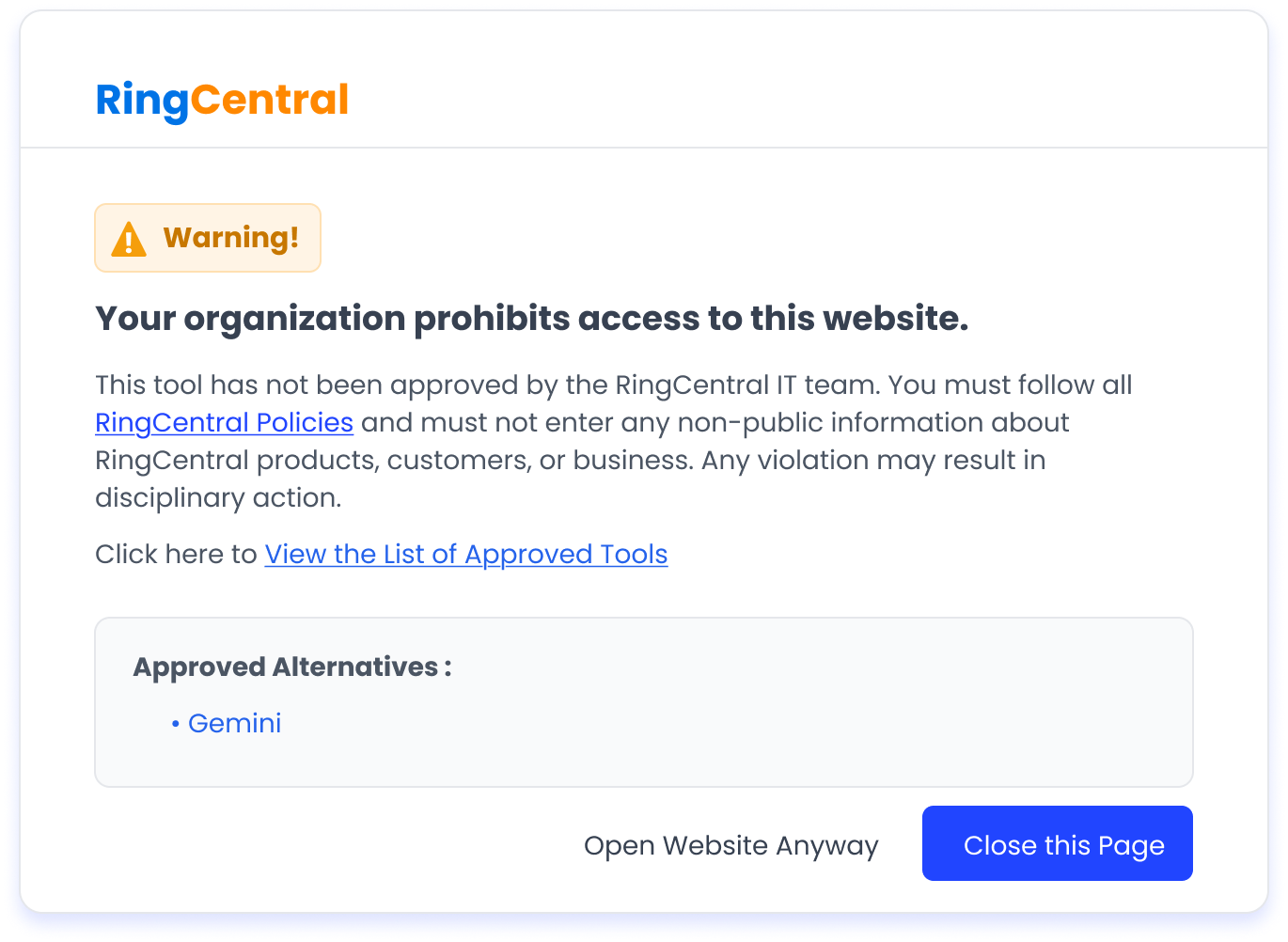
In CloudEagle.ai's Secure Browser policy view, flash page rules are configurable by team, department, and tool so Engineering can be permitted Cursor while redirected away from consumer ChatGPT.

Every redirect is logged automatically, tool accessed, sanctioned status, flash page triggered, and timestamp. The audit record exists in real time without additional effort.
C. Data Loss Prevention: Block Sensitive Data Before It Reaches the Model
CloudEagle.ai’s DLP operates at the prompt entry layer, catching what is typed into an AI interface before it is submitted to the model.
When an employee attempts to paste sensitive content like PII, PHI, financial data, proprietary code, into an AI tool, CloudEagle.ai fires before the content leaves the browser.
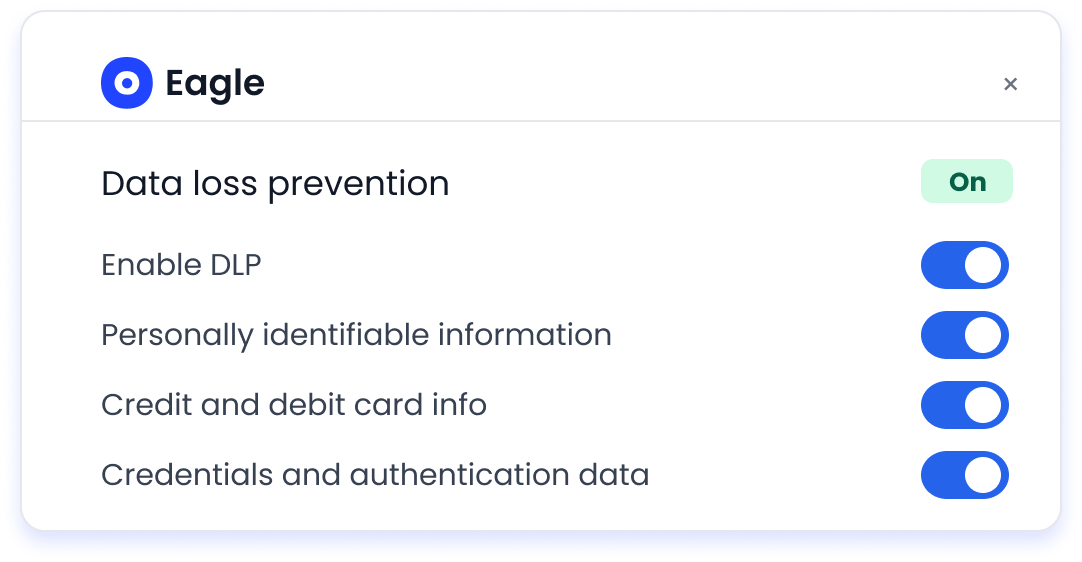
In CloudEagle.ai's DLP policy view, sensitive content categories are configurable. Credit card numbers, PHI, source code, and proprietary data each carry their own enforcement rules.
D. GenAI Risk Scoring: Prioritize the Riskiest Apps First
CloudEagle.ai automatically assigns a GenAI risk score to every AI tool and feature in the environment, powered by Netskope's Cloud Confidence Index.
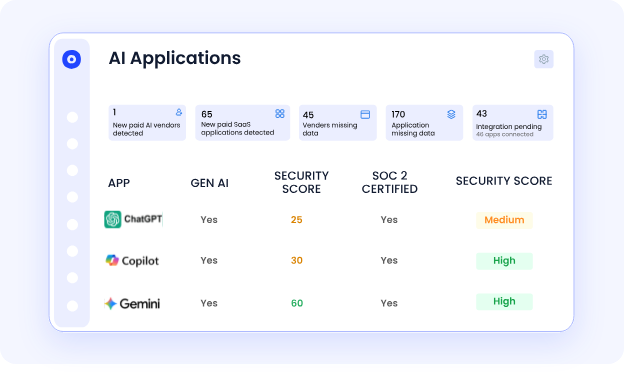
Every tool is scored on data residency, training data use, security posture, and compliance alignment, so security teams have a prioritized remediation list, not a flat inventory of 200 tools with no indication of where to start.
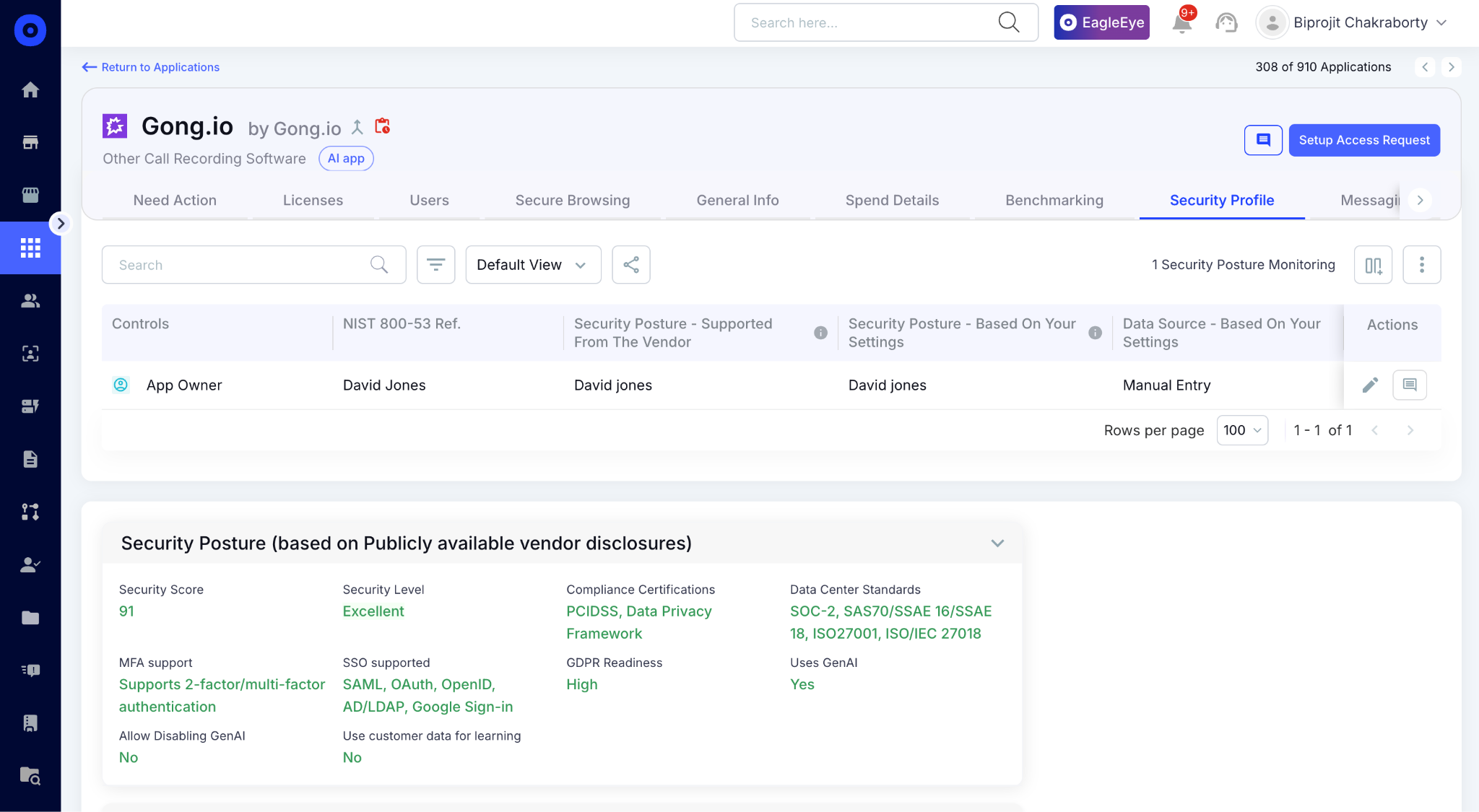
In CloudEagle.ai's risk scoring view, every AI vendor appears with its risk level, whether it trains on company data, and whether it processes regulated data without a formal agreement in place.
E. AI Usage and Token Consumption Tracking: See Who Is Using What and at What Scale
CloudEagle.ai tracks token consumption and API spend for Claude, ChatGPT, Cursor, Gemini, and GitHub Copilot, on per user, per team, per department basis.
This matters for blast radius because unusual token consumption is often the first behavioral signal that something is wrong. Here's how per-user AI usage tracking is designed:

In CloudEagle.ai's AI usage dashboard, every user's consumption is visible by model tier and time period.
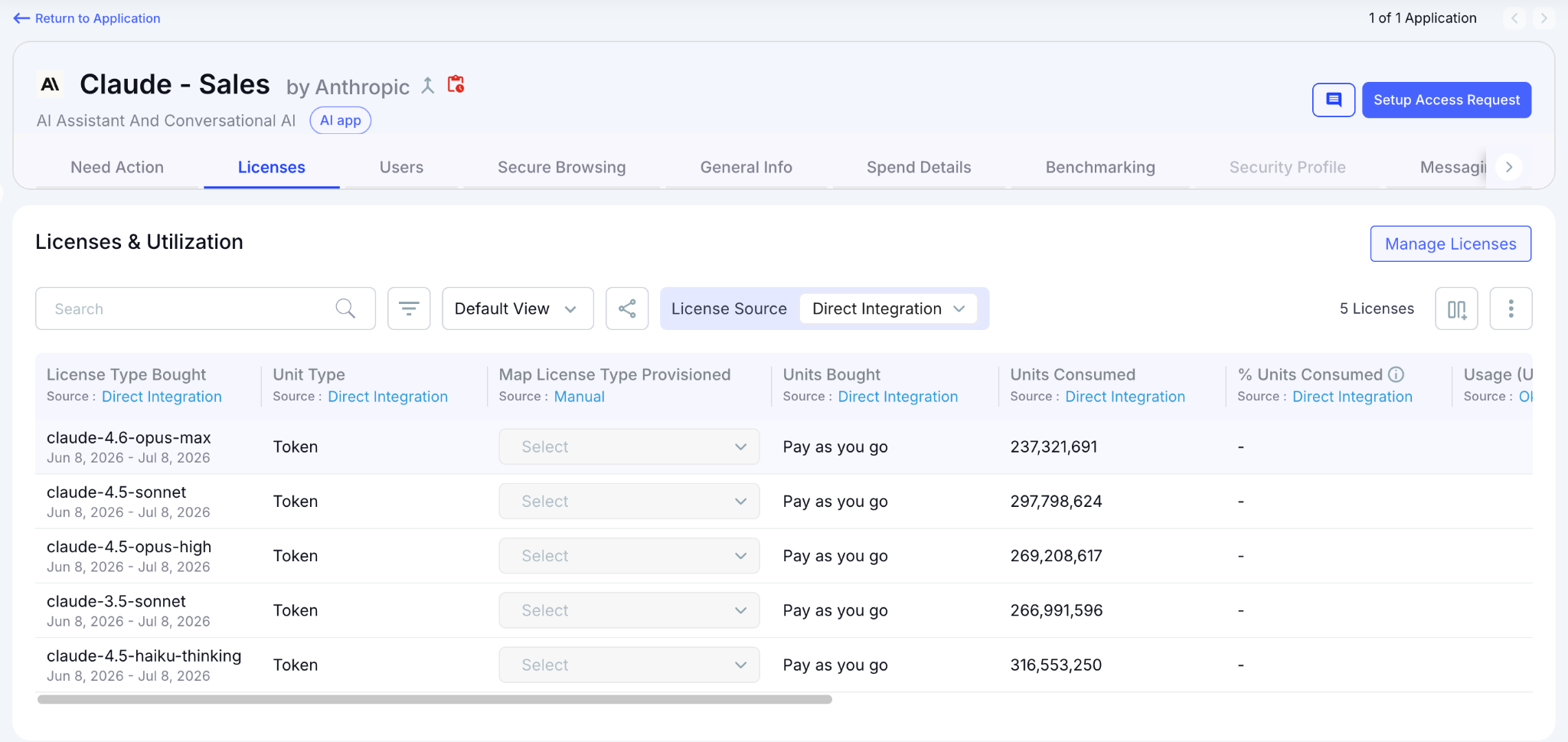
Security teams identify anomalies and Finance gets the chargeback data needed to enforce budget accountability.
AI Risks Spread Faster Than You Think


3. What Blast Radius Actually Means for AI Governance
AI blast radius isn't measured by how many tools exist. It's measured by how much exposure a single AI interaction can create.
A. Data Sensitivity × Access Scope = Actual Exposure
The risk of an AI session depends on two things:
- What data can reach the tool
- What the tool or user can do with that data
An employee uploading sensitive files into a personal AI account with no controls creates a much larger blast radius than someone using an approved tool with scoped access and DLP enforcement.

Most organizations know which AI tools employees use. Fewer know what company data those tools can actually reach, and that gap is where blast radius compounds silently.
B. Personal AI Accounts Widen the Blast Radius Invisibly
Personal AI accounts create a different risk profile. When employees use personal ChatGPT, Claude, or Gemini accounts for work, organizations lose visibility into how company data is being handled.
As Howard Miller explained:
"I recently purchased an AI DLP tool. It can tell me when people are putting data that's sensitive or confidential into sources they don't have approval to put them in."
Without that level of visibility, teams may know employees are accessing AI tools but have no way to know whether sensitive information is moving into unmanaged environments.
C. AI Agents Carry the Largest Blast Radius of All
AI agents introduce a different challenge because they don't rely on one-time user actions. An employee pasting data into an AI tool creates a single event.
An AI agent connected through OAuth tokens can maintain ongoing access to your CRM, documents, and communication tools, running continuously without human oversight.
These agents operate outside the lifecycle controls that apply to human users:
- No Regular Access Reviews: Agents don't appear in quarterly certification cycles. They accumulate access without anyone periodically validating whether it's still needed.
- No Automatic Deprovisioning: When the employee who created an agent leaves, the agent keeps running with the same permissions and no active owner.
- No Clear Ownership Tracking: Nobody knows who is accountable for what an agent can reach until something goes wrong.
That's why the next AI governance challenge isn't only controlling what employees type into AI tools. It's controlling what persistent AI identities can access across your SaaS environment.
4. Conclusion
The CIOs and CISOs getting ahead of AI risk in 2026 aren't the ones with the shortest approved tool list.
They're the ones who can answer: for any session happening right now, what data can it reach, where does it go, and do we have a control in place?
CloudEagle.ai gives security and IT teams exactly that view, surfacing ungoverned AI sessions, enforcing controls at the point of access, blocking sensitive data at the prompt layer, and governing the agents and tokens that create risk.
5. FAQs
1. Can CloudEagle.ai govern MCP servers and AI agent workflows, not just browser-based AI tools?
CloudEagle.ai surfaces every external MCP server in the environment, ownership, permissions, and connected agent workflows, the moment it appears, so teams can govern what is running before it becomes an unaudited data pipeline.
2. How does CloudEagle.ai handle AI governance for employees on BYOD devices not managed by MDM?
For BYOD environments, CloudEagle.ai relies on Zscaler CASB integration and finance signal correlation. Corporate network traffic still routes through Zscaler, and AI-related charges on corporate cards still surface through connected finance systems.
3. Can CloudEagle.ai enforce different AI policies for different departments without a blanket block?
Policies are configurable at the team, department, and role level independently. Engineering can be permitted Cursor while restricted from consumer ChatGPT. Finance can have stricter prompt-level DLP rules for AI sessions involving financial data.
4. How does CloudEagle.ai produce audit-ready evidence of AI governance for compliance reviews?
Every enforcement action, flash page triggered, sensitive content blocked, token threshold breached, is logged automatically with timestamp, user, tool, and outcome. The audit record is available in real time without additional preparation.
5. Does CloudEagle.ai cover AI features embedded inside existing SaaS tools, not just standalone AI applications?
CloudEagle.ai surfaces GenAI capabilities embedded inside tools already in the stack, Salesforce Einstein, Notion AI, HubSpot Breeze, as separate entries in the AI inventory with their own risk scores, independent from the parent application.
Secure AI Before It Becomes Shadow AI


.avif)


.avif)
.avif)




.png)





.avif)
.avif)
.avif)


