You need to enable JavaScript in order to use the AI chatbot tool powered by ChatBot

What Your AI Tools Can Actually Access Through the Permissions You Granted Them

Share via:
blog-cms-banner-bg
Little-Known Negotiation Hacks to Get the Best Deal on Slack
cta-bg-blogDownload Your Copy

HIPAA Compliance Checklist for 2025

Download PDF

When you connected Copilot to your Microsoft 365 tenant, you granted it access to emails, files, and calendar data. That was months ago. Do you know who is actively using it today or what data it can still access?

Most security teams don't. Employees connect AI tools to work accounts, accept OAuth permissions without reviewing the scope, and grant access to far more data than the tool needs. These permissions are rarely reviewed or revoked, leaving long-lived access that quietly expands your attack surface.

Knowing which AI tools are connected is only half the picture. The bigger question is what data those tools can actually access. That is the visibility most organizations still lack.

TL;DR

  • OAuth connections and API integrations grant AI tools data access that persists long after the initial connection, and most security teams have no live inventory of what is connected to what
  • The data scope of a single AI tool OAuth grant is often broader than the employee intended and broader than IT reviewed
  • When the employee who made the connection leaves, the OAuth token stays active, the AI tool retains its data access, and nobody revokes it
  • CloudEagle delivers real-time visibility into every AI application in use, sanctioned and shadow, including the data access scope each tool carries through its connections
  • The result: security teams can see what AI tools are connected, what they can reach, whether that access is still appropriate, and whose connections are now orphaned

1. What "Granting Permissions" Actually Means for Data Access

Most OAuth grants for AI tools request broad read access by design. Common permission scopes include:

  • Read all emails
  • Read all files and documents
  • Access calendars and contacts
  • View user profile information

The tool's value proposition is built on seeing everything, and the permission scope reflects that. Employees click through because the tool is useful, and the consent screen is designed to be dismissed, not read. Unless someone explicitly revokes the grant, it remains active indefinitely.

The compounding problem is offboarding. IT teams may track AI usage through SSO logs and periodic audits, but offboarding processes are rarely AI-specific. When the employee who authorized the connection leaves the organization, the OAuth token often stays active. The AI tool retains its access, no revocation occurs, and nobody owns the connection anymore.

The permission you granted in January is still active. The question is what it has been reaching since then.

Offboarding Doesn't End With Disabling an Account.

Make sure AI access and OAuth grants don't get left behind.
Get the Checklist

2. How CloudEagle.ai Surfaces What AI Tools Can Actually Reach

CloudEagle.ai does not just show which AI tools are in use. It surfaces the data access scope each tool carries through its connections, continuously, in one governed view.

Data Access Visibility

The biggest AI governance question isn't which tools are being used. It's what those tools can access.

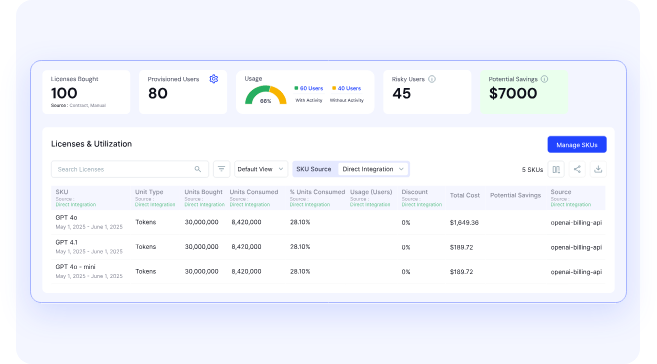
CloudEagle maps every AI tool to the enterprise data it can reach, making it easy to identify tools with permissions that exceed their intended purpose.
How it helps

  • Shows which AI tools can access CRM platforms like Salesforce and HubSpot
  • Identifies tools connected to HR systems, financial platforms, cloud storage, and collaboration apps
  • Maps access to customer data, employee identities, intellectual property, and financial information
  • Highlights AI tools with broad permissions that don't match their business purpose

Connected AI Tools and Permission Scope

Once data access is visible, CloudEagle shows exactly how every AI tool is connected and what permissions it has been granted.

How it helps

  • Discovers AI tools connected through OAuth, API keys, and browser extensions
  • Shows whether tools can read, write, modify, or delete enterprise data
  • Automatically classifies AI tools based on permission scope
  • Prioritizes high-risk connections without manual review

Shadow AI With Live Enterprise Connections

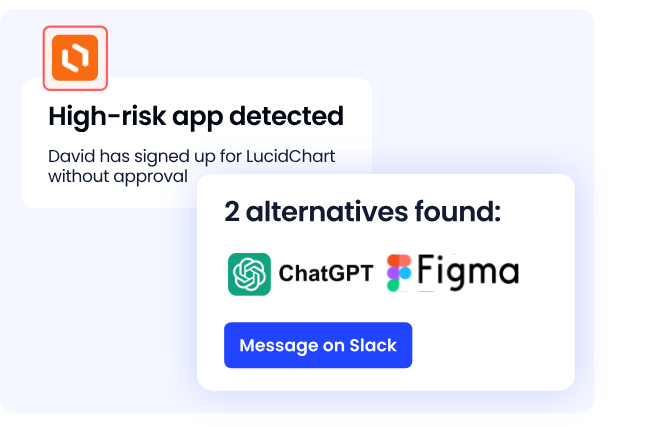
Not every shadow AI tool creates the same level of risk. The real concern is whether it maintains ongoing access to enterprise systems.
How it helps

  • Identifies unsanctioned AI tools with active OAuth connections
  • Distinguishes one-time visits from persistent enterprise integrations
  • Flags AI tools continuously accessing business data without approval
  • Surfaces risky integrations before they become compliance issues

Orphaned AI Access

AI permissions often survive long after the employee who created them has left the organization.

How it helps

  • Detects orphaned OAuth connections and API tokens
  • Maps every connection back to its original owner
  • Shows when the employee left and whether access remains active
  • Enables immediate revocation of stale AI permissions

3. The Permission Scopes Most Likely to Create Exposure

These are the four permission categories that create the most downstream risk when granted to AI tools, and how they surface in a governance dashboard.

"Read All Files" in Google Drive or SharePoint

The most common broad grant. It gives the AI tool access to every document in the employee's Drive, including files shared with them from other departments, files containing financial projections, HR records, and vendor contracts, not just files they created themselves.

An employee in sales who connects an AI writing tool grants it read access to every file shared with them across the organization. That scope extends far beyond sales materials.

"Read Email and Calendar"

AI tools with this scope can read every email in the inbox, including confidential communications, vendor contracts, and HR correspondence. 

This grant is standard for productivity AI tools including Copilot, Gemini, and third-party AI email assistants, and it is rarely reviewed at the level of specificity its actual data access warrants.

"Access to CRM Data"

AI tools connected to Salesforce, HubSpot, or similar platforms often request full read access. That gives them visibility into customer records, pipeline data, and contract terms that represent significant competitive and privacy exposure, often granted by a sales rep who wanted a faster way to draft follow-up emails.

API Keys With Admin Scope

Developers connecting AI coding tools or automation agents frequently use API keys with admin-level permissions because it is the path of least resistance. The tool works immediately. Nobody asks why admin scope was needed. 

The key persists with admin access after the project completes and after the developer moves to a different team or leaves the organization.

📖 Worth a Read 👉 The 4 Types of AI Risk That Traditional Security Tools Weren't Designed to Handle

4. What a Permission Scope Review Looks Like at Enterprise Scale

Most security teams review AI permissions by exporting OAuth grants from Google Workspace, Microsoft 365, and individual SaaS applications. They look for:

The process produces a snapshot that is outdated almost as soon as it is finished. AI permissions continue to change while the review is still in progress.

The problem is that every system shows only part of the picture. Browser-based AI tools often remain invisible, making a complete permission review difficult.

CloudEagle makes permission reviews continuous. Every new AI connection is inventoried with its permission scope, orphaned connections are flagged automatically, and high-risk grants are routed for review as they appear.

Permission Reviews Shouldn't Be a Quarterly Project.

Learn how leading teams make access governance continuous.
See the Risks

5. Revoking AI Access: What Needs to Happen After the Scope Review

Once permission scope is visible, three remediation actions address the highest-risk situations:

  • Revoke orphaned connections: AI tool connections created by employees who have left the organization should be treated as active risks until they are reviewed and revoked. CloudEagle identifies these connections, showing the user's departure date and the current permission scope for targeted remediation.
  • Downscope excessive grants: Not every permission requires full revocation. CloudEagle flags AI tools whose granted permissions exceed their approved use case, allowing teams to reduce access to the minimum required level.
  • Prevent new high-risk connections: CloudEagle monitors AI tool usage and can block sensitive data from being shared with unsanctioned AI tools. It can also redirect users to approved alternatives before an unauthorized connection is established.

With CloudEagle.ai, organizations gain continuous visibility into connected AI tools, their permission scopes, and their owners. Shadow AI is surfaced, orphaned connections are flagged, and excessive permissions are remediated before they become security risks.

In a Nutshell 

The permissions your AI tools carry are only as safe as your visibility into what they are actually reaching. 

Most security teams do not have that visibility today, not because the data does not exist, but because it is spread across systems that do not talk to each other and was never aggregated into a view that makes the scope and the risk legible at once.

CloudEagle.ai is the layer that makes that visible, continuously, before an orphaned connection becomes a breach or a broad OAuth grant becomes an audit finding.

Frequently Asked Questions

1. What data can AI tools access through OAuth permissions?

The data depends on the permissions granted during setup. Many AI tools request access to emails, files, calendars, contacts, or CRM data. Unless those permissions are reviewed and revoked, the access can remain active indefinitely.

2. What are orphaned AI connections?

Orphaned AI connections are OAuth tokens or API keys that remain active after the employee who created them leaves the organization. These unused connections can continue accessing enterprise data until they are identified and revoked.

3. How do you review AI permissions at enterprise scale?

Manual reviews quickly become outdated because AI permissions are spread across multiple systems. Continuous monitoring provides a unified view of AI connections, permission scopes, and orphaned grants as they appear.

4. What is the difference between blocking an AI tool and revoking its permissions?

Blocking prevents employees from creating new connections with an AI tool. Revoking permissions removes access from existing OAuth grants or API keys. Organizations typically need both to reduce AI risk.

5. Why should organizations regularly review AI tool permissions?

AI permissions often outlive their original purpose as employees change roles, leave the company, or adopt new tools. Regular reviews help identify excessive access, remove stale permissions, and reduce the risk of unauthorized data exposure.

Advertisement for a SaaS Subscription Tracking Template with a call-to-action button to download and a partial graphic of a tablet showing charts.Banner promoting a SaaS Agreement Checklist to streamline SaaS management and avoid budget waste with a call-to-action button labeled Download checklist.Blue banner with text 'The Ultimate Employee Offboarding Checklist!' and a black button labeled 'Download checklist' alongside partial views of checklist documents from cloudeagle.ai.Digital ad for download checklist titled 'The Ultimate Checklist for IT Leaders to Optimize SaaS Operations' by cloudeagle.ai, showing checklist pages.Slack Buyer's Guide offer with text 'Unlock insider insights to get the best deal on Slack!' and a button labeled 'Get Your Copy', accompanied by a preview of the guide featuring Slack's logo.Monday Pricing Guide by cloudeagle.ai offering exclusive pricing secrets to maximize investment with a call-to-action button labeled Get Your Copy and an image of the guide's cover.Blue banner for Canva Pricing Guide by cloudeagle.ai offering a guide to Canva costs, features, and alternatives with a call-to-action button saying Get Your Copy.Blue banner with white text reading 'Little-Known Negotiation Hacks to Get the Best Deal on Slack' and a white button labeled 'Get Your Copy'.Blue banner with text 'Little-Known Negotiation Hacks to Get the Best Deal on Monday.com' and a white button labeled 'Get Your Copy'.Blue banner with text 'Little-Known Negotiation Hacks to Get the Best Deal on Canva' and a white button labeled 'Get Your Copy'.Banner with text 'Slack Buyer's Guide' and a 'Download Now' button next to images of a guide titled 'Slack Buyer’s Guide: Features, Pricing & Best Practices'.Digital cover of Monday Pricing Guide with a button labeled Get Your Copy on a blue background.Canva Pricing Guide cover with a button labeled Get Your Copy on a blue gradient background.

Enter your email to
unlock the report

Oops! Something went wrong while submitting the form.
License Count
Benchmark
Per User/Per Year

Enter your email to
unlock the report

Oops! Something went wrong while submitting the form.
License Count
Benchmark
Per User/Per Year

Enter your email to
unlock the report

Oops! Something went wrong while submitting the form.
Notion Plus
License Count
Benchmark
Per User/Per Year
100-500
$67.20 - $78.72
500-1000
$59.52 - $72.00
1000+
$51.84 - $57.60
Canva Pro
License Count
Benchmark
Per User/Per Year
100-500
$74.33-$88.71
500-1000
$64.74-$80.32
1000+
$55.14-$62.34

Enter your email to
unlock the report

Oops! Something went wrong while submitting the form.

Enter your email to
unlock the report

Oops! Something went wrong while submitting the form.
Zoom Business
License Count
Benchmark
Per User/Per Year
100-500
$216.00 - $264.00
500-1000
$180.00 - $216.00
1000+
$156.00 - $180.00

Enter your email to
unlock the report

Oops! Something went wrong while submitting the form.

Get the Right Security Platform To Secure Your Cloud Infrastructure

Please enter a business email
Thank you!
The 2023 SaaS report has been sent to your email. Check your promotional or spam folder.
Oops! Something went wrong while submitting the form.

Access full report

Please enter a business email
Thank you!
The 2023 SaaS report has been sent to your email. Check your promotional or spam folder.
Oops! Something went wrong while submitting the form.

When you connected Copilot to your Microsoft 365 tenant, you granted it access to emails, files, and calendar data. That was months ago. Do you know who is actively using it today or what data it can still access?

Most security teams don't. Employees connect AI tools to work accounts, accept OAuth permissions without reviewing the scope, and grant access to far more data than the tool needs. These permissions are rarely reviewed or revoked, leaving long-lived access that quietly expands your attack surface.

Knowing which AI tools are connected is only half the picture. The bigger question is what data those tools can actually access. That is the visibility most organizations still lack.

TL;DR

  • OAuth connections and API integrations grant AI tools data access that persists long after the initial connection, and most security teams have no live inventory of what is connected to what
  • The data scope of a single AI tool OAuth grant is often broader than the employee intended and broader than IT reviewed
  • When the employee who made the connection leaves, the OAuth token stays active, the AI tool retains its data access, and nobody revokes it
  • CloudEagle delivers real-time visibility into every AI application in use, sanctioned and shadow, including the data access scope each tool carries through its connections
  • The result: security teams can see what AI tools are connected, what they can reach, whether that access is still appropriate, and whose connections are now orphaned

1. What "Granting Permissions" Actually Means for Data Access

Most OAuth grants for AI tools request broad read access by design. Common permission scopes include:

  • Read all emails
  • Read all files and documents
  • Access calendars and contacts
  • View user profile information

The tool's value proposition is built on seeing everything, and the permission scope reflects that. Employees click through because the tool is useful, and the consent screen is designed to be dismissed, not read. Unless someone explicitly revokes the grant, it remains active indefinitely.

The compounding problem is offboarding. IT teams may track AI usage through SSO logs and periodic audits, but offboarding processes are rarely AI-specific. When the employee who authorized the connection leaves the organization, the OAuth token often stays active. The AI tool retains its access, no revocation occurs, and nobody owns the connection anymore.

The permission you granted in January is still active. The question is what it has been reaching since then.

Offboarding Doesn't End With Disabling an Account.

Make sure AI access and OAuth grants don't get left behind.
Get the Checklist

2. How CloudEagle.ai Surfaces What AI Tools Can Actually Reach

CloudEagle.ai does not just show which AI tools are in use. It surfaces the data access scope each tool carries through its connections, continuously, in one governed view.

Data Access Visibility

The biggest AI governance question isn't which tools are being used. It's what those tools can access.

CloudEagle maps every AI tool to the enterprise data it can reach, making it easy to identify tools with permissions that exceed their intended purpose.

How it helps

  • Shows which AI tools can access CRM platforms like Salesforce and HubSpot
  • Identifies tools connected to HR systems, financial platforms, cloud storage, and collaboration apps
  • Maps access to customer data, employee identities, intellectual property, and financial information
  • Highlights AI tools with broad permissions that don't match their business purpose

Connected AI Tools and Permission Scope

Once data access is visible, CloudEagle shows exactly how every AI tool is connected and what permissions it has been granted.

How it helps

  • Discovers AI tools connected through OAuth, API keys, and browser extensions
  • Shows whether tools can read, write, modify, or delete enterprise data
  • Automatically classifies AI tools based on permission scope
  • Prioritizes high-risk connections without manual review

Shadow AI With Live Enterprise Connections

Not every shadow AI tool creates the same level of risk. The real concern is whether it maintains ongoing access to enterprise systems.

How it helps

  • Identifies unsanctioned AI tools with active OAuth connections
  • Distinguishes one-time visits from persistent enterprise integrations
  • Flags AI tools continuously accessing business data without approval
  • Surfaces risky integrations before they become compliance issues

Orphaned AI Access

AI permissions often survive long after the employee who created them has left the organization.

How it helps

  • Detects orphaned OAuth connections and API tokens
  • Maps every connection back to its original owner
  • Shows when the employee left and whether access remains active
  • Enables immediate revocation of stale AI permissions

3. The Permission Scopes Most Likely to Create Exposure

These are the four permission categories that create the most downstream risk when granted to AI tools, and how they surface in a governance dashboard.

"Read All Files" in Google Drive or SharePoint

The most common broad grant. It gives the AI tool access to every document in the employee's Drive, including files shared with them from other departments, files containing financial projections, HR records, and vendor contracts, not just files they created themselves.

An employee in sales who connects an AI writing tool grants it read access to every file shared with them across the organization. That scope extends far beyond sales materials.

"Read Email and Calendar"

AI tools with this scope can read every email in the inbox, including confidential communications, vendor contracts, and HR correspondence. 

This grant is standard for productivity AI tools including Copilot, Gemini, and third-party AI email assistants, and it is rarely reviewed at the level of specificity its actual data access warrants.

"Access to CRM Data"

AI tools connected to Salesforce, HubSpot, or similar platforms often request full read access. That gives them visibility into customer records, pipeline data, and contract terms that represent significant competitive and privacy exposure, often granted by a sales rep who wanted a faster way to draft follow-up emails.

API Keys With Admin Scope

Developers connecting AI coding tools or automation agents frequently use API keys with admin-level permissions because it is the path of least resistance. The tool works immediately. Nobody asks why admin scope was needed. 

The key persists with admin access after the project completes and after the developer moves to a different team or leaves the organization.

📖 Worth a Read 👉 The 4 Types of AI Risk That Traditional Security Tools Weren't Designed to Handle

4. What a Permission Scope Review Looks Like at Enterprise Scale

Most security teams review AI permissions by exporting OAuth grants from Google Workspace, Microsoft 365, and individual SaaS applications. They look for:

The process produces a snapshot that is outdated almost as soon as it is finished. AI permissions continue to change while the review is still in progress.

The problem is that every system shows only part of the picture. Browser-based AI tools often remain invisible, making a complete permission review difficult.

CloudEagle makes permission reviews continuous. Every new AI connection is inventoried with its permission scope, orphaned connections are flagged automatically, and high-risk grants are routed for review as they appear.

Permission Reviews Shouldn't Be a Quarterly Project.

Learn how leading teams make access governance continuous.
See the Risks

5. Revoking AI Access: What Needs to Happen After the Scope Review

Once permission scope is visible, three remediation actions address the highest-risk situations:

  • Revoke orphaned connections: AI tool connections created by employees who have left the organization should be treated as active risks until they are reviewed and revoked. CloudEagle identifies these connections, showing the user's departure date and the current permission scope for targeted remediation.
  • Downscope excessive grants: Not every permission requires full revocation. CloudEagle flags AI tools whose granted permissions exceed their approved use case, allowing teams to reduce access to the minimum required level.
  • Prevent new high-risk connections: CloudEagle monitors AI tool usage and can block sensitive data from being shared with unsanctioned AI tools. It can also redirect users to approved alternatives before an unauthorized connection is established.

With CloudEagle.ai, organizations gain continuous visibility into connected AI tools, their permission scopes, and their owners. Shadow AI is surfaced, orphaned connections are flagged, and excessive permissions are remediated before they become security risks.

In a Nutshell 

The permissions your AI tools carry are only as safe as your visibility into what they are actually reaching. 

Most security teams do not have that visibility today, not because the data does not exist, but because it is spread across systems that do not talk to each other and was never aggregated into a view that makes the scope and the risk legible at once.

CloudEagle.ai is the layer that makes that visible, continuously, before an orphaned connection becomes a breach or a broad OAuth grant becomes an audit finding.

Frequently Asked Questions

1. What data can AI tools access through OAuth permissions?

The data depends on the permissions granted during setup. Many AI tools request access to emails, files, calendars, contacts, or CRM data. Unless those permissions are reviewed and revoked, the access can remain active indefinitely.

2. What are orphaned AI connections?

Orphaned AI connections are OAuth tokens or API keys that remain active after the employee who created them leaves the organization. These unused connections can continue accessing enterprise data until they are identified and revoked.

3. How do you review AI permissions at enterprise scale?

Manual reviews quickly become outdated because AI permissions are spread across multiple systems. Continuous monitoring provides a unified view of AI connections, permission scopes, and orphaned grants as they appear.

4. What is the difference between blocking an AI tool and revoking its permissions?

Blocking prevents employees from creating new connections with an AI tool. Revoking permissions removes access from existing OAuth grants or API keys. Organizations typically need both to reduce AI risk.

5. Why should organizations regularly review AI tool permissions?

AI permissions often outlive their original purpose as employees change roles, leave the company, or adopt new tools. Regular reviews help identify excessive access, remove stale permissions, and reduce the risk of unauthorized data exposure.

CloudEagle.ai recognized in the 2025 Gartner® Magic Quadrant™ for SaaS Management Platforms
Download now
gartner chart
5x
Faster employee
onboarding
80%
Reduction in time for
user access reviews
30k
Workflows
automated
$15Bn
Analyzed in
contract spend
$2Bn
Saved in
SaaS spend

Streamline SaaS governance and save 10-30%

Book a Demo with Expert
CTA image