
%201.svg)


HIPAA Compliance Checklist for 2025

Most enterprises cannot answer a simple question: Which employees shared sensitive data with AI tools last week? If that data cannot be identified, it cannot be secured.
Shadow AI risk is not about tools like ChatGPT or Claude themselves. It is about untracked data movement through prompts and unapproved usage across teams.
The issue shows up in specific ways: API keys pasted into prompts or customer data used for summarization. These actions leave no centralized log, making detection difficult until after exposure occurs.
In this article, we will break down how to identify shadow AI risks early, the exact signals that indicate exposure, and how to detect shadow AI before they lead to a breach.
TL;DR
- Shadow AI risk comes from untracked data shared through prompts without visibility or control.
- Early signals include unknown AI usage, repeated data sharing, and lack of policies or audit logs.
- Identifying risks requires mapping tools, tracking prompt data, and linking usage to users and context.
- Continuous monitoring and access correlation help detect high-risk behavior before breaches occur.
- CloudEagle.ai enables real-time discovery, control, and governance of shadow AI risks across the enterprise.
1. Why is Shadow AI Riskier Than It Looks?
Shadow AI is riskier than it looks because sensitive data is shared through prompts without logs, approvals, or app visibility, making it difficult to detect or control.
- Data Leaves Controlled Systems Through Prompts: Employees paste code, contracts, or queries into tools like Claude or Gemini.
- No Central Logging Of AI Interactions: Enterprises often cannot track what data was shared or when.
- AI Outputs Influence Decisions And Code: Generated outputs may be used in production without validation.
These risks remain hidden because they do not trigger traditional security alerts. And according to Verizon, 74% of data breaches involve the human element, often through legitimate access misuse.
It’s similar to how shadow AI operates. Shadow AI is not just a usage problem. It is a visibility gap where sensitive data flows outside governed systems without detection. Much of that activity comes from AI tools running silently in the background, adopted by individuals and never flagged to IT.

2. What Early Signals Indicate Shadow AI Risk Is Increasing?
Shadow AI risk increases when AI usage grows without visibility, controls, or consistent patterns across teams. These signals appear in day-to-day activity before any incident occurs.
- Untracked AI Tool Usage Across Teams: Employees use tools like ChatGPT or Claude without IT visibility.
- Frequent Copy-Paste Activity Into AI Tools: Sensitive data such as code snippets, queries, or documents are repeatedly entered into prompts.
- No Standard Policy For AI Usage: Teams use AI differently with no shared guidelines or restrictions.
But that’s not even the worst news. The problem is these shadow AI risks are that they grow over time. These signals often indicate that your enterprise is going to have a massive shadow AI detection problem.
In such cases you’ll also face compliance issues. And without compliance risk management, things will become pretty worse.
Increased Use Of Browser-Based AI Tools
Usage bypasses traditional SaaS procurement and monitoring.
No Logs Or Audit Trails For AI Interactions
Organizations cannot trace what data was shared or processed.
AI Outputs Used Without Review
Generated content or code is applied directly in workflows.
When these patterns appear together, shadow AI risk is no longer isolated. It is expanding across the enterprise without control.
3. How Can You Identify Shadow AI Risks Before Data Breaches?
You identify shadow AI risks by detecting where data is entering AI tools, what is AI usage, who’s using them. The goal is to surface activity that currently has no visibility.
The following sections break down the specific methods and signals that help with shadow AI detection before it leads to data exposure or compliance issues.
A. Map All AI Tools Being Used Across Teams, Not Just Approved Ones
You need to identify every AI tool being used across the organization, including those not officially approved. Shadow AI risk starts when usage exists outside known systems. Mapping that usage depends on a shadow AI discovery approach that pulls from browser, SSO, and finance signals instead of a single source.
Discover Browser-Based AI Usage
Detect access to tools like ChatGPT and Claude through browser activity.
Identify Unsanctioned AI Tools
Find tools being used without IT or security approval.
Map Usage Across Departments
Track which teams are using which AI tools and for what purposes.
Compare Approved vs Actual Usage
Highlight gaps between sanctioned tools and real usage patterns.
When all AI tools are mapped, organizations gain visibility into where shadow AI exists and how widely it is being used.
B. Track What Data Is Being Shared Through AI Prompts
You need to track what data your employees are sharing through AI prompts. You need to track what inputs they are giving to the enterprise AI tools and whether they are disclosing any sensitive information.
A support agent pastes a customer ticket into ChatGPT to generate a response.
Support Perspective:
The response is faster and more polished, improving turnaround time.
Security Perspective:
The ticket includes customer identifiers and issue history, now shared outside controlled systems.
Now consider a developer troubleshooting an issue.
Engineering Perspective:
They paste logs and code into Claude to identify the root cause quickly.
Compliance Perspective:
Those logs may include internal endpoints, tokens, or system behavior that should not be exposed.
Nothing appears risky at the moment. The task gets completed efficiently. But the actual risk lies in the data being shared, not the action itself.
According to GitGuardian State of Secrets Sprawl, millions of secrets like API keys and tokens are exposed in code repositories each year. This often happens through everyday developer workflows.
When similar data flows through AI prompts without tracking, organizations lose visibility into what sensitive information is leaving their systems.
C. Identify Who Is Using AI Tools and Under What Context
Shadow AI risk increases when organizations cannot link AI usage to specific users, roles, and business contexts. Knowing who uses AI in the workplace is not enough. You need to know why and how it was used with the help of shadow AI detection tools.
Map AI Usage To Individual Users
Track which employees are using tools like Gemini or Perplexity.
Link Usage To Business Context
Identify whether AI is used for coding, customer support, finance analysis, or marketing.
Correlate Usage With Data Sensitivity
Determine if users are sharing low-risk content or sensitive data like code or customer records.
These insights help separate normal usage from risky behavior.
- High-Risk Usage By Privileged Users: Admins or developers may expose more sensitive data through AI tools.
- Unusual Usage Patterns Across Roles: Unexpected teams using AI for sensitive tasks can indicate risk.
- Lack Of Context Around AI Interactions: Without context, usage cannot be evaluated for risk or compliance.
When AI usage is tied to identity and context, organizations can prioritize risks instead of treating all activity equally.
Take a look at CloudEagle’s webinar where Anubhav Dhar, Lenin Gali, and Titus M. discuss how shadow AI creates crisis in SaaS environments.
D. Monitor Usage Patterns Instead Of Relying on One-Time Audits
You should monitor how AI tools are used over time, not just at a single point, to detect patterns that indicate growing risk. One-time IT audits miss temporary access, short-term data exposure, and evolving usage behavior.
Track Frequency Of AI Tool Usage
Identify how often tools like ChatGPT and Claude are used across teams.
Detect Spikes In Sensitive Activity
Monitor sudden increases in prompt activity involving code, data, or documents.
Analyze Trends Over Time
Compare usage patterns across weeks or months to identify abnormal behavior.
Identify Repeated Risky Actions
Detect recurring behaviors like sharing similar types of sensitive data.
As Peter Drucker said,
“If you can’t measure it, you can’t improve it.”
Monitoring patterns over time provides the visibility needed to detect SaaS security risks early, instead of relying on snapshots that miss critical activity.
E. Correlate AI Usage With Access Permissions Across Systems
You should correlate who is using AI tools with what access they have across systems to identify high-risk exposure. Shadow AI risk increases when users with sensitive access also use AI tools without restrictions.
Link AI Usage To Privileged Access
Identify users with admin or sensitive access using tools like ChatGPT or Claude.
Map AI Activity To Data Sensitivity Levels
Determine if users with access to financial, customer, or code data are sharing it in prompts.
Flag High-Risk User Combinations
Detect cases where privileged users frequently interact with AI tools.
Align AI Usage With Identity Systems
Integrate AI activity with identity platforms like Okta to enforce controls.
This correlation is critical because identity drives exposure. According to the IBM Cost of a Data Breach Report, compromised credentials are one of the most common initial attack vectors in breaches.
4. What Should Teams Do Once Shadow AI Risks Are Identified?
Once shadow AI risks are identified, teams must contain exposure, enforce access controls, and establish ongoing monitoring. Identifying risk is only useful if it leads to immediate action.
- Restrict High-Risk AI Usage Immediately: Limit or block usage where sensitive data is being shared in tools like ChatGPT or Claude.
- Revoke Or Adjust Access Permissions: Reduce access for users handling sensitive systems until controls are in place.
- Define Clear AI Usage Policies: Establish rules for what data can be shared and which tools are approved.
These steps help contain immediate shadow AI detection risk. And 99% of the time these steps will generate greater results.
- Enable Monitoring And Logging For AI Activity: Track prompts, outputs, and usage patterns across teams.
- Train Employees On AI Usage Risks: Educate teams on safe usage and data handling practices.
- Integrate AI Governance With Existing Security Systems: Align controls with identity, compliance, and SaaS management platforms.
Acting on identified risks ensures organizations move from detection to control, reducing the likelihood of data exposure or compliance issues.
5. How Does CloudEagle.ai Help Detect and Manage Shadow AI Risks?
Shadow AI risks emerge when employees adopt AI tools outside IT visibility, creating exposure across data, identity, and spend.
CloudEagle.ai detects, monitors, and controls shadow AI by combining browser signals, SSO data, finance systems, and 500+ integrations into a unified governance layer.
A: Shadow AI Detection Across Browser, SSO, and Spend Signals
CloudEagle.ai continuously detects shadow AI tools across the enterprise, including tools accessed through browsers or direct signups.
Current Process
Teams rely on disconnected logs from CrowdStrike, Zscaler, SSO systems, and expense reports.
Pain Points
Organizations cannot identify which AI tools are in use or how shadow AI spreads. Unapproved tools, duplicate copilots, and unmanaged vendors create security and compliance blind spots.

How We Do It
CloudEagle correlates browser activity, identity data from Okta, firewall logs, and financial transactions with its SaaSMap AI inventory. This unified approach detects AI tools at the moment they are adopted, not weeks later through audits.
Why We Are Better
Every shadow AI tool is surfaced in real time, eliminating visibility gaps across the organization.
B. AI Usage and Spend Monitoring to Control Shadow AI Growth
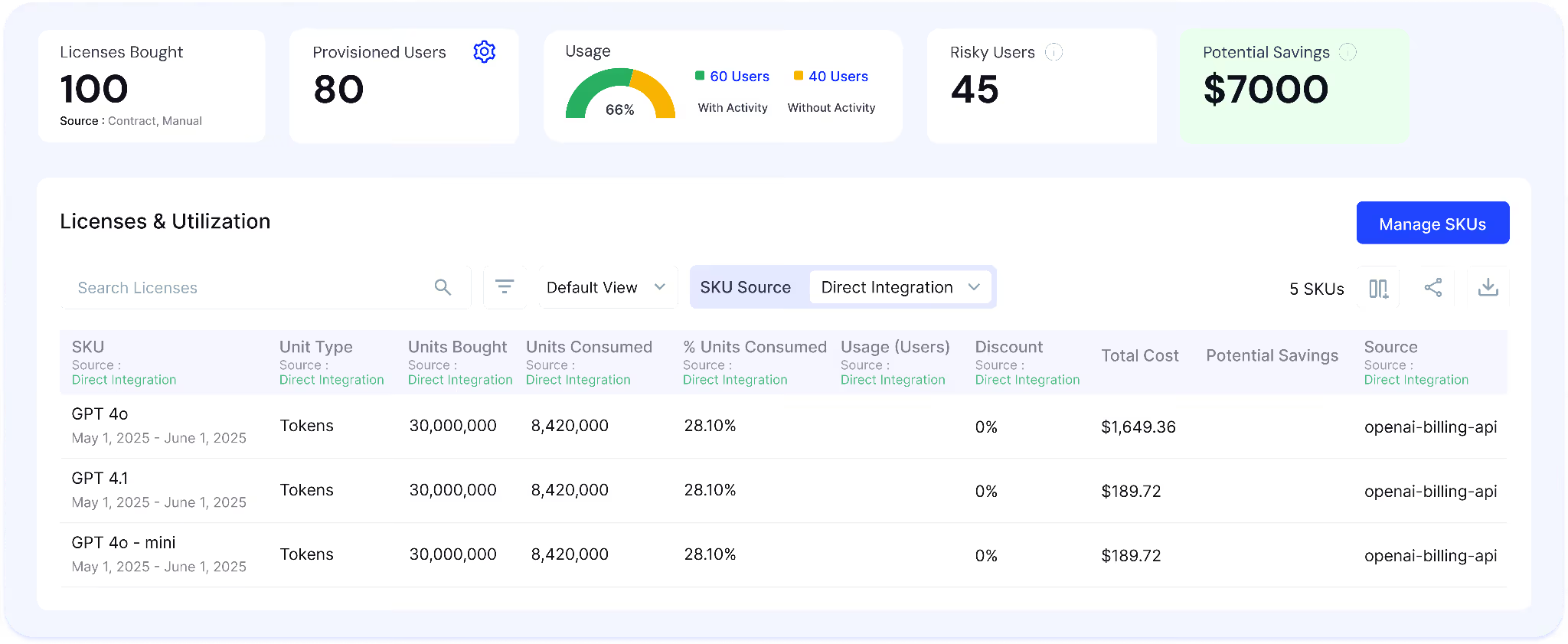
CloudEagle.ai tracks how shadow AI tools are used and how much they cost across users, teams, and departments.
Current Process
Usage data is fragmented across SSO logs, browser activity, app dashboards, and finance systems. Spend is often visible only after invoices.
Pain Points
Organizations cannot determine whether shadow AI tools are actively used, redundant, or driving unnecessary spend. Usage-based billing creates unpredictable costs and renewal risks.
How We Do It
CloudEagle aggregates usage and spend data across identity systems, browser signals, SaaS integrations, and finance platforms, mapping adoption and feature usage across tools.
Why We Are Better
Teams gain a unified view of shadow AI usage and spend, enabling consolidation, optimization, and better vendor decisions.
C. Gen AI Risk Scores to Prioritize Shadow AI Threats
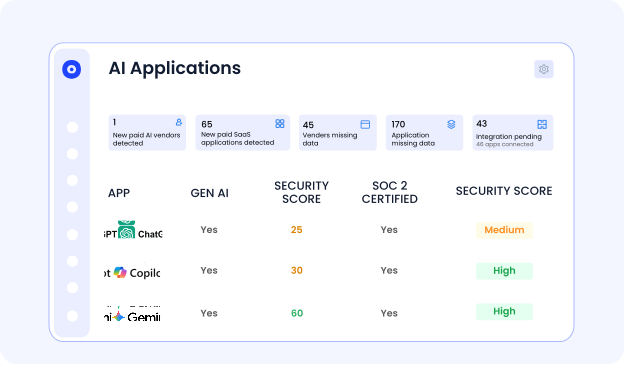
CloudEagle.ai assigns Gen AI risk scores to every detected AI tool, helping teams identify high-risk shadow AI usage.
Current Process
Security teams manually assess AI tools using vendor documentation or isolated reviews, often after adoption.
Pain Points
Teams cannot identify which shadow AI tools process sensitive data or pose compliance risks. Security efforts are spread across both low-risk and high-risk tools
How We Do It
CloudEagle applies AI risk scoring using signals from browser activity, identity systems, and integrations like Netskope. It evaluates data exposure, training behavior, vendor posture, and usage patterns to identify:
- High-risk tools handling sensitive data
- Unreviewed tools with growing adoption
- Redundant or low-value AI usage
Risk scores update continuously based on real usage and exposure signals.
Why We Are Better
Teams move from raw discovery to risk-prioritized action, focusing on shadow AI that impacts security and compliance.
D. DLP to Prevent Sensitive Data Exposure in Shadow AI Tools
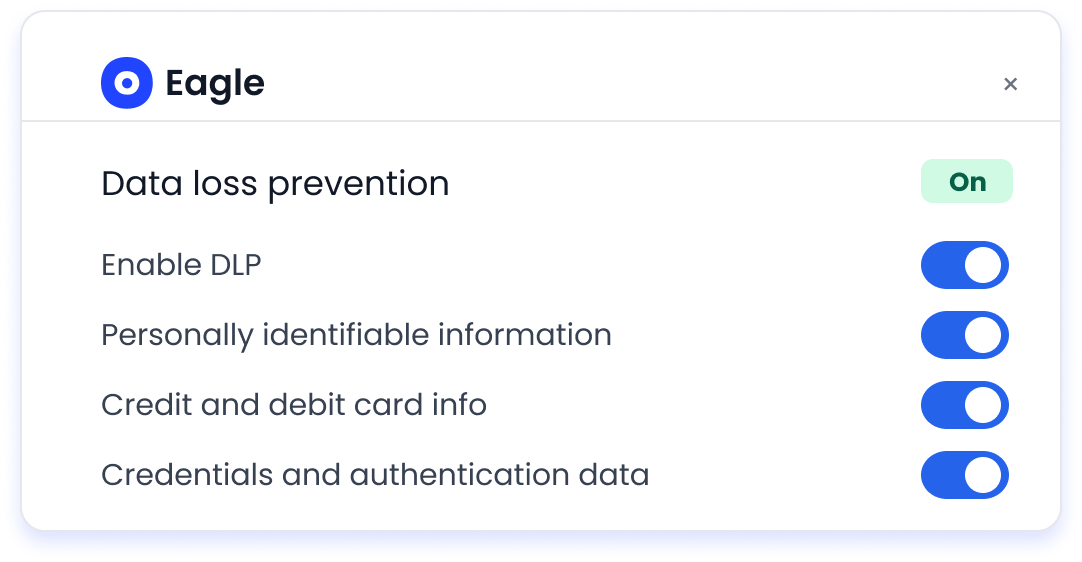
CloudEagle.ai protects sensitive data by monitoring what users share with both sanctioned and shadow AI tools.
Current Process
Employees input sensitive data into tools like ChatGPT Enterprise, Microsoft Copilot, and Google Gemini through browsers. Traditional DLP and CASB tools cannot inspect prompt-level interactions.
Pain Points
PII, financial records, and proprietary data can be shared without detection. Security teams lack visibility into what shadow AI tools process or store
How We Do It
CloudEagle inspects AI interactions in real time at the prompt level, detecting sensitive data before transmission. It blocks or flags high-risk inputs across both approved and shadow AI tools.
Why We Are Better
Sensitive data is protected at the moment of interaction, reducing exposure across shadow AI usage.
E. Secure Browser Controls with Flash Page Enforcement for Shadow AI
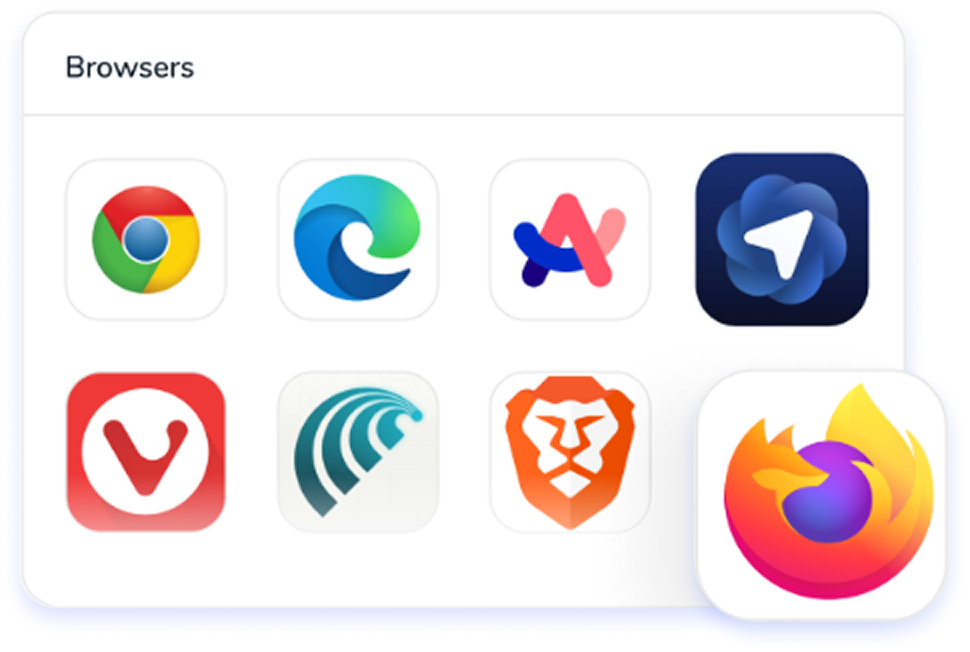
CloudEagle.ai enforces AI governance policies in real time using secure browser controls and flash page interventions.
Current Process
Employees access shadow AI tools directly through browsers, with enforcement happening only after violations are detected.
Pain Points
Shadow AI grows unchecked as users adopt tools without approval. Employees are unaware of approved alternatives, increasing risk and redundant usage.

How We Do It
CloudEagle deploys a lightweight browser extension that monitors AI access in real time. When users attempt to access unapproved tools, a flash page intervenes before any data is entered. The flash page:
- Blocks unsafe access
- Redirects users to approved AI tools
- Enforces policies at the moment of behavior
- Educates users on safe AI usage control
Why We Are Better
Shadow AI is controlled at the point of access, reducing risk while guiding users toward approved tools without disrupting productivity.
Your Data Is Already In AI Tools


6. Conclusion
Shadow AI risk is not hidden because it is complex. It is hidden because it is untracked. The real gap is that enterprises cannot see what data is being shared or how outputs are influencing decisions.
This is where CloudEagle.ai becomes critical. It helps organizations discover AI usage, track data exposure, enforce access controls, and maintain continuous visibility across AI tools.
Identifying shadow AI risks early is not just a security practice. It is the foundation for scaling AI safely without losing control.
7. FAQs
1. What are some of the risks of shadow IT?
Shadow IT creates risks like unapproved software usage, lack of visibility, and inconsistent security controls. It can lead to data exposure, compliance violations, and difficulty tracking who has access to sensitive systems.
2. What are the 4 risks of AI?
The four key risks are data exposure, unvalidated outputs, lack of transparency, and misuse of AI tools. For example, sharing sensitive data in tools like ChatGPT or Claude can expose information without proper controls.
3. What are the legal risks of shadow AI?
Legal risks include data privacy violations, non-compliance with regulations, and unauthorized data sharing. If employees input customer or financial data into AI tools without approval, it can lead to regulatory penalties.
4. What are 5 negative effects of AI?
Negative effects include data leakage, biased outputs, over-reliance on AI, lack of accountability, and security risks. These issues become more severe when AI usage is not governed or monitored properly.


.avif)


.avif)
.avif)




.png)





_.png)

.avif)
.avif)
.avif)


