
%201.svg)


HIPAA Compliance Checklist for 2025

Every app access request that lands in your IT queue becomes a ticket. And for most IT teams, those tickets never stop coming.
According to reports, in 58% of organizations, IT teams spend more than 5 hours per week on repetitive tasks like onboarding, password resets, and provisioning apps.
CloudEagle.ai eliminates the ticket before it's ever created. The platforms automates app access workflows with AI-powered provisioning and self-service capabilities to the requests that would otherwise flood your IT queue.
In this article, we will discuss why access requests tickets are a problem and how CloudEagle.ai reduces app access request tickets across your organization.
TL;DR
- Manual app access requests create a constant stream of IT tickets, slowing productivity and increasing operational overhead.
- Disconnected approvals, shadow IT, and inconsistent processes cause ticket volume to grow over time.
- CloudEagle.ai reduces tickets through self-service access, automated approvals, and role-based provisioning.
- Automated onboarding, offboarding, access reviews, and license management eliminate repetitive IT work.
- CloudEagle.ai transforms access management into a secure, governed, and largely ticket-free process.
1. Why App Access Request Tickets Are an IT Problem
Without an automated access management system, every request becomes a ticket and those tickets compound fast.
A. No Visibility, More Tickets
When there's no centralized system, IT teams can't see who has access to what. Every access question, every access check, every "can you confirm this person still has access?" becomes a manual investigation.
Former employees or contractors may still have access to critical systems, and IT only finds out when someone files a ticket asking about it.
B. Fragmented Approvals Across Multiple Channels
Employees open tickets in Jira, send requests over Slack, email their manager, or ping IT directly. Each channel creates a separate thread with no single source of truth.
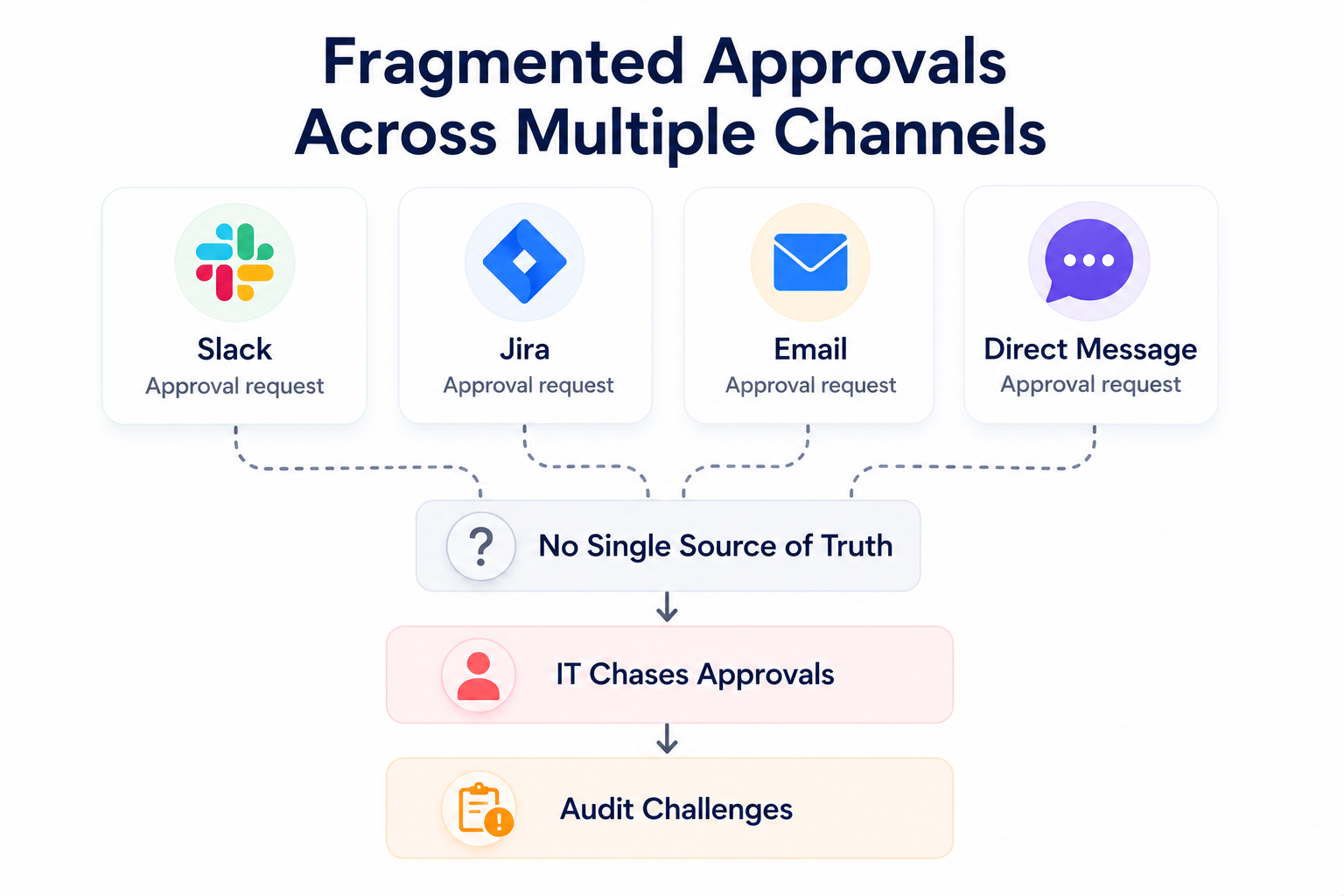
IT teams spend hours tracking down approvals across systems, and audit documentation becomes nearly impossible when tickets are scattered everywhere.
C. Manual Ticket Resolution Costs More Than You Think
Each access ticket requires IT to verify the request, confirm the requester's role, check license availability, get manager approval, provision access, and update the ticket.
Multiply that by hundreds of requests per month and you have a team buried in low-value work while security risks from delayed provisioning and missed deactivations grow.
D. Compliance Gaps That Could Cost You Millions
In highly regulated industries, failing to track and review access is a compliance disaster waiting to unfold. Without automated audits and ticket trails, you risk hefty fines, legal consequences, and reputation damage.
Manual ticket processes make it nearly impossible to demonstrate consistent, auditable access controls.

2. Why Access Request Tickets Keep Piling Up ?
IT teams don't just struggle with the volume of access tickets. Most of the times, they struggle with everything that surrounds them:
A. Shadow IT and Uncontrolled Software Purchases
When employees can't get access quickly through official channels, they find workarounds such as buying apps independently or using unauthorized tools.
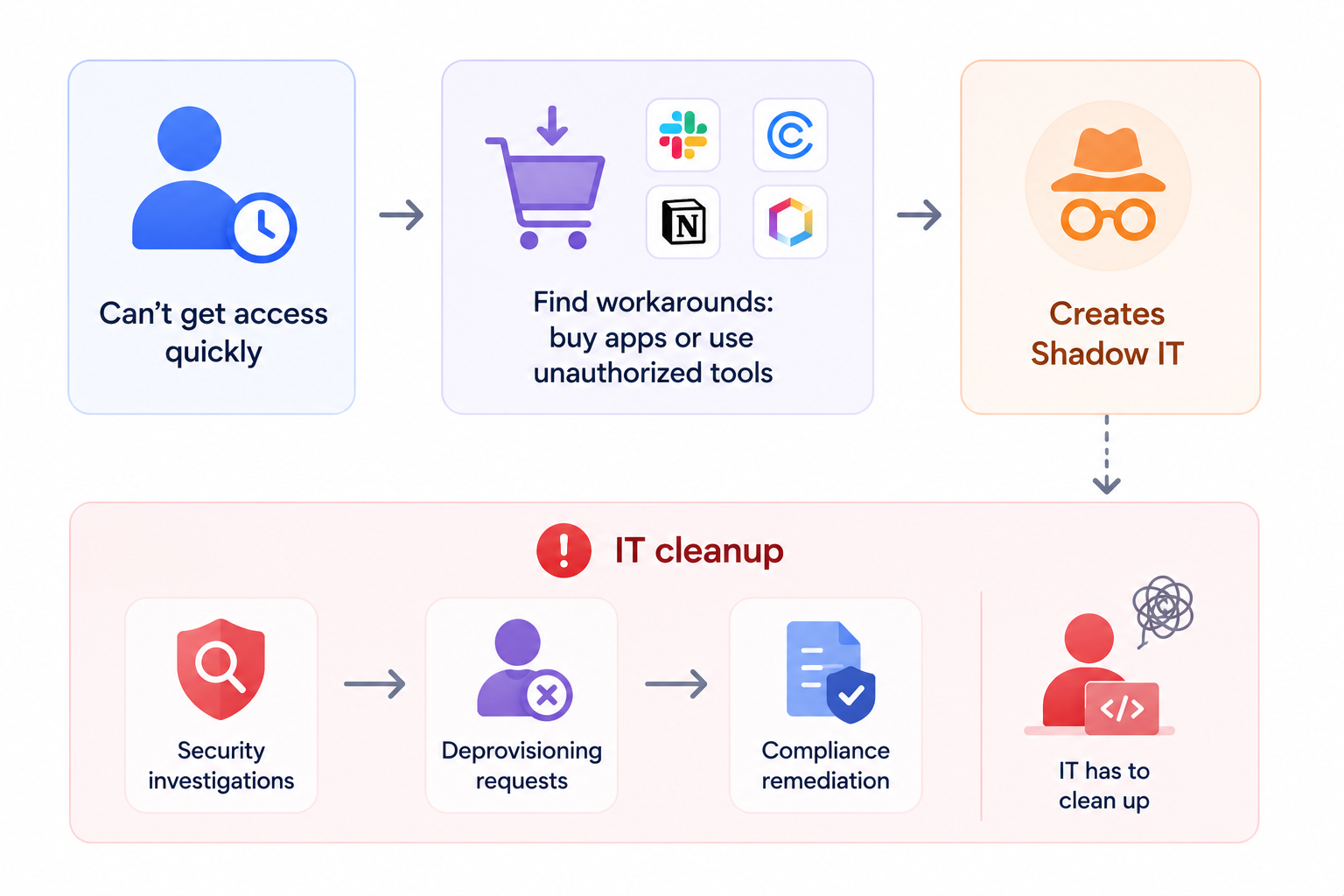
This leads to Shadow IT, which then generates a second wave of tickets: security investigations, deprovisioning requests, and compliance remediation tasks that IT has to clean up.
B. Overwhelming Volume of Tickets
Imagine resolving hundreds of access tickets every month. Each one demands individual attention like verifying the requester, checking the role, confirming license availability, getting approvals, provisioning access, and closing the ticket.
For IT teams, this constant influx becomes a major drain on time and resources.
C. Delays in Granting Access
IT teams frequently receive access tickets without the context they need to act. This creates a back-and-forth cycle that stalls provisioning, slows onboarding, and frustrates employees waiting on access.
D. Lack of Consistency and Accountability
Without automation, every ticket is handled differently depending on who picks it up. Some requests get fast-tracked, others sit for days.
There's no standardized process, no audit trail of who approved what, and no way to ensure access requests are handled consistently.
E. Tickets Scattered Across ITSM Tools
IT teams spend too much time reconciling access tickets across Jira, ServiceNow, and spreadsheets. Employees wait longer, tickets multiply, and no one has a clear view of what's been resolved and what's still open.
F. Security Tickets from Delayed Access Management
Every delay in revoking access after an employee leaves or granting too much access eventually generates a security ticket. IT teams are forced to audit across multiple systems to find the gaps.
The ticket volume doesn't just reflect access requests but reflects the downstream cleanup of poor access hygiene.
3. Why CloudEagle.ai is the Ideal Solution for Reducing App Access Request Tickets
CloudEagle.ai reduces access tickets this by automating the entire access lifecycle so requests are fulfilled before they ever reach the IT queue.
A. Centralizes Access Management
CloudEagle.ai provides a centralized app catalog where employees submit access requests through a single governed channel. No more tickets scattered across Jira, Slack, and email.
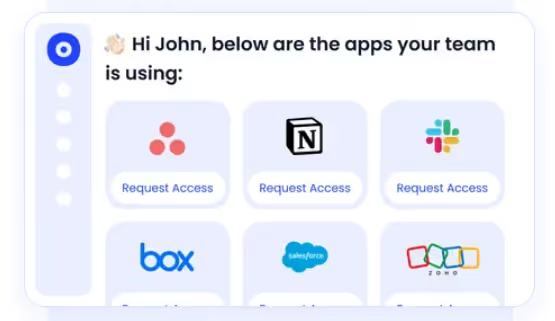
IT teams manage everything from one platform, and requests that previously generated tickets are resolved automatically without IT involvement
B. Automates Approval Workflows
CloudEagle.ai automates the entire approval process, so requests are approved based on predefined roles, departments, and access needs.
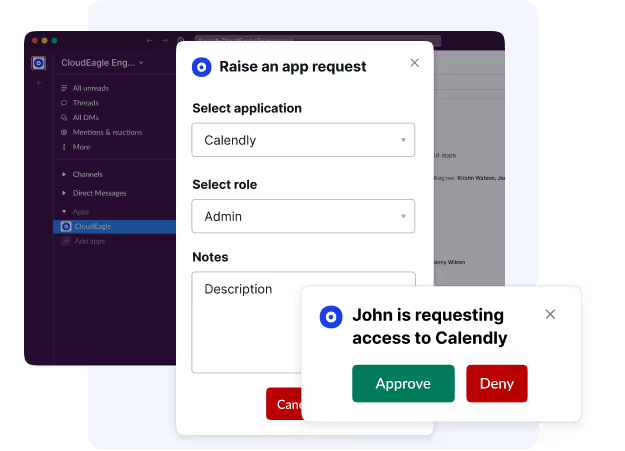
What used to require IT to open, investigate, approve, provision, and close a ticket now happens in the background automatically.
C. Eliminates Shadow IT
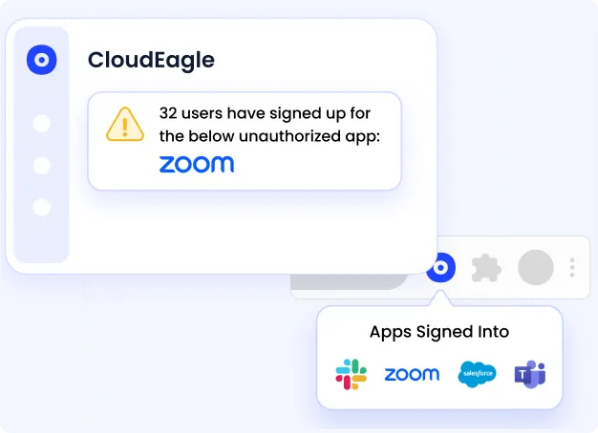
CloudEagle.ai ensures that all app access requests are routed through IT. No more employees bypassing processes to use unauthorized apps. Centralizing access requests prevents shadow IT and redundant app purchases, saving costs and enhancing security.
D. Agentic AI-powered Chatbot
CloudEagle.ai's EagleEye is an AI-powered chatbot that handles access requests directly inside Slack and Microsoft Teams.
Instead of a Slack message becoming a manual ticket, EagleEye resolves it automatically through an automated workflow, reducing ticket creation at the source.
E. Automates Onboarding and Offboarding
Onboarding and offboarding are among the highest-volume ticket categories for IT teams. CloudEagle.ai automates both ends.
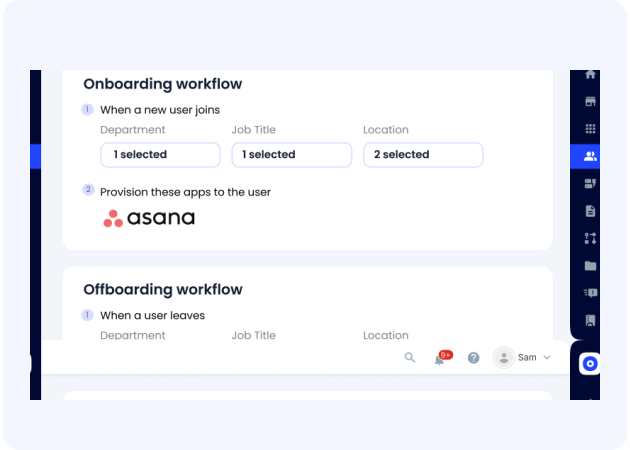
New employees receive provisioned access on day one based on their role and departing employees are automatically deprovisioned on exit.
F. Supports JIT & ABAC
CloudEagle.ai's Just-In-Time (JIT) access and Attribute-Based Access Control (ABAC) ensure users only get access when they need it, for as long as they need it.
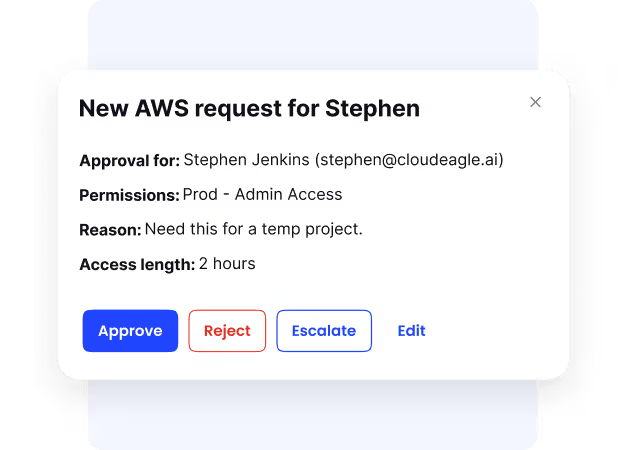
This prevents the over-provisioning that generates downstream review tickets and the under-provisioning that generates repeated access request tickets for the same employee.
G. Automates License Management
CloudEagle.ai goes beyond traditional IDPs by tracking license usage and automatically reassigning or downgrading licenses based on actual usage.
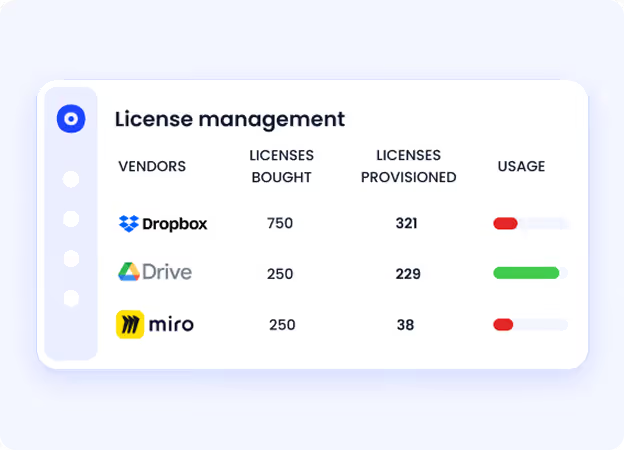
This eliminates the "I need a license for X" tickets that pile up when available licenses aren't visible as IT no longer needs a ticket to know a license is free.
Access Tickets Are Stealing IT Hours.


4. Conclusion
CloudEagle.ai streamlines the app access request process by automating approvals, improving security, and providing IT teams with real-time visibility.
With its centralized app catalog, role-based visibility, and automated workflows, CloudEagle.ai reduces manual tasks, eliminates shadow IT, and enhances productivity for both employees and IT teams.
Are you ready to simplify your app access management and enhance your IT operations?
Schedule a demo to learn how CloudEagle.ai can transform your SaaS governance.
5. FAQs
1. Why do app access requests generate so many IT tickets?
Most organizations lack a centralized access system, so every request comes in through a different channel (email, Slack, Jira) and requires IT to manually investigate, approve, provision, and close. That's multiple touchpoints per request, multiplied by hundreds of requests a month.
2. How does a self-service app catalog reduce ticket volume?
It lets employees request access to pre-approved apps without involving IT. When employees can fulfill their own access needs instantly, the ticket never gets created in the first place.
3. Does automating access approvals create security risks?
No. CloudEagle.ai's approvals are governed by predefined role, department, and policy rules, so access is only granted to what each employee is authorized for. Automation speeds up the process without bypassing controls.
4. What happens to tickets generated during onboarding and offboarding?
CloudEagle.ai eliminates them entirely. New hires are provisioned automatically on day one based on their role, and departing employees are deprovisioned on exit with no ticket required at either end.
5. Can CloudEagle.ai integrate with existing ITSM tools like Jira or ServiceNow?
Yes. CloudEagle.ai integrates with over 500 applications including ITSM platforms, so access workflows connect with your existing ticketing infrastructure and reduce the tickets that need to be created without replacing your current systems.


.avif)


.avif)
.avif)




.png)








.avif)
.avif)
.avif)


