
%201.svg)


HIPAA Compliance Checklist for 2025

Securing sensitive information and critical systems is essential for every business. While strengthening security measures, you also need to pay close attention to privileged access management (PAM).
Privileged accounts often have elevated access to applications, systems, and sensitive business data. If compromised, attackers can misuse them to steal information or disrupt critical operations.
Privileged access management helps control who can access privileged accounts. It also manages what users can do and how their activities are monitored.
This article explains why privileged access management matters. You'll also learn privileged access management best practices to strengthen security and improve access control.
TL;DR
- Implementing Privileged Access Management (PAM) helps safeguard sensitive data and critical systems from insider threats and cyber attacks, ensuring that only authorized users can access elevated privileges.
- Conduct regular audits of privileged accounts to maintain updated access controls and centralize user management for consistency and ease of monitoring.
- Enforce strong password policies and multi-factor authentication (MFA) to enhance security for privileged accounts while adopting the principle of least privilege to limit access.
- Utilize Role-Based Access Control (RBAC) to streamline access management and comply with regulatory requirements, while rotating passwords and monitoring sessions to detect suspicious activity.
- Automate PAM processes for efficiency and invest in employee training and education to foster a culture of security awareness and reduce the likelihood of breaches.
1. What is Privileged Access Management (PAM)?
Privileged Access Management (PAM) is a security strategy that helps organizations control, monitor, and protect accounts with elevated permissions and access to critical systems.
- Privileged Account Protection: Privileged access management PAM secures administrator, service, and high-level accounts that can access sensitive business systems and data.
- Access Control: PAM determines who can access privileged accounts and what actions they can perform within those systems.
- Activity Monitoring: Privileged access management services track and record privileged account activity to identify suspicious behavior and improve security visibility.
- Risk Reduction: PAM minimizes security risks by limiting unnecessary access and reducing opportunities for insider threats or cyber attacks.
Privileged access management best practices help organizations strengthen security and maintain better control over critical resources. It also supports SaaS compliance and improves visibility across privileged activities.

2. Why Privileged Access Management is Important for Your Business?
Privileged access management is essential to safeguard your organization's critical systems and sensitive data. It helps mitigate risks associated with elevated access, ensuring that only authorized users can perform specific high-level tasks. Here are four key reasons why PAM is crucial for your business:
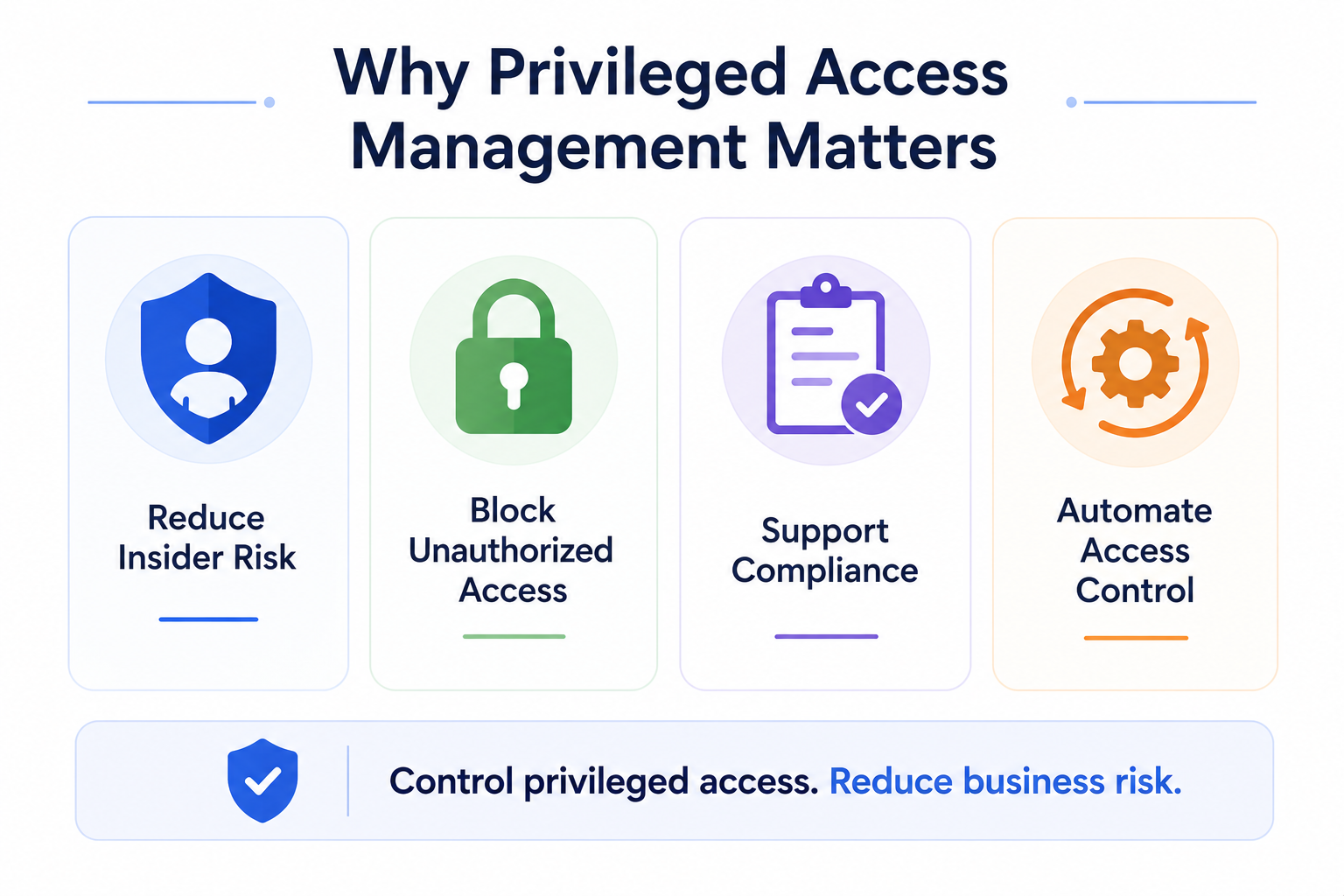
A. Mitigation of Insider Threats
Insider threats can be intentional or accidental. Employees with elevated access may expose sensitive information or create security risks without proper controls.
Privileged access management tools help monitor and control privileged activities across your organization. This reduces risks and ensures only approved actions take place.
B. Protection Against Cyber Attacks
Cybercriminals often target privileged accounts to gain access to critical systems and sensitive information. Compromised accounts can increase the impact of security incidents.
Privileged access management best practices strengthen access controls and monitor privileged activities. This makes it harder for attackers to misuse accounts or move across systems.
C. Regulatory Compliance
Many industries must follow regulations that require stronger security and access controls. Standards such as GDPR, HIPAA, and PCI-DSS include access management requirements.
Privileged access management software supports compliance by providing audit logs and monitoring capabilities. It also helps maintain better visibility into privileged account activities.
D. Enhanced Operational Efficiency
Managing privileged access manually can create delays and increase errors. It also becomes difficult as organizations grow and manage more users.
Privileged access management PAM automates access requests, monitoring, and access removal processes. This improves operational efficiency and creates more consistent security practices.
3. Top 10 Privileged Access Management Best Practices
Managing privileged access effectively is undoubtedly one of the most important things you must consider. It can help you strengthen the security and integrity of your organization's critical systems and data.
Following privileged access management best practices can reduce security breaches, ensure compliance with regulatory standards, and improve overall operational efficiency. Here are ten critical best practices to help you manage privileged access effectively.
1. Conduct Regular Audits of Privileged Accounts
This is one of the most important privileged access management best practices. Regular audits help ensure your organization's access controls remain effective and up to date.
Start by identifying and documenting all privileged accounts across your systems. These may include administrator accounts, service accounts, and other accounts with elevated permissions.
Review whether each privileged account still serves a valid business purpose. Remove unnecessary access and identify accounts that may have been overlooked.
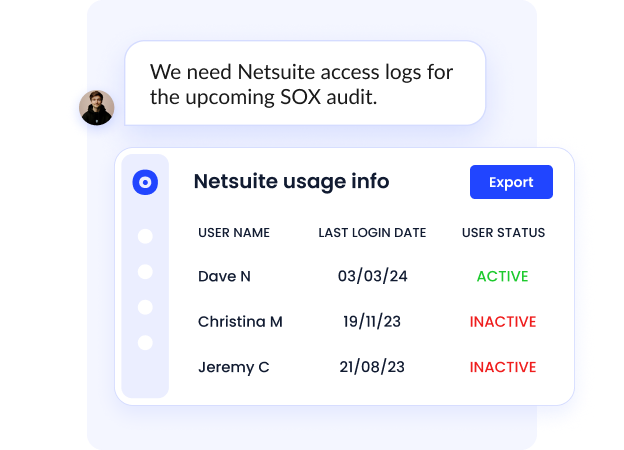
You should also review activities performed through privileged accounts. Monitoring account activity helps identify unusual behavior and strengthens your overall security posture.
Regular audits also support compliance requirements and help maintain stronger access management practices across your organization.
2. Centralize User Accounts and Access Management
Managing user accounts through separate systems can create inconsistencies and increase security risks. This privileged access management best practices helps maintain better visibility and stronger control.
- Standardize Access Policies: Centralized access management ensures all users follow the same access control rules across systems and applications.
- Improve Visibility: A unified system helps track user activities and identify unusual behavior more efficiently.
- Automate Provisioning and Deprovisioning: Automated workflows can grant or remove access quickly when user roles change.
- Reduce Administrative Complexity: Managing users from a single location simplifies access administration and reduces manual effort.
- Support Compliance Requirements: Centralized controls help maintain audit records and improve consistency during compliance reviews.
Using privileged access management tools strengthens access governance and reduces the chances of unmanaged privileged access management best practices.
3. Strong Password Policies & Multi-Factor Authentication (MFA)
Strong password policies and multi-factor authentication help protect privileged accounts from unauthorized access. Weak credentials without privileged access management best practices remain one of the most common causes of account compromise.
- Require Complex Passwords: Use passwords with uppercase letters, lowercase letters, numbers, and special characters to improve security.
- Set Minimum Password Lengths: Longer passwords are harder to crack and provide stronger protection against brute-force attacks.
- Schedule Regular Password Updates: Periodic password changes can reduce risks associated with compromised credentials.
- Enable Multi-Factor Authentication: MFA adds another verification layer beyond passwords before users gain access.
- Use Strong Authentication Methods: Hardware tokens and authentication apps can provide additional security for privileged users.
Strong authentication controls reduce the chances of credential misuse and improve the protection of sensitive systems and accounts.
D. Apply the Principle of Least Privilege
The principle of least privilege helps users access only the resources required for their responsibilities. Limiting unnecessary permissions reduces the chances of misuse and unauthorized activity.
- Grant Minimum Required Access: Provide users with only the permissions necessary to complete specific job functions.
- Review Access Permissions Regularly: Conduct periodic reviews to ensure access rights remain aligned with user responsibilities.
- Remove Excessive Privileges: Eliminate unnecessary permissions that can increase security risks and exposure.
- Align Access With User Roles: Assign permissions based on responsibilities to maintain stronger access control.
- Reduce Insider and External Risks: Limiting permissions can reduce opportunities for misuse and unauthorized actions.
Applying the principle of least privilege helps protect sensitive information and reduces the impact of compromised accounts. It also strengthens overall access management practices.
E. Implement Role-Based Access Control (RBAC)
Role-Based Access Control (RBAC) helps organizations assign permissions based on user roles and responsibilities. You can provide access according to predefined job functions.
RBAC simplifies access management and helps users access only the required resources. Privileged access management services support stronger security and reduce unnecessary permissions.
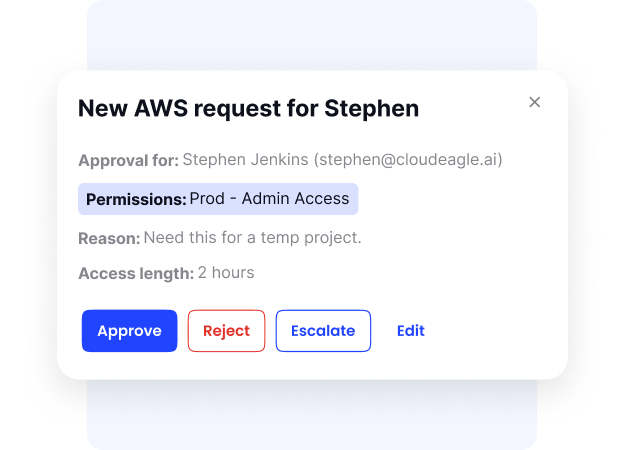
According to a report prepared for the National Institute of Standards and Technology, organizations adopting RBAC see improved provisioning efficiency and reduced administrative effort.
RBAC also helps reduce insider risks and strengthens compliance efforts. Attackers often target accounts with excessive permissions to gain access to critical systems and sensitive data.
6. Rotate and Manage Passwords Regularly
Regular password rotation helps reduce risks associated with compromised privileged credentials. Strong password management through privileged access management best practices also limits unauthorized access.
- Define Password Requirements: Establish rules for password complexity, length, and expiration schedules for privileged accounts.
- Use Strong Password Combinations: Include uppercase letters, lowercase letters, numbers, and symbols to create stronger credentials.
- Set Regular Rotation Schedules: Periodic password updates can reduce exposure if credentials become compromised.
- Automate Password Rotation: Password rotation tools can generate and update credentials without manual effort.
- Secure Password Storage: Store privileged credentials in encrypted password vaults for stronger protection.
- Use PAM-Based Password Management: Many Privileged access management PAM include integrated vaults and automated credential management capabilities.
Proper password rotation and management help strengthen account security and reduce the risks of credential-based attacks.
7. Session Monitoring and Logging
Session monitoring and logging help organizations track how privileged accounts interact with critical systems. With privileged access management software, you can detect unusual behavior earlier.
- Record User Activities: Capture actions performed through privileged access management best practices to maintain detailed activity records.
- Improve Accountability: Activity logs help identify who accessed systems and what changes were made.
- Detect Suspicious Behavior: Monitoring tools can identify unusual patterns and potential security threats.
- Support Incident Investigations: Recorded sessions help security teams perform forensic analysis after security incidents.
- Monitor Access Patterns: Identify login attempts from unusual locations, devices, or time periods.
- Strengthen Compliance Reporting: Session logs help support audits and maintain stronger regulatory documentation.
Effective session monitoring improves visibility into privileged access management best practices and helps organizations respond faster to potential security risks.
8. Implement Just-In-Time (JIT) Privileged Access
Before we discuss the implementation of Just-in-time privileged access, let’s understand what JIT is. It’s a method of granting elevated access only when needed and for a limited time. This helps you minimize the risk of misuse or unauthorized access.
But how JIT access reduces the attack surface? Simple: by supporting the principle of least privilege. Thus, it will be harder for attackers to exploit admin accounts.
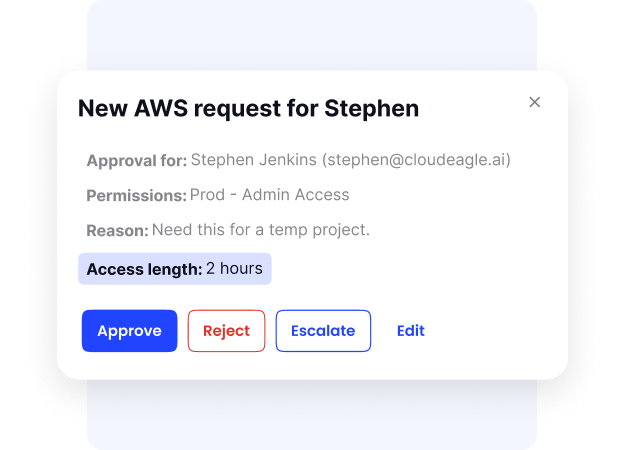
One of the key benefits of JIT-privileged access is the reduction of security vulnerabilities. While hackers can exploit permanent access rights, JIT access minimizes these risks by ensuring elevated privileges are only available for a short span.
To manage JIT access effectively, make sure you consider automated solutions. They can grant and revoke access while seamlessly integrating with your existing IAM systems.
9. Train Employees on Security Best Practices
Employee awareness plays an important role in strengthening privileged access management. Security training helps users understand risks and follow safer access practices.
- Educate Employees on Cybersecurity Risks: Help users understand common threats that can affect business systems and sensitive data.
- Teach Phishing Awareness: Train employees to identify suspicious emails, links, and social engineering attempts.
- Promote Secure Access Practices: Encourage stronger password habits and responsible handling of privileged credentials.
- Conduct Regular Training Sessions: Ongoing education helps employees stay updated on changing security threats.
- Run Security Drills: Simulated exercises can help users respond better to potential attack scenarios.
- Build a Security-First Culture: Encourage employees to take responsibility for protecting business systems and information.
Regular training reduces human errors and helps create stronger security awareness across the organization.
10. Automation for Efficiency
Manual privileged access processes can consume time and create inconsistencies. Privileged access management best practices help improve efficiency and reduce errors across access management tasks.
- Automate User Provisioning: Automatically assign application access based on departments, teams, or user roles.
- Automate User Deprovisioning: Remove user access quickly when employees leave or no longer require permissions.
- Reduce Manual Processes: Automation minimizes dependency on spreadsheets and repetitive administrative tasks.
- Improve Access Consistency: Standardized workflows help maintain uniform access policies across systems.
- Increase Visibility Across Users: Automated systems provide better insights into user activities and access permissions.
- Strengthen Audit Readiness: Access records and activity logs become easier to track during security reviews.
Automating privileged access workflows with privileged access management software helps organizations save time and maintain stronger access management practices.
Conclusion
Remember that privileged access management is one of the most effective ways to prevent cyber threats. By carefully controlling access to sensitive systems and data, you can boost security measurements and mitigate the risks of insider and external attacks.
Thanks to education, vigilance, and privileged identity management tools like CloudEagle, you can protect your valuable assets and ensure regulatory compliance.
Book a demo with CloudEagle to secure your user access and streamline Identity and access management in your organization.


.avif)


.avif)
.avif)




.png)








.avif)
.avif)
.avif)


