
%201.svg)


HIPAA Compliance Checklist for 2025

Here’s a simple question.
If you had to list every active Salesforce license in your company right now, could you say who’s actually using each one? Not who was assigned one. Who is actually logging in and doing real work?
Flexera’s 2024 State of Cloud report found that 44% of SaaS licenses go unused across enterprises.
Now think about your Salesforce environment.
Salesforce unused licenses don’t announce themselves. They sit quietly while renewal costs climb.
In this guide, you’ll read exactly how to spot them, what you can do before renewal, and how to approach Salesforce license optimization with a clear, practical checklist.
TL;DR
- Nearly 44% of SaaS licenses go unused, and Salesforce's unused licenses are often the biggest contributor to wasted IT spend.
- Effective Salesforce license optimization starts by comparing license assignment to actual usage, not just login activity.
- Role changes, exited employees, duplicate access, and unused add-ons quietly inflate renewal costs year after year.
- Structured SaaS license management before renewal gives CIOs negotiation leverage and prevents automatic contract bloat.
- Continuous monitoring and automated reclamation are what turn Salesforce cost optimization into measurable savings, not just reports.
1. Why Salesforce License Waste Is an Enterprise Problem?
Let's start with the numbers, because they're pretty hard to ignore.
- Salesforce Enterprise Edition starts at $165/user/month. Unlimited Edition? Up to $330+.
- 28% of all enterprise software goes unused over any 90-day period, per Ramp's research.
- 10%+ of IT budgets disappear into software nobody opens.
Now layer that onto a Salesforce org with 500+ users, and you start to see why Salesforce cost optimization is such a high-stakes conversation.
CloudEagle's IGA Report found that over 60% of SaaS and AI tools operate completely outside IT's visibility. That means licenses are being assigned, forgotten, and billed without anyone in IT even knowing they exist.
That's exactly why doing the work of identifying Salesforce unused licenses before renewal isn't optional. It's your leverage.
2. CIO Checklist to Identify Unused Salesforce Licenses
Think of this as your step-by-step audit guide. Each step gives you data. Data gives you leverage. Leverage gives you savings.
Step 1: Build a Complete Salesforce License Inventory
First, you need a full list. Not a partial export. Not a filtered view.
What you can’t do is assume someone else is tracking this.
Pull every SKU. Sales Cloud. Service Cloud. Platform licenses. Add-ons. Everything. Then match each license to a named individual.
Here's what your inventory needs to capture:
- All license types in use — Sales Cloud, Service Cloud, Platform, Identity, Community, and Partner licenses. Not just the big CRM seats. Every single tier and type.
- Users mapped to licenses — Who has what, at the individual level. Tools like CloudEagle.ai automate this by connecting directly to your Salesforce instance and pulling real assignment data.
- Licenses without clear owners — These are the orphaned ones. Technically "assigned," but the original user left, changed roles, or moved to a different tool.
Why this matters: Orphaned licenses are low-hanging fruit. Easy to justify removing, zero business negotiation needed, and they free up meaningful spend immediately.
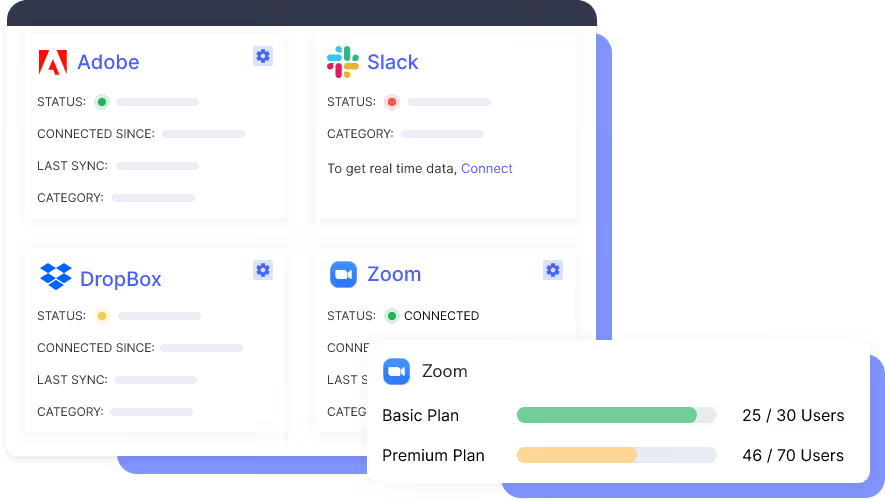
Step 2: Compare License Assignment vs. Actual Usage
Here's a distinction that gets glossed over constantly: having a license is not the same as using it.
This is the core insight behind effective Salesforce license optimization, and the one most standard IT audits miss entirely.
What to look for:
- Users with no recent login activity: Filter for anyone who has not logged in within 30, 60, or 90 days. Salesforce admin tools allow you to generate this report natively.
- Features paid for but unused: A user may log in regularly but only use basic functionality, such as the Leads tab. If they are on an Unlimited license, that can translate to $100 to $200 per month in unnecessary feature access.
- Over-licensed standard users: Finance teams pulling reports, marketing users viewing dashboards, or operations staff occasionally logging cases often do not require a full CRM license.
Step 3: Validate Licenses Against Current Roles
People move roles. Licenses don’t automatically follow.
What happens if someone shifts from sales to operations? Their access often stays untouched.
What to flag in this step:
- Role changes without license updates: Employees change roles but retain the same Salesforce license. Over time, this creates unused licenses that no longer align with actual responsibilities.
- Temporary access that became permanent: Access granted for a short-term project often remains active long after it ends, quietly increasing license waste.
- Duplicate licenses per user: Common in organizations running multiple Salesforce instances or going through acquisitions, where the same user may hold two active licenses.
Step 4: Identify Inactive and Exited Users
This is where most savings show up.
Former employees with active licenses are more common than most leaders expect.
The three user categories to audit:
- Former employees with active licenses- Yes, this still happens, more than most IT leaders want to admit. Someone leaves, HR closes their badge, IT disables their email, but nobody updates Salesforce.
- Contractors and partners with full access- External users often receive full licenses they don’t fully need, and when engagements end, those licenses remain active.
- Dormant users before renewal- The 90 days before renewal are critical. Users inactive for 60+ days or barely logging in last quarter are clear reclamation candidates.
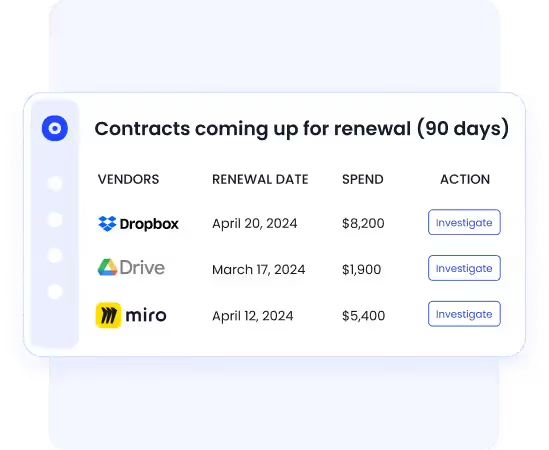
Gartner predicts that through 2027, organizations without centralized SaaS lifecycle management will be 5x more susceptible to cyber incidents.
Step 5: Review Add-Ons and Premium Licenses
Add-ons are where Salesforce cost optimization gets quietly expensive.
Sold during initial contracting, bundled into deals, auto-renewed without scrutiny, and often used by far fewer people than originally expected.
What to look at here:
- Add-ons assigned by default- Sales Engagement, Revenue Intelligence, Marketing Cloud Connect. Map each one to actual users. You may find thousands billed monthly, used by a handful.
- Premium licenses with low adoption- Unlimited, Einstein, and advanced tiers are often over-assigned. If users aren’t using advanced features, they’re likely candidates for a downgrade.
- Licenses suitable for downgrade- Not everything needs removing. A user on Enterprise who only views dashboards? Move them to Platform. Same access, fraction of the cost.
Step 6: Prepare for Salesforce Renewal Decisions
Everything above feeds into this moment. The renewal. This is where all that data translates into real dollars, or gets wasted if you walk in unprepared.
Three things to build before you renew:
- Licenses required next term- Active users + headcount growth. That's your floor. Connect SaaS license management to HR planning so the two stay in sync year-round.
- Licenses safe to remove or reduce- Former employees, dormant users, unused add-ons. This is your negotiating list. Backed by CloudEagle.ai data, it's your strongest position in any Salesforce cost optimization conversation.
- Cost impact of right-sizing- Unused licenses × per-seat cost, run across 1-year and 3-year scenarios, plus downgrade savings. That's your "cost of inaction" number.

3. How CloudEagle.ai Helps Reclaim Salesforce License Costs?
Licenses get assigned “just in case,” roles shift, contractors leave, and by renewal time, a large portion of licenses are inactive or misaligned. Most companies recycle that waste because they can’t clearly see it.
CloudEagle.ai changes that. It turns Salesforce license management into an ongoing cost recovery process instead of a last-minute scramble.
A. Unified Salesforce License & Usage Visibility
Challenge:
IT teams often rely on static login reports or manual exports. They can see who has a license, but not whether the license type matches actual usage. Feature adoption, inactivity, and underutilization remain hidden across spreadsheets.
CloudEagle Solution:
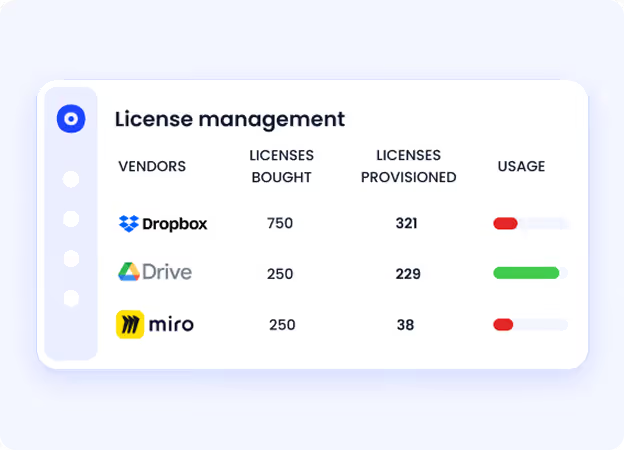
CloudEagle consolidates license allocation, contract data, and real-time usage signals into one unified dashboard. It correlates purchased SKUs with actual user behavior, not just login activity.
Outcome:
CIOs gain clarity on:
- Who hasn’t used Salesforce in weeks
- Which users are over-licensed
- Where downgrades are possible
- How many licenses can be eliminated before renewal
B. Automated License Harvesting & Reallocation
Challenge:
Even when underutilized licenses are identified, reclaiming them is manual and inconsistent. IT teams can’t realistically email hundreds of users every month and track responses.
CloudEagle Solution:
CloudEagle automates license harvesting workflows. It flags inactive users, triggers notifications, and enables automated deprovisioning or reassignment, without requiring IT to log into multiple admin consoles.

Outcome:
Unused Salesforce licenses are:
- Reclaimed early
- Reassigned to new hires instead of buying more
- Eliminated before renewal
C. Feature-Level Right-Sizing Before Renewal
Challenge:
Many companies pay for higher-tier Salesforce editions (Enterprise, Unlimited, add-ons) without validating whether users need those capabilities.
CloudEagle Solution:
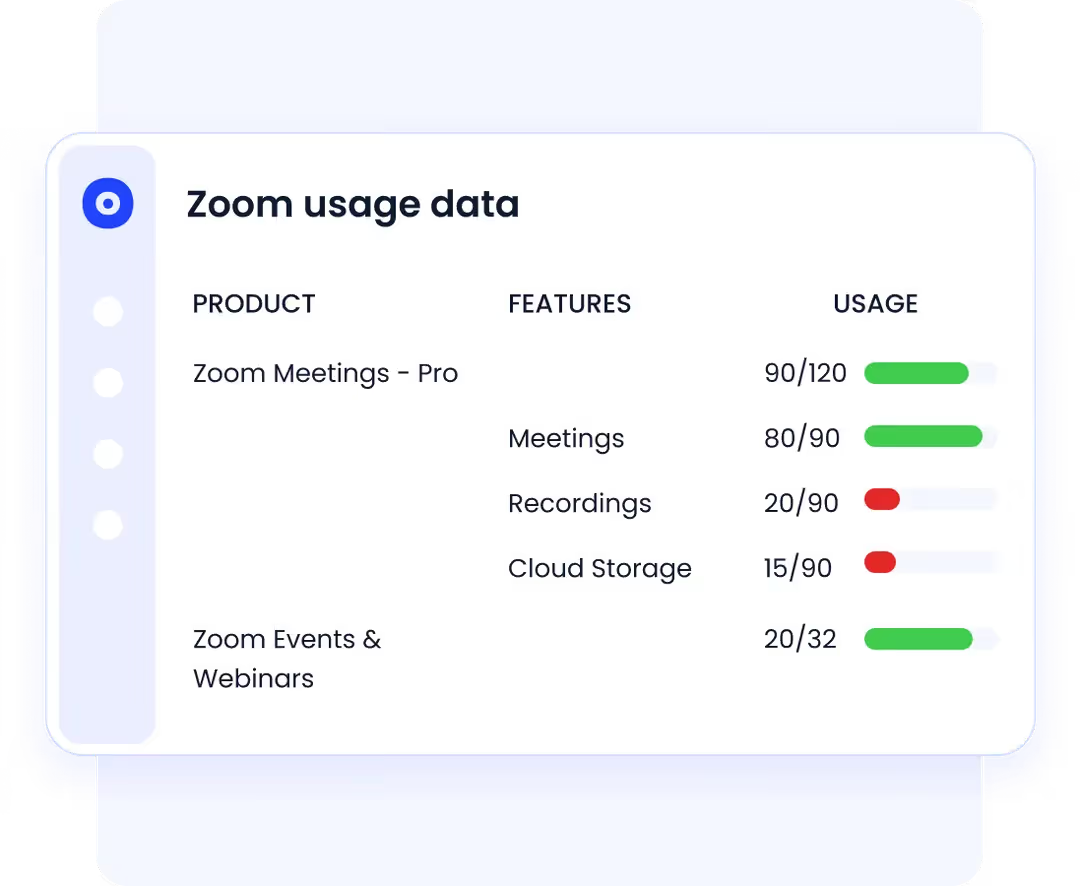
CloudEagle analyzes feature-level usage and maps it against license tiers and SKUs. This reveals downgrade opportunities that are otherwise invisible in standard admin reports.
Outcome:
Instead of renewing premium tiers across the board, procurement can:
- Downgrade users who don’t need advanced features
- Eliminate unused add-ons
- Reduce total contract value
D. Stronger Governance While Cutting Costs
Challenge:
Inactive Salesforce accounts don’t just waste money; they increase security exposure and audit risk.
CloudEagle Solution:
By continuously aligning access with usage and role data, CloudEagle ensures Salesforce access reflects real business needs.
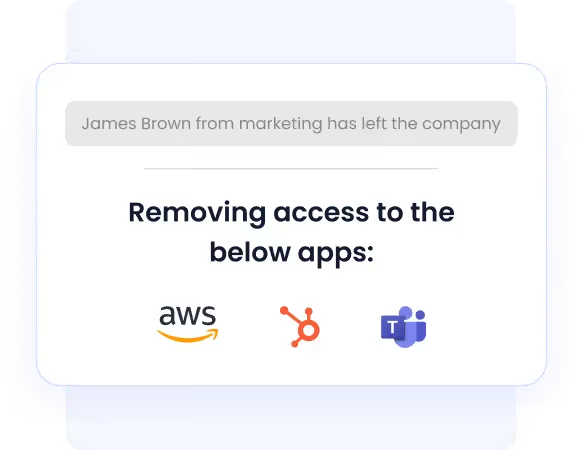
Outcome:
CIOs achieve two outcomes simultaneously:
- Reduced license waste
- Reduced privilege creep and access risk
“CloudEagle.ai streamlined our license management, providing centralized visibility and valuable usage insights. Its license reclamation workflows made it easy to deprovision users, harvest unused licenses, and optimize spending.”
- Fred Chin, AVP, Head of IT Operations, RingCentral
Read the full case study here.
License Waste Is Preventable.


4. Why CloudEagle.ai Is the Best Platform for Salesforce License Optimization?
Salesforce license optimization shouldn’t depend on annual audits or manual spreadsheets. When optimization is reactive, waste becomes permanent.
CloudEagle turns Salesforce cost optimization into a continuous, structured process — not a renewal-time scramble.
CloudEagle is the platform that:
- Identifies Salesforce unused licenses in real time
- Maps license tiers to actual feature usage
- Automates reclamation and reassignment workflows
- Flags downgrade opportunities before renewal
- Connects usage data with contract and renewal timelines
- Delivers measurable SaaS license management savings across the portfolio
Who Benefits?
- CIOs
Clear visibility into reclaimable spend and stronger renewal positioning. - IT Teams
Automated cleanup instead of manual tracking and follow-ups. - Security Teams
Reduced inactive accounts and tightened access control. - Finance & Procurement
Data-backed reduction strategies before contracts are renegotiated.
Final Words
Salesforce license optimization is not about cutting tools. It’s about stopping the quiet waste before it compounds. When Salesforce unused licenses sit untouched, renewal costs rise without anyone noticing.
The checklist is simple: build visibility, compare assignments with usage, align licenses to roles, remove inactive accounts, and walk into renewal with data. That’s how SaaS license management turns into real Salesforce cost optimization.
CloudEagle.ai makes that process continuous instead of reactive. It helps you spot waste early, reclaim unused licenses automatically, and enter renewals with leverage backed by usage data.
The savings are already in your Salesforce environment. The question is whether you’ll claim them before the next renewal.
Frequently Asked Questions
- How can you reduce Salesforce licensing cost?
Identify Salesforce unused licenses, downgrade over-licensed users, remove inactive accounts, and clean up add-ons before renewal. Ongoing Salesforce license optimization prevents automatic contract bloat.
- What is license optimization?
License optimization means aligning software licenses with actual usage to eliminate waste and reduce spend.
- What is Salesforce optimization?
Salesforce optimization involves improving usage, configuration, and licensing to increase value and reduce unnecessary costs.
- Is Salesforce Optimizer free?
Yes. Salesforce Optimizer is a free, built-in tool for admins, but it does not provide full SaaS license management or automated reclamation.
- Is Salesforce Optimizer being retired?
No, it is still available, but it focuses on org health insights rather than deep Salesforce cost optimization.


.avif)


.avif)
.avif)




.png)






.avif)
.avif)
.avif)


