
%201.svg)


HIPAA Compliance Checklist for 2025

Most AI deployments don't run into a budget problem on day one. The surprise usually shows up three or four months later like headcount unchanged, no new licenses purchased. Yet, the AI bill is significantly higher.
What's changed is how people use AI. Premium models for every task. Larger context windows than needed. More API calls per workflow. Adoption is succeeding, and that's exactly why costs are rising.
One procurement leader said: she needed to know which users were driving spend, week-based consumption, and whether the AI budget is more before the invoice. Most enterprise IT teams can't answer any of those questions.
CloudEagle.ai gives them the answer by tracking per-user token usage, model-level consumption, and spend trends across your full AI stack. In this article, we'll show you how.
TL;DR
- AI budgets often exceed forecasts because token consumption grows with usage behavior, not employee count.
- Premium models, larger context windows, repeated prompts, and agent workflows are common drivers of AI overspend.
- CloudEagle.ai tracks per-user, per-model token usage and forecasts spend trends before invoices arrive.
- Automated governance helps control unauthorized AI usage, personal accounts, and model-level spending risks.
- CloudEagle.ai combines token visibility, spend forecasting, benchmarking, and AI governance to prevent costly surprises.
1. Why AI Budgets Blow Past Forecast Even When Headcount Stays Flat
Most IT teams are used to software costs scaling with people. If you have 100 employees and buy 100 licenses, the budget is relatively predictable.
AI changes that equation. The AI pricing isn't determined by how many users have access. It's determined by how those users consume the service.
- Model Choice Impacts Spend: Using Opus or GPT-4 for every task costs significantly more compared to lighter models.
- Context Size Matters: Larger prompts and full document uploads consume more tokens.
- Usage Frequency Increases Over Time: As AI becomes part of daily workflows, employees interact with it more often and token consumption compounds.
- Re-Prompting Multiplies Token Cost: Multiple back-and-forth exchanges to refine an output consume far more tokens than a single well-structured request.
This is why the spend surprise often arrives a few months after deployment. The pilot looks manageable. Then usage becomes habitual, token consumption accelerates, and the bill reflects behavior.
Seat count is a headcount metric. Token consumption is a behavior metric. Most enterprise IT teams only have instruments for the first one.

2. How CloudEagle.ai Tracks Token Consumption and Enforces Model-Level Spend Governance
CloudEagle.ai connects via API to Claude, Cursor, ChatGPT, Gemini, GitHub Copilot, and other AI tools in your stack.
It pulls live token consumption data per user, per model, and per time period without manual exports or spreadsheet reconciliation. Here's what that looks like across four governance capabilities:
A. Per-User, Per-Model Token Consumption
CloudEagle.ai breaks token consumption down to the individual such as which user, which model, how many input tokens, how many output tokens, and what it costs, on 15, 30, 60, and 90-day windows.
Here's how per-user, model-level token tracking is designed to work inside CloudEagle.ai:
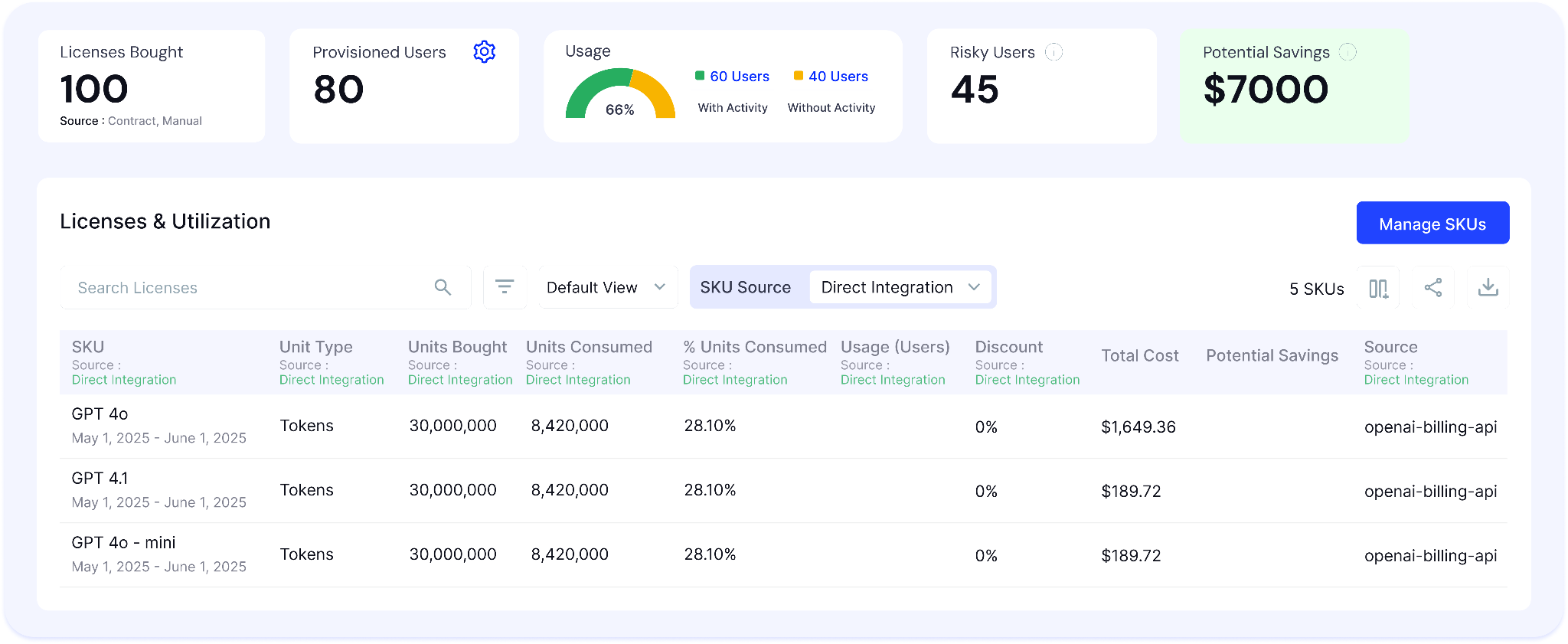
In CloudEagle's consumption dashboard, every user's activity is visible alongside the model they used such as Sonnet, Opus, or Haiku with input vs. output token split and associated cost per period.
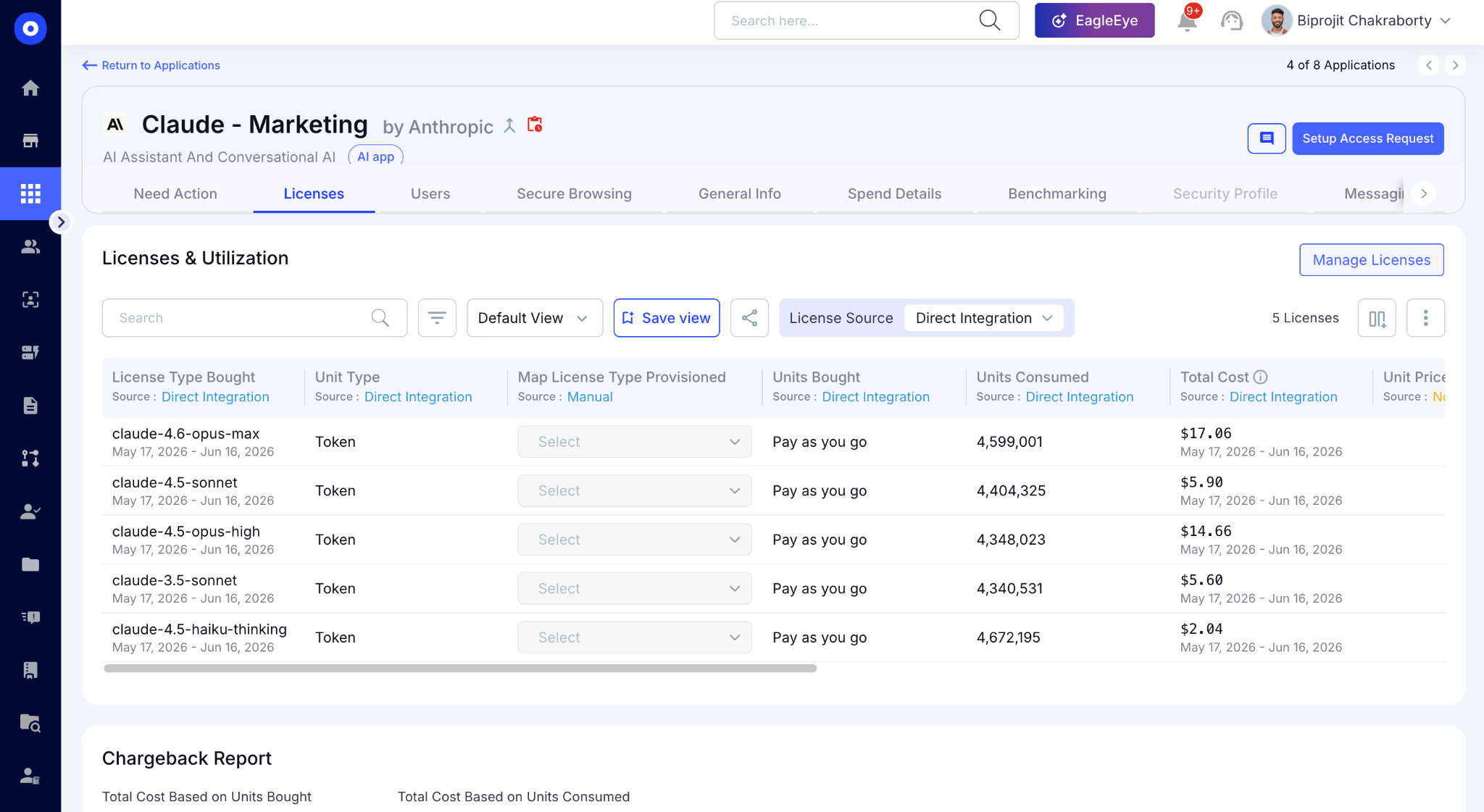
This answers the question one procurement leader described: "I want to be able to granularly say that Brian used 2k of spend this week and 1k last week." That answer should take 30 seconds, not a manual Purview export.
B. Spend Trend Forecasting: Run Rate Estimates Before the Bill Arrives
CloudEagle.ai surfaces run rate estimates based on current consumption trends. Finance gets the forecast view they need and IT gets threshold alerts before a team blows through the monthly budget.
Here's how spend trend forecasting is built into CloudEagle.ai's AI spend module:
In CloudEagle's spend forecasting view, you can see week-over-week consumption trends per tool and per team, with projected run rates for the next 15, 30, 60, 90, 120, 180, and 365 days.
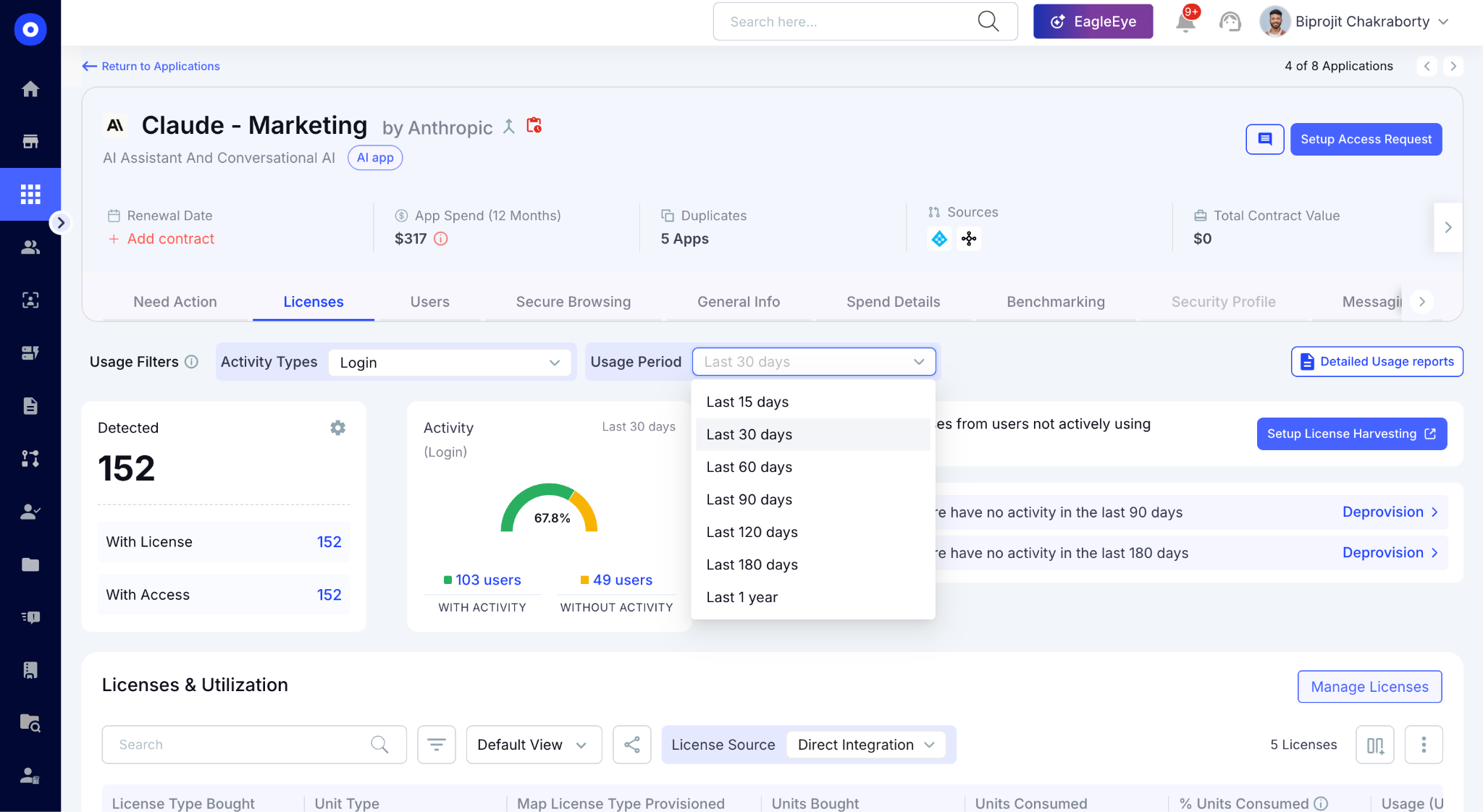
One procurement leader framed exactly this need: "I want to be able to estimate run rates and forecast off of the adoption and spend trends with the vendors." That's the view CloudEagle delivers.
C. Secure Browser and Network Controls: Stop Overspend Before It Starts
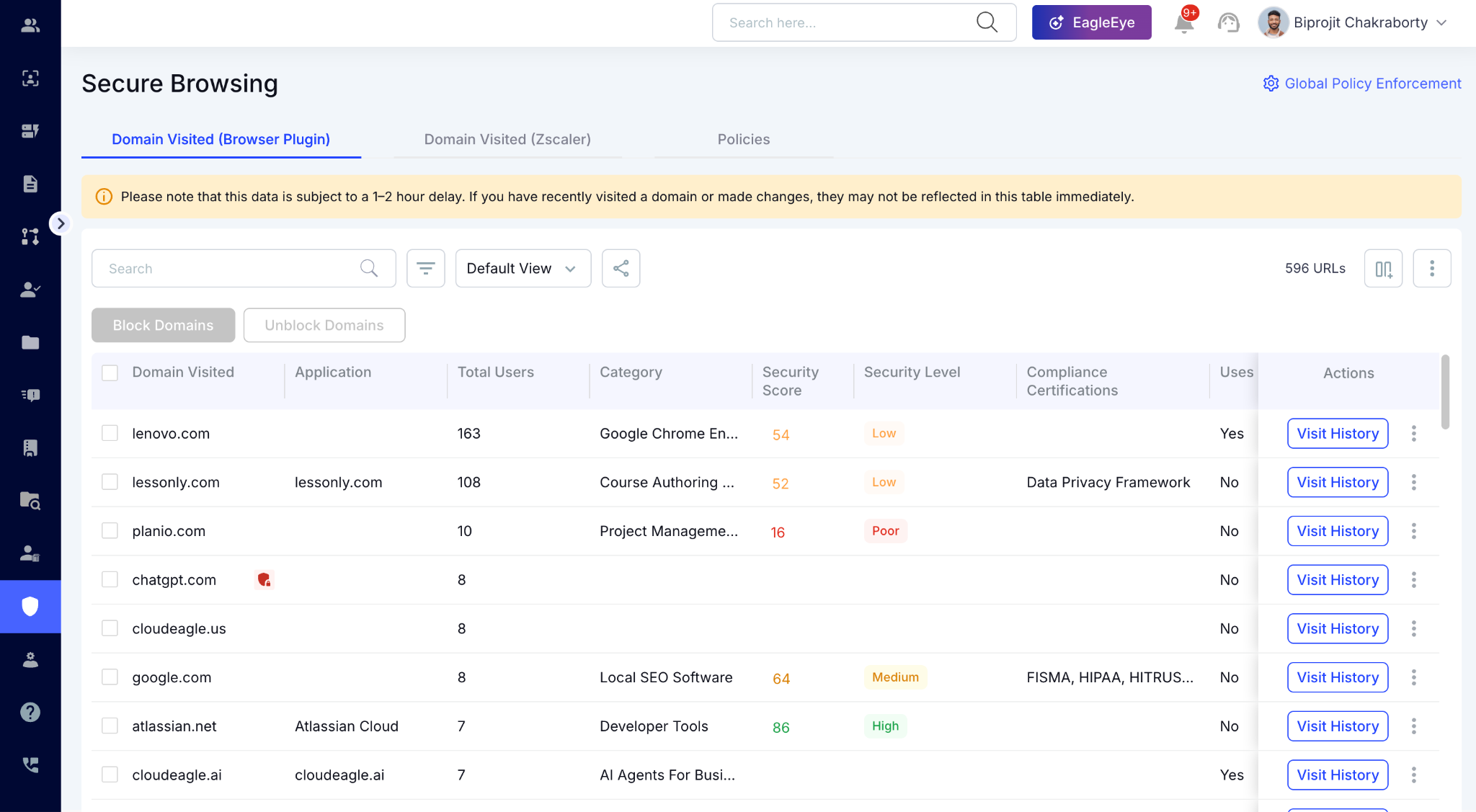
Overspend also comes from employees subscribing to personal AI accounts, duplicate tools, or ungoverned AI apps. CloudEagle's Secure Browser module and network integrations close that gap at the source.
Here's how CloudEagle prevents unauthorized AI subscriptions from adding to the bill:
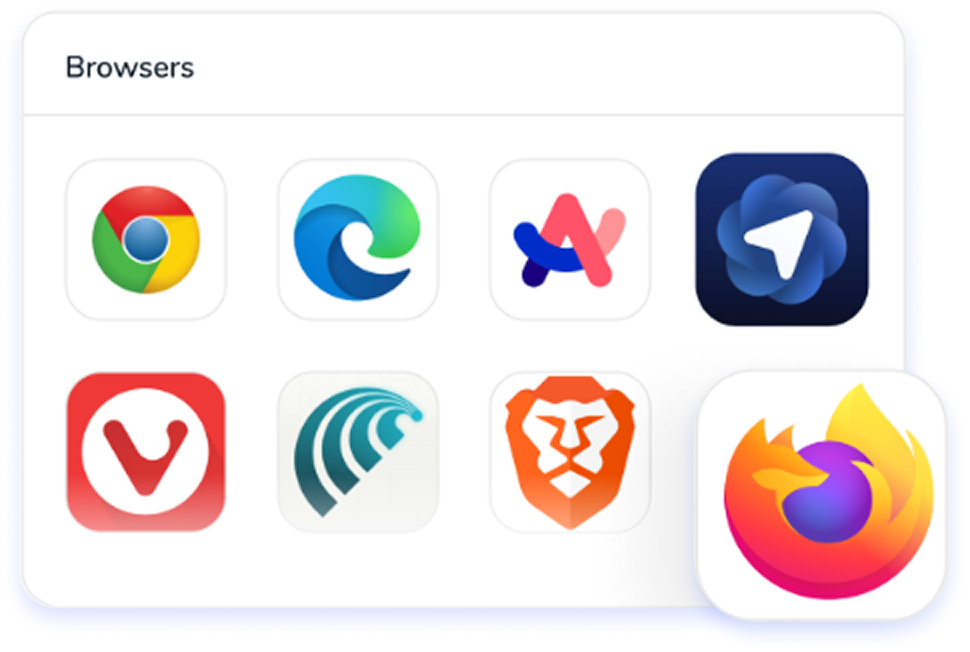
In CloudEagle's Secure Browser module, every AI tool accessed via browser is detected in real time including personal Claude.ai or ChatGPT accounts on sanctioned domains.
For employees using different browsers or accessing AI tools through API keys, CloudEagle's Zscaler and CrowdStrike integrations catch what the browser layer misses.
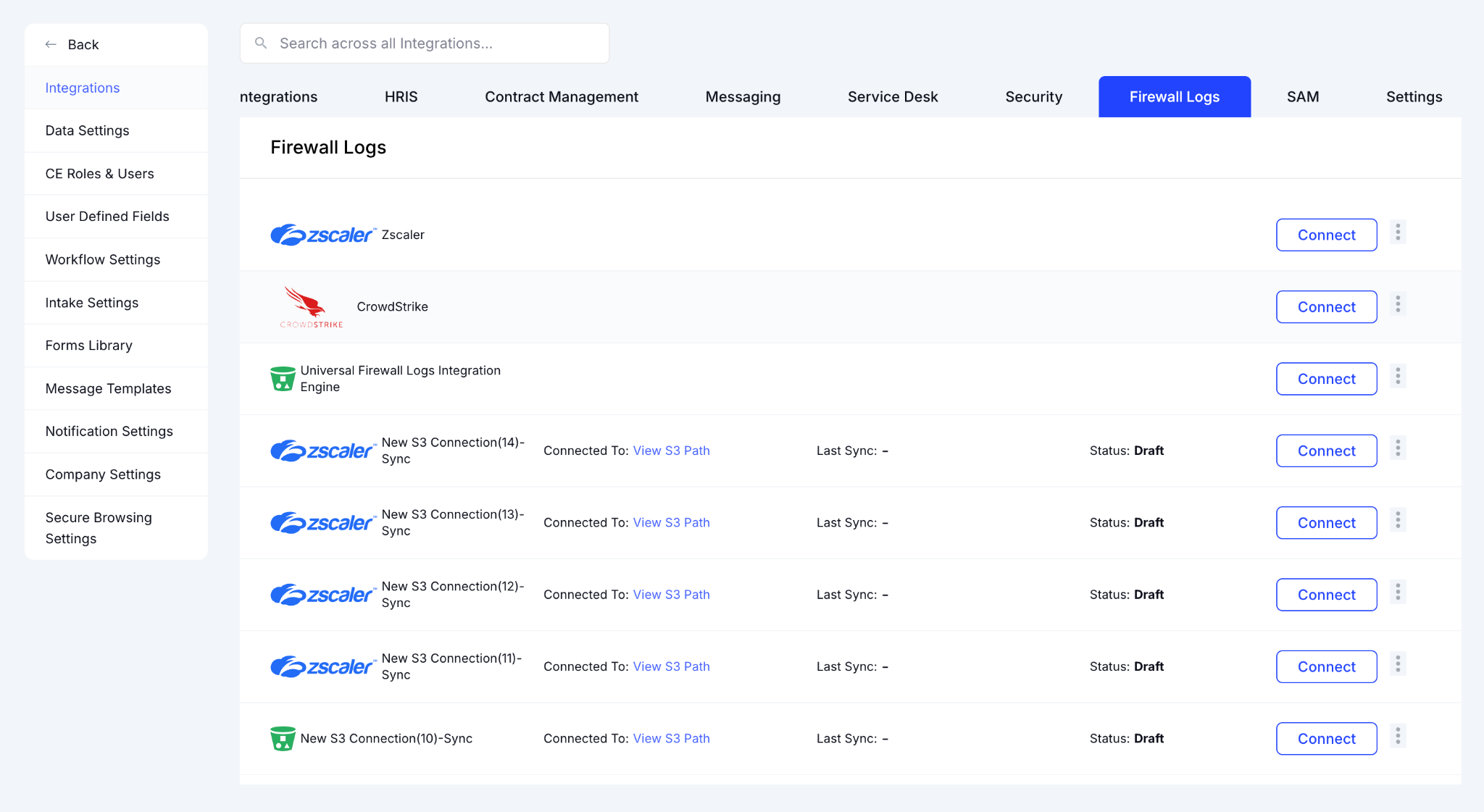
It surfaces personal account signups and ungoverned AI tool adoption across network and endpoint telemetry simultaneously.
D. CloudEagle MCP: Query Your AI Spend Data From Inside Claude
CloudEagle's MCP Server allows IT and Finance teams can query CloudEagle data directly from inside Claude or any MCP-compatible AI tool.
Ask CloudEagle questions in plain English from inside your AI tool of choice:
- "Which users are spending over $100 on AI this week?"
- "What's our Opus usage trending toward this month?"
- "Which team is driving the most token consumption right now?"
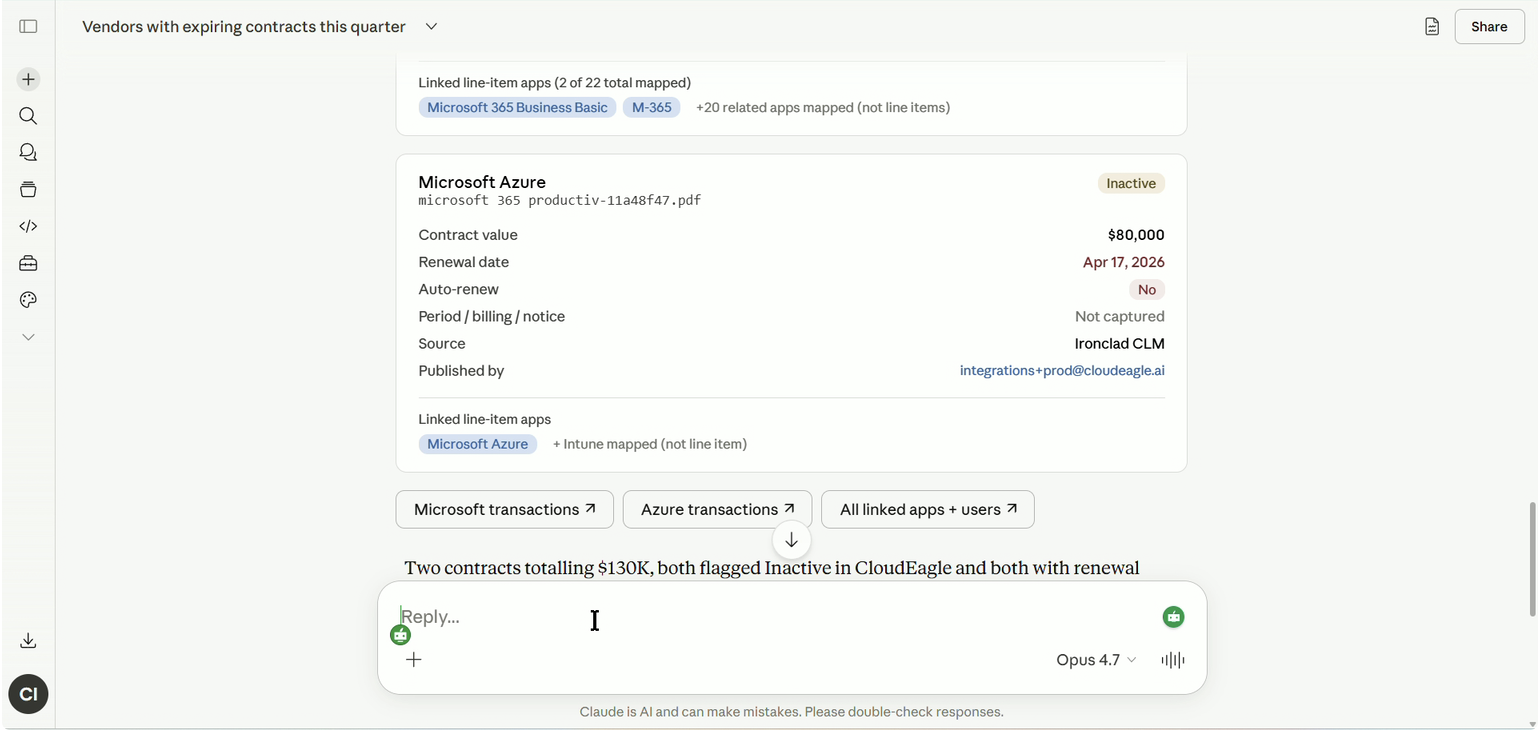
Enterprise teams now get instant answers on licenses, spend, and identities within their AI tool of choice without switching tabs, pulling a report, or waiting for a weekly digest.
E. Price Benchmarking: Make Sure You're Paying the Right Price for the AI Tools
CloudEagle's price benchmarking engine surfaces real-time pricing insights from over 2 billion transactions and 150,000+ vendors. procurement walks into every AI renewal knowing what peer companies are actually paying.
Here's how AI vendor benchmarking works inside CloudEagle.ai:
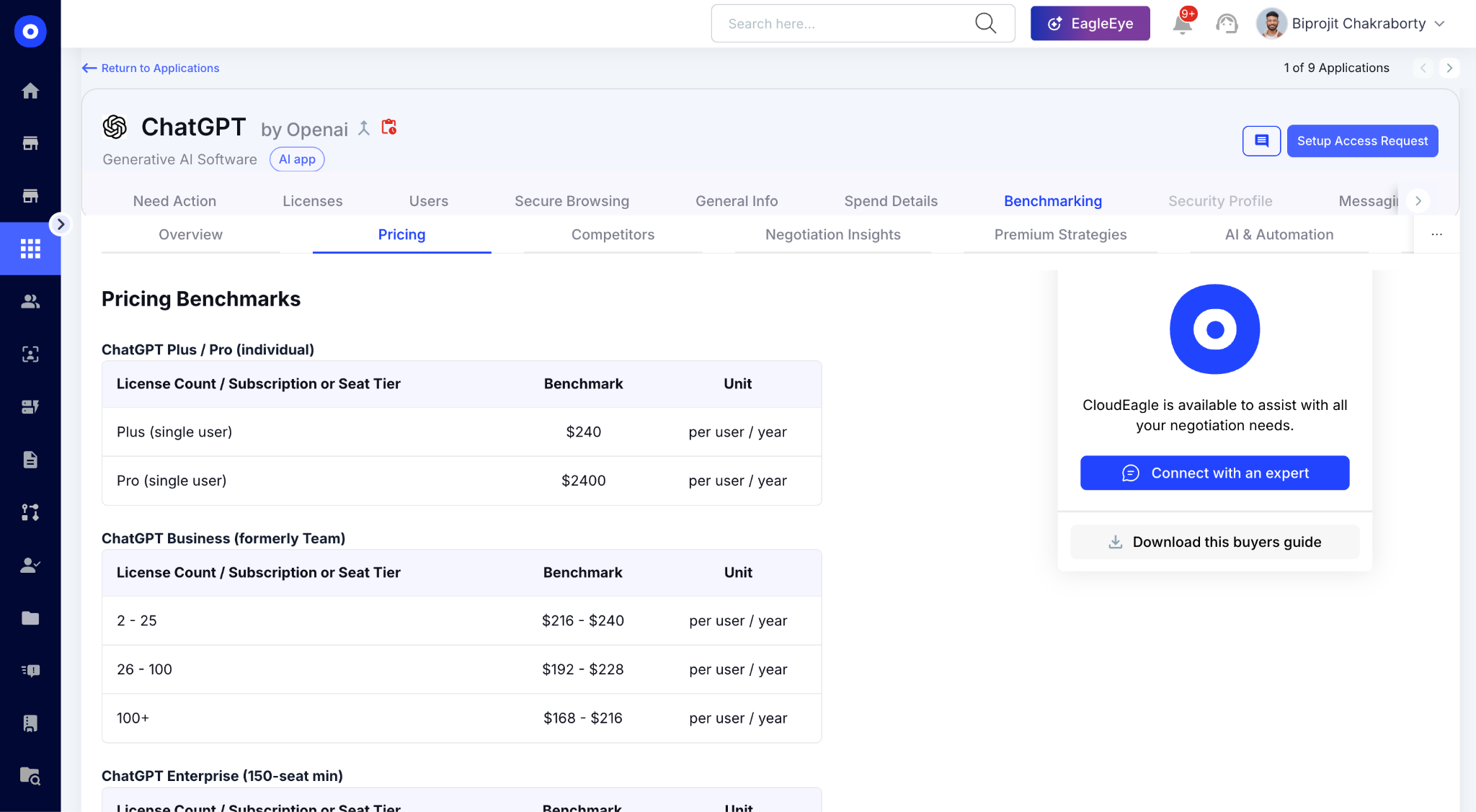
In CloudEagle's benchmarking view, your current AI contract price is mapped against transaction-level peer data. Buying guides surface the negotiation levers, discount patterns, and renewal behaviors too.
That's the full picture on AI overspend. Stop unnecessary subscriptions through governance, right-size consumption through visibility, and negotiate better terms through benchmarking data.
Tokens Become Costs Fast


3. What Tokenmaxxing Actually Looks Like in Practice
Nobody calls it tokenmaxxing in Slack. But the pattern becomes obvious when you look at the bill. Small decisions made by individual users compound into significant token consumption across the organization.
A. Defaulting to the Most Capable Model for Every Task
Most users don't choose the cheapest model that solves the problem. They choose the most capable one they've heard of.
- A simple summarization task runs on Opus instead of Sonnet
- Routine coding assistance uses premium models by default
- Teams rarely compare output quality against lower-cost alternatives
As our team consistently observes across enterprise AI deployments, "people are over-aging on Claude, the token sizes increase and they're burning through cache really quickly."
B. Max Context Windows on Every Prompt, Whether Needed or Not
Users often paste entire documents, codebases, or datasets into prompts just in case the model needs the context. Relevant tokens and irrelevant tokens are billed at exactly the same rate.
One prompt doesn't seem expensive. Thousands of prompts across a team are.
C. Re-Prompting Until Satisfied Instead of Refining the Ask
Instead of improving the prompt, users often rerun it multiple times with small changes. The result is multiple expensive model calls for work that could have been completed in one or two interactions.
D. Agent Workflows Chaining Multiple Model Calls Per Task
AI Agents can multiply token consumption without users realizing it.
- One workflow may trigger several model calls behind the scenes
- Multiple agents can run against the same task or dataset
- Consumption scales with every additional step in the workflow
This is a direct byproduct of AI orchestration architecture, where multiple models and tools are chained together to complete a task, each step generating token consumption that never appears in a single-vendor dashboard.
4. What Model-Level Spend Governance Actually Requires
Most AI cost-control efforts fail because they focus on the invoice instead of the behaviors creating it. Effective AI governance requires four things that vendor dashboards alone don't provide.
A. Per-User Consumption Visibility Across All Models
Total AI spend isn't enough. You need to know:
- Which user is consuming tokens and at what rate
- Which model they're using for which tasks
- How their usage is trending week over week
The question "which user drove the spike this month" should be answerable in seconds, not days.
B. Model-Tier Access Controls Matched to Task Type
Not every employee needs access to the most expensive model.
- Engineering teams working on complex code generation may need Opus
- Support teams handling routine responses may only require Sonnet
- General users are often well served by Haiku at a fraction of the cost
The goal isn't restriction but it's matching model cost to task complexity.
C. Spend Thresholds and Alerts Before the Bill Arrives
Most organizations discover overspend after the invoice arrives. Governance works when it's proactive:
- Set weekly or monthly consumption thresholds per user, per team, or per tool
- Alert when usage spikes unexpectedly rather than waiting for month-end
- Forecast run rates so the question "are we on track to exceed our AI budget?" has an answer before it's too late
D. Consolidated View Across a Multi-Tool AI Stack
AI spend rarely lives in one platform and each vendor portal only shows its own slice of consumption.
- Without consolidation, reconciling spend across five tools means five exports, five dashboards, and a spreadsheet nobody fully trusts
- Usage patterns that look normal in isolation can reveal a problem when viewed across the full stack
- Governance decisions made from partial data produce partial results
The full picture only exists when every tool's consumption is visible in the same place at the same time.
5. Conclusion
When you renew an AI contract, your CFO isn't going to ask how many seats you purchased. They're going to ask whether the organization got value from what it consumed.
You can't answer that with license counts alone.
The teams that manage AI costs effectively have visibility into per-user consumption, model-level usage, and spend trends before the invoice arrives. Everyone else is trying to explain a budget surprise after the fact.
That's why token governance is quickly becoming a core part of AI governance. The goal isn't to limit adoption, it's to make sure growing AI usage doesn't turn into growing AI waste.
6. FAQs
1: How is CloudEagle.ai different from the usage dashboards built into Claude, ChatGPT, or other AI tools?
Native vendor dashboards only show their own slice of spend. CloudEagle.ai pulls token consumption from every AI tool into one consolidated view, then adds per-user attribution, run-rate forecasting, and threshold alerts on top. Finance and IT see the full picture and can act before the invoice lands.
2: Which AI tools can CloudEagle.ai track token spend for, and what if our tool isn't supported?
CloudEagle.ai connects via API to Claude, Cursor, ChatGPT, Gemini, GitHub Copilot, and other major AI tools to pull live token data per user, per model, and per period. For browser or personal accounts, the Secure Browser module and Zscaler and CrowdStrike integrations catch what the API layer misses.
3: Does CloudEagle.ai need access to our prompts or the content employees send to AI tools?
No. CloudEagle.ai tracks consumption metadata such as which user ran a request, which model handled it, token counts, and cost. It never needs the contents of prompts or responses to deliver per-user, per-model visibility. That makes governance easier for security and legal teams to approve.
4: Can CloudEagle.ai actually restrict which models employees use, or does it only report on spend?
It does both. CloudEagle.ai supports model-tier access controls so cost matches task complexity, and the Secure Browser module can block personal or ungoverned AI accounts at the source. You can also set per-user, team, or tool thresholds with alerts that fire on unexpected spikes.
5: How does CloudEagle.ai handle token consumption from AI agents and automated workflows?
CloudEagle.ai tracks the token usage agent workflows generate, even when one task quietly triggers several model calls behind the scenes. Because consumption is attributed per user and per model on rolling 15, 30, 60, and 90-day windows, that hidden spend becomes visible instead of buried in a lump-sum bill.
Every Token Impacts The Bottom Line


.avif)


.avif)
.avif)




.png)





.png)

.png)
.avif)
.avif)
.avif)


