


AI Policy Enforcement

Stop Sensitive Data From Reaching Unapproved AI

Your team is pasting code, customer data, and credentials into AI tools you never approved. We see it, warn them, and block what should never leave, right in the browser.

iceye company logoringcentral company logonowpoets company logowefunder company logoaira company logorecroom company logofalkonry company logo

Your Data Is Walking Into AI Tools You Never Approved

Imagine:  Someone in support pastes a customer's personal data into a free AI chatbot to draft a reply. An engineer drops proprietary code into an assistant nobody vetted. None of it goes through IT, none of it is logged, and the first you hear of it is when something leaks. And it is happening every day.

Without CloudEagle

Employees sign into AI tools on personal accounts, off SSO, and IT never sees it.
Sensitive data, code, and credentials get pasted into AI with nothing to stop it.
You learn a tool was risky only after the data is already in it.
Blocking everything just drives people to shadow tools, so nobody blocks anything.
There is no record of who used what, so audits and reviews stall.
Result: AI adoption outruns your ability to govern it, and every unapproved tool is a leak waiting to happen.

With CloudEagle

The browser plugin surfaces every AI tool in use, even off SSO.
Sensitive data is caught before it is entered: PII, credentials, financial, and PHI.
A risky tool gets a flash-page warning the moment someone opens it.
Users are redirected to an approved alternative, so governance does not block work.
Every action is monitored and logged, ready for a review or an audit.
Result: Your team keeps using AI, and the data that should never leave stays inside.

Leaders Who Govern What Their Teams Feed Into AI

Customer Spotlight:
DOMO
“Once AI adoption accelerated across teams, visibility alone wasn't enough. We needed clear rules around who could use AI tools, under what conditions, and how those decisions were enforced and reviewed. CloudEagle helped us move from ad-hoc approvals to structured, defensible AI governance.”
— Aditya Khosla // Chief Technology Officer, Iterative Health
Read Success Story
Daren Thayne

Everything You Need To Govern AI At The Browser

See Every AI Tool Your Team Uses
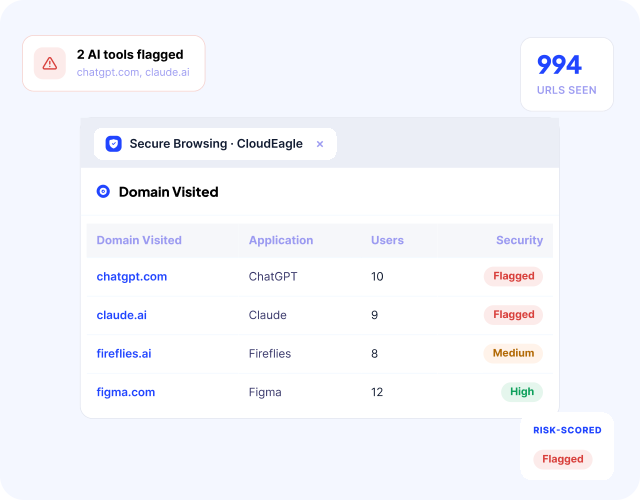
CloudEagle unified AI usage dashboard correlating browser activity, Zscaler, CrowdStrike, SSO, and finance signals to surface unauthorized AI tool adoption
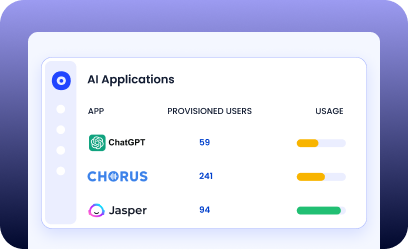
See every AI tool employees open, even off SSO and on personal accounts.
  • Discover AI tools at the browser, not just what sits behind SSO.
  • Know who is using what, on corporate and personal accounts.
  • Rank each tool by an independent risk score.See it over any window, from the last week to the last quarter.
AI Tool Dashboard
FLash page

Catch Unapproved AI Tools The Moment They Open

CloudEagle shadow IT discovery view showing unapproved employee tools, free trials, and card-based purchases flagged against the approved SaaS stack
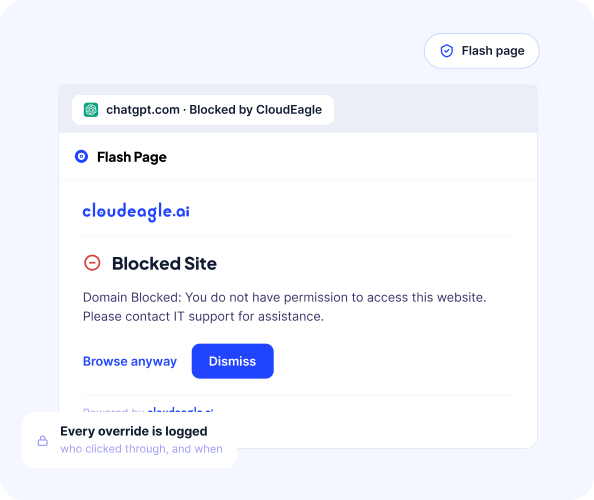
Someone opens an AI tool you have not approved, and a warning appears in the browser before any work starts.
  • A flash page appears the moment an unapproved AI tool opens.
  • Users can step back, or reach IT to get the tool approved.
  • Every override is logged, so nothing passes unseen.

Block Sensitive Data Before It Is Entered
CloudEagle risky app identification dashboard showing actively used unsanctioned SaaS and AI tools prioritized by Netskope risk scores
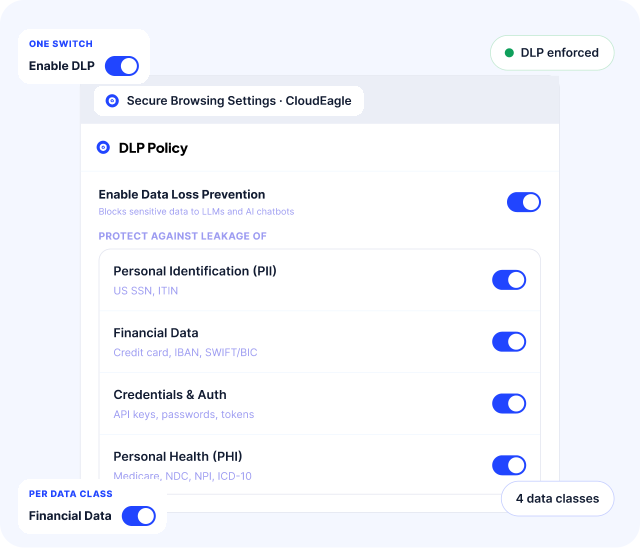
Stop PII, credentials, and source code from being pasted into AI, before it leaves the browser.
  • Block PII, financial, credential, and PHI data from being entered into AI sites.
  • Set policies globally, or per tool and per data type.
  • Catch it at the browser, before the data reaches the AI tool.
Sensitive data protection
Every Audit and Reveiw

Prove It, For Every Audit And Review

CloudEagle shadow IT discovery view showing unapproved employee tools, free trials, and card-based purchases flagged against the approved SaaS stack
Every warning, block, and override is logged, so governance is something you can show.
  • Monitor and log every AI interaction the plugin sees.
  • Build the evidence trail your GRC and audit teams ask for.
  • Use firewall logs where a browser plugin is not an option.

Frequently Asked Questions

1. What does AI Policy Control do?

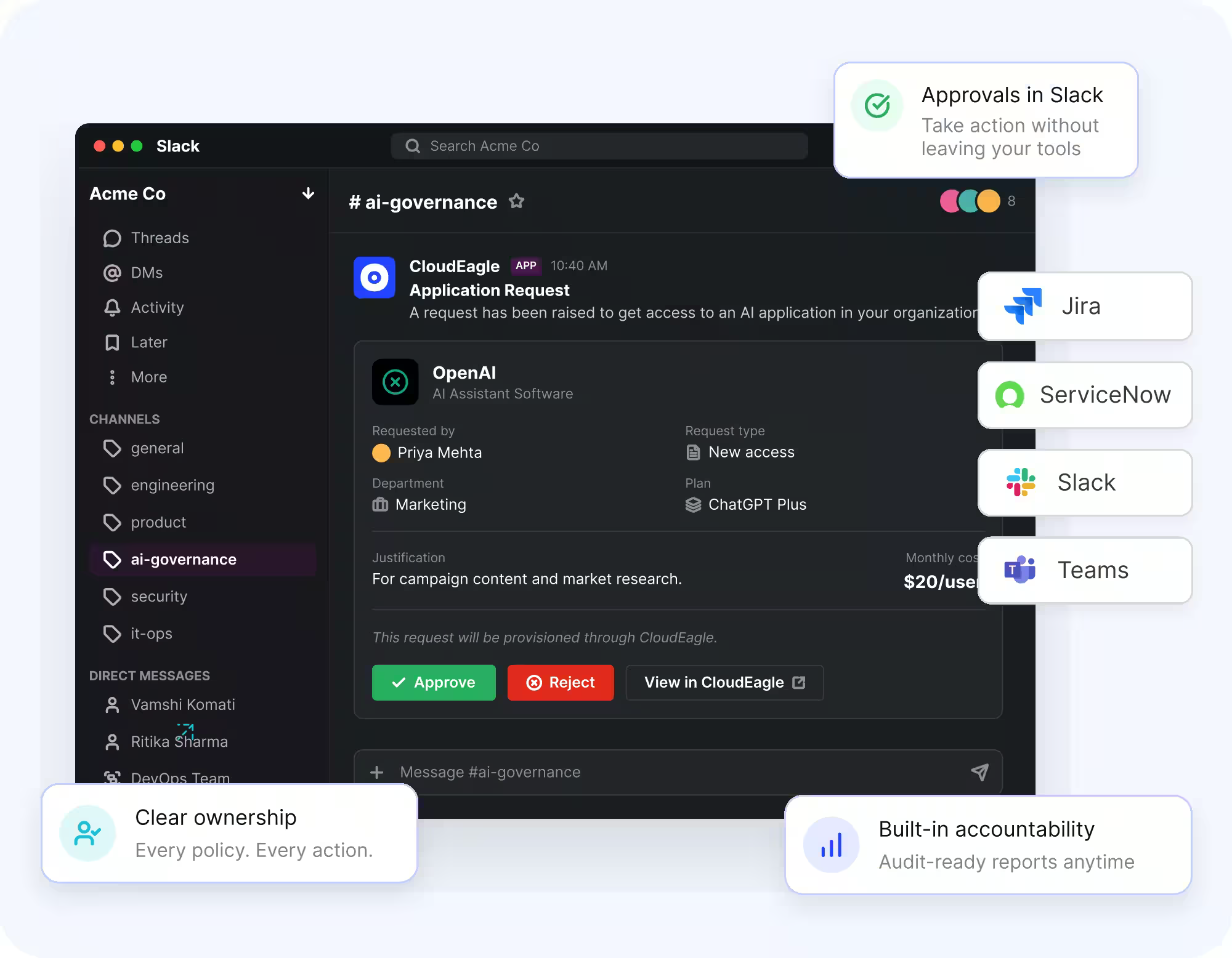
It governs which AI tools your team can use and what data they can put into them. At the browser, it discovers every AI tool in use, warns and redirects users away from unapproved ones, and blocks sensitive data from being entered, with a full log for audit.

2. How do you stop sensitive data from going into AI tools?

The browser plugin inspects what a user is about to enter into an AI site and blocks PII, credentials, financial, and PHI before it is submitted. You set the policy globally, or per tool and per data type.

3. Does it block AI tools, or just warn?

Both, depending on how you set it. The default is soft governance: a flash-page warning that explains the policy and redirects to an approved tool, which changes behavior without a hard wall. Where you need it, you can enforce a harder block through the plugin and firewall integration.

4. Which AI tools does it cover?

Any AI tool reachable in the browser, sanctioned or shadow, including ChatGPT, Claude, Gemini, Cursor, and Copilot, plus the long tail of tools employees find on their own. It is not limited to a preset list.

5. How do you discover AI tools we don't already know about?

We correlate browser activity, SSO, firewall logs, and finance data against a proprietary AI catalog, so a new AI tool shows up within hours of someone using it, not at the next audit.

6. Does the plugin monitor everything my employees do?

No. It is scoped to AI tool access and what data is entered into AI sites, not general browsing. For privacy-sensitive teams, you can rely on firewall-log analysis instead of the plugin. Governance, not surveillance.

7. What if we cannot deploy a browser plugin?

You can run on firewall logs and Microsoft Defender instead. You give up some of the in-the-moment warning and data blocking, but you keep discovery and monitoring.

8. Can it read the actual prompts?

No. We govern which tools are used and block sensitive data from being entered, at the browser. We do not do prompt-level inspection of everything typed into an AI tool.

9. How is this different from a CASB like Netskope or Zscaler?

A CASB governs network traffic broadly. We focus on AI at the point of use in the browser: which AI tools are allowed, what data can go into them, and a redirect to the approved alternative, tied to the same platform that governs your SaaS and identities.

10. How does this fit with AI Usage Control and the rest of CloudEagle?

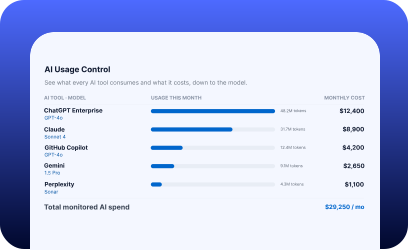
AI Policy Control governs what goes into AI and which tools are allowed. AI Usage Control governs what your AI consumes and what it costs. Both live in the same platform as your SaaS, identity, and governance.

Prevent Shadow AI and Mitigate Risk With Confidence