.avif)
%201.svg)


HIPAA Compliance Checklist for 2025

TL;DR
- Network security tools help organizations detect threats, monitor network activity, identify vulnerabilities, and protect critical systems.
- No single tool covers every security need. Firewalls, vulnerability scanners, intrusion detection systems, SIEM platforms, and network monitoring tools address different layers of security.
- Wireshark is suited to packet-level analysis, Nessus to vulnerability scanning, Snort to intrusion detection, and Splunk to security monitoring and incident response.
- Network security tools can help support compliance requirements such as SOC 2, HIPAA, GDPR, and PCI DSS, but compliance also depends on access controls, application security, and ongoing governance.
- Traditional network tools have limited visibility into SaaS applications, Shadow IT, Shadow AI, user access, and vendor risk, creating a separate SaaS security layer that organizations need to address.
Is your network really secure?
Cybercriminals don't need sophisticated tools to get in. Just a single weak point is enough: a poorly configured firewall, an outdated scanner, or one missed endpoint could expose your sensitive data.
Businesses lose an average of $4.44 million per breach (IBM, 2025), and most security gaps go unnoticed until it's too late.
The right network security tools don't just detect threats. They prevent costly disasters before they happen.
This article covers the 10 best network security tools to monitor, protect, and fortify your network, before it becomes a hacker's playground.
1. What Are Network Security Tools, and Why Do You Need Them?
Network security tools act as your business's first line of defense against cyber threats. They monitor, detect, and block malicious activity before it can cause damage.
Whether it's preventing unauthorized access, stopping a ransomware attack, or securing cloud applications, the right tools keep your network safe, compliant, and operational.
Without them, data breaches, financial losses, and regulatory fines become a real threat. Attackers exploit misconfigurations, unpatched systems, and weak security policies to get in, and the right security stack keeps your defenses a step ahead.
2. How Do Network Security Tools Protect Your Business?
Cyber threats are more aggressive and sophisticated than ever, and a firewall alone won't cut it. Businesses need layered security to tackle evolving risks.
- Prevent Cyber Threats Before They Strike
Network security tools block malware, ransomware, and phishing attacks before they infiltrate your systems, and detect suspicious activity so you can isolate threats in real time. - Give IT Teams Full Visibility and Control
They monitor network traffic, log activity, and flag unauthorized access attempts, reducing your attack surface by surfacing weak spots before hackers find them. - Ensure Compliance and Avoid Hefty Fines
They help you stay in line with GDPR, HIPAA, SOC 2, and other security frameworks, and enforce the access controls that protect sensitive customer and business data.
Without these protections, businesses risk becoming easy targets.
3. What Key Features Should You Look for in Network Security Tools?
Not all network security tools are created equal. A flashy dashboard means nothing if it doesn't secure your network. Look for solutions that provide:
- Threat Detection and Real-Time Monitoring
Alerts you to suspicious activity, unauthorized access, and anomalies, using AI-driven analysis to detect and respond to zero-day threats. - Intrusion Prevention and Firewall Protection
Blocks unwanted traffic before it reaches your network, and detects intrusions and prevents attacks in real time. - Access Control and Security Automation
Ensures only authorized users can access sensitive data, and automates security policies, user provisioning, and compliance checks. - Secure Cloud and SaaS Application Management
Prevents shadow IT and unapproved software from creating security gaps, and protects cloud environments from unauthorized access and data breaches.
A single tool won't do it all. A strong security stack includes multiple layers of protection, because hackers don't take shortcuts, and neither should your defenses.
4. What Are the Best Network Security Tools to Protect Your Business in 2026?
Here are the 10 network security tools worth knowing, from packet analysis and vulnerability scanning to firewalls and anonymous browsing.
1. Wireshark
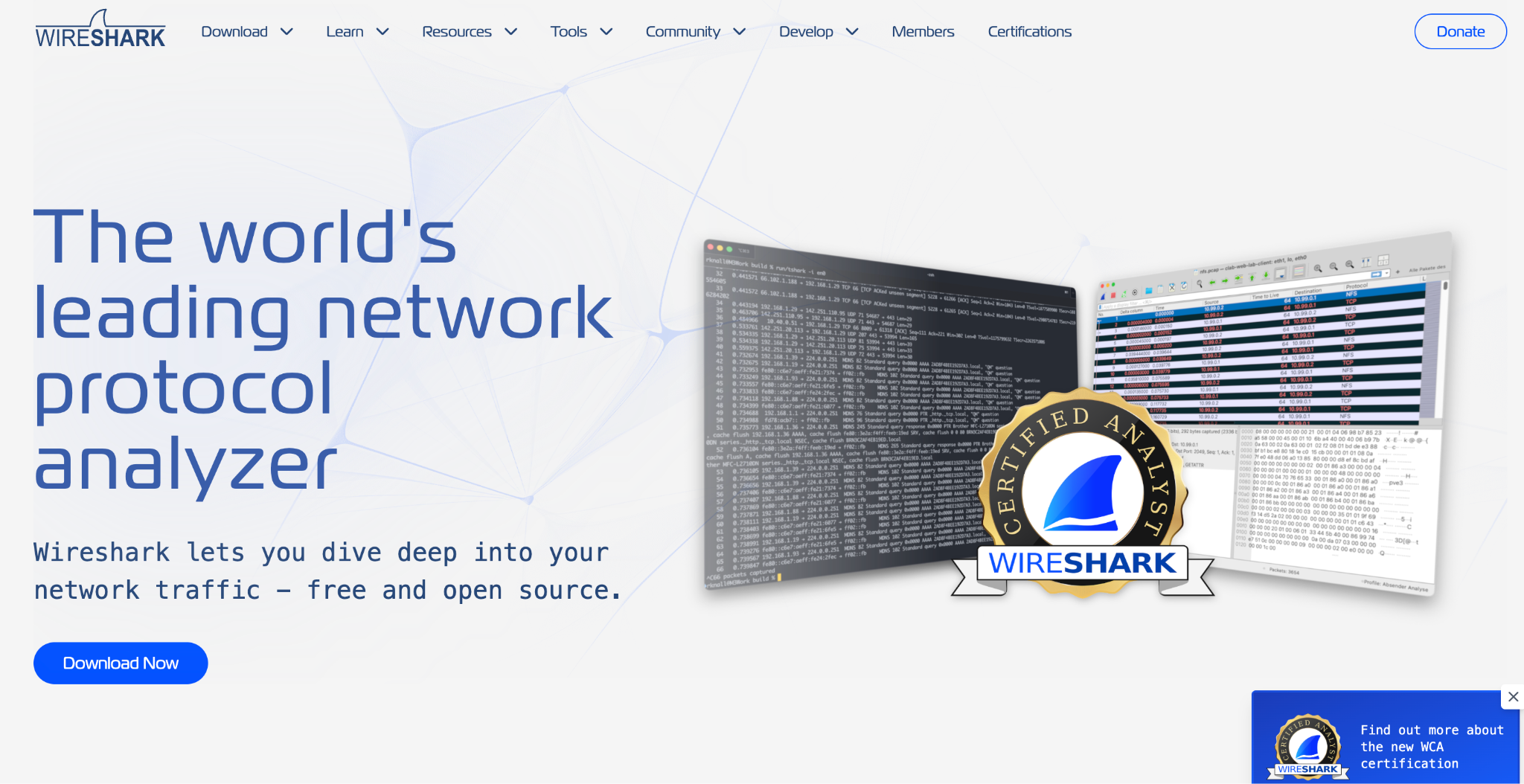
Wireshark is a free, open-source protocol analyzer that IT professionals use to capture, inspect, and analyze network traffic in real time. It gives you deep, packet-level visibility for troubleshooting network issues, spotting anomalies, and investigating security threats.
Key Features
- Packet capture and analysis: captures live network traffic with detailed packet-level insight.
- Protocol inspection: deep inspection of hundreds of protocols with filtering and color-coded views.
- Cross-platform support: runs on Windows, Linux, and macOS.
Pros
- Highly detailed packet analysis for diagnosing network issues.
- Free and open-source with no feature limitations.
- Broad protocol support across different network environments.
Cons
- Steep learning curve for beginners given the complex interface.
- Large packet captures can be difficult to analyze and slow to load.
- Primarily a diagnostic tool, with limited built-in security features.
Pricing: Free to download and use, with no licensing costs.
2. Tenable Nessus
Tenable Nessus is a leading vulnerability scanner that helps businesses identify, assess, and remediate security risks across networks, applications, and cloud environments, catching software flaws and misconfigurations before attackers do.
Key Features
- Comprehensive vulnerability scanning: identifies flaws, misconfigurations, and missing patches across systems and apps.
- Pre-built policies and templates: ready-to-use scan configurations for standards like CIS, PCI DSS, and HIPAA.
- Automated scanning and reporting: scheduled scans, automated alerts, and remediation recommendations.
Pros
- Accurate, detailed vulnerability detection with minimal false positives.
- Easy-to-use interface with pre-configured policies for faster assessments.
- Supports on-premises, cloud, and hybrid environments.
Cons
- Scans can be slow, especially on large networks.
- Limited automation for remediation; patching is mostly manual.
- Higher licensing costs than some alternatives.
Pricing: Nessus Professional: $4,708.20/year. Nessus Expert: $7,068.20/year. Multi-year discounts available.
3. Metasploit
Metasploit is a penetration testing framework from Rapid7 that lets security teams identify vulnerabilities, simulate attacks, and test defenses against real-world threats using an extensive library of exploits and payloads.
Key Features
- Exploit development and testing: an extensive library of exploits, payloads, and post-exploitation modules.
- Automated penetration testing: simulated attacks that test system vulnerabilities.
- Security awareness and training: phishing simulations to evaluate and improve employee awareness.
Pros
- Comprehensive exploit database for testing security defenses.
- Integrates well with other security tools and vulnerability scanners.
- Supports automation for penetration testing.
Cons
- Complex setup and a steep learning curve for beginners.
- Requires manual updates to stay current on the latest exploits.
- Limited scalability for enterprise-level security operations.
Pricing: Community Edition: free. Pro Edition: $15,000/year.
4. Snort
Snort is an open-source intrusion detection and prevention system (IDPS) from Cisco. It analyzes network traffic in real time to identify and block suspicious activity, with customizable rules for teams that want detection tuned to their own environment.
Key Features
- Intrusion detection and prevention: monitors traffic for known attack patterns and prevents unauthorized access.
- Custom rule sets: define and modify rules for better threat detection.
- Packet logging and analysis: captures and logs packets for in-depth security review.
Pros
- Open-source and highly customizable.
- Strong community support for rule updates and troubleshooting.
- Effective real-time traffic monitoring and logging.
Cons
- Requires advanced networking knowledge to configure.
- Can generate a high number of false positives without frequent tuning.
- No graphical user interface, which complicates setup and management.
Pricing: Personal Subscription: $29.99 per sensor/year. Business Subscription: $399 per sensor/year.
5. Splunk
Splunk Enterprise Security (ES) is a SIEM solution that helps organizations detect, investigate, and respond to cyber threats in real time, with deep visibility into security events, logs, and network activity.

Key Features
- Advanced threat detection: machine learning and behavior analytics catch threats before they escalate.
- Real-time monitoring and alerts: continuous monitoring with instant alerts on suspicious activity.
- Incident response and automation: automates threat-response workflows to cut manual intervention.
Pros
- Integrates well with a wide range of security tools.
- Highly customizable dashboards and reporting.
- Strong data correlation for better security insight.
Cons
- Pricing makes it expensive for smaller organizations.
- Steep learning curve requiring real technical expertise.
- Can slow down when processing large data volumes.
Pricing: Various models based on workload, data ingestion, or entity-based pricing. Exact costs vary by deployment.
6. OpenVAS
OpenVAS (Open Vulnerability Assessment System) is an open-source vulnerability scanning and management tool for detecting security flaws across IT infrastructure, widely used for penetration testing, security auditing, and compliance assessments.
Key Features
- Comprehensive vulnerability scanning across networks, systems, and applications.
- Regular security updates with the latest vulnerability definitions and detection techniques.
- Customizable scan policies for depth, targets, and security rules.
- Automated reporting and alerts with risk assessments and remediation guidance.
Pros
- Completely free and open-source.
- Supports multiple operating systems and is highly customizable.
- Regularly updated with new security threats.
Cons
- Interface isn't intuitive, which is tough for beginners.
- False positives may need manual verification.
- Setup, configuration, and scan speed lag commercial alternatives.
Pricing: Free as an open-source project. Enterprise support and cloud-hosted deployments may cost extra.
7. Nagios
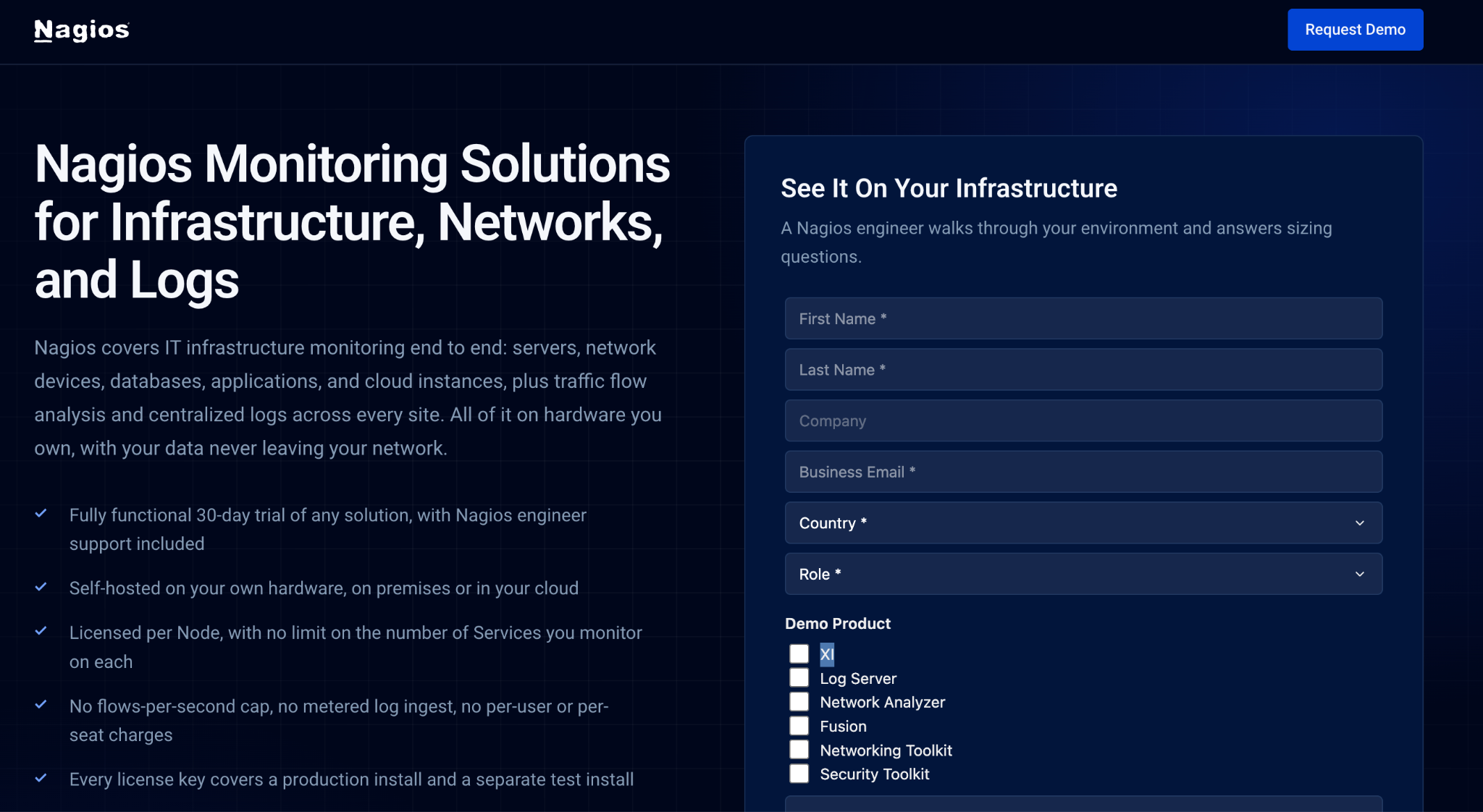
Nagios XI is an enterprise IT monitoring solution built to proactively monitor, troubleshoot, and resolve infrastructure issues across network, server, application, and log monitoring.
Key Features
- Comprehensive monitoring across servers, networks, applications, and services.
- Customizable dashboards with real-time graphical reporting.
- Advanced alerting via email and SMS when issues arise.
- Scalability from small to large enterprises with node-based licensing.
- Automation and auto-discovery that simplify host and service monitoring.
Pros
- Highly customizable with third-party plugin support.
- Proactive monitoring catches issues before they cause downtime.
- Detailed reports and dashboards for better visibility.
- Robust, active community support.
Cons
- Complex initial setup with a steep learning curve.
- High licensing costs for enterprise use.
- Interface feels dated next to newer monitoring tools.
- False alerts can require manual verification.
Pricing: Starts at $3,990 for 50 nodes, up to $25,990 for unlimited nodes, with enterprise add-ons at extra cost.
8. Kali Linux
Kali Linux is a free, open-source Debian-based distribution built for penetration testing, ethical hacking, and cybersecurity research, with over 600 pre-installed security tools.
Key Features
- Extensive security toolset: over 600 tools for scanning, exploitation, password cracking, and forensic analysis.
- Rolling updates: frequent updates with the latest tools, bug fixes, and performance improvements.
- Customizable and lightweight: supports ARM, x64, and x86, with custom ISO options.
- Live boot and persistence: runs as a live USB or installs permanently, with encrypted persistence options.
Pros
- Free and open-source with no licensing costs.
- Pre-installed with top penetration testing and forensic tools.
- Highly customizable across multiple architectures and virtualization options.
Cons
- Steep learning curve, requiring real Linux knowledge.
- Not beginner-friendly, with complex setup and configuration.
- Some features may be restricted in certain countries by local regulation.
Pricing: Free to download and use. Running it on cloud platforms like AWS or Azure incurs instance-based costs.
9. Forcepoint
Forcepoint Next-Generation Firewall (NGFW) is an enterprise-grade firewall that combines advanced intrusion prevention, SD-WAN, and cloud-based security to protect distributed enterprises and government agencies.
Key Features
- Advanced threat protection: deep packet inspection and intrusion prevention against sophisticated threats.
- Integrated SD-WAN: secure branch networking with intelligent routing and failover.
- Centralized management: one dashboard to monitor and manage multiple firewall instances.
- Seamless cloud integration: works with Forcepoint's SASE platform for cloud security and policy enforcement.
Pros
- Highly secure, with deep packet inspection and flexible rule creation.
- Centralized management simplifies network security operations.
- Strong SD-WAN capabilities for secure, efficient connectivity.
Cons
- Configuration can be complex and requires real expertise.
- Occasional connectivity issues with the management server.
- Pricing runs higher than some competitors.
Pricing: Varies by deployment type, features, and node count. Contact Forcepoint for enterprise pricing.
10. Tor
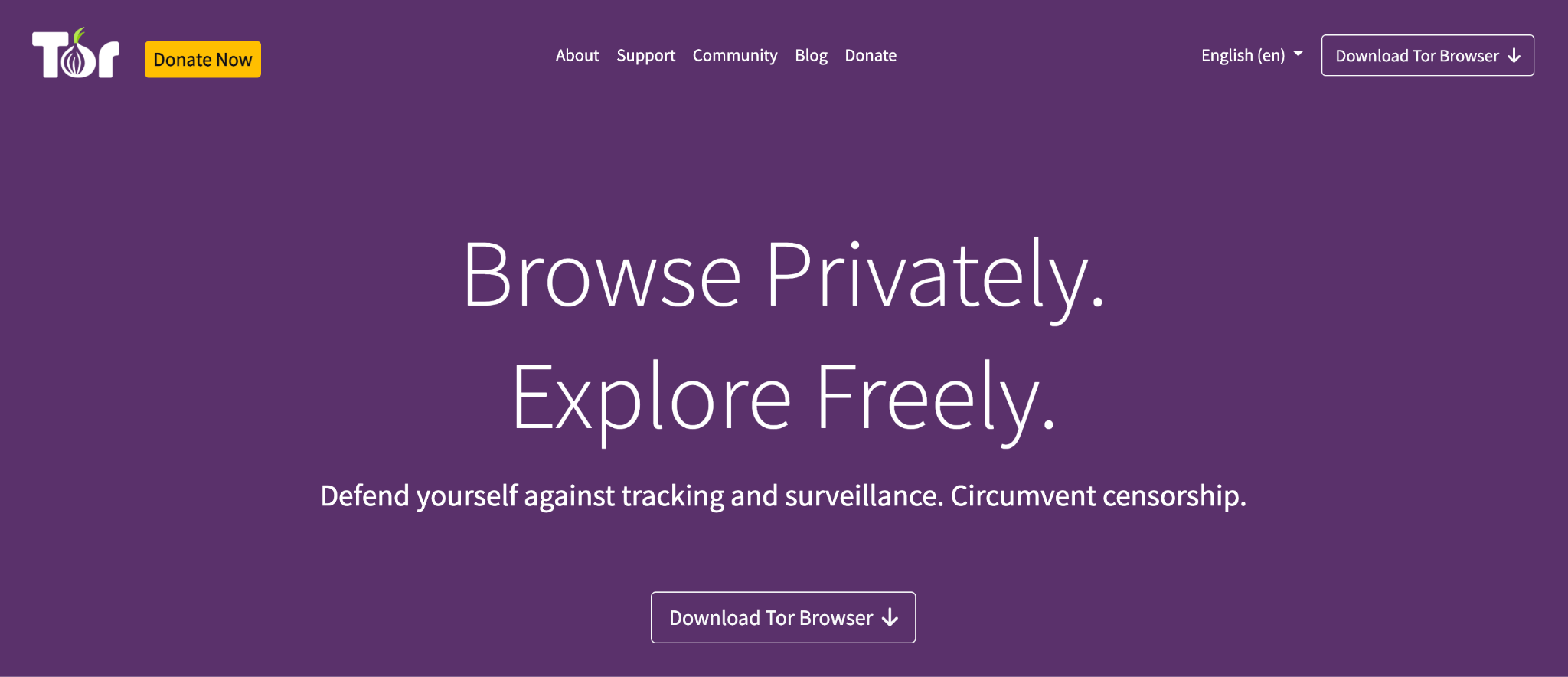
Tor (The Onion Router) is an open-source tool that enables anonymous communication by routing internet traffic through a distributed network of volunteer-operated servers, protecting users from tracking and surveillance.
Key Features
- Onion routing: encrypts and routes traffic through multiple nodes to ensure anonymity.
- Access to restricted content: bypasses geographic restrictions and censorship.
- No tracking or surveillance: prevents websites, advertisers, and ISPs from tracking browsing activity.
- Cross-platform compatibility: available on Windows, macOS, Linux, and Android.
Pros
- Strong anonymity and privacy protection.
- Free to use and open-source.
- Bypasses censorship and access restrictions.
Cons
- Slower browsing speeds from multiple encryption layers.
- Some websites block Tor users outright.
- Potential for misuse in illegal activity.
Pricing: Free, funded by donations and volunteer support.
5. What Are the Best Network Security Monitoring Tools?
If your priority is watching your network in real time rather than scanning for vulnerabilities or simulating attacks, three tools on this list stand out.
- Splunk gives you the deepest SIEM-level visibility, correlating logs and events across your environment with machine learning behind the alerts.
- Nagios is purpose-built for infrastructure monitoring: servers, networks, applications, and uptime, with alerting the moment something goes down.
- Wireshark rounds this out at the packet level, letting you see exactly what's moving across the wire when something looks wrong.
Most teams pair at least one SIEM-style monitoring tool with a packet analyzer rather than relying on either alone.
6. Where Do Network Security Tools Fall Short on SaaS Security?
Network security tools are designed to monitor traffic, endpoints, vulnerabilities, and suspicious activity across an organization's infrastructure. They provide limited visibility into the SaaS applications employees adopt, the access those applications hold, and the AI tools being used outside approved channels.
That creates a separate SaaS security layer. Organizations also need to understand who has access to each application, whether that access is still appropriate, which unsanctioned tools are in use, and whether vendors meet security and compliance requirements.
CloudEagle.ai helps address these gaps across SaaS and AI applications, user access, and vendor security.
Uncontrolled Access and Permission Sprawl
SaaS environments can make it difficult to maintain visibility into who has access to which applications and whether those permissions are still necessary. Over time, this can result in excessive access and orphaned accounts.
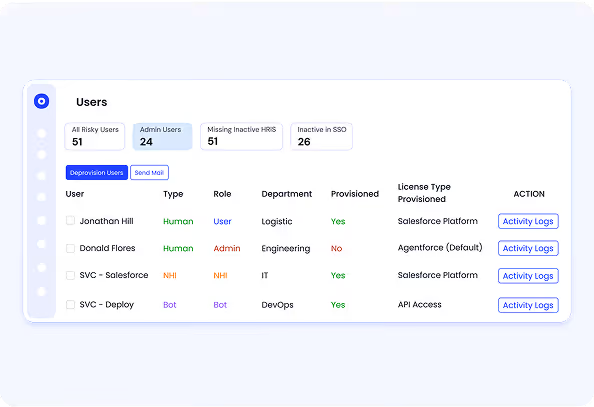
CloudEagle.ai provides centralized access governance to help organizations review permissions, manage provisioning and deprovisioning, and align access with user roles.
Shadow IT and Shadow AI Risk
Employees can adopt SaaS and AI tools without going through IT or security teams. These applications may remain outside traditional SSO and IT visibility, making it difficult to assess their security or data access.

CloudEagle.ai helps discover unauthorized SaaS and AI usage so security and IT teams can identify applications operating outside approved processes and bring them into governance.
License Mismanagement and Data Security Risk
Unused and misallocated licenses create unnecessary spend, but they can also leave accounts and application access active longer than necessary. License management therefore needs to be considered alongside access governance.
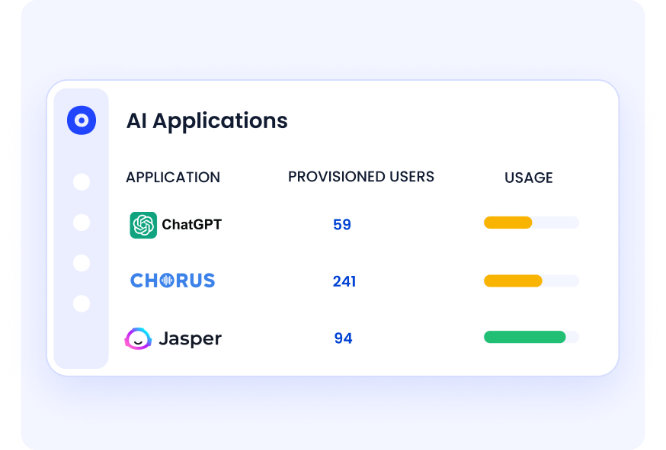
CloudEagle.ai helps organizations connect application usage, license assignments, and user access to identify unnecessary licenses and reduce access that is no longer justified.
Vendor Security and Compliance Uncertainty
Understanding the security posture of SaaS vendors often requires teams to gather certifications, security information, and compliance evidence from multiple sources. Keeping this information current can become difficult as the SaaS portfolio grows.
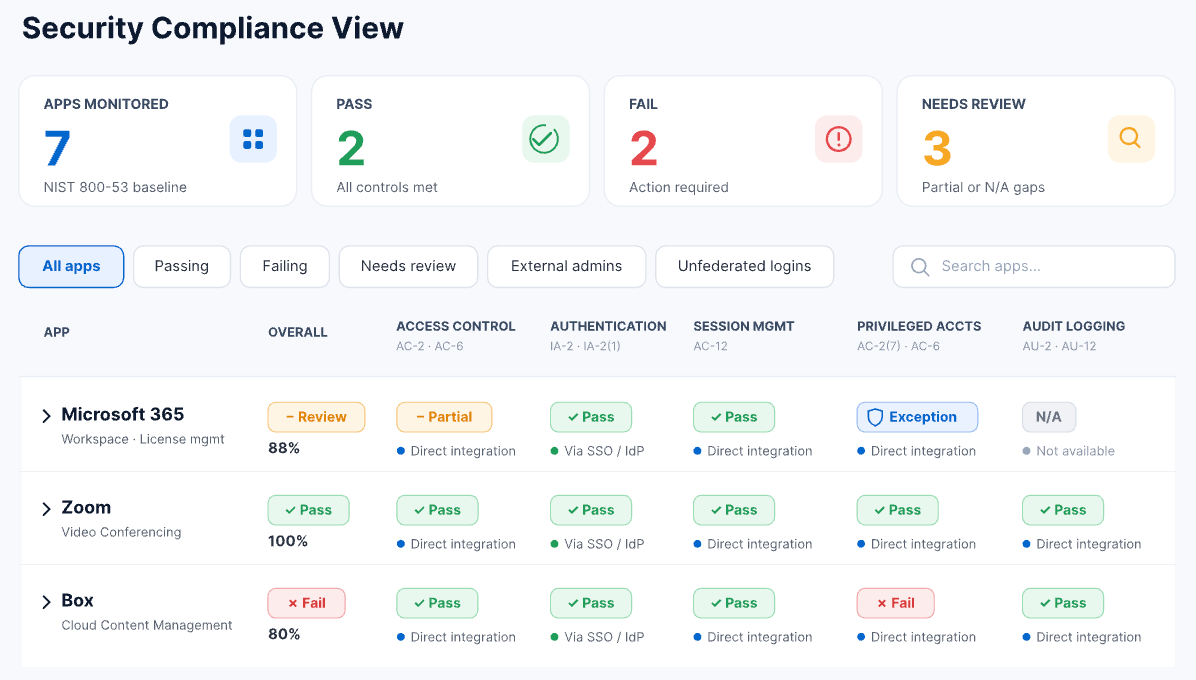
CloudEagle.ai provides visibility into vendor security and compliance information, including certifications and application security signals, helping teams assess SaaS risk and maintain a more consistent compliance process.
“We are relieved that we no longer have to access each application to grant and revoke access. CloudEagle's provisioning module saved us hundreds of hours every month and helped us focus on more strategic tasks.”
— Henry Zheng, IT & Security Officer, WatchGuard
Network security tools remain important for protecting infrastructure, but they do not provide complete visibility into SaaS applications, user access, shadow IT, shadow AI, or vendor security posture. These areas require additional SaaS-specific security and governance controls.
Your Network Tools Don't See Every SaaS Risk.


7. Which Network Security Tools Should You Use to Protect Your Business?
Securing your business against cyber threats isn't just about having the right tools. It's about using them together.
From firewalls and intrusion detection systems to SaaS security and compliance monitoring, a well-rounded security stack helps prevent breaches, safeguard sensitive data, and keep the business running. Here's the recap:
- Network security tools detect, block, and prevent cyber threats before they cause harm.
- Firewalls, vulnerability scanners, and SIEM solutions provide multi-layered protection.
- Managing access, preventing shadow IT and shadow AI, and staying compliant matter as much for SaaS security as for the network itself.
- Proactive monitoring, real-time detection, and automated response together make the strongest defense.
As businesses lean harder on SaaS applications, traditional network security tools alone can't manage access, compliance, and vendor risk. That's the gap we built CloudEagle.ai to close, with centralized access control, shadow IT and shadow AI detection, license governance, and vendor security monitoring in one place.
Frequently Asked Questions
- What Happens When Network Security Tools Don't Cover SaaS Applications?
Traditional network security tools primarily focus on infrastructure, endpoints, and network traffic. CloudEagle.ai extends security visibility to SaaS and AI applications, helping teams identify application-level risks, access issues, and compliance concerns that may sit outside traditional security controls. - How Can Organizations Find SaaS and AI Tools That IT Doesn't Know About?
Applications adopted outside standard IT processes can be difficult to identify through SSO or traditional security tools alone. CloudEagle.ai helps surface these applications so security teams can assess their usage and bring them into the organization's governance process. - What Happens When SaaS Access Isn't Reviewed Regularly?
Access can remain active after an employee changes roles, leaves the organization, or no longer needs an application. CloudEagle.ai supports ongoing access governance and reviews, helping teams identify outdated permissions and take action when access no longer matches business requirements. - How Can Security Teams Assess the Risk of Hundreds of SaaS Applications?
Reviewing each application manually makes it difficult to maintain a consistent view of SaaS risk. CloudEagle.ai brings application security signals such as security scores, certifications, breach history, GenAI indicators, and data residency into a centralized view for easier assessment. - How Can Organizations Connect SaaS Security With Compliance Requirements?
SaaS security information is often spread across applications, vendors, and compliance processes. CloudEagle.ai brings application, access, and compliance information together to support requirements such as SOC 2, ISO 27001, HIPAA, GDPR, and the EU AI Act.
Your Network Tools Don't See Every SaaS Risk.


.avif)


.avif)
.avif)




.png)








.avif)
.avif)
.avif)


