
%201.svg)


HIPAA Compliance Checklist for 2025

SAP licensing has a way of turning even confident teams into cautious detectives. One minute you’re assigning roles, the next you’re trying to decode why someone in HR somehow ended up with a high-tier license.
And that complexity comes at a cost. A 2024 SmartTrack SAM survey found that over 40% of enterprises overspend on SAP licenses. So yeah, it’s not flawed but because life inside the system moves faster.
CloudEagle.ai steps in right at that blind spot. It shows who’s using what, where risks creep in, and which licenses no longer match actual workloads. You will see how SaaS compliance and cost control works without slowing anyone down.
TL;DR
- SAP licenses expand quietly, with role creep, temporary upgrades, and test modules turning into long-term, high-cost entitlements without anyone noticing.
- Dormant users, ex-contractors, and shared IDs inflate license counts, hiding true consumption and pushing enterprises into overspending, often by more than 40%.
- Access outpaces governance fast, leaving IT focused on uptime while compliance teams discover permissions that don’t match job roles or audit expectations.
- CloudEagle.ai brings real visibility, mapping usage to roles, flagging misaligned licenses, harvesting inactive seats, and centralizing SAP spend, pricing, and renewals.
- SAP finally feels predictable when licenses match real behavior, enabling clean audits, controlled costs, and a system that grows intentionally.
1. When Did Your SAP Licenses Start Feeling Bigger?
It never happens all at once. A few roles get upgraded for a project, a department adds temporary access “just for this workflow,” someone enables an engine they barely tested. Nothing looks outrageous individually.
- The Quiet Role Creep: Users slowly accumulate access permissions until they qualify for a higher, more expensive license type.
- The Temporary Upgrade That Stayed: Emergency access granted during a crunch never gets reversed once the dust settles.
- The Module Someone Activated Once: Engines enabled for testing sit quietly active, billing you every period.
And the strangest part? From a daily operations point of view, everything feels normal. Tasks run. Reports generate. But step back and the pattern becomes obvious: the system grew because no one had the time for scaling.
2. Who’s Paying for All the SAP Users No One Remembers Adding?
Some SAP users enter your system with a splash: onboarding tickets, frantic access requests, last-minute role mining. Others… slip in quietly. SAP doesn’t warn you about these ghosts.
A. Dormant Accounts Still Sitting in Your License Count
You don’t usually spot dormant SAP accounts because nothing about them looks wrong. Weeks go by, then months, and because they aren’t breaking anything, they quietly blend into the background.
- The Monthly No-Show: Users with zero logins for 30–90 days, yet still assigned expensive license categories.
- The “Maybe They Still Need It” User: Someone who hasn’t touched SAP since the last big project but remains licensed because no one wants to accidentally eliminate access.
- The Over-Provisioned Role Holder: Users holding higher-tier roles even though their actual workload doesn’t require it.
The tricky part is that dormant doesn’t mean broken. And forgotten licenses are the most expensive kind because they drift through each billing cycle unnoticed.
B. Contractors Who Left Months Ago Still Retain Access
Contractors come in fast, get the access they need, finish the project, and disappear just as quickly. But their SAP accounts? Those tend to stick around like digital souvenirs.
- The Project Ghost: Contractors who wrapped up long ago but still appear as “active” because no one triggered cleanup.
- The Overlooked Offboard: Access removed from internal systems, but SAP roles and licenses never fully revoked.
It gets even more complicated when ownership of these accounts becomes a mystery. Who added them? Who should remove them? Did finance approve their license in the first place?
- User access review audit logs become cluttered with non-employees whose access should’ve expired.
- License counts inflate quietly, distorting the true footprint of your SAP environment.
And all of it stems from a simple truth: contractors leave quickly… but their SAP licenses don’t leave with them unless someone makes it a priority.
C. Shared IDs Hiding Real Usage Patterns
Once a shared ID enters the system, it becomes impossible to tell who’s actually doing what. And behind that foggy usage, your license count quietly bloats.
- The Blurred Identity: Multiple people using one login makes activity logs meaningless and hides who really needs a license.
- The Phantom Power User: Someone doing heavy SAP work under a shared ID, forcing you to license the entire role instead of the individual.
- The Masked Inactivity: Shared accounts show “steady usage” even if the real contributors barely touch SAP.
The problem isn’t just cost but misalignment. When you can’t map actions to real people, you end up licensing at the highest assumed need, not the actual one. And that skews your entire SAP footprint.
3. What Happens When SAP Access Outpaces Your Governance?
A user needs temporary access to an SAP module, so you grant it. Then another team requests a role upgrade “just for a week.” Someone else gets emergency access to fix a workflow. Look back after a quarter, and your SAP roles no longer resemble the structure.
IT:
They’re focused on keeping operations running. When tickets pile up, granting access becomes faster than re-evaluating every permission. Nobody has time to map each request back to governance rules.
Compliance & Audit:
They step in later and see a different picture: users with more permissions than their jobs require, critical roles assigned without justification, just-in-time access that never expired.
Roles drift upward. Permissions stack beyond what’s needed. Access spreads faster than your policies can keep up, and your SAP environment becomes harder to explain during audits.
4. How Does CloudEagle.ai Turn SAP’s Complexity Into a Clear System?
SAP license management across multiple SSO logs, usage reports, and invoices often turns chaotic. Spreadsheets may track only a few core applications, leaving many others completely unmonitored.
This fragmented method results in unnecessary spending, compliance risks, and missed opportunities for optimization.
CloudEagle.ai delivers a centralized, real-time overview of all SAP licensing and spending. It automates tracking, usage analytics, and renewals, transforming a fragmented, manual process into a structured, data-driven workflow.
A. Seamless SAP Admin Console Integration
Manually handling SAP licenses is slow, error-prone, and frustrating. Building spreadsheets can take weeks, and by the time they’re ready, data is often outdated, leaving IT teams with incomplete insights on subscriptions, usage, and SAP pricing plans.
Current Process
Organizations often depend on spreadsheets and disconnected systems to track renewals, license counts, and user activity. This approach fragments data, and updates frequently become outdated before review.
Pain Points
Manual entry and delayed updates lead to errors and blind spots in software spend visibility. IT and finance teams lack accurate, real-time insights.
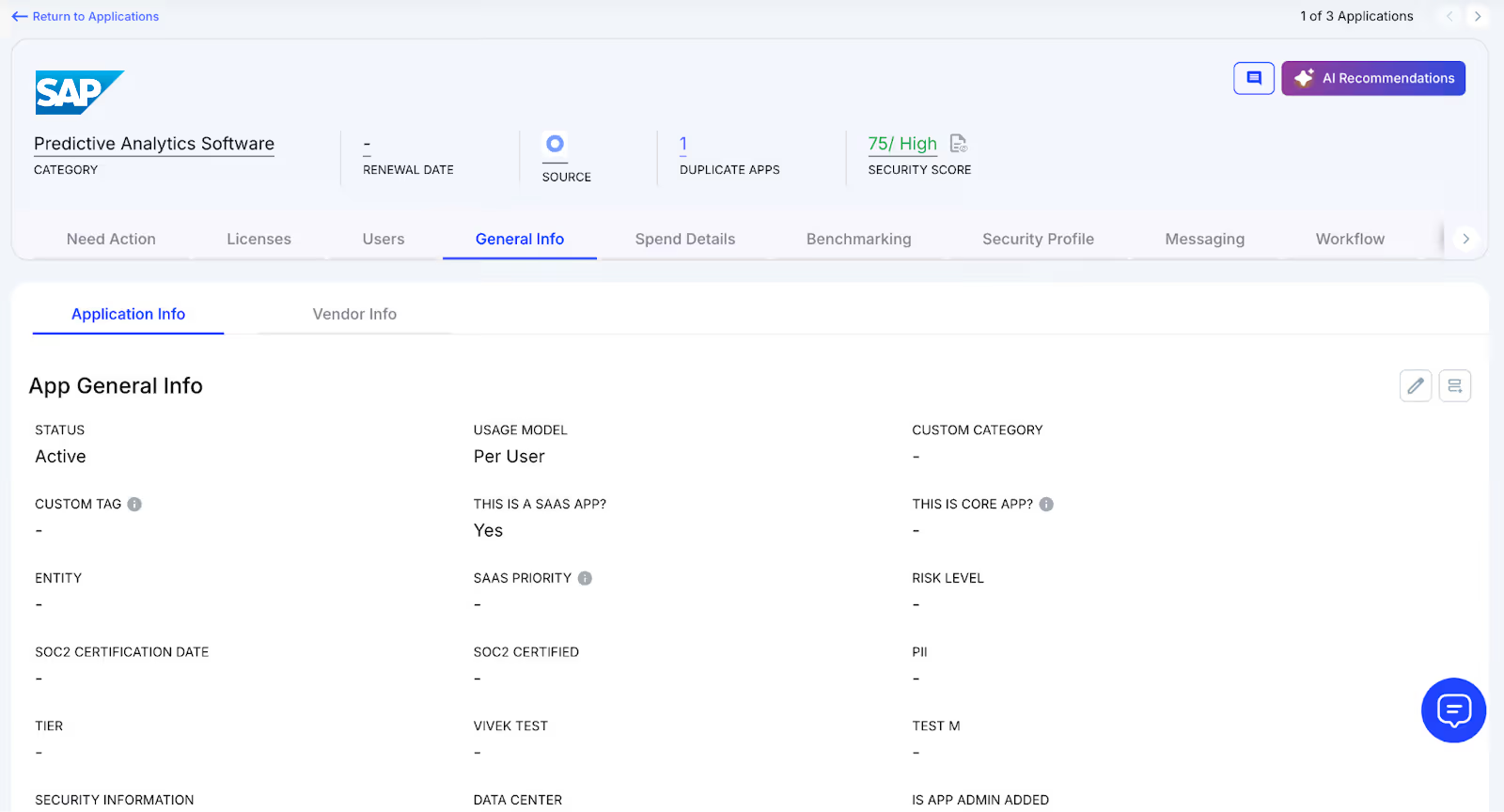
How We Do It
CloudEagle.ai aggregates vendor spend, usage data, and AI metadata extraction from all connected systems in real time. Renewal dates, SAP pricing, and usage are displayed side by side for easy analysis.
Why We Are Better
Onboarding takes only a few days. With over 500 integrations and AI-driven metadata extraction, CloudEagle.ai centralizes all license data, ensuring it remains accurate, reliable, and up to date.
B. Real-Time Usage Analytics & Shadow IT Detection
Without centralized oversight, SAP license management and duplicate apps can spiral out of control. Shadow IT often goes unnoticed, making it difficult for IT teams to spot redundant applications.
Current Process
Teams sometimes purchase duplicate applications through credit cards or free trials, which quietly convert into paid subscriptions. Detecting these overlaps manually is challenging.
Pain Points
Shadow IT leads to untracked SAP pricing and potential security issues. Manually identifying duplicates is labor-intensive and often misses overlapping applications.
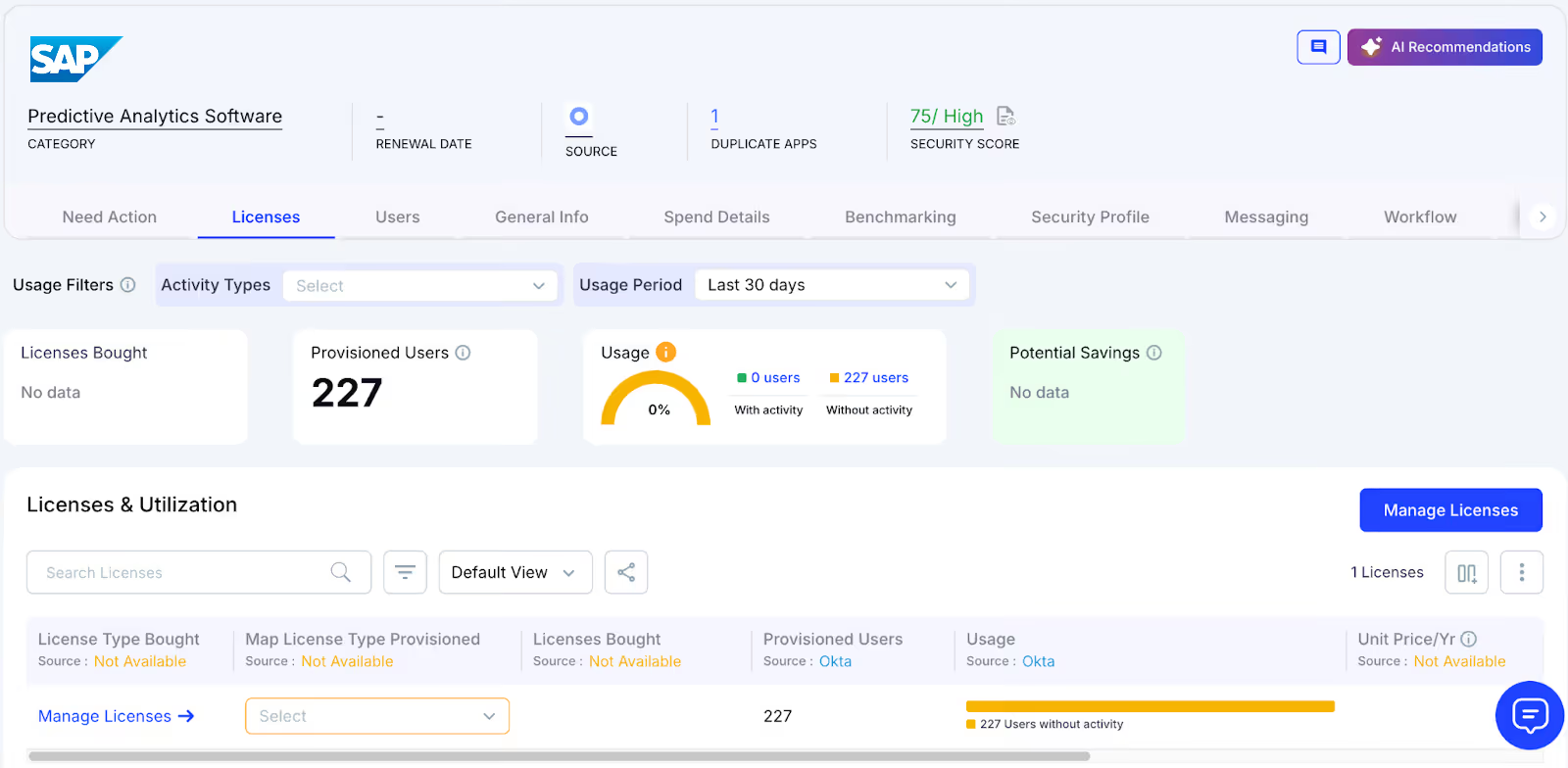
How We Do It
CloudEagle.ai uses AI to automatically detect duplicate and overlapping applications while tracking feature-level usage. Shadow apps are flagged instantly.
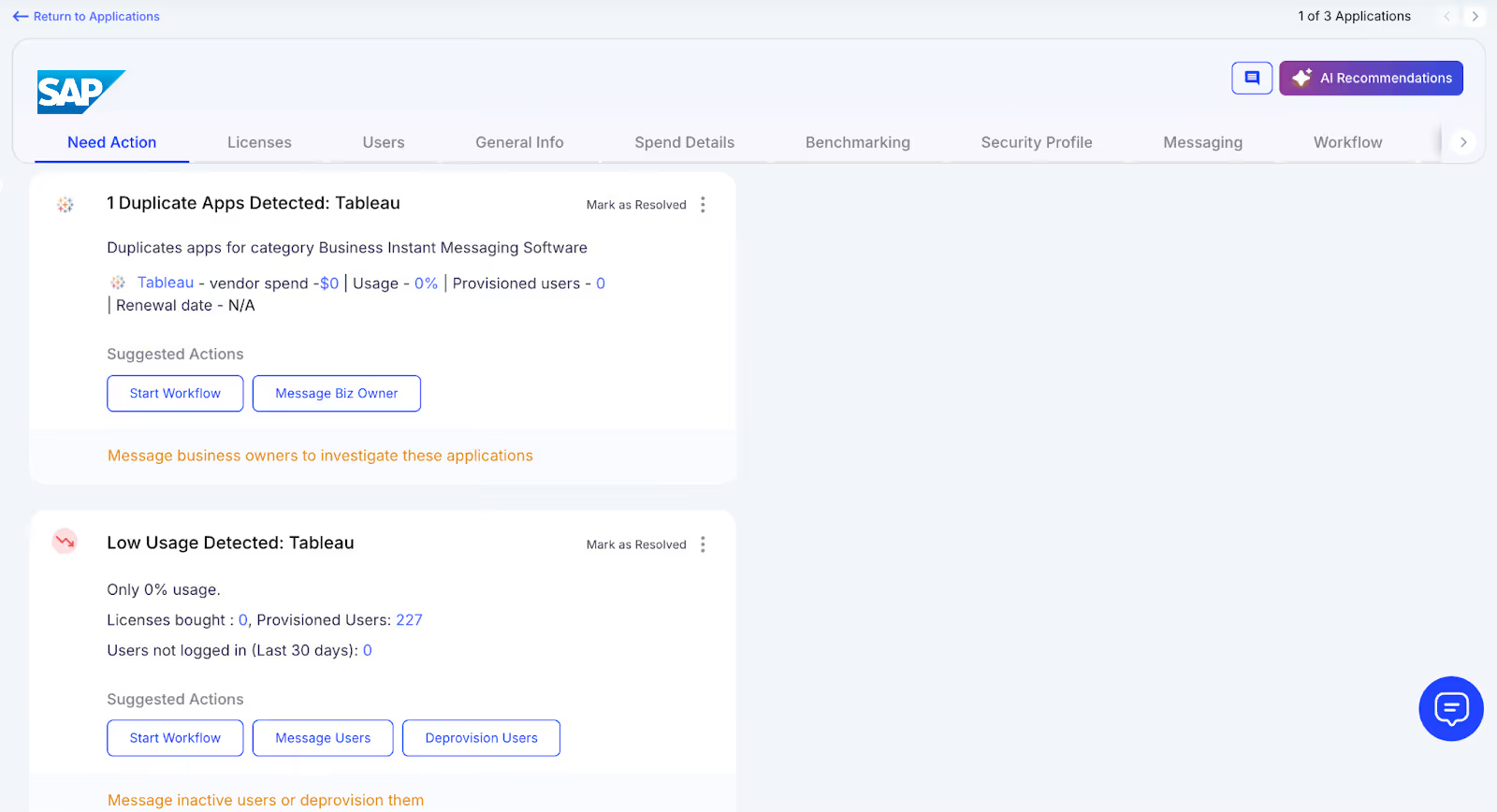
Why We Are Better
Our AI evaluates functionality, not just app names. IT teams can automatically email users, trigger workflows, or create ITSM tickets to reclaim licenses and reduce risks.
C. Centralized License Management
SAP license management across multiple teams can feel overwhelming. Many enterprises rely on spreadsheets to track top applications while manually consolidating SSO logs, usage, and contract data.
Current Process
Most organizations manage only core apps in spreadsheets, combining SSO logs, feature usage, and contracts manually, slowing updates and accuracy.
Pain Points
Unmonitored applications waste budgets, and license reassignment rarely happens. Renewal tracking is inconsistent, resulting in missed SAP license pricing savings.
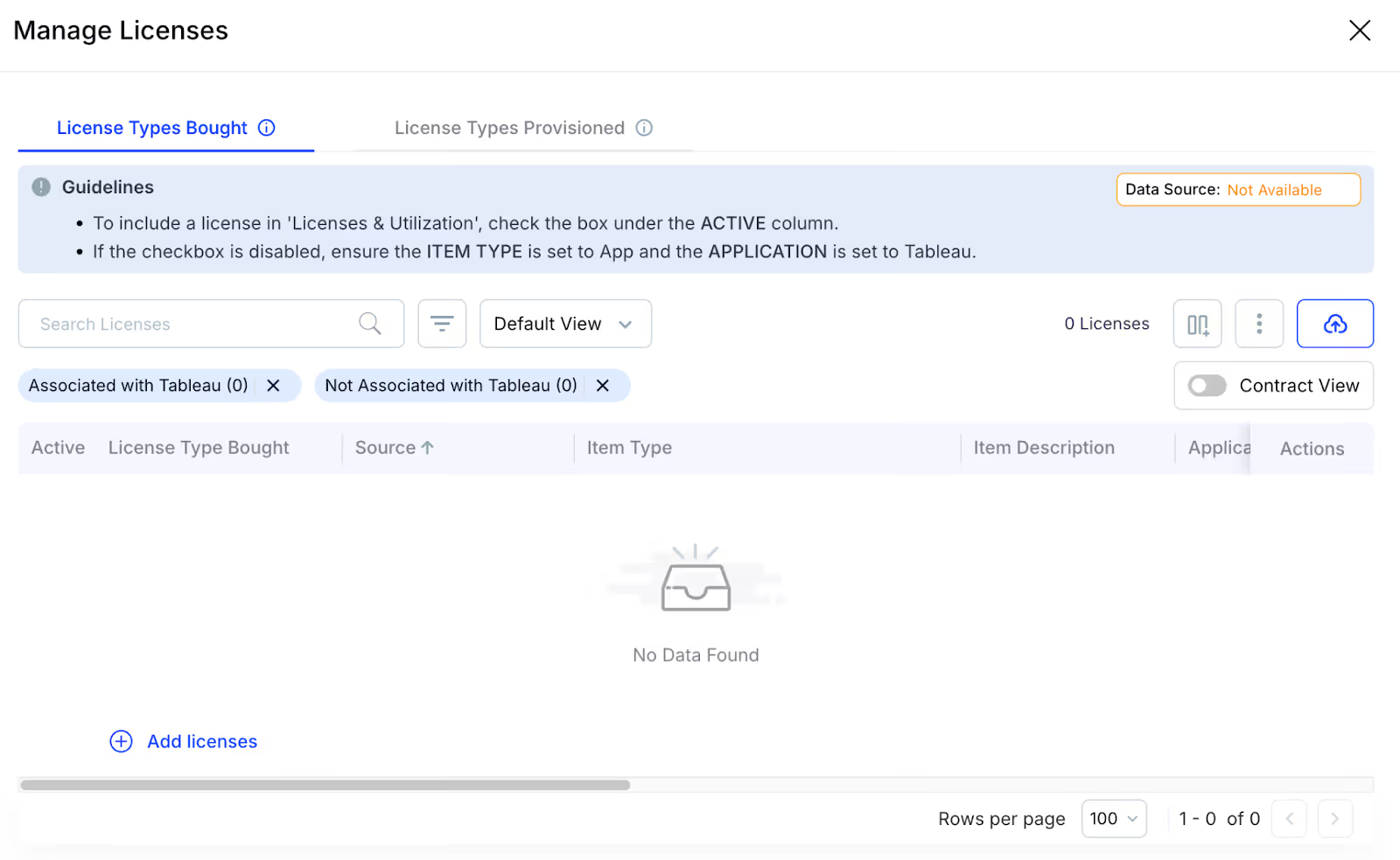
How We Do It
CloudEagle.ai centralizes license management on a single platform. Nightly syncs consolidate IDP, contract, and connector data, offering real-time visibility into usage.
Why We Are Better
Automatic updates correlate purchased licenses, users, and feature usage across all apps. Teams can filter by license type and make fast, data-backed decisions.
D. Automated License Harvesting
Unused SAP licenses silently inflate SAP pricing, yet IT teams often lack a systematic way to reclaim them. Manually tracking usage and sending weekly emails to hundreds of users is tedious, error-prone, and time-consuming.
Current Process
IT teams email inactive users manually and update spreadsheets, making the process slow, repetitive, and often skipped.
Pain Points
Inactive licenses remain active, draining budgets and increasing SaaS security risks. Manual reclamation does not scale efficiently.
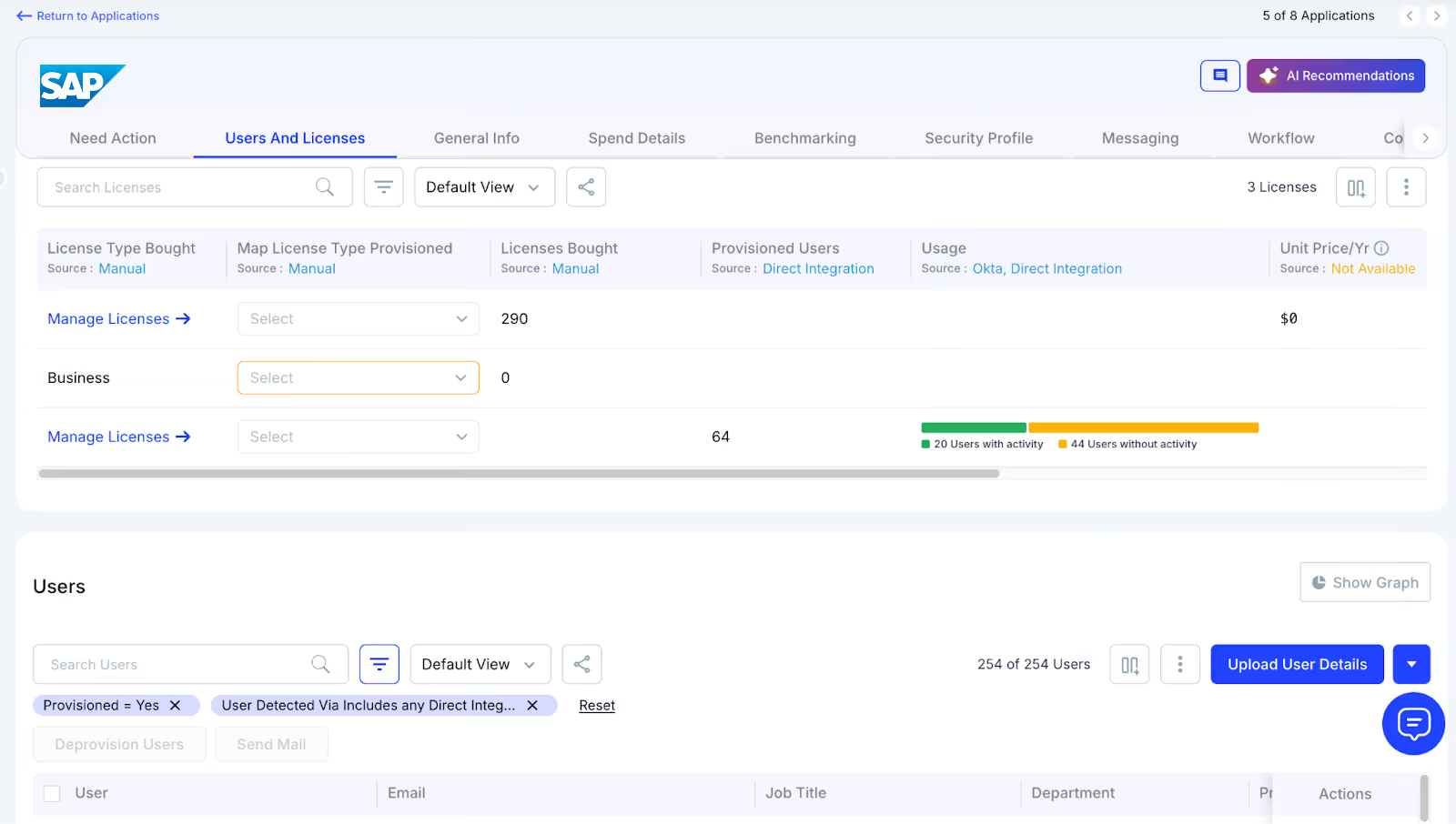
How We Do It
CloudEagle.ai automates license harvesting. Weekly workflows detect inactivity, notify users, and reclaim or downgrade licenses based on usage.
Why We Are Better
Automations run daily or weekly via Okta or Microsoft AD. Licenses are reclaimed instantly, reducing waste, saving time, and maximizing utilization.
E. License Price Benchmarking
CloudEagle.ai’s benchmarking feature enables organizations to secure the best value during license renewals. By comparing contracts against industry standards, enterprises can negotiate competitive rates and avoid overpaying.
Current Process
Procurement teams rely on vendor quotes or outdated deals. Peer comparisons are limited and often fail to reflect real market prices.
Pain Points
Lack of accurate data hinders negotiations, leading to overpayment or unfavorable contract terms.
How We Do It
CloudEagle.ai provides real-time price benchmarks, historical trends, and SAP pricing guide to support informed, data-driven negotiation strategies.
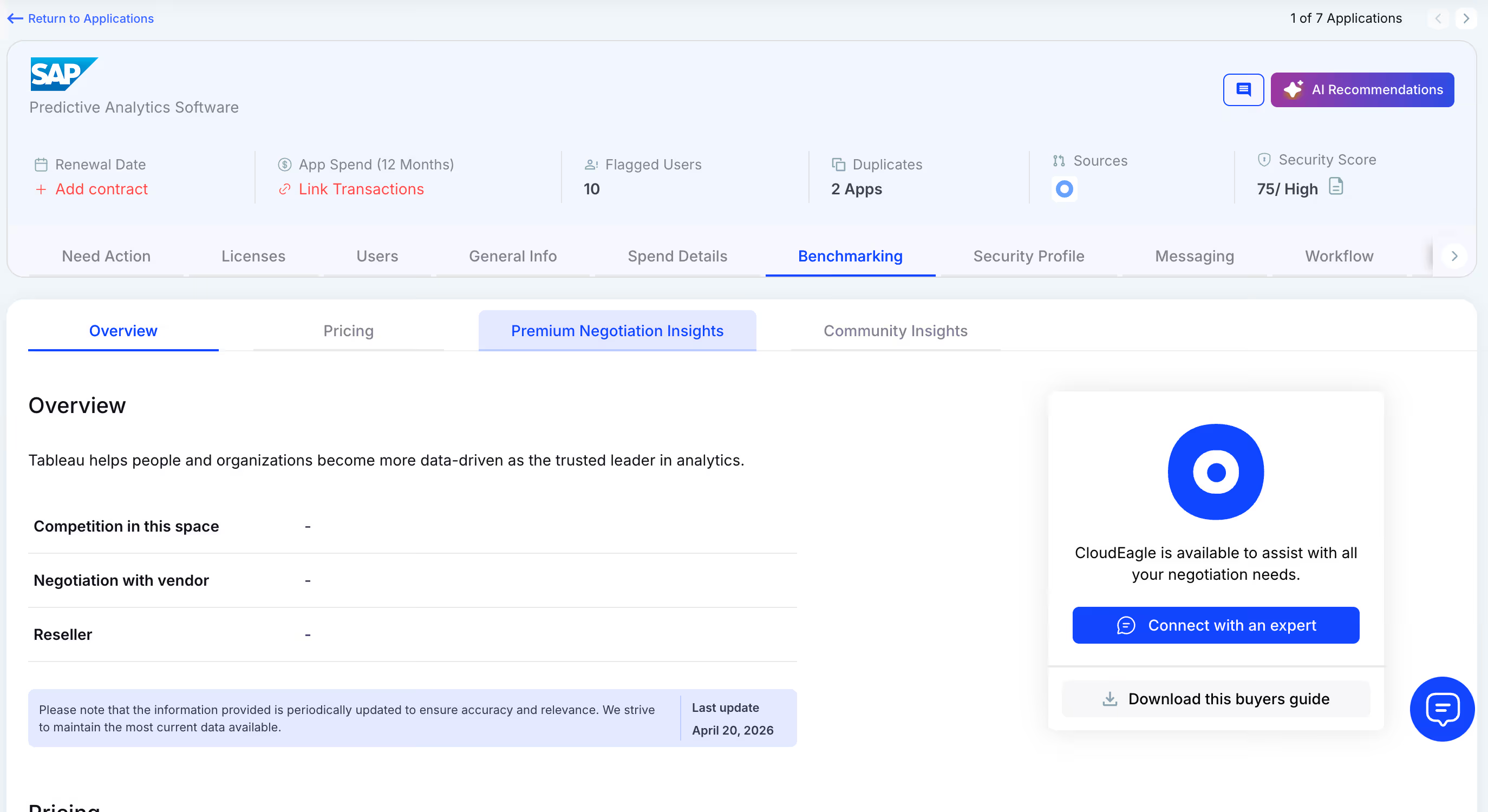
Why We Are Better
SAP pricing is detailed by SKU, license tier, and quantity, alongside key negotiation levers, ensuring renewals reflect actual market value.
F. Proactive Renewal Management
CloudEagle.ai supports renewal management with automated workflows triggered by contract dates. From approvals to adjusting SAP licensing counts, it prevents accidental auto-renewals and streamlines the process.
Current Process
Renewals are tracked through spreadsheets and long email chains. Approvals are slow, and auto-renewals are often overlooked.
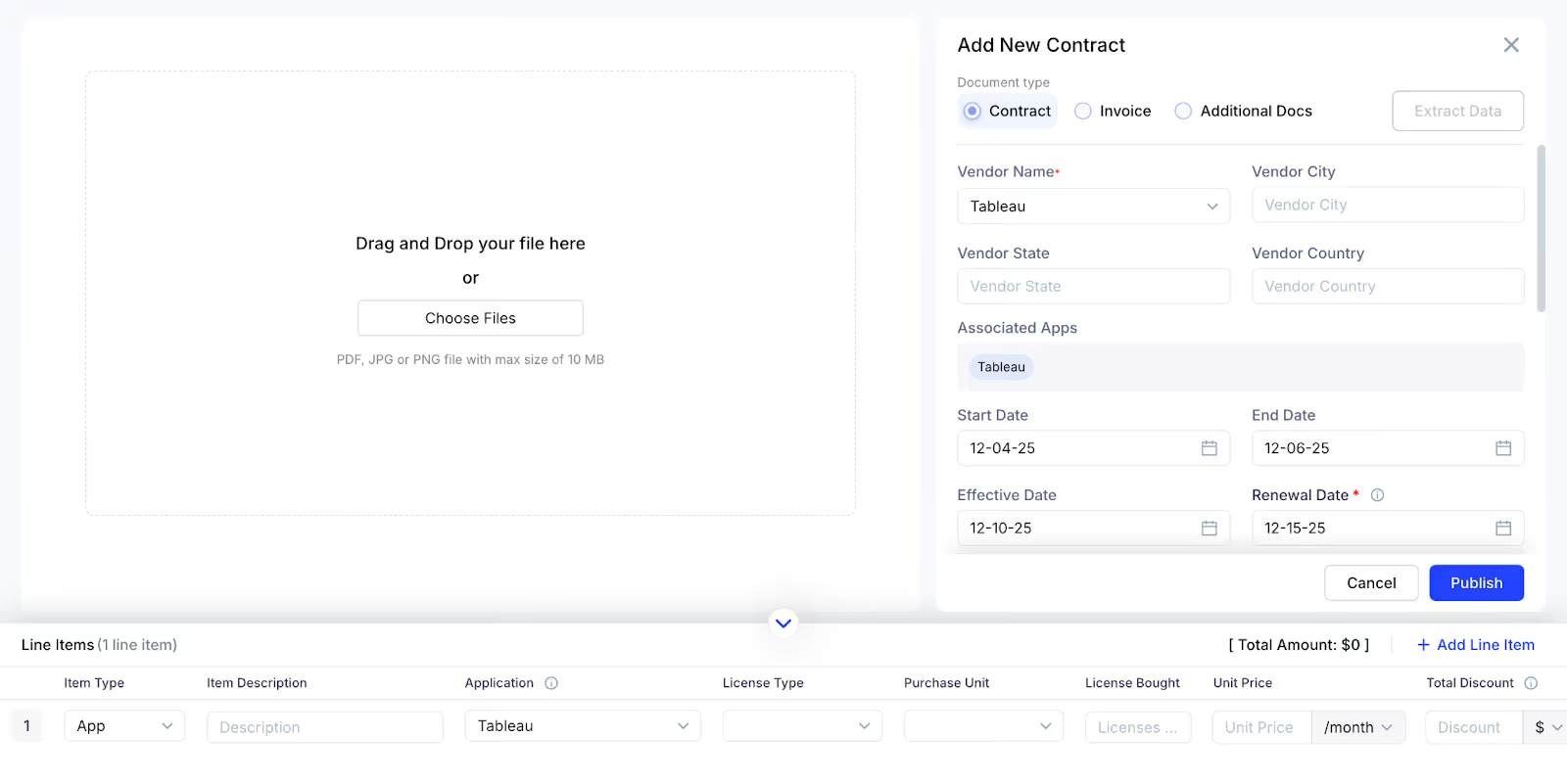
How We Do It
CloudEagle.ai generates a renewal calendar using AI-extracted metadata or integrates with CLMs like Ironclad, SAP, or Zip. Renewal workflows trigger 90 days before the notice period, assigning tasks to finance, legal, and business owners.
Why We Are Better
Teams receive alerts with usage insights, price benchmarks, and alternative options. Approvals are tracked automatically, preventing missed renewals and unnecessary spending.
G. Leverage Vendor Dashboards
CloudEagle.ai provides vendor dashboards for a complete view of SAP subscription data. Teams can track SAP licensing usage, renewal dates, and spending patterns to make data-driven decisions.
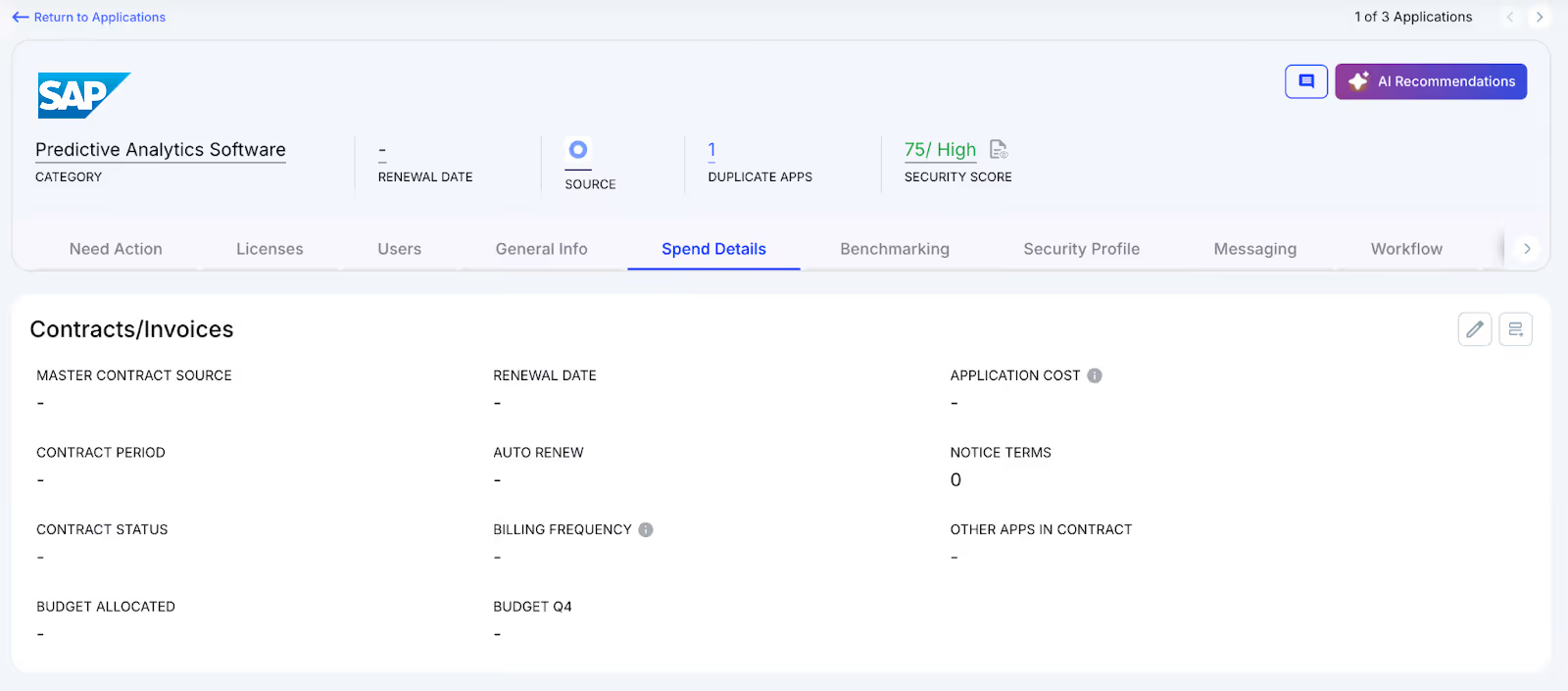
These dashboards highlight overspending and unused licenses, simplifying reclamation. They also reveal usage trends, helping organizations proactively adjust subscriptions and optimize SAP license costs.
H. Simplified App Access Management
CloudEagle.ai streamlines SAP access by allowing employees to request licenses directly through the platform or Slack, eliminating long email chains and manual steps. Managers can review and approve requests in real time, ensuring prompt access.
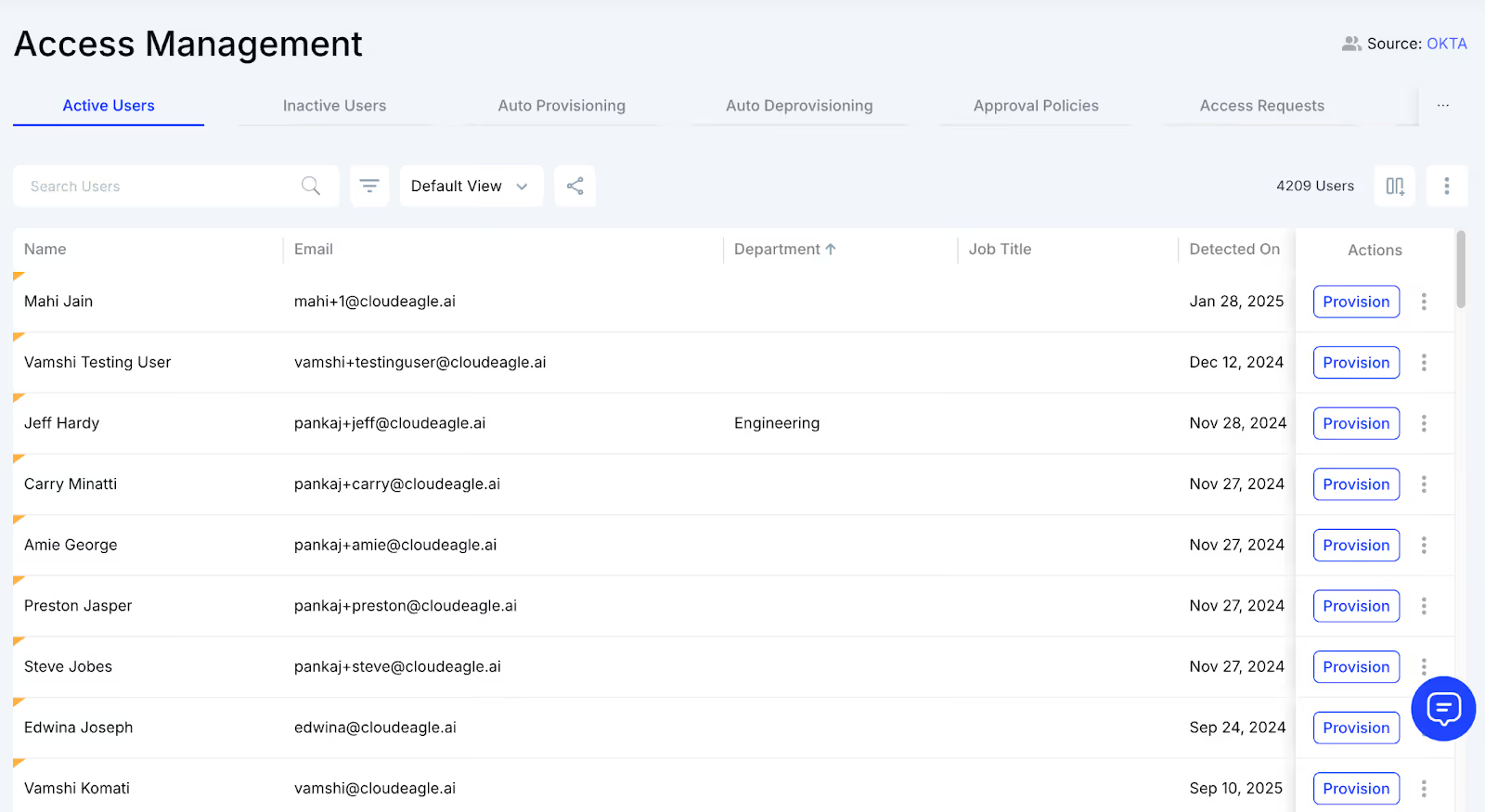
This method guarantees employees receive correct licenses without delays and removes approval bottlenecks. Each request is logged for transparency and compliance, making access management efficient while reducing administrative workload.
5. When Does SAP Finally Feel Compliant, Predictable, and Cost-Efficient?
There’s a moment every SAP team hopes for, when license types make sense, access aligns with job roles, and audits don’t feel like detective work. But SAP doesn’t naturally drift toward order. It drifts toward expansion.
The turning point comes when visibility replaces assumptions. When you can actually see who’s using which modules, which roles no longer match real work, and which accounts haven’t touched SAP in months.
And the day that alignment happens? That’s when SAP finally stops feeling like a risk you manage… and starts feeling like a system you control.
6. Conclusion
SAP doesn’t get complicated because anyone mismanages it. Everything keeps running, but beneath that smooth surface, license creep, dormant accounts, and permission drift chip away.
CloudEagle steps in exactly where your spreadsheets, admin consoles, and periodic audits fall short. It maps usage to roles, surfaces inactive accounts, flags misaligned licenses, and helps you control spend before it spirals.
7. FAQs
1. How do I check my SAP license?
You can view license details in SAP using transaction SLICENSE. It shows active licenses, expiration dates, and system information.
2. How to get a SAP license?
SAP licenses are purchased through SAP or an SAP partner. Once the contract is signed, SAP provides a license key you activate in the SLICENSE panel.
3. What is the annual fee of SAP?
Annual fees vary by edition and user type. Many customers pay around 18–22% of license cost per year for maintenance, but pricing depends on your contract.
4. What is SE93 Tcode in SAP?
SE93 is used to create, edit, or display transaction codes. It helps admins manage custom T-codes and link them to specific programs or functions.
5. How to activate SAP license?
Go to SLICENSE, upload the license file provided by SAP, and apply it. Once confirmed, the system activates the license immediately.


.avif)


.avif)
.avif)




.png)






.avif)
.avif)
.avif)


