
%201.svg)


HIPAA Compliance Checklist for 2025

Most new hires decide within the first 90 days whether they'll stay. The right employee onboarding software shapes that decision before it's made.
By automating workflows, simplifying compliance, and personalizing the new hire journey, the right solution transforms onboarding from an admin burden into a competitive advantage. Report says that organizations with a structured onboarding process improve new hire retention by 82% and productivity by over 70%.
In this guide, we compare the top 10 best employee onboarding software options in 2026, covering features, pricing, limitations, and what each tool does best, so you can pick the right platform for your team.
TL;DR
1. What Makes the Best Employee Onboarding Software?
The best employee onboarding software combines ease of use with powerful automation. Key features to look for:
- Intuitive UX with self-service portals and role-based checklists.
- Automated workflows for task routing, approvals, reminders, and access provisioning.
- Built-in compliance controls for SOC 2, ISO 27001, and GDPR.
- Deep integrations with HRIS, payroll, ITSM, and SSO/identity providers.
- Analytics and dashboards track completion rates, bottlenecks, and time-to-productivity.
- Mobile access so new hires can complete tasks from any device.
- Automated deprovisioning to manage licenses and security risks at offboarding

2. Top 10 Best Employee Onboarding Software in 2025
Here are the best employee onboarding software in detail:
1. CloudEagle.ai
CloudEagle.ai is redefining employee onboarding and offboarding by combining HR, IT, and SaaS management into a single intelligent platform.
Unlike traditional HR tools that only focus on new-hire checklists, CloudEagle.ai automates the full employee lifecycle, from app provisioning on day one to secure deprovisioning at exit.
Its strength lies in connecting onboarding directly with access management, ensuring every employee has the right tools instantly while eliminating risks from delayed offboarding.
For organizations struggling with tool sprawl and shadow IT, CloudEagle.ai serves as both an employee onboarding software and a SaaS governance solution.
Key Features
a) Automated App Provisioning
Onboarding new employees can be a time-consuming process, especially when each team needs access to different software tools. CloudEagle.ai streamlines this process by automating app provisioning for new hires across all SaaS tools in use within your organization.
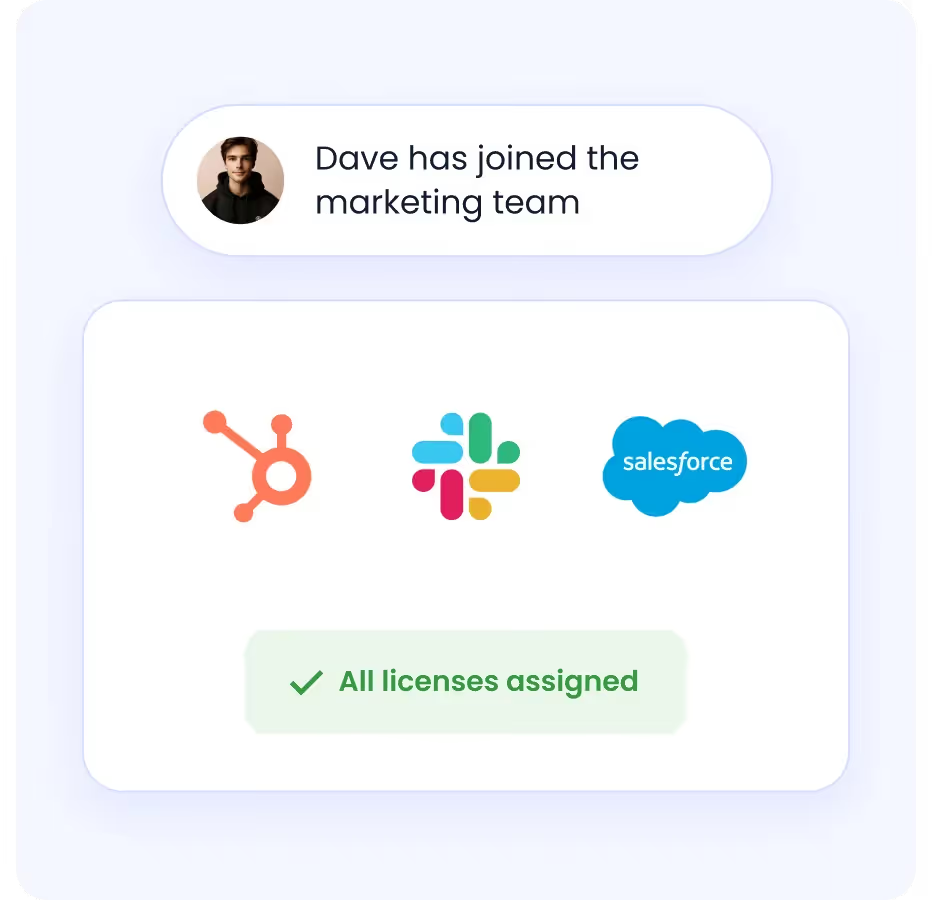
By connecting HR, IT, and SaaS management, CloudEagle.ai ensures that the right apps are assigned based on the employee’s role, with no manual input required. This automation ensures that your new hires are ready to be productive from day one.
How it Helps
- Automates repetitive tasks, eliminating the need for manual IT ticket creation and processing.
- Saves time by reducing manual intervention, allowing IT teams to focus on more strategic, value-added tasks.
- Increases efficiency and reduces human error by automating workflows for common onboarding and offboarding tasks.
b) Automated Deprovisioning
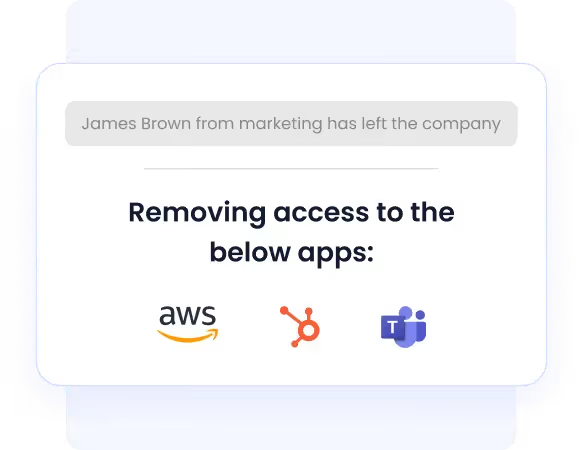
When employees leave, manually deprovisioning accounts and reclaiming licenses is tedious and error-prone. Delayed offboarding creates orphaned accounts, compliance exposure, and wasted SaaS spend.
CloudEagle.ai simplifies this by automating the deprovisioning of accounts and reclaiming licenses the moment an employee exits.
How it Helps
- Ensures employees have the right level of access to applications based on their roles.
- Reduces over-provisioning and enhances security by preventing unauthorized access to sensitive data.
- Improves compliance with internal policies by ensuring access is tightly controlled.
c) Role-Based Access Assignment
When managing access to multiple SaaS tools, ensuring employees have the right permissions without over-provisioning is a critical challenge. CloudEagle.ai’s role-based access assignment feature automates this by assigning access based on the employee’s specific role in the organization.
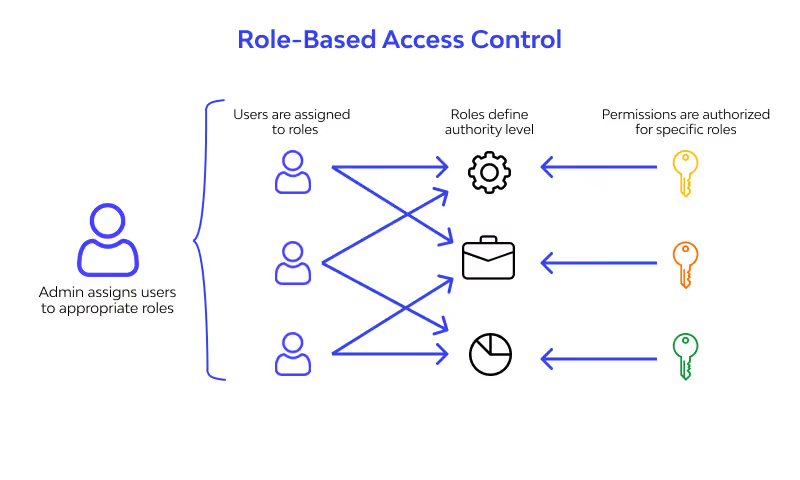
Users only receive access to the tools they need for their job function, which prevents unauthorized access to sensitive data and reduces your attack surface.
How it Helps
- Automates the assignment of applications based on employee roles.
- Reduces manual tasks for HR and IT teams, allowing for quicker onboarding.
- Ensures employees are equipped with the right tools instantly, boosting productivity from the start.
d) Centralized Dashboard for IT, HR, and Compliance Teams
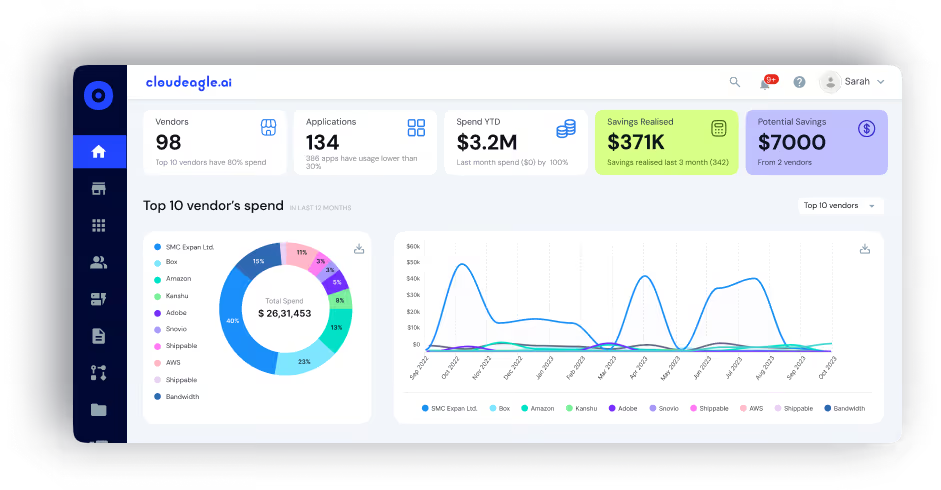
Without a unified view, onboarding tasks fall through the cracks across HR, IT, and compliance. CloudEagle.ai provides a centralized dashboard for all three teams to track onboarding and offboarding in real-time, reducing coordination errors and missed steps.
How it Helps
- Offers a unified view for all teams to track onboarding and offboarding status.
- Facilitates collaboration between departments, ensuring no steps are missed during the employee lifecycle.
- Enhances operational efficiency by providing transparency into ongoing processes.
e) Integration with HRIS, Payroll, and Collaboration Platforms
Data inconsistency across HR, payroll, and collaboration tools leads to manual re-entry, errors, and delays. CloudEagle.ai integrates with your HRIS, payroll, and collaboration platforms to ensure consistent employee data across systems.
How it Helps:
- Reduces manual data entry and eliminates errors by syncing with existing systems.
- Ensures consistency across platforms, allowing HR and IT to work with accurate and up-to-date information.
- Streamlines the workflow by ensuring that all systems are aligned and automatically updated.
Check out this testimonial from Alice Park at Remediant to discover how CloudEagle streamlined onboarding and offboarding with auto-provisioning and deprovisioning workflows.
New Hires Shouldn't Wait Days for App Access.


2. Deel
Deel has quickly positioned itself as one of the best employee onboarding software for global companies. It helps businesses onboard employees and contractors in over 150 countries, making it a strong choice for distributed teams.
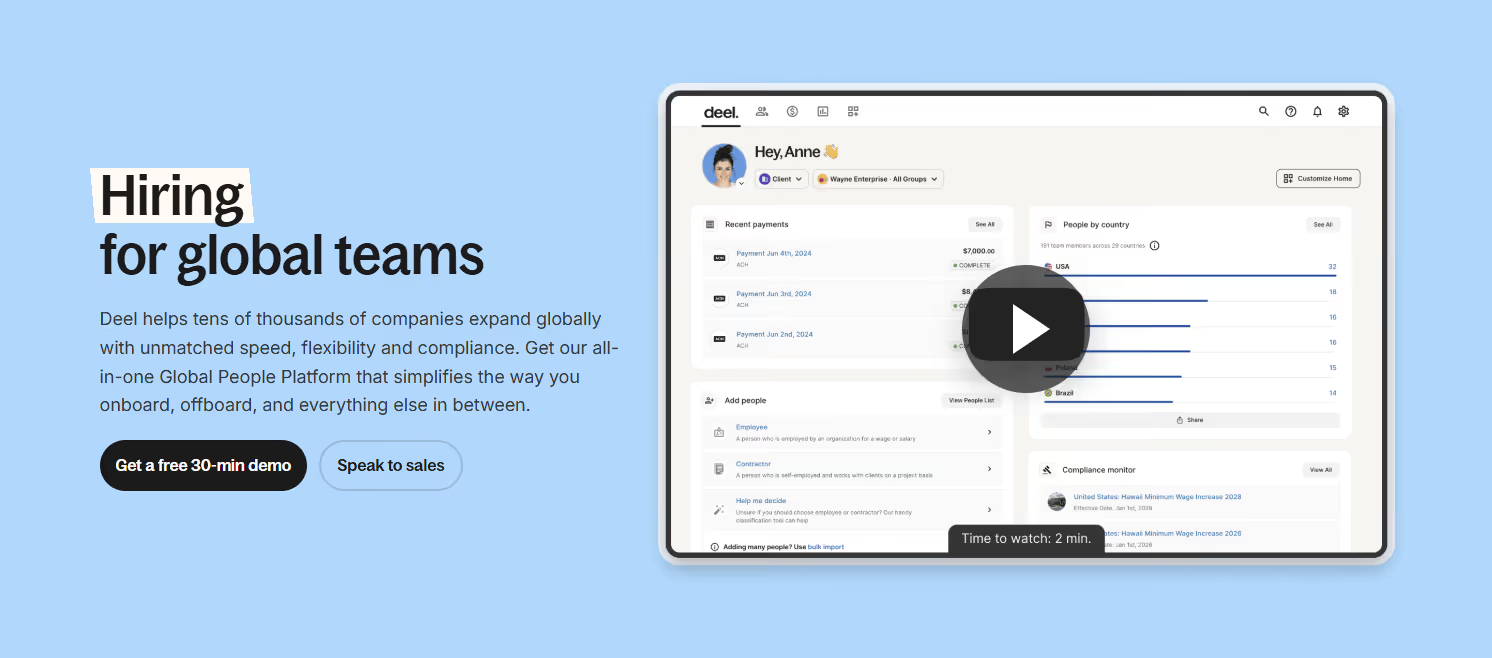
With its focus on compliance, automated contracts, and seamless payroll integration, Deel functions as an employee onboarding and training software that reduces HR burden while improving new hire experiences.
Features
- Global hiring across 150+ countries
- Automated contract generation and compliance management
- Payroll processing in multiple currencies
- E-signature support for faster documentation
- Benefits administration for international employees
- Integration with leading HR and accounting tools
- Automated onboarding workflows for new hires
- Dedicated dashboards for contractors and employees
Limitations: Costly for startups or small teams; limited workflow customization; some features are better suited for contractors than full-time employees.
Pricing: Starts at $49/contractor/month. Custom pricing for full-time employees and enterprise plans.
Best for: Distributed teams onboarding international employees or contractors at scale.
3. Rippling
Rippling is a powerful, all-in-one HR employee onboarding software that combines HR, IT, and payroll under one roof. It’s highly rated for automating onboarding and offboarding processes, making it one of the best employee onboarding software for fast-scaling companies.
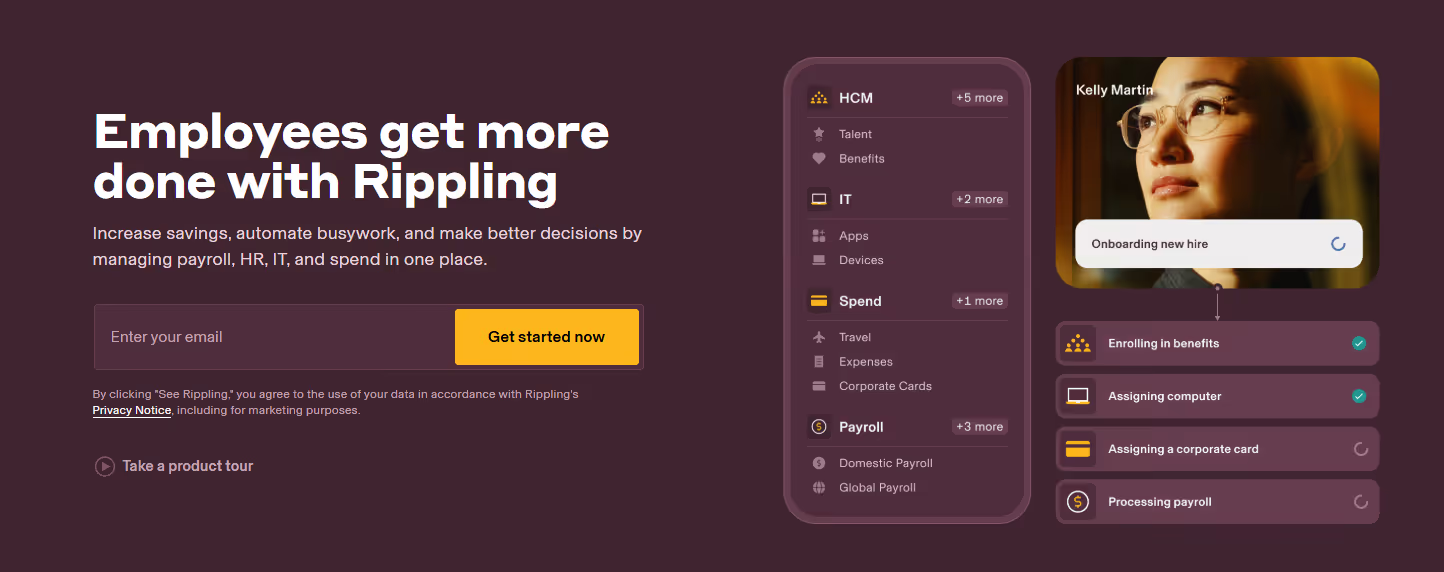
Its standout feature is automated device management, which allows HR to ship laptops pre-configured with software to new hires, showing why it’s more than just a standard new employee onboarding software.
Features
- Automated employee onboarding and offboarding software
- Payroll and benefits administration
- Device management (laptops, software access)
- Compliance and policy management
- Time and attendance tracking
- Learning management and training integrations
- Customizable onboarding workflows
- Integrates with 500+ business tools
Limitations: Expensive at scale; steep learning curve for first-time users; limited reporting customization.
Best for: Fast-scaling companies that need HR, IT provisioning, and payroll unified in one platform.
4. BambooHR
BambooHR is well-known for being a user-friendly employee onboarding and training software designed for small to mid-sized businesses. It helps HR teams deliver smooth onboarding experiences with customizable workflows and employee self-service portals.
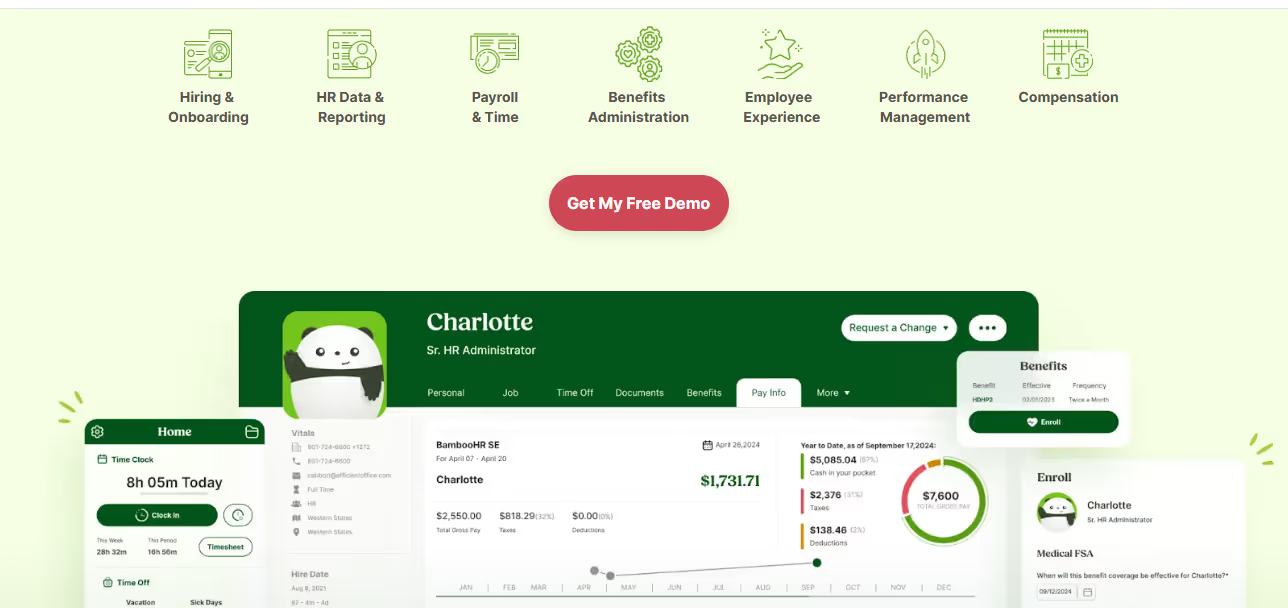
Its intuitive interface and focus on employee experience make it one of the best employee onboarding software for companies prioritizing simplicity.
Features
- Employee self-service onboarding portals
- E-signatures and document storage
- HRIS with a centralized employee database
- Customizable onboarding checklists
- Performance management tools
- Mobile app for employees and HR teams
- Reporting and analytics dashboards
- Automated reminders for HR tasks
Limitations: US-only payroll; some integrations need third-party connectors; advanced reporting on premium plans only.
Best for: SMBs that prioritize ease of use and a polished new hire experience.
5. Greenhouse
Greenhouse is best known as a recruiting platform, but it also offers excellent employee onboarding software for new hires. Its structured onboarding process helps HR teams set up role-based tasks and training for a smooth first-day experience.
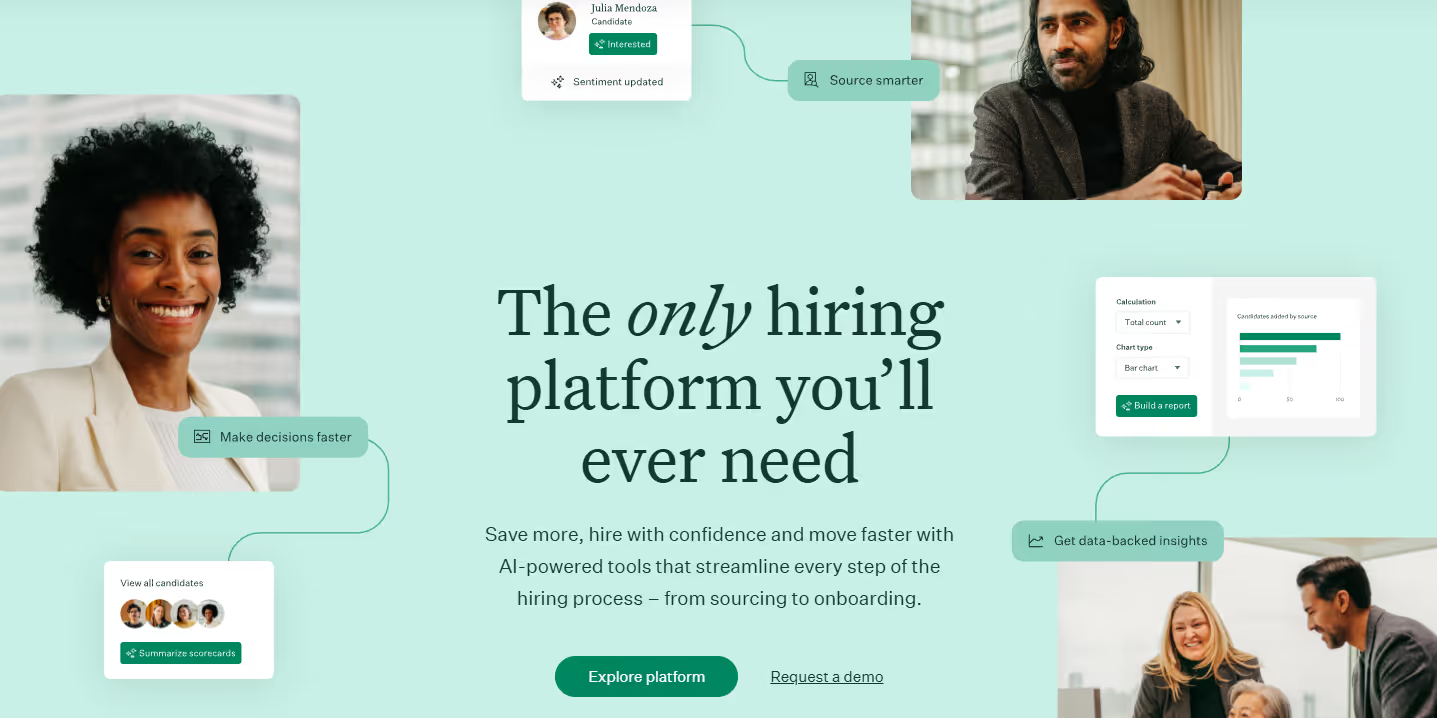
This tool works well as automated employee onboarding software for companies that want consistency and scalability in their processes.
Features
- Structured and customizable onboarding workflows
- Task management and role-based checklists
- Employee welcome portal
- E-signature support and document storage
- Hiring and recruiting suite integration
- Progress tracking for onboarding tasks
- Reporting dashboards for HR teams
- Integration with HRIS and payroll platforms
Limitations: Expensive for small businesses; heavily enterprise-oriented; requires admin training.
Best for: Companies that want a seamless handoff from ATS to onboarding in one system.
6. Coassemble
Coassemble specializes in employee onboarding and training software, making it one of the top choices for companies that emphasize e-learning during onboarding. It’s particularly valuable for remote teams that require engaging online training modules.
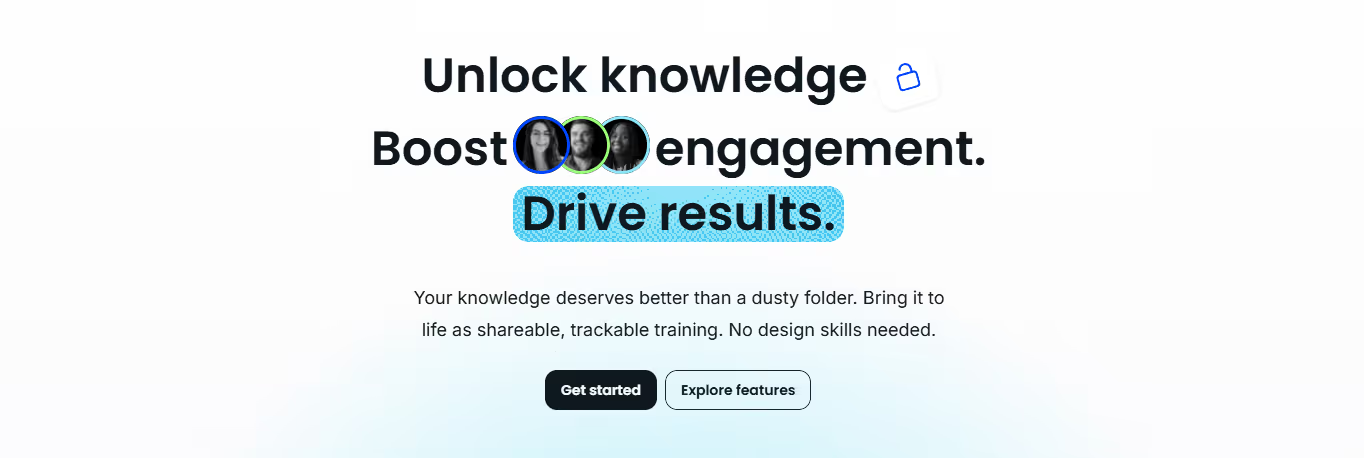
Its course builder and LMS capabilities set it apart as a hybrid employee onboarding software and training solution.
Features
- Course builder with customizable templates
- Interactive training modules
- Employee onboarding and offboarding software features
- Progress tracking and assessments
- Drag-and-drop content creation
- Integrates with HR systems and CRMs
- Mobile-friendly employee learning portal
- Pre-designed onboarding workflows
Limitations: No payroll or HRIS features; analytics are limited vs. full HR platforms; can get expensive at scale.
Best for: Remote and training-heavy teams that need engaging, role-specific learning paths during onboarding.
7. Gusto
Gusto is one of the most popular HR employee onboarding software for small businesses. It combines payroll, benefits, and onboarding, making it a simple yet effective solution.
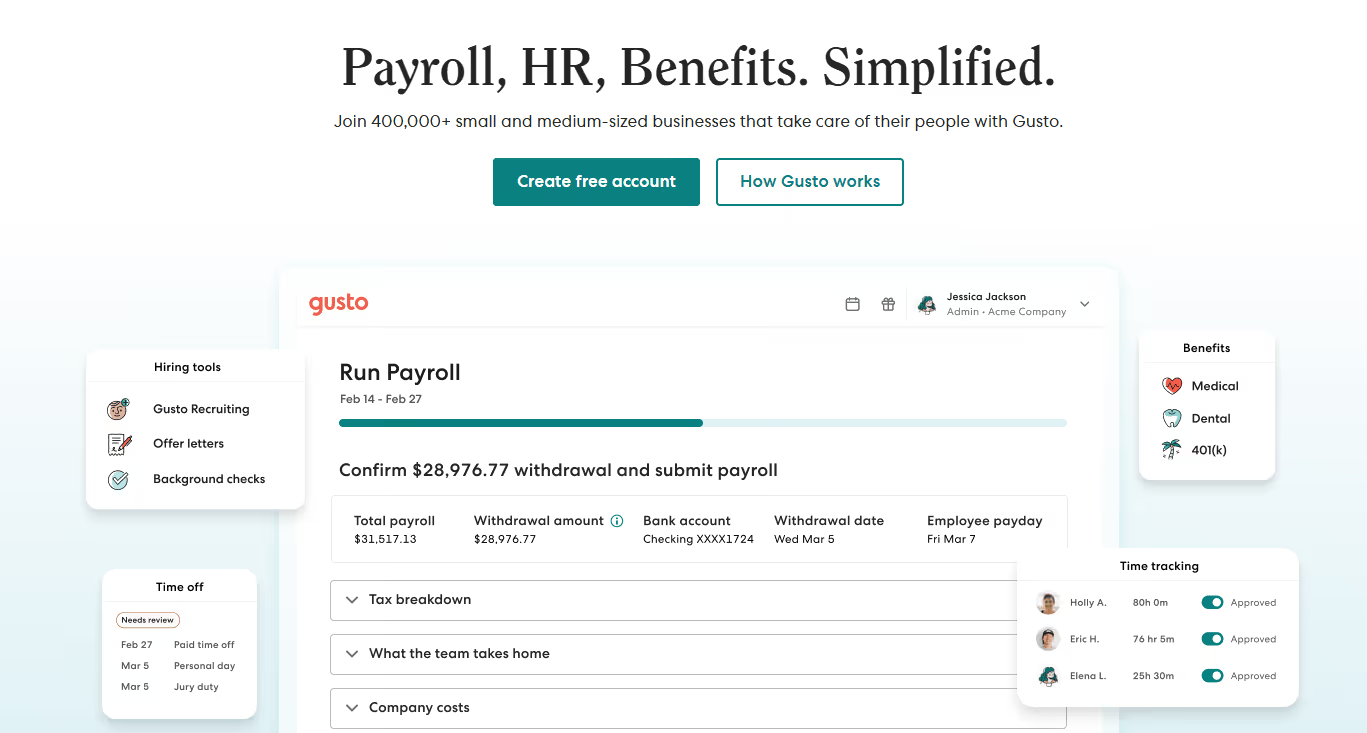
Its emphasis on automation makes it an excellent new employee onboarding software for startups and SMBs.
Features
- Automated payroll and tax filing
- Employee onboarding workflows with e-signatures
- Benefits and insurance management
- Employee self-service portals
- Time tracking and attendance features
- Automated compliance reminders
- Integrations with accounting tools like QuickBooks and Xero
- Onboarding checklists for HR teams
Limitations: US-only benefits; limited scalability for large enterprises; basic reporting tools.
Best for: US-based startups and SMBs that want payroll and onboarding managed in one place.
8. Skuad
Skuad is a rising player in global employee onboarding software that helps businesses hire and manage employees in over 160 countries. It’s ideal for distributed teams seeking automated employee onboarding software with compliance at the core.
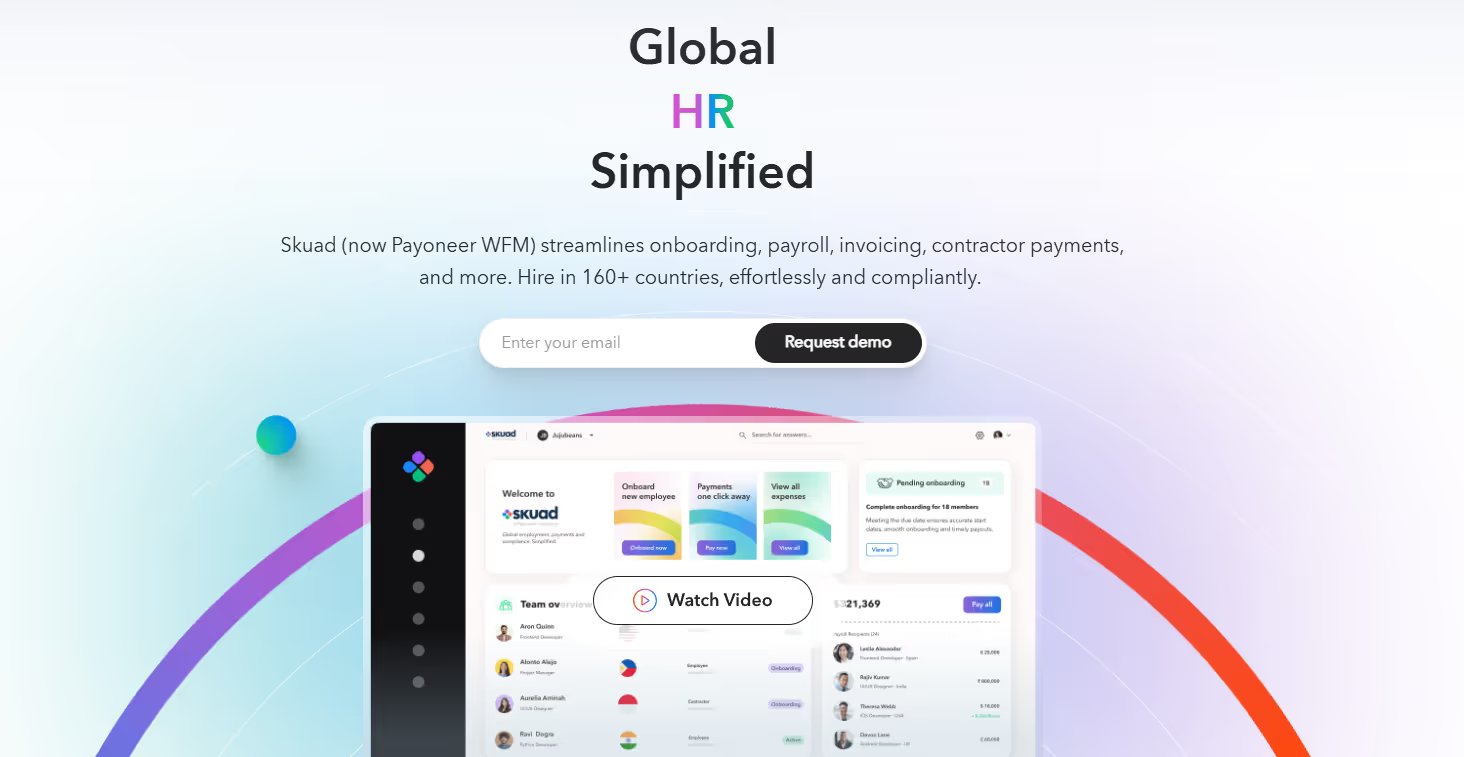
With localized contracts and payroll, it provides a complete employee onboarding and offboarding software package for growing companies.
Features
- Global onboarding across 160+ countries
- Automated contract creation and compliance checks
- Payroll management in multiple currencies
- Employee benefits and insurance management
- E-signature and document management
- Role-based onboarding workflows
- Integrations with HRIS platforms
- Automated compliance reporting
Limitations: Not cost-effective for very small teams; support response times vary; limited LMS features.
Best for: Growing companies with distributed, international workforces.
9. Workable HR
Workable started as a recruitment platform but now offers robust employee onboarding software features for HR teams. It bridges recruitment and onboarding, creating a unified experience for new hires.
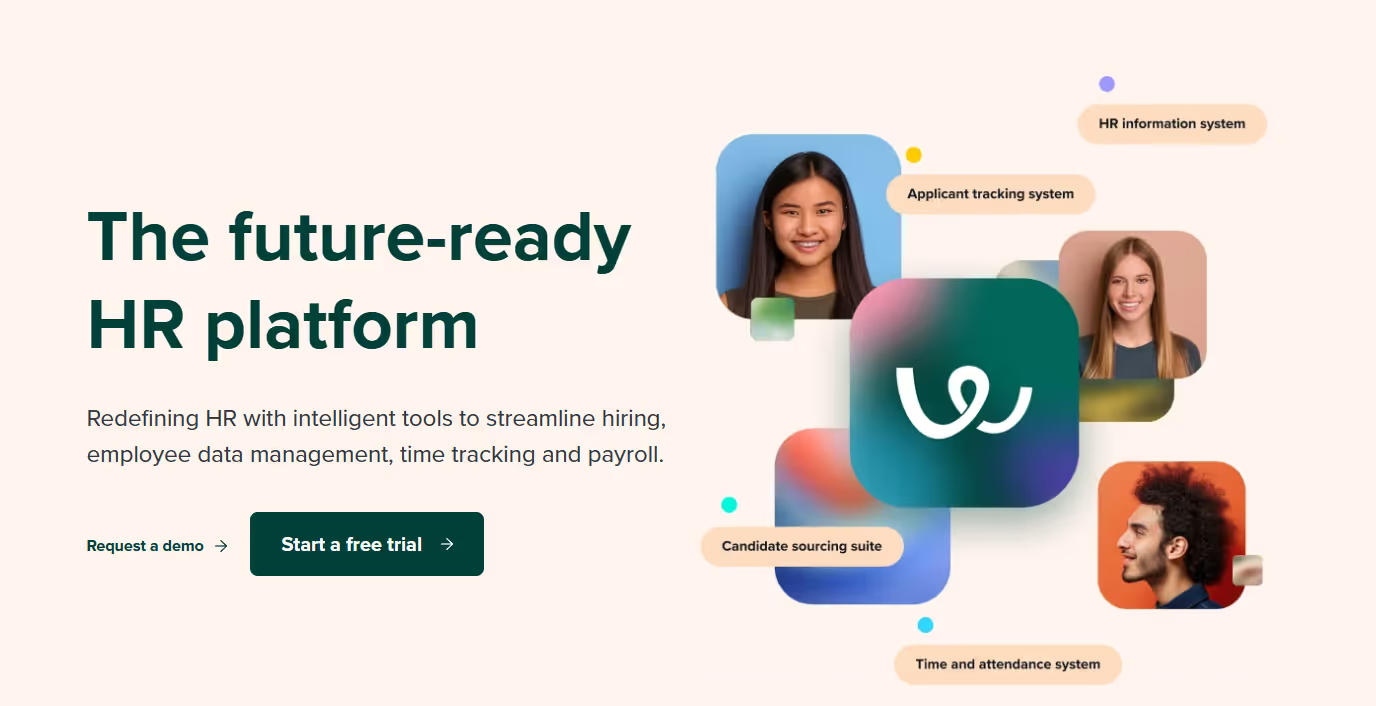
Its simplicity and recruitment integration make it one of the best employee onboarding software for growing companies.
Features
- Recruitment and onboarding suite
- Automated onboarding workflows
- Task management for HR teams
- E-signatures and document storage
- Employee self-service portals
- Role-based onboarding templates
- Reporting and analytics dashboards
- Integrations with HR and payroll systems
Limitations: No built-in payroll or benefits; basic reporting; higher SMB pricing vs. competitors.
Best for: Growing companies that want hiring and onboarding unified without heavy HRIS overhead.
10. Absorb LMS
Absorb LMS is primarily a learning management system but doubles as powerful employee onboarding and training software. It’s best suited for companies that want structured learning paths for their new hires.
By combining LMS capabilities with onboarding workflows, Absorb becomes a hybrid solution in the best employee onboarding software category.
Features
- Course creation and training modules
- Automated onboarding workflows
- E-signature and policy acknowledgment tracking
- Progress tracking and reporting
- Gamified learning for employee engagement
- Integration with HRIS and payroll tools
- Mobile learning support
- SCORM and xAPI compliance
Limitations: Training-focused, not a full HR platform; expensive for smaller teams; admin setup required.
Best for: Enterprises and training-heavy industries that need structured learning tied to onboarding.
3. How Do You Pick the Right Employee Onboarding Software?
Use this repeatable framework to evaluate and shortlist without getting lost in feature bloat.
- Define outcomes and KPIs. Identify metrics like time-to-productivity, first-90-day retention, task completion rates, and admin hours saved.
- Map stakeholders and owners. HR manages the process, IT handles provisioning, Finance tracks ROI, and managers ensure new hires are ready.
- Prioritize features by impact. Automated onboarding, role-based checklists, e-signatures, LMS, analytics, and mobile access.
- Validate integrations and data flows. Confirm bi-directional sync with your ATS, HRIS, payroll, IdP/SSO, ITSM, and MDM.
- Assess security and compliance. Look for RBAC, SOC 2/ISO 27001 certification, data residency, audit logs, and offboarding controls.
- Compare pricing models. Evaluate per-employee vs. module pricing, implementation fees, support tiers, and add-ons.
- Run trials with sample workflows. Test preboarding, access provisioning, training, and manager tasks. Measure friction and errors.
- Shortlist 2-3 vendors. Pilot with real hires to confirm the best fit for your environment in 2025.
4. Why Automate Onboarding? The ROI Case
A structured onboarding process improves new hire retention by 82% and productivity by over 70%. Here's why investing in the best employee onboarding software is a game-changer for modern organizations:
- Streamlined Paperwork and Compliance. All contracts, compliance forms, tax documents, and payroll integrations are automated, reducing errors and ensuring regulatory compliance.
- Consistent and Scalable Training. Employee onboarding and training software lets organizations create structured learning paths that scale across teams and locations.
- Enhanced Employee Engagement. New employee onboarding software helps employees feel welcomed, valued, and aligned with company culture from day one.
- Faster Time-to-Productivity. Automated onboarding software handles IT setup, user provisioning, and training assignments automatically, so employees contribute sooner.
- Improved Cross-Department Collaboration. Automating workflows makes responsibilities clear and minimizes bottlenecks between HR, IT, and hiring managers.
- Stronger Retention and Employer Branding. Companies using employee onboarding and offboarding software see higher retention rates, stronger team morale, and a better reputation in the job market.
5. Best Employee Onboarding Software for Small Businesses
Small teams need employee onboarding software that sets up fast, bundles HR and payroll, and uses ready-made templates. Prioritize transparent pricing, live support, and simple automations to cut admin time.
6. Is There Free Employee Onboarding Software?
Yes. Several platforms offer free plans or extended free trials, though feature limits apply.
- Zoho People: Free for up to 5 employees. Covers basic employee onboarding checklists, document collection, and self-service portals.
- Freshteam: Free for up to 50 employees with limited onboarding features.
- BambooHR: Free trial only; no permanent free tier.
- Trainual: Free trial available. Best for SOP and training-first onboarding workflows.
For most companies hiring more than 5 people per year, free plans hit their ceiling quickly. A paid employee onboarding software solution delivers faster ROI through automation, provisioning accuracy, and compliance tracking.
7. How Do You Automate Complex Employee Onboarding?
Use an employee onboarding platform to orchestrate HR, IT, and compliance steps end-to-end. The framework below enables scalable, audit-ready automation with minimal manual handoffs.
1. Map the lifecycle. Document pre-boarding to Day 30 tasks across HR, IT, facilities, finance, and managers; identify owners and dependencies.
2. Define event triggers. Offer accepted, background cleared, start date, role change, location change, and termination all drive automated workflows.
3. Standardize roles. Create job families and location variants; attach role-based checklists and document packs to your employee onboarding software.
4. Apply RBAC. Translate roles to least-privilege access policies; manage entitlements via IdP groups for consistent provisioning.
5. Integrate systems. Sync ATS/HRIS as source of truth; connect IdP/SSO for identity, ITSM for tickets, MDM for devices, and LMS for training.
6. Provision automatically. Use SCIM/API to create accounts, assign licenses, and deploy devices; backstop with ITSM tickets for edge cases.
7. Measure KPIs. Track time-to-productivity, task and training completion, access error rate, ticket aging, and new-hire NPS; optimize continuously.
8. Common Challenges When Implementing Onboarding Software
- Data migration. Legacy HR data often has format mismatches and incomplete records. Run a data audit, map fields, and validate with a test batch before full rollout.
- User adoption resistance. Teams accustomed to manual processes resist change. Run role-specific training and involve managers before launch.
- Integration complexity. API incompatibilities between onboarding software, HRIS, and IdP are common. Validate integration specs before signing a contract.
- Data security and privacy. Onboarding platforms handle SSNs, banking details, and employment contracts. Require MFA, RBAC, encryption at rest and in transit, and SOC 2 compliance from any vendor.
9. Employee Onboarding And Offboarding: How They Connect?
Onboarding and offboarding are two sides of the same access management problem. When managed through a single platform, both processes are more efficient and secure.
By ensuring that every permission granted during onboarding has a corresponding deprovisioning step at offboarding, businesses can close security gaps, prevent orphaned accounts, and maintain smooth access management throughout the employee lifecycle.
Key Points:
- Automated lifecycle management: Ensure every permission granted during onboarding is matched with a corresponding offboarding step.
- Enhanced security: Prevent orphaned accounts and close security gaps by automating both onboarding and offboarding.
- Compliance and control: Maintain compliance with automated role assignments and consistent policies.
- Data hygiene & license optimization: Centralize data, reduce duplicates, and optimize licenses during offboarding.
- Audit-ready: Keep accurate records and be prepared for audits with tamper-proof logs and access reviews.
- Cost efficiency: Reclaim licenses and track devices to lower SaaS spend and reduce audit risk.
10. Final Words
Choosing the right employee onboarding software isn’t just about checking boxes; it’s about creating a first impression that lasts. The best employee onboarding software reduces manual work, ensures compliance, and enhances the employee experience, helping new hires feel supported and confident from day one.
If your organization needs a scalable solution, consider tools like Rippling or BambooHR. For training-heavy industries, Absorb LMS or Coassemble stand out. And if you’re looking for a platform that covers both onboarding and offboarding with deep SaaS integrations, CloudEagle.ai is a clear choice.
Unlike traditional HR employee onboarding software, CloudEagle.ai takes a unified approach to employee onboarding and offboarding software, combining automation, vendor management, and SaaS governance in one place.
Ready to simplify onboarding and stay audit-ready?
Schedule a demo with CloudEagle.ai to automate SaaS management and optimize your HR stack.
11. Frequently Asked Questions
1. What are the KPIs for onboarding?
KPIs include time-to-productivity, employee retention, new hire satisfaction, training completion rates, and overall engagement during the onboarding process.
2. What are the three keys to a successful onboarding program?
Clear communication, structured training, and continuous support are the three keys to ensuring employees feel engaged, confident, and prepared in their new role.
3. What are the 5 C's of onboarding?
The 5 C’s are Compliance, Clarification, Culture, Connection, and Checkback, covering legal needs, role clarity, cultural fit, relationship building, and follow-up.
4. What is the first step of onboarding?
The first step of onboarding is pre-boarding, sharing essential documents, tools, and role information before the first day to set expectations and reduce anxiety.
5. What are the four levels of onboarding?
The four levels are Compliance, Clarification, Culture, and Connection, ensuring new hires meet legal requirements, understand their role, fit into company culture, and build relationships.


.avif)


.avif)
.avif)




.png)





.avif)
.avif)
.avif)


