HIPAA Compliance Checklist for 2025

Most AI governance programs run on three things: a quarterly AI usage survey, an intake form for new tools, and a register that department heads update when someone reminds them.
That setup can't tell you about the AI feature your CRM vendor switched on last month. It also misses the agent a departed engineer left running and the browser extension someone installed yesterday.
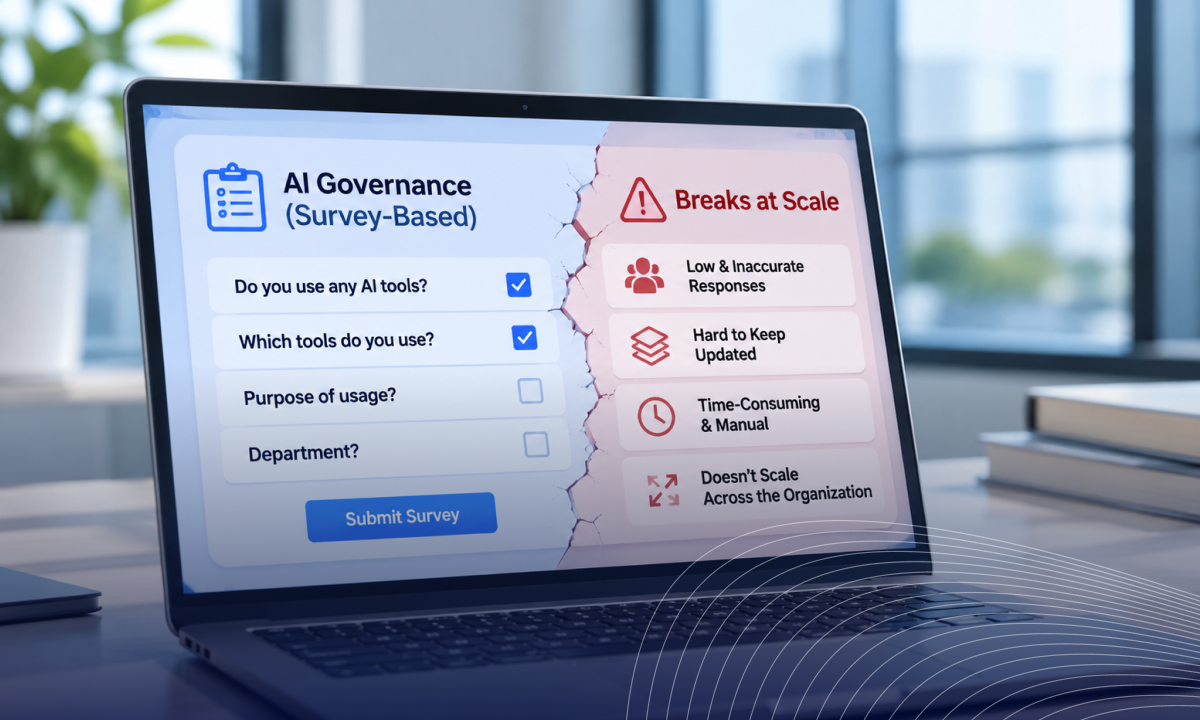
Survey-based AI governance records what people remember to report. At 50 tools, that's manageable. At 500, memory stops working as a control.
The fix is continuous AI discovery from system data, with surveys kept for the one thing they do well: capturing why a team needs a tool.
Below is where survey-based AI governance breaks at scale, what auditors expect instead and how to move off questionnaires without losing business context.
TL;DR
- 68% of organizations say they're highly confident in their AI agent visibility, yet 82% discovered shadow AI agents in the past year.
- Surveys loses track of embedded AI, agents and personal accounts, and its snapshot goes stale as soon as the survey closes.
- ISO 42001, the EU AI Act and NIST AI RMF all point auditors toward system-generated records over signed attestations.
- The fix keeps a short, event-triggered survey for business purposes and moves inventory, ownership, and monitoring to continuous discovery.
What 2026's AI Governance Surveys Reveal About Self-Reporting
Every major AI governance survey this year found leaders more confident about oversight than their own data supports.
CSA's research lead Hillary Baron described this to CIO.com as visibility into known agents quietly turning into a belief that nothing else exists.
If executives misjudge their own visibility, an employee questionnaire inherits the same error across every team. That is the core weakness of survey-based AI governance: each respondent reports what they remember, and the gaps add up.
5 Places Survey-Based AI Governance Loses Track of Your AI
Survey-based AI governance loses track of AI in five predictable places, and each one grows with headcount and tool count.
1. Employees can't report AI they don't recognize as AI
Most new AI arrives inside software your team already uses:
- Embedded features: Copilots, summarizers, and meeting notetakers switched on inside approved SaaS
- Silent vendor updates: AI added to tools your register marked low risk a year ago
- Vendor-built agents: Automations running inside workflows your team touches daily
The register says "Notion: approved." It says nothing about Notion AI reading your product roadmap. This is why teams now detect AI inside sanctioned apps instead of waiting for someone to declare it.
2. AI agents and non-human identities never answer a questionnaire
Surveys go to people. Agents and API keys hold access without anyone thinking to list them:
- Business-built agents: Workflows created by non-engineers in low-code agent builders
- Leftover OAuth tokens: Grants to AI tools that stay active after a pilot ends
- Orphaned agents: automations owned by employees who have since left
According to CSA data cited by CIO.com, only 21% of organizations have formal decommissioning processes for AI agents. With most NHIs now AI agents, a people-only survey covers a shrinking share of your access.
3. A survey is stale the day it closes
Teams can adopt an AI tool in an afternoon. A quarterly survey sees it months later, if the owner remembers:
- Day 1: a team connects a new AI tool to Google Drive
- Day 30: the tool is processing customer files
- Day 90: the survey goes out, and the tool may or may not appear
Baron made the same point in the CIO.com piece: most governance still runs on periodic human review, while AI systems act at machine speed.
4. Response quality drops as headcount grows
Every cycle reaches more people with more tools to list, and accuracy falls with it:
- Respondents copy last quarter's answers to save time
- Managers answer for whole teams and miss individual signups
- Completion rates slip, and nobody knows which blanks hide new AI
Effort grows with every employee while coverage shrinks. AI governance at scale needs a method whose accuracy doesn't depend on participation.
5. Self-reports never connect to spend or access data
Some of the riskiest AI use is invisible to the person filling in the form:
- Personal accounts: Employees using free AI tiers on work devices
- Card purchases: AI subscriptions expensed instead of procured
- OAuth grants: AI tools with read access to mail or files
Survey-based AI governance has no way to reconcile an answer against an invoice or an access log. That's also why employees end up using personal AI accounts without the register ever showing it.
If you're replacing surveys with logs, 5 Ways Shadow AI Enters Your Environment That SSO Logs and CASBs Won't Show shows which logs still leave gaps.

Survey vs Continuous Discovery: What Each One Actually Captures
A survey captures what people recall, while continuous discovery captures what your systems record.
Business purpose is the one row a survey wins. That's why the goal is a smaller survey sitting on top of continuous AI discovery.
What Auditors Accept as AI Governance Evidence
Auditors expect records your systems generate, and a signed questionnaire rarely meets that bar for inventory or monitoring.
- ISO/IEC 42001: The standard requires organizations to monitor and measure their AI management system and retain documented evidence. A survey shows intent at a single point in time. Here's what ISO 42001 requires in practice.
- EU AI Act: Under Article 26 of the regulation, deployers of high-risk AI systems must monitor their operation and keep the logs those systems generate. An attestation can't produce a log.
- NIST AI RMF: The Govern function of the framework calls for mechanisms to inventory AI systems. Auditors will ask how you know a self-reported inventory is complete.
Surveys usually fail here first, because an auditor can sample one system log and find a tool your register never listed.
Our AI governance auditing playbook covers what internal audit tests.
6 Signs Your Survey-Based AI Governance Has Already Broken
Each of these signs points to a specific gap, and you can confirm each one in a system you already run.
How to Move From Surveys to Continuous AI Governance
Discover from systems first, reconcile against what you have, and then shrink the survey to questions only people can answer.
- Pull discovery from system data: Start with SSO logs and finance records, then add browser and OAuth signals. This is how you build an auditable AI app inventory without chasing anyone.
- Reconcile against your existing register: Every tool on the discovered list but missing from the register is a gap your survey-based AI governance created.
- Assign an owner to every tool and agent: Tie ownership to HRIS data so it moves automatically when people change roles or leave.
- Shrink the AI usage survey: Ask only about purpose and data sensitivity, and trigger it when discovery finds a new tool instead of every quarter.
- Replace review cycles with alerts: Flag new AI tools and new OAuth scopes as they appear, then enforce your acceptable use policy at the point of use.
How CloudEagle.ai Replaces Self-Reported AI Inventories With Live Evidence
CloudEagle.ai replaces the survey with a live AI inventory built from data your systems already produce, including signals from tools you already run, such as Okta and Zscaler. Here's how that closes each gap a survey leaves open.
Every AI tool and agent found without a survey
Your register lists what teams declared. A product manager connects an AI notetaker to the team calendar with a personal email. A sales ops lead builds an agent that reads the CRM. Neither shows up in a survey, so the board sees only part of the AI touching company data.
Closing that gap needs discovery that doesn't wait for anyone to volunteer information.
How CloudEagle.ai solves it:
- Correlates SSO, finance, and browser signals across 500+ integrations to surface shadow AI and shadow IT
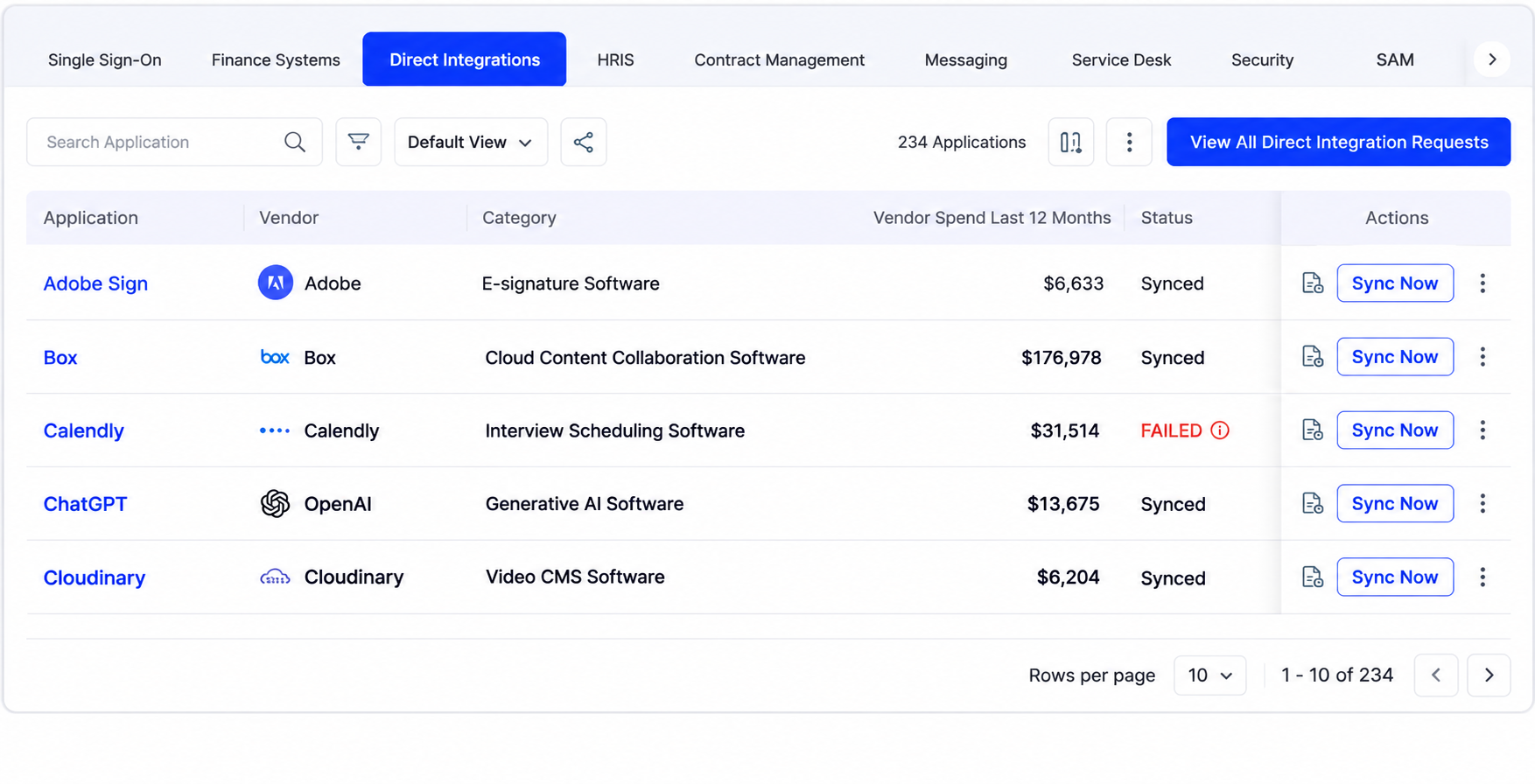
- Finds AI reached through personal logins and IDE plugins with a lightweight browser extension
- Maps AI agents and MCP connections, what each can reach and who owns it, through AI agent security
How Plex found what its register missed: Plex tracked AI tools in spreadsheets across 14 business units. "Our internal position was that we had 30 sanctioned AI tools," said Scott Olechowski, Plex's Chief Product Officer and Co-Founder. CloudEagle.ai surfaced 73 shadow AI tools, more than double the sanctioned list, and the board had a complete AI inventory within 14 days. Plex retired 22 of those tools and rotated over-privileged API tokens tied to AI agents.
Employees guided to approved tools in the browser
The usual response to unapproved AI is to block it. Blocked users switch to a personal device or a different tool, and many file a ticket asking why. The shadow usage moves somewhere the network can't see, and the tickets pile up for IT.
The better move is to reach employees at the moment they open the tool.
How CloudEagle.ai solves it:
- Warns employees in the browser when they open an unapproved AI tool through in-browser policy enforcement
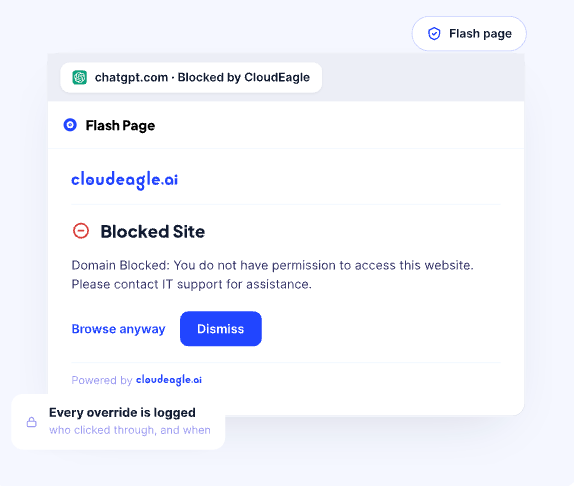
- Redirects them to the approved alternative
- Lets them request access on the spot, with the request already filled in
Employees reach the approved tool without filing a ticket, and the inventory updates from what people actually open.
Vendor reviews that run without the email chase
Every new AI tool needs a security review before approval. Someone emails the vendor a questionnaire, then spends weeks following up. Meanwhile, the requesting team starts using the tool anyway, which is how it lands in next quarter's survey as shadow AI.
There is one questionnaire worth keeping: the one you send to AI vendors, and it should run without the wait.
How CloudEagle.ai solves it:
- Sends vendor security questionnaires automatically when a new AI tool is requested
- Scores responses into a risk rating based on data access and vendor posture
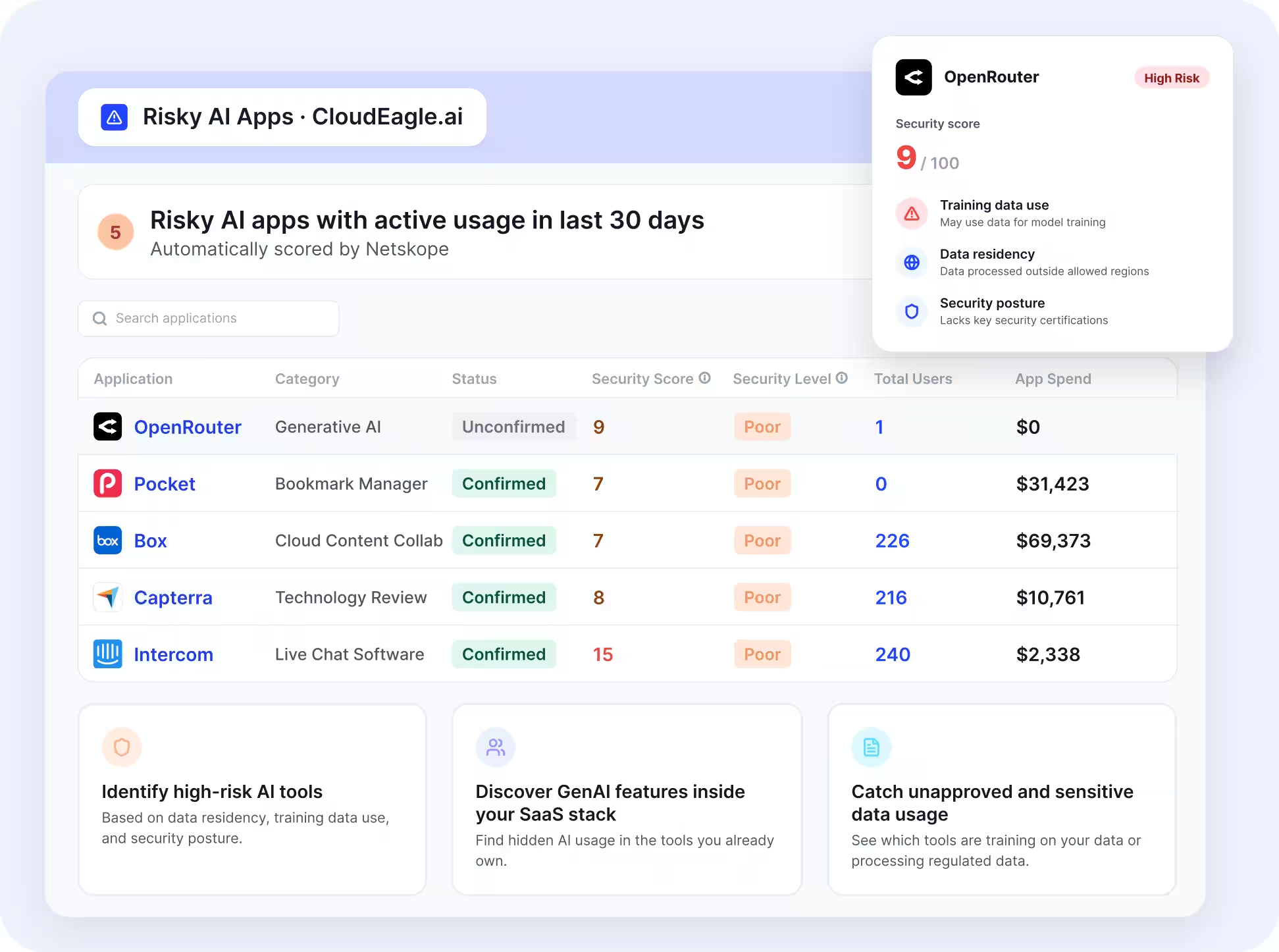
- Routes approvals by risk tier to the right sign-off
A review that took weeks of follow-ups moves through one workflow, and Security and Legal get a scored review ready to sign off.
Audit evidence pulled from live data
Audit prep under survey-based AI governance means weeks of screenshots and exported spreadsheets to prove who had access and which vendors were reviewed. It repeats every cycle, and the evidence is stale once compiled.
Evidence that records itself removes the rebuild.
How CloudEagle.ai solves it:
- Keeps a live AI inventory with an owner for every tool and agent
- Logs access approvals and reviews for AI tools as they happen
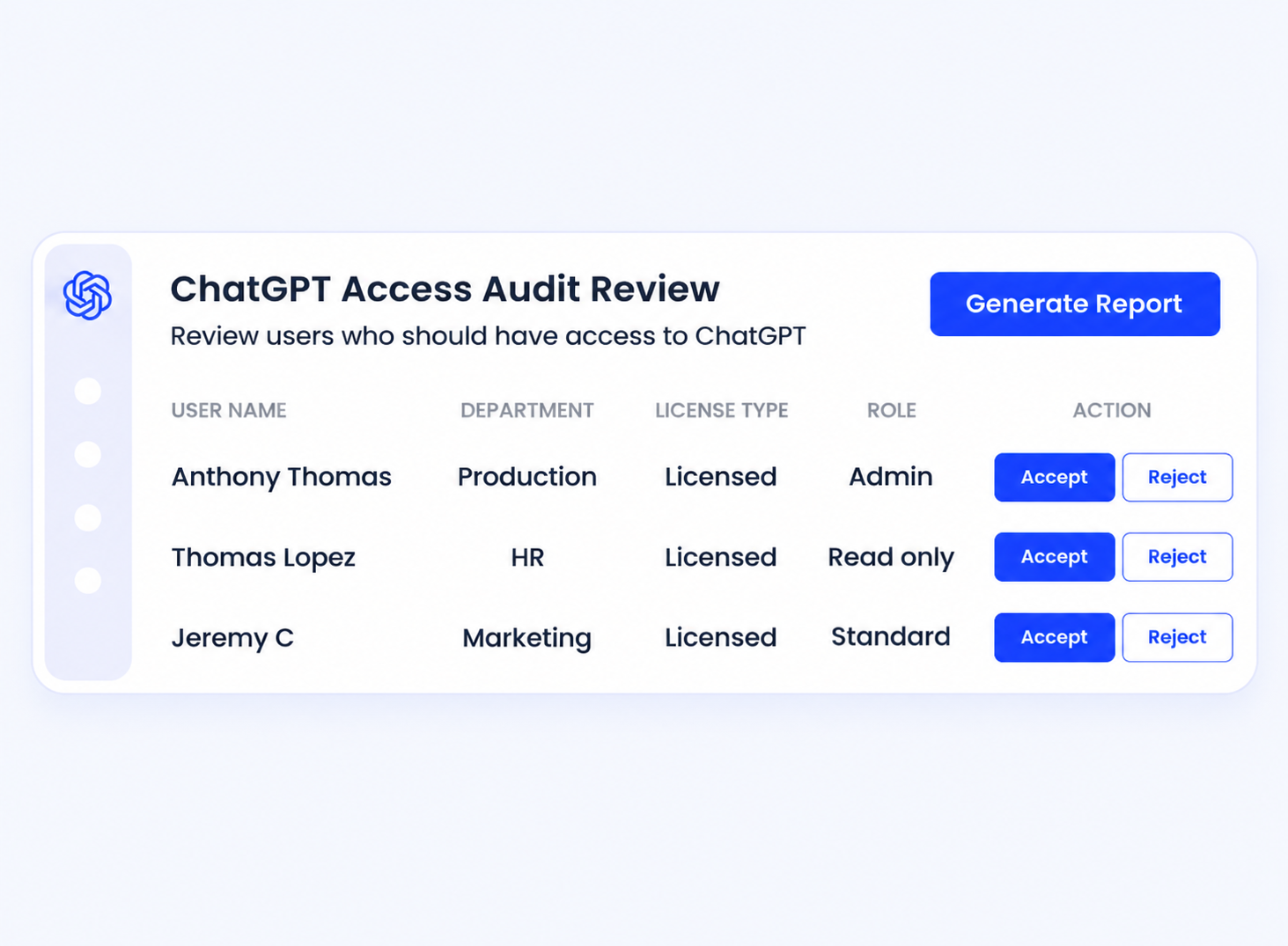
- Stores completed vendor questionnaires and risk scores with timestamps
When an auditor asks how you know the inventory is complete, you show system records you can map to NIST AI RMF, ISO 42001, and the EU AI Act.
What Comes After Survey-Based AI Governance
Survey-based AI governance worked when AI meant a handful of approved tools and a yearly review.
Today, AI arrives through embedded features, personal logins, and agents nobody thinks to report, and every new hire widens the gap between the register and what’s actually running.
AI governance at scale needs an inventory that updates itself from system data, with the survey kept for the one question only people can answer: why a team needs the tool.
Start there, and the next board question or audit request takes minutes to answer.
FAQs
1. Why is AI governance challenging?
AI spreads through embedded features, agents, and personal accounts faster than review cycles can track, so visibility and ownership lag behind usage.
2. What are the six pillars of AI governance?
Most frameworks cover accountability, transparency, fairness, privacy, security, and reliability. A live AI inventory supports all six.
3. Is it true that 95% of AI projects fail?
MIT NANDA's 2025 report found that about 95% of enterprise generative AI pilots had no measurable P&L impact, mostly due to weak integration.
4. Is survey-based AI governance ever enough?
For a small team with a few tools, yes. Beyond that, keep survey-based AI governance only for business purposes, layered on system discovery.
See What Your Last Survey Missed