
%201.svg)


HIPAA Compliance Checklist for 2025

Microsoft Copilot access reviews are quickly becoming part of modern audit conversations. What started as an AI productivity layer is now tied to data access, decision-making, and organizational risk in ways auditors can’t ignore.
In 2026, audits won’t just ask who has access to Copilot. They’ll focus on why access was granted, how it’s being used, and whether it aligns with role, IT compliance, and business need. That shift moves Copilot from a productivity tool into a governance concern.
We’ll cover the key risks auditors are flagging, the gaps in current review processes, and what “good” looks like in 2026. You’ll also learn how to align Copilot access with roles, compliance, and business justification without slowing teams down.
TL;DR
- Auditors will ask why Copilot access exists and whether it aligns with real business needs.
- Reviews tied to renewals or done informally create gaps in ownership, visibility, and accountability.
- Organizations will need proof that Copilot access reflects real usage, not just role-based assumptions.
- Policies built for apps fail to capture how Copilot interacts with data across systems.
- CloudEagle enables continuous, audit-ready Copilot governance andconnects access, usage, and compliance signals in one place, helping teams prove and maintain audit readiness.

1. How Often Are You Reviewing Copilot Access?
In many enterprises, Copilot access is granted with urgency but reviewed with hesitation. A team requests it, leadership approves it, and the focus shifts to adoption rather than oversight.
In one scenario, access is reviewed only during renewals. By then, months of SaaS usage patterns are compressed into a single decision point, and teams rely on partial data to justify keeping or removing licenses.
- Reviews tied only to renewal cycles
- Little visibility into changes between quarters
In another scenario, Microsoft Copilot access review is done informally. Managers assume usage is “probably fine,” and no one challenges whether roles, responsibilities, or data exposure have changed over time.
- No defined review cadence
- Ownership of access decisions remains unclear
This gap is more common than it seems. According to Gartner, over 70% of organizations fail to consistently review user access across critical systems, increasing both security and SaaS compliance risk.
Without a clear review rhythm, Microsoft Copilot access reviews become static while enterprises are not. And when auditors step in, the real question isn’t how Microsoft Copilot access review was granted, but why it wasn’t revisited.
2. Can You Prove That Microsoft Copilot Access Reviews Match Actual Usage?
Access reviews often look complete on paper. Users are listed, approvals are recorded, and everything appears governed. But when auditors dig deeper, the question shifts from who has access to who is actually using it meaningfully.
- Approval Without Evidence: Access is approved based on role assumptions, not verified usage patterns.
- Usage Blind Spots: Reviews don’t account for how frequently or deeply Copilot features are used.
- Static Decisions: Once approved, Microsoft Copilot access review remains unchanged despite evolving usage behavior.
The disconnect becomes visible when usage data enters the conversation. Some users rely heavily on Copilot, while others barely engage with it, yet both appear equally justified in access reviews.
- Over-Approved Access: Low-usage users retain licenses without clear business need.
- Missed Optimization Signals: High-value users aren’t identified for expanded or prioritized access.
Without linking access reviews to actual usage, governance becomes a checkbox exercise. Auditors aren’t just looking for approvals, they’re looking for proof that those approvals still make sense.
3. Where Does Copilot Fit Into Your Existing Compliance Frameworks?
Microsoft Copilot doesn’t sit outside your compliance structure. It operates within it, often touching the same data, users, and workflows that existing controls are built around. That’s what makes it harder to isolate and easier to overlook.
A. AI Access Not Mapped To Existing IAM Or ITGC Controls
Microsoft Copilot access review often follows the path of least resistance. If a user has access to Microsoft 365 apps, extending Copilot feels like a natural next step. But that extension doesn’t always align with how IAM or ITGC controls are defined and enforced.
Implicit Access Expansion
Copilot inherits permissions from underlying apps, expanding effective access without separate review.
Control Misalignment
IAM and ITGC frameworks track app access, not how AI interacts with that access.
Audit Visibility Gaps
Logs show access events, but not how Copilot uses data within those sessions.
This creates a subtle but important gap. As Satya Nadella put it,
“Every application will have an AI assistant.”
When AI governance becomes embedded across systems, Microsoft Copilot access review is no longer just about entry. It’s about how that access is interpreted, combined, and surfaced, which is where traditional controls start to fall short.
B. Policies Written For Apps, Not AI Assistants
Most compliance policies were built around applications with clear boundaries. You grant access, define permissions, and monitor usage within that system. Copilot doesn’t follow those boundaries; it operates across them.
- Policy Scope Limitations: Existing policies define what users can access, not how AI interprets or recombines that data.
- Static Rules For Dynamic Behavior: Traditional controls assume predictable actions, while Copilot introduces adaptive, context-driven outputs.
- Unclear Accountability: It’s harder to trace whether outcomes are user-driven or AI-assisted within current policy frameworks.
This gap becomes more visible as AI adoption scales. Enterprises are rapidly deploying AI, but governance is lagging behind that pace.
Adoption Outpacing Policy
AI is used across functions, while policies remain tied to older application models.
Execution Gap
Only a fraction of organizations have fully operational AI governance in place.
PR Newswire shows that only 25% of organizations have fully implemented AI governance programs, highlighting a clear gap between adoption and control.
When policies are written for apps instead of AI assistants, they miss how work actually happens. Bridging that gap means evolving policies from access control to usage understanding, which is where most frameworks are still catching up.
C. Gaps Between Data Governance And AI Usage
Data governance frameworks are usually well-defined on paper. Data is classified, Microsoft Copilot access review is controlled, and policies outline how information should be handled across systems.
But Copilot changes how that data is used. It doesn’t just store or move information, it interprets, summarizes, and surfaces it in new contexts that traditional governance models weren’t designed to track.
- Sensitive data summarized into new formats
- Context pulled across multiple documents and sources
In one scenario, a user with valid access asks Copilot to summarize internal reports. The output combines insights from multiple sources, creating a new layer of information that wasn’t explicitly governed.
In another, data remains technically compliant, but its exposure increases. More users can access synthesized insights without directly accessing the original sensitive sources.
4. How Does CloudEagle Help You Stay Audit-Ready For Microsoft Copilot In 2026?
Managing Microsoft Copilot access review becomes complex as enterprises grow. Permissions spread across systems, approvals happen in silos, and access reviews turn into time-consuming audit exercises.
CloudEagle brings structure, automation, and visibility to identity governance, ensuring every user has the right access at the right time.
By combining continuous access reviews, automated provisioning, and time-bound controls, teams reduce risk, improve compliance, and eliminate the manual effort behind access management.
A: Continuous User Access Reviews With Built-In Compliance
CloudEagle transforms access reviews from periodic audits into a continuous, structured process that keeps permissions accurate at all times.
Current Process
IT teams pull data from multiple systems and log into apps manually to review roles. Access decisions and deprovisioning are handled one user at a time.
Pain Points
Reviews are slow and error-prone. Quarterly reviews miss risky users, and reviewers often approve Microsoft Copilot access review without full context.
How We Do It
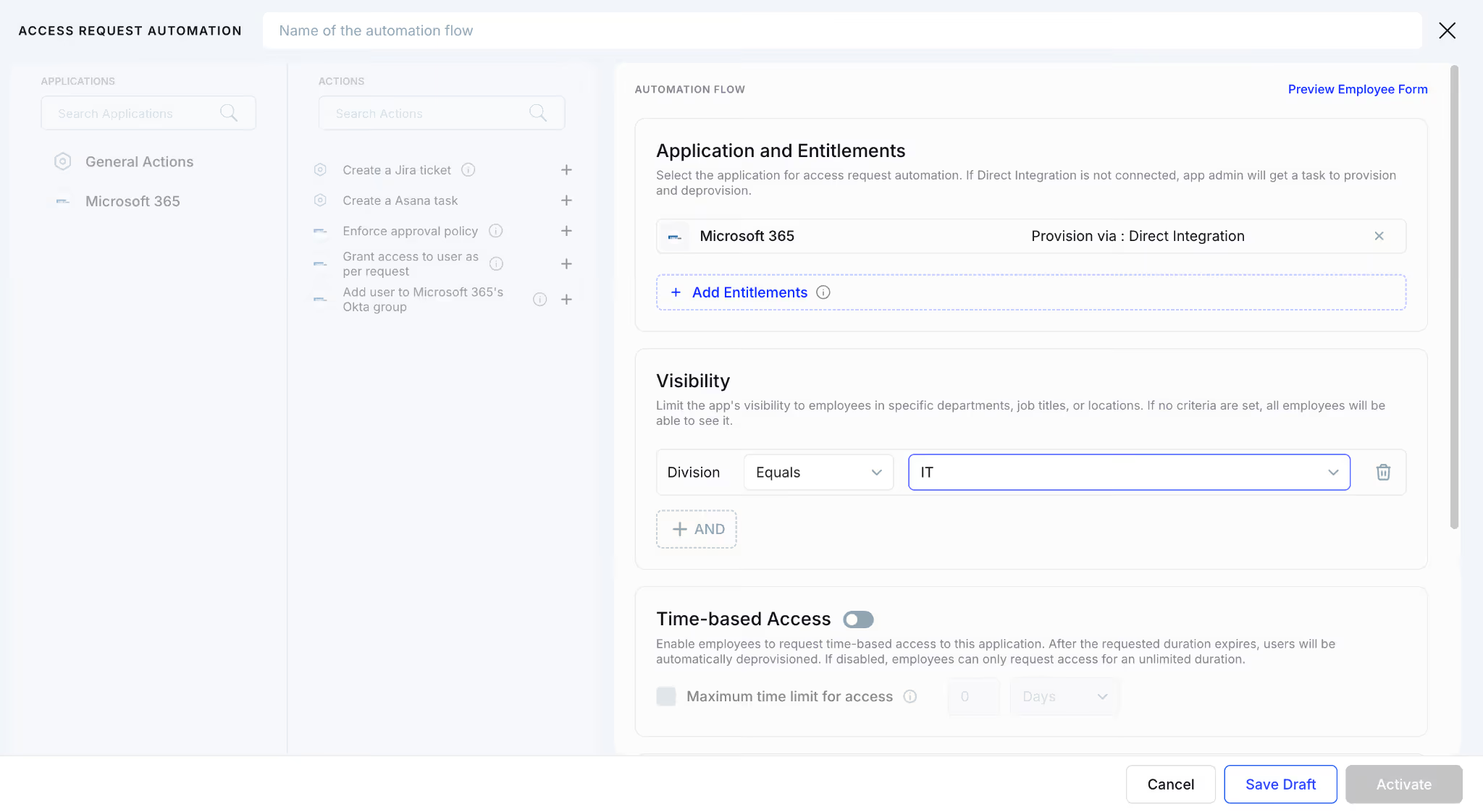
CloudEagle centralizes roles and permissions in one dashboard and schedules periodic access reviews automatically.
Why We Are Better
CloudEagle automates reviewer assignment, tracks completion, and highlights pending reviews. Teams complete reviews in days, not months.
Be Audit-Ready for Copilot Access Reviews


B: Risk-Based Reviews That Eliminate Reviewer Fatigue
CloudEagle ensures reviewers focus only on users who actually need attention, improving accuracy and reducing effort.
Current Process
Managers review large user lists without context. Most users get approved quickly due to time constraints.
Pain Points
Reviewer fatigue leads to rubber-stamping. High-risk users and privileged accounts often go unchecked.
How We Do It
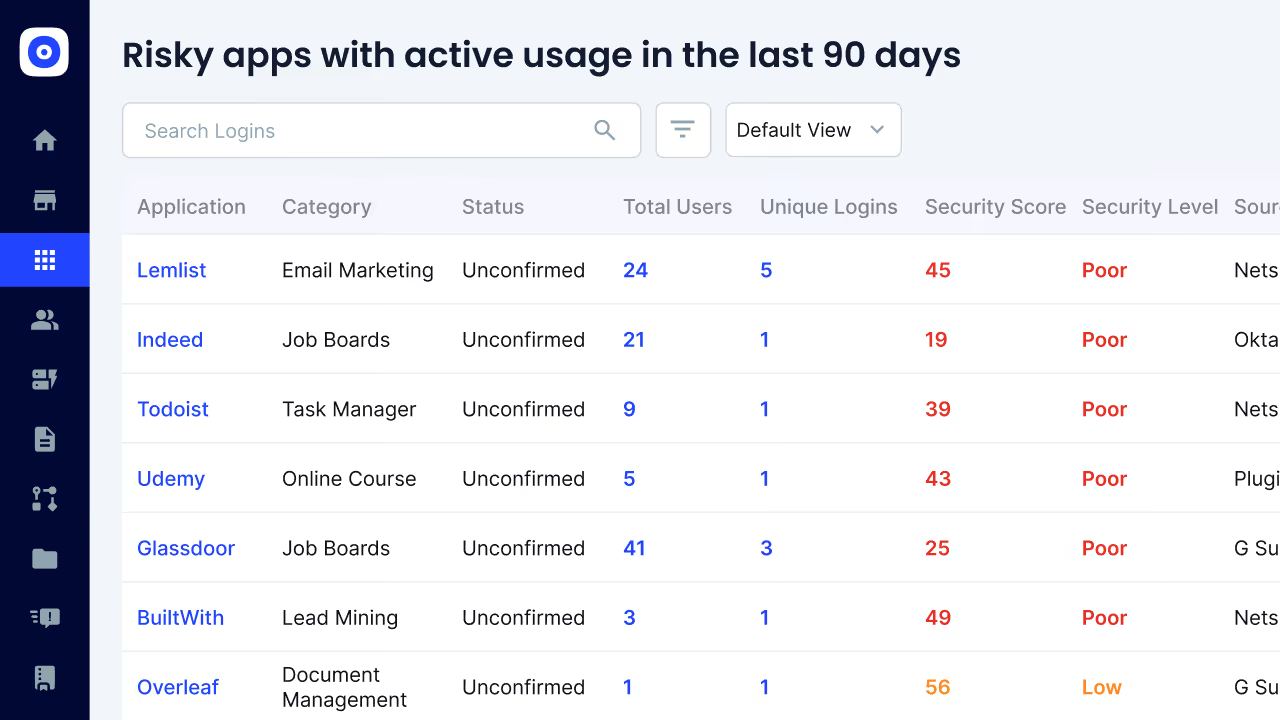
CloudEagle flags ex-employees, inactive users, and privileged roles automatically for focused review.
Why We Are Better
AI prioritizes high-risk users, helping reviewers make better decisions without scanning every account.
C: Automated Deprovisioning, Evidence Capture and Audit Readiness
CloudEagle removes the manual effort involved in closing access reviews and preparing for audits.
Current Process
IT manually deprovisions users and attaches proof across JIRA or other systems. Evidence collection is time-consuming.
Pain Points
Audit preparation takes days. Missing proof or incomplete logs create compliance risks.
How We Do It
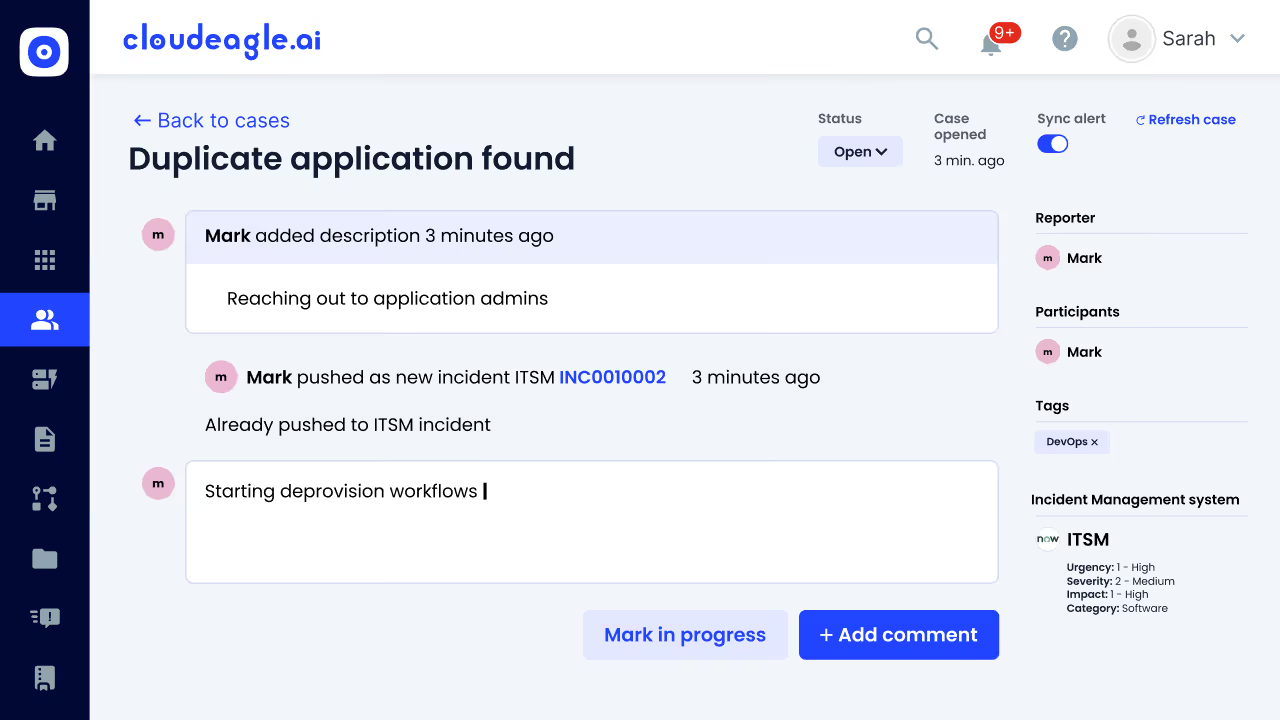
CloudEagle automatically deprovisions rejected users and attaches audit-ready evidence within workflows.
Why We Are Better
End-to-end automation generates compliance reports instantly. Every action is tracked and ready for auditors.
D: Centralized App Access Catalog With Automated Approvals
CloudEagle simplifies how employees request access while ensuring approvals remain structured and SaaS compliant.
Current Process
Employees request access via email or Slack. IT manually verifies, chases approvals, and provisions Microsoft Copilot access review.
Pain Points
Requests get delayed. Approvals are scattered, and audit trails are difficult to reconstruct.
How We Do It
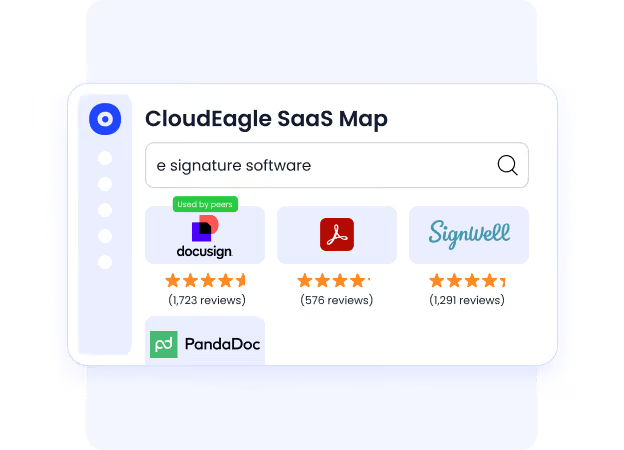
CloudEagle provides a centralized app catalog with role-based visibility and automated approval workflows.
Why We Are Better
Employees request only approved apps, approvals are logged automatically, and IT avoids manual tracking.
E: Time-Based Access Control to Reduce Risk and Waste
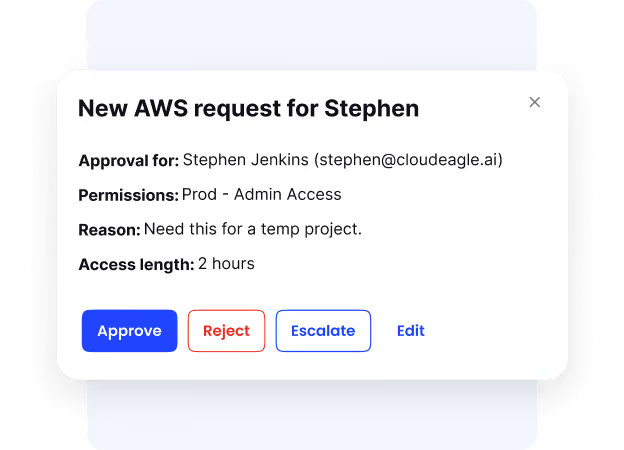
CloudEagle ensures just-in-time access when needed, preventing long-term risk from unused or unnecessary permissions.
Current Process
IT grants perpetual access even for short-term needs. Access remains active long after it is required.
Pain Points
Unused access increases security risk and wastes licenses. IT lacks visibility into when access should expire.
How We Do It
CloudEagle enables time-bound access that automatically expires after a defined period.
Why We Are Better
Microsoft Copilot access review stays aligned with need. Security improves while unused licenses are reduced automatically.
5. Conclusion
Auditors in 2026 won’t rely on static reports or approval logs. They will look for evidence that Microsoft Copilot access review is done regularly, tied to actual usage, and mapped to existing controls, even as AI reshapes how those controls behave.
This is where CloudEagle becomes critical. By bringing together access data, usage insights, and governance signals in one place, it helps teams prove that Copilot access is justified and continuously reviewed.
When that level of visibility exists, access reviews stop being reactive checkpoints. They become a continuous, structured process, which is exactly what auditors expect.


.avif)


.avif)
.avif)




.png)






.png)

.avif)
.avif)
.avif)


