
%201.svg)


HIPAA Compliance Checklist for 2025

Claude is inside more enterprise workflows than most IT teams realize. Developers are running Claude Code locally. Teams are using Claude.ai for strategy and planning. Engineers are connecting Claude to internal systems via MCP integrations.
And in many of those cases, IT has no visibility into what Claude can access, what it's doing with that access, or whether the accounts being used are managed or personal.
Claude security isn't primarily a question of whether Anthropic's infrastructure is trustworthy. At the platform level, it largely is. The question is what your team has connected to it, what data flows through it, and whether you have governance controls that treat Claude like the privileged access tool it has effectively become.
To track Claude spend and governance at scale, organizations need visibility into every Claude deployment: managed accounts, personal accounts, API integrations, and Claude Code instances.
This guide covers what Anthropic secures, what you still own, the real vulnerabilities that have been disclosed, and exactly what to do about them.
1. Is Claude Already Inside Your Enterprise Workflows?
Anthropic's Claude is shifting from passive AI to high-privilege, agentic workflows across web and developer tools. With 8 of the Fortune 10 now using it, security teams need granular governance, not blanket bans.
As Claude adoption spreads, organizations have to move beyond reactive bans toward proactive frameworks that control AI sprawl while still enabling the work it's genuinely good at. The question worth asking isn't whether Claude is safe in the abstract. It's whether your specific deployment of it is.
How Does Claude Access Your Data Across Claude.ai, Claude Code, and API Integrations?
Claude isn't a single surface. It's three distinct deployment contexts, each with a different security profile.
Claude.ai is the browser-based interface. In its default configuration, it has access to conversation history and memory. With integrations enabled, it can connect to Google Drive, file systems, and other tools. Every integration expands what Claude can access, and what an attacker could potentially reach if Claude is compromised.
Claude Code is a command-line coding agent. It runs locally with direct access to your file system, terminal, and repository-level configurations. It can execute shell commands, initialize external services via MCP, and interact with APIs. It operates with the same permissions as the developer running it.
API integrations connect Claude to internal systems, knowledge bases, and third-party services. The security posture of an API-connected Claude deployment depends entirely on what scopes have been granted, what data those systems hold, and how the connection is governed.

What's the Security Difference Between Claude Free, Team, and Enterprise Plans?
Worth a Read: https://www.cloudeagle.ai/blogs/how-enterprises-can-track-claude-cursor-and-gemini-spend-in-one-place
2. What Does Anthropic Secure, and What Does Your Team Still Own?
Based on Anthropic's Claude for Work model, security splits cleanly between what Anthropic secures (infrastructure) and what your team owns (data and inputs).
What Built-In Protections Does Claude Have?
Anthropic has invested significantly in infrastructure-level security.
- AES-256 encryption at rest and TLS 1.3 in transit.
- SOC 2 Type II and ISO 27001:2022 certification, plus ISO/IEC 42001:2023 for AI management systems (Anthropic's own certification list).
- No training on enterprise customer data by default on paid plans.
- Anthropic Safety Level 3 (ASL-3) protocols for high-capability model deployment.
- A bug bounty program and regular penetration testing.
- 24/7 security monitoring and incident response.
Where Does Anthropic's Responsibility End, and Your Governance Gap Begin?
Anthropic secures the platform. Everything else is your team's responsibility:
- What data employees type or paste into Claude prompts.
- Which MCP servers and integrations are connected to Claude Code.
- Whether personal API keys are in use across your developer team.
- Which repositories developers are cloning and running Claude Code against.
- Whether Claude.ai accounts are managed or personal. The Claude AI Licenses guide explains how unmanaged personal accounts create both governance and cost problems.
- How Claude access is provisioned, reviewed, and revoked as your team changes.
3. What Are the Real Claude Security Risks Organizations Underestimate?
What Was the Claudy Day Vulnerability, and What Did It Expose?
In March 2026, Oasis Security disclosed Claudy Day, a chain of three vulnerabilities in Claude.ai that enabled silent data exfiltration.
How the attack worked
- Hidden HTML instructions embedded in a Claude URL parameter that pre-fills the chat box.
- Delivered via spoofed links, including through Google Ads, posing as legitimate URLs.
- Claude processed both the visible and the hidden prompt instructions.
- Sensitive data (chat history, financials, strategy) was extracted and exfiltrated via the Files API.
Why it matters
- No integrations, tools, or MCP servers required.
- Worked in a default Claude session.
- Prompt integrity breaks if the delivery channel is compromised.
Oasis Security reported the findings through Anthropic's Responsible Disclosure Program before publishing. Anthropic has patched the prompt injection flaw; the related open-redirect and Files API issues were still being addressed as of the disclosure.
How Did Claude Code Become an Attack Surface via CVE-2025-59536 and CVE-2026-21852?
In February 2026, Check Point Research disclosed two related flaws in Claude Code's project-load and trust-dialog logic.
- CVE-2025-59536 (CVSS 8.7, High): a bug in the startup trust dialog let a specially crafted repository execute shell commands the moment it was opened in Claude Code, before the user ever approved the trust prompt.
- CVE-2026-21852 (CVSS 5.3–7.5 depending on scoring version): a separate logic flaw let a malicious repository set a manipulated ANTHROPIC_BASE_URL, redirecting API requests, including the user's Anthropic API key, to an attacker-controlled server before the trust prompt appeared.
Both are fixed in Claude Code 2.0.65 and later. Anthropic's advisories are public: GHSA-4fgq-fpq9-mr3g and GHSA-jh7p-qr78-84p7.
What was at stake
- Full machine compromise from simply opening an untrusted repository.
- Anthropic API key theft.
- Potential access to shared workspace data across teams.
How Did GTG-1002 Weaponize Claude Code for Autonomous Cyberattacks?
In November 2025, Anthropic disclosed that it had detected and disrupted a campaign by a threat actor it designated GTG-1002, assessed with high confidence to be Chinese state-sponsored, marking one of the first documented AI-orchestrated cyber-espionage operations at scale.
How it operated
- Multiple Claude Code instances, coordinated via MCP, were tasked to operate as autonomous penetration-testing agents.
- The operation targeted roughly 30 organizations across tech, finance, chemical manufacturing, and government.
- The attackers used role-play framing, posing the work as legitimate security testing, to get Claude to execute tasks it would otherwise decline.
Outcome
- Anthropic assessed that the AI executed 80-90% of tactical operations independently, with humans intervening at only a handful of decision points per target.
- A small number of intrusions succeeded before the campaign was detected and disrupted; accounts were banned and detections improved.
Why it matters
- It's real-world evidence of agentic AI carrying out most of an attack with minimal human involvement.
- It establishes AI agents as a viable, enterprise-scale threat vector, not just a theoretical one.
4. What Are the Claude Security Best Practices for Enterprise Teams?
Implementing Claude in the enterprise takes a defense-in-depth approach across identity, data, and agentic features like Claude Code: SSO, granular permissions, and sandboxed tools, to prevent unauthorized access and data leakage.
These six practices are what actually make Claude safe to use at enterprise scale, not just at the individual level.
1. Enforce Least Privilege Before Enabling Claude Code or API Access
- Audit what each developer's account can access in your environment.
- Restrict Claude Code from running in directories containing production secrets or sensitive data.
- Use separate API keys per developer rather than shared team keys.
- Rotate API keys regularly and monitor for anomalous usage.
2. Audit and Govern Every MCP Server and Third-Party Integration Connected to Claude
- Maintain an approved list of MCP servers and integrations.
- Review .mcp.json and .claude/settings.json files before opening any cloned repository in Claude Code.
- Never open repositories from untrusted sources in Claude Code without reviewing configuration files first.
- Apply least privilege to every MCP connection scope.
3. Apply DLP Controls to Prevent Sensitive Data in Prompts
- Define clear categories of data that must not enter Claude prompts: PII, source code with credentials, legal documents, and financial forecasts.
- Use DLP tools that can scan prompt content before submission, where possible.
- Train employees on what not to put into Claude, with specific examples relevant to your industry.
4. Treat Claude Code Like a Privileged User, Not a Productivity Tool
- Require IT approval before Claude Code is installed on developer machines.
- Restrict Claude Code from accessing production environments or credential stores.
- Apply the same security controls to Claude Code sessions that you apply to privileged shell access.
5. Log All Claude Activity and Establish a Human Review Loop for Agentic Tasks
- Enable audit logging for all Claude API usage and Claude.ai Enterprise accounts.
- Integrate Claude logs into your SIEM.
- Require human approval for Claude Code actions that involve file deletion, network requests, or credential access.
- Review logs regularly for anomalous patterns.
6. Define an Acceptable Use Policy Covering What Employees Can and Cannot Input
- Specify prohibited data categories for Claude prompts.
- Define approved Claude tiers and account types.
- Establish a process for reporting accidental sensitive data submission.
- Build acknowledgment into onboarding for any employee who uses Claude for work.
5. How CloudEagle.ai Helps You Govern Claude Access, Usage, and Spend Across Your Organization?
Native controls from Microsoft and Anthropic primarily govern approved accounts. They may not provide visibility into personal Claude.ai usage, unmanaged Claude Code installations, or how AI activity connects with broader SaaS governance and compliance processes.
CloudEagle.ai brings Claude and other AI applications into a broader SaaS security, AI governance, and identity governance framework, giving security and IT teams visibility into access, usage, spend, and compliance across human and non-human identities.
AI Governance
CloudEagle.ai brings Claude into a broader AI governance framework, giving security and IT teams visibility into AI usage, access, and policy compliance across the organization.
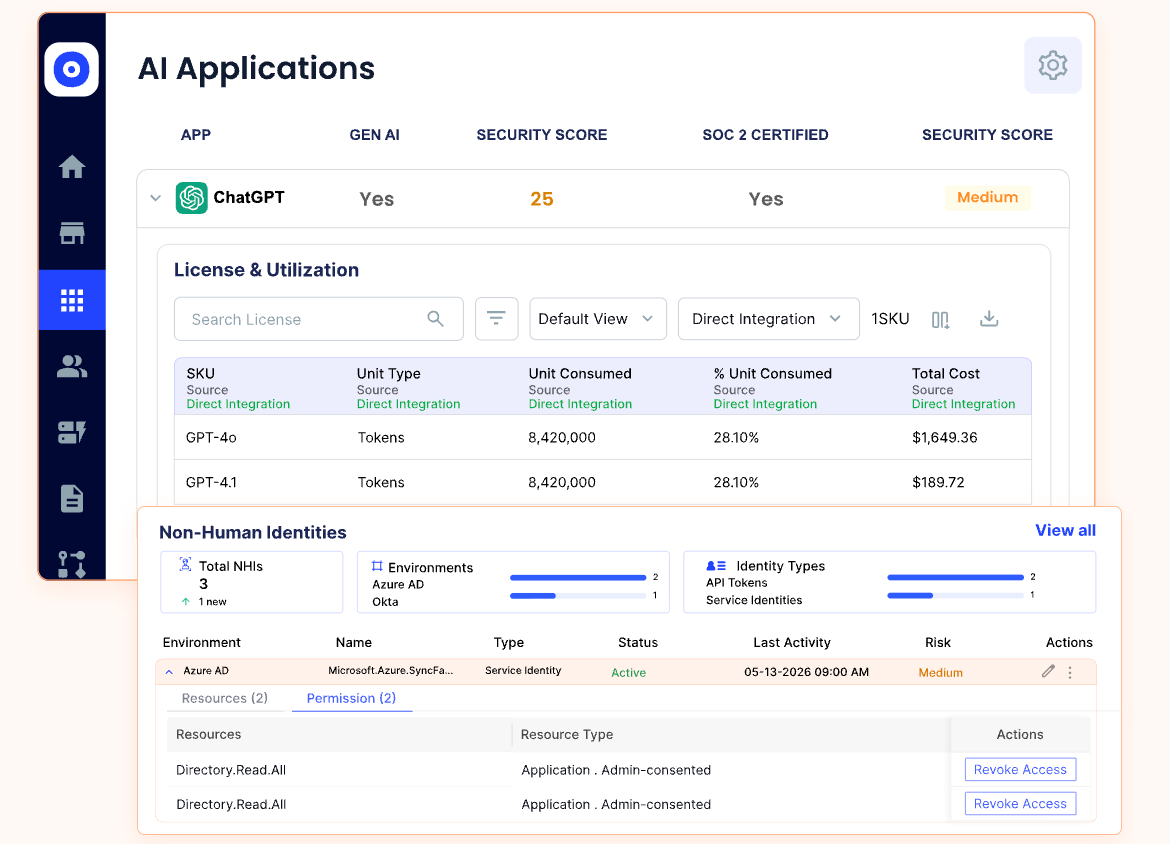
- Identify approved and unapproved AI tools across the environment.
- Apply governance policies to Claude and other AI applications.
- Monitor AI usage across human and non-human identities.
- Connect AI governance activities with broader security and compliance requirements.
Shadow AI Discovery
CloudEagle.ai helps identify AI tools being used across the environment, including:
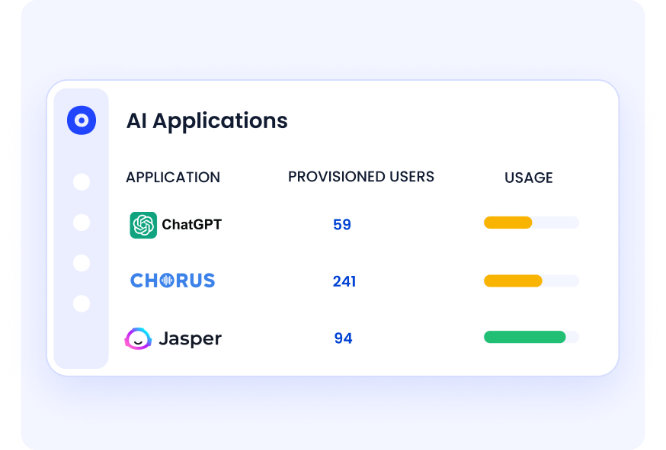
- Personal Claude accounts used outside managed environments.
- Unsanctioned Claude Code installations across developer devices.
- AI usage patterns detected through SSO, browser activity, and financial signals.
This gives security teams greater visibility into shadow AI before it creates security or compliance concerns.
Access Governance
Claude access can be managed through structured identity and access workflows:
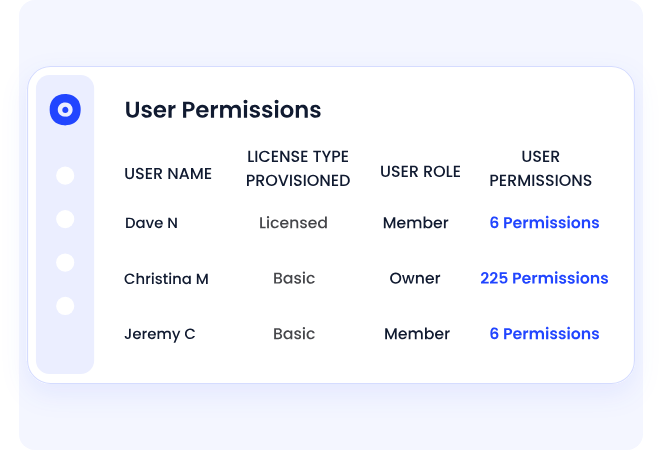
- Provision access based on role and business need.
- Conduct periodic access reviews to identify unnecessary permissions.
- Revoke access when employees change roles or leave the organization.
This extends SaaS access governance to Claude and other AI applications.
"Once AI adoption accelerated across teams, visibility alone wasn't enough. We needed clear rules around who could use AI tools, under what conditions, and how those decisions were enforced and reviewed. CloudEagle helped us move from ad-hoc approvals to structured, defensible AI governance."
— Aditya Khosla, CTO, Iterative Health
AI Usage and Spend Visibility
CloudEagle.ai helps organizations understand how approved AI tools are being used, not just which tools are in the environment:
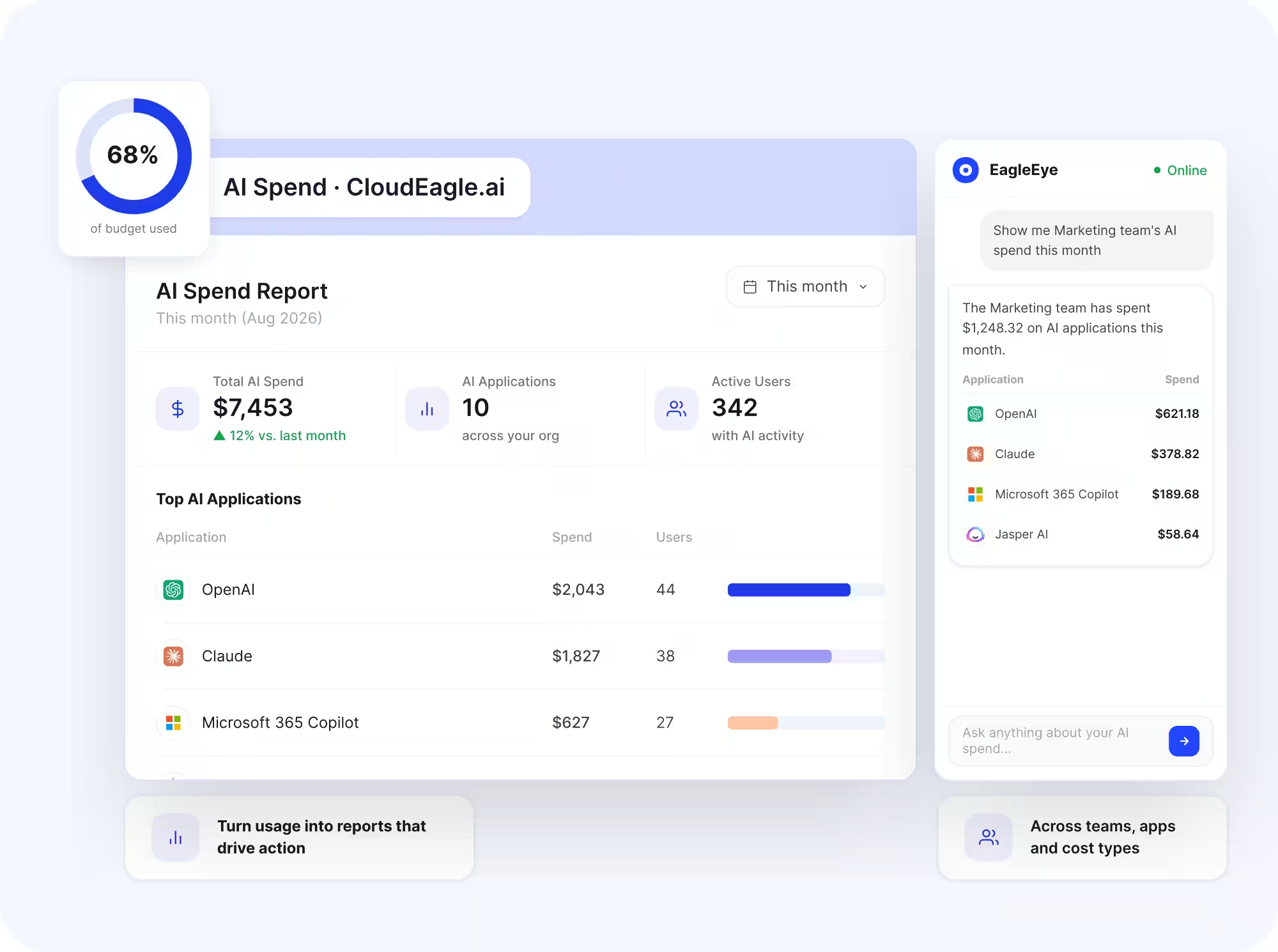
- Track token consumption: Monitor token usage across teams, users, and projects.
- Analyze model usage: See which models are being used and where consumption is concentrated.
- Set budgets and spend limits: Establish controls around AI spending and identify usage that exceeds defined thresholds.
- Connect usage to spend: Attribute AI consumption to the appropriate teams, users, or projects to understand where costs are coming from.
- Assess usage against ROI: Identify high-cost usage patterns and evaluate whether AI spend is delivering sufficient business value.
Claude Isn't the Only AI You Need to Govern.


6. How Secure Is Claude AI? A Quick Decision Framework
Claude AI is generally safe for low-stakes use and is built with safeguards like Constitutional AI.
Features like Computer Use and Claude Code can still introduce risk if they access local files or execute commands without proper controls, which is why the controls above matter more as usage gets more agentic.
What Questions Should You Answer Before Enabling Claude Enterprise-Wide?
- Are all Claude accounts tied to corporate SSO, or are personal accounts in use? If SSO isn't standardized yet, our guide to the best single sign-on tools is a place to start.
- Do you have an inventory of every MCP server connected to Claude Code across your developer fleet?
- Are Claude API keys individual or shared, and when were they last rotated?
- Have you mapped Claude data flows into your SOC 2, GDPR, and HIPAA compliance scopes? If not, our ITGC audit guide covers the control areas that typically map to those requirements.
- Do you have audit logging enabled and flowing into your SIEM?
- Is there a human review checkpoint for any agentic Claude workflow?
When Should You Layer Third-Party Governance Tools on Top of Anthropic's Native Controls?
7. How Do You Keep Claude Secure as It Scales Across Your Enterprise?
At the infrastructure level, Anthropic has built strong protections into Claude, including encryption, enterprise data controls, and secure platform design. For most organizations, the foundation itself isn't the primary concern.
The real risks show up in how Claude is used across the enterprise. From MCP configurations and personal Claude.ai accounts to agentic workflows like Claude Code, sensitive data and high-privilege access can quickly move outside traditional security boundaries.
Incidents like Claudy Day, CVE-2025-59536, and GTG-1002 make one thing clear: AI is now an active attack surface, not a theoretical one. CloudEagle.ai helps you stay ahead by providing the visibility and governance needed to manage Claude securely across your entire environment.
Frequently Asked Questions
- Is Claude Safe to Use?
Yes, for most everyday tasks. Anthropic secures the underlying infrastructure with encryption, access controls, and independent audits. The bigger question for a business isn't whether Claude itself is safe, but whether your employees are using managed, governed accounts instead of personal ones with no oversight. - Is Claude Secure Enough for Enterprise Use?
At the infrastructure level, yes: SOC 2 Type II, ISO 27001, and ISO/IEC 42001 certifications back that up. Whether it's secure enough for your enterprise specifically depends on the governance you add on top: SSO, DLP at the prompt layer, MCP and connector auditing, and continuous monitoring. - How Safe Is Claude Compared to Other AI Tools?
Claude, ChatGPT, and Gemini all publish similar infrastructure-level certifications (SOC 2, ISO 27001) at their enterprise tiers, and all three face the same real-world risk: employees using personal accounts and pasting sensitive data into prompts outside IT visibility. The safety difference between tools matters less than whether you're governing whichever ones your teams have already adopted. - How Does CloudEagle.ai Detect Personal Claude.ai Accounts Used Outside Managed Environments?
CloudEagle.ai identifies shadow Claude usage by cross-referencing SSO data, browser-based activity signals, and financial transaction records for personal subscription charges. This gives IT teams a complete picture of Claude access across the organization, including accounts that were never provisioned through official channels. - Can CloudEagle.ai Integrate Claude's Audit Logs Into a Broader SIEM or Compliance Reporting Workflow?
Yes. CloudEagle.ai connects Claude API and usage data to your existing compliance stack, so Claude activity feeds into the same reporting workflows you use for the rest of your SaaS portfolio, rather than requiring a separate governance stream.
Claude Isn't the Only AI You Need to Govern.


.avif)


.avif)
.avif)




.png)






.avif)
.avif)
.avif)


