
%201.svg)


HIPAA Compliance Checklist for 2025


Most SaaS security incidents don’t start with a sophisticated attack. They start with a misconfigured setting, an over-privileged user, or a forgotten integration. These issues quietly accumulate until an audit, breach, or compliance review exposes them.
As SaaS adoption accelerates, security teams struggle to maintain consistent visibility and control. Identity providers only cover part of the stack, app configurations drift over time, and ownership is often unclear.
This is why SaaS security posture management has become critical for enterprises.
In this blog, you’ll learn what SaaS security posture management means, why it matters, what to include in a practical SaaS security posture management checklist, common gaps organizations overlook, and how CloudEagle.ai strengthens SaaS security governance at scale.
TL;DR
- Most SaaS security risks come from misconfigurations, excessive access, and Shadow IT.
- SaaS Security Posture Management (SSPM) focuses on app-level security, not infrastructure.
- A structured SSPM checklist helps teams review, monitor, and fix risks continuously.
- Common gaps include over-privileged users, a lack of monitoring, and unclear ownership.
- CloudEagle.ai unifies SaaS discovery, access governance, and monitoring to strengthen security posture.
1. What Is SaaS Security Posture Management?
SaaS Security Posture Management (SSPM) is the continuous process of identifying, assessing, and remediating security risks across SaaS applications. It focuses on configurations, access permissions, integrations, and usage behavior rather than infrastructure-level controls.
Unlike traditional security tools, SSPM operates at the application layer. It evaluates whether SaaS apps are configured securely, whether users have appropriate access, and whether risky behaviors are occurring inside those tools.
According to Gartner, by 2026, 75% of security failures will stem from mismanaged identities and access, not infrastructure flaws. SSPM exists to address exactly that gap.
2. Why SaaS Security Posture Management Matters?
As SaaS usage grows, risk expands horizontally across hundreds of applications rather than vertically in a single system. Without continuous oversight, security posture degrades silently.
A. Misconfigurations that increase SaaS risk
SaaS applications prioritize flexibility over secure defaults. Teams enable sharing, integrations, and features to move faster, but rarely revisit those settings later.
Over time, this creates configuration drift.
Common misconfiguration risks include:
- Disabled or inconsistent MFA settings
- Overly permissive sharing and data export controls
- Long session timeouts or no session restrictions
- Excessive API and integration permissions
- Default admin settings left unchanged
Research shows nearly 70% of SaaS breaches are caused by misconfigurations, not exploits. SSPM helps continuously identify and correct these issues before they turn into incidents.
B. Shadow IT and growing access sprawl
Employees adopt SaaS tools faster than IT can govern them. Many apps are signed up for using personal emails, browser-based access, or free tiers that bypass formal approval.
This creates Shadow IT and uncontrolled access sprawl.
Key risks include:
- SaaS tools operating outside SSO visibility
- Users retaining access after role changes or exits
- Admin permissions granted informally
- No logging or monitoring for unapproved apps
- Security reviews were skipped entirely
With 30–40% of enterprise SaaS apps classified as Shadow IT, SSPM becomes essential for surfacing and governing what IT doesn’t officially manage.

C. Compliance and audit risks
Auditors increasingly expect proof that SaaS access, configurations, and integrations are governed continuously, not just documented on paper. Gaps in evidence are now common audit findings.
SSPM helps close these audit blind spots.
Audit-related risks include:
- Missing access review evidence
- Untracked admin and privileged roles
- Inconsistent security configurations across apps
- Unmonitored third-party integrations
- Lack of usage and activity logs
Audit advisory data shows over 45% of SOC 2 and ISO findings relate to access governance and monitoring gaps.
2. SaaS Security Posture Management Checklist
A strong SSPM checklist helps teams move from reactive reviews to continuous security governance. It ensures visibility, accountability, and remediation across the SaaS stack.
A. Discovering all SaaS applications in use
You can’t secure what you can’t see. The first step is discovering every SaaS application employees use.
Checklist focus areas:
- Apps discovered via SSO, finance, browser, and usage signals
- Paid, free, trial, and personal accounts
- Department and owner are mapped to each app
Visibility is the foundation of SaaS security governance.
B. Reviewing user access and permissions
Excessive access is one of the most common SaaS risks. Users often retain permissions long after roles change.
Checklist focus areas:
- Role-based access enforcement
- Identification of admins and super-admins
- Periodic access reviews
- Timely offboarding
CloudEagle IGA data shows 48% of organizations have at least one former employee with active SaaS access, a direct security and audit risk.
C. Checking configurations and security policies
SaaS security depends heavily on app-level configurations.
Checklist focus areas:
- MFA enforcement
- Session timeout settings
- Sharing and data export controls
- API and integration permissions
Configuration drift is silent but dangerous.
D. Assessing third-party integrations
Integrations often receive broad access and are rarely reviewed after setup.
Checklist focus areas:
- Active integrations and scopes
- OAuth permissions
- Vendor security posture
- Integration offboarding
Ponemon Institute reports 51% of breaches now involve third-party access, making this a high-risk SSPM area.
E. Monitoring activity and usage patterns
Logs provide proof that controls are working and help detect risky behavior early.
Checklist focus areas:
- Login and authentication activity
- Admin actions and configuration changes
- Unusual usage patterns
- Log retention policies
Continuous monitoring reduces mean time to detection significantly.
F. Preparing for SaaS security incidents
Incidents are inevitable. Readiness determines impact.
Checklist focus areas:
- Incident response plans
- Escalation workflows
- Log access for investigations
- Post-incident reviews
Organizations with tested response plans reduce incident containment time by over 50%, according to IBM.
3. SaaS Security Posture Management Checklist Template
A checklist template helps teams standardize SSPM across applications. It ensures every app is reviewed consistently, and evidence is easy to retrieve during audits or incidents.
Using a structured SSPM checklist reduces manual effort while improving coverage.
4. Common Gaps in SaaS Security Posture
Even mature organizations with strong security programs struggle to maintain a consistent SaaS security posture. The challenge isn’t a lack of intent; it’s the complexity of managing hundreds of apps, users, and configurations that change constantly.
A. Over-privileged users and excessive access
Admin roles and elevated permissions often accumulate quietly over time. Users change roles, teams grow, and temporary access becomes permanent without review.
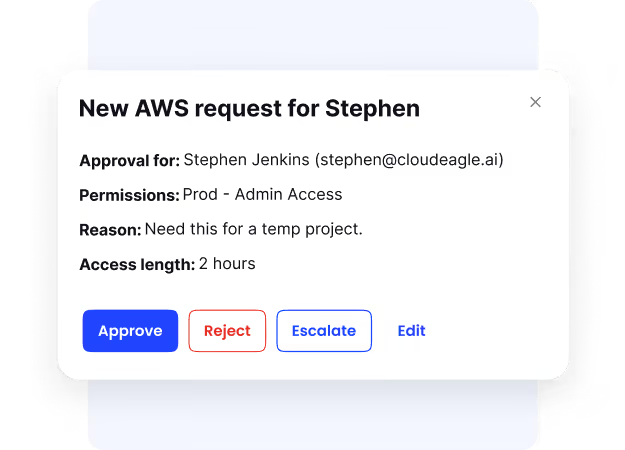
This dramatically increases the blast radius when something goes wrong.
Common issues include:
- Too many admins or super-admins per application
- Users retaining elevated access after role changes
- Contractors and third parties with long-lived access
- No periodic review of privileged permissions
- Lack of least-privilege enforcement
Excessive access turns minor incidents into major security events.
B. Lack of continuous monitoring
Many organizations rely on quarterly or annual reviews to assess SaaS security. Unfortunately, SaaS environments don’t stay static between reviews.
Configurations, users, and integrations change daily.
Typical monitoring gaps include:
- One-time configuration checks with no follow-up
- No alerts for risky behavior or permission changes
- Missed configuration drift over time
- Limited visibility into user activity patterns
- Delayed detection of misconfigurations
Without continuous monitoring, security posture degrades silently.
C. Fragmented security ownership
SaaS security often falls between teams.
IT manages access, security owns policies, and business teams own the apps, but no one owns the full security posture.
This fragmentation creates accountability gaps.
Common ownership challenges include:
- No clearly defined app or security owner
- Security reviews skipped during renewals
- Integrations added without approval
- Inconsistent enforcement of security standards
- Delayed remediation when risks are identified
Clear ownership is the foundation of effective SaaS security governance.
5. How CloudEagle.ai Strengthens SaaS Security Posture
SaaS Security Posture Management isn’t just about policies; it’s about continuous visibility, access control, and enforcement across every SaaS and AI tool employees use.
CloudEagle.ai strengthens SaaS security by addressing the gaps traditional IAM, CASB, and point security tools leave behind.
A. Eliminates SaaS & AI Blind Spots
CloudEagle provides 100% visibility into all SaaS and AI applications, including employee-purchased, free, and unsanctioned tools.
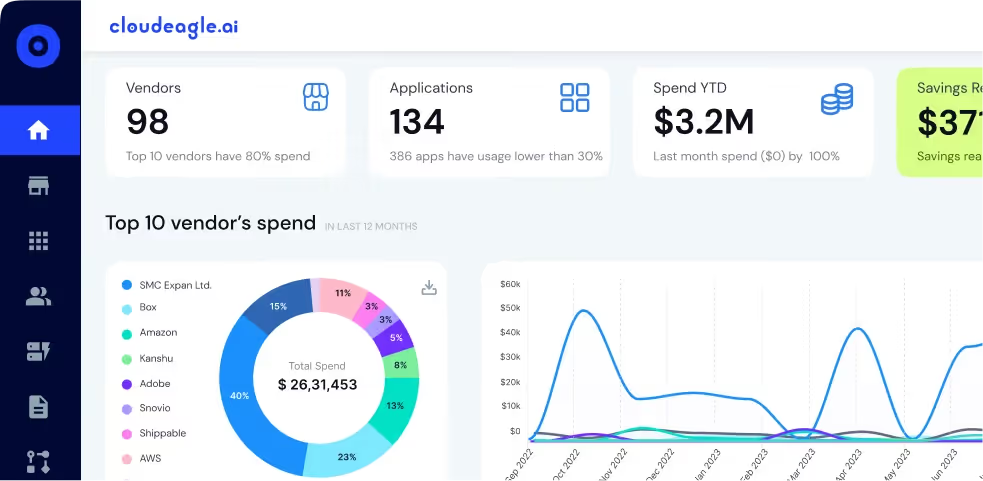
By correlating login data, spend signals, and usage patterns, security teams can finally see which apps exist, who’s using them, and where risk is coming from.
Security impact: Reduced shadow IT, smaller attack surface, fewer unknown data exposure risks.
B. Enforces Least-Privilege Access Across All SaaS
CloudEagle centralizes user access visibility across every application, even those outside SSO or IAM coverage.
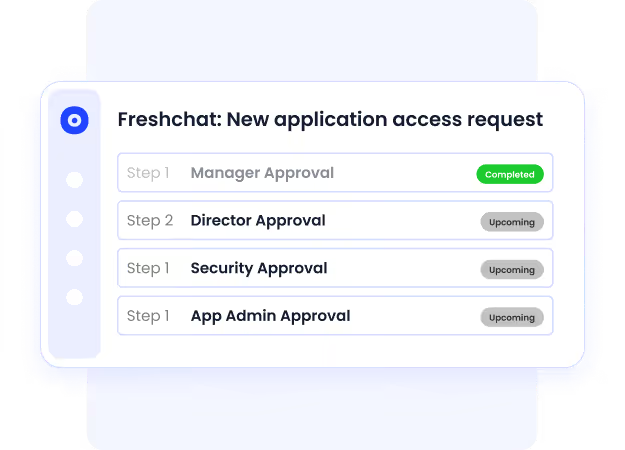
It identifies overprivileged users, admin sprawl, and stale permissions, enabling security teams to enforce least-privilege access consistently.
Security impact: Lower insider threat risk and reduced chances of privilege-based breaches.
C. Automates Onboarding, Offboarding & Access Reviews
Manual provisioning and quarterly access reviews create security gaps. CloudEagle automates:

- Role-based provisioning
- Instant deprovisioning on exit
- Continuous, audit-ready access reviews
This ensures access is always aligned with employment status and role changes.
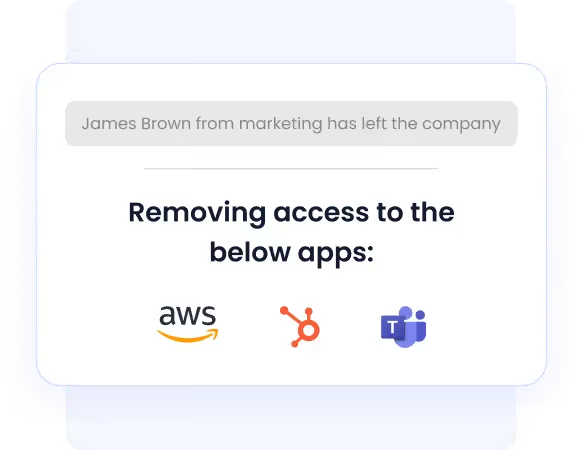
Security impact: Eliminates orphaned accounts and lingering access, one of the leading causes of SaaS breaches.
D. Reduces Risk from Shadow IT & Employee-Bought AI Tools
CloudEagle detects unsanctioned SaaS and AI tools early, before they become compliance or data-leak risks.
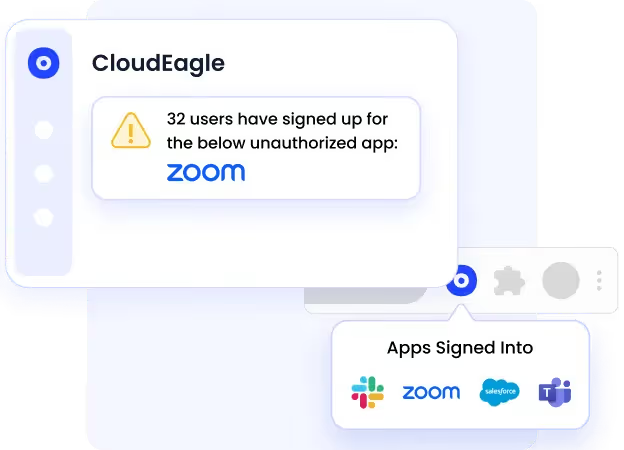
Security teams can take action directly, notify users, revoke access, or enforce approval workflows, without blocking productivity.
Security impact: Proactive control over AI sprawl and unsanctioned apps.
E. Strengthens Compliance & Audit Readiness
With centralized audit logs, access history, and approval trails, CloudEagle makes it easy to demonstrate compliance with frameworks like SOC 2, ISO 27001, GDPR, and internal security policies.
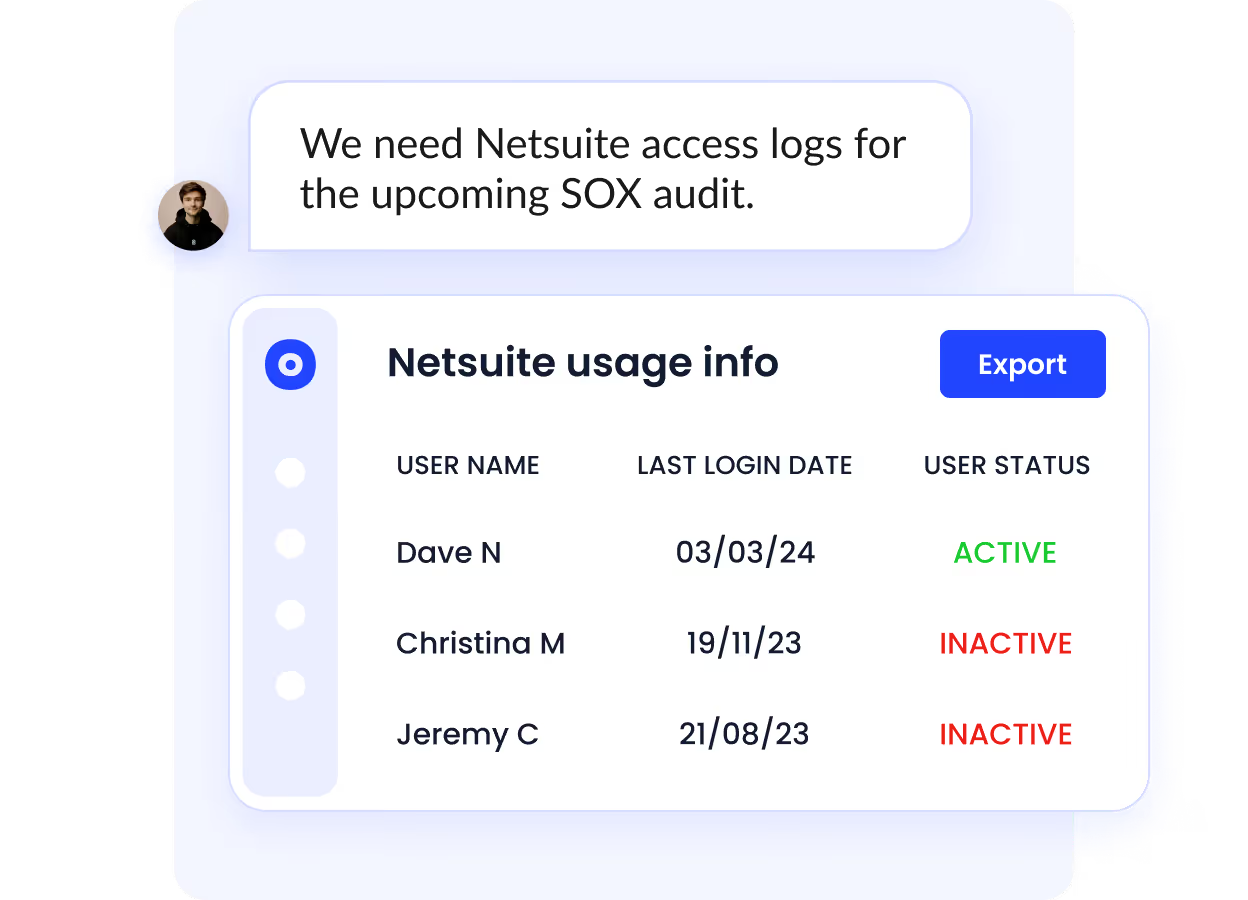
Security impact: Faster audits, fewer findings, and reduced compliance fatigue.
F. Security That Also Cuts SaaS Waste
Unlike tools that focus only on risk, CloudEagle connects security with cost control.
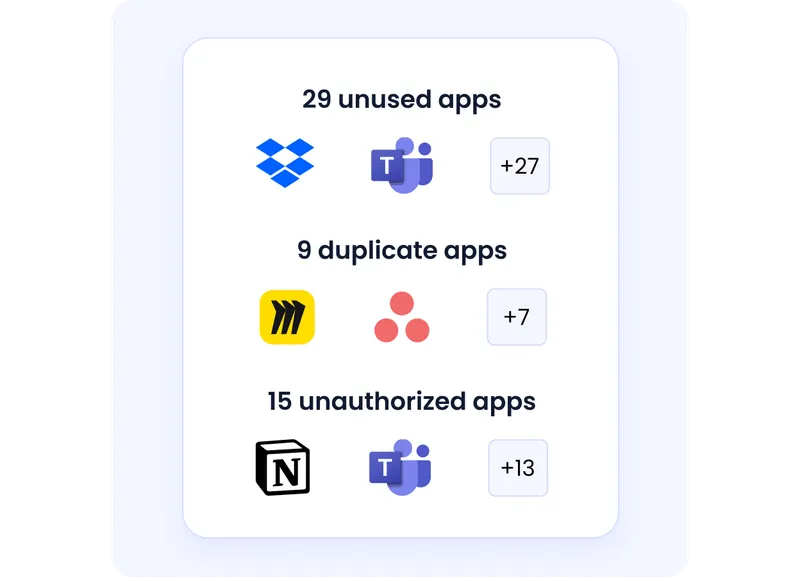
By removing unused access, reclaiming licenses, and eliminating duplicate apps, organizations strengthen security while saving 10–30% on SaaS spend.
Security impact: Fewer apps, fewer users, fewer risks, by design.
Organizations using automated SSPM and access governance platforms reduce security findings by up to 40% across audit cycles.
6. Final Thoughts
SaaS security risks don’t come from a single failure. They come from accumulated gaps, misconfigurations, excessive access, unmanaged apps, and poor visibility. Without structure, these risks grow unnoticed.
A practical SaaS security posture management checklist helps teams review, monitor, and fix issues continuously. When SSPM is treated as an ongoing discipline, security posture improves, and audit readiness follows naturally.
CloudEagle.ai enables enterprises to operationalize SaaS security posture management by combining discovery, access governance, monitoring, and remediation in one platform.
Book a free demo to see how CloudEagle.ai strengthens SaaS security posture.
Frequently Asked Questions
1. What does SaaS security posture management include?
It includes SaaS discovery, configuration monitoring, access reviews, integration assessment, activity logging, and incident readiness.
2. How often should SSPM reviews be conducted?
Critical access and activity should be monitored continuously, with formal reviews conducted quarterly.
3. What are the biggest SaaS security risks today?
Misconfigurations, Shadow IT, over-privileged users, unmanaged integrations, and a lack of monitoring.
4. What are the security measures of SaaS?
Access controls, MFA, encryption, logging, configuration management, and incident response processes.
5. Who is responsible for security in SaaS?
Security is a shared responsibility between the SaaS provider and the customer, with customers responsible for access, configuration, and usage.


.avif)


.avif)
.avif)




.png)





.png)
.avif)
.avif)
.avif)


