
%201.svg)


HIPAA Compliance Checklist for 2025

An auditor reviewing HIPAA readiness usually starts with a simple request: “Show us who accessed patient records last month.”
If security teams need hours to collect logs from multiple systems before answering, auditors immediately see gaps in HIPAA Compliance Readiness.
HIPAA requires healthcare organizations to do more than protect patient data. They must prove that protected health information (PHI) is accessed only by authorized users, logged properly, and monitored continuously.
In this article, we will explain how to prove HIPAA compliance readiness to auditors, what evidence they typically request, and how organizations can prepare before the audit begins.
TL;DR
- HIPAA compliance readiness depends on proving PHI access is controlled, logged, and continuously monitored.
- Auditors expect instant evidence like access logs, role-based permissions, and activity trails.
- Organizations fail when logs are fragmented, access reviews are manual, and evidence is hard to retrieve.
- Strong readiness requires role-based access, audit trails, and real-time monitoring of PHI systems.
- CloudEagle.ai automates access reviews, centralizes logs, and ensures continuous audit readiness.
1. What Do HIPAA Auditors Actually Look For During a Compliance Review?
Auditors evaluating HIPAA Compliance Readiness focus on verifiable evidence that protected health information (PHI) is properly controlled.
They typically ask organizations to demonstrate who accessed patient records, how that access was authorized, and whether access contols are actively monitored.
- Access Logs For PHI Systems: Auditors often request records showing which employees accessed electronic health records (EHR) systems like Epic Systems or Cerner.
- Role-Based Access Controls: Organizations must show that staff members only have access to the patient information required for their role.
- Audit Trails And Activity Monitoring: Security teams need to produce logs that track when PHI was viewed, edited, or exported.
These checks are not theoretical. According to Techjury, 30% of all data branches consist of medical records.
For organizations aiming to demonstrate strong HIPAA Compliance Readiness, the key is having these records immediately available.

2. How Do You Demonstrate HIPAA Compliance Readiness?
Demonstrating HIPAA Compliance Readiness means showing auditors clear, verifiable evidence that PHI is secured only by authorized users.
For example, enterprises must be able to show who accessed patient records and whether the access matched the employee’s role.
A. Restricting Access to Authorized Healthcare Personnel Only
A key part of HIPAA Compliance Readiness is ensuring that only authorized healthcare personnel can view or interact with protected health information (PHI).
This means access must be limited based on job function, not simply granted to anyone who works within the organization.
Role-Based Access Controls
Physicians, nurses, and administrative staff receive different access levels in electronic health record systems like Epic Systems or Cerner.
Department-Level Permission Boundaries
A billing specialist may access insurance and billing data but should not see clinical notes or diagnostic records.
Automatic Access Revocation During Role Changes
When staff members transfer departments or leave the organization, their PHI permissions must be immediately adjusted or removed.
As the U.S. Department of Health and Human Services states,
“Covered entities must implement policies and procedures to allow access only to those persons or software programs that have been granted access rights.”
These controls demonstrate HIPAA Compliance Readiness because auditors expect organizations to prove that patient data exposure is limited. Failing to do so will make your enterprise another HIPAA violation example.
B. Preventing Unauthorized Modification of Health Records
Another critical part of HIPAA Compliance Readiness is ensuring that patient records cannot be altered without authorization. Auditors look for controls that prevent unauthorized edits and provide evidence.
Edit Permissions Restricted By Role
Only licensed clinicians should modify clinical notes or treatment plans inside electronic health record platforms like Epic Systems or Cerner.
Change Tracking And Version History
Systems must record who edited a patient record, when the change occurred, and what information was modified.
Approval Controls For Critical Updates
Certain record updates, such as diagnosis corrections or medication changes, may require supervisory review.
These controls are essential for proving HIPAA Compliance Readiness because patient records must remain accurate and trustworthy.
- Organizations must maintain logs showing who accessed or edited PHI.
- Security teams should be able to detect unusual patterns, such as repeated edits to multiple patient files.
When organizations can demonstrate that record changes are logged and restricted to authorized roles, they provide auditors with clear evidence that PHI integrity is protected.`
C. Ensuring Authorized Access to PHI When Needed
A key aspect of HIPAA Compliance Readiness is making sure authorized healthcare staff can access patient data quickly when needed.
Restricting access too aggressively can delay care, which is why HIPAA requires both protection and availability of PHI.
Role-Based Access For Care Teams
Physicians, nurses, and specialists must be able to retrieve patient records in EHR systems like Epic Systems without waiting for manual approvals.
Secure Access Across Locations
Healthcare providers often need to access records from clinics, hospitals, or telehealth platforms while maintaining encryption and authentication controls.
Emergency Access Procedures
Systems must support controlled “break-glass” access so clinicians can retrieve PHI during emergencies.
Ensuring availability is a core HIPAA principle. According to Cobalt, healthcare breaches cost around $398 billion annually.
Maintaining HIPAA Compliance Readiness therefore means balancing strict access controls with reliable system availability so authorized staff can obtain patient information without unnecessary delays.
3. Where Do Organizations Commonly Fail HIPAA Audit Readiness?
A healthcare organization receives notice of an upcoming audit. The SaaS compliance team begins gathering evidence to prove HIPAA Compliance Readiness.
Compliance Team Perspective:
They can produce written policies about PHI protection and access control. But when auditors request logs showing who accessed patient records in the last 30 days, the data must be manually exported from multiple systems.
Security Team Perspective:
Different platforms store PHI access logs separately. Some systems retain logs for only a few weeks, making it difficult to demonstrate consistent monitoring during the review period.
Gaps in centralized logging, access documentation, and monitoring evidence are where many organizations discover weaknesses in their HIPAA Compliance Readiness.
4. How Does CloudEagle.ai Help Organizations Prove HIPAA Compliance Readiness?
Enterprises today manage hundreds of SaaS and AI tools across departments, making identity governance and compliance increasingly complex.
Access permissions change constantly, new applications appear without approval, and audit evidence often lives across scattered systems.
CloudEagle.ai provides a unified platform that centralizes SaaS discovery, identity governance, vendor oversight, and compliance automation.
A: Full SaaS Discovery and Complete Visibility
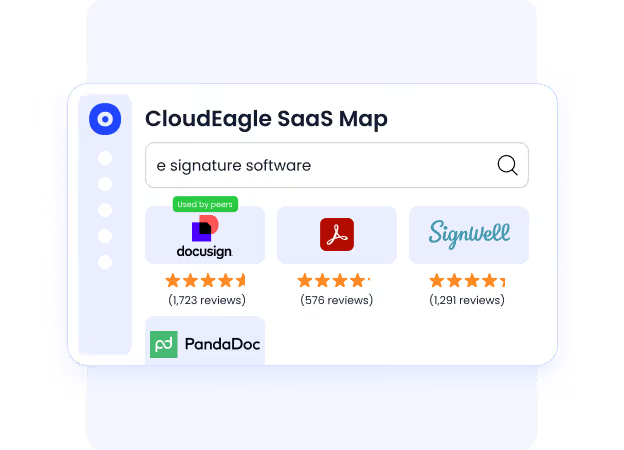
CloudEagle.ai provides a comprehensive inventory of all SaaS and AI tools used across the organization, eliminating blind spots that create compliance and SaaS security risk.
Current Process
IT and compliance teams rely on spreadsheets, expense reports, and scattered system logs to track applications.
Pain Points
Shadow apps remain undetected. Security teams lack a reliable view of the organization’s full SaaS footprint.
How We Do It
CloudEagle.ai aggregates signals from identity systems, finance platforms, browser activity, and more than 500 integrations.
Why We Are Better
Organizations gain a continuously updated inventory of every SaaS application, including sanctioned and shadow tools.
B: Automated Access Reviews That Run Continuously
CloudEagle.ai replaces slow, periodic access reviews with automated workflows that run continuously across applications.
Current Process
Access reviews are conducted quarterly or annually using spreadsheets and manual data collection.
Pain Points
Reviews are delayed, incomplete, and often rubber-stamped by managers without full context.

How We Do It
CloudEagle.ai pulls real-time identity and usage data across applications and triggers automated certification workflows.
Why We Are Better
Risky access is highlighted automatically, and rejected permissions are removed without manual intervention.
C: Audit-Ready Logs and Automated Evidence Collection
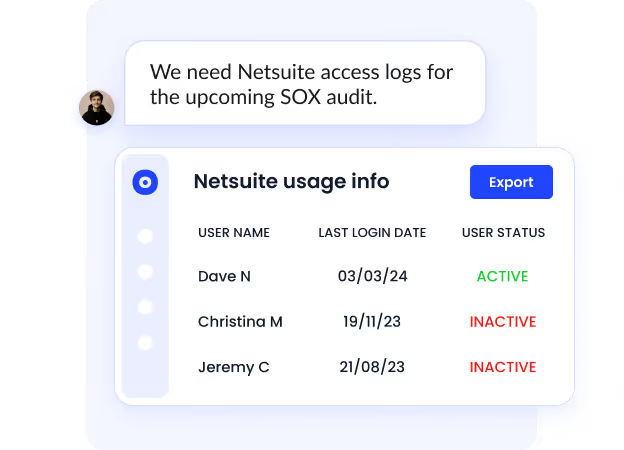
CloudEagle.ai ensures organizations always have the documentation needed for regulatory and security audits.
Current Process
Teams gather audit evidence manually across emails, tickets, and system logs.
Pain Points
Preparing evidence for SOC 2, ISO 27001, HIPAA, or GDPR audits takes weeks.
How We Do It
CloudEagle.ai automatically records provisioning actions, approvals, role changes, and access reviews.
Why We Are Better
Evidence packages and audit logs are generated automatically, reducing audit preparation time significantly.
D. Automated Provisioning and Role-Based Access Enforcement
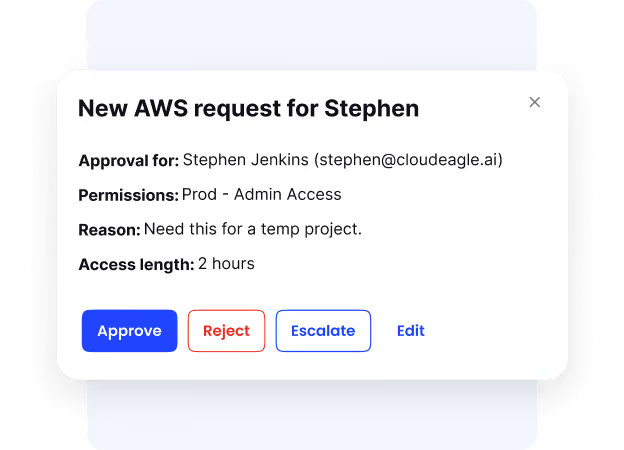
CloudEagle.ai ensures employees receive the right access at the right time while maintaining least-privilege controls.
Current Process
IT manually provisions and deprovisions access across applications when employees join or leave.
Pain Points
Manual provisioning leads to delays, inconsistent access levels, and potential security gaps.
How We Do It
CloudEagle.ai automates role-based provisioning, time-bound access, and zero-touch offboarding across SaaS apps.
Why We Are Better
Access stays aligned with roles and responsibilities, reducing insider risk and compliance failures.
HIPAA Doesn’t Forgive Gaps


5. Conclusion
Proving HIPAA Compliance Readiness is not about presenting policies during an audit. It is about demonstrating that PHI access, modification, and monitoring controls are consistently enforced across healthcare systems.
Auditors expect clear evidence: logs showing who accessed patient records, permissions that match employee roles, and monitoring systems that detect unusual activity.
If these records require hours of manual compilation, organizations struggle to demonstrate real HIPAA Compliance Readiness.
6. FAQs
1. What is HIPAA Compliance Readiness?
HIPAA Compliance Readiness refers to an organization’s ability to demonstrate that protected health information (PHI) is properly secured, monitored, and accessed only by authorized personnel. It means having the policies, controls, and audit evidence required to satisfy a HIPAA compliance review.
2. What evidence do auditors request to verify HIPAA Compliance Readiness?
Auditors typically request PHI access logs, role-based access control records, incident response procedures, encryption policies, and documentation showing who accessed patient records and when.
3. How often should organizations review HIPAA Compliance Readiness?
Healthcare organizations should review HIPAA Compliance Readiness regularly, not only before audits. Many organizations conduct quarterly access reviews, system monitoring checks, and security assessments to maintain continuous readiness.
4. What are common risks that affect HIPAA Compliance Readiness?
Common risks include unauthorized access to patient records, incomplete audit logs, delayed user access removal after role changes, and lack of centralized monitoring for PHI systems.
5. How can organizations improve HIPAA Compliance Readiness?
Organizations can improve HIPAA Compliance Readiness by implementing role-based access controls, maintaining detailed access logs, monitoring PHI activity across systems, and automating compliance reporting to ensure audit evidence is always available.


.avif)


.avif)
.avif)




.png)






.png)
.avif)
.avif)
.avif)


