%201.svg)


HIPAA Compliance Checklist for 2025

TL;DR
- Output tokens cost roughly 3 to 4 times more than input tokens across most providers. Most teams trim the question and never the expected answer
- Using a frontier model for every task is the single most expensive default nobody questions
- Context window growth is invisible cost. Every message in a long thread resends the full conversation history, not just the new question
- Caching and batch APIs exist specifically for repeated or latency-tolerant workloads, and most teams do not know they are eligible
- Prompt structure itself is a cost lever. Verbose system prompts get billed on every single call
- Knowing which lever would actually move your specific spend is harder than knowing all five exist
Five specific levers, not another list of usage habits.
Whichever AI tools your teams already use, output pricing, model selection, context handling, caching, and prompt structure all work the same underlying way. Each one is a lever that moves the number. Not a suggestion that depends on everyone remembering to apply it.
Understanding AI token economics is what makes the difference between trimming individual prompts and actually moving the spend line.
1. Why Token Pricing Isn't Just "Pay Per Word"
Most people think of token pricing as roughly linear: more words, more cost. The actual structure is more complicated, and the complexity is where the savings live.
Three things make token pricing non-linear:
- Input and output tokens are priced differently: On most major providers, output tokens cost significantly more than input tokens for the same model. That asymmetry means the length of the answer matters more than the length of the question, which is the opposite of how most teams think about optimization.
- Different models price differently for the same task: A frontier model and a smaller model from the same provider can differ by an order of magnitude in cost per token. The smaller model is not always worse for the task at hand. It is just rarely the default.
- The same conversation gets more expensive as it runs: Long threads do not bill only for the new message. They re-bill the entire conversation history on each turn. A thread that has been running for twenty turns is not twenty times the cost of one turn. It is significantly more, because each turn includes all previous turns in the context window.
Understanding these three dynamics is what makes the five levers below make sense. Without them, optimization feels arbitrary. With them, each lever has a clear mechanism.

2. 5 Ways to Reduce Token Costs in AI Tools
1. Exploit the Input/Output Pricing Asymmetry
Most optimization effort goes toward shortening the prompt. That is the cheaper side of the transaction.
Output tokens cost roughly 3 to 4 times more than input tokens across most major providers. If you send a 200-token prompt and receive a 600-token response, the response costs significantly more than the prompt, even though it is only three times longer.
The pricing asymmetry means that controlling output length moves more cost than controlling input length.
What actually moves the number:
- Ask for a specific output format that limits length: a list instead of an essay, a summary instead of a full explanation
- Set explicit word or sentence limits in the prompt
- Request structured output, such as JSON or a fixed template, rather than free-form text
- Tell the model to skip the preamble and give the answer directly
None of these require a better prompt. They require a prompt that constrains the output rather than one that is just shorter on the input side.
For vendor-specific habits that apply this principle: 👉 10 ChatGPT usage habits to reduce token consumption
2. Right-Size the Model to the Task
Using a frontier model for every task is the most expensive default in most organizations, and it is rarely a deliberate decision. It is just what is already open in the browser or configured in the API call.
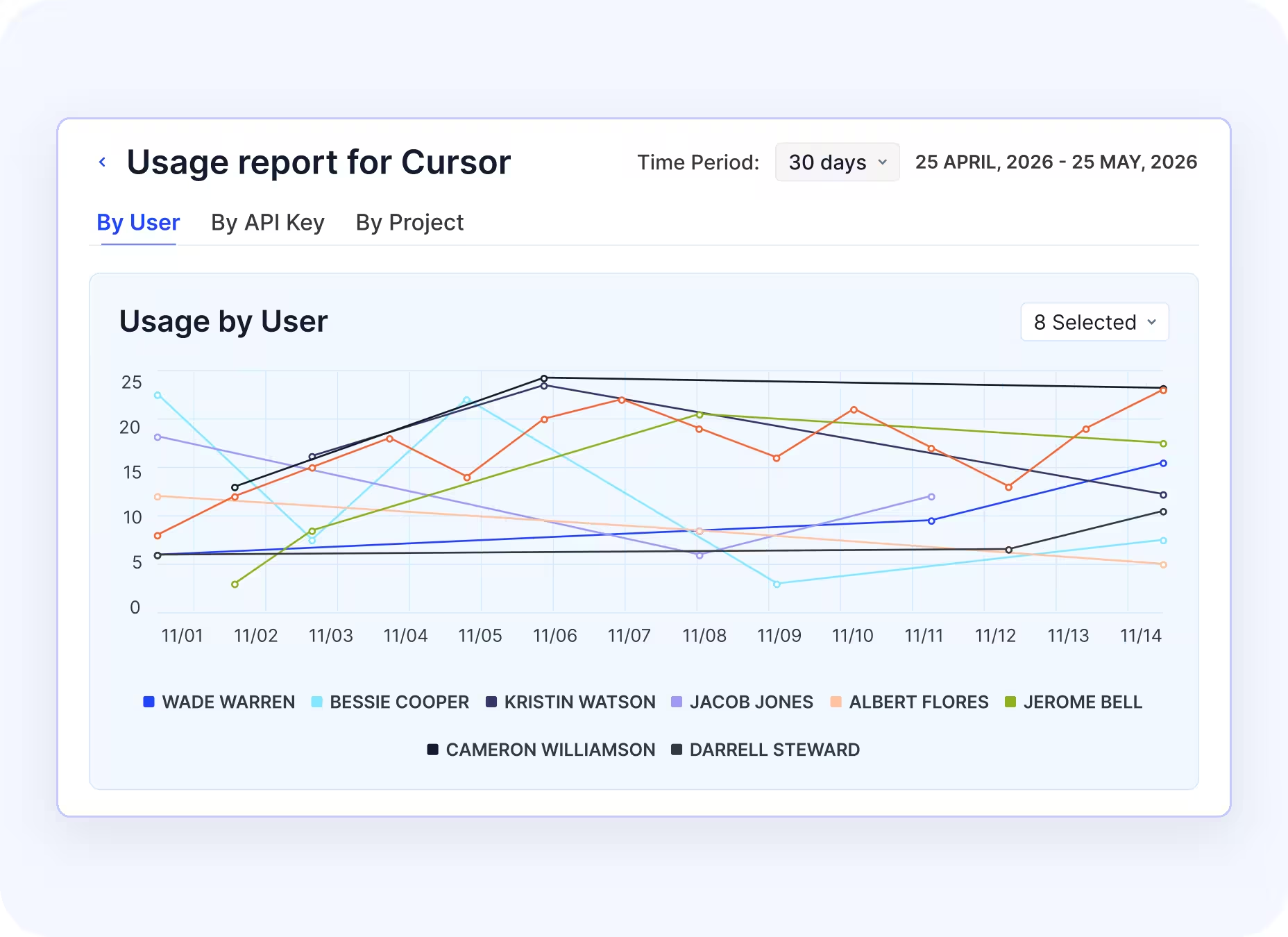
Classification, extraction, summarization, and simple rewrites do not require the most capable model available. They require a model that is good enough for that task, which is often a significantly cheaper option.
The matching principle:
The key word is testing. A cheaper model that requires a follow-up correction prompt often costs more in total than the frontier model would have. The goal is not to downgrade everything. It is to match model capability to what the task actually requires, then verify that output quality holds before deploying at scale.
For tracking which models are driving spend in your environment: 👉 AI usage control
3. Manage Context Window Growth
This is the least visible cost driver in most organizations because the billing mechanism is not obvious until you look for it.
Every message in a continuing conversation resends the entire conversation history, not just the new turn. A thread with ten previous messages does not bill for one new message. It bills for one new message plus all ten previous ones. The cost of each turn compounds as the thread grows.
What this looks like in practice:
A support agent using an AI tool for an eight-hour shift with one long running thread is not paying for eight hours of single-turn queries. They are paying for an increasingly expensive series of turns where each call includes the full conversation from the start of the shift.
Three ways to manage context growth:
- Start new sessions for new topics rather than continuing the same thread
- Summarize earlier context into a compressed handoff rather than carrying the full thread
- Set session length limits in workflows that use AI tools programmatically
This applies to API usage, agent workflows, and long-running chat sessions. The mechanism is the same across all three.
For a cross-tool view of how context costs compound: 👉 AI pricing guide
4. Use Caching and Batch APIs for the Right Workloads
Most teams paying full price for repeated or latency-tolerant workloads are eligible for meaningfully lower pricing they have never activated.
Prompt caching:
When a system prompt or large context block is identical across many API calls, caching avoids re-billing that identical content on each call. The first call pays full price. Subsequent calls that hit the cache pay a fraction of that. For workflows that share a common system prompt across thousands of daily calls, this is a structural reduction, not a per-call habit.
Batch APIs:
For workloads that do not need real-time responses, most major providers offer batch processing at a discount compared to synchronous API calls. Overnight document processing, bulk classification jobs, and asynchronous summarization pipelines are all candidates. The trade is turnaround time for cost.
How to identify eligible workloads:
- Any workflow where the same system prompt appears on more than a hundred calls per day is a caching candidate
- Any workflow where results are not needed within seconds is a batch API candidate
- Both require an audit of current API usage patterns, not just an assumption
For tracking which workflows are driving consumption: 👉 token consumption
5. Tighten Prompt Structure, Not Just Prompt Length
Shortening a single prompt saves tokens on that call. Restructuring a prompt template saves tokens on every call that template powers.
The distinction matters because most AI costs are not driven by one-off queries. They are driven by programmatic workflows where the same prompt structure runs thousands or millions of times. A verbose system prompt that includes redundant instructions, repeated boilerplate, or unnecessary context gets billed in full on every single call.
Structural changes that compound:
- Remove instructions that repeat information already in the system context
- Eliminate courtesy language, explanations of what the model should do, and hedging statements that do not affect output quality
- Split a single complex prompt into sequential smaller calls where each step only carries the context it needs
- Audit system prompt length independently of user message length, since system prompts are often the largest recurring cost in API workflows
A prompt engineering review is not a one-time optimization. Any prompt template that runs at scale should be reviewed for structural bloat on a regular cadence.
For cross-tool spend visibility: 👉 tracking spend
3. Why Individual Habits Only Get You Partway
All five levers above work. The constraint is not knowing the levers. It is knowing which one would actually move your specific spend.
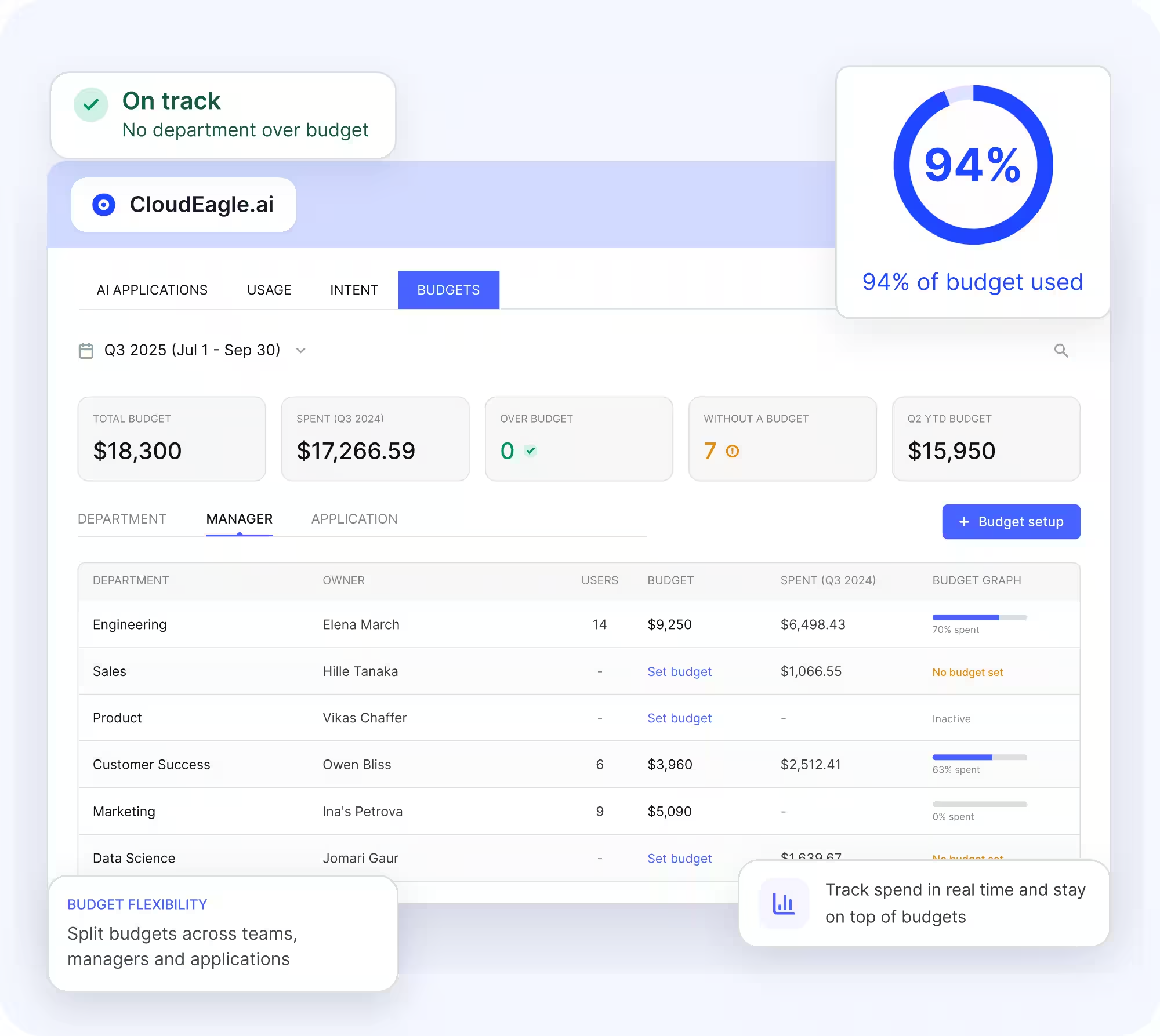
The right optimization priority depends on where your AI costs are concentrated:
- Single high-cost workflow: If 70% of token costs come from one batch workflow running on a frontier model, optimizing that workflow should be the priority.
- Distributed usage: If costs are spread across hundreds of engineers in long chat sessions, the optimization approach needs to focus on usage patterns across teams.
- Different spend, different strategy: Applying all five levers blindly to both situations produces different results because the underlying spend distribution is different.
Habits work at the individual level. AI token economics work at the system level. The gap between them is attribution: knowing where spend actually concentrates before deciding which lever to pull.
Most organizations cannot answer “Which team, workflow, or model is driving our AI costs this month?” without a manual audit. That audit is what makes the levers above actionable rather than theoretical.
For how enterprises approach this at scale: 👉 AI costs
📖 Worth a Read 👉AI Token Cost Management: How to Set Budgets That Actually Hold
4. How to Find Out Which Lever Actually Matters for Your Spend
Attribute Consumption Before Optimizing It
The conversation that actually moves spend is not "everyone should write shorter prompts." It is "this workflow drives 60% of our token costs and it is running on the wrong model."
Getting to that conversation requires per-team, per-project, and per-model token attribution: a breakdown of who is consuming what, across which models, through which workflows.
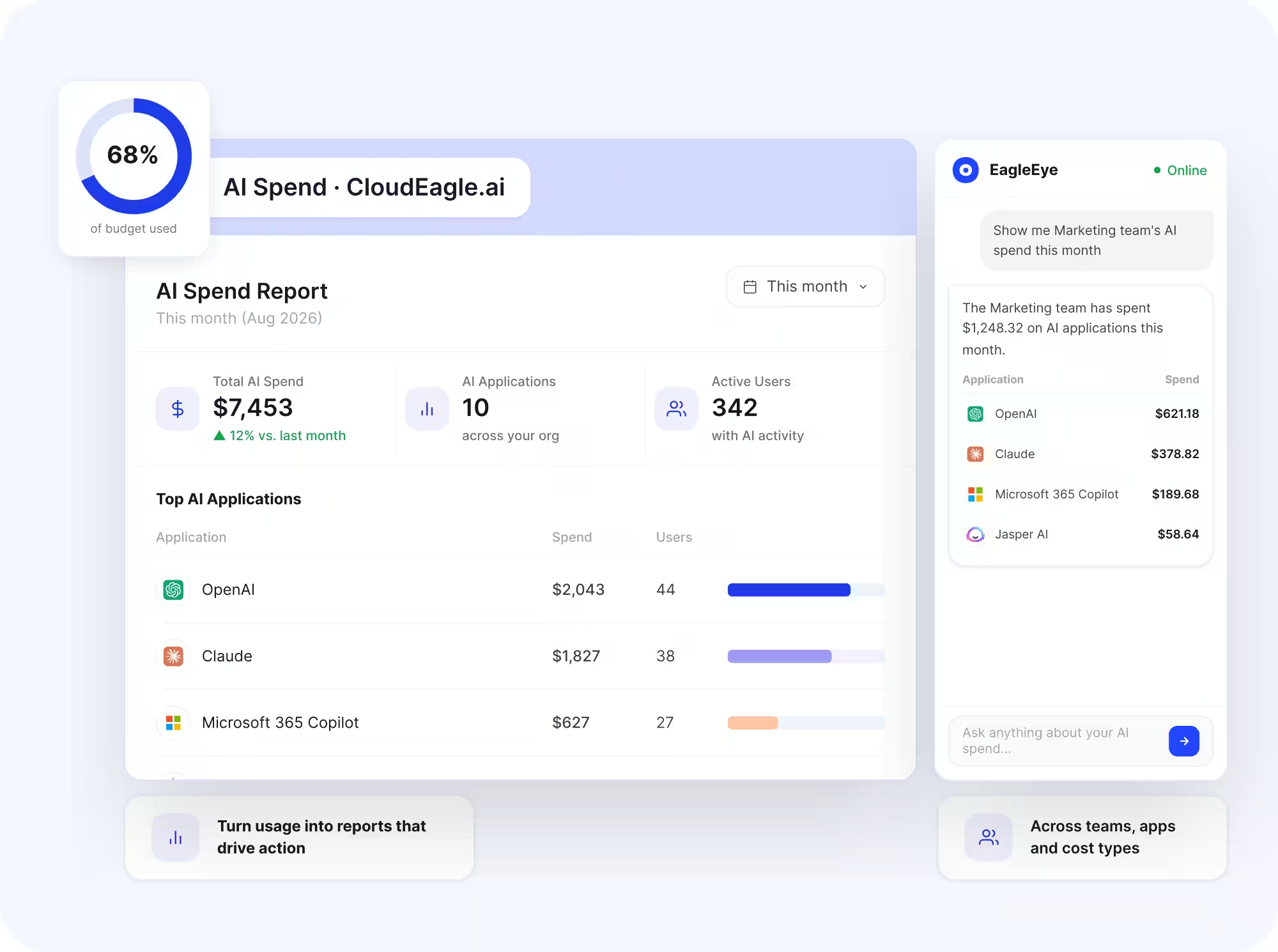
CloudEagle's AI governance module provides that attribution layer, tracking real-time token consumption by user, team, and tool, so optimization decisions are based on where the spend actually is rather than where it is assumed to be.
Get Model Recommendations Based on Actual Output Quality
Switching to a cheaper model is only a cost reduction if output quality holds for that specific task. A cheaper model that requires a correction prompt costs more than the frontier model would have.
CloudEagle's model recommendation capability suggests cheaper models for specific workload types based on real output quality comparisons across your organization's actual usage, not a blanket downgrade applied uniformly.
Which Team or Model Is Driving Your AI Spend?


Get Started
The five levers above work regardless of which AI tools your teams use. The question that determines where to start is not which lever is most powerful in general. It is which one addresses where your spend actually concentrates.
CloudEagle's AI governance module gives engineering leads and FinOps teams the attribution layer that makes that question answerable: per-team, per-model, per-workflow token consumption in real time, so the optimization conversation starts from data rather than assumption.
Book a demo with CloudEagle.ai to see your token consumption breakdown before deciding which lever to pull first.
Frequently Asked Questions
1. Does shortening my prompts actually save money?
Some, but usually less than expected. Input tokens are often cheaper than output tokens. Reducing output length through word limits, structured formats, and response templates can have a bigger impact on total cost.
2. Is switching to a cheaper model always the right move?
Only if quality holds for the task. A cheaper model that needs retries, correction prompts, or extra human review can cost more overall. Test model changes against representative real workloads before scaling them.
3. Do these levers apply the same way to Claude, ChatGPT, and Gemini?
The core mechanics are similar across providers, but pricing, model tiers, caching, and batch discounts differ. The right optimization depends more on your workload and usage distribution than on the provider.
4. Should we optimize AI costs before understanding where they come from?
No. Start with usage attribution. Identify which teams, models, applications, and workflows drive spend before changing anything. Otherwise, you may optimize low-cost usage while missing the workload driving most of your bill.
5. How do we know if an AI cost optimization actually worked?
Measure cost against output and workload volume, not spend alone. Track cost per request, task, user, or workflow alongside quality and retry rates. A lower bill is not an improvement if productivity or output quality also falls.
Which Team or Model Is Driving Your AI Spend?


.avif)


.avif)
.avif)




.png)





.png)
.png)

.avif)
.avif)
.avif)


