HIPAA Compliance Checklist for 2025

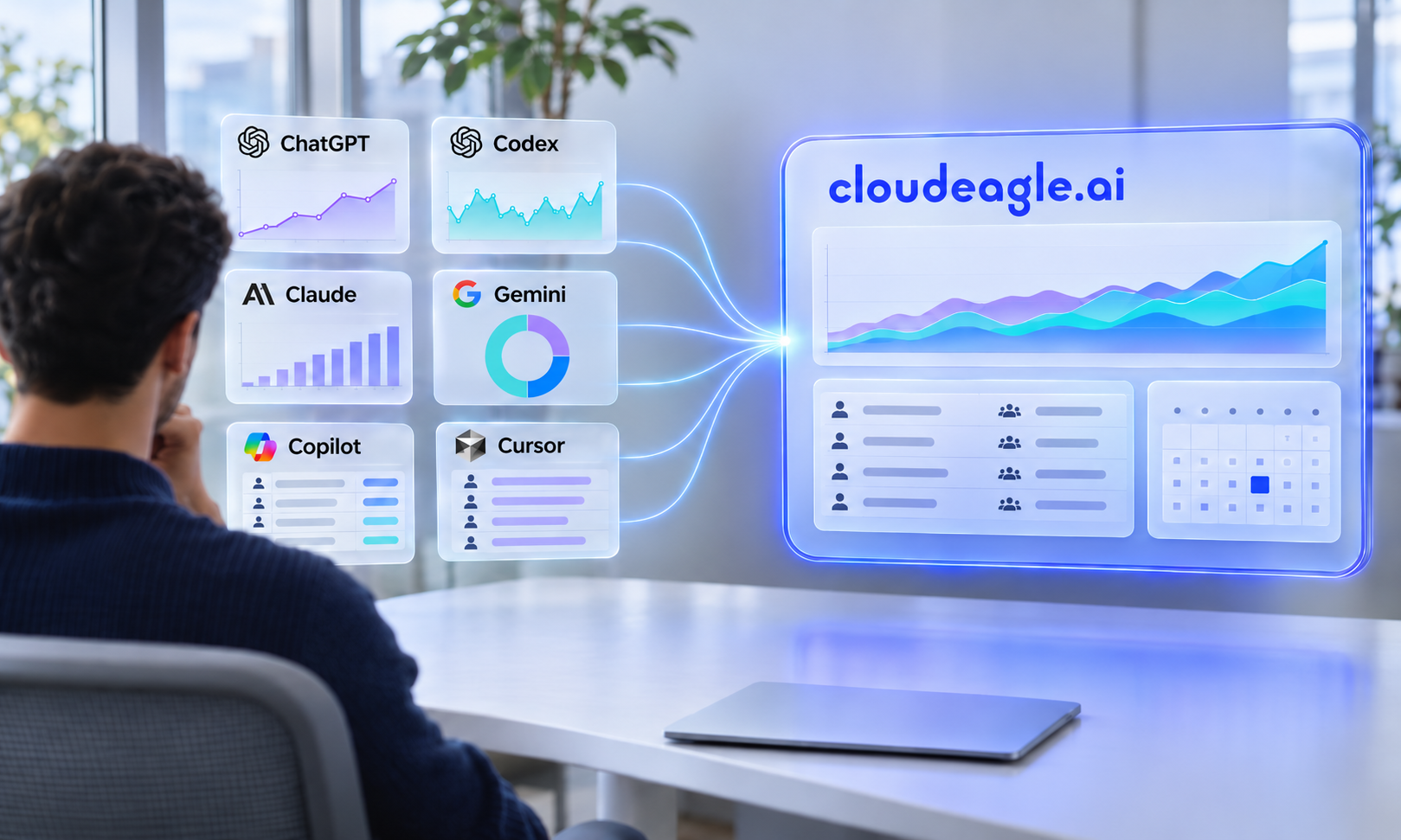
Vendor dashboards show what happened inside one product. They can't tell you your total SaaS and AI spend, who uses what, or what each contract says. A typical company runs about [300 apps: add a non-competitor source], and IT can't open a dashboard for each one.
What Do Vendor Dashboards Actually Show?
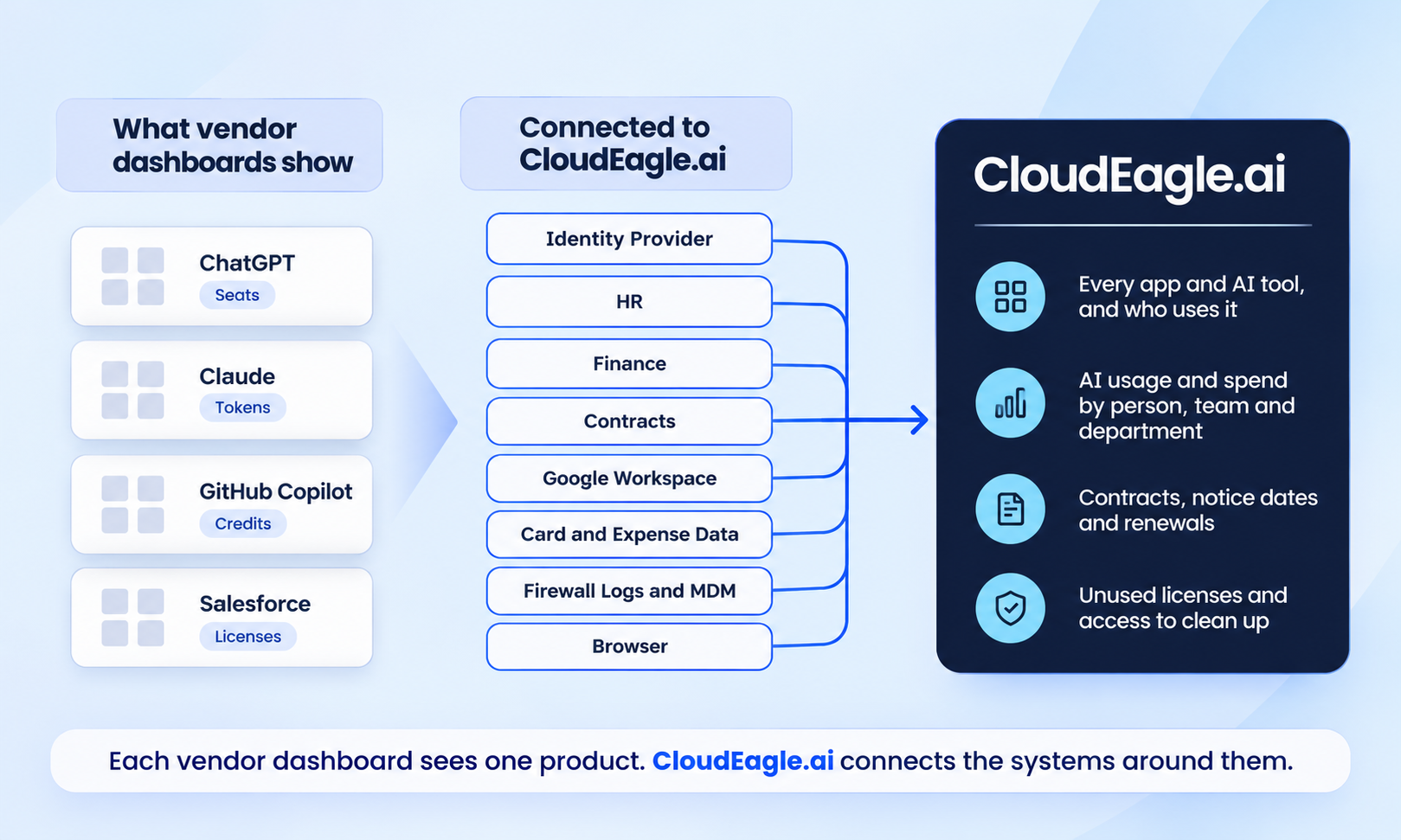
A vendor dashboard shows accurate data about one product: its users, seats, cost and renewal date. It stops at the edge of that product, with no view of your other apps, your contracts or your org chart.
Why Can't You See Total AI Spend in a Vendor Dashboard?
Because each AI tool, whether ChatGPT, Claude, Copilot or Cursor, reports only on itself, in its own unit. Finance gets the bills but can't tell who spent what, or which department it belongs to.
AI Tools Bill in Different Units
Some AI tools bill by seat, some by tokens and some by credits, like GitHub Copilot since June 2026. These numbers can't simply be added up.
One AI Vendor Can Mean Two Consoles
Anthropic has one screen for Claude chat plans and a separate console for API usage, with different keys and reports. So "all our Claude usage" can mean two dashboards.
Per-User AI Data Depends on Your Plan
Per-user data often comes only with Enterprise plans. Claude Team plans get a spend file you download by hand; Enterprise plans get an API.
So someone copies numbers into a spreadsheet. It doesn't update on its own, and the first sign of overspending is the invoice.
Our AI usage view pulls usage from each tool and ties it to people, teams and contracts in one place. Domo moved $2.4M of AI spend to weekly review and found 34% of AI licenses inactive. See our post on native visibility.
Why Don't Shadow AI and Shadow IT Show Up in Vendor Dashboards?
Because a vendor dashboard only shows accounts inside your company workspace. Shadow IT is any app used without IT knowing; shadow AI is the AI version. Common cases:
- Personal AI accounts: An employee uses their own ChatGPT account, so company data leaves outside your agreement.
- Apps on company cards: A team buys a tool on a card, and IT never sees it.
- Apps outside SSO: Your single sign-on only sees apps connected to it.
Our discovery pulls from seven sources, from your identity provider to card spend, firewall logs and our browser extension, then shows who uses each app.
You can then approve an app, block it or point people to an approved tool. More on shadow IT.
What Do Vendor Dashboards Miss About Your Contracts?
A vendor dashboard shows the renewal date for one subscription, not the deal behind it. The cancellation deadline, price caps and discounts live in the signed contract. There is no single calendar across apps, and reseller purchases may not show a date at all.
Miss the notice deadline and the contract renews for another term. A dashboard also doesn't know which department owns the app.
We read your contracts, pull out renewal dates, notice periods and key terms, and put every renewal in one calendar next to real usage. Sapphire Ventures started renewals 90 days early, cut auto-renewals by 100% and saves $1.3M a year.
The Internal Systems That Fill the Gap
Discovery finds the app. These systems tell you who owns it, what you pay and what you agreed to. We connect to them, so IT doesn't have to visit each vendor dashboard.
Who Cleans Up the Waste a Dashboard Finds?
Usually nobody. A dashboard can show unused licenses in one app, but it doesn't contact users or remove access elsewhere. So waste stays, and people who left can keep access.
Our license harvesting emails inactive users and takes back licenses they don't need. When someone changes roles or leaves, access is removed based on your HR data, as part of our access governance. Domo found 38% of its Salesforce licenses inactive, reclaimed 760 seats and saves $1.5M a year.
When Is a Vendor Dashboard Enough?
When you use one main vendor, spend little, or the tool has strong built-in reporting, like AWS cost tools.
We read the same vendor APIs, so where a plan doesn't share data, we fill the gap with file uploads and our browser extension.
What Should You Do Next?
List what your dashboards can't answer: total AI spend, unknown apps, contract deadlines and unused licenses. Then connect the systems that hold the answers with our AI governance and SaaS management. Book a demo.
FAQs
Why Isn't a Vendor Dashboard Enough to Govern SaaS and AI?
Each vendor dashboard shows only its own product, in its own units, on the plan you bought. It can't see your other apps, your contract terms or your departments.
What Internal Systems Does CloudEagle.ai Connect To?
SSO and directory tools, HR, finance and purchasing systems, contracts and IT service desks. Other apps can send data by file upload.
When Is a Vendor Dashboard Enough?
When you use one main vendor, spend little, or the vendor has strong built-in reporting.