SaaS Security

What is GRC (Governance, Risk, and Compliance)?

Share via:
Written by:
CloudEagle.ai Team
Reviewed by
Nidhi Jain
Last Updated:
September 21, 2026
blog-cms-banner-bg
Little-Known Negotiation Hacks to Get the Best Deal on Slack
cta-bg-blogDownload Your Copy

HIPAA Compliance Checklist for 2025

Download PDF

GRC (Governance, Risk, and Compliance) sounds simple until you have to prove your organization is actually following its own rules. With SaaS, AI, cloud services, and third-party tools spreading across teams, that gets harder.

A 2026 Drata and Wakefield Research study found that only 13% of U.S. IT and security professionals are fully confident they can see every AI tool employees use.

That exposes a basic problem with modern GRC: you cannot govern what you cannot see. Policies, risk assessments, and controls are only useful when they connect to what is actually happening across applications, identities, data, and systems.

This guide breaks down what GRC means, how its three pillars work together, and what a modern GRC program needs to cover.

1. What is GRC?

GRC is a framework for managing governance, risk, and compliance across an organization. It helps businesses set clear rules, identify and reduce risks, meet regulatory requirements, and track whether key controls are working.

The three parts work together:

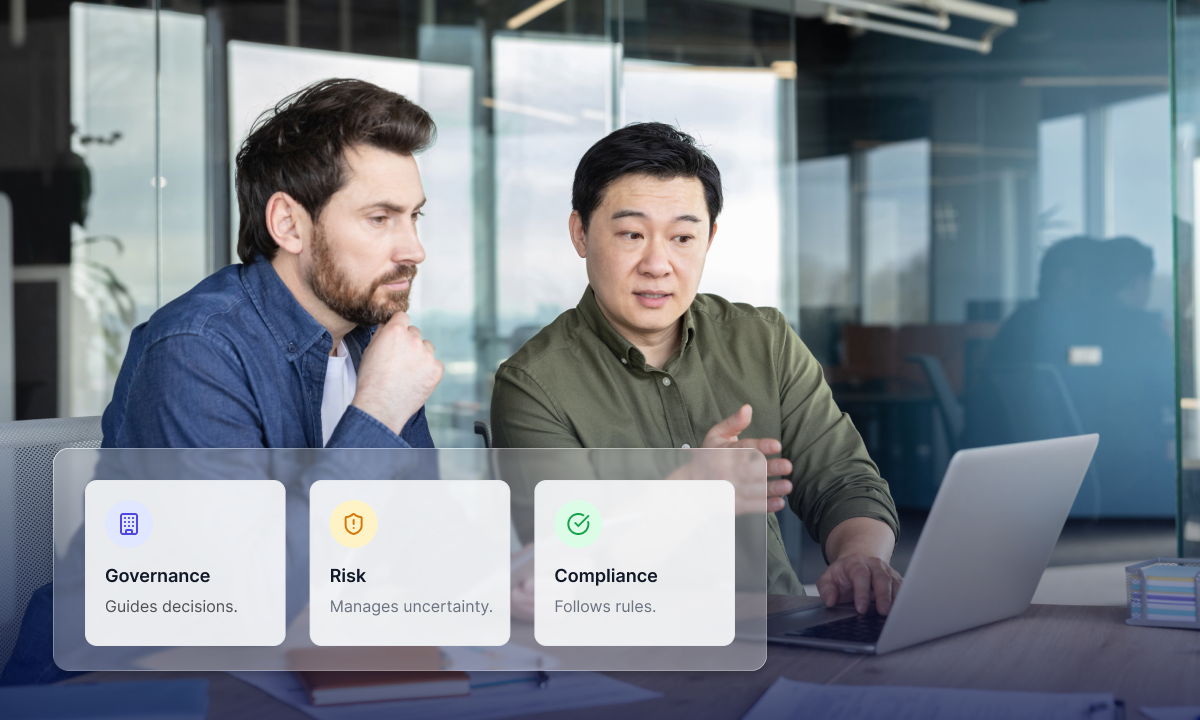
  • Governance: Defines policies, responsibilities, and decision-making.
  • Risk: Identifies threats, assesses their impact, and determines how to handle them.
  • Compliance: Ensures the organization meets laws, regulations, standards, and internal requirements.

Put simply, governance sets the direction, risk identifies what could go wrong, and compliance checks whether the required rules and controls are being met.

Policies Alone Don't Keep You Compliant

Execution does.
See The Best Practices

2. How Does GRC Work in Practice?

GRC works best when a business goal is tied to a real risk, a control, and proof that the control is working.

A simple flow is: Business goal → Policy → Risk → Control → Evidence → Review → Fix → Report

For example, a company wants to protect customer data. It can:

  • Set a policy requiring least-privilege access.
  • Flag excessive access as a risk.
  • Use regular access reviews as a control.
  • Keep evidence of who was reviewed and what changed.
  • Fix unnecessary permissions and record the outcome.
  • Report the remaining risk to the right teams.

The important part is the link between each step. A policy tells people what should happen. Evidence shows what actually happened. Risk management helps decide what needs to change.

3. What Does a GRC Program Include?

A GRC program brings together the rules, risks, controls, and evidence a company needs to keep risk under control and meet its obligations. The exact setup varies by organization, but the core pieces are usually the same:

  • Policies and standards: Set clear expectations for how people, systems, and vendors should operate.
  • Risk management: Identify risks, assess their impact, assign owners, and decide what to do with them.
  • Controls: Put safeguards in place to reduce the risks that matter most.
  • Compliance: Map regulations, standards, contracts, and internal requirements to the controls that address them.
  • Evidence: Keep records that show a control was actually performed, not just documented.
  • Issues and exceptions: Track failed controls, overdue fixes, and risks the business has chosen to accept.
  • Audit and reporting: Give leadership a current view of major risks, control gaps, and remediation progress.

The pieces should connect. A risk needs an owner, a control needs a purpose, and a control needs evidence to show it worked. That connection is what turns GRC (Governance, Risk, and Compliance) from a collection of documents into a working risk-management process.

Also read: What Is Compliance Risk Management? Framework, Tools

4. What are the Main Types of Risk Managed Through GRC?

GRC covers many kinds of risk because problems rarely stay within one team or function.

The main ones include:

  • Cyber security risks: Security breaches, inadequate access controls, exposed systems, and data breaches.
  • Operational risk: Outage, process errors, system failure, and control failures.
  • Third-party risk: Risks introduced through third parties, such as vendor risk assessment, SaaS applications, cloud services, or business partners.
  • Privacy and compliance risk: Violation of laws, regulations, agreements, or internal policy.
  • Financial risk: Financial fraud, loss, or inadequate financial controls.
  • Technology risk: IT software risks, infrastructure, integration, or technology.
  • AI risk: Risks associated with AI usage, data exposure, inadequate control, or rogue AI agents.

What makes this complex is that there could be one issue that falls into multiple categories. For instance, a SaaS solution may pose risk due to its access, its privacy due to data, and risk from a third party since it is owned by another company.

This is the reason why the GRC (Governance, Risk, and Compliance) framework would be most effective if teams consider four elements of risk, business impact, controls, and ownership rather than assigning each issue in a different box.

Shadow AI Doesn't Wait For Approval

It just gets adopted.
Discover Hidden AI

5. What is the Difference Between GRC, ERM, IRM, and Compliance?

These terms are often used interchangeably, but they solve different problems. The easiest way to understand them is to look at what each one manages and where it fits in the business.

Area What it focuses on What it typically covers The key question
GRC Governance, risk, and compliance as one connected process Policies, risks, controls, compliance requirements, evidence, audits, and accountability Are we governing the business properly, managing risk, and meeting our obligations?
ERM Risk across the entire business Strategic, financial, operational, technology, reputational, and other enterprise risks What could stop us from reaching our business goals?
IRM Connecting risk information and processes across teams Risk data, assessments, controls, workflows, reporting, and decision-making Do we have a connected view of risk across the organization?
Compliance Meeting specific requirements Laws, regulations, industry standards, contracts, and internal policies Are we meeting the rules, and can we prove it?

6. How Do You Measure GRC Maturity?

GRC maturity is not about how many policies sit in a folder. It is about how well the program handles risk in day-to-day work.

A simple maturity path is:

  • Reactive: Teams deal with risks as they come up, often using spreadsheets.
  • Repeatable: Policies, controls, reviews, and owners are clearly defined.
  • Connected: Risks, controls, requirements, and evidence are linked.
  • Continuous: Teams can spot control gaps and changes without waiting for an audit.
  • Risk-led: GRC data helps teams make security, technology, and business decisions.

Keep an eye on numbers such as open high-risk issues, overdue fixes, control coverage, outdated evidence, and time to close findings.

The real question is simple: when a risk shows up, how quickly can your team spot it and act?

7. What Are the Most Common GRC Challenges and How to Address Them?

GRC usually breaks down in the gaps between teams, systems, and processes. A company may have the right policies on paper but still struggle to see whether those controls are working in practice.

A. GRC Data Is Scattered Across Systems

Risk teams may use one tool, audit teams another, while security and identity data sits elsewhere. That makes it hard to get one reliable view of a risk.

How to fix it: Bring risks, controls, requirements, owners, and evidence into a connected system. Where possible, pull in supporting data from security, identity, and application systems instead of relying on manual updates.

B. Evidence Collection Takes Too Much Time

Teams often spend hours chasing screenshots, reports, spreadsheets, and emails before an audit. Worse, some evidence is already outdated by the time someone reviews it.

How to fix it: Automate repeatable evidence collection and tie each item to the control it supports. Add clear review dates so stale evidence gets flagged instead of reused.

C. One Control Gets Documented Again and Again

The same access control may support several frameworks, but teams often collect separate evidence for each one. That creates extra work without adding much assurance.

How to fix it: Build a common control library and map it across the frameworks you follow. Reuse evidence where the scope and test requirements match.

D. The Risk Register Grows, but Priorities Stay Unclear

A long list of risks does not tell leadership what needs attention first. A minor documentation issue should not compete with excessive privileges on a critical system.

How to fix it: Rank risks using factors such as business impact, likelihood, data sensitivity, system criticality, and existing controls. Give high-impact findings a clear owner and deadline.

E. Policies and the Real Environment Do Not Match

This is a growing problem with SaaS and AI. A company may prohibit unapproved tools, yet employees can still adopt them through browsers, personal accounts, or direct purchases.

How to fix it: Check policy requirements against what is actually happening across applications, access, identities, and data. A control is only useful when you can verify that it exists and works in the real environment.

8. How Can Organizations Improve Their GRC Program?

A GRC program becomes useful when it helps teams make decisions and fix problems, not just maintain records.

A few changes can make the program stronger:

  • Tie risks to business goals: A risk matters more when you can show what process, system, data, or revenue it could affect.
  • Give every risk an owner: Set a clear owner, action, and deadline. Avoid risks sitting in a register with no next step.
  • Map controls once: Reuse common controls across multiple frameworks instead of testing the same requirement repeatedly.
  • Automate repeat work: Automate evidence collection, reminders, control checks, and issue tracking where the data already exists.
  • Keep risk data fresh: Revisit risk when there are changes in vendors, applications, access, regulations, or business processes.
  • Use real environment data: Compare policy requirements with actual application, identity, access, and data activity. This helps uncover gaps that a periodic review may miss.
  • Manage exceptions properly: Record why a risk was accepted, who approved it, what compensating control exists, and when it must be reviewed again.

The goal is not to add more GRC processes. It is to make the existing ones easier to trust, easier to act on, and harder to let go stale.

Also Read: AI Compliance Checklist 2026: Prevent Fines, Pass Audits 

9. How Does CloudEagle Support Modern GRC?

GRC is only as useful as the data behind it. CloudEagle.ai brings SaaS and AI discovery, access, security posture, usage, and identity data together, helping teams check whether their policies and controls match what is actually happening across the environment.

Teams can use CloudEagle.ai to:

  • Find approved, unapproved, and shadow SaaS and AI applications
  • See who has access and where permissions are too broad
  • Bring API keys, service accounts, tokens, and AI agents into identity reviews
  • Connect application usage and security signals with risk decisions
  • Support remediation when access, identity, or application risks are found

Real-World Example

Treasure Data used CloudEagle.ai to bring SaaS access into a more continuous governance process. The company reported an 80% reduction in over-provisioned access, 1,200+ hours saved annually on access reviews and audit evidence, and 90% faster user provisioning and deprovisioning.

The takeaway for GRC is straightforward: policies and controls become more useful when teams can connect them to real applications and access data, rather than relying only on manual evidence.

10. Conclusion

GRC is not about having more policies or getting through another audit. It is about knowing what could go wrong, putting the right controls in place, and knowing when those controls stop working.

That matters even more as companies add SaaS, AI, cloud services, and third-party tools to the mix. Good GRC connects business goals, risk, controls, and evidence, so teams can spot gaps early and act before they turn into bigger problems.

11. FAQs

1. What does GRC mean in simple terms?
A. GRC stands for Governance, Risk, and Compliance. It brings policies, risk management, controls, and compliance requirements into one connected approach so teams can make better decisions and keep risks under control.

2. What are the three pillars of GRC?
A. The three pillars are governance, risk, and compliance. Governance sets direction and accountability, risk management identifies and handles potential problems, and compliance makes sure the organization meets applicable requirements and can show evidence of doing so.

3. What is the difference between GRC and ERM?
A. ERM focuses on managing risks across the entire business, including strategic, financial, operational, and technology risks. GRC is broader in structure because it brings governance and compliance together with risk management.

4. Is GRC part of cybersecurity?
A.
GRC is not the same as cybersecurity, but the two work closely together. Cybersecurity protects systems, applications, identities, and data, while GRC provides the policies, controls, accountability, and evidence used to manage and oversee those security risks.

5. What does GRC software do?
A.
GRC software helps organizations manage risks, policies, controls, assessments, evidence, issues, audits, and reporting in one place. More capable platforms connect these records so teams can trace a requirement to a control, the control to evidence, and a control failure to the risk and remediation behind it.

Advertisement for a SaaS Subscription Tracking Template with a call-to-action button to download and a partial graphic of a tablet showing charts.Banner promoting a SaaS Agreement Checklist to streamline SaaS management and avoid budget waste with a call-to-action button labeled Download checklist.Blue banner with text 'The Ultimate Employee Offboarding Checklist!' and a black button labeled 'Download checklist' alongside partial views of checklist documents from cloudeagle.ai.Digital ad for download checklist titled 'The Ultimate Checklist for IT Leaders to Optimize SaaS Operations' by cloudeagle.ai, showing checklist pages.Slack Buyer's Guide offer with text 'Unlock insider insights to get the best deal on Slack!' and a button labeled 'Get Your Copy', accompanied by a preview of the guide featuring Slack's logo.Monday Pricing Guide by cloudeagle.ai offering exclusive pricing secrets to maximize investment with a call-to-action button labeled Get Your Copy and an image of the guide's cover.Blue banner for Canva Pricing Guide by cloudeagle.ai offering a guide to Canva costs, features, and alternatives with a call-to-action button saying Get Your Copy.Blue banner with white text reading 'Little-Known Negotiation Hacks to Get the Best Deal on Slack' and a white button labeled 'Get Your Copy'.Blue banner with text 'Little-Known Negotiation Hacks to Get the Best Deal on Monday.com' and a white button labeled 'Get Your Copy'.Blue banner with text 'Little-Known Negotiation Hacks to Get the Best Deal on Canva' and a white button labeled 'Get Your Copy'.Banner with text 'Slack Buyer's Guide' and a 'Download Now' button next to images of a guide titled 'Slack Buyer’s Guide: Features, Pricing & Best Practices'.Digital cover of Monday Pricing Guide with a button labeled Get Your Copy on a blue background.Canva Pricing Guide cover with a button labeled Get Your Copy on a blue gradient background.

Enter your email to
unlock the report

Oops! Something went wrong while submitting the form.
License Count
Benchmark
Per User/Per Year

Enter your email to
unlock the report

Oops! Something went wrong while submitting the form.
License Count
Benchmark
Per User/Per Year

Enter your email to
unlock the report

Oops! Something went wrong while submitting the form.
Notion Plus
License Count
Benchmark
Per User/Per Year
100-500
$67.20 - $78.72
500-1000
$59.52 - $72.00
1000+
$51.84 - $57.60
Canva Pro
License Count
Benchmark
Per User/Per Year
100-500
$74.33-$88.71
500-1000
$64.74-$80.32
1000+
$55.14-$62.34

Enter your email to
unlock the report

Oops! Something went wrong while submitting the form.

Enter your email to
unlock the report

Oops! Something went wrong while submitting the form.
Zoom Business
License Count
Benchmark
Per User/Per Year
100-500
$216.00 - $264.00
500-1000
$180.00 - $216.00
1000+
$156.00 - $180.00

Enter your email to
unlock the report

Oops! Something went wrong while submitting the form.

Get the Right Security Platform To Secure Your Cloud Infrastructure

Please enter a business email
Thank you!
The 2023 SaaS report has been sent to your email. Check your promotional or spam folder.
Oops! Something went wrong while submitting the form.

Access full report

Please enter a business email
Thank you!
The 2023 SaaS report has been sent to your email. Check your promotional or spam folder.
Oops! Something went wrong while submitting the form.

GRC (Governance, Risk, and Compliance) sounds simple until you have to prove your organization is actually following its own rules. With SaaS, AI, cloud services, and third-party tools spreading across teams, that gets harder.

A 2026 Drata and Wakefield Research study found that only 13% of U.S. IT and security professionals are fully confident they can see every AI tool employees use.

That exposes a basic problem with modern GRC: you cannot govern what you cannot see. Policies, risk assessments, and controls are only useful when they connect to what is actually happening across applications, identities, data, and systems.

This guide breaks down what GRC means, how its three pillars work together, and what a modern GRC program needs to cover.

1. What is GRC?

GRC is a framework for managing governance, risk, and compliance across an organization. It helps businesses set clear rules, identify and reduce risks, meet regulatory requirements, and track whether key controls are working.

The three parts work together:

  • Governance: Defines policies, responsibilities, and decision-making.
  • Risk: Identifies threats, assesses their impact, and determines how to handle them.
  • Compliance: Ensures the organization meets laws, regulations, standards, and internal requirements.

Put simply, governance sets the direction, risk identifies what could go wrong, and compliance checks whether the required rules and controls are being met.

Policies Alone Don't Keep You Compliant

Execution does.
See The Best Practices

2. How Does GRC Work in Practice?

GRC works best when a business goal is tied to a real risk, a control, and proof that the control is working.

A simple flow is: Business goal → Policy → Risk → Control → Evidence → Review → Fix → Report

For example, a company wants to protect customer data. It can:

  • Set a policy requiring least-privilege access.
  • Flag excessive access as a risk.
  • Use regular access reviews as a control.
  • Keep evidence of who was reviewed and what changed.
  • Fix unnecessary permissions and record the outcome.
  • Report the remaining risk to the right teams.

The important part is the link between each step. A policy tells people what should happen. Evidence shows what actually happened. Risk management helps decide what needs to change.

3. What Does a GRC Program Include?

A GRC program brings together the rules, risks, controls, and evidence a company needs to keep risk under control and meet its obligations. The exact setup varies by organization, but the core pieces are usually the same:

  • Policies and standards: Set clear expectations for how people, systems, and vendors should operate.
  • Risk management: Identify risks, assess their impact, assign owners, and decide what to do with them.
  • Controls: Put safeguards in place to reduce the risks that matter most.
  • Compliance: Map regulations, standards, contracts, and internal requirements to the controls that address them.
  • Evidence: Keep records that show a control was actually performed, not just documented.
  • Issues and exceptions: Track failed controls, overdue fixes, and risks the business has chosen to accept.
  • Audit and reporting: Give leadership a current view of major risks, control gaps, and remediation progress.

The pieces should connect. A risk needs an owner, a control needs a purpose, and a control needs evidence to show it worked. That connection is what turns GRC (Governance, Risk, and Compliance) from a collection of documents into a working risk-management process.

Also read: What Is Compliance Risk Management? Framework, Tools

4. What are the Main Types of Risk Managed Through GRC?

GRC covers many kinds of risk because problems rarely stay within one team or function.

The main ones include:

  • Cyber security risks: Security breaches, inadequate access controls, exposed systems, and data breaches.
  • Operational risk: Outage, process errors, system failure, and control failures.
  • Third-party risk: Risks introduced through third parties, such as vendor risk assessment, SaaS applications, cloud services, or business partners.
  • Privacy and compliance risk: Violation of laws, regulations, agreements, or internal policy.
  • Financial risk: Financial fraud, loss, or inadequate financial controls.
  • Technology risk: IT software risks, infrastructure, integration, or technology.
  • AI risk: Risks associated with AI usage, data exposure, inadequate control, or rogue AI agents.

What makes this complex is that there could be one issue that falls into multiple categories. For instance, a SaaS solution may pose risk due to its access, its privacy due to data, and risk from a third party since it is owned by another company.

This is the reason why the GRC (Governance, Risk, and Compliance) framework would be most effective if teams consider four elements of risk, business impact, controls, and ownership rather than assigning each issue in a different box.

Shadow AI Doesn't Wait For Approval

It just gets adopted.
Discover Hidden AI

5. What is the Difference Between GRC, ERM, IRM, and Compliance?

These terms are often used interchangeably, but they solve different problems. The easiest way to understand them is to look at what each one manages and where it fits in the business.

Area What it focuses on What it typically covers The key question
GRC Governance, risk, and compliance as one connected process Policies, risks, controls, compliance requirements, evidence, audits, and accountability Are we governing the business properly, managing risk, and meeting our obligations?
ERM Risk across the entire business Strategic, financial, operational, technology, reputational, and other enterprise risks What could stop us from reaching our business goals?
IRM Connecting risk information and processes across teams Risk data, assessments, controls, workflows, reporting, and decision-making Do we have a connected view of risk across the organization?
Compliance Meeting specific requirements Laws, regulations, industry standards, contracts, and internal policies Are we meeting the rules, and can we prove it?

6. How Do You Measure GRC Maturity?

GRC maturity is not about how many policies sit in a folder. It is about how well the program handles risk in day-to-day work.

A simple maturity path is:

  • Reactive: Teams deal with risks as they come up, often using spreadsheets.
  • Repeatable: Policies, controls, reviews, and owners are clearly defined.
  • Connected: Risks, controls, requirements, and evidence are linked.
  • Continuous: Teams can spot control gaps and changes without waiting for an audit.
  • Risk-led: GRC data helps teams make security, technology, and business decisions.

Keep an eye on numbers such as open high-risk issues, overdue fixes, control coverage, outdated evidence, and time to close findings.

The real question is simple: when a risk shows up, how quickly can your team spot it and act?

7. What Are the Most Common GRC Challenges and How to Address Them?

GRC usually breaks down in the gaps between teams, systems, and processes. A company may have the right policies on paper but still struggle to see whether those controls are working in practice.

A. GRC Data Is Scattered Across Systems

Risk teams may use one tool, audit teams another, while security and identity data sits elsewhere. That makes it hard to get one reliable view of a risk.

How to fix it: Bring risks, controls, requirements, owners, and evidence into a connected system. Where possible, pull in supporting data from security, identity, and application systems instead of relying on manual updates.

B. Evidence Collection Takes Too Much Time

Teams often spend hours chasing screenshots, reports, spreadsheets, and emails before an audit. Worse, some evidence is already outdated by the time someone reviews it.

How to fix it: Automate repeatable evidence collection and tie each item to the control it supports. Add clear review dates so stale evidence gets flagged instead of reused.

C. One Control Gets Documented Again and Again

The same access control may support several frameworks, but teams often collect separate evidence for each one. That creates extra work without adding much assurance.

How to fix it: Build a common control library and map it across the frameworks you follow. Reuse evidence where the scope and test requirements match.

D. The Risk Register Grows, but Priorities Stay Unclear

A long list of risks does not tell leadership what needs attention first. A minor documentation issue should not compete with excessive privileges on a critical system.

How to fix it: Rank risks using factors such as business impact, likelihood, data sensitivity, system criticality, and existing controls. Give high-impact findings a clear owner and deadline.

E. Policies and the Real Environment Do Not Match

This is a growing problem with SaaS and AI. A company may prohibit unapproved tools, yet employees can still adopt them through browsers, personal accounts, or direct purchases.

How to fix it: Check policy requirements against what is actually happening across applications, access, identities, and data. A control is only useful when you can verify that it exists and works in the real environment.

8. How Can Organizations Improve Their GRC Program?

A GRC program becomes useful when it helps teams make decisions and fix problems, not just maintain records.

A few changes can make the program stronger:

  • Tie risks to business goals: A risk matters more when you can show what process, system, data, or revenue it could affect.
  • Give every risk an owner: Set a clear owner, action, and deadline. Avoid risks sitting in a register with no next step.
  • Map controls once: Reuse common controls across multiple frameworks instead of testing the same requirement repeatedly.
  • Automate repeat work: Automate evidence collection, reminders, control checks, and issue tracking where the data already exists.
  • Keep risk data fresh: Revisit risk when there are changes in vendors, applications, access, regulations, or business processes.
  • Use real environment data: Compare policy requirements with actual application, identity, access, and data activity. This helps uncover gaps that a periodic review may miss.
  • Manage exceptions properly: Record why a risk was accepted, who approved it, what compensating control exists, and when it must be reviewed again.

The goal is not to add more GRC processes. It is to make the existing ones easier to trust, easier to act on, and harder to let go stale.

Also Read: AI Compliance Checklist 2026: Prevent Fines, Pass Audits 

9. How Does CloudEagle Support Modern GRC?

GRC is only as useful as the data behind it. CloudEagle.ai brings SaaS and AI discovery, access, security posture, usage, and identity data together, helping teams check whether their policies and controls match what is actually happening across the environment.

Teams can use CloudEagle.ai to:

  • Find approved, unapproved, and shadow SaaS and AI applications
  • See who has access and where permissions are too broad
  • Bring API keys, service accounts, tokens, and AI agents into identity reviews
  • Connect application usage and security signals with risk decisions
  • Support remediation when access, identity, or application risks are found

Real-World Example

Treasure Data used CloudEagle.ai to bring SaaS access into a more continuous governance process. The company reported an 80% reduction in over-provisioned access, 1,200+ hours saved annually on access reviews and audit evidence, and 90% faster user provisioning and deprovisioning.

The takeaway for GRC is straightforward: policies and controls become more useful when teams can connect them to real applications and access data, rather than relying only on manual evidence.

10. Conclusion

GRC is not about having more policies or getting through another audit. It is about knowing what could go wrong, putting the right controls in place, and knowing when those controls stop working.

That matters even more as companies add SaaS, AI, cloud services, and third-party tools to the mix. Good GRC connects business goals, risk, controls, and evidence, so teams can spot gaps early and act before they turn into bigger problems.

11. FAQs

1. What does GRC mean in simple terms?
A. GRC stands for Governance, Risk, and Compliance. It brings policies, risk management, controls, and compliance requirements into one connected approach so teams can make better decisions and keep risks under control.

2. What are the three pillars of GRC?
A. The three pillars are governance, risk, and compliance. Governance sets direction and accountability, risk management identifies and handles potential problems, and compliance makes sure the organization meets applicable requirements and can show evidence of doing so.

3. What is the difference between GRC and ERM?
A. ERM focuses on managing risks across the entire business, including strategic, financial, operational, and technology risks. GRC is broader in structure because it brings governance and compliance together with risk management.

4. Is GRC part of cybersecurity?
A.
GRC is not the same as cybersecurity, but the two work closely together. Cybersecurity protects systems, applications, identities, and data, while GRC provides the policies, controls, accountability, and evidence used to manage and oversee those security risks.

5. What does GRC software do?
A.
GRC software helps organizations manage risks, policies, controls, assessments, evidence, issues, audits, and reporting in one place. More capable platforms connect these records so teams can trace a requirement to a control, the control to evidence, and a control failure to the risk and remediation behind it.

CloudEagle.ai recognized in the 2025 Gartner® Magic Quadrant™ for SaaS Management Platforms
Download now
gartner chart
5x
Faster employee
onboarding
80%
Reduction in time for
user access reviews
30k
Workflows
automated
$15Bn
Analyzed in
contract spend
$2Bn
Saved in
SaaS spend

Streamline SaaS governance and save 10-30%

Book a Demo with Expert
CTA image