You need to enable JavaScript in order to use the AI chatbot tool powered by ChatBot

Slack Pricing Guide: Control Costs, Manage Access, and Reduce App Risk

Share via:
blog-cms-banner-bg
Little-Known Negotiation Hacks to Get the Best Deal on Slack
cta-bg-blogDownload Your Copy

HIPAA Compliance Checklist for 2025

Download PDF

Slack pricing can look straightforward when you’re comparing plans and features. Most teams evaluate it based on messaging needs, integrations, and overall collaboration efficiency.

But if you're a CIO or CISO, Slack pricing isn’t just about cost per user. It’s about how communication data flows across channels, how integrations expand access, and how unapproved apps can introduce security and compliance risks.

Slack doesn’t just enable conversations. It creates a layer where sensitive information, files, and decisions move quickly across teams, often without centralized visibility or control.

In this Slack pricing guide, we break down plans, features, and costs, while also exploring how enterprise leaders can optimize licenses and manage governance risks as Slack usage scales.

TL;DR

  • Slack offers four plans—Free, Pro, Business+, and Enterprise Grid—each catering to different team sizes and needs.
  • If your team needs unlimited days of message history, group video calls, advanced security, and guaranteed uptime, paid Slack plans is worth considering.
  • Negotiation isn’t just about discounts. Secure additional perks like extended trials, flexible payment terms, or bundled services to maximize value.
  • While Slack is a top team collaboration tool, alternatives like Microsoft Teams, Google Chat, Lark, and Telegram offer different advantages.
  • As Slack usage expands, pricing decisions also determine how communication data, files, and integrations are accessed across teams and tools.
  • Without proper governance, unapproved apps, external collaborators, and broad channel access can create visibility gaps and increase security risks.
  • Choosing the right plan and negotiating better terms can save your company thousands. CloudEagle.ai’s data-driven insights help you streamline SaaS procurement and get the most value from Slack.

Cut Slack costs early

Reduce SaaS spend before renewal
Download Spend Optimization Guide

1. What is Slack?

Slack is a popular collaboration platform that can help your team communicate, share files, and integrate with other productivity tools. Since its launch in 2013, Slack has become a go-to platform for companies of all sizes, from startups to Fortune 500 companies.

When you use it correctly, you can enhance their productivity and reduce any communication gap. You can also integrate Slack easily with various SaaS tools. 

The best thing is you can do all of these from one centralized location. Instead of asking something through email, you can use Slack huddles to get in touch with people directly. Moreover, you can also create various channels for better transparency and efficiency in communication.

2. Is Slack Worth Paying For?

If you’re wondering whether upgrading to a paid Slack plan is worth it, the answer depends on your team’s needs. While Slack's free Plan works for basic communication, Slack subscription costs come with various features to improve workflows. Here’s why Slack might be the right move for your company:

  • Unlimited Message History & Search: The Free Plan only keeps messages for 90 days. With a paid plan, you’ll always have access to past messages and shared files.
  • Unlimited Integrations for Productivity: If your team relies on apps like Zoom, Google Drive, or Salesforce, a paid Slack plan lets you connect unlimited third-party tools. 
  • Group Video Calls & Screen Sharing: The Free Plan only supports one-on-one video calls. Upgrading allows your team to host group video meetings, share screens, and collaborate in real-time. 
  • Enhanced Security & Compliance: If your company needs advanced security, Slack’s paid plans provide SAML-based SSO, enterprise encryption, and compliance with SOC 2 Type 2, HIPAA and FINRA standards. 
  • Admin Controls & Priority Support: As your team grows, you’ll need better admin tools, advanced user permissions, and 24/7 customer support to keep everything running smoothly. 
  • Guaranteed Uptime & Scalability: If your team depends on Slack for daily operations Slack guarantees 99.9% uptime. But, it’s available only on the Business+ and Enterprise Grid plans.

3. Slack Pricing Overview (2025)

The cost of Slack is billed on a per-user, per-month basis, with discounts available for annual billing. Its tiered pricing model is designed to support teams of all sizes, from startups to large organizations. Here’s the detailed breakdown of Slack pricing plans. 

A. Slack Free

  • Cost: Free Forever ($0)
  • Best For: Small teams with minimal casual use
  • Features: 90-day message history, basic file sharing, one-on-one huddle, up to 10 third-party app integrations
  • Drawbacks: Messages and files older than 90 days are inaccessible, no group video calls, no advanced security. 

Enterprise Risk Breakdown:

  • Teams often spin up separate Slack workspaces, fragmenting communication across uncontrolled environments
  • App integrations can be added without review, allowing external tools to access conversations and files
  • Limited message history reduces visibility into past discussions, making audits and investigations difficult

B. Slack Pro

  • Cost: $8.75 per user/month (billed annually) or $7.25 per user/month (billed monthly)
  • Best For: Slack Pro pricing is for small and medium-sized companies
  • Features: Unlimited message history, advanced search filters, group audio/video calls
  • Drawbacks: No admin controls, no priority customer support, no guaranteed uptime SLA

Enterprise Risk Breakdown:

  • Unlimited history increases exposure of sensitive conversations without structured role-based access control
  • Lack of admin controls limits enforcement of governance policies
  • Growing integrations and channels expand data flow without centralized oversight

C. Slack Business+

  • Cost: $18 per user/month (billed annually) or $15 per user/month (billed monthly)
  • Best For: Slack Business pricing is for companies needing more security and support
  • Features: SAML-based Single Sign-On, 99.99% uptime guarantee, Advanced compliance features
  • Drawbacks: No dedicated account representative, no Enterprise Grid functionality

Enterprise Risk Breakdown:

  • Security features require proper configuration to effectively control access and data flow
  • Increased collaboration across teams raises risk of over-shared channels and files
  • Compliance features exist but need continuous monitoring to remain effective

D. Slack Enterprise Grid

  • Cost: Get a customizable quote after contacting the sales team 
  • Best For: Large enterprises with strict security and compliance needs
  • Features: Enterprise-level security and compliance, unlimited workspaces, Dedicated account
  • Drawbacks: Requires IT and admin expertise to manage complex settings.

Enterprise Risk Breakdown:

  • Multiple workspaces increase complexity in managing access and governance consistently
  • Large-scale integrations expand the attack surface across tools and workflows
  • Misconfigured permissions or channels can expose sensitive organizational data

4. Factors to Consider Before Choosing a Slack Plan?

Before selecting a Slack plan, it’s important to evaluate several key factors based on your organization’s specific needs and projected usage. Consider how your team collaborates and communicates, assess message history requirements, file sharing needs, and integration support with business-critical apps.

Slack’s pricing tiers (Free, Pro, Business+, and Enterprise Grid) build on each other, with paid plans unlocking features like unlimited message history, increased storage, group huddles, enhanced support, advanced compliance (such as retention policies, eDiscovery, SSO/SAML), and data residency options. The number of users, billing cadence (monthly versus annual), and geographic location can all impact your total cost, as Slack charges per user and regional differences and taxes may apply.

Discounts on Slack pricing are available through annual prepay, volume-based tiers, and special rates for nonprofit or educational organizations. It’s advisable to benchmark market rates, CloudEagle’s market benchmarking helps validate Slack plans and discover realistic discounts, supporting informed decisions and accurate budget forecasts, without requiring you to disclose sensitive contracts.

Ultimately, weigh your growth plans, compliance obligations, and support requirements to ensure you select the right Slack plan for your organization’s current and future needs.

Control SaaS spend

Track usage and reduce waste
Download FinOps Guide

5. The Real Cost of GitHub Copilot for CIOs and CISOs

GitHub Copilot doesn’t just impact how developers write code, it changes how AI is introduced across your organization. The real cost isn’t limited to licenses, but how access, usage, and accountability scale without IT governance frameworks.

  • AI access expanding without ownership clarity: Copilot can be enabled across teams, but ownership of usage and outcomes often remains undefined
  • Lack of visibility into where AI is used: Organizations struggle to track which teams, repositories, or environments rely on Copilot
  • Data exposure through AI interactions: Code, prompts, and internal logic may be shared with AI systems without clear governance boundaries
  • Inconsistent policy enforcement across teams: Security and compliance rules may not be applied uniformly across development workflows
  • Licenses growing faster than actual usage: Seats are often provisioned broadly without aligning with real adoption or contribution
  • Audit challenges around AI-assisted work: Proving how code was generated or reviewed becomes difficult during compliance checks
  • Fragmented accountability across stakeholders: Engineering, security, and IT teams may lack a shared view of Copilot usage and risks

For CIOs and CISOs, the challenge is not just enabling AI for developers. It is ensuring AI usage is visible, governed, and aligned with security, compliance, and financial controls across the organization.

6. Slack Buying Guide: How CISOs Optimize Slack Purchasing with CloudEagle.ai

A. Gain Visibility Into Slack Workspaces, Channels, and Integrations

Slack usage often spreads across multiple workspaces, channels, and third-party apps. This makes it difficult to understand where data is flowing and who has access.
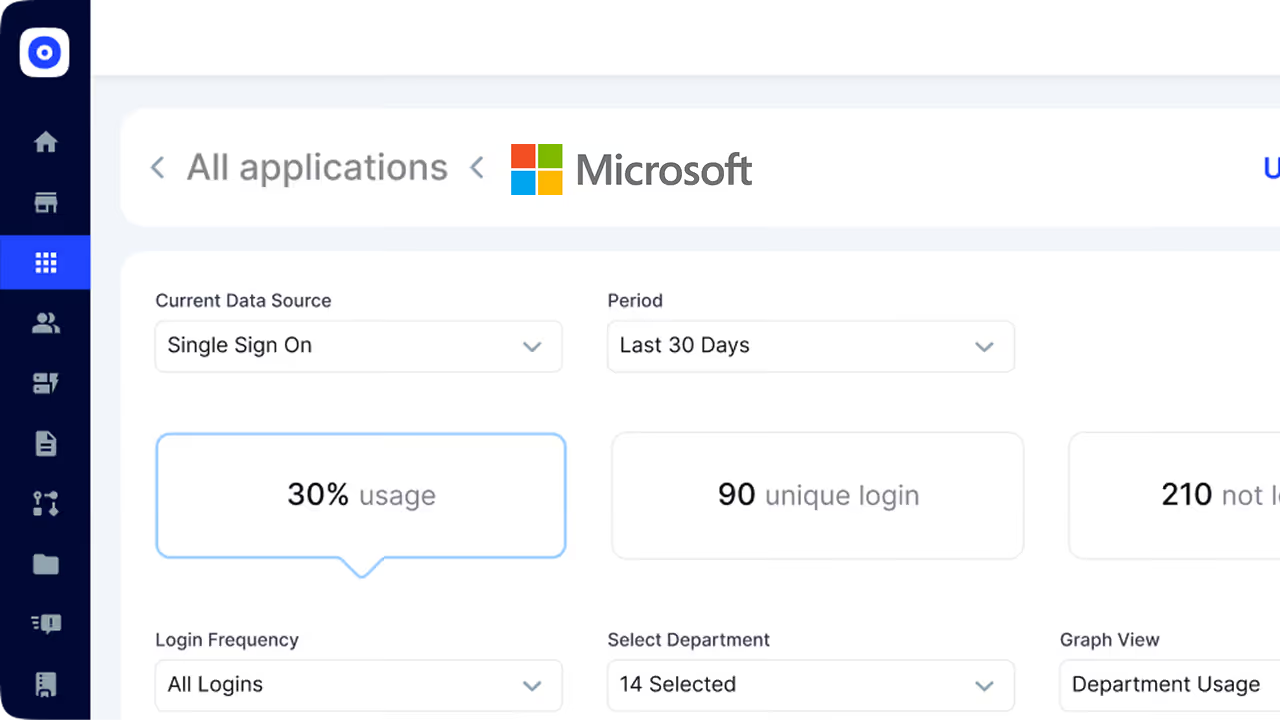
CloudEagle.ai is one of the best SaaS discovery tools that provides centralized visibility into Slack and connected tools, helping you understand how communication data moves across your environment.

  • Discover all Slack workspaces and identify fragmented environments across teams
  • Map channel access, external collaborators, and shared files across users
  • Track connected apps and integrations that interact with Slack data

Instead of scattered collaboration, teams operate with a clear view of access, usage, and integrations.

B. Enforce Access and Integration Policies in Real Time

Policies around Slack usage often exist, but enforcement is delayed or inconsistent. Governance needs to happen where communication and integrations are actively used.
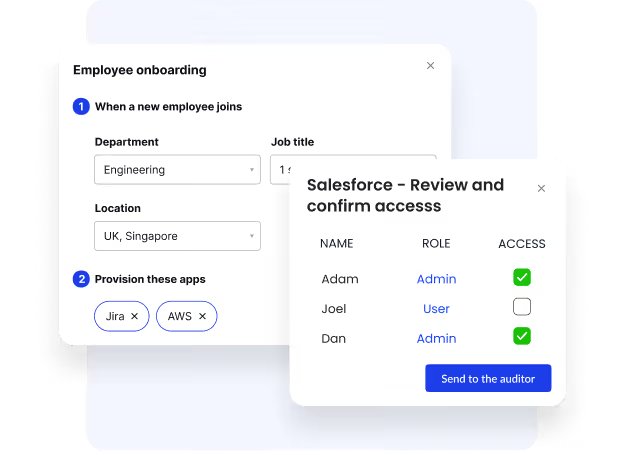
CloudEagle.ai enforces SaaS and AI usage policies in real time, ensuring Slack access and integrations stay aligned with security standards.

  • Maintain a centralized list of approved Slack apps and integrations
  • Control access to channels, workspaces, and external sharing
  • Prevent unapproved tools from connecting to Slack environments

Control moves from reactive reviews to continuous enforcement across teams.

Also Read: Zoom Buying Guide: Everything You Need to Know

C. Reduce Risk Across Conversations, Files, and External Access

Slack becomes a hub for sensitive discussions, files, and decisions. Without oversight, this creates exposure across teams and external collaborators.
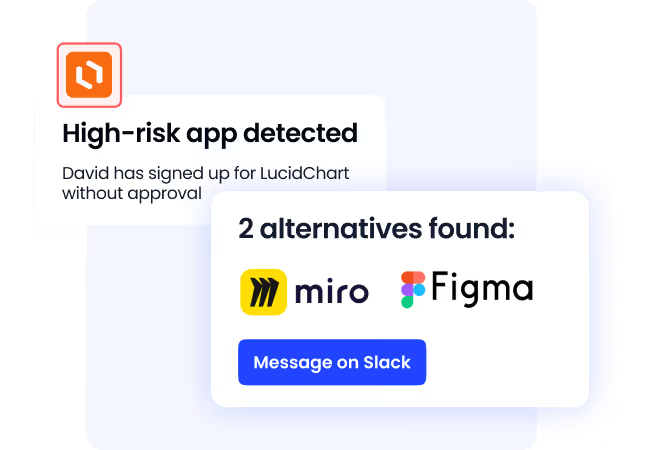
CloudEagle.ai surfaces SaaS and AI-related risks with contextual insights, helping you identify exposure before it turns into a compliance issue.

  • Monitor how files, messages, and links are shared across channels
  • Identify risks from external users, shared channels, and app integrations
  • Align Slack usage with internal security and compliance requirements

Risk becomes visible and manageable instead of hidden within conversations.

D. Optimize Slack Spend with Governance and Usage Data

Once visibility and control are in place, Slack pricing decisions become more accurate and aligned with actual usage. Negotiation is driven by real data, not assumptions.
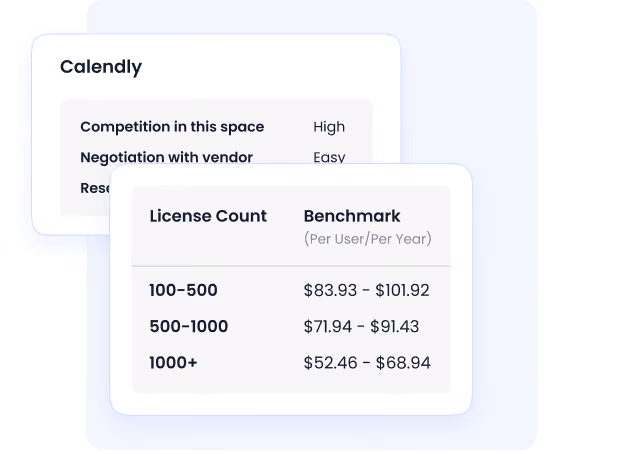
CloudEagle.ai benchmarks Slack pricing across billions in SaaS transactions, helping you validate whether your pricing is competitive or inflated.

  • Align licenses with active users: Remove inactive or duplicate accounts
  • Request flexibility in contracts: Adjust plans based on usage trends
  • Use renewal cycles strategically: Optimize seat counts before auto-renewals
  • Benchmark pricing effectively: Compare Slack costs with similar organizations

Spend optimization becomes a continuous process tied to real usage and governance insights.

E. Tips to Negotiate Slack Pricing in 2025

Here are some effective negotiation tips to secure the ensure the cost for Slack beneficial:

  • Negotiation Isn’t Just About Discounts: Remember that negotiation isn’t all about getting discounted rates. You need to secure the best overall value for your company, not just a lower price.
  • Look For Additional Benefits: Sometimes, instead of getting lower Slack prices, you can look for additional benefits. For example, you can look for extended trial periods, flexible payment terms, or bundled services that align with your company’s needs.
  • Consider Strategic Requests: You must highlight how a better deal benefits both your business and Slack.
  • Build Leverage: You should competitors, consolidate licenses, or time your negotiation around renewal periods for better terms.

In the next section, we’ll break down proven negotiation tactics, key factors that influence pricing, and the most effective ways to position your requests to get the bestSlack for business pricing deal.

F. How Much Do Companies Actually Pay for Slack?

CloudEagle.ai lets you access a vast network of expert SaaS buyers who can provide you with the latest benchmarking data sources from 1B+ transactions. Thanks to CloudEagle.ai’s Slack benchmarking data, you will get a real-world view of how much other businesses are paying on different Slack Engineering plans. 

G. Importance of This Benchmarking Data

Here are some reasons why you need this premium benchmarking data:

  • Real-World Pricing Data: You will have real-world data on how much companies are paying for Slack. Unlike Slack’s public listings, CloudEagle.ai’s benchmarking data will provide you with better usage insights. 
  • Better negotiation: You will have a thorough understanding of different pricing models. Hence, you can negotiate with confidence and make sure you are not overpaying. 
  • Accurate Budget Planning: Proper pricing estimates will help your procurement and IT teams plan SaaS spend more accurately.  

Thanks to CloudEagle.ai’s unbiased price benchmarking data and deep negotiation insights, you can pay fair prices during procurement and renewals. You can get better deals and maximize your Slack investment. 

H. Premium Negotiation Insights

Why settle for standard plan when you can use CloudEagle.ai to negotiate like a pro? With the right insights, you can cut unnecessary costs, secure exclusive perks, and get the most value out of your Slack investment! 

So, don’t leave money on the table. Get our Slack pricing guide today and know some great negotiation techniques that have saved other companies thousands of dollars.


6. Slack’s Pricing Model: Best Suited for These Types of Organizations

Slack prices are different for different company sizes. So, you need to choose something depending on your specific requirements. 

  • Startups & Small Teams: The Free or Pro plans are ideal for companies with fewer than 50 employees, offering essential collaboration tools and integrations.
  • SMBs (50-500 Employees): The Business+ plan is best for growing businesses that need enhanced security, compliance features, and unlimited integrations.
  • Enterprises (500+ Employees): Enterprise Grid is designed for large corporations managing multiple workspaces, regulatory compliance, and advanced administrative controls.
  • Tech & Engineering Firms: Plans like Professional, Enterprise, and Unlimited cater to development teams with robust features tailored for engineering workflows.
  • Remote & Hybrid Workforces: Slack’s real-time communication and workflow automation tools make it a top choice for distributed teams.

7. What is Better Than Slack?

While Slack is a reliable communication platform, it comes with a few limitations. For starters, the onboarding is quite confusing, especially if you are new to this platform. 

On top of that, the push notifications make the user experience slightly more inconvenient. So, here are some Slack alternatives you should consider:

Google Chat

If your enterprise already uses Google Workspace, Google Chat is a natural alternative to Slack. It offers seamless integration with Gmail, Google Drive, and Google Meet. Google Chat supports threaded conversations, group messaging, and powerful search features. 

Lark

Lark is an all-in-one workplace collaboration tool that combines messaging, video calls, document sharing, and project management into a single platform. Unlike Slack, Lark comes with built-in word processing, spreadsheets, and cloud storage. 

Telegram

Telegram is a fast, cloud-based messaging app known for its end-to-end encryption, large group chat capabilities, and unlimited file storage. It’s a great alternative for teams that need secure and lightweight communication without the complexity of traditional workplace tools.

WhatsApp Business

If your company relies on customer communication or remote team messaging, WhatsApp Business can be a great alternative. It gives you secure messaging, voice and video calls, and business profiles with automated responses. 

Microsoft Teams

Microsoft Teams is one of the most powerful Slack alternatives, especially for businesses already using Microsoft 365. It offers deep integration with Office apps, robust video conferencing, and enterprise-grade security.

8. Conclusion

Slack is no longer just a communication tool for teams. As conversations, files, and integrations grow across channels, it becomes a critical layer where information flows continuously across your organization.

For CIOs and CISOs, the focus goes beyond selecting the right plan or negotiating better pricing. It’s about controlling how data moves across channels, managing app integrations, and ensuring external access doesn’t introduce security or compliance gaps.

CloudEagle.ai gives you the visibility and control needed to manage Slack effectively. From tracking usage and optimizing licenses to governing integrations and benchmarking pricing, it helps you stay ahead of both cost and risk.

Sign up with CloudEagle today to streamline Slack purchasing, strengthen governance, and make smarter SaaS decisions with confidence.

9. Slack Pricing Negotiation FAQs

1. What does Slack cost monthly?

The Slack Pro plan starts at $8.25/user/month when billed annually. Depending on your needs, you can choose other pricing plans as well. You can also use its free version for casual collaboration. 

2. Can I use Slack for free forever?

Yes, you can use Slack for free forever. However, the free plan comes with various limitations. For example, you cannot access texts when they are 90 days or older. Thus, it’s best to upgrade to a paid plan. 

3. How to get Slack for cheap?

If you’re looking to cut costs, you don’t have to pay full Slack pricing. With the right strategies, you can reduce unnecessary spending and maximize the value of your subscription. Thanks to CloudEagle.ai’s Slack buying guide, you can secure the most favorable deal. 

4. Why do people prefer Slack?

People prefer Slack because it offers a seamless, user-friendly communication experience tailored for teams of all sizes. Its intuitive interface, real-time messaging, powerful integrations, and customizable workflows make collaboration effortless.

5. Why do companies use Slack instead of Teams?

Companies prefer Slack over Teams for its simpler interface, faster setup, and superior third-party integrations. Unlike Teams, Slack isn’t tied to Microsoft 365, making it more flexible for diverse tech stacks.

6. Is the paid version of Slack worth it?

The paid version of Slack is worth it if your team needs features like unlimited message history, group video calls, workflow automation, and tighter app integrations. It's especially valuable for mid-to-large teams or those handling complex projects across channels.

7. What is cheaper than Slack?

Alternatives to Slack that are cheaper include Microsoft Teams (free with Office 365), Discord (free), and Zoho Cliq (starts at $3/user/month). Flock offers a budget-friendly plan at $4.50/user/month, and Rocket.Chat provides a free, open-source option.

8. Is there a free alternative to Slack?

Free alternatives to Slack include Microsoft Teams (with chat and video calls), Discord (unlimited chat and calls), Zoho Cliq (messaging and file sharing), and Rocket.Chat (open-source with chat and video). These options are great for teams with basic needs.

9. What are people using instead of Slack?

People are using alternatives like Microsoft Teams for its integration with Office 365, Discord for casual and community-focused communication, Zoho Cliq for its affordability and simple UI, and Google Chat for teams using Google Workspace. Additionally, Flock and Rocket.Chat are gaining traction for offering messaging and collaboration tools at a lower cost.

Advertisement for a SaaS Subscription Tracking Template with a call-to-action button to download and a partial graphic of a tablet showing charts.Banner promoting a SaaS Agreement Checklist to streamline SaaS management and avoid budget waste with a call-to-action button labeled Download checklist.Blue banner with text 'The Ultimate Employee Offboarding Checklist!' and a black button labeled 'Download checklist' alongside partial views of checklist documents from cloudeagle.ai.Digital ad for download checklist titled 'The Ultimate Checklist for IT Leaders to Optimize SaaS Operations' by cloudeagle.ai, showing checklist pages.Slack Buyer's Guide offer with text 'Unlock insider insights to get the best deal on Slack!' and a button labeled 'Get Your Copy', accompanied by a preview of the guide featuring Slack's logo.Monday Pricing Guide by cloudeagle.ai offering exclusive pricing secrets to maximize investment with a call-to-action button labeled Get Your Copy and an image of the guide's cover.Blue banner for Canva Pricing Guide by cloudeagle.ai offering a guide to Canva costs, features, and alternatives with a call-to-action button saying Get Your Copy.Blue banner with white text reading 'Little-Known Negotiation Hacks to Get the Best Deal on Slack' and a white button labeled 'Get Your Copy'.Blue banner with text 'Little-Known Negotiation Hacks to Get the Best Deal on Monday.com' and a white button labeled 'Get Your Copy'.Blue banner with text 'Little-Known Negotiation Hacks to Get the Best Deal on Canva' and a white button labeled 'Get Your Copy'.Banner with text 'Slack Buyer's Guide' and a 'Download Now' button next to images of a guide titled 'Slack Buyer’s Guide: Features, Pricing & Best Practices'.Digital cover of Monday Pricing Guide with a button labeled Get Your Copy on a blue background.Canva Pricing Guide cover with a button labeled Get Your Copy on a blue gradient background.
What to consider when buying Slack - Engineering
Based on the latest community trends and observations
Billing
Standard billing is Annual Net 30 and customers have cited very limited flexibility.
Free Credits / Months
Account Executives may be able to provide a 30-day free trial of new products. Customers have cited that 30 days is often an insufficient amount of time to fully evaluate product functionality.
Plans
When evaluating Unlimited Edition Sales/Service Cloud, it's important to note that downg rading editions is not possible. Customers are only able to upgrade.
Pricing
As of 1/1/23, Salesforce is applying a 5% uplift to all flat renewals. As of 7/11/23, Salesforce is increasing list pricing by an average of 9% across Sales Cloud, Service Cloud, Marketing Cloud, Industries, and Tableau. The new list pricing will go into effect globally for new and existing customers purchasing new clouds beginning August 2023.
Sales
Account Executives (AEs) are primarily measured on Annual Contract Value. It is very common for Salesforce to reassign territories to Account Managers (AMs) after the close of their fiscal year in January. Customers have cited that AMs will offer significant discounting in January.
Upgrades / Downgrades
Customers are unable to downgrade their Salesforce edition, only upgrade.
Usage / Overages
Customers have shared Salesforce will not automatically charge for data overages and will instead use it as an opportunity to upsell customers to a more expensive edition. The most common add-ons are additional API calls and additional data storage.
Product
As of Q3 2023, Slack, Tableau, and Salesforce continue to operate independently from one another. Customers have shared purchases made for one product line will not influence pricing for others.
Reducing License
Customers have cited being able to reduce licenses only at time of renewal and to expect Salesforce to increase the per-unit cost to offset the license reduction.

Enter your email to
unlock the report

Oops! Something went wrong while submitting the form.
Slack - Engineering Enterprise
License Count
Benchmark
Per User/Per Year
100-500
$1260.00 - $1476.00
500-1000
$1116.00 - $1350.00
1000+
$1116.00 - $1350.00

Enter your email to
unlock the report

Oops! Something went wrong while submitting the form.
Slack - Engineering Enterprise
License Count
Benchmark
Per User/Per Year
100-500
$1260.00 - $1476.00
500-1000
$1116.00 - $1350.00
1000+
$1116.00 - $1350.00

Enter your email to
unlock the report

Oops! Something went wrong while submitting the form.
Notion Plus
License Count
Benchmark
Per User/Per Year
100-500
$67.20 - $78.72
500-1000
$59.52 - $72.00
1000+
$51.84 - $57.60
Canva Pro
License Count
Benchmark
Per User/Per Year
100-500
$74.33-$88.71
500-1000
$64.74-$80.32
1000+
$55.14-$62.34

Enter your email to
unlock the report

Oops! Something went wrong while submitting the form.

Enter your email to
unlock the report

Oops! Something went wrong while submitting the form.
Zoom Business
License Count
Benchmark
Per User/Per Year
100-500
$216.00 - $264.00
500-1000
$180.00 - $216.00
1000+
$156.00 - $180.00

Enter your email to
unlock the report

Oops! Something went wrong while submitting the form.

Get the Right Security Platform To Secure Your Cloud Infrastructure

Please enter a business email
Thank you!
The 2023 SaaS report has been sent to your email. Check your promotional or spam folder.
Oops! Something went wrong while submitting the form.

Access full report

Please enter a business email
Thank you!
The 2023 SaaS report has been sent to your email. Check your promotional or spam folder.
Oops! Something went wrong while submitting the form.

Slack pricing can look straightforward when you’re comparing plans and features. Most teams evaluate it based on messaging needs, integrations, and overall collaboration efficiency.

But if you're a CIO or CISO, Slack pricing isn’t just about cost per user. It’s about how communication data flows across channels, how integrations expand access, and how unapproved apps can introduce security and compliance risks.

Slack doesn’t just enable conversations. It creates a layer where sensitive information, files, and decisions move quickly across teams, often without centralized visibility or control.

In this Slack pricing guide, we break down plans, features, and costs, while also exploring how enterprise leaders can optimize licenses and manage governance risks as Slack usage scales.

TL;DR

  • Slack offers four plans—Free, Pro, Business+, and Enterprise Grid—each catering to different team sizes and needs.
  • If your team needs unlimited days of message history, group video calls, advanced security, and guaranteed uptime, paid Slack plans is worth considering.
  • Negotiation isn’t just about discounts. Secure additional perks like extended trials, flexible payment terms, or bundled services to maximize value.
  • While Slack is a top team collaboration tool, alternatives like Microsoft Teams, Google Chat, Lark, and Telegram offer different advantages.
  • As Slack usage expands, pricing decisions also determine how communication data, files, and integrations are accessed across teams and tools.
  • Without proper governance, unapproved apps, external collaborators, and broad channel access can create visibility gaps and increase security risks.
  • Choosing the right plan and negotiating better terms can save your company thousands. CloudEagle.ai’s data-driven insights help you streamline SaaS procurement and get the most value from Slack.

Cut Slack costs early

Reduce SaaS spend before renewal
Download Spend Optimization Guide

1. What is Slack?

Slack is a popular collaboration platform that can help your team communicate, share files, and integrate with other productivity tools. Since its launch in 2013, Slack has become a go-to platform for companies of all sizes, from startups to Fortune 500 companies.

When you use it correctly, you can enhance their productivity and reduce any communication gap. You can also integrate Slack easily with various SaaS tools. 

The best thing is you can do all of these from one centralized location. Instead of asking something through email, you can use Slack huddles to get in touch with people directly. Moreover, you can also create various channels for better transparency and efficiency in communication.

2. Is Slack Worth Paying For?

If you’re wondering whether upgrading to a paid Slack plan is worth it, the answer depends on your team’s needs. While Slack's free Plan works for basic communication, Slack subscription costs come with various features to improve workflows. Here’s why Slack might be the right move for your company:

  • Unlimited Message History & Search: The Free Plan only keeps messages for 90 days. With a paid plan, you’ll always have access to past messages and shared files.
  • Unlimited Integrations for Productivity: If your team relies on apps like Zoom, Google Drive, or Salesforce, a paid Slack plan lets you connect unlimited third-party tools. 
  • Group Video Calls & Screen Sharing: The Free Plan only supports one-on-one video calls. Upgrading allows your team to host group video meetings, share screens, and collaborate in real-time. 
  • Enhanced Security & Compliance: If your company needs advanced security, Slack’s paid plans provide SAML-based SSO, enterprise encryption, and compliance with SOC 2 Type 2, HIPAA and FINRA standards. 
  • Admin Controls & Priority Support: As your team grows, you’ll need better admin tools, advanced user permissions, and 24/7 customer support to keep everything running smoothly. 
  • Guaranteed Uptime & Scalability: If your team depends on Slack for daily operations Slack guarantees 99.9% uptime. But, it’s available only on the Business+ and Enterprise Grid plans.

3. Slack Pricing Overview (2025)

The cost of Slack is billed on a per-user, per-month basis, with discounts available for annual billing. Its tiered pricing model is designed to support teams of all sizes, from startups to large organizations. Here’s the detailed breakdown of Slack pricing plans. 

A. Slack Free

  • Cost: Free Forever ($0)
  • Best For: Small teams with minimal casual use
  • Features: 90-day message history, basic file sharing, one-on-one huddle, up to 10 third-party app integrations
  • Drawbacks: Messages and files older than 90 days are inaccessible, no group video calls, no advanced security. 

Enterprise Risk Breakdown:

  • Teams often spin up separate Slack workspaces, fragmenting communication across uncontrolled environments
  • App integrations can be added without review, allowing external tools to access conversations and files
  • Limited message history reduces visibility into past discussions, making audits and investigations difficult

B. Slack Pro

  • Cost: $8.75 per user/month (billed annually) or $7.25 per user/month (billed monthly)
  • Best For: Slack Pro pricing is for small and medium-sized companies
  • Features: Unlimited message history, advanced search filters, group audio/video calls
  • Drawbacks: No admin controls, no priority customer support, no guaranteed uptime SLA

Enterprise Risk Breakdown:

  • Unlimited history increases exposure of sensitive conversations without structured role-based access control
  • Lack of admin controls limits enforcement of governance policies
  • Growing integrations and channels expand data flow without centralized oversight

C. Slack Business+

  • Cost: $18 per user/month (billed annually) or $15 per user/month (billed monthly)
  • Best For: Slack Business pricing is for companies needing more security and support
  • Features: SAML-based Single Sign-On, 99.99% uptime guarantee, Advanced compliance features
  • Drawbacks: No dedicated account representative, no Enterprise Grid functionality

Enterprise Risk Breakdown:

  • Security features require proper configuration to effectively control access and data flow
  • Increased collaboration across teams raises risk of over-shared channels and files
  • Compliance features exist but need continuous monitoring to remain effective

D. Slack Enterprise Grid

  • Cost: Get a customizable quote after contacting the sales team 
  • Best For: Large enterprises with strict security and compliance needs
  • Features: Enterprise-level security and compliance, unlimited workspaces, Dedicated account
  • Drawbacks: Requires IT and admin expertise to manage complex settings.

Enterprise Risk Breakdown:

  • Multiple workspaces increase complexity in managing access and governance consistently
  • Large-scale integrations expand the attack surface across tools and workflows
  • Misconfigured permissions or channels can expose sensitive organizational data

4. Factors to Consider Before Choosing a Slack Plan?

Before selecting a Slack plan, it’s important to evaluate several key factors based on your organization’s specific needs and projected usage. Consider how your team collaborates and communicates, assess message history requirements, file sharing needs, and integration support with business-critical apps.

Slack’s pricing tiers (Free, Pro, Business+, and Enterprise Grid) build on each other, with paid plans unlocking features like unlimited message history, increased storage, group huddles, enhanced support, advanced compliance (such as retention policies, eDiscovery, SSO/SAML), and data residency options. The number of users, billing cadence (monthly versus annual), and geographic location can all impact your total cost, as Slack charges per user and regional differences and taxes may apply.

Discounts on Slack pricing are available through annual prepay, volume-based tiers, and special rates for nonprofit or educational organizations. It’s advisable to benchmark market rates, CloudEagle’s market benchmarking helps validate Slack plans and discover realistic discounts, supporting informed decisions and accurate budget forecasts, without requiring you to disclose sensitive contracts.

Ultimately, weigh your growth plans, compliance obligations, and support requirements to ensure you select the right Slack plan for your organization’s current and future needs.

Control SaaS spend

Track usage and reduce waste
Download FinOps Guide

5. The Real Cost of GitHub Copilot for CIOs and CISOs

GitHub Copilot doesn’t just impact how developers write code, it changes how AI is introduced across your organization. The real cost isn’t limited to licenses, but how access, usage, and accountability scale without IT governance frameworks.

  • AI access expanding without ownership clarity: Copilot can be enabled across teams, but ownership of usage and outcomes often remains undefined
  • Lack of visibility into where AI is used: Organizations struggle to track which teams, repositories, or environments rely on Copilot
  • Data exposure through AI interactions: Code, prompts, and internal logic may be shared with AI systems without clear governance boundaries
  • Inconsistent policy enforcement across teams: Security and compliance rules may not be applied uniformly across development workflows
  • Licenses growing faster than actual usage: Seats are often provisioned broadly without aligning with real adoption or contribution
  • Audit challenges around AI-assisted work: Proving how code was generated or reviewed becomes difficult during compliance checks
  • Fragmented accountability across stakeholders: Engineering, security, and IT teams may lack a shared view of Copilot usage and risks

For CIOs and CISOs, the challenge is not just enabling AI for developers. It is ensuring AI usage is visible, governed, and aligned with security, compliance, and financial controls across the organization.

6. Slack Buying Guide: How CISOs Optimize Slack Purchasing with CloudEagle.ai

A. Gain Visibility Into Slack Workspaces, Channels, and Integrations

Slack usage often spreads across multiple workspaces, channels, and third-party apps. This makes it difficult to understand where data is flowing and who has access.

CloudEagle.ai is one of the best SaaS discovery tools that provides centralized visibility into Slack and connected tools, helping you understand how communication data moves across your environment.

  • Discover all Slack workspaces and identify fragmented environments across teams
  • Map channel access, external collaborators, and shared files across users
  • Track connected apps and integrations that interact with Slack data

Instead of scattered collaboration, teams operate with a clear view of access, usage, and integrations.

B. Enforce Access and Integration Policies in Real Time

Policies around Slack usage often exist, but enforcement is delayed or inconsistent. Governance needs to happen where communication and integrations are actively used.

CloudEagle.ai enforces SaaS and AI usage policies in real time, ensuring Slack access and integrations stay aligned with security standards.

  • Maintain a centralized list of approved Slack apps and integrations
  • Control access to channels, workspaces, and external sharing
  • Prevent unapproved tools from connecting to Slack environments

Control moves from reactive reviews to continuous enforcement across teams.

Also Read: Zoom Buying Guide: Everything You Need to Know

C. Reduce Risk Across Conversations, Files, and External Access

Slack becomes a hub for sensitive discussions, files, and decisions. Without oversight, this creates exposure across teams and external collaborators.

CloudEagle.ai surfaces SaaS and AI-related risks with contextual insights, helping you identify exposure before it turns into a compliance issue.

  • Monitor how files, messages, and links are shared across channels
  • Identify risks from external users, shared channels, and app integrations
  • Align Slack usage with internal security and compliance requirements

Risk becomes visible and manageable instead of hidden within conversations.

D. Optimize Slack Spend with Governance and Usage Data

Once visibility and control are in place, Slack pricing decisions become more accurate and aligned with actual usage. Negotiation is driven by real data, not assumptions.

CloudEagle.ai benchmarks Slack pricing across billions in SaaS transactions, helping you validate whether your pricing is competitive or inflated.

  • Align licenses with active users: Remove inactive or duplicate accounts
  • Request flexibility in contracts: Adjust plans based on usage trends
  • Use renewal cycles strategically: Optimize seat counts before auto-renewals
  • Benchmark pricing effectively: Compare Slack costs with similar organizations

Spend optimization becomes a continuous process tied to real usage and governance insights.

E. Tips to Negotiate Slack Pricing in 2025

Here are some effective negotiation tips to secure the ensure the cost for Slack beneficial:

  • Negotiation Isn’t Just About Discounts: Remember that negotiation isn’t all about getting discounted rates. You need to secure the best overall value for your company, not just a lower price.
  • Look For Additional Benefits: Sometimes, instead of getting lower Slack prices, you can look for additional benefits. For example, you can look for extended trial periods, flexible payment terms, or bundled services that align with your company’s needs.
  • Consider Strategic Requests: You must highlight how a better deal benefits both your business and Slack.
  • Build Leverage: You should competitors, consolidate licenses, or time your negotiation around renewal periods for better terms.

In the next section, we’ll break down proven negotiation tactics, key factors that influence pricing, and the most effective ways to position your requests to get the bestSlack for business pricing deal.

F. How Much Do Companies Actually Pay for Slack?

CloudEagle.ai lets you access a vast network of expert SaaS buyers who can provide you with the latest benchmarking data sources from 1B+ transactions. Thanks to CloudEagle.ai’s Slack benchmarking data, you will get a real-world view of how much other businesses are paying on different Slack Engineering plans. 

G. Importance of This Benchmarking Data

Here are some reasons why you need this premium benchmarking data:

  • Real-World Pricing Data: You will have real-world data on how much companies are paying for Slack. Unlike Slack’s public listings, CloudEagle.ai’s benchmarking data will provide you with better usage insights. 
  • Better negotiation: You will have a thorough understanding of different pricing models. Hence, you can negotiate with confidence and make sure you are not overpaying. 
  • Accurate Budget Planning: Proper pricing estimates will help your procurement and IT teams plan SaaS spend more accurately.  

Thanks to CloudEagle.ai’s unbiased price benchmarking data and deep negotiation insights, you can pay fair prices during procurement and renewals. You can get better deals and maximize your Slack investment. 

H. Premium Negotiation Insights

Why settle for standard plan when you can use CloudEagle.ai to negotiate like a pro? With the right insights, you can cut unnecessary costs, secure exclusive perks, and get the most value out of your Slack investment! 

So, don’t leave money on the table. Get our Slack pricing guide today and know some great negotiation techniques that have saved other companies thousands of dollars.

6. Slack’s Pricing Model: Best Suited for These Types of Organizations

Slack prices are different for different company sizes. So, you need to choose something depending on your specific requirements. 

  • Startups & Small Teams: The Free or Pro plans are ideal for companies with fewer than 50 employees, offering essential collaboration tools and integrations.
  • SMBs (50-500 Employees): The Business+ plan is best for growing businesses that need enhanced security, compliance features, and unlimited integrations.
  • Enterprises (500+ Employees): Enterprise Grid is designed for large corporations managing multiple workspaces, regulatory compliance, and advanced administrative controls.
  • Tech & Engineering Firms: Plans like Professional, Enterprise, and Unlimited cater to development teams with robust features tailored for engineering workflows.
  • Remote & Hybrid Workforces: Slack’s real-time communication and workflow automation tools make it a top choice for distributed teams.

7. What is Better Than Slack?

While Slack is a reliable communication platform, it comes with a few limitations. For starters, the onboarding is quite confusing, especially if you are new to this platform. 

On top of that, the push notifications make the user experience slightly more inconvenient. So, here are some Slack alternatives you should consider:

Google Chat

If your enterprise already uses Google Workspace, Google Chat is a natural alternative to Slack. It offers seamless integration with Gmail, Google Drive, and Google Meet. Google Chat supports threaded conversations, group messaging, and powerful search features. 

Lark

Lark is an all-in-one workplace collaboration tool that combines messaging, video calls, document sharing, and project management into a single platform. Unlike Slack, Lark comes with built-in word processing, spreadsheets, and cloud storage. 

Telegram

Telegram is a fast, cloud-based messaging app known for its end-to-end encryption, large group chat capabilities, and unlimited file storage. It’s a great alternative for teams that need secure and lightweight communication without the complexity of traditional workplace tools.

WhatsApp Business

If your company relies on customer communication or remote team messaging, WhatsApp Business can be a great alternative. It gives you secure messaging, voice and video calls, and business profiles with automated responses. 

Microsoft Teams

Microsoft Teams is one of the most powerful Slack alternatives, especially for businesses already using Microsoft 365. It offers deep integration with Office apps, robust video conferencing, and enterprise-grade security.

8. Conclusion

Slack is no longer just a communication tool for teams. As conversations, files, and integrations grow across channels, it becomes a critical layer where information flows continuously across your organization.

For CIOs and CISOs, the focus goes beyond selecting the right plan or negotiating better pricing. It’s about controlling how data moves across channels, managing app integrations, and ensuring external access doesn’t introduce security or compliance gaps.

CloudEagle.ai gives you the visibility and control needed to manage Slack effectively. From tracking usage and optimizing licenses to governing integrations and benchmarking pricing, it helps you stay ahead of both cost and risk.

Sign up with CloudEagle today to streamline Slack purchasing, strengthen governance, and make smarter SaaS decisions with confidence.

9. Slack Pricing Negotiation FAQs

1. What does Slack cost monthly?

The Slack Pro plan starts at $8.25/user/month when billed annually. Depending on your needs, you can choose other pricing plans as well. You can also use its free version for casual collaboration. 

2. Can I use Slack for free forever?

Yes, you can use Slack for free forever. However, the free plan comes with various limitations. For example, you cannot access texts when they are 90 days or older. Thus, it’s best to upgrade to a paid plan. 

3. How to get Slack for cheap?

If you’re looking to cut costs, you don’t have to pay full Slack pricing. With the right strategies, you can reduce unnecessary spending and maximize the value of your subscription. Thanks to CloudEagle.ai’s Slack buying guide, you can secure the most favorable deal. 

4. Why do people prefer Slack?

People prefer Slack because it offers a seamless, user-friendly communication experience tailored for teams of all sizes. Its intuitive interface, real-time messaging, powerful integrations, and customizable workflows make collaboration effortless.

5. Why do companies use Slack instead of Teams?

Companies prefer Slack over Teams for its simpler interface, faster setup, and superior third-party integrations. Unlike Teams, Slack isn’t tied to Microsoft 365, making it more flexible for diverse tech stacks.

6. Is the paid version of Slack worth it?

The paid version of Slack is worth it if your team needs features like unlimited message history, group video calls, workflow automation, and tighter app integrations. It's especially valuable for mid-to-large teams or those handling complex projects across channels.

7. What is cheaper than Slack?

Alternatives to Slack that are cheaper include Microsoft Teams (free with Office 365), Discord (free), and Zoho Cliq (starts at $3/user/month). Flock offers a budget-friendly plan at $4.50/user/month, and Rocket.Chat provides a free, open-source option.

8. Is there a free alternative to Slack?

Free alternatives to Slack include Microsoft Teams (with chat and video calls), Discord (unlimited chat and calls), Zoho Cliq (messaging and file sharing), and Rocket.Chat (open-source with chat and video). These options are great for teams with basic needs.

9. What are people using instead of Slack?

People are using alternatives like Microsoft Teams for its integration with Office 365, Discord for casual and community-focused communication, Zoho Cliq for its affordability and simple UI, and Google Chat for teams using Google Workspace. Additionally, Flock and Rocket.Chat are gaining traction for offering messaging and collaboration tools at a lower cost.

CloudEagle.ai recognized in the 2025 Gartner® Magic Quadrant™ for SaaS Management Platforms
Download now
gartner chart
5x
Faster employee
onboarding
80%
Reduction in time for
user access reviews
30k
Workflows
automated
$15Bn
Analyzed in
contract spend
$2Bn
Saved in
SaaS spend

Streamline SaaS governance and save 10-30%

Book a Demo with Expert
CTA image
One platform to Manage
all SaaS Products
Learn More