SaaS Management

How to Rightsize SaaS Licenses Using CloudEagle.ai?

Share via:
Written by:
CloudEagle.ai Team
Reviewed by
Nidhi Jain
Last Updated:
October 30, 2025
blog-cms-banner-bg
Little-Known Negotiation Hacks to Get the Best Deal on Slack
cta-bg-blogDownload Your Copy

HIPAA Compliance Checklist for 2025

Download PDF

‍

Think about the last time your team renewed a SaaS subscription without checking who actually used it. Chances are, half the licenses sat untouched while invoices kept rolling in. That’s the silent drain many companies face, such as unused seats, duplicate licenses, and auto-renewals quietly eating into budgets.

The truth is, the more your SaaS stack grows, the harder it becomes to keep it lean. 

Manual tracking through spreadsheets, relying on admin reports, or chasing down usage data across dozens of tools isn’t sustainable anymore. It’s a guessing game disguised as management, and it often ends with overspending you didn’t plan for.

In this article, we’ll break down how teams can rightsize SaaS licenses effectively, exploring the current process, the issues organizations face due to unmanaged licenses, and how CloudEagle.ai helps organizations reclaim control, optimize spend, and stay audit-ready without the chaos.

‍

‍

‍

When SaaS Growth Outspaces License Control?

When SaaS adoption accelerates, control often lags behind. What starts as a handful of tools to boost productivity quickly becomes an ecosystem of overlapping apps, unused licenses, and surprise renewals. Each department adds what they need to move faster, but without centralized visibility, costs multiply quietly in the background.

Over time, what was meant to improve efficiency ends up creating inefficiency. Licenses remain active long after employees leave. Premium tiers go underused. Renewal dates sneak up before anyone has a chance to assess actual usage. The result? A bloated SaaS stack that drains budgets and obscures accountability.

That’s the reality most organizations face today, an environment where growth outpaces governance, and license management becomes reactive instead of strategic.

‍

Growth Without Governance Creates License Debt

Build the visibility that catches idle seats before the next renewal.
Download Checklist

‍

How CloudEagle.ai Rightsizes SaaS Licenses

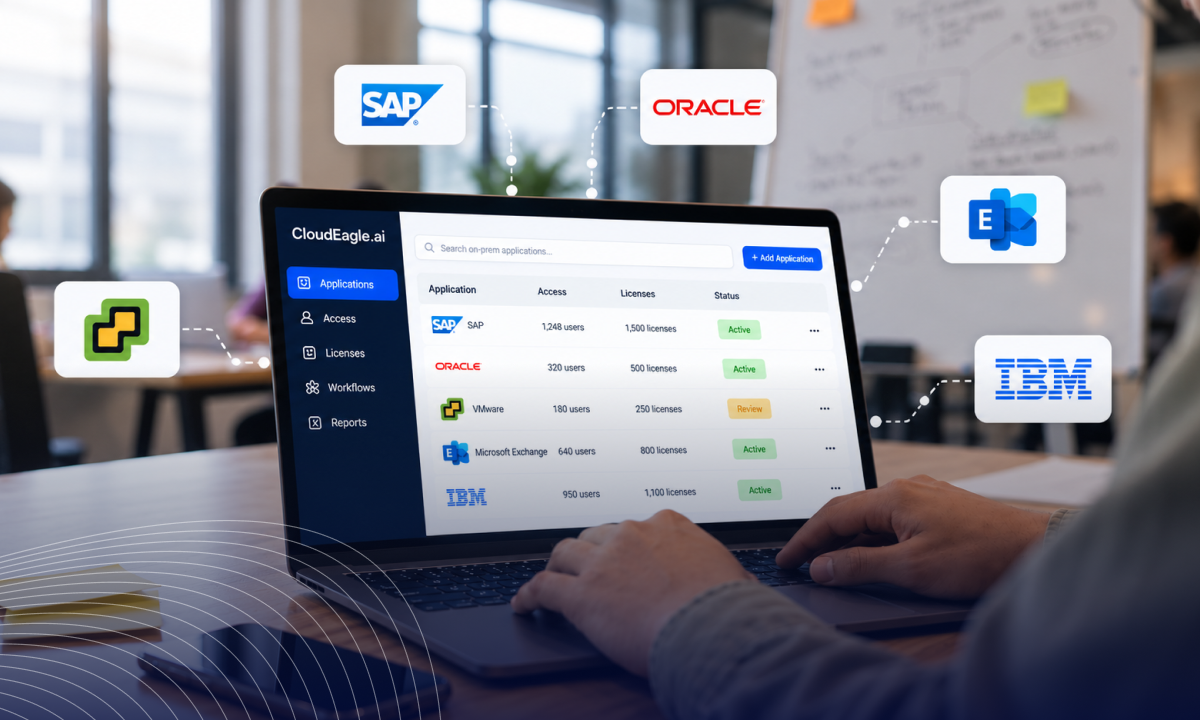
Most companies still rightsize SaaS licenses by pulling usage from scattered dashboards, cross-checking SSO activity, and updating spreadsheets after every renewal. CloudEagle.ai turns that into one continuous workflow. It finds every license, measures real usage, reclaims idle seats, and sets the right seat count before each renewal. Onboarding takes about 30 minutes.

1. Find Every License You Pay For, Including Apps Outside SSO

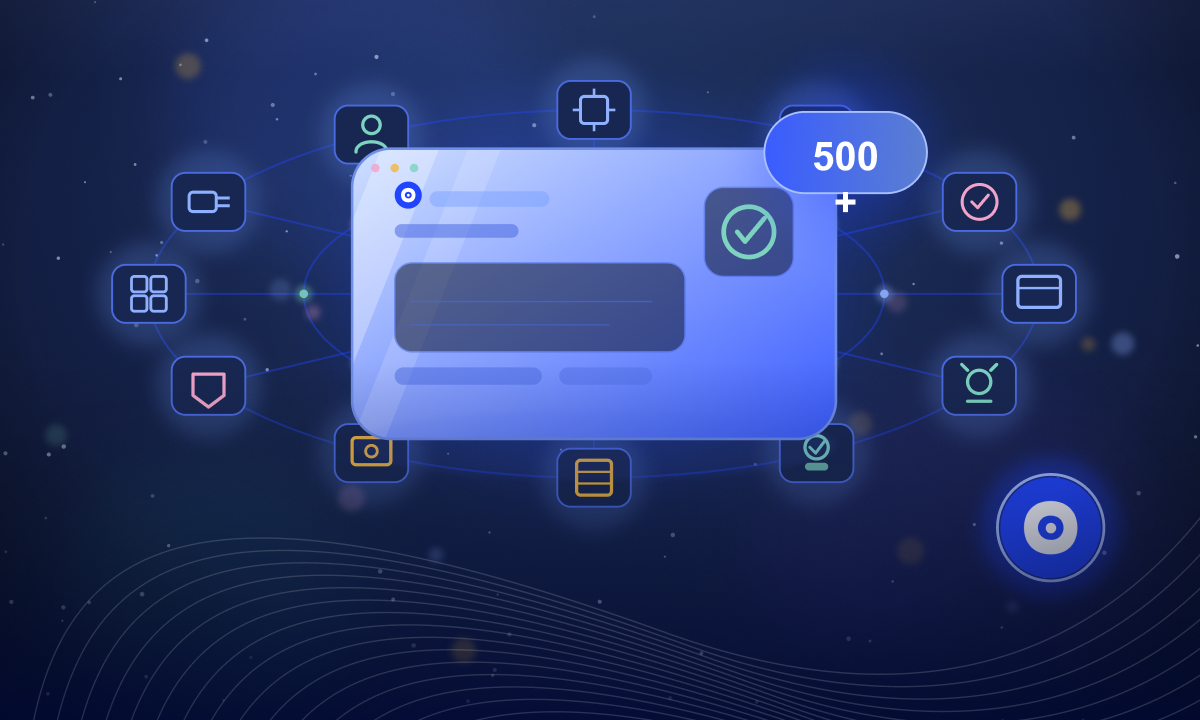
Rightsizing starts with a complete count. CloudEagle.ai connects to 500+ integrations across identity providers, finance systems, and direct app connectors. EagleIQ then correlates SSO, browser logins, and card transactions to surface shadow IT apps and AI tools teams bought on their own.

Next, its AI engine reads your contracts and extracts SKUs, seat counts, and renewal terms through contract management. Every license now sits next to what you agreed to pay for it.
‍

2. Compare Purchased, Provisioned, and Used Seats Every Night

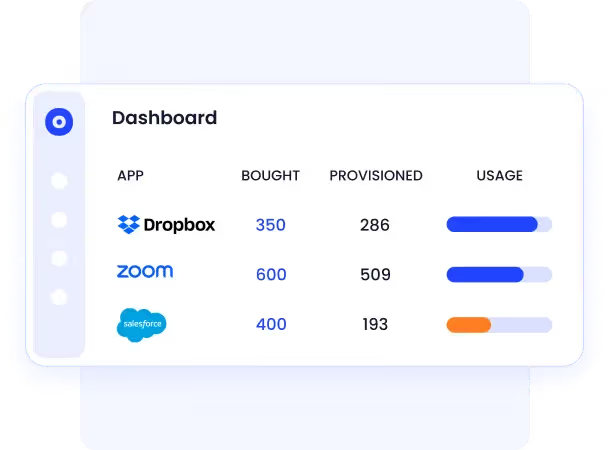
With the inventory in place, CloudEagle.ai syncs usage nightly from identity providers (IdPs), contracts, and app connectors. Each app shows seats purchased, seats provisioned, and seats actually used, side by side.

That view gives you:

  • Active vs. inactive users
  • Purchased vs. used licenses
  • Usage patterns across departments and business units

The same check covers AI coding tools. Direct connectors for Claude, Cursor, Copilot, and Gemini show which developers hold a seat and which have stopped using it, so unused AI coding licenses show up alongside the rest of the stack.

3. Spot Premium Tiers Nobody Needs

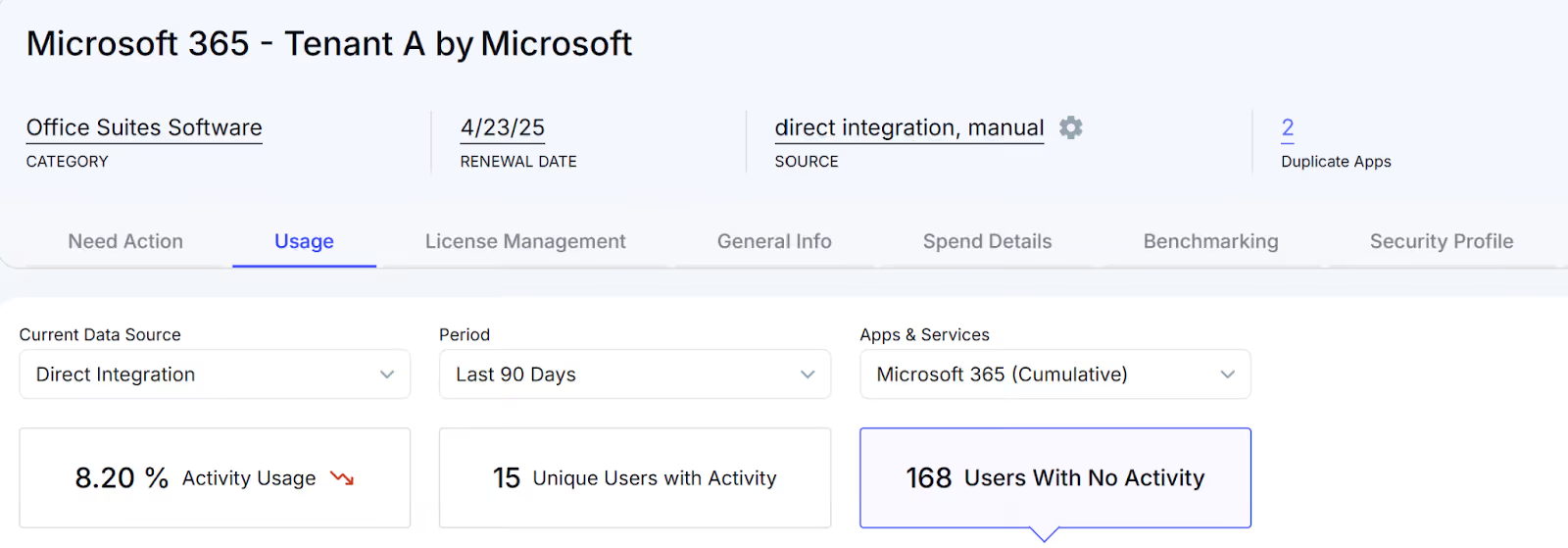
A login count only shows who signed in. CloudEagle.ai tracks usage at the feature level, so you can filter by license type and see exactly where spend and usage drift apart:

  • Microsoft 365 E5 users who only touch E3 features
  • Salesforce users who never open advanced modules
  • Zoom Pro seats that only see Basic usage
‍

‍

Every mismatch becomes a downgrade candidate for the next step.

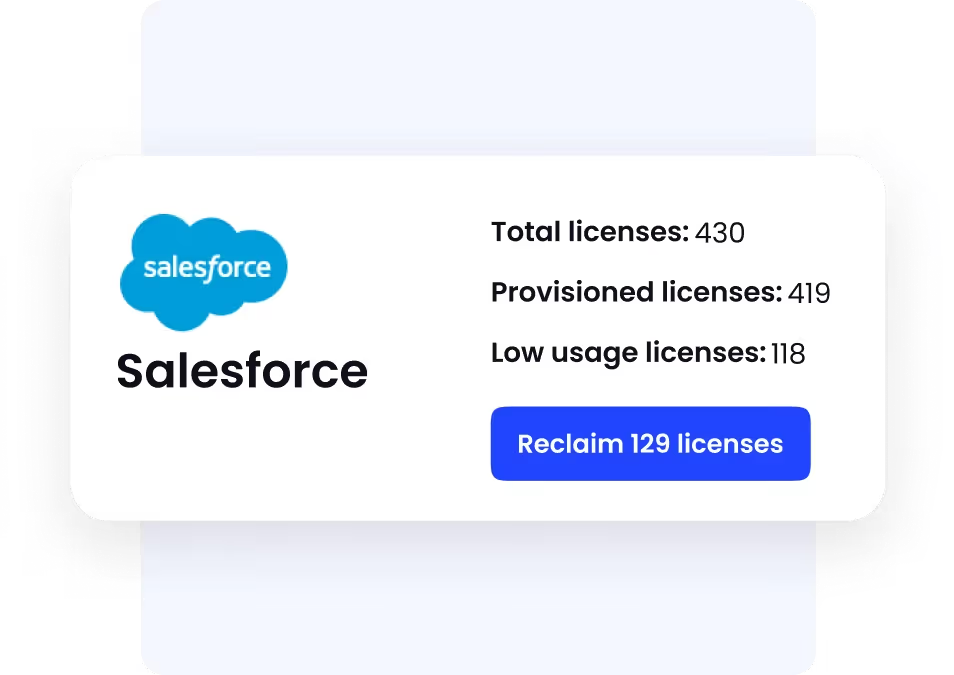
4. Reclaim and Reassign Idle Seats Automatically

Once inactive and over-tiered seats are flagged, license harvesting takes over. No-code workflows notify inactive users first, then deprovision the seat if they stay inactive. Reclaimed licenses go to new hires or role changes, or get flagged for removal before renewal.
‍

‍

Every change syncs to finance and procurement systems as it happens, so IT stops chasing spreadsheets or emailing users for updates.

5. Rightsize at Renewal, Before the Contract Locks In

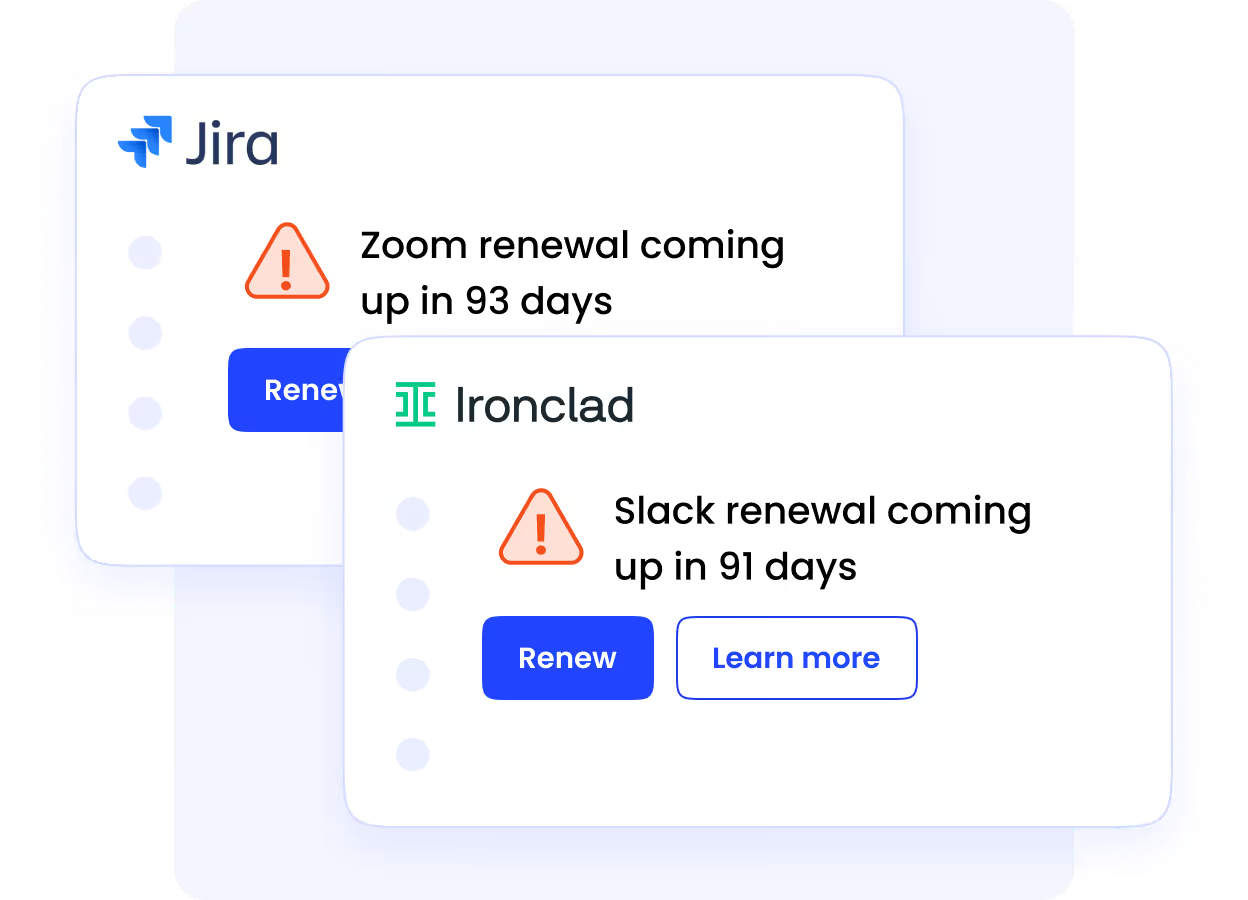
All of that data feeds the renewal. The renewal calendar alerts teams ahead of each deadline, pairs contract terms with actual utilization, and recommends the right license count. Price benchmarking shows what similar companies pay for the same tool, so procurement can cut seats and negotiate the per-seat price in the same conversation.
‍

‍

Bold, for example, used CloudEagle.ai to discover unused apps, optimize contracts, and regain control over its SaaS spend, saving $100K annually and bringing IT and finance together under a single source of truth.

6. Keep IT, Finance, and Procurement on One Dashboard

Rightsizing only holds if it keeps running. IT sees who's using what. Finance sees what it costs per department. Procurement sees when to act.

The same workflows run on every app in the stack, so rightsizing becomes a standing process that runs all year, and the last-minute cleanup before renewal goes away.

‍

‍

What License Management Looks Like Today?

In most organizations, license management starts with good intentions, a spreadsheet here, a shared calendar there, and slowly turns into a maze of tabs, emails, and manual updates. On paper, it looks structured. In practice, it’s guesswork.

Here’s what that looks like on the ground:

  • Tracking is scattered and outdated: Teams pull data from SSO dashboards, admin consoles, finance systems, and vendor reports, but by the time everything is reconciled, the numbers have already changed. Only a few core apps like Salesforce or Microsoft 365 get attention while dozens of others slip through unnoticed.
  • Provisioning and offboarding are slow and manual: A new hire joins, and IT assigns licenses one at a time. Someone leaves and access lingers, sometimes for weeks. License reclamation depends on who remembers to check.
  • Audits are reactive, not continuous: Usage reviews happen only during budget cuts or right before renewals. Teams scramble to chase down reports, hoping nothing important gets missed.
  • Renewals are driven by habit, not data
    Calendar reminders get buried. Contracts auto-renew. Procurement renews the same number of licenses every year because it lacks utilization insights.
  • No shared visibility across teams: IT, finance, and procurement work with different data sources, leading to repeat conversations like “Who owns this license?” across multiple Slack threads.

This is how license management operates today: manual, reactive, and nearly impossible to scale. What works for five apps completely breaks when your organization is running a hundred.

‍

The Hidden Cost of Unoptimized Licences 

It may feel harmless to renew a few extra seats “just in case” or keep premium tiers because they’re already in place. But these small decisions turn into recurring waste fast, especially when no one is tracking usage in real time.

Here’s where the money quietly disappears:

  • Licenses stay active even after people leave: Without automatic reassignment or revocation, unused seats keep draining budget month after month.
  • Duplicate apps multiply across departments: Marketing buys one tool, Sales buys another that does the same job, and both get renewed.
  • Paying for premium tiers no one needs: Users are assigned to the highest plan even when they only use basic features.
  • Renewals happen without real usage data: Teams auto-renew the same number of licenses because audits are last-minute or missing altogether.

‍

Why CloudEagle.ai Does It Better?

Most tools claim to give visibility, but stop at surface-level insights. 

CloudEagle goes further by turning fragmented license data into actionable intelligence, automatically updated every night, across every app in your stack. It doesn’t just show you how many licenses you own; it tells you how they’re being used, which ones you actually need, and when to act.

Here’s what makes CloudEagle.ai different:

1. Automatically Updated, On-Demand Visibility

CloudEagle’s data doesn’t go stale. 

Every night, the platform syncs and updates license utilization across all your apps, not just the core ones. This ensures your dashboards always reflect what’s happening right now, not what was true last month.

It correlates data from multiple sources:

  • Contracts → Licenses purchased and renewal terms
  • Identity Providers (IdPs) → Provisioned users and login activity
  • App Connectors → Actual usage and feature-level insights

You see the entire picture, instantly active vs. inactive licenses, feature-level utilization, and redundant seats across the SaaS stack.

2. Deeper Insights Beyond the Basics

Where other tools only show login counts, CloudEagle drills down to the feature level. You can filter by license type, such as Microsoft E3 vs. E5, to pinpoint exactly where spend doesn’t match usage.

Example:

  • Identify users assigned to premium tiers (E5) who only use E3 features.
  • Spot licenses that haven’t been used for weeks.
  • Detect duplicate subscriptions purchased by different teams.

This level of granularity ensures license rightsizing is data-driven, not assumption-driven.

3. Automated Reassignment and Optimization

CloudEagle eliminates the manual effort of tracking and reallocating licenses. Through no-code automation workflows, it can:

  • Reclaim licenses from inactive users automatically.
  • Trigger reassignment when employees switch roles.
  • Downgrade or retire underutilized licenses before renewal.

These automations don’t just save time; they prevent recurring waste. IT teams no longer have to chase spreadsheets or email users for updates.

4. Renewal-Ready Recommendations

Renewals are no longer a last-minute exercise. CloudEagle’s smart renewal engine combines contract intelligence, benchmarking, and usage analytics to prepare you ahead of time.

It automatically:

  • Alerts teams before renewals.
  • Recommends the right license counts based on usage.
  • Highlights cost-saving opportunities by comparing plans and vendors.

With CloudEagle, renewals become strategic, not reactive. You negotiate from a position of insight, not urgency.

5. Unified Platform for IT, Finance, and Procurement

Instead of juggling multiple systems, all teams operate from one centralized dashboard.

In one view, you can see:

  • License allocations and costs per department
  • Usage trends across all SaaS applications
  • Renewal timelines and optimization opportunities

This single source of truth eliminates miscommunication, reduces redundant purchases, and aligns IT, finance, and procurement around shared data.

6. Works Beyond SSO and Core Apps

Most solutions rely solely on SSO integrations, missing non-federated, free, or AI tools that employees adopt independently. CloudEagle tracks everything.

It correlates data from:

  • Browser logins
  • Finance card transactions
  • Direct app usage metrics

This ensures even shadow IT apps and non-SSO tools are visible and accounted for, giving you true SaaS coverage across the entire stack.

7. AI-Powered Contract and License Intelligence

CloudEagle’s AI engine extracts details like SKUs, seat counts, and terms directly from contracts and matches them with live usage data.

This correlation ensures your entitlements, renewals, and optimizations are based on fact and not just estimation.

‍

Ready to Stop Guessing Your SaaS Costs?

You’ve seen how manual license tracking creates blind spots such as unused seats, duplicate apps, and renewals that slip by unnoticed. Rightsizing changes that turn chaos into clarity.

With CloudEagle.ai, you don’t have to chase spreadsheets or guess usage anymore. Get real-time insights, automated reclamation, and renewal alerts that keep your SaaS stack lean and cost-efficient. Start rightsizing with data, not assumptions.

‍

Advertisement for a SaaS Subscription Tracking Template with a call-to-action button to download and a partial graphic of a tablet showing charts.Banner promoting a SaaS Agreement Checklist to streamline SaaS management and avoid budget waste with a call-to-action button labeled Download checklist.Blue banner with text 'The Ultimate Employee Offboarding Checklist!' and a black button labeled 'Download checklist' alongside partial views of checklist documents from cloudeagle.ai.Digital ad for download checklist titled 'The Ultimate Checklist for IT Leaders to Optimize SaaS Operations' by cloudeagle.ai, showing checklist pages.Slack Buyer's Guide offer with text 'Unlock insider insights to get the best deal on Slack!' and a button labeled 'Get Your Copy', accompanied by a preview of the guide featuring Slack's logo.Monday Pricing Guide by cloudeagle.ai offering exclusive pricing secrets to maximize investment with a call-to-action button labeled Get Your Copy and an image of the guide's cover.Blue banner for Canva Pricing Guide by cloudeagle.ai offering a guide to Canva costs, features, and alternatives with a call-to-action button saying Get Your Copy.Blue banner with white text reading 'Little-Known Negotiation Hacks to Get the Best Deal on Slack' and a white button labeled 'Get Your Copy'.Blue banner with text 'Little-Known Negotiation Hacks to Get the Best Deal on Monday.com' and a white button labeled 'Get Your Copy'.Blue banner with text 'Little-Known Negotiation Hacks to Get the Best Deal on Canva' and a white button labeled 'Get Your Copy'.Banner with text 'Slack Buyer's Guide' and a 'Download Now' button next to images of a guide titled 'Slack Buyer’s Guide: Features, Pricing & Best Practices'.Digital cover of Monday Pricing Guide with a button labeled Get Your Copy on a blue background.Canva Pricing Guide cover with a button labeled Get Your Copy on a blue gradient background.

Enter your email to
unlock the report

Oops! Something went wrong while submitting the form.
License Count
Benchmark
Per User/Per Year

Enter your email to
unlock the report

Oops! Something went wrong while submitting the form.
License Count
Benchmark
Per User/Per Year

Enter your email to
unlock the report

Oops! Something went wrong while submitting the form.
Notion Plus
License Count
Benchmark
Per User/Per Year
100-500
$67.20 - $78.72
500-1000
$59.52 - $72.00
1000+
$51.84 - $57.60
Canva Pro
License Count
Benchmark
Per User/Per Year
100-500
$74.33-$88.71
500-1000
$64.74-$80.32
1000+
$55.14-$62.34

Enter your email to
unlock the report

Oops! Something went wrong while submitting the form.

Enter your email to
unlock the report

Oops! Something went wrong while submitting the form.
Zoom Business
License Count
Benchmark
Per User/Per Year
100-500
$216.00 - $264.00
500-1000
$180.00 - $216.00
1000+
$156.00 - $180.00

Enter your email to
unlock the report

Oops! Something went wrong while submitting the form.

Get the Right Security Platform To Secure Your Cloud Infrastructure

Please enter a business email
Thank you!
The 2023 SaaS report has been sent to your email. Check your promotional or spam folder.
Oops! Something went wrong while submitting the form.

Access full report

Please enter a business email
Thank you!
The 2023 SaaS report has been sent to your email. Check your promotional or spam folder.
Oops! Something went wrong while submitting the form.

TL;DR 

‍

  • Most companies manage SaaS licenses manually through spreadsheets, leading to hidden waste, duplicate tools, and missed renewals.
  • The lack of centralized visibility causes over-purchasing, underutilization, and uninformed renewal decisions.
  • CloudEagle.ai fixes this with nightly syncs, real-time tracking, and automated license harvesting, giving teams full visibility across every app.
  • It combines usage analytics, contract intelligence, and no-code workflows to optimize licenses and prevent overspending continuously.
  • IT, finance, and procurement teams get one unified dashboard to rightsize licenses, cut SaaS costs, and stay audit-ready effortlessly.

‍

‍

Think about the last time your team renewed a SaaS subscription without checking who actually used it. Chances are, half the licenses sat untouched while invoices kept rolling in. That’s the silent drain many companies face, such as unused seats, duplicate licenses, and auto-renewals quietly eating into budgets.

The truth is, the more your SaaS stack grows, the harder it becomes to keep it lean. 

Manual tracking through spreadsheets, relying on admin reports, or chasing down usage data across dozens of tools isn’t sustainable anymore. It’s a guessing game disguised as management, and it often ends with overspending you didn’t plan for.

In this article, we’ll break down how teams can rightsize SaaS licenses effectively, exploring the current process, the issues organizations face due to unmanaged licenses, and how CloudEagle.ai helps organizations reclaim control, optimize spend, and stay audit-ready without the chaos.

‍

‍

‍

When SaaS Growth Outspaces License Control?

When SaaS adoption accelerates, control often lags behind. What starts as a handful of tools to boost productivity quickly becomes an ecosystem of overlapping apps, unused licenses, and surprise renewals. Each department adds what they need to move faster, but without centralized visibility, costs multiply quietly in the background.

Over time, what was meant to improve efficiency ends up creating inefficiency. Licenses remain active long after employees leave. Premium tiers go underused. Renewal dates sneak up before anyone has a chance to assess actual usage. The result? A bloated SaaS stack that drains budgets and obscures accountability.

That’s the reality most organizations face today, an environment where growth outpaces governance, and license management becomes reactive instead of strategic.

‍

Growth Without Governance Creates License Debt

Build the visibility that catches idle seats before the next renewal.
Download Checklist

‍

How CloudEagle.ai Rightsizes SaaS Licenses

Most companies still rightsize SaaS licenses by pulling usage from scattered dashboards, cross-checking SSO activity, and updating spreadsheets after every renewal. CloudEagle.ai turns that into one continuous workflow. It finds every license, measures real usage, reclaims idle seats, and sets the right seat count before each renewal. Onboarding takes about 30 minutes.

1. Find Every License You Pay For, Including Apps Outside SSO

Rightsizing starts with a complete count. CloudEagle.ai connects to 500+ integrations across identity providers, finance systems, and direct app connectors. EagleIQ then correlates SSO, browser logins, and card transactions to surface shadow IT apps and AI tools teams bought on their own.

Next, its AI engine reads your contracts and extracts SKUs, seat counts, and renewal terms through contract management. Every license now sits next to what you agreed to pay for it.

‍

2. Compare Purchased, Provisioned, and Used Seats Every Night

With the inventory in place, CloudEagle.ai syncs usage nightly from identity providers (IdPs), contracts, and app connectors. Each app shows seats purchased, seats provisioned, and seats actually used, side by side.

That view gives you:

  • Active vs. inactive users
  • Purchased vs. used licenses
  • Usage patterns across departments and business units

The same check covers AI coding tools. Direct connectors for Claude, Cursor, Copilot, and Gemini show which developers hold a seat and which have stopped using it, so unused AI coding licenses show up alongside the rest of the stack.

3. Spot Premium Tiers Nobody Needs

A login count only shows who signed in. CloudEagle.ai tracks usage at the feature level, so you can filter by license type and see exactly where spend and usage drift apart:

  • Microsoft 365 E5 users who only touch E3 features
  • Salesforce users who never open advanced modules
  • Zoom Pro seats that only see Basic usage

‍

‍

Every mismatch becomes a downgrade candidate for the next step.

4. Reclaim and Reassign Idle Seats Automatically

Once inactive and over-tiered seats are flagged, license harvesting takes over. No-code workflows notify inactive users first, then deprovision the seat if they stay inactive. Reclaimed licenses go to new hires or role changes, or get flagged for removal before renewal.

‍

‍

Every change syncs to finance and procurement systems as it happens, so IT stops chasing spreadsheets or emailing users for updates.

5. Rightsize at Renewal, Before the Contract Locks In

All of that data feeds the renewal. The renewal calendar alerts teams ahead of each deadline, pairs contract terms with actual utilization, and recommends the right license count. Price benchmarking shows what similar companies pay for the same tool, so procurement can cut seats and negotiate the per-seat price in the same conversation.

‍

‍

Bold, for example, used CloudEagle.ai to discover unused apps, optimize contracts, and regain control over its SaaS spend, saving $100K annually and bringing IT and finance together under a single source of truth.

6. Keep IT, Finance, and Procurement on One Dashboard

Rightsizing only holds if it keeps running. IT sees who's using what. Finance sees what it costs per department. Procurement sees when to act.

The same workflows run on every app in the stack, so rightsizing becomes a standing process that runs all year, and the last-minute cleanup before renewal goes away.

‍

‍

What License Management Looks Like Today?

In most organizations, license management starts with good intentions, a spreadsheet here, a shared calendar there, and slowly turns into a maze of tabs, emails, and manual updates. On paper, it looks structured. In practice, it’s guesswork.

Here’s what that looks like on the ground:

  • Tracking is scattered and outdated: Teams pull data from SSO dashboards, admin consoles, finance systems, and vendor reports, but by the time everything is reconciled, the numbers have already changed. Only a few core apps like Salesforce or Microsoft 365 get attention while dozens of others slip through unnoticed.
  • Provisioning and offboarding are slow and manual: A new hire joins, and IT assigns licenses one at a time. Someone leaves and access lingers, sometimes for weeks. License reclamation depends on who remembers to check.
  • Audits are reactive, not continuous: Usage reviews happen only during budget cuts or right before renewals. Teams scramble to chase down reports, hoping nothing important gets missed.
  • Renewals are driven by habit, not data
    Calendar reminders get buried. Contracts auto-renew. Procurement renews the same number of licenses every year because it lacks utilization insights.
  • No shared visibility across teams: IT, finance, and procurement work with different data sources, leading to repeat conversations like “Who owns this license?” across multiple Slack threads.

This is how license management operates today: manual, reactive, and nearly impossible to scale. What works for five apps completely breaks when your organization is running a hundred.

‍

The Hidden Cost of Unoptimized Licences 

It may feel harmless to renew a few extra seats “just in case” or keep premium tiers because they’re already in place. But these small decisions turn into recurring waste fast, especially when no one is tracking usage in real time.

Here’s where the money quietly disappears:

  • Licenses stay active even after people leave: Without automatic reassignment or revocation, unused seats keep draining budget month after month.
  • Duplicate apps multiply across departments: Marketing buys one tool, Sales buys another that does the same job, and both get renewed.
  • Paying for premium tiers no one needs: Users are assigned to the highest plan even when they only use basic features.
  • Renewals happen without real usage data: Teams auto-renew the same number of licenses because audits are last-minute or missing altogether.

‍

Why CloudEagle.ai Does It Better?

Most tools claim to give visibility, but stop at surface-level insights. 

CloudEagle goes further by turning fragmented license data into actionable intelligence, automatically updated every night, across every app in your stack. It doesn’t just show you how many licenses you own; it tells you how they’re being used, which ones you actually need, and when to act.

Here’s what makes CloudEagle.ai different:

1. Automatically Updated, On-Demand Visibility

CloudEagle’s data doesn’t go stale. 

Every night, the platform syncs and updates license utilization across all your apps, not just the core ones. This ensures your dashboards always reflect what’s happening right now, not what was true last month.

It correlates data from multiple sources:

  • Contracts → Licenses purchased and renewal terms
  • Identity Providers (IdPs) → Provisioned users and login activity
  • App Connectors → Actual usage and feature-level insights

You see the entire picture, instantly active vs. inactive licenses, feature-level utilization, and redundant seats across the SaaS stack.

2. Deeper Insights Beyond the Basics

Where other tools only show login counts, CloudEagle drills down to the feature level. You can filter by license type, such as Microsoft E3 vs. E5, to pinpoint exactly where spend doesn’t match usage.

Example:

  • Identify users assigned to premium tiers (E5) who only use E3 features.
  • Spot licenses that haven’t been used for weeks.
  • Detect duplicate subscriptions purchased by different teams.

This level of granularity ensures license rightsizing is data-driven, not assumption-driven.

3. Automated Reassignment and Optimization

CloudEagle eliminates the manual effort of tracking and reallocating licenses. Through no-code automation workflows, it can:

  • Reclaim licenses from inactive users automatically.
  • Trigger reassignment when employees switch roles.
  • Downgrade or retire underutilized licenses before renewal.

These automations don’t just save time; they prevent recurring waste. IT teams no longer have to chase spreadsheets or email users for updates.

4. Renewal-Ready Recommendations

Renewals are no longer a last-minute exercise. CloudEagle’s smart renewal engine combines contract intelligence, benchmarking, and usage analytics to prepare you ahead of time.

It automatically:

  • Alerts teams before renewals.
  • Recommends the right license counts based on usage.
  • Highlights cost-saving opportunities by comparing plans and vendors.

With CloudEagle, renewals become strategic, not reactive. You negotiate from a position of insight, not urgency.

5. Unified Platform for IT, Finance, and Procurement

Instead of juggling multiple systems, all teams operate from one centralized dashboard.

In one view, you can see:

  • License allocations and costs per department
  • Usage trends across all SaaS applications
  • Renewal timelines and optimization opportunities

This single source of truth eliminates miscommunication, reduces redundant purchases, and aligns IT, finance, and procurement around shared data.

6. Works Beyond SSO and Core Apps

Most solutions rely solely on SSO integrations, missing non-federated, free, or AI tools that employees adopt independently. CloudEagle tracks everything.

It correlates data from:

  • Browser logins
  • Finance card transactions
  • Direct app usage metrics

This ensures even shadow IT apps and non-SSO tools are visible and accounted for, giving you true SaaS coverage across the entire stack.

7. AI-Powered Contract and License Intelligence

CloudEagle’s AI engine extracts details like SKUs, seat counts, and terms directly from contracts and matches them with live usage data.

This correlation ensures your entitlements, renewals, and optimizations are based on fact and not just estimation.

‍

Ready to Stop Guessing Your SaaS Costs?

You’ve seen how manual license tracking creates blind spots such as unused seats, duplicate apps, and renewals that slip by unnoticed. Rightsizing changes that turn chaos into clarity.

With CloudEagle.ai, you don’t have to chase spreadsheets or guess usage anymore. Get real-time insights, automated reclamation, and renewal alerts that keep your SaaS stack lean and cost-efficient. Start rightsizing with data, not assumptions.

‍

CloudEagle.ai recognized in the 2025 Gartner® Magic Quadrant™ for SaaS Management Platforms
Download now
gartner chart
5x
Faster employee
onboarding
80%
Reduction in time for
user access reviews
30k
Workflows
automated
$15Bn
Analyzed in
contract spend
$2Bn
Saved in
SaaS spend

Streamline SaaS governance and save 10-30%

Book a Demo with Expert
CTA image