You need to enable JavaScript in order to use the AI chatbot tool powered by ChatBot

10 SOC Automation Tools to Streamline Security Operations

Share via:
blog-cms-banner-bg
Little-Known Negotiation Hacks to Get the Best Deal on Slack
cta-bg-blogDownload Your Copy

HIPAA Compliance Checklist for 2025

Download PDF

Most Security Operations Centers (SOCs) are drowning in repetitive alerts, manual investigations, and compliance paperwork.

That’s where SOC automation tools step in.

Think of them as your digital co-pilots in cybersecurity - powered by AI and continuous orchestration. Instead of SOC auditors manually sifting through thousands of alerts, these tools automate detection, triage, investigation, and even response.

In this blog, we’ll discuss what SOC automation is, why enterprises can’t ignore it, and the 10 best SOC automation tools in 2026 that are helping organizations turn their SOC audits from reactive to proactive.

TL;DR

  • SOC automation tools leverage AI and orchestration to streamline repetitive tasks, boost incident response speed, and minimize manual workload for security teams .
  • They help reduce alert fatigue, improve scalability, enable compliance, and cut operational costs, making them essential for modern enterprises facing complex cyber threats .
  • Top SOC automation tools in 2025 include CloudEagle.ai, Sprinto, Torq HyperSOC, Swimlane, RadiantSecurity, DuploCloud, Vanta, Drata, Splunk, and CrowdStrike Falcon, each offering specialized features for detection, compliance, orchestration, and endpoint protection .
  • Automated SOCs are more resilient and proactive, allowing security teams to detect and respond to threats faster, while maintaining continuous compliance and audit readiness .
  • Adopting SOC automation today prepares enterprises for evolving threats, enabling stronger, smarter security operations and future-ready SOC environments .

1. What is an SOC Automation Tool?

A SOC automation tool helps security teams eliminate manual work by automating repetitive and time-consuming tasks within the Security Operations Center (SOC).

Instead of manually monitoring alerts, analyzing logs, or escalating incidents, SOC automation leverages artificial intelligence (AI), machine learning (ML), and orchestration workflows to streamline operations.

At its core, SOC automation reduces the burden on SOC analysts (L1, L2, and L3 levels) by automating triage, enrichment, correlation, and response. With rising cyber threats and an ever-expanding IT attack surface, enterprises can no longer rely on purely manual SOC tools.

SOC automation tools are designed to:

  • Detect and respond to threats faster.
  • Reduce false positives.
  • Ensure compliance with SOC 2and other frameworks.
  • Help organizations adopt a more proactive approach to security monitoring.

By implementing the right SOC monitoring tools, organizations can build an automated SOC where manual effort is minimized and cyber resilience is maximized.

2. SOC Automation Tools: Why Enterprises Must Switch From Traditional SOC Monitoring

SOC automation tools reduce risk by detecting, prioritizing, and responding to incidents instantly, without human bottlenecks. In modern security, speed and consistency aren’t optional; they’re protection.

Traditional SOC tools are effective but require significant manual intervention, which creates bottlenecks. Adopting SOC automation tools and other cybersecurity automation platforms.

Here are the main reasons why SOC automation is essential:

  1. Alert Fatigue Reduction: SOC teams often drown in alerts. Automated SOC platforms help prioritize and filter false positives, ensuring analysts only focus on high-value incidents.
  2. Faster Incident Response: With automated playbooks, threats are mitigated within seconds rather than hours. This reduces the dwell time of attackers inside a network.
  3. Scalability: Manual processes can’t scale as organizations grow. SOC automation ensures consistent monitoring and response across hybrid and multi-cloud environments. SOC automation tools ensure consistent monitoring.
  4. Compliance and Audit Readiness: SOC 2, HIPAA, ISO 27001, and GDPR require strict documentation and monitoring. SOC automation tools simplify compliance with continuous control monitoring and automated evidence collection.
  5. Cost Efficiency: By reducing the need for large SOC teams, enterprises save costs while improving security posture.

In short, enterprises need SOC automation not only for better detection but also for efficiency, compliance, and long-term resilience.

Trying to Get SOC 2 Done This Quarter?

A clear, no-fluff playbook to help you get compliant without slowing down your business.
Download Playbook in PDF

3. AI SOC Automation: The New Standard in SOC Monitoring

Manual SOC monitoring can’t keep up with today’s alert volume and attack speed.

AI SOC automation changes the game by cutting noise, accelerating response, and letting analysts focus on real threats, not endless alerts.

Here’s why it matters:

  • Reduces alert fatigue by automatically filtering false positives
  • Prioritizes real threats using behavioral analysis and risk scoring
  • Speeds up incident response with automated playbooks
  • Lowers MTTR without increasing security headcount
  • Improves detection accuracy through continuous learning
  • Scales effortlessly as your environment grows

For security leaders evaluating SOC tools, AI isn’t optional anymore. It’s what separates reactive monitoring from proactive, intelligent defense.

4. Top 10 SOC Automation Tools in 2026 For Quicker SOC Audits

1. CloudEagle.ai
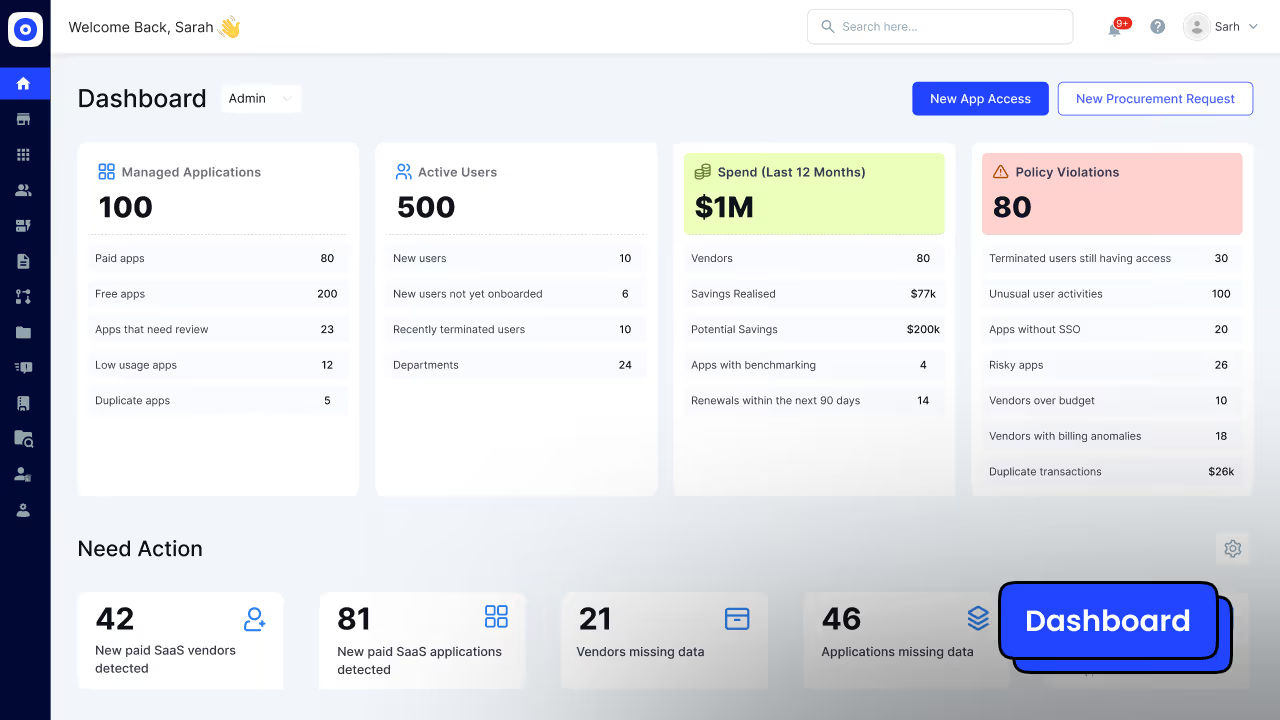
Dashboard image of CloudEagle

CloudEagle.ai is more than just a SaaS management and Identity governance platform; it is a powerful SOC automation tool that helps enterprises unify.

Its AI-powered automation capabilities make it a standout for organizations seeking a balance between security operations, compliance, and SaaS management.

Key Features of CloudEagle.ai

Access Reviews in Days, Not Months: CloudEagle automates the full access review cycle, assigning reviewers, flagging risky or ex-employee accounts, and generating audit-ready compliance reports without manual effort.

Automatic Evidence Collection: Every time a user is removed from an app, CloudEagle captures and attaches the proof automatically, no more manually documenting deprovisioning across dozens of tools.

Always Audit-Ready: Continuous access monitoring flags orphaned accounts and policy violations in real time, so you're not scrambling to clean things up when auditors arrive.

Clean Onboarding and Offboarding Trails: Every access grant and removal is timestamped and logged automatically, giving auditors a clear, complete record without IT piecing it together from emails and tickets.

Shadow IT and Unauthorized App Detection: CloudEagle discovers apps, including unsanctioned AI tools, being used outside IT's knowledge, so nothing is invisible come audit time.

Least Privilege Enforcement: Excessive permissions and over-provisioned accounts are flagged continuously, keeping your access posture tight and SOC 2 compliant.

Read More: The Key to Smoother SOC Compliance

Pros:

  • All-in-one compliance + SOC automations
  • Strong integrations with SaaS ecosystems.
  • AI-driven threat and compliance insights.
  • Helps reduce shadow IT risks.

Cons:

  • Primarily compliance-focused, less suited for deep SIEM capabilities.
  • May not replace traditional log management platforms.

Pricing

CloudEagle.ai offers custom pricing based on the number of employees, SaaS apps managed, and compliance frameworks needed. SMBs and enterprises can request a tailored quote.

2. Sprinto

Dashboard of Sprinto

Sprinto is a SOC automation tool built to automate compliance and SOC 2 readiness, providing real-time monitoring of cloud infrastructure and SaaS environments. It focuses heavily on compliance automation for startups, SMBs, and scaling enterprises.

Features

  • Compliance Automation: Pre-built workflows for SOC 2, ISO 27001, HIPAA, and GDPR. Sprinto maps organizational processes to frameworks automatically.
  • Continuous Control Monitoring: Monitors security configurations (IAM, network, data, endpoints) and alerts on deviations.
  • Automated Evidence Collection: Gathers and stores audit evidence without manual back-and-forth with employees.
  • Cloud Security Monitoring: Integrates with AWS, Azure, GCP to enforce policies like encryption, MFA, and least-privilege access.
  • Vendor Risk Management: Tracks third-party vendors and their compliance posture for audit readiness.
  • Audit Preparation: Offers auditor-friendly reports, reducing time-to-certification significantly.
  • Team Collaboration: Provides role-based dashboards for engineers, IT, and compliance officers to work seamlessly.

Pros

  • Strong compliance-first automation with SOC 2 focus.
  • Excellent dashboards tailored to audits.
  • Reduces compliance effort by 60–70%.
  • Designed for growing startups with rapid certification needs.

Cons

  • Focuses on compliance, not full threat detection.
  • Not suitable for enterprises needing deep threat intelligence or SIEM/SOAR.

Pricing

Pricing starts around $6,000/year, depending on compliance frameworks and integrations.

3. Torq HyperSOC
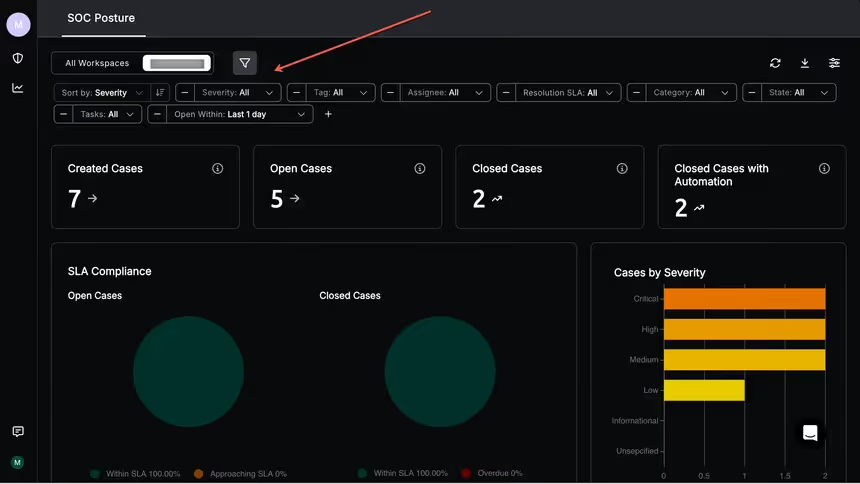
Torq HyperSOC is a no-code SOC automation tool designed for flexibility and speed. Its drag-and-drop workflow builder allows teams to create custom playbooks without coding, making it powerful for enterprises seeking tailored automation.

Features 

  • No-Code Workflow Automation: Build and deploy automated SOC processes with a visual interface.
  • HyperSOC Orchestration: Provides enterprise-wide orchestration across SIEM, IAM, EDR, and threat intelligence systems.
  • Phishing Remediation: Detects, analyzes, and automatically quarantines suspicious emails.
  • Vulnerability Management: Automates patch validation and escalation workflows.
  • Case Management Integration: Syncs with ticketing systems like JIRA, ServiceNow, and Zendesk.
  • Multi-Cloud Integrations: Works across AWS, GCP, Azure with built-in security APIs.
  • Adaptive Playbooks: AI-driven workflows that adjust response based on severity and context.

Pros

  • Extremely flexible — fits multiple security ecosystems.
  • Strong for organizations with diverse IT stacks.
  • Reduces incident response times drastically.

Cons

  • Can be overwhelming for SMBs without mature SOC processes.
  • Requires ongoing tuning to maximize ROI.

Pricing

Custom pricing based on workflows, typically enterprise-tier pricing.

4. Swimlane
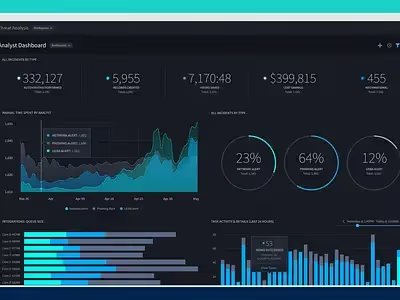
Swimlane is an enterprise-grade SOC automation tool widely known for its SOAR capabilities. (Security Orchestration, Automation, and Response) platforms. It focuses on scalable security automation for enterprises with complex SOC environments.

Features 

  • SOAR Platform: Automates case management, threat hunting, and incident response.
  • Threat Intelligence Feeds: Integrates with global intel providers for real-time enrichment.
  • Drag-and-Drop Playbooks: Visual builder for automation workflows across teams.
  • Case & Incident Management: Centralized tracking of incidents with SLA enforcement.
  • Multi-Tenant Capabilities: Ideal for MSSPs managing multiple customers.
  • Adaptive Threat Response: Automates containment and eradication steps in real time.
  • Extensive Integrations: Works with SIEMs like Splunk, QRadar, and Sentinel.

Pros

  • Enterprise-grade automation at scale.
  • Well-suited for large SOC teams and MSSPs.
  • Mature platform with proven reliability.

Cons

  • Expensive compared to mid-market competitors.
  • Steeper learning curve; requires skilled admins.

Pricing

Enterprise pricing; generally $75,000+/year depending on deployment size.

Spreadsheets, Screenshots, and Stress?

If that’s your SOC 2 process, you need this playbook to streamline compliance and pass with confidence.
Download Playbook in PDF

5. RadiantSecurity

RadiantSecurity is an AI-driven SOC automation tool focused on reducing manual triage workload. It focuses on alert triage, investigation, and reducing false positives through machine learning.

Features 

  • AI-Powered Alert Triage: Uses contextual enrichment to reduce noise.
  • Incident Investigation Automation: Automates gathering of logs, network flows, and endpoint data.
  • Threat Intelligence Correlation: Integrates external threat feeds for higher accuracy.
  • Root Cause Analysis: AI suggests probable causes and recommended fixes.
  • Customizable Automation Rules: Build detection and response workflows based on org-specific needs.
  • Cloud & Hybrid Support: Works across cloud-native and on-prem systems.

Pros

  • Excellent AI-driven triage.
  • Reduces false positives significantly.
  • Quick integration with existing SOC tools.

Cons

  • Newer compared to incumbents like Splunk.
  • Ecosystem still growing.

Pricing

Subscription-based with AI feature tiers. Flexible for mid-market and enterprise customers.

6. DuploCloud
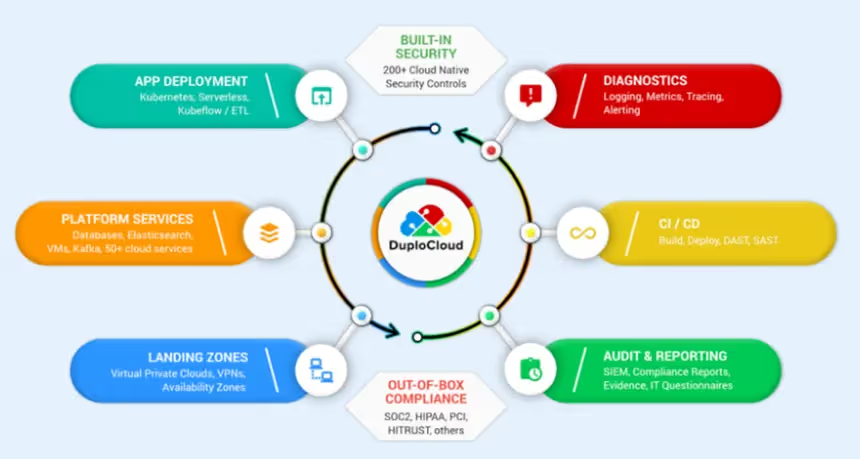
DuploCloud functions as a DevSecOps and SOC automation tool tailored for startups and SMBs. It focuses on compliance automation for cloud-native applications.

Features

  • Compliance Automation: SOC 2, HIPAA, PCI, and GDPR frameworks pre-mapped.
  • Infrastructure Security Automation: Policy enforcement for IAM, VPCs, and encryption.
  • Multi-Cloud Monitoring: AWS, Azure, GCP integrations.
  • DevOps-Friendly Workflows: Automates provisioning, scaling, and patching.
  • Continuous Monitoring: Detects and remediates compliance drifts.
  • Audit Readiness: Evidence logs automatically collected.

Pros

  • Perfect for cloud-native startups.
  • Developer-friendly.
  • Affordable compared to enterprise SOAR tools.

Cons

  • Not suited for enterprises with large SOC teams.
  • Limited outside compliance scope.

Pricing

Starts at around $3,000/month, flexible based on scale.

7. Vanta
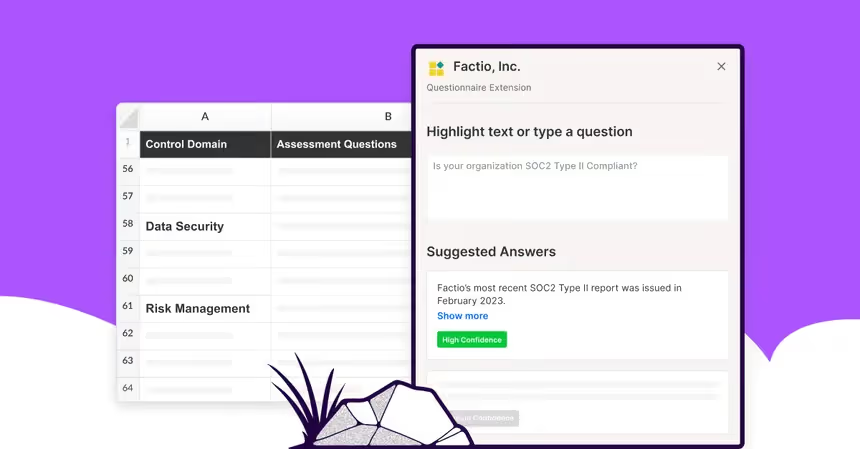
Vanta is a compliance-focused SOC automation tool that simplifies SOC 2 readiness, designed for rapid compliance readiness and continuous monitoring.

Features 

  • Automated SOC 2 Readiness: Maps organizational processes to SOC 2 requirements.
  • Continuous Control Monitoring: Monitors user access, device security, and policies.
  • Policy Library: Pre-built templates for ISO, HIPAA, GDPR.
  • Vendor Risk Tracking: Monitors third-party app compliance.
  • Audit-Ready Reporting: Auto-generated dashboards for auditors.
  • Integrations: Works with Okta, AWS, GCP, Azure, and HR tools.

Pros

  • Extremely easy to use.
  • Quick time-to-certification.
  • Perfect for SMBs scaling quickly.

Cons

  • Limited to compliance-focused automation.
  • Not a full SOC orchestration solution.

Pricing

Starts at $10,000/year, varies by compliance frameworks.

8. Drata
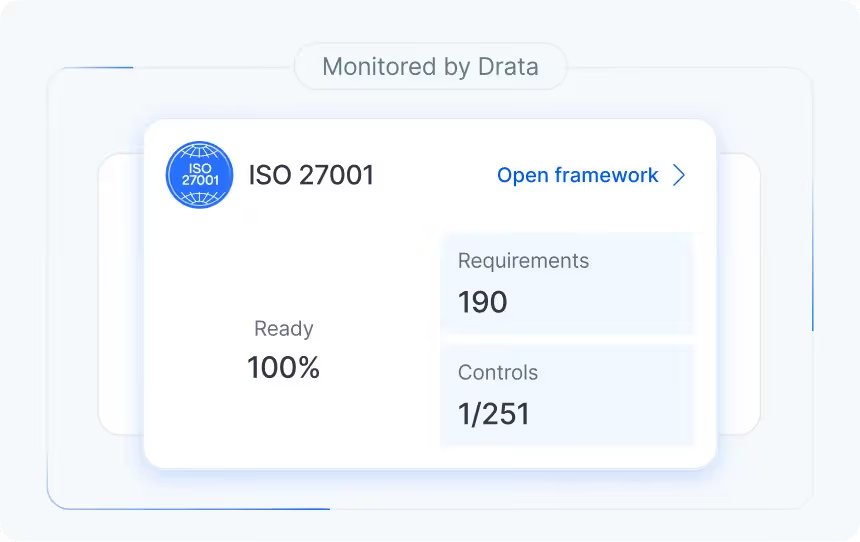
Drata is another SOC automation tool designed for multi-framework compliance and continuous monitoring, supporting multiple frameworks and offering deeper integrations than Vanta.

Features

  • Multi-Framework Support: SOC 2, HIPAA, ISO, GDPR, and more.
  • Continuous Compliance Monitoring: Real-time monitoring of systems and apps.
  • Automated Evidence Collection: Centralized documentation storage.
  • Risk Assessment Automation: Identifies and categorizes risks.
  • Audit Dashboard: Collaboration features for auditors.
  • Integration Ecosystem: Works with GitHub, Slack, AWS, HRIS tools, and identity providers.

Pros

  • Great for enterprises needing multiple certifications.
  • Strong integrations.
  • Detailed risk and control visibility.

Cons

  • Pricing is higher compared to Vanta.
  • Compliance-first; not a full SOC solution.

Pricing

Starts at $15,000/year, scaling with compliance frameworks.

9. Splunk
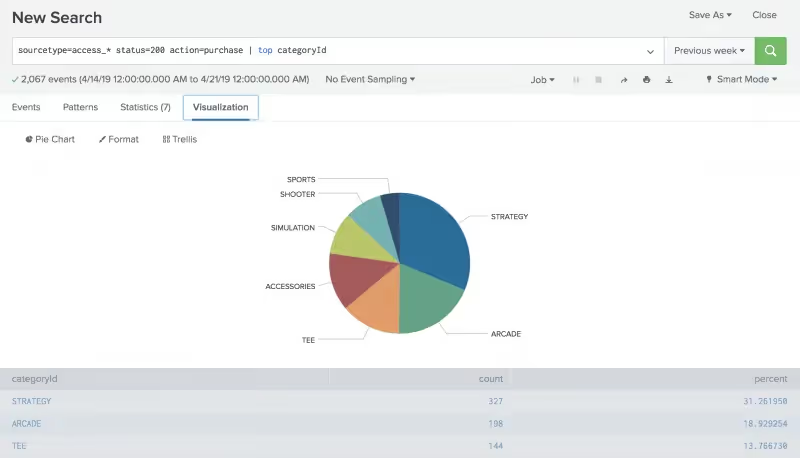
Splunk is a market-leading SIEM and SOC automation tool used by enterprises. It is widely used in enterprises for log management, real-time monitoring, and analytics.

Features 

  • SIEM Capabilities: Collects and analyzes logs from across IT infrastructure.
  • Advanced Analytics: Machine learning–driven threat detection.
  • Security Orchestration Add-Ons: Adds automation via Splunk SOAR.
  • Threat Intelligence Integration: Connects to multiple feeds for real-time enrichment.
  • Dashboards & Reporting: Customizable SOC views and KPI reports.
  • Scalability: Handles large-scale data ingestion and analysis.

Pros

  • Mature platform with strong community support.
  • Deep analytics and reporting.
  • Scalable for enterprises.

Cons

  • Expensive for SMBs.
  • Resource-intensive.
  • Requires skilled SOC engineers.

Pricing

Starts around $150/month for small plans, but enterprise deployments often exceed $100,000/year.

10. CrowdStrike Falcon
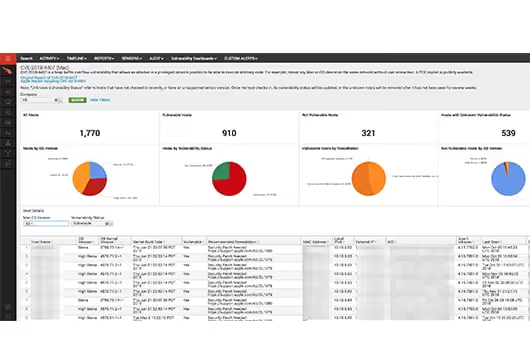
CrowdStrike Provides Free Dashboard to Identify Vulnerable Macs

CrowdStrike Falcon is an endpoint detection and response platform that doubles as a SOC automation tool for incident response.

Features 

  • EDR Capabilities: Real-time endpoint threat detection.
  • AI-Based Malware Prevention: Blocks malware and ransomware using behavioral analysis.
  • Automated Remediation: Isolates endpoints and removes threats.
  • Threat Intelligence: Global threat intel powered by AI.
  • Cloud-Native Platform: Lightweight agent with minimal impact on performance.
  • Extended Detection (XDR): Expands visibility beyond endpoints to workloads and identities.

Pros

  • Excellent endpoint protection.
  • Lightweight, fast, and cloud-native.
  • Advanced AI-driven detection.

Cons

  • Endpoint-focused, not a full SOC solution.
  • Higher pricing for advanced modules.

Pricing

Starts at $8.99 per endpoint/month, with add-ons increasing total cost.

5. Legacy SOC Monitoring Tools Vs Modern SOC Automation Tools (What Changes)

Legacy SOC monitoring tools like SIEM and EDR excel at one thing: collecting data. They provide broad visibility across logs, endpoints, and network flows.

But visibility alone does not equal action, and that is where traditional stacks consistently fall short.

Where legacy SOC tools break down What modern SOC automation tools add
  • Manual triage forces analysts to pivot across SIEM, ticketing (ITSM), and identity (IdP/SSO) consoles, creating swivel-chair workflows that slow response
  • Audit evidence must be assembled by hand, turning compliance into a recurring fire drill
  • Approval bottlenecks stall containment, stretching MTTR from minutes into hours
  • Pre-built and customizable playbooks that execute end-to-end, not just surface alerts on a dashboard
  • Human-in-the-loop approval gates for high-impact actions, keeping oversight without adding delay
  • Bi-directional integrations across SOAR, EDR, IAM, and ITSM so one signal triggers coordinated action across the entire stack
  • Measurable MTTR reduction, often up to 80%, with automated evidence collection attached to every action

The critical advantage of top SOC automation tools is that they deliver meaningful visibility in days, not months, without requiring a rip-and-replace of existing infrastructure.

Modern SOC tools are designed to enhance platforms like Okta, Splunk, and ServiceNow rather than displace them, giving security teams automation that executes work where legacy SOC monitoring tools only reported it.

6. How SOC Automation Works? A Quick Rundown

SOC automation streamlines security operations by shifting from reactive processes to proactive, intelligent threat management. Here’s how it works:

  • Aggregates data from multiple sources, system logs, endpoint telemetry, IAM/SSO systems, and SaaS applications, to capture a comprehensive threat landscape.
  • Enriches and analyzes raw data with threat intelligence, CMDB context, and behavioral baselines for actionable security insights.
  • Automatically ranks risks so teams can focus on the most urgent alerts first.
  • Uses automated workflows to instantly stop threats by blocking devices or suspending accounts.

Manages security and compliance across all cloud environments, flagging complex issues for expert review.

Failing Access Reviews = Failing SOC 2

Get the practical checklist that helps you run clean, documented, and defensible user access reviews.
Download Checklist in PDF

7. What are the Challenges in SOC Automation?

SOC automation can deliver major advantages for security operations centers, but implementing these solutions is often challenging. Organizations face several common obstacles that can hamper the effectiveness of their SOC automation initiatives:

  • Noisy alerts and data quality issues: Automated systems may generate a high volume of false positives, overwhelming analysts, while inconsistent or poor-quality data from multiple sources can undermine decision accuracy.
  • Integration complexity: Integrating legacy SIEM platforms with modern SOAR tools, EDR solutions, and cloud-based security services can be difficult and time-consuming for SOC teams.
  • Change management and over-automation risks: Teams may resist changes to established workflows, or become too reliant on automation, leading to gaps in oversight where human intervention is still vital.
  • Lack of governance and skills: Inadequate governance frameworks and approval processes for critical security decisions, as well as skill gaps in managing and tuning automated SOC tools, can limit automation effectiveness.
  • Compliance challenges: Automated workflows may fail to maintain proper audit trails or meet regulatory standards, increasing the risk of compliance gaps.

To address these challenges, organizations should:

  • Adopt a phased rollout approach, starting with well-defined, high-confidence use cases
  • Standardize data normalization early in the process and test thoroughly before full deployment
  • Establish clear roles and responsibilities with RACI matrices and human approval gates for critical actions
  • Invest in comprehensive analyst training to balance automation and human expertise
  • Implement KPI tracking, detailed logging, and regular reviews to ensure compliance and continuous improvement.

8. What are the Features to Look for in SOC Automation Tools?

Choosing the right SOC automation tools in 2025 is essential for streamlining security operations. Consider these key features for effective SOC automation:

  • Prebuilt and customizable playbooks for common scenarios (phishing, incident containment, vulnerability management)
  • Wide integrations across SIEM, EDR/XDR, IAM/SSO, ticketing systems, and cloud platforms
  • AI-driven alert triage and correlation to reduce false positives and enrich threat data
  • Case management, automated evidence collection, and audit logs for compliance
  • Role-based access controls and approval workflows for policy alignment
  • Time-based access provisions for temporary privilege management.

9. Picking The Right Soc Tools: Evaluation Checklist (Integrations, Governance, ROI)

Selecting the right SOC tools requires evaluation criteria that go beyond feature lists.

The questions that matter differ by stakeholder, and the most critical distinction is whether a platform executes automated actions or simply surfaces data on a dashboard.

Stakeholder Key Evaluation Questions
Security / Risk
  • Does the tool enforce least privilege continuously?
  • Are deprovisioning events captured with timestamped audit trails?
  • Can access reviews be completed in days rather than weeks?
IT / Ops
  • Do workflows run end-to-end without manual handoffs?
  • What is the documented MTTR reduction?
  • Can playbooks trigger across IAM, ITSM, and SaaS applications in a single automated flow?
Exec / Leadership
  • How quickly does the platform deliver measurable visibility?
  • Is ROI quantifiable within the first quarter?
  • Can compliance posture be reported to the board without custom engineering?
Finance / Procurement
  • Is pricing scalable as the environment grows?
  • What is the total cost including integrations and professional services?
  • Are license costs tied to active usage rather than provisioned seats?

10. SOC Tools & Technologies: Core Categories For SOC Monitoring Tools (And How They Connect)

Each layer in a modern SOC stack has a distinct role, and automation value comes from how the layers chain together, not from any single tool in isolation.

  • SIEM: Ingests logs and raw telemetry across infrastructure; detects anomalies and fires prioritized alerts
  • SOAR: Receives SIEM signals; orchestrates multi-tool response playbooks without manual handoffs
  • EDR/XDR: Supplies behavioral endpoint telemetry (far deeper than login data alone); executes isolation on SOAR command
  • IAM/SSO: Revokes or time-scopes access based on automated risk signals
  • TIP: Enriches alerts with external threat context before analyst triage
  • ITSM/Ticketing: Logs every automated action for audit trails and SLA tracking
  • CSPM/CWPP: Monitors cloud posture and workload drift continuously
  • Data Lake: Retains long-term telemetry for threat hunting and forensics
  • AI/ML: Cuts false positives and prioritizes threats across all layers

The automation flow is sequential: SIEM detects → SOAR orchestrates → EDR contains → IAM revokes → ITSM documents.

The goal is automation executing work end-to-end, not dashboards waiting for human action.

11. What are Some Use Cases of SOC Automation?

The right cybersecurity automation tools for enterprise SOCs enable teams to focus on high-value threat analysis while automated workflows manage routine security processes.

These automated SOC implementations significantly reduce mean time to response and improve overall security posture.

The most impactful SOC automation use cases include:

  • Phishing triage and remediation - Automatically analyze suspicious emails, quarantine threats, and notify affected users
  • Alert deduplication and prioritization - Consolidate similar alerts and rank them by severity and business impact
  • Periodic access reviews and privilege right-sizing - Continuously validate user permissions and remove excessive privileges
  • Incident containment - Automatically isolate compromised endpoints and block malicious IP addresses
  • Automated compliance evidence collection - Generate audit trails and documentation for regulatory requirements

The best tools to automate SOC workflows in 2026 integrate seamlessly with existing security infrastructure while providing measurable improvements in incident response times and analyst productivity.

12. How Enterprises Should leverage SOC Automation?

Look, flipping the switch on SOC automation isn't a one-and-done deal.

It takes a real plan. If you rush the setup, you're probably just going to break your existing workflows, which is the last thing anyone needs. 

Here's how to approach security automations:

  • Crawl before you run. Start with low-risk tasks like alert enrichment, and always, always test your playbooks in a sandbox before going live.
  • Keep humans in the loop. You need clear approval gates for the high-stakes stuff; automation is a tool to support your team, not replace their judgment.
  • Watch the clock. Track metrics like MTTR to prove the automation is actually working, and update your playbooks quarterly so they don't get stale.

13. Best Practices Checklist For SOC Automation Tools (Safe Rollout)

Rolling out SOC automation tools without disrupting existing operations requires deliberate guardrails from day one. The checklist below provides verifiable actions security teams can follow to ensure a controlled, audit-ready deployment.

Define guardrails and approval gates: Document which automated actions require human sign-off before execution, particularly for high-impact responses like account suspension or endpoint isolation.

Start with low-risk playbooks: Begin automation with alert enrichment and triage before advancing to containment or access revocation workflows.

Stage and test before production: Validate every playbook in a non-production environment and confirm expected outputs before live deployment.

Enforce integration hygiene: Audit all bi-directional connections between soc tools, IdP, ITSM, and EDR systems to eliminate stale or misconfigured integrations.

Maintain logging and audit trails: Ensure every automated action is timestamped, attributed, and stored for compliance review.

Apply RBAC and least privilege: Restrict automation execution rights by role; no workflow should run with broader permissions than necessary.

Human-in-the-loop controls are non-negotiable for high-impact soc automation tools actions. Fast onboarding only delivers value when the underlying governance structure is solid.

Wrapping Up

As cyber threats continue to outpace manual processes, SOC automation tools have become indispensable for maintaining a modern defense.

These solutions allow enterprises to eliminate tedious manual tasks, improve threat detection speeds, and simplify complex compliance requirements.

Adopting these technologies ensures your security operations remain resilient and proactive in a changing landscape.

CloudEagle specifically enhances this transition by automating compliance and streamlining security workflows, providing the visibility and control needed for a truly future-ready Security Operations Center.

FAQs

1. What does SOC stand for?

SOC stands for Security Operations Center, the centralized team and technology setup responsible for monitoring, detecting, and responding to cybersecurity threats in an organization.

2. What is SOC automation?

SOC automation is the use of AI, machine learning, and orchestration tools to automate routine security tasks such as threat detection, log analysis, incident triage, and compliance reporting. It reduces manual effort, improves response times, and helps SOC teams focus on high-value threats.

3. What is the SOC automation model?

The SOC automation model is a framework where SIEM, SOAR, compliance automation, and AI-powered threat intelligence work together to reduce human intervention. It follows a tiered escalation path: automation handles routine tasks, while SOC analysts (L1, L2, L3) focus on complex cases.

4. What are SOC tools?

SOC tools are technologies that help SOC analysts monitor and secure IT environments. Examples include SIEM (Splunk), SOAR (Swimlane), compliance automation (CloudEagle, Vanta, Drata), and EDR (CrowdStrike Falcon).

5. What are the three types of SOC?

  1. In-house SOC – Fully owned and managed by the enterprise.
  2. Managed SOC (MSSP) – Outsourced to a third-party provider.
  3. Hybrid SOC – Combines internal teams with external SOC services.

6. What is L1, L2, and L3 SOC analyst?

  • L1 Analyst: First line of defense — monitors alerts, escalates suspicious activity.
  • L2 Analyst: Investigates escalated cases, correlates logs, conducts deeper analysis.
  • L3 Analyst: Advanced threat hunters and forensic experts, often developing playbooks and automation

Advertisement for a SaaS Subscription Tracking Template with a call-to-action button to download and a partial graphic of a tablet showing charts.Banner promoting a SaaS Agreement Checklist to streamline SaaS management and avoid budget waste with a call-to-action button labeled Download checklist.Blue banner with text 'The Ultimate Employee Offboarding Checklist!' and a black button labeled 'Download checklist' alongside partial views of checklist documents from cloudeagle.ai.Digital ad for download checklist titled 'The Ultimate Checklist for IT Leaders to Optimize SaaS Operations' by cloudeagle.ai, showing checklist pages.Slack Buyer's Guide offer with text 'Unlock insider insights to get the best deal on Slack!' and a button labeled 'Get Your Copy', accompanied by a preview of the guide featuring Slack's logo.Monday Pricing Guide by cloudeagle.ai offering exclusive pricing secrets to maximize investment with a call-to-action button labeled Get Your Copy and an image of the guide's cover.Blue banner for Canva Pricing Guide by cloudeagle.ai offering a guide to Canva costs, features, and alternatives with a call-to-action button saying Get Your Copy.Blue banner with white text reading 'Little-Known Negotiation Hacks to Get the Best Deal on Slack' and a white button labeled 'Get Your Copy'.Blue banner with text 'Little-Known Negotiation Hacks to Get the Best Deal on Monday.com' and a white button labeled 'Get Your Copy'.Blue banner with text 'Little-Known Negotiation Hacks to Get the Best Deal on Canva' and a white button labeled 'Get Your Copy'.Banner with text 'Slack Buyer's Guide' and a 'Download Now' button next to images of a guide titled 'Slack Buyer’s Guide: Features, Pricing & Best Practices'.Digital cover of Monday Pricing Guide with a button labeled Get Your Copy on a blue background.Canva Pricing Guide cover with a button labeled Get Your Copy on a blue gradient background.

Enter your email to
unlock the report

Oops! Something went wrong while submitting the form.
License Count
Benchmark
Per User/Per Year

Enter your email to
unlock the report

Oops! Something went wrong while submitting the form.
License Count
Benchmark
Per User/Per Year

Enter your email to
unlock the report

Oops! Something went wrong while submitting the form.
Notion Plus
License Count
Benchmark
Per User/Per Year
100-500
$67.20 - $78.72
500-1000
$59.52 - $72.00
1000+
$51.84 - $57.60
Canva Pro
License Count
Benchmark
Per User/Per Year
100-500
$74.33-$88.71
500-1000
$64.74-$80.32
1000+
$55.14-$62.34

Enter your email to
unlock the report

Oops! Something went wrong while submitting the form.

Enter your email to
unlock the report

Oops! Something went wrong while submitting the form.
Zoom Business
License Count
Benchmark
Per User/Per Year
100-500
$216.00 - $264.00
500-1000
$180.00 - $216.00
1000+
$156.00 - $180.00

Enter your email to
unlock the report

Oops! Something went wrong while submitting the form.

Get the Right Security Platform To Secure Your Cloud Infrastructure

Please enter a business email
Thank you!
The 2023 SaaS report has been sent to your email. Check your promotional or spam folder.
Oops! Something went wrong while submitting the form.

Access full report

Please enter a business email
Thank you!
The 2023 SaaS report has been sent to your email. Check your promotional or spam folder.
Oops! Something went wrong while submitting the form.

Most Security Operations Centers (SOCs) are drowning in repetitive alerts, manual investigations, and compliance paperwork.

That’s where SOC automation tools step in.

Think of them as your digital co-pilots in cybersecurity - powered by AI and continuous orchestration. Instead of SOC auditors manually sifting through thousands of alerts, these tools automate detection, triage, investigation, and even response.

In this blog, we’ll discuss what SOC automation is, why enterprises can’t ignore it, and the 10 best SOC automation tools in 2026 that are helping organizations turn their SOC audits from reactive to proactive.

TL;DR

  • SOC automation tools leverage AI and orchestration to streamline repetitive tasks, boost incident response speed, and minimize manual workload for security teams .
  • They help reduce alert fatigue, improve scalability, enable compliance, and cut operational costs, making them essential for modern enterprises facing complex cyber threats .
  • Top SOC automation tools in 2025 include CloudEagle.ai, Sprinto, Torq HyperSOC, Swimlane, RadiantSecurity, DuploCloud, Vanta, Drata, Splunk, and CrowdStrike Falcon, each offering specialized features for detection, compliance, orchestration, and endpoint protection .
  • Automated SOCs are more resilient and proactive, allowing security teams to detect and respond to threats faster, while maintaining continuous compliance and audit readiness .
  • Adopting SOC automation today prepares enterprises for evolving threats, enabling stronger, smarter security operations and future-ready SOC environments .

1. What is an SOC Automation Tool?

A SOC automation tool helps security teams eliminate manual work by automating repetitive and time-consuming tasks within the Security Operations Center (SOC).

Instead of manually monitoring alerts, analyzing logs, or escalating incidents, SOC automation leverages artificial intelligence (AI), machine learning (ML), and orchestration workflows to streamline operations.

At its core, SOC automation reduces the burden on SOC analysts (L1, L2, and L3 levels) by automating triage, enrichment, correlation, and response. With rising cyber threats and an ever-expanding IT attack surface, enterprises can no longer rely on purely manual SOC tools.

SOC automation tools are designed to:

  • Detect and respond to threats faster.
  • Reduce false positives.
  • Ensure compliance with SOC 2and other frameworks.
  • Help organizations adopt a more proactive approach to security monitoring.

By implementing the right SOC monitoring tools, organizations can build an automated SOC where manual effort is minimized and cyber resilience is maximized.

2. SOC Automation Tools: Why Enterprises Must Switch From Traditional SOC Monitoring

SOC automation tools reduce risk by detecting, prioritizing, and responding to incidents instantly, without human bottlenecks. In modern security, speed and consistency aren’t optional; they’re protection.

Traditional SOC tools are effective but require significant manual intervention, which creates bottlenecks. Adopting SOC automation tools and other cybersecurity automation platforms.

Here are the main reasons why SOC automation is essential:

  1. Alert Fatigue Reduction: SOC teams often drown in alerts. Automated SOC platforms help prioritize and filter false positives, ensuring analysts only focus on high-value incidents.
  2. Faster Incident Response: With automated playbooks, threats are mitigated within seconds rather than hours. This reduces the dwell time of attackers inside a network.
  3. Scalability: Manual processes can’t scale as organizations grow. SOC automation ensures consistent monitoring and response across hybrid and multi-cloud environments. SOC automation tools ensure consistent monitoring.
  4. Compliance and Audit Readiness: SOC 2, HIPAA, ISO 27001, and GDPR require strict documentation and monitoring. SOC automation tools simplify compliance with continuous control monitoring and automated evidence collection.
  5. Cost Efficiency: By reducing the need for large SOC teams, enterprises save costs while improving security posture.

In short, enterprises need SOC automation not only for better detection but also for efficiency, compliance, and long-term resilience.

Trying to Get SOC 2 Done This Quarter?

A clear, no-fluff playbook to help you get compliant without slowing down your business.
Download Playbook in PDF

3. AI SOC Automation: The New Standard in SOC Monitoring

Manual SOC monitoring can’t keep up with today’s alert volume and attack speed.

AI SOC automation changes the game by cutting noise, accelerating response, and letting analysts focus on real threats, not endless alerts.

Here’s why it matters:

  • Reduces alert fatigue by automatically filtering false positives
  • Prioritizes real threats using behavioral analysis and risk scoring
  • Speeds up incident response with automated playbooks
  • Lowers MTTR without increasing security headcount
  • Improves detection accuracy through continuous learning
  • Scales effortlessly as your environment grows

For security leaders evaluating SOC tools, AI isn’t optional anymore. It’s what separates reactive monitoring from proactive, intelligent defense.

4. Top 10 SOC Automation Tools in 2026 For Quicker SOC Audits

1. CloudEagle.ai

Dashboard image of CloudEagle

CloudEagle.ai is more than just a SaaS management and Identity governance platform; it is a powerful SOC automation tool that helps enterprises unify.

Its AI-powered automation capabilities make it a standout for organizations seeking a balance between security operations, compliance, and SaaS management.

Key Features of CloudEagle.ai

Access Reviews in Days, Not Months: CloudEagle automates the full access review cycle, assigning reviewers, flagging risky or ex-employee accounts, and generating audit-ready compliance reports without manual effort.

Automatic Evidence Collection: Every time a user is removed from an app, CloudEagle captures and attaches the proof automatically, no more manually documenting deprovisioning across dozens of tools.

Always Audit-Ready: Continuous access monitoring flags orphaned accounts and policy violations in real time, so you're not scrambling to clean things up when auditors arrive.

Clean Onboarding and Offboarding Trails: Every access grant and removal is timestamped and logged automatically, giving auditors a clear, complete record without IT piecing it together from emails and tickets.

Shadow IT and Unauthorized App Detection: CloudEagle discovers apps, including unsanctioned AI tools, being used outside IT's knowledge, so nothing is invisible come audit time.

Least Privilege Enforcement: Excessive permissions and over-provisioned accounts are flagged continuously, keeping your access posture tight and SOC 2 compliant.

Read More: The Key to Smoother SOC Compliance

Pros:

  • All-in-one compliance + SOC automations
  • Strong integrations with SaaS ecosystems.
  • AI-driven threat and compliance insights.
  • Helps reduce shadow IT risks.

Cons:

  • Primarily compliance-focused, less suited for deep SIEM capabilities.
  • May not replace traditional log management platforms.

Pricing

CloudEagle.ai offers custom pricing based on the number of employees, SaaS apps managed, and compliance frameworks needed. SMBs and enterprises can request a tailored quote.

2. Sprinto

Dashboard of Sprinto

Sprinto is a SOC automation tool built to automate compliance and SOC 2 readiness, providing real-time monitoring of cloud infrastructure and SaaS environments. It focuses heavily on compliance automation for startups, SMBs, and scaling enterprises.

Features

  • Compliance Automation: Pre-built workflows for SOC 2, ISO 27001, HIPAA, and GDPR. Sprinto maps organizational processes to frameworks automatically.
  • Continuous Control Monitoring: Monitors security configurations (IAM, network, data, endpoints) and alerts on deviations.
  • Automated Evidence Collection: Gathers and stores audit evidence without manual back-and-forth with employees.
  • Cloud Security Monitoring: Integrates with AWS, Azure, GCP to enforce policies like encryption, MFA, and least-privilege access.
  • Vendor Risk Management: Tracks third-party vendors and their compliance posture for audit readiness.
  • Audit Preparation: Offers auditor-friendly reports, reducing time-to-certification significantly.
  • Team Collaboration: Provides role-based dashboards for engineers, IT, and compliance officers to work seamlessly.

Pros

  • Strong compliance-first automation with SOC 2 focus.
  • Excellent dashboards tailored to audits.
  • Reduces compliance effort by 60–70%.
  • Designed for growing startups with rapid certification needs.

Cons

  • Focuses on compliance, not full threat detection.
  • Not suitable for enterprises needing deep threat intelligence or SIEM/SOAR.

Pricing

Pricing starts around $6,000/year, depending on compliance frameworks and integrations.

3. Torq HyperSOC

Torq HyperSOC is a no-code SOC automation tool designed for flexibility and speed. Its drag-and-drop workflow builder allows teams to create custom playbooks without coding, making it powerful for enterprises seeking tailored automation.

Features 

  • No-Code Workflow Automation: Build and deploy automated SOC processes with a visual interface.
  • HyperSOC Orchestration: Provides enterprise-wide orchestration across SIEM, IAM, EDR, and threat intelligence systems.
  • Phishing Remediation: Detects, analyzes, and automatically quarantines suspicious emails.
  • Vulnerability Management: Automates patch validation and escalation workflows.
  • Case Management Integration: Syncs with ticketing systems like JIRA, ServiceNow, and Zendesk.
  • Multi-Cloud Integrations: Works across AWS, GCP, Azure with built-in security APIs.
  • Adaptive Playbooks: AI-driven workflows that adjust response based on severity and context.

Pros

  • Extremely flexible — fits multiple security ecosystems.
  • Strong for organizations with diverse IT stacks.
  • Reduces incident response times drastically.

Cons

  • Can be overwhelming for SMBs without mature SOC processes.
  • Requires ongoing tuning to maximize ROI.

Pricing

Custom pricing based on workflows, typically enterprise-tier pricing.

4. Swimlane

Swimlane is an enterprise-grade SOC automation tool widely known for its SOAR capabilities. (Security Orchestration, Automation, and Response) platforms. It focuses on scalable security automation for enterprises with complex SOC environments.

Features 

  • SOAR Platform: Automates case management, threat hunting, and incident response.
  • Threat Intelligence Feeds: Integrates with global intel providers for real-time enrichment.
  • Drag-and-Drop Playbooks: Visual builder for automation workflows across teams.
  • Case & Incident Management: Centralized tracking of incidents with SLA enforcement.
  • Multi-Tenant Capabilities: Ideal for MSSPs managing multiple customers.
  • Adaptive Threat Response: Automates containment and eradication steps in real time.
  • Extensive Integrations: Works with SIEMs like Splunk, QRadar, and Sentinel.

Pros

  • Enterprise-grade automation at scale.
  • Well-suited for large SOC teams and MSSPs.
  • Mature platform with proven reliability.

Cons

  • Expensive compared to mid-market competitors.
  • Steeper learning curve; requires skilled admins.

Pricing

Enterprise pricing; generally $75,000+/year depending on deployment size.

Spreadsheets, Screenshots, and Stress?

If that’s your SOC 2 process, you need this playbook to streamline compliance and pass with confidence.
Download Playbook in PDF

5. RadiantSecurity

RadiantSecurity is an AI-driven SOC automation tool focused on reducing manual triage workload. It focuses on alert triage, investigation, and reducing false positives through machine learning.

Features 

  • AI-Powered Alert Triage: Uses contextual enrichment to reduce noise.
  • Incident Investigation Automation: Automates gathering of logs, network flows, and endpoint data.
  • Threat Intelligence Correlation: Integrates external threat feeds for higher accuracy.
  • Root Cause Analysis: AI suggests probable causes and recommended fixes.
  • Customizable Automation Rules: Build detection and response workflows based on org-specific needs.
  • Cloud & Hybrid Support: Works across cloud-native and on-prem systems.

Pros

  • Excellent AI-driven triage.
  • Reduces false positives significantly.
  • Quick integration with existing SOC tools.

Cons

  • Newer compared to incumbents like Splunk.
  • Ecosystem still growing.

Pricing

Subscription-based with AI feature tiers. Flexible for mid-market and enterprise customers.

6. DuploCloud

DuploCloud functions as a DevSecOps and SOC automation tool tailored for startups and SMBs. It focuses on compliance automation for cloud-native applications.

Features

  • Compliance Automation: SOC 2, HIPAA, PCI, and GDPR frameworks pre-mapped.
  • Infrastructure Security Automation: Policy enforcement for IAM, VPCs, and encryption.
  • Multi-Cloud Monitoring: AWS, Azure, GCP integrations.
  • DevOps-Friendly Workflows: Automates provisioning, scaling, and patching.
  • Continuous Monitoring: Detects and remediates compliance drifts.
  • Audit Readiness: Evidence logs automatically collected.

Pros

  • Perfect for cloud-native startups.
  • Developer-friendly.
  • Affordable compared to enterprise SOAR tools.

Cons

  • Not suited for enterprises with large SOC teams.
  • Limited outside compliance scope.

Pricing

Starts at around $3,000/month, flexible based on scale.

7. Vanta

Vanta is a compliance-focused SOC automation tool that simplifies SOC 2 readiness, designed for rapid compliance readiness and continuous monitoring.

Features 

  • Automated SOC 2 Readiness: Maps organizational processes to SOC 2 requirements.
  • Continuous Control Monitoring: Monitors user access, device security, and policies.
  • Policy Library: Pre-built templates for ISO, HIPAA, GDPR.
  • Vendor Risk Tracking: Monitors third-party app compliance.
  • Audit-Ready Reporting: Auto-generated dashboards for auditors.
  • Integrations: Works with Okta, AWS, GCP, Azure, and HR tools.

Pros

  • Extremely easy to use.
  • Quick time-to-certification.
  • Perfect for SMBs scaling quickly.

Cons

  • Limited to compliance-focused automation.
  • Not a full SOC orchestration solution.

Pricing

Starts at $10,000/year, varies by compliance frameworks.

8. Drata

Drata is another SOC automation tool designed for multi-framework compliance and continuous monitoring, supporting multiple frameworks and offering deeper integrations than Vanta.

Features

  • Multi-Framework Support: SOC 2, HIPAA, ISO, GDPR, and more.
  • Continuous Compliance Monitoring: Real-time monitoring of systems and apps.
  • Automated Evidence Collection: Centralized documentation storage.
  • Risk Assessment Automation: Identifies and categorizes risks.
  • Audit Dashboard: Collaboration features for auditors.
  • Integration Ecosystem: Works with GitHub, Slack, AWS, HRIS tools, and identity providers.

Pros

  • Great for enterprises needing multiple certifications.
  • Strong integrations.
  • Detailed risk and control visibility.

Cons

  • Pricing is higher compared to Vanta.
  • Compliance-first; not a full SOC solution.

Pricing

Starts at $15,000/year, scaling with compliance frameworks.

9. Splunk

Splunk is a market-leading SIEM and SOC automation tool used by enterprises. It is widely used in enterprises for log management, real-time monitoring, and analytics.

Features 

  • SIEM Capabilities: Collects and analyzes logs from across IT infrastructure.
  • Advanced Analytics: Machine learning–driven threat detection.
  • Security Orchestration Add-Ons: Adds automation via Splunk SOAR.
  • Threat Intelligence Integration: Connects to multiple feeds for real-time enrichment.
  • Dashboards & Reporting: Customizable SOC views and KPI reports.
  • Scalability: Handles large-scale data ingestion and analysis.

Pros

  • Mature platform with strong community support.
  • Deep analytics and reporting.
  • Scalable for enterprises.

Cons

  • Expensive for SMBs.
  • Resource-intensive.
  • Requires skilled SOC engineers.

Pricing

Starts around $150/month for small plans, but enterprise deployments often exceed $100,000/year.

10. CrowdStrike Falcon

CrowdStrike Provides Free Dashboard to Identify Vulnerable Macs

CrowdStrike Falcon is an endpoint detection and response platform that doubles as a SOC automation tool for incident response.

Features 

  • EDR Capabilities: Real-time endpoint threat detection.
  • AI-Based Malware Prevention: Blocks malware and ransomware using behavioral analysis.
  • Automated Remediation: Isolates endpoints and removes threats.
  • Threat Intelligence: Global threat intel powered by AI.
  • Cloud-Native Platform: Lightweight agent with minimal impact on performance.
  • Extended Detection (XDR): Expands visibility beyond endpoints to workloads and identities.

Pros

  • Excellent endpoint protection.
  • Lightweight, fast, and cloud-native.
  • Advanced AI-driven detection.

Cons

  • Endpoint-focused, not a full SOC solution.
  • Higher pricing for advanced modules.

Pricing

Starts at $8.99 per endpoint/month, with add-ons increasing total cost.

5. Legacy SOC Monitoring Tools Vs Modern SOC Automation Tools (What Changes)

Legacy SOC monitoring tools like SIEM and EDR excel at one thing: collecting data. They provide broad visibility across logs, endpoints, and network flows.

But visibility alone does not equal action, and that is where traditional stacks consistently fall short.

Where legacy SOC tools break down What modern SOC automation tools add
  • Manual triage forces analysts to pivot across SIEM, ticketing (ITSM), and identity (IdP/SSO) consoles, creating swivel-chair workflows that slow response
  • Audit evidence must be assembled by hand, turning compliance into a recurring fire drill
  • Approval bottlenecks stall containment, stretching MTTR from minutes into hours
  • Pre-built and customizable playbooks that execute end-to-end, not just surface alerts on a dashboard
  • Human-in-the-loop approval gates for high-impact actions, keeping oversight without adding delay
  • Bi-directional integrations across SOAR, EDR, IAM, and ITSM so one signal triggers coordinated action across the entire stack
  • Measurable MTTR reduction, often up to 80%, with automated evidence collection attached to every action

The critical advantage of top SOC automation tools is that they deliver meaningful visibility in days, not months, without requiring a rip-and-replace of existing infrastructure.

Modern SOC tools are designed to enhance platforms like Okta, Splunk, and ServiceNow rather than displace them, giving security teams automation that executes work where legacy SOC monitoring tools only reported it.

6. How SOC Automation Works? A Quick Rundown

SOC automation streamlines security operations by shifting from reactive processes to proactive, intelligent threat management. Here’s how it works:

  • Aggregates data from multiple sources, system logs, endpoint telemetry, IAM/SSO systems, and SaaS applications, to capture a comprehensive threat landscape.
  • Enriches and analyzes raw data with threat intelligence, CMDB context, and behavioral baselines for actionable security insights.
  • Automatically ranks risks so teams can focus on the most urgent alerts first.
  • Uses automated workflows to instantly stop threats by blocking devices or suspending accounts.

Manages security and compliance across all cloud environments, flagging complex issues for expert review.

Failing Access Reviews = Failing SOC 2

Get the practical checklist that helps you run clean, documented, and defensible user access reviews.
Download Checklist in PDF

7. What are the Challenges in SOC Automation?

SOC automation can deliver major advantages for security operations centers, but implementing these solutions is often challenging. Organizations face several common obstacles that can hamper the effectiveness of their SOC automation initiatives:

  • Noisy alerts and data quality issues: Automated systems may generate a high volume of false positives, overwhelming analysts, while inconsistent or poor-quality data from multiple sources can undermine decision accuracy.
  • Integration complexity: Integrating legacy SIEM platforms with modern SOAR tools, EDR solutions, and cloud-based security services can be difficult and time-consuming for SOC teams.
  • Change management and over-automation risks: Teams may resist changes to established workflows, or become too reliant on automation, leading to gaps in oversight where human intervention is still vital.
  • Lack of governance and skills: Inadequate governance frameworks and approval processes for critical security decisions, as well as skill gaps in managing and tuning automated SOC tools, can limit automation effectiveness.
  • Compliance challenges: Automated workflows may fail to maintain proper audit trails or meet regulatory standards, increasing the risk of compliance gaps.

To address these challenges, organizations should:

  • Adopt a phased rollout approach, starting with well-defined, high-confidence use cases
  • Standardize data normalization early in the process and test thoroughly before full deployment
  • Establish clear roles and responsibilities with RACI matrices and human approval gates for critical actions
  • Invest in comprehensive analyst training to balance automation and human expertise
  • Implement KPI tracking, detailed logging, and regular reviews to ensure compliance and continuous improvement.

8. What are the Features to Look for in SOC Automation Tools?

Choosing the right SOC automation tools in 2025 is essential for streamlining security operations. Consider these key features for effective SOC automation:

  • Prebuilt and customizable playbooks for common scenarios (phishing, incident containment, vulnerability management)
  • Wide integrations across SIEM, EDR/XDR, IAM/SSO, ticketing systems, and cloud platforms
  • AI-driven alert triage and correlation to reduce false positives and enrich threat data
  • Case management, automated evidence collection, and audit logs for compliance
  • Role-based access controls and approval workflows for policy alignment
  • Time-based access provisions for temporary privilege management.

9. Picking The Right Soc Tools: Evaluation Checklist (Integrations, Governance, ROI)

Selecting the right SOC tools requires evaluation criteria that go beyond feature lists.

The questions that matter differ by stakeholder, and the most critical distinction is whether a platform executes automated actions or simply surfaces data on a dashboard.

Stakeholder Key Evaluation Questions
Security / Risk
  • Does the tool enforce least privilege continuously?
  • Are deprovisioning events captured with timestamped audit trails?
  • Can access reviews be completed in days rather than weeks?
IT / Ops
  • Do workflows run end-to-end without manual handoffs?
  • What is the documented MTTR reduction?
  • Can playbooks trigger across IAM, ITSM, and SaaS applications in a single automated flow?
Exec / Leadership
  • How quickly does the platform deliver measurable visibility?
  • Is ROI quantifiable within the first quarter?
  • Can compliance posture be reported to the board without custom engineering?
Finance / Procurement
  • Is pricing scalable as the environment grows?
  • What is the total cost including integrations and professional services?
  • Are license costs tied to active usage rather than provisioned seats?

10. SOC Tools & Technologies: Core Categories For SOC Monitoring Tools (And How They Connect)

Each layer in a modern SOC stack has a distinct role, and automation value comes from how the layers chain together, not from any single tool in isolation.

  • SIEM: Ingests logs and raw telemetry across infrastructure; detects anomalies and fires prioritized alerts
  • SOAR: Receives SIEM signals; orchestrates multi-tool response playbooks without manual handoffs
  • EDR/XDR: Supplies behavioral endpoint telemetry (far deeper than login data alone); executes isolation on SOAR command
  • IAM/SSO: Revokes or time-scopes access based on automated risk signals
  • TIP: Enriches alerts with external threat context before analyst triage
  • ITSM/Ticketing: Logs every automated action for audit trails and SLA tracking
  • CSPM/CWPP: Monitors cloud posture and workload drift continuously
  • Data Lake: Retains long-term telemetry for threat hunting and forensics
  • AI/ML: Cuts false positives and prioritizes threats across all layers

The automation flow is sequential: SIEM detects → SOAR orchestrates → EDR contains → IAM revokes → ITSM documents.

The goal is automation executing work end-to-end, not dashboards waiting for human action.

11. What are Some Use Cases of SOC Automation?

The right cybersecurity automation tools for enterprise SOCs enable teams to focus on high-value threat analysis while automated workflows manage routine security processes.

These automated SOC implementations significantly reduce mean time to response and improve overall security posture.

The most impactful SOC automation use cases include:

  • Phishing triage and remediation - Automatically analyze suspicious emails, quarantine threats, and notify affected users
  • Alert deduplication and prioritization - Consolidate similar alerts and rank them by severity and business impact
  • Periodic access reviews and privilege right-sizing - Continuously validate user permissions and remove excessive privileges
  • Incident containment - Automatically isolate compromised endpoints and block malicious IP addresses
  • Automated compliance evidence collection - Generate audit trails and documentation for regulatory requirements

The best tools to automate SOC workflows in 2026 integrate seamlessly with existing security infrastructure while providing measurable improvements in incident response times and analyst productivity.

12. How Enterprises Should leverage SOC Automation?

Look, flipping the switch on SOC automation isn't a one-and-done deal.

It takes a real plan. If you rush the setup, you're probably just going to break your existing workflows, which is the last thing anyone needs. 

Here's how to approach security automations:

  • Crawl before you run. Start with low-risk tasks like alert enrichment, and always, always test your playbooks in a sandbox before going live.
  • Keep humans in the loop. You need clear approval gates for the high-stakes stuff; automation is a tool to support your team, not replace their judgment.
  • Watch the clock. Track metrics like MTTR to prove the automation is actually working, and update your playbooks quarterly so they don't get stale.

13. Best Practices Checklist For SOC Automation Tools (Safe Rollout)

Rolling out SOC automation tools without disrupting existing operations requires deliberate guardrails from day one. The checklist below provides verifiable actions security teams can follow to ensure a controlled, audit-ready deployment.

Define guardrails and approval gates: Document which automated actions require human sign-off before execution, particularly for high-impact responses like account suspension or endpoint isolation.

Start with low-risk playbooks: Begin automation with alert enrichment and triage before advancing to containment or access revocation workflows.

Stage and test before production: Validate every playbook in a non-production environment and confirm expected outputs before live deployment.

Enforce integration hygiene: Audit all bi-directional connections between soc tools, IdP, ITSM, and EDR systems to eliminate stale or misconfigured integrations.

Maintain logging and audit trails: Ensure every automated action is timestamped, attributed, and stored for compliance review.

Apply RBAC and least privilege: Restrict automation execution rights by role; no workflow should run with broader permissions than necessary.

Human-in-the-loop controls are non-negotiable for high-impact soc automation tools actions. Fast onboarding only delivers value when the underlying governance structure is solid.

Wrapping Up

As cyber threats continue to outpace manual processes, SOC automation tools have become indispensable for maintaining a modern defense.

These solutions allow enterprises to eliminate tedious manual tasks, improve threat detection speeds, and simplify complex compliance requirements.

Adopting these technologies ensures your security operations remain resilient and proactive in a changing landscape.

CloudEagle specifically enhances this transition by automating compliance and streamlining security workflows, providing the visibility and control needed for a truly future-ready Security Operations Center.

FAQs

1. What does SOC stand for?

SOC stands for Security Operations Center, the centralized team and technology setup responsible for monitoring, detecting, and responding to cybersecurity threats in an organization.

2. What is SOC automation?

SOC automation is the use of AI, machine learning, and orchestration tools to automate routine security tasks such as threat detection, log analysis, incident triage, and compliance reporting. It reduces manual effort, improves response times, and helps SOC teams focus on high-value threats.

3. What is the SOC automation model?

The SOC automation model is a framework where SIEM, SOAR, compliance automation, and AI-powered threat intelligence work together to reduce human intervention. It follows a tiered escalation path: automation handles routine tasks, while SOC analysts (L1, L2, L3) focus on complex cases.

4. What are SOC tools?

SOC tools are technologies that help SOC analysts monitor and secure IT environments. Examples include SIEM (Splunk), SOAR (Swimlane), compliance automation (CloudEagle, Vanta, Drata), and EDR (CrowdStrike Falcon).

5. What are the three types of SOC?

  1. In-house SOC – Fully owned and managed by the enterprise.
  2. Managed SOC (MSSP) – Outsourced to a third-party provider.
  3. Hybrid SOC – Combines internal teams with external SOC services.

6. What is L1, L2, and L3 SOC analyst?

  • L1 Analyst: First line of defense — monitors alerts, escalates suspicious activity.
  • L2 Analyst: Investigates escalated cases, correlates logs, conducts deeper analysis.
  • L3 Analyst: Advanced threat hunters and forensic experts, often developing playbooks and automation

Recognized as an Industry leader for our AI

CloudEagle.ai is Recognized in the 2024 Gartner® Magic Quadrant™ for SaaS Management Platforms

Recognition highlights CloudEagle’s innovation and leadership in the rapidly evolving SaaS management and procurement space.
Read More
Gartner Magic Quadrant for SaaS Management Platforms showing a chart divided into Challengers and Leaders quadrants with various companies plotted as dots.

CloudEagle.ai Recognized in the GigaOm Radar for SaaS Management Platforms

CloudEagle named a Leader and Outperformer in GigaOm Radar Report, validating its impact in the SaaS management platform landscape.
Read More
gigaom

Everest Group Positions CloudEagle.ai as a Trailblazer in SaaS Management Platforms

CloudEagle recognized as a Trailblazer by Everest Group, showcasing its rapid growth and innovation in SaaS spend and operations management.
Read More
qks

CloudEagle.ai is Recognized in the 2024 Gartner® Magic Quadrant™ for SaaS Management Platforms

Recognition highlights CloudEagle’s innovation and leadership in the rapidly evolving SaaS management and procurement space.
Read More
gartner
CloudEagle.ai recognized in the 2025 Gartner® Magic Quadrant™ for SaaS Management Platforms
Download now
gartner chart
5x
Faster employee
onboarding
80%
Reduction in time for
user access reviews
30k
Workflows
automated
$15Bn
Analyzed in
contract spend
$2Bn
Saved in
SaaS spend

Streamline SaaS governance and save 10-30%

Book a Demo with Expert
CTA image
One platform to Manage
all SaaS Products
Learn More