HIPAA Compliance Checklist for 2025

Most CloudEagle.ai customers connect SSO and HRIS in the first week. The finance connection usually waits on the controller, over one question: why does a SaaS management tool need to see our ledger?
Until a financial data integration is live, a renewal can land with no contract on file, and the only record of what you’ve paid that vendor sits in an ERP CloudEagle.ai can’t see.
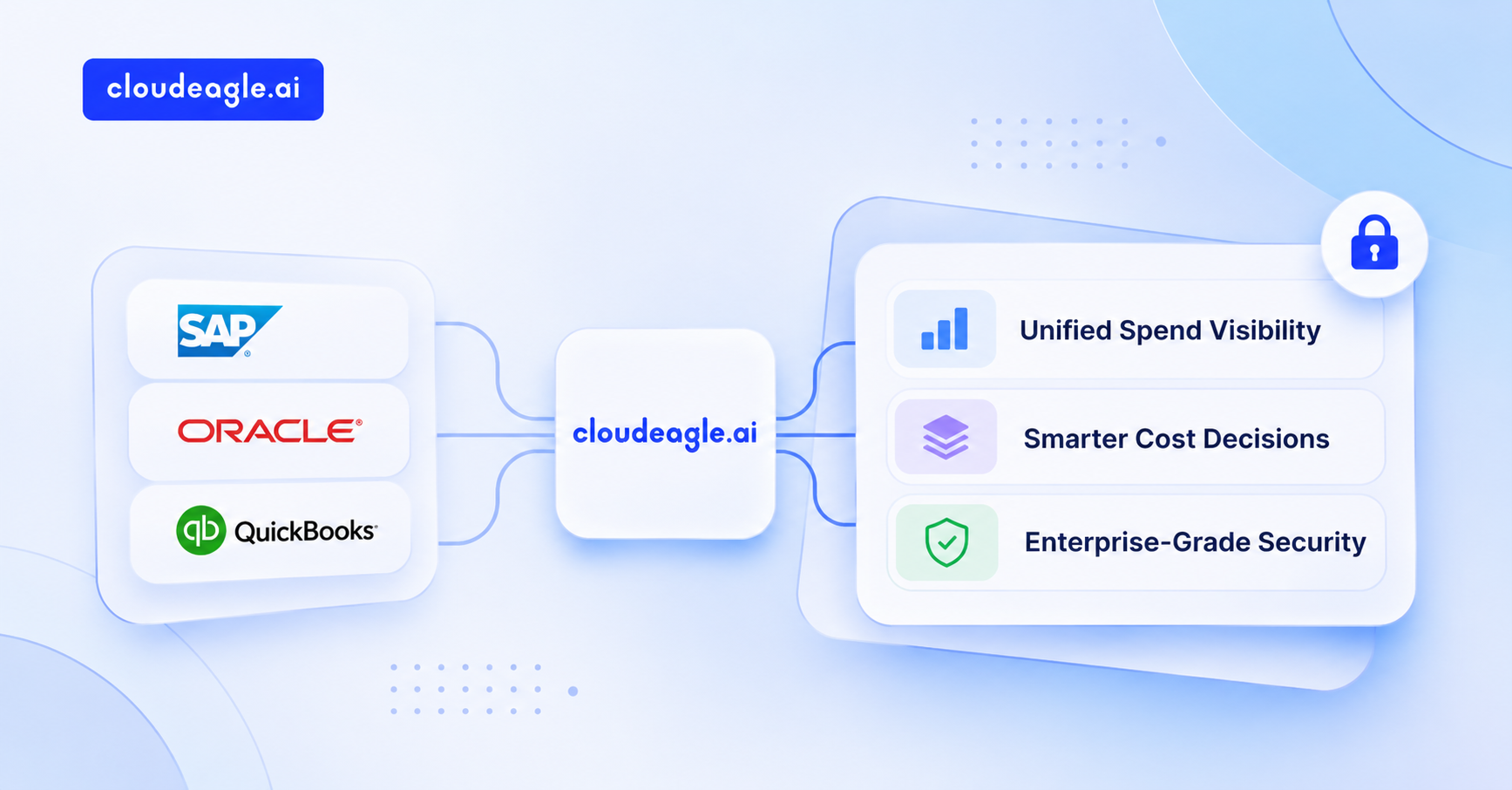
This guide covers what a financial data integration reads and what it unlocks, then how your data stays protected once it’s connected.
What the Integration Actually Reads From Your Finance Systems
CloudEagle.ai reads vendor payment lines from your finance systems and maps each one to the app it paid for. That’s the whole job of a financial data integration: turning a list of payments into a list of apps with costs attached.
It connects to ERP, accounting, expense and card systems, including NetSuite, QuickBooks, Xero, Sage Intacct, Zoho Books, Bill, Coupa, Ramp, SAP Concur, Expensify, Workday and Microsoft Dynamics NAV, and to bank transaction feeds through Plaid. Each transaction arrives with fields like these:
Which optional fields arrive depends on what your finance system exposes. For example, not every system provides PO numbers or cost centers.
What the integration stays out of:
- Balances: account balances and cash positions
- Payroll: salary lines and employee compensation
- Changes to your records: CloudEagle.ai reads transactions and does not create or edit anything in your ERP

What Stays Invisible Until Finance Data Is Connected
Without financial data integration, CloudEagle.ai can see who logs into an app, but it can’t see what you pay for that app, or whether you pay for it at all. That missing half shows up in three places.
Paid apps that never touch SSO
A Gartner survey found that 74% of technology purchases are funded at least partly by business units outside IT. Plenty of those tools never get added to your identity provider, which is why a finance integration catches what SSO misses.
- Card purchases: a team lead expenses a design tool on a corporate card
- Direct contracts: a department signs with a vendor and pays by invoice
- The only trace: in both cases, the payment is the only record the app exists
If card spend is where your unapproved apps hide, this walkthrough shows how to catch them: How to Catch Shadow Purchases Made on Company Credit Cards
Renewals priced from guesswork, with no contract and no spend history
A renewal without payment data starts from the vendor’s number. You can’t tell whether spend crept up mid-term or whether the contract value still matches what’s being billed.
- Missing contracts: the agreement was never uploaded, or the latest amendment wasn’t
- Hidden growth: add-on seats bought mid-term show up only in payments
- Weak position: negotiation starts without knowing what the vendor has cost you
If renewal prep still starts the week of the deadline, here’s what changes when agents do that prep: Why Most SaaS Renewals Are Still a Guessing Game
Savings you can spot but can’t put a dollar figure on
Without a financial data integration, usage data tells you a block of seats has sat idle for 90 days. It can’t tell you what those seats cost, so finance has nothing to act on.
- Unused licenses with no cost attached
- Duplicate apps with no combined spend figure
- Budget overruns noticed only after the quarter closes
What CloudEagle.ai Does Once Your Financial Data Integration Is Live
Once your financial data integration is live, CloudEagle.ai turns raw payment lines into a working spend record. The workflow starts with discovery and ends with renewal prep, each step building on the one before.
1. Every paid app surfaces, including ones IT never approved
Spreadsheets and SSO logs miss anything bought on a card or paid by invoice, so the app list is always shorter than reality.
How CloudEagle.ai solves it:
- Scans incoming transactions for SaaS vendors and flags new paid ones for review
- Sends an alert when a new app or vendor purchase appears
Your app inventory reflects what you actually pay for, and it updates as new payments land. Heath Ceramics connected its SSO and finance systems and now gets alerted the moment a new app or vendor purchase shows up, which cut its app and spend management time by 70% (case study).
2. Every payment ties back to an app and a department
A payment coded to a generic GL account tells finance nothing about which team or tool it funded.
How CloudEagle.ai solves it:
- Links each transaction to the application it paid for, automatically where it can
- Splits a single payment across apps by percentage when one invoice covers several
- Attributes spend to departments for chargeback and budgeting, where your finance system provides department data
Department-level SaaS spend visibility becomes a report you pull instead of a spreadsheet you rebuild every month. Simplicity connected its SSO and finance systems in 30 minutes and now runs four department-level spend reports on demand, saving 1,330 hours a year (case study).
3. Possible duplicate charges get caught
When a vendor charges the same amount twice, nothing in a spreadsheet looks wrong.
How CloudEagle.ai solves it:
- Flags transactions from the same vendor with the same date and amount as possible duplicates
- Puts vendor spend next to budget so overruns are visible
With a financial data integration running continuously, repeat charges can be reviewed while they’re still recoverable. JoVe’s finance connection showed its spreadsheets covered only a third of its apps, and its billing data exposed a vendor charging both annually and monthly for the same app, part of $800K+ in total savings (case study).
4. Overlapping apps come with a cost attached
Usage data can show that two tools serve a similar purpose, but without spend on each, there’s no way to tell which one to keep or what retiring the other would save.
How CloudEagle.ai solves it:
- Groups apps by category to surface possible overlap
- Shows spend, users, and renewal dates for each overlapping app side by side
IT and finance can compare what each tool costs and who relies on it before the next renewal, then confirm whether the overlap is real. RingCentral used this view with Application Rationalization to map users on 320+ duplicate apps, then consolidated them and saved $1.8M (case study).
5. Renewals start from what you actually paid
Without spend history, a renewal conversation starts from the vendor’s quote.
How CloudEagle.ai solves it:
- Shows 12-month and year-to-date spend for every vendor
- Compares actual spend against budget and contract value
- Feeds the renewal calendar with real numbers ahead of notice periods
With financial data integration feeding every renewal, you walk into the negotiation knowing what the contract has cost you, which is the strongest position you can have.
Turn Payment Lines Into App Spend


How Your Financial Data Stays Secure
A financial data integration with CloudEagle.ai reads only what spend management needs, and the controls below are what you can show your controller.
What to send your controller before they approve
A short packet usually gets the finance integration approved faster than another meeting:
- Field list: the fields the financial data integration reads, from the table above
- Access type: the permissions requested by your finance system’s connection screen, and the read-only usage statement
- Security documents: CloudEagle.ai’s SOC 2 report and security overview
- Scope: which finance systems you plan to connect
- Owner: who will review the connection each quarter
For more on how CloudEagle.ai supports finance teams, see the Finance solutions page.
FAQs
1. What is financial data integration?
Financial data integration connects your ERP or accounting system to another platform, so payment records flow in automatically without manual exports or spreadsheet uploads.
2. What is data integration, with an example?
Data integration combines records from separate systems into one view. For example, CloudEagle.ai matches an ERP payment to the app it paid for and the department that owns it.
3. What is FMS in ERP?
FMS stands for financial management system, the ERP module that runs the general ledger and accounts payable. It’s one of the main sources an ERP integration reads from.
4. Does CloudEagle.ai get write access to our ERP or bank?
CloudEagle.ai only reads payment records for software spend. It does not create or change anything in your finance systems. Some finance vendors, such as QuickBooks and Xero, grant access in broader permission bundles, so the connection screen may show more than read-only. CloudEagle.ai uses that access for reading only.
5. Can we control what is shared?
Yes. CloudEagle.ai reads transaction-level fields only, such as date, amount, vendor and GL code. It does not read balances or payroll. You choose which finance systems to connect and can disconnect them at any time.
Connect your finance systems and get full SaaS spend visibility in one place: Book a demo with CloudEagle.ai
See What Your ERP Is Hiding