Benchmarking Guides

How to Govern Jira Pricing Across Your Enterprise

Share via:
Written by:
CloudEagle.ai Team
Reviewed by
Nidhi Jain
Last Updated:
April 10, 2025
blog-cms-banner-bg
Little-Known Negotiation Hacks to Get the Best Deal on Slack
cta-bg-blogDownload Your Copy

HIPAA Compliance Checklist for 2025

Download PDF

CloudEagle.ai is how enterprises get all three under control before the bill or the audit.

At enterprise scale, the question stops being which Jira plan to buy. It becomes how to govern the spend once Jira is running in three different places under three different budgets. The plan price is the smallest, most predictable line on the bill. What grows underneath it is harder to see: a Jira Work Management seat bought by ops because nobody knew Jira Service Management already covered that need, an automation rule that quietly throttles at the worst moment, a Standard-tier account still active for someone who left engineering months ago. That gap is the real story of Jira pricing at scale, and this guide is about closing it.

Why Jira Pricing Gets Harder to Control at Scale

The trouble with Jira cost isn't that any single number is high. It's that Jira is rarely one product, and each of the products it actually is has its own meter running underneath the sticker price.

Three Products, Three Separate Bills

Most enterprises aren't running one Jira bill, they're running three, each bought by a different team with its own admin.

Jira Software (engineering and product teams) prices per user:

Plan Cost Best for
Free $0 for up to 10 users Small teams testing the tool
Standard ~$7.91/user/month billed monthly, ~$6.52/user/month billed annually Teams needing roles, permissions, and 250 GB storage
Premium ~$14.54/user/month billed monthly Teams needing advanced roadmaps, unlimited storage, and a 99.9% uptime SLA
Enterprise Custom, billed annually Multi-site orgs needing unlimited sites and enterprise-grade security

Source: Atlassian's official Jira pricing page, current as of July 2026.

Jira Service Management (IT and ops teams) prices per agent instead: Free for up to 3 agents, Standard around $19 to $20/agent/month on annual billing, Premium around $47 to $51/agent/month. 

The distinction that trips teams up: JSM has separate agent and collaborator roles. Agents, the people who actually resolve tickets, are the only licensed, paid seats. Collaborators, who can view and comment but not close tickets, and customers submitting requests through the portal, don't require a paid license at all. 

Teams that never sort their JSM users into the right role end up paying agent rates for people who only ever needed to watch a queue.

Jira Work Management (general business teams) runs on its own tier structure, priced close to Jira Software's per-user model, and is frequently purchased by a team that never checked whether their existing JSM or Jira Software seats already covered the same request-tracking workflow.

Automation Limits and Marketplace Apps Add Their Own Meters

Two costs sit outside the license price entirely and rarely get budgeted for until they bite.

Jira's built-in automation carries hard execution caps that scale with plan, not with actual need: Standard is capped at 1,700 rule executions per month, Premium at 1,000 executions per paid user per month, and only Enterprise runs unlimited, pooled at the product level. 

Teams that build out extensive automation on Standard or a smaller Premium seat count hit the ceiling mid-month, rules stop firing, and the fix is often an unplanned tier upgrade rather than a redesign.

Marketplace apps are the other hidden line. Test management, time tracking, advanced roadmapping, and reporting add-ons are sold per user on top of the base license, and enterprises commonly accumulate ten to thirty of them over time with real overlap between what different apps do. 

Several independent Atlassian cost audits point to Marketplace spend as one of the most overlooked lines in a Jira bill, sometimes exceeding the base license cost itself.

The Data Center Cliff

Jira Data Center, the self-hosted option, jumped to $59,000/year for up to 500 users after a February 2026 price increase, and Atlassian has stopped selling new Data Center licenses as of March 30, 2026. 

Every organization still on Data Center is now on a forced migration timeline, and Cloud migration incentives that look generous in year one (commonly a steep first-year discount) reset to full Cloud pricing after that window closes.

Put those three tracks together, and the pattern is clear: you're billed for the products, seats, and tier limits you provisioned, not for the work you actually got out of them. That gap is where enterprise Jira spend leaks, and Atlassian's pricing page only ever shows you the list price, never the leak.

Scattered Licenses Are Costing You More

See every seat across every tool before the next renewal.
Download Checklist

How CloudEagle.ai Gets Jira Spend Under Control

Jira is rarely one line on your bill. Engineering buys Jira Software, IT buys Jira Service Management, and a business team buys Jira Work Management, often without checking whether an existing seat already covers the need. Nobody is looking across all three, and scattered is exactly where the waste hides.

CloudEagle.ai works in that order. It discovers every place Jira is being paid for, shows who's actually using each product, then governs access and gets the spend under control. Each lever below closes part of that gap and works on its own. Run together, they compound.

Find every Jira product your teams are actually paying for: 

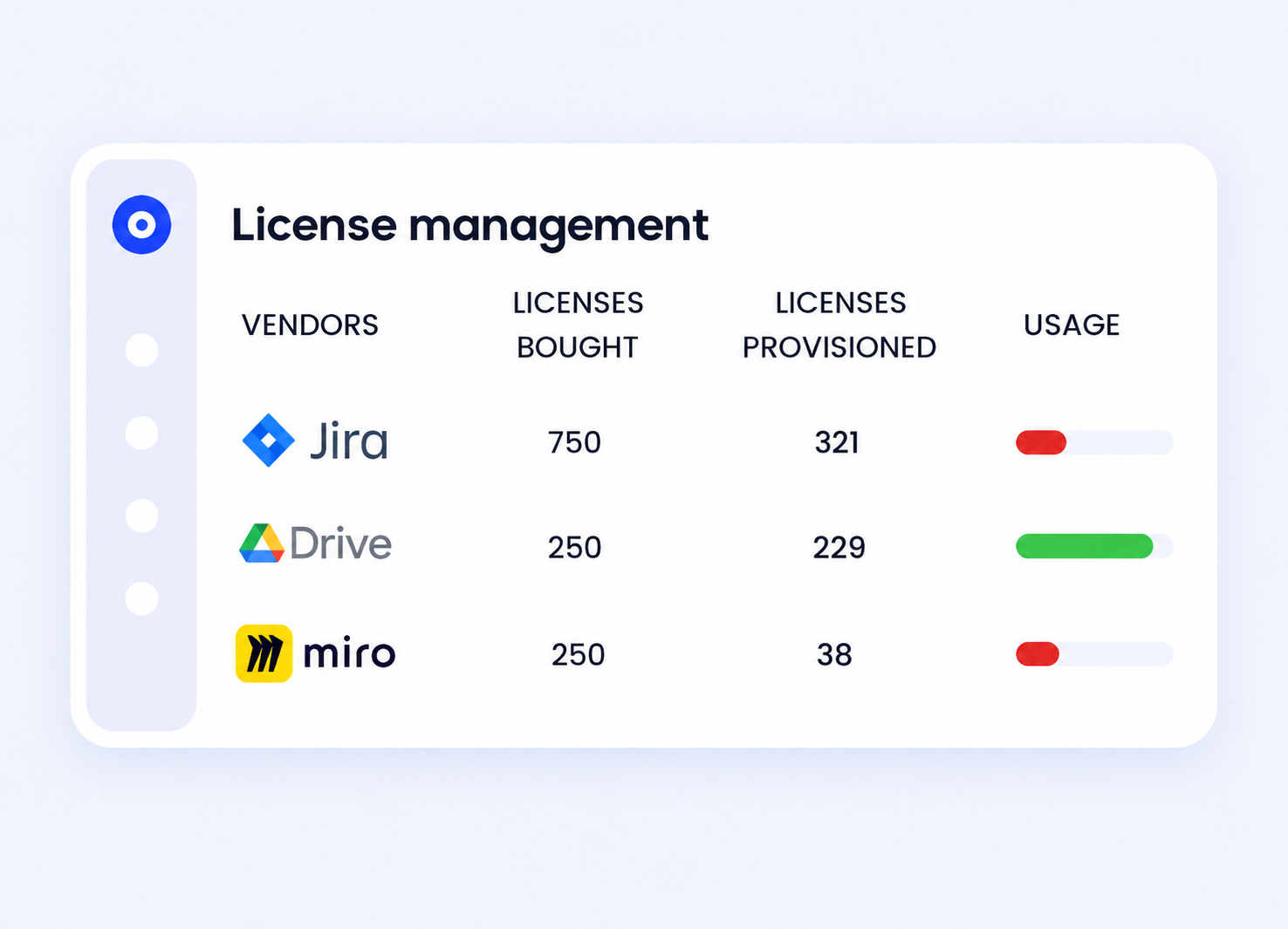
Jira Software, Jira Service Management, and Jira Work Management purchases often sit on three separate invoices with three separate owners. CloudEagle.ai correlates SSO, finance, and usage data to surface every Atlassian product in play, so IT sees the full picture instead of just the instance it provisioned.

Catch the double-pay before it renews:

  • Flag a Jira Work Management seat bought by a team that already has JSM access covering the same request-tracking workflow.
  • Surface JSM agents who only ever view or comment on tickets, the classic sign a paid agent seat should be a free collaborator role instead.

Right-size by usage, not by headcount:

  • Pull active-versus-inactive users across all three Jira products and flag anything unopened ahead of the next renewal.
  • Automate the outreach, track non-responders, and reclaim the license instead of leaving it to whoever remembers to check.
Match access to role, including for Jira's non-human identities: 

Jira environments accumulate API tokens and service accounts tied to CI/CD pipelines, integrations, and bots, alongside the human seats. 

CloudEagle.ai extends access reviews and least-privilege enforcement to these non-human identities the same way it does for employees, so an old integration token doesn't sit with standing access nobody's tracking.

Walk into renewal with usage data, not a guess: 

CloudEagle.ai's price benchmarking and buying guides give procurement real market context before a Jira or Atlassian renewal conversation starts, so the negotiation is grounded in what similarly-sized teams actually pay across the full Atlassian stack, not just Atlassian's opening number.

What Companies Actually Pay for Jira

Atlassian's list price is a starting point, not the market rate. Independent transaction and negotiation data tells a different story about actual Jira pricing.

  • Auditing and removing inactive users before renewal alone commonly cuts 15 to 25 percent off enterprise Atlassian cost, before any commercial negotiation starts.
  • Bundling Jira, Confluence, and Jira Service Management into a single negotiated commitment typically captures 5 to 10 additional percentage points of discount versus negotiating each product separately.
  • Multi-year commitments (3-year terms) tend to add another 8 to 12 percent off, on top of volume-based discounts.
  • An annual JSM agent audit often reveals 20 to 30 percent of licensed agents who could be downgraded to free collaborator or customer access without any service impact.
  • Enterprise-tier negotiation at 500+ users generally has 15 to 35 percent of room off list, with the wider end of that range tied to competitive quotes and full-stack bundling.
  • Marketplace app spend rarely gets negotiated at all, most teams never audit which of their ten-plus installed apps overlap or sit unused.

These figures reflect market benchmark and negotiation-advisory data as of mid-2026, not a quote for your organization. Treat them as a directional starting range and refresh them at each renewal, since Atlassian revises published pricing and discount practices regularly.

Every one of those levers depends on knowing your real usage first. You can't argue a seat count down without knowing which seats sit idle, and you can't propose an agent-to-collaborator downgrade without knowing who's actually resolving tickets versus just watching them.

List Price Is Not What Others Pay

Walk into your next Atlassian renewal with real benchmark data.
Download Checklist

Best Practices to Control Jira Costs Beyond Seat Count

Subscription seats are the visible cost. Automation limits, Marketplace apps, and product overlap are the ones that creep in quietly and get discovered at renewal instead of budgeted for. A few practices keep them in check:

1. Audit automation usage before you hit the ceiling: Jira surfaces a usage tab under automation settings; check it against your plan's cap (1,700/month on Standard, 1,000 per paid user on Premium) before rules start silently failing mid-month.

2. Sort JSM users into the right role: Review who's actually resolving tickets versus who's only viewing or commenting, and move the latter off paid agent seats onto free collaborator or customer access.

3. Audit Marketplace apps at least once a year:  Teams accumulate apps faster than they retire them. Check for overlapping functionality between installed apps before assuming you need the next one.

4. Plan Data Center migration costs early, not at the deadline:  With new Data Center sales closed as of March 30, 2026, teams still self-hosting should budget for the Cloud migration now, including where a first-year discount resets to full price.

5. Request multi-product bundling explicitly: Atlassian's published volume discounts are automatic, but the bundled-commitment discount across Jira, Confluence, and JSM has to be asked for; it isn't offered by default.

How to Govern Shadow Jira Access Across Teams

For security leaders, Jira cost and Jira risk are the same problem viewed from two angles. Both come back to who has access to what, and whether anyone is watching.

Access that outlives the role: 

An engineer who moves teams or leaves the company but keeps a Jira Software or JSM seat is standing privilege that no longer maps to a job, and at audit time that's exactly the kind of gap that draws a finding. Reviewing access on a cadence, rather than relying on someone to remember, is what keeps privilege matched to role.

Non-human identities riding along with the human seats: 

CI/CD pipelines, bots, and third-party integrations all connect to Jira through API tokens and service accounts. Those credentials tend to outlive the project or the person who set them up, and nobody's reviewing them the way access reviews cover employees.

Sensitive data moving through support tickets: 

Jira Service Management tickets routinely carry customer names, account details, and sometimes regulated data submitted through the request portal. Without a policy governing what can move through that channel and who can see it, that exposure grows with adoption, not shrinks.

Visibility makes the risk known. Policy is what actually retires it. Running that policy consistently across Jira and the rest of the SaaS stack is what CloudEagle.ai's access governance is built to do.

Which Jira Plan Fits Which Team

  • Free suits small teams of up to 10 users who need basic Scrum or Kanban tracking without advanced permissions or SLA support.
  • Standard fits growing teams that need user roles, permissions, and more storage, but don't yet need heavy automation or audit logs.
  • Premium fits larger teams running complex projects that need deeper automation, a 99.9% uptime SLA, and advanced roadmaps.
  • Enterprise fits organizations with strict security and compliance requirements across multiple sites, along with dedicated support and advanced admin controls.
  • Jira Service Management should be evaluated on its own; IT and ops teams handling tickets need it even if they never touch Jira Software, and only agents who resolve tickets should carry a paid seat.

Jira Alternatives Worth Comparing

Jira is a strong fit for engineering-heavy teams, but it isn't the only option.

Asana suits teams that want a simpler, more visual interface with task dependencies and broad integrations.

Trello works well for small teams that prefer Kanban-style boards and lightweight, drag-and-drop task tracking.

Monday.com offers customizable workflows and automation for teams that want flexibility without Jira's steeper learning curve.

ClickUp combines task management, docs, and goal tracking in one platform for teams that want an all-in-one tool.

Wrike is built for enterprises and remote teams managing large, complex projects with heavy reporting needs.

Frequently Asked Questions

What are the different Jira plans? 

Jira Software has four tiers: Free, Standard, Premium, and Enterprise. Jira Service Management and Jira Work Management price separately, each with their own Free, Standard, Premium, and Enterprise tiers.

What's the difference between a JSM agent and a collaborator? 

Agents are paid, licensed seats who resolve tickets. Collaborators can view and comment on tickets but can't be assigned work, and don't require a paid license. Confirming which role each user actually needs is one of the fastest ways to cut Jira Service Management cost.

What are the billing options for Jira? 

Atlassian offers monthly and annual billing across its Jira products, with annual billing typically priced lower per seat.

Is the Jira Free plan actually free forever? 

Yes. Free is a permanent plan for up to 10 users, not a trial, though it carries hard limits on storage, automation, and support.

Is there a free alternative to Jira? 

Trello and Asana both offer usable free tiers, with Asana being one of the most commonly considered Jira alternatives for growing teams.

Bring Jira Spend and Access Under One View

Choosing the right Jira plan is only half the problem. The harder part is keeping spend and access under control once Jira Software, Jira Service Management, and Jira Work Management are all live across different teams, with automation limits, Marketplace apps, and non-human identities layered on top. 

CloudEagle.ai gives you one view across every Atlassian product, every license, and every access grant, so Jira pricing stops being a surprise at renewal.

Book a demo to see how CloudEagle.ai brings Jira spend and access under control.

Advertisement for a SaaS Subscription Tracking Template with a call-to-action button to download and a partial graphic of a tablet showing charts.Banner promoting a SaaS Agreement Checklist to streamline SaaS management and avoid budget waste with a call-to-action button labeled Download checklist.Blue banner with text 'The Ultimate Employee Offboarding Checklist!' and a black button labeled 'Download checklist' alongside partial views of checklist documents from cloudeagle.ai.Digital ad for download checklist titled 'The Ultimate Checklist for IT Leaders to Optimize SaaS Operations' by cloudeagle.ai, showing checklist pages.Slack Buyer's Guide offer with text 'Unlock insider insights to get the best deal on Slack!' and a button labeled 'Get Your Copy', accompanied by a preview of the guide featuring Slack's logo.Monday Pricing Guide by cloudeagle.ai offering exclusive pricing secrets to maximize investment with a call-to-action button labeled Get Your Copy and an image of the guide's cover.Blue banner for Canva Pricing Guide by cloudeagle.ai offering a guide to Canva costs, features, and alternatives with a call-to-action button saying Get Your Copy.Blue banner with white text reading 'Little-Known Negotiation Hacks to Get the Best Deal on Slack' and a white button labeled 'Get Your Copy'.Blue banner with text 'Little-Known Negotiation Hacks to Get the Best Deal on Monday.com' and a white button labeled 'Get Your Copy'.Blue banner with text 'Little-Known Negotiation Hacks to Get the Best Deal on Canva' and a white button labeled 'Get Your Copy'.Banner with text 'Slack Buyer's Guide' and a 'Download Now' button next to images of a guide titled 'Slack Buyer’s Guide: Features, Pricing & Best Practices'.Digital cover of Monday Pricing Guide with a button labeled Get Your Copy on a blue background.Canva Pricing Guide cover with a button labeled Get Your Copy on a blue gradient background.
What to consider when buying Jira
Based on the latest community trends and observations
Billing
Atlassian offers monthly or annual billing. They provide a pricing calculator to show you the best option based on products and number of users: Atlassian Billing.
Free Credits/ Months
Atlassian pricing and plans are made public on their website: Atlassian Product Guide.
Pricing
Atlassian product prices typically increase annually. Historically, Atlassian has announced price adjustments for its products once a year, usually around early- to mid-October. This annual price increase is part of Atlassian’s business strategy to support ongoing innovation, maintain product quality, and provide customer service. Pricing is based on the plan selected, number of users, and billing frequency. When purchasing through a reseller Atlassian Partner Directory) customers have shared they are unable to be extended a discount in Year 1, but do see discounts in Year 2.
Sales
Atlassian does not provide dedicated sales reps, all requests are routed through a help email.Resellers may be able to offer small discounts on Atlassian products around 5%.
Upgrades / Downgrades
Upgrades and downgrades are easy when on a monthly billing plan. If on an annual billing plan, changes will need to take place a time of renewal.
Usage / Overages
Most Atlassian products are cited to include overage protection. Here would be an example for Atlassian Bitbucket: Overage Protection.

Enter your email to
unlock the report

Oops! Something went wrong while submitting the form.
License Count
Benchmark
Per User/Per Year

Enter your email to
unlock the report

Oops! Something went wrong while submitting the form.
License Count
Benchmark
Per User/Per Year

Enter your email to
unlock the report

Oops! Something went wrong while submitting the form.
Notion Plus
License Count
Benchmark
Per User/Per Year
100-500
$67.20 - $78.72
500-1000
$59.52 - $72.00
1000+
$51.84 - $57.60
Canva Pro
License Count
Benchmark
Per User/Per Year
100-500
$74.33-$88.71
500-1000
$64.74-$80.32
1000+
$55.14-$62.34

Enter your email to
unlock the report

Oops! Something went wrong while submitting the form.

Enter your email to
unlock the report

Oops! Something went wrong while submitting the form.
Zoom Business
License Count
Benchmark
Per User/Per Year
100-500
$216.00 - $264.00
500-1000
$180.00 - $216.00
1000+
$156.00 - $180.00

Enter your email to
unlock the report

Oops! Something went wrong while submitting the form.

Get the Right Security Platform To Secure Your Cloud Infrastructure

Please enter a business email
Thank you!
The 2023 SaaS report has been sent to your email. Check your promotional or spam folder.
Oops! Something went wrong while submitting the form.

Access full report

Please enter a business email
Thank you!
The 2023 SaaS report has been sent to your email. Check your promotional or spam folder.
Oops! Something went wrong while submitting the form.

TL;DR

  • At enterprise scale, Jira pricing is a governance problem, not a plan-selection problem. The per-seat price is the easy part.
  • The spend that hurts is Jira Software, Jira Service Management, and Jira Work Management getting bought separately by three teams, plus automation limits and Marketplace apps nobody is tracking.
  • List price and what companies actually pay are different numbers. Market benchmark data shows the levers that bring the rate down.
  • The fix is one view across every Atlassian product, every seat, and every access grant, refreshed continuously instead of at renewal.

CloudEagle.ai is how enterprises get all three under control before the bill or the audit.

At enterprise scale, the question stops being which Jira plan to buy. It becomes how to govern the spend once Jira is running in three different places under three different budgets. The plan price is the smallest, most predictable line on the bill. What grows underneath it is harder to see: a Jira Work Management seat bought by ops because nobody knew Jira Service Management already covered that need, an automation rule that quietly throttles at the worst moment, a Standard-tier account still active for someone who left engineering months ago. That gap is the real story of Jira pricing at scale, and this guide is about closing it.

Why Jira Pricing Gets Harder to Control at Scale

The trouble with Jira cost isn't that any single number is high. It's that Jira is rarely one product, and each of the products it actually is has its own meter running underneath the sticker price.

Three Products, Three Separate Bills

Most enterprises aren't running one Jira bill, they're running three, each bought by a different team with its own admin.

Jira Software (engineering and product teams) prices per user:

Plan Cost Best for
Free $0 for up to 10 users Small teams testing the tool
Standard ~$7.91/user/month billed monthly, ~$6.52/user/month billed annually Teams needing roles, permissions, and 250 GB storage
Premium ~$14.54/user/month billed monthly Teams needing advanced roadmaps, unlimited storage, and a 99.9% uptime SLA
Enterprise Custom, billed annually Multi-site orgs needing unlimited sites and enterprise-grade security

Source: Atlassian's official Jira pricing page, current as of July 2026.

Jira Service Management (IT and ops teams) prices per agent instead: Free for up to 3 agents, Standard around $19 to $20/agent/month on annual billing, Premium around $47 to $51/agent/month. 

The distinction that trips teams up: JSM has separate agent and collaborator roles. Agents, the people who actually resolve tickets, are the only licensed, paid seats. Collaborators, who can view and comment but not close tickets, and customers submitting requests through the portal, don't require a paid license at all. 

Teams that never sort their JSM users into the right role end up paying agent rates for people who only ever needed to watch a queue.

Jira Work Management (general business teams) runs on its own tier structure, priced close to Jira Software's per-user model, and is frequently purchased by a team that never checked whether their existing JSM or Jira Software seats already covered the same request-tracking workflow.

Automation Limits and Marketplace Apps Add Their Own Meters

Two costs sit outside the license price entirely and rarely get budgeted for until they bite.

Jira's built-in automation carries hard execution caps that scale with plan, not with actual need: Standard is capped at 1,700 rule executions per month, Premium at 1,000 executions per paid user per month, and only Enterprise runs unlimited, pooled at the product level. 

Teams that build out extensive automation on Standard or a smaller Premium seat count hit the ceiling mid-month, rules stop firing, and the fix is often an unplanned tier upgrade rather than a redesign.

Marketplace apps are the other hidden line. Test management, time tracking, advanced roadmapping, and reporting add-ons are sold per user on top of the base license, and enterprises commonly accumulate ten to thirty of them over time with real overlap between what different apps do. 

Several independent Atlassian cost audits point to Marketplace spend as one of the most overlooked lines in a Jira bill, sometimes exceeding the base license cost itself.

The Data Center Cliff

Jira Data Center, the self-hosted option, jumped to $59,000/year for up to 500 users after a February 2026 price increase, and Atlassian has stopped selling new Data Center licenses as of March 30, 2026. 

Every organization still on Data Center is now on a forced migration timeline, and Cloud migration incentives that look generous in year one (commonly a steep first-year discount) reset to full Cloud pricing after that window closes.

Put those three tracks together, and the pattern is clear: you're billed for the products, seats, and tier limits you provisioned, not for the work you actually got out of them. That gap is where enterprise Jira spend leaks, and Atlassian's pricing page only ever shows you the list price, never the leak.

Scattered Licenses Are Costing You More

See every seat across every tool before the next renewal.
Download Checklist

How CloudEagle.ai Gets Jira Spend Under Control

Jira is rarely one line on your bill. Engineering buys Jira Software, IT buys Jira Service Management, and a business team buys Jira Work Management, often without checking whether an existing seat already covers the need. Nobody is looking across all three, and scattered is exactly where the waste hides.

CloudEagle.ai works in that order. It discovers every place Jira is being paid for, shows who's actually using each product, then governs access and gets the spend under control. Each lever below closes part of that gap and works on its own. Run together, they compound.

Find every Jira product your teams are actually paying for: 

Jira Software, Jira Service Management, and Jira Work Management purchases often sit on three separate invoices with three separate owners. CloudEagle.ai correlates SSO, finance, and usage data to surface every Atlassian product in play, so IT sees the full picture instead of just the instance it provisioned.

Catch the double-pay before it renews:

  • Flag a Jira Work Management seat bought by a team that already has JSM access covering the same request-tracking workflow.
  • Surface JSM agents who only ever view or comment on tickets, the classic sign a paid agent seat should be a free collaborator role instead.

Right-size by usage, not by headcount:

  • Pull active-versus-inactive users across all three Jira products and flag anything unopened ahead of the next renewal.
  • Automate the outreach, track non-responders, and reclaim the license instead of leaving it to whoever remembers to check.

Match access to role, including for Jira's non-human identities: 

Jira environments accumulate API tokens and service accounts tied to CI/CD pipelines, integrations, and bots, alongside the human seats. 

CloudEagle.ai extends access reviews and least-privilege enforcement to these non-human identities the same way it does for employees, so an old integration token doesn't sit with standing access nobody's tracking.

Walk into renewal with usage data, not a guess: 

CloudEagle.ai's price benchmarking and buying guides give procurement real market context before a Jira or Atlassian renewal conversation starts, so the negotiation is grounded in what similarly-sized teams actually pay across the full Atlassian stack, not just Atlassian's opening number.

What Companies Actually Pay for Jira

Atlassian's list price is a starting point, not the market rate. Independent transaction and negotiation data tells a different story about actual Jira pricing.

  • Auditing and removing inactive users before renewal alone commonly cuts 15 to 25 percent off enterprise Atlassian cost, before any commercial negotiation starts.
  • Bundling Jira, Confluence, and Jira Service Management into a single negotiated commitment typically captures 5 to 10 additional percentage points of discount versus negotiating each product separately.
  • Multi-year commitments (3-year terms) tend to add another 8 to 12 percent off, on top of volume-based discounts.
  • An annual JSM agent audit often reveals 20 to 30 percent of licensed agents who could be downgraded to free collaborator or customer access without any service impact.
  • Enterprise-tier negotiation at 500+ users generally has 15 to 35 percent of room off list, with the wider end of that range tied to competitive quotes and full-stack bundling.
  • Marketplace app spend rarely gets negotiated at all, most teams never audit which of their ten-plus installed apps overlap or sit unused.

These figures reflect market benchmark and negotiation-advisory data as of mid-2026, not a quote for your organization. Treat them as a directional starting range and refresh them at each renewal, since Atlassian revises published pricing and discount practices regularly.

Every one of those levers depends on knowing your real usage first. You can't argue a seat count down without knowing which seats sit idle, and you can't propose an agent-to-collaborator downgrade without knowing who's actually resolving tickets versus just watching them.

List Price Is Not What Others Pay

Walk into your next Atlassian renewal with real benchmark data.
Download Checklist

Best Practices to Control Jira Costs Beyond Seat Count

Subscription seats are the visible cost. Automation limits, Marketplace apps, and product overlap are the ones that creep in quietly and get discovered at renewal instead of budgeted for. A few practices keep them in check:

1. Audit automation usage before you hit the ceiling: Jira surfaces a usage tab under automation settings; check it against your plan's cap (1,700/month on Standard, 1,000 per paid user on Premium) before rules start silently failing mid-month.

2. Sort JSM users into the right role: Review who's actually resolving tickets versus who's only viewing or commenting, and move the latter off paid agent seats onto free collaborator or customer access.

3. Audit Marketplace apps at least once a year:  Teams accumulate apps faster than they retire them. Check for overlapping functionality between installed apps before assuming you need the next one.

4. Plan Data Center migration costs early, not at the deadline:  With new Data Center sales closed as of March 30, 2026, teams still self-hosting should budget for the Cloud migration now, including where a first-year discount resets to full price.

5. Request multi-product bundling explicitly: Atlassian's published volume discounts are automatic, but the bundled-commitment discount across Jira, Confluence, and JSM has to be asked for; it isn't offered by default.

How to Govern Shadow Jira Access Across Teams

For security leaders, Jira cost and Jira risk are the same problem viewed from two angles. Both come back to who has access to what, and whether anyone is watching.

Access that outlives the role: 

An engineer who moves teams or leaves the company but keeps a Jira Software or JSM seat is standing privilege that no longer maps to a job, and at audit time that's exactly the kind of gap that draws a finding. Reviewing access on a cadence, rather than relying on someone to remember, is what keeps privilege matched to role.

Non-human identities riding along with the human seats: 

CI/CD pipelines, bots, and third-party integrations all connect to Jira through API tokens and service accounts. Those credentials tend to outlive the project or the person who set them up, and nobody's reviewing them the way access reviews cover employees.

Sensitive data moving through support tickets: 

Jira Service Management tickets routinely carry customer names, account details, and sometimes regulated data submitted through the request portal. Without a policy governing what can move through that channel and who can see it, that exposure grows with adoption, not shrinks.

Visibility makes the risk known. Policy is what actually retires it. Running that policy consistently across Jira and the rest of the SaaS stack is what CloudEagle.ai's access governance is built to do.

Which Jira Plan Fits Which Team

  • Free suits small teams of up to 10 users who need basic Scrum or Kanban tracking without advanced permissions or SLA support.
  • Standard fits growing teams that need user roles, permissions, and more storage, but don't yet need heavy automation or audit logs.
  • Premium fits larger teams running complex projects that need deeper automation, a 99.9% uptime SLA, and advanced roadmaps.
  • Enterprise fits organizations with strict security and compliance requirements across multiple sites, along with dedicated support and advanced admin controls.
  • Jira Service Management should be evaluated on its own; IT and ops teams handling tickets need it even if they never touch Jira Software, and only agents who resolve tickets should carry a paid seat.

Jira Alternatives Worth Comparing

Jira is a strong fit for engineering-heavy teams, but it isn't the only option.

Asana suits teams that want a simpler, more visual interface with task dependencies and broad integrations.

Trello works well for small teams that prefer Kanban-style boards and lightweight, drag-and-drop task tracking.

Monday.com offers customizable workflows and automation for teams that want flexibility without Jira's steeper learning curve.

ClickUp combines task management, docs, and goal tracking in one platform for teams that want an all-in-one tool.

Wrike is built for enterprises and remote teams managing large, complex projects with heavy reporting needs.

Frequently Asked Questions

What are the different Jira plans? 

Jira Software has four tiers: Free, Standard, Premium, and Enterprise. Jira Service Management and Jira Work Management price separately, each with their own Free, Standard, Premium, and Enterprise tiers.

What's the difference between a JSM agent and a collaborator? 

Agents are paid, licensed seats who resolve tickets. Collaborators can view and comment on tickets but can't be assigned work, and don't require a paid license. Confirming which role each user actually needs is one of the fastest ways to cut Jira Service Management cost.

What are the billing options for Jira? 

Atlassian offers monthly and annual billing across its Jira products, with annual billing typically priced lower per seat.

Is the Jira Free plan actually free forever? 

Yes. Free is a permanent plan for up to 10 users, not a trial, though it carries hard limits on storage, automation, and support.

Is there a free alternative to Jira? 

Trello and Asana both offer usable free tiers, with Asana being one of the most commonly considered Jira alternatives for growing teams.

Bring Jira Spend and Access Under One View

Choosing the right Jira plan is only half the problem. The harder part is keeping spend and access under control once Jira Software, Jira Service Management, and Jira Work Management are all live across different teams, with automation limits, Marketplace apps, and non-human identities layered on top. 

CloudEagle.ai gives you one view across every Atlassian product, every license, and every access grant, so Jira pricing stops being a surprise at renewal.

Book a demo to see how CloudEagle.ai brings Jira spend and access under control.

CloudEagle.ai recognized in the 2025 Gartner® Magic Quadrant™ for SaaS Management Platforms
Download now
gartner chart
5x
Faster employee
onboarding
80%
Reduction in time for
user access reviews
30k
Workflows
automated
$15Bn
Analyzed in
contract spend
$2Bn
Saved in
SaaS spend

Streamline SaaS governance and save 10-30%

Book a Demo with Expert
CTA image