SaaS Management

7 Best Compliance Automation Tools in 2026 for Easy Audits

Share via:
Written by:
CloudEagle.ai Team
Reviewed by
Nidhi Jain
Last Updated:
February 12, 2025
blog-cms-banner-bg
Little-Known Negotiation Hacks to Get the Best Deal on Slack
cta-bg-blogDownload Your Copy

HIPAA Compliance Checklist for 2025

Download PDF

Managing compliance manually can become time-consuming as regulations, business systems, and security requirements change. 

Missed requirements or outdated controls can expose organizations to fines, data breaches, operational disruptions, and reputational damage

Compliance automation tools help address this challenge by automating tasks such as compliance monitoring, evidence collection, control tracking, and reporting. 

This guide covers the leading compliance automation tools and the key capabilities to consider when choosing one for your organization.

‍

1. What is Compliance Automation?

Compliance automation is the use of software to continuously monitor, enforce, and document compliance with regulatory requirements and internal policies. 

It replaces repetitive manual compliance tasks with automated processes that help organizations maintain compliance as requirements change.

Moreover, compliance automation tools include automated compliance monitoring and tracking regulatory changes. These tools can also generate reports and ensure that all necessary documentation is updated and accessible.

The primary goal of compliance automation software is to reduce the risk of human error. But that’s not all. Compliance management tools can also help you save time and enhance the accuracy of your compliance-related tasks.

Automating these processes will help you maintain compliance with industry standards. This will reduce the risks of penalties or reputational damage due to non-compliance.

2. What Are Compliance Automation Tools and Why Are They Important?

Compliance automation tools are software solutions to help you automate and streamline your compliance processes. These tools can automate various compliance-related tasks to ensure the documents are organized.

These tools are often integrated with other systems to provide a detailed compliance management report. Here are some reasons why such tools are important:

Cost Savings

Compliance automation tools can automate repetitive and time-consuming tasks, helping you reduce human error. This ensures that your compliance processes are faster and more accurate.

Real-Time Monitoring

These tools often provide real-time monitoring and alerts. Thus, you will stay informed about any regulatory changes or potential compliance issues as they arise. This approach helps you address problems before they escalate.

Risk Mitigation

Compliance failures can result in hefty fines and damage your business’s overall reputation. Automation tools help you meet regulatory requirements and industry standards, reducing non-compliance risk.

Scalability

As your business grows, so do your compliance obligations. Compliance automation tools can easily scale with your organization. These tools will ensure you remain compliant across different regions and business niches.

Auditing

With compliance automation tools, you can maintain records that are easily accessible during audits. This simplifies the auditing process and helps you showcase your commitment to regulatory adherence.

3. Top 7 Compliance Automation Tools

1. CloudEagle.ai

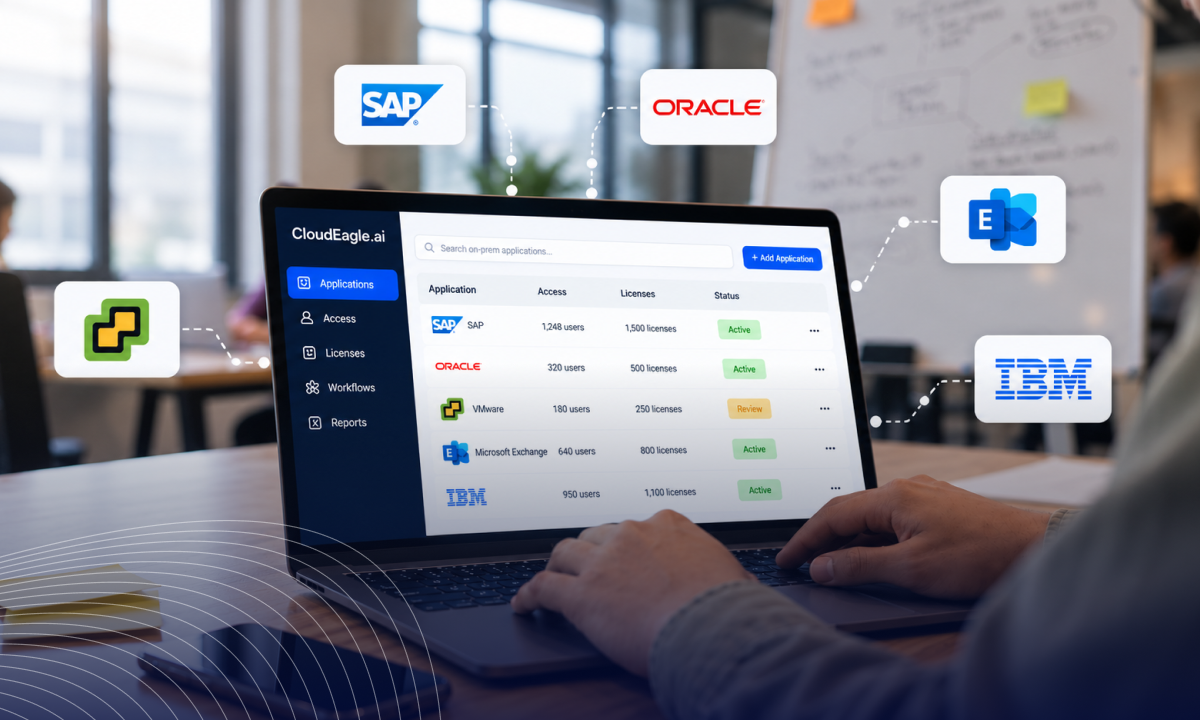
CloudEagle.ai is the only solution on this list that covers SaaS security & compliance, AI governance, identity governance, spend management, and SaaS procurement in a single platform.

Where most Identity Security Platforms on this list solve one or two of those problems, CloudEagle.ao governs the full estate, with 500+ direct integrations, 30-minute onboarding, and customers typically recovering 10-30% of annual SaaS spend within the first 90 days.

It's built for mid-market and enterprise teams that have outgrown point solutions and need one platform to replace several.

When RingCentral connected CloudEagle.ai, automated license reclamation workflows identified and recovered 932 unused licenses instantly.

CloudEagle.ai also saved $2.5M and delivering 3X ROI through license harvesting, cost benchmarking, and improved vendor negotiations.

Key Features:

  • Shadow AI and Shadow IT Discovery: Four-layer shadow AI and shadow IT detection across browser, network, endpoint, and finance, including personal AI accounts on sanctioned domains.
  • GenAI Risk Scores: Every AI tool and vendor scored for GenAI automatically for data residency, training data use, and security posture via Netskope.
  • Identity Governance and JML Automation: Automated provisioning and deprovisioning across all connected applications triggered by HRIS lifecycle events.
  • Continuous Access Reviews: AI-driven, event-triggered app access reviews with automated reviewer assignment and audit-ready compliance logs.
  • License Management and Harvesting: Feature-level dormancy detection with configurable thresholds and automated reclaim workflows.
  • SaaS Spend Intelligence: Per-user, per-application spend reporting with cost-per-active-user visibility and department-level allocation.
  • AI Token Consumption Tracking: Per-user, per-model token consumption across Claude, Cursor, ChatGPT, and Gemini with run-rate forecasting.
  • Procurement Workflows and Renewal Management: Contract metadata extraction, 90-day renewal alerts, and Slack-native approval workflows.
  • Price Benchmarking and Buying Guides: SaaSMap benchmarking database covering pricing data across thousands of vendors for renewal negotiations.
  • CloudEagle MCP Server: Query SaaS, AI, and identity data in natural language directly from inside Claude or any MCP-compatible AI tool.

Strengths:

4.7/5 on G2 from verified reviews. Reviewers consistently highlight automation, ease of use, and cost savings. Strongest all-in-one coverage on this list with 30-minute onboarding.

Limitations:

The feature depth can feel overwhelming during initial setup. Better suited for mid-market and enterprise teams managing 50+ applications than smaller environments

Pricing:

Book a personalized demo with the teams to get a custom quote.

‍

2. Sprinto

‍

Image of Sprinto dashboard

‍

Sprinto is a powerful compliance automation tool to help your business achieve and maintain various compliance certifications. Sprinto is capable of automating the entire compliance process. From initial assessment to ongoing monitoring, it’s a reliable tool to streamline compliance efforts.

Key Features.

  • Automated Evidence Collection: Sprinto automatically collects and organizes the necessary evidence required for compliance audits.
  • Continuous Monitoring: The tool monitors your systems and processes, ensuring your business stays compliant.
  • Pre-Built Frameworks: Sprinto offers pre-built compliance frameworks tailored to specific certifications. You can quickly align your processes with industry standards.
  • Real-Time Alerts: Sprinto provides real-time alerts and notifications for any compliance issues or deviations.

Pros

  • Sprinto has a user-friendly interface. Thus, you can navigate and use the platform effectively.
  • It can help your business achieve compliance faster than traditional methods.
  • As your business grows, Sprinto scales with you, ensuring your business remains adaptable to changing needs.

Cons

  • For smaller businesses or startups, the cost of using Sprinto may be a significant investment.
  • Some users might find that Sprinto's pre-built frameworks lack flexibility.

Pricing

Sprinto doesn’t disclose the pricing structure on its website. Schedule a demo with their compliance experts to receive flexible pricing plans.

3. Vanta

‍

Image of Vanta dashboard

‍

Vanta can help your business maintain security certifications such as SOC 2, ISO 27001, and GDPR. It simplifies the process of building and managing a robust security posture. As a result, you can focus on your core business activities while ensuring compliance with industry standards.

Key Features

  • Customizable Compliance Frameworks: Vanta offers customizable frameworks that can be tailored to meet the specific compliance requirements of your organization.
  • Integrations with Popular Tools: Vanta integrates seamlessly with various tools and platforms, such as AWS and Slack.
  • Effortless Audit Preparation: Vanta automatically collects evidence and generates reports, making it easier for you to prepare for audits.
  • Automated Security Monitoring: Vanta continuously monitors your systems to identify potential security risks and compliance issues.

Pros

  • Vanta provides extensive coverage of security and compliance requirements.
  • Intuitive dashboards and clear guidance make Vanta accessible even for teams with limited compliance experience.
  • Vanta has a responsive and knowledgeable customer support team to address your queries.
  • It can automate time-consuming compliance management tasks. Thus, your team can focus on more strategic tasks.

Cons

  • Vanta can be expensive, especially for small businesses or startups.
  • Some users reported that the available customization doesn’t fully meet their specific needs.

Pricing

Vanta has three pricing plans:

  • Scale
  • Collaborate
  • Core

However, the exact pricing structure isn’t mentioned on the website. You need to schedule a demo to receive a customized quote.

4. Drata

‍

Image of Drata dashboard

‍

Drata is a leading compliance automation tool to help your business maintain compliance standards. With Data, you can significantly enhance your security posture and reduce audit-related stress. This way, you will gain a competitive advantage through trust and transparency.

Key Features

  • Risk Management Dashboard: Drata’s intuitive dashboard provides a clear overview of your compliance status.
  • Audit-Ready Reports: The platform automatically generates audit-ready reports, complete with all the necessary evidence and documentation.
  • Seamless Integrations: Drata integrates with over 75 different platforms and tools, including AWS, GitHub, Calendly, Google Workspace, and many more.
  • Dynamic Compliance Frameworks: Drata offers dynamic compliance frameworks that adapt to the specific needs of your organization.

Pros

  • Drata has a quick and straightforward implementation process. It can help you monitor compliance within days.
  • Drata covers a wide range of compliance needs, making it suitable for small and large businesses.
  • The transparent navigation makes it easy for teams of all sizes to use effectively.
  • With this tool, you don’t need to worry about facing new regulatory challenges.

Cons

  • There’s an initial learning curve for teams new to compliance automation.
  • Limited customization options for ​​specific compliance requirements.

Pricing

Contact the sales team and they will provide you with customized pricing as per your needs.

5. Hyperproof

Image of Hyperproof dashboard

Hyperproof is another versatile compliance automation tool you need to know about. Thanks to its support for various compliance standards, this tool can prove highly beneficial for your business. It can help your business efficiently manage risk and ensure audit readiness.

Key Features

  • Centralized GRC Platform: Hyperproof merges various aspects of governance, risk, and compliance into a unified platform, improving efficiency and visibility.
  • Evidence Management: The platform simplifies evidence collection and organization by providing a centralized repository for evidence.
  • Audit Management: Hyperproof can automate audit planning, and scheduling, and manage audit workflows. This way, it can streamline the audit process completely.
  • Risk Management: Hyperproof offers tools for identifying potential risks and assessing the impact of risks. It can also track risk remediation progress.

Pros

  • The platform’s collaboration tools boost communication and task management among different teams.
  • The platform keeps a detailed audit trail, making it easier to track changes.
  • This compliance automation tool offers numerous customizable controls that can be adapted to suit specific compliance requirements.
  • The detailed and customizable reporting features generate high-quality insights.

Cons

  • Hyperproof’s extensive features can overwhelm you, especially when you have simpler compliance needs.
  • You can face problems when integrating Hyperproof with less common or custom systems.

Pricing

Visit the Hyperproof website and book a custom demo with the experts.

6. Scrut

Image of Scrut dashboard

Scrut is a compliance automation platform that specializes in risk management and continuous monitoring. It offers a unique approach by focusing on building a risk-first information security program. It can continuously assess and prioritize risks based on their potential impact.

Key Features

  • Policy Management: The tool includes a robust policy management system that helps you create and manage policies aligned with regulatory standards.
  • Third-Party Risk Management: Scrut offers features to assess and manage the compliance risks associated with third-party vendors and partners.
  • Automated Evidence Collection: Scrut automates the evidence collection process to help your business stay prepared for compliance assessments.
  • Customizable Compliance Frameworks: The platform allows you to customize compliance frameworks.

Pros

  • Scrut not only helps with compliance but also enhances your overall security posture.
  • This tool offers a smooth onboarding process with clear guidance.
  • Scrut provides flexible reporting options that allow you to generate insights.
  • Helps you assess and mitigate risks from your vendors, which will be useful when you have an extensive vendor network.

Cons

  • The interface is complex and may require some time for users to understand properly.
  • Scrut has fewer integrations with third-party applications.

Pricing

If you want to use Scrut, make sure you contact their sales team and discuss your needs.

7. Onspring

Image of Onspring dashboard

The last compliance automation tool on our list is Onspring. With this professional automation tool, you will never face any problems managing your business’s compliance processes. Onspring is primarily popular for its customizable features and user-friendly interface.

Key Features

  • Customizable Dashboards: Onspring offers customizable dashboards that provide a clear view of your compliance status and key metrics.
  • Integrated Risk Management: The platform includes integrated risk management features that help you assess and mitigate potential risks.
  • Automated Workflow Management: The tool automates various compliance workflows. Whether you own a small business or a large enterprise, you will find it helpful.
  • Real-Time Analytics: Onspring offers real-time analytics and reporting. With these insights, you can make more data-driven decisions.

Pros

  • Onspring’s centralized document management system can help you retrieve documents easily.
  • The automation features are super effective and can reduce manual tasks and improve efficiency.
  • The real-time analytics provide comprehensive visibility into your compliance status.
  • Thanks to its high customizability, this tool can cater to your business’s different needs.

Cons

  • Many reviews stated that the cost is relatively higher for startups and small businesses.
  • The initial setup can be complex and require a significant amount of time and effort.

Pricing

If you want to use Onspring, visit their website and request a demo.

‍

4. Conclusion

Compliance automation tools help organizations replace repetitive manual work with continuous monitoring, automated evidence collection, control tracking, and compliance reporting. 

Automated compliance software makes it easier to identify gaps, maintain documentation, and respond to changing regulatory requirements.

CloudEagle.ai helps organizations automate SaaS compliance with centralized visibility, continuous monitoring, access controls, and automated workflows. 

By connecting SaaS management with compliance and security processes, it helps teams reduce manual effort and maintain stronger control over their software environment.

‍

5. FAQs

1. Don't SOC 2 and ISO 27001 access reviews still mean logging into every app?

CloudEagle.ai runs SOC 2 and ISO 27001 access reviews from one dashboard. With 500+ integrations across SSO, finance, and HRIS systems, it pulls user access from every app automatically, so reviewers never have to log into each tool to check who has access.

2. Isn't proving deprovisioning to auditors a last-minute scramble?

CloudEagle.ai removes all of a departing employee's access in a single click and keeps detailed application logs of every change. When auditors ask for proof of deprovisioning, the record already exists, so there's no need to reconstruct it from individual apps.

3. Can't temporary access quietly turn into permanent access?

CloudEagle.ai prevents that with timed access. Admins set how long a user can access an application, and access is revoked automatically when that period ends. Contractors and short-term projects no longer leave behind accounts that someone forgot to remove.

4. Don't inactive accounts sit around as a hidden compliance risk?

CloudEagle.ai revokes access from inactive accounts automatically. Workflows detect when a user hasn't logged into an application within a set timeframe and remove that access. Dormant accounts are cleaned up continuously, instead of being found during an audit.

5. Isn't verifying every SaaS vendor's compliance certifications a manual job?

CloudEagle.ai gives you one place to verify the compliance certifications of every SaaS application in your stack. Instead of chasing vendors for documents, your team sees each app's compliance status in one view, which makes third-party risk reviews faster.

‍

Advertisement for a SaaS Subscription Tracking Template with a call-to-action button to download and a partial graphic of a tablet showing charts.Banner promoting a SaaS Agreement Checklist to streamline SaaS management and avoid budget waste with a call-to-action button labeled Download checklist.Blue banner with text 'The Ultimate Employee Offboarding Checklist!' and a black button labeled 'Download checklist' alongside partial views of checklist documents from cloudeagle.ai.Digital ad for download checklist titled 'The Ultimate Checklist for IT Leaders to Optimize SaaS Operations' by cloudeagle.ai, showing checklist pages.Slack Buyer's Guide offer with text 'Unlock insider insights to get the best deal on Slack!' and a button labeled 'Get Your Copy', accompanied by a preview of the guide featuring Slack's logo.Monday Pricing Guide by cloudeagle.ai offering exclusive pricing secrets to maximize investment with a call-to-action button labeled Get Your Copy and an image of the guide's cover.Blue banner for Canva Pricing Guide by cloudeagle.ai offering a guide to Canva costs, features, and alternatives with a call-to-action button saying Get Your Copy.Blue banner with white text reading 'Little-Known Negotiation Hacks to Get the Best Deal on Slack' and a white button labeled 'Get Your Copy'.Blue banner with text 'Little-Known Negotiation Hacks to Get the Best Deal on Monday.com' and a white button labeled 'Get Your Copy'.Blue banner with text 'Little-Known Negotiation Hacks to Get the Best Deal on Canva' and a white button labeled 'Get Your Copy'.Banner with text 'Slack Buyer's Guide' and a 'Download Now' button next to images of a guide titled 'Slack Buyer’s Guide: Features, Pricing & Best Practices'.Digital cover of Monday Pricing Guide with a button labeled Get Your Copy on a blue background.Canva Pricing Guide cover with a button labeled Get Your Copy on a blue gradient background.

Enter your email to
unlock the report

Oops! Something went wrong while submitting the form.
License Count
Benchmark
Per User/Per Year

Enter your email to
unlock the report

Oops! Something went wrong while submitting the form.
License Count
Benchmark
Per User/Per Year

Enter your email to
unlock the report

Oops! Something went wrong while submitting the form.
Notion Plus
License Count
Benchmark
Per User/Per Year
100-500
$67.20 - $78.72
500-1000
$59.52 - $72.00
1000+
$51.84 - $57.60
Canva Pro
License Count
Benchmark
Per User/Per Year
100-500
$74.33-$88.71
500-1000
$64.74-$80.32
1000+
$55.14-$62.34

Enter your email to
unlock the report

Oops! Something went wrong while submitting the form.

Enter your email to
unlock the report

Oops! Something went wrong while submitting the form.
Zoom Business
License Count
Benchmark
Per User/Per Year
100-500
$216.00 - $264.00
500-1000
$180.00 - $216.00
1000+
$156.00 - $180.00

Enter your email to
unlock the report

Oops! Something went wrong while submitting the form.

Get the Right Security Platform To Secure Your Cloud Infrastructure

Please enter a business email
Thank you!
The 2023 SaaS report has been sent to your email. Check your promotional or spam folder.
Oops! Something went wrong while submitting the form.

Access full report

Please enter a business email
Thank you!
The 2023 SaaS report has been sent to your email. Check your promotional or spam folder.
Oops! Something went wrong while submitting the form.
  • Compliance automation tools streamline compliance processes, reducing human error and saving time by automating tasks like monitoring, reporting, and audits.
  • CloudEagle.ai offers comprehensive SaaS management with features like identity and access management, automated app access reviews, and a self-service app catalog to enhance security and prevent shadow IT.
  • Top compliance automation software like Sprinto, Vanta, Drata, Hyperproof, Scrut, and Onspring help businesses achieve and maintain compliance with industry standards like SOC 2, ISO 27001, and GDPR.
  • These tools provide real-time monitoring, risk mitigation, and scalability, making them essential for businesses of all sizes to stay compliant across different regions and industries.
  • Choosing the right compliance tool, like CloudEagle.ai, can simplify audits, improve efficiency, and ensure your business remains compliant with evolving regulations.

‍

Managing compliance manually can become time-consuming as regulations, business systems, and security requirements change. 

Missed requirements or outdated controls can expose organizations to fines, data breaches, operational disruptions, and reputational damage

Compliance automation tools help address this challenge by automating tasks such as compliance monitoring, evidence collection, control tracking, and reporting. 

This guide covers the leading compliance automation tools and the key capabilities to consider when choosing one for your organization.

‍

1. What is Compliance Automation?

Compliance automation is the use of software to continuously monitor, enforce, and document compliance with regulatory requirements and internal policies. 

It replaces repetitive manual compliance tasks with automated processes that help organizations maintain compliance as requirements change.

Moreover, compliance automation tools include automated compliance monitoring and tracking regulatory changes. These tools can also generate reports and ensure that all necessary documentation is updated and accessible.

The primary goal of compliance automation software is to reduce the risk of human error. But that’s not all. Compliance management tools can also help you save time and enhance the accuracy of your compliance-related tasks.

Automating these processes will help you maintain compliance with industry standards. This will reduce the risks of penalties or reputational damage due to non-compliance.

2. What Are Compliance Automation Tools and Why Are They Important?

Compliance automation tools are software solutions to help you automate and streamline your compliance processes. These tools can automate various compliance-related tasks to ensure the documents are organized.

These tools are often integrated with other systems to provide a detailed compliance management report. Here are some reasons why such tools are important:

Cost Savings

Compliance automation tools can automate repetitive and time-consuming tasks, helping you reduce human error. This ensures that your compliance processes are faster and more accurate.

Real-Time Monitoring

These tools often provide real-time monitoring and alerts. Thus, you will stay informed about any regulatory changes or potential compliance issues as they arise. This approach helps you address problems before they escalate.

Risk Mitigation

Compliance failures can result in hefty fines and damage your business’s overall reputation. Automation tools help you meet regulatory requirements and industry standards, reducing non-compliance risk.

Scalability

As your business grows, so do your compliance obligations. Compliance automation tools can easily scale with your organization. These tools will ensure you remain compliant across different regions and business niches.

Auditing

With compliance automation tools, you can maintain records that are easily accessible during audits. This simplifies the auditing process and helps you showcase your commitment to regulatory adherence.

3. Top 7 Compliance Automation Tools

1. CloudEagle.ai

CloudEagle.ai is the only solution on this list that covers SaaS security & compliance, AI governance, identity governance, spend management, and SaaS procurement in a single platform.

Where most Identity Security Platforms on this list solve one or two of those problems, CloudEagle.ao governs the full estate, with 500+ direct integrations, 30-minute onboarding, and customers typically recovering 10-30% of annual SaaS spend within the first 90 days.

It's built for mid-market and enterprise teams that have outgrown point solutions and need one platform to replace several.

When RingCentral connected CloudEagle.ai, automated license reclamation workflows identified and recovered 932 unused licenses instantly.

CloudEagle.ai also saved $2.5M and delivering 3X ROI through license harvesting, cost benchmarking, and improved vendor negotiations.

Key Features:

  • Shadow AI and Shadow IT Discovery: Four-layer shadow AI and shadow IT detection across browser, network, endpoint, and finance, including personal AI accounts on sanctioned domains.
  • GenAI Risk Scores: Every AI tool and vendor scored for GenAI automatically for data residency, training data use, and security posture via Netskope.
  • Identity Governance and JML Automation: Automated provisioning and deprovisioning across all connected applications triggered by HRIS lifecycle events.
  • Continuous Access Reviews: AI-driven, event-triggered app access reviews with automated reviewer assignment and audit-ready compliance logs.
  • License Management and Harvesting: Feature-level dormancy detection with configurable thresholds and automated reclaim workflows.
  • SaaS Spend Intelligence: Per-user, per-application spend reporting with cost-per-active-user visibility and department-level allocation.
  • AI Token Consumption Tracking: Per-user, per-model token consumption across Claude, Cursor, ChatGPT, and Gemini with run-rate forecasting.
  • Procurement Workflows and Renewal Management: Contract metadata extraction, 90-day renewal alerts, and Slack-native approval workflows.
  • Price Benchmarking and Buying Guides: SaaSMap benchmarking database covering pricing data across thousands of vendors for renewal negotiations.
  • CloudEagle MCP Server: Query SaaS, AI, and identity data in natural language directly from inside Claude or any MCP-compatible AI tool.

Strengths:

4.7/5 on G2 from verified reviews. Reviewers consistently highlight automation, ease of use, and cost savings. Strongest all-in-one coverage on this list with 30-minute onboarding.

Limitations:

The feature depth can feel overwhelming during initial setup. Better suited for mid-market and enterprise teams managing 50+ applications than smaller environments

Pricing:

Book a personalized demo with the teams to get a custom quote.

‍

2. Sprinto

‍

Image of Sprinto dashboard

‍

Sprinto is a powerful compliance automation tool to help your business achieve and maintain various compliance certifications. Sprinto is capable of automating the entire compliance process. From initial assessment to ongoing monitoring, it’s a reliable tool to streamline compliance efforts.

Key Features.

  • Automated Evidence Collection: Sprinto automatically collects and organizes the necessary evidence required for compliance audits.
  • Continuous Monitoring: The tool monitors your systems and processes, ensuring your business stays compliant.
  • Pre-Built Frameworks: Sprinto offers pre-built compliance frameworks tailored to specific certifications. You can quickly align your processes with industry standards.
  • Real-Time Alerts: Sprinto provides real-time alerts and notifications for any compliance issues or deviations.

Pros

  • Sprinto has a user-friendly interface. Thus, you can navigate and use the platform effectively.
  • It can help your business achieve compliance faster than traditional methods.
  • As your business grows, Sprinto scales with you, ensuring your business remains adaptable to changing needs.

Cons

  • For smaller businesses or startups, the cost of using Sprinto may be a significant investment.
  • Some users might find that Sprinto's pre-built frameworks lack flexibility.

Pricing

Sprinto doesn’t disclose the pricing structure on its website. Schedule a demo with their compliance experts to receive flexible pricing plans.

3. Vanta

‍

Image of Vanta dashboard

‍

Vanta can help your business maintain security certifications such as SOC 2, ISO 27001, and GDPR. It simplifies the process of building and managing a robust security posture. As a result, you can focus on your core business activities while ensuring compliance with industry standards.

Key Features

  • Customizable Compliance Frameworks: Vanta offers customizable frameworks that can be tailored to meet the specific compliance requirements of your organization.
  • Integrations with Popular Tools: Vanta integrates seamlessly with various tools and platforms, such as AWS and Slack.
  • Effortless Audit Preparation: Vanta automatically collects evidence and generates reports, making it easier for you to prepare for audits.
  • Automated Security Monitoring: Vanta continuously monitors your systems to identify potential security risks and compliance issues.

Pros

  • Vanta provides extensive coverage of security and compliance requirements.
  • Intuitive dashboards and clear guidance make Vanta accessible even for teams with limited compliance experience.
  • Vanta has a responsive and knowledgeable customer support team to address your queries.
  • It can automate time-consuming compliance management tasks. Thus, your team can focus on more strategic tasks.

Cons

  • Vanta can be expensive, especially for small businesses or startups.
  • Some users reported that the available customization doesn’t fully meet their specific needs.

Pricing

Vanta has three pricing plans:

  • Scale
  • Collaborate
  • Core

However, the exact pricing structure isn’t mentioned on the website. You need to schedule a demo to receive a customized quote.

4. Drata

‍

Image of Drata dashboard

‍

Drata is a leading compliance automation tool to help your business maintain compliance standards. With Data, you can significantly enhance your security posture and reduce audit-related stress. This way, you will gain a competitive advantage through trust and transparency.

Key Features

  • Risk Management Dashboard: Drata’s intuitive dashboard provides a clear overview of your compliance status.
  • Audit-Ready Reports: The platform automatically generates audit-ready reports, complete with all the necessary evidence and documentation.
  • Seamless Integrations: Drata integrates with over 75 different platforms and tools, including AWS, GitHub, Calendly, Google Workspace, and many more.
  • Dynamic Compliance Frameworks: Drata offers dynamic compliance frameworks that adapt to the specific needs of your organization.

Pros

  • Drata has a quick and straightforward implementation process. It can help you monitor compliance within days.
  • Drata covers a wide range of compliance needs, making it suitable for small and large businesses.
  • The transparent navigation makes it easy for teams of all sizes to use effectively.
  • With this tool, you don’t need to worry about facing new regulatory challenges.

Cons

  • There’s an initial learning curve for teams new to compliance automation.
  • Limited customization options for ​​specific compliance requirements.

Pricing

Contact the sales team and they will provide you with customized pricing as per your needs.

5. Hyperproof

Image of Hyperproof dashboard

Hyperproof is another versatile compliance automation tool you need to know about. Thanks to its support for various compliance standards, this tool can prove highly beneficial for your business. It can help your business efficiently manage risk and ensure audit readiness.

Key Features

  • Centralized GRC Platform: Hyperproof merges various aspects of governance, risk, and compliance into a unified platform, improving efficiency and visibility.
  • Evidence Management: The platform simplifies evidence collection and organization by providing a centralized repository for evidence.
  • Audit Management: Hyperproof can automate audit planning, and scheduling, and manage audit workflows. This way, it can streamline the audit process completely.
  • Risk Management: Hyperproof offers tools for identifying potential risks and assessing the impact of risks. It can also track risk remediation progress.

Pros

  • The platform’s collaboration tools boost communication and task management among different teams.
  • The platform keeps a detailed audit trail, making it easier to track changes.
  • This compliance automation tool offers numerous customizable controls that can be adapted to suit specific compliance requirements.
  • The detailed and customizable reporting features generate high-quality insights.

Cons

  • Hyperproof’s extensive features can overwhelm you, especially when you have simpler compliance needs.
  • You can face problems when integrating Hyperproof with less common or custom systems.

Pricing

Visit the Hyperproof website and book a custom demo with the experts.

6. Scrut

Image of Scrut dashboard

Scrut is a compliance automation platform that specializes in risk management and continuous monitoring. It offers a unique approach by focusing on building a risk-first information security program. It can continuously assess and prioritize risks based on their potential impact.

Key Features

  • Policy Management: The tool includes a robust policy management system that helps you create and manage policies aligned with regulatory standards.
  • Third-Party Risk Management: Scrut offers features to assess and manage the compliance risks associated with third-party vendors and partners.
  • Automated Evidence Collection: Scrut automates the evidence collection process to help your business stay prepared for compliance assessments.
  • Customizable Compliance Frameworks: The platform allows you to customize compliance frameworks.

Pros

  • Scrut not only helps with compliance but also enhances your overall security posture.
  • This tool offers a smooth onboarding process with clear guidance.
  • Scrut provides flexible reporting options that allow you to generate insights.
  • Helps you assess and mitigate risks from your vendors, which will be useful when you have an extensive vendor network.

Cons

  • The interface is complex and may require some time for users to understand properly.
  • Scrut has fewer integrations with third-party applications.

Pricing

If you want to use Scrut, make sure you contact their sales team and discuss your needs.

7. Onspring

Image of Onspring dashboard

The last compliance automation tool on our list is Onspring. With this professional automation tool, you will never face any problems managing your business’s compliance processes. Onspring is primarily popular for its customizable features and user-friendly interface.

Key Features

  • Customizable Dashboards: Onspring offers customizable dashboards that provide a clear view of your compliance status and key metrics.
  • Integrated Risk Management: The platform includes integrated risk management features that help you assess and mitigate potential risks.
  • Automated Workflow Management: The tool automates various compliance workflows. Whether you own a small business or a large enterprise, you will find it helpful.
  • Real-Time Analytics: Onspring offers real-time analytics and reporting. With these insights, you can make more data-driven decisions.

Pros

  • Onspring’s centralized document management system can help you retrieve documents easily.
  • The automation features are super effective and can reduce manual tasks and improve efficiency.
  • The real-time analytics provide comprehensive visibility into your compliance status.
  • Thanks to its high customizability, this tool can cater to your business’s different needs.

Cons

  • Many reviews stated that the cost is relatively higher for startups and small businesses.
  • The initial setup can be complex and require a significant amount of time and effort.

Pricing

If you want to use Onspring, visit their website and request a demo.

‍

4. Conclusion

Compliance automation tools help organizations replace repetitive manual work with continuous monitoring, automated evidence collection, control tracking, and compliance reporting. 

Automated compliance software makes it easier to identify gaps, maintain documentation, and respond to changing regulatory requirements.

CloudEagle.ai helps organizations automate SaaS compliance with centralized visibility, continuous monitoring, access controls, and automated workflows. 

By connecting SaaS management with compliance and security processes, it helps teams reduce manual effort and maintain stronger control over their software environment.

‍

5. FAQs

1. Don't SOC 2 and ISO 27001 access reviews still mean logging into every app?

CloudEagle.ai runs SOC 2 and ISO 27001 access reviews from one dashboard. With 500+ integrations across SSO, finance, and HRIS systems, it pulls user access from every app automatically, so reviewers never have to log into each tool to check who has access.

2. Isn't proving deprovisioning to auditors a last-minute scramble?

CloudEagle.ai removes all of a departing employee's access in a single click and keeps detailed application logs of every change. When auditors ask for proof of deprovisioning, the record already exists, so there's no need to reconstruct it from individual apps.

3. Can't temporary access quietly turn into permanent access?

CloudEagle.ai prevents that with timed access. Admins set how long a user can access an application, and access is revoked automatically when that period ends. Contractors and short-term projects no longer leave behind accounts that someone forgot to remove.

4. Don't inactive accounts sit around as a hidden compliance risk?

CloudEagle.ai revokes access from inactive accounts automatically. Workflows detect when a user hasn't logged into an application within a set timeframe and remove that access. Dormant accounts are cleaned up continuously, instead of being found during an audit.

5. Isn't verifying every SaaS vendor's compliance certifications a manual job?

CloudEagle.ai gives you one place to verify the compliance certifications of every SaaS application in your stack. Instead of chasing vendors for documents, your team sees each app's compliance status in one view, which makes third-party risk reviews faster.

‍

CloudEagle.ai recognized in the 2025 Gartner® Magic Quadrant™ for SaaS Management Platforms
Download now
gartner chart
5x
Faster employee
onboarding
80%
Reduction in time for
user access reviews
30k
Workflows
automated
$15Bn
Analyzed in
contract spend
$2Bn
Saved in
SaaS spend

Streamline SaaS governance and save 10-30%

Book a Demo with Expert
CTA image