
%201.svg)


HIPAA Compliance Checklist for 2025

A vendor promises “99.9% uptime” in a contract. A month later, your core system goes down for several hours. But the vendor reports uptime was still within limits because outages during maintenance windows weren’t counted.
This is where most Service Level Agreements (SLAs) fail. The terms look clear on paper, but the definitions, measurement methods, and penalties leave room for interpretation.
In this article, we’ll break down service level agreement best practices that improve vendor accountability and ensure SLAs work in real operational scenarios.
TL;DR
- SLAs often fail due to vague definitions around uptime, downtime, and incident handling.
- Strong SLAs define downtime in minutes, strict response times, and clear resolution commitments.
- Effective SLA management requires tracking real incidents, not relying only on vendor reports.
- Common failures include weak metrics, unenforced penalties, and outdated SLA terms.
- CloudEagle.ai centralizes contracts, tracks SLA performance, and improves vendor accountability.
1. What Should You Actually Expect From an SLA?
You should expect an IT service level agreement best practice to define exactly how downtime is counted, how fast the vendor must respond, and what compensation you receive when they fail.
Uptime Defined In Minutes, Not Percentages
Instead of “99.9% uptime,” the SLA should state something like: no more than 43 minutes of downtime per month, and clearly define whether scheduled maintenance counts.
Incident Response Time With Severity Levels
For example: Severity 1 incidents (system down) must receive a response within 15 minutes and updates every 30 minutes until resolution.
Resolution Time Commitments
The SLA should specify timelines like: critical incidents must be resolved within 4 hours or a workaround must be provided.
These details matter because vendors often exclude outages from SLA calculations.
- Maintenance Windows Excluded From Downtime: A 2-hour outage during a “scheduled window” may not count as downtime unless explicitly defined.
- Partial Outages Ignored: If only one region or feature fails, vendors may still report full uptime.
- Delayed Incident Acknowledgement: Without strict response SLAs, vendors may take hours to even acknowledge a system outage.
According to BigPanda, the average cost of IT downtime is around $5,600 per minute. This is why unclear SLA definitions directly translate into financial risk.
A strong SaaS agreement doesn’t just say “we’ll keep your system running.” IT service level agreements best practice defines how outages are measured, how quickly they are handled, and what happens when they aren’t.

2. What Are the Best Practices for Managing SLAs?
Managing service level agreement best practices means making sure vendors meet specific, measurable commitments, not just what’s written in the contract.
For example, if a master service agreement promises a 15-minute response for critical outages, teams should verify how long the vendor actually took to acknowledge the last incident.
A. Define Metrics That Reflect Real Business Impact
You should define SLA clauses based on how outages affect your enterprise. A system being “up” doesn’t matter if users can’t complete critical actions like processing payments or accessing customer data.
Transaction-Level Availability
Instead of measuring server uptime, track whether users can complete actions like submitting orders or updating records in systems like Stripe or Salesforce.
User-Facing Performance Metrics
Define thresholds such as page load times under 3 seconds or API response times under 500 ms for customer-facing applications.
Business-Critical Feature Uptime
Specify that key features, such as checkout or login, must remain operational even if other parts of the system degrade.
When SLA metrics reflect actual business operations, outages are measured by their real impact, not just whether infrastructure appears available.
B. Continuously Monitor SLA Performance Against Real Incidents
Service level agreement best practices only works if performance is measured against actual incidents, not vendor reports. Teams should compare what the SLA negotiations promises with what actually happened during outages.
- Track Real Incident Timelines: Record when an issue started, when it was detected, and when the vendor responded in systems like ServiceNow or Jira Service Management.
- Compare Promised vs Actual Response Times: If the SLA states a 15-minute response, verify whether the vendor met that during real outages.
- Validate Uptime Using Internal Monitoring: Use independent tools like Datadog or Pingdom instead of relying only on vendor-reported uptime.
SLA performance often looks acceptable on reports but differs during incidents. As Gene Kim said,
“You can’t improve what you don’t measure.”
Monitoring service level agreement best practices against real incidents ensures that vendor accountability is based on actual outcomes, not just contractual promises.
C. Enforce SLA Penalties And Escalation Paths
A critical system goes down during peak business hours. The vendor restores service after six hours, but the SLA promised resolution within four.
Operations Perspective:
The team checks the incident timeline and confirms the vendor exceeded the agreed resolution window. However, no one tracks whether service credits were applied.
Finance Perspective:
The invoice arrives with full charges. The SLA includes penalty clauses, but they are not enforced unless the customer explicitly claims them.
Nothing appears broken in the contract. The SLA clearly defines penalties and escalation paths.
But in practice, missed targets go unchallenged, escalation procedures are not triggered, and credits are not claimed.
D. Regularly Review And Update SLA Terms Based On Actual Usage
You should review SLA terms regularly to ensure they still match how the service is used in real operations. As usage patterns change, outdated SLA definitions can leave critical gaps in coverage.
Update Uptime Definitions Based On Usage
If your business now depends on real-time APIs or customer-facing dashboards, uptime should reflect those critical components, not just overall system availability.
Adjust Response Times For Business-Critical Systems
A 1-hour response time may be acceptable for internal tools but not for customer-facing platforms like Shopify or payment systems like Stripe.
Reclassify Incident Severity Levels
What was once a “medium” issue may now be critical if it impacts revenue-generating workflows.
When service level agreement best practices evolve with actual usage, they continue to protect business operations instead of becoming outdated contractual documents.
3. What Mistakes Lead to Weak or Ineffective SLAs?
Weak SLAs usually fail because they rely on vague definitions and leave key terms open to interpretation. During incidents, these gaps make it difficult to prove whether the vendor actually missed a commitment.
- Vague Uptime Definitions: SLAs state “99.9% uptime” but don’t define whether maintenance windows, partial outages, or degraded performance count as downtime.
- No Clear Incident Severity Mapping: Vendors classify incidents differently, which affects response and resolution timelines in tools like ServiceNow or Jira Service Management.
- Missing Penalty Enforcement Mechanisms: SLAs include service credits, but there is no process to track breaches or claim compensation.
These issues only become visible during real outages, when expectations and actual performance do not align.
- Over-Reliance On Vendor-Reported Metrics: Organizations depend on vendor dashboards instead of validating uptime with tools like Datadog or Pingdom.
- No Regular SLA Review Process: Contracts remain unchanged even as system usage and business impact evolve.
Ineffective SLAs don’t fail because they lack terms. They fail because the terms cannot be measured, enforced, or validated during real incidents.
4. How Does CloudEagle.ai Help Manage SLAs Across Vendors
Managing service level agreement best practices across multiple SaaS vendors is difficult when contracts are scattered and performance is not tracked consistently.
Critical terms like uptime commitments, response times, renewal clauses, and penalties often go unnoticed until something breaks or renewals approach.
CloudEagle.ai brings structure to vendor management by centralizing contracts, surfacing SLA terms, and enabling teams to track obligations proactively.
A: Centralizing Vendor Contracts and SLA Terms
CloudEagle.ai ensures every SLA, contract clause, and vendor commitment is visible and accessible in one place.
Current Process
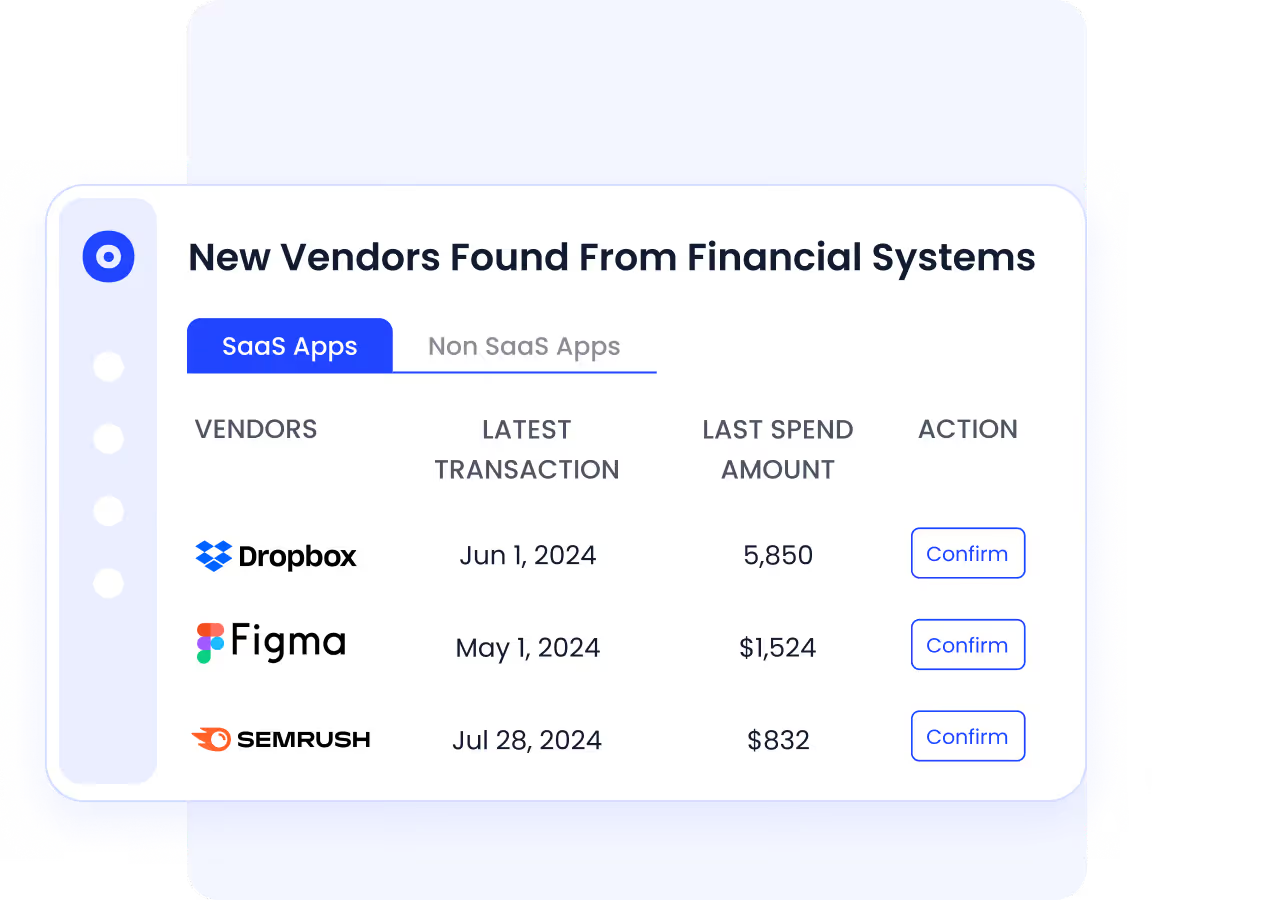
Contracts are stored across emails, shared drives, and folders. SLA terms are buried within documents and difficult to track.
Pain Points
Teams miss critical clauses like uptime guarantees or penalties. Important SLA details are not reviewed consistently.
How We Do It
CloudEagle.ai centralizes all vendor contracts and extracts key metadata, including SLA terms, renewal dates, and obligations.
Why We Are Better
All SLA commitments become searchable and visible, enabling teams to track vendor obligations without manual effort.
B: Proactive SLA Tracking and Renewal Awareness
CloudEagle.ai ensures teams stay ahead of SLA reviews and contract renewals with timely insights.
Current Process
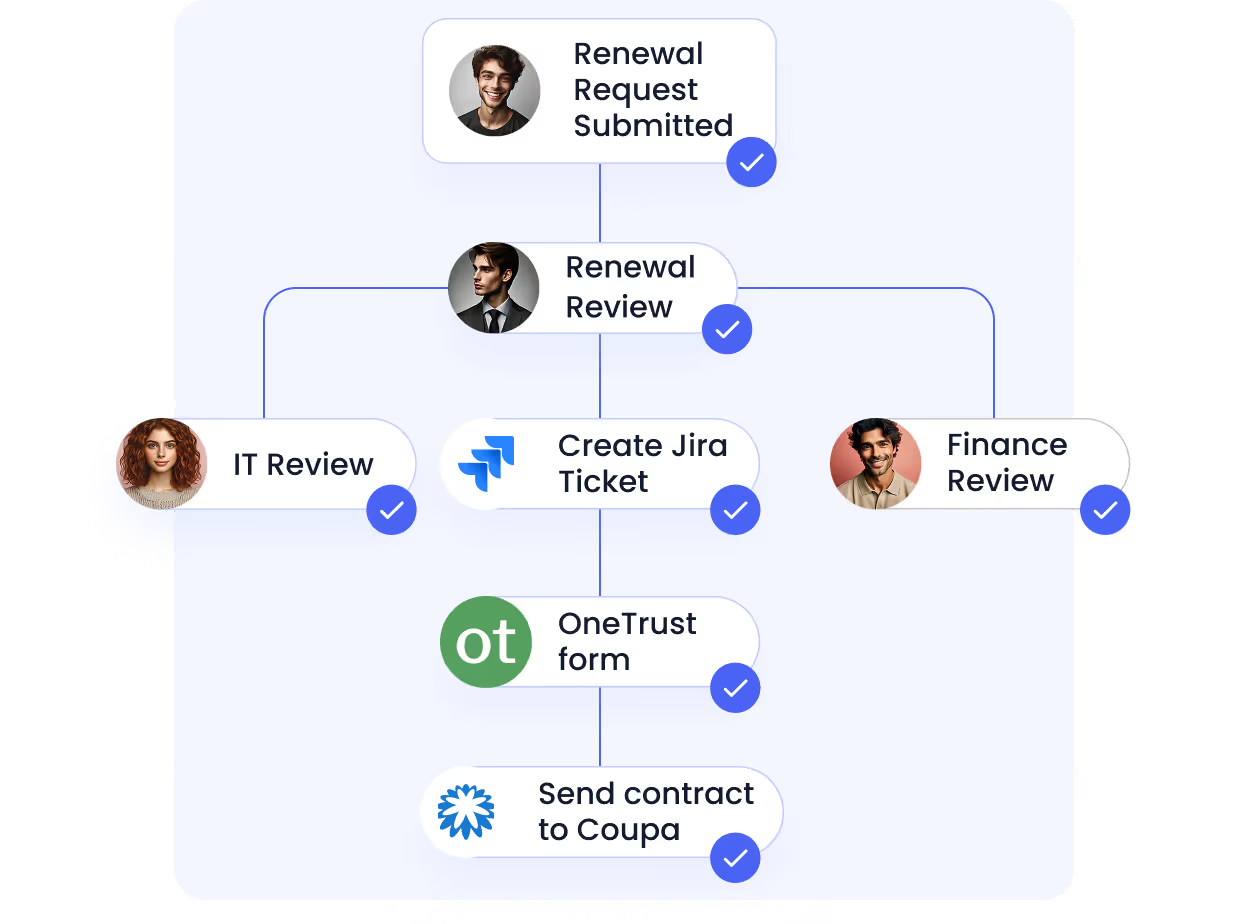
Teams review contracts manually before renewals. SLA performance is rarely tracked continuously.
Pain Points
Missed deadlines lead to auto-renewals. Teams lose leverage to renegotiate SLA terms.
How We Do It
CloudEagle.ai sends automated alerts ahead of renewal and review windows, giving teams time to evaluate vendor performance.
Why We Are Better
Organizations act early, renegotiate effectively, and ensure SLAs reflect actual vendor performance.
C. Strengthening Vendor Selection With SLA Insights
CloudEagle.ai ensures future vendor decisions are informed by performance, pricing, and contractual benchmarks.
Current Process
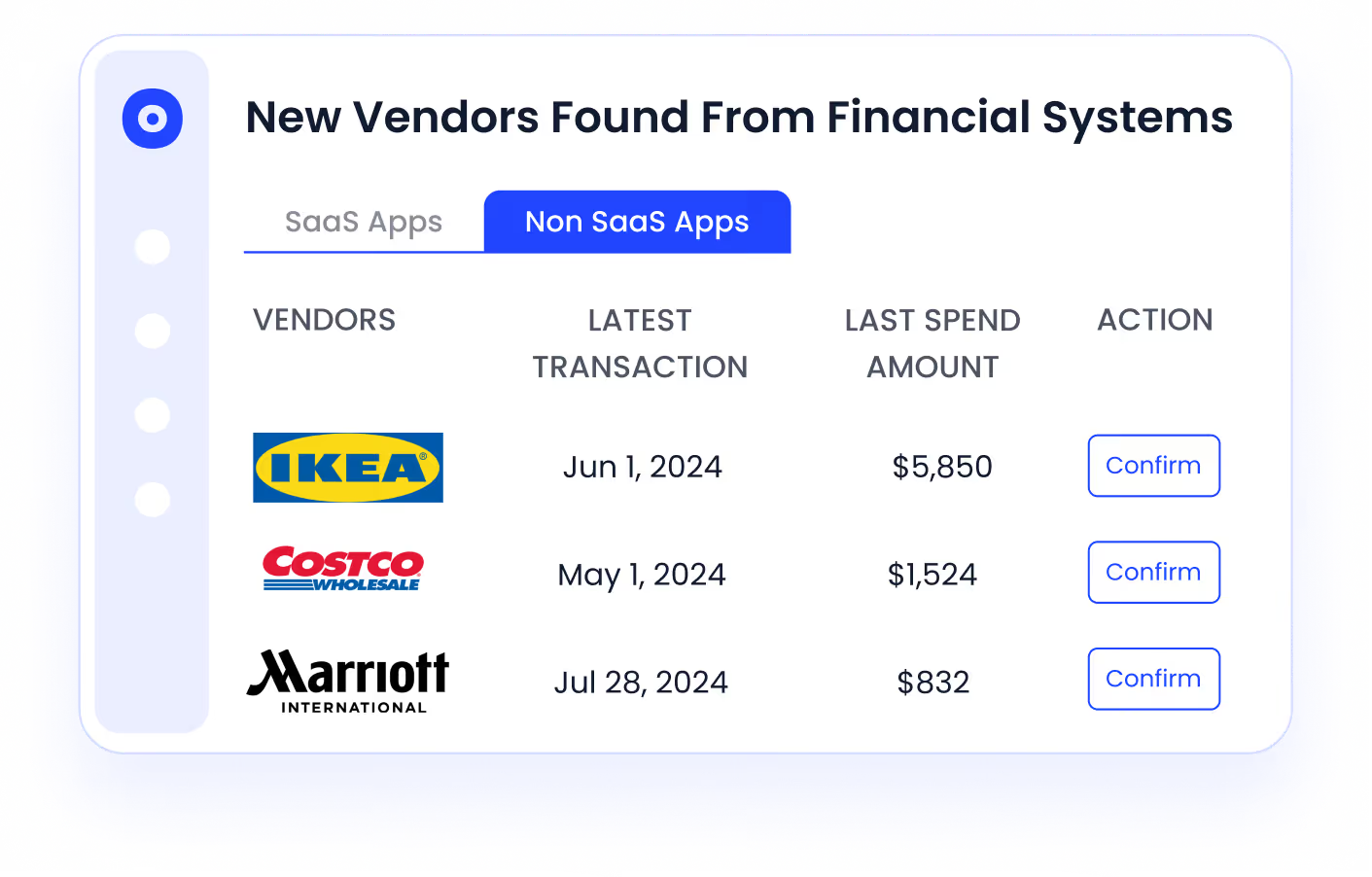
Teams research vendors manually using reviews and external sources, often without reliable benchmarks.
Pain Points
Vendor selection is inconsistent and influenced by incomplete or biased information.
How We Do It
CloudEagle.ai consolidates vendor data, pricing benchmarks, and peer insights into a structured evaluation framework.
Why We Are Better
Organizations choose vendors based on performance, reliability, and value, not just marketing claims.
Missed SLAs Cost More Than You Think


5. Conclusion
Strong SLAs don’t fail during contract review. They fail during real incidents when definitions are unclear, response times aren’t tracked, and penalties aren’t enforced.
A vendor may meet “99.9% uptime” on paper while users experience outages that impact transactions or revenue.
This is where CloudEagle becomes critical. It helps teams track vendor performance across SaaS applications, monitor real incident timelines, and identify when SLA commitments are not met.
6. FAQs
1. What are the three types of SLA?
The three main types of SLAs are Customer-based, Service-based, and Multi-level. Customer-based SLAs cover all services for one client, service-based SLAs apply to one service across all users.
2. What is an example of SLA?
An example of an SLA is: “The vendor guarantees 99.9% uptime, responds to critical incidents within 15 minutes, and resolves them within 4 hours.” These commitments are typically tracked in tools like ServiceNow or Jira Service Management.
3. What is P1, P2, P3, P4 tickets SLA?
These are severity levels used to define response and resolution times. P1 is critical (system down), P2 is high impact, P3 is moderate, and P4 is low priority. Each level has specific response and resolution timelines defined in the SLA.
4. What is 90% SLA?
A 90% SLA means the vendor must meet a defined target, such as response time, in at least 90% of cases. For example, responding within the agreed time in 90 out of 100 incidents.
5. What is 99.99% uptime SLA?
A 99.99% uptime SLA allows about 4.38 minutes of downtime per month. Any downtime beyond that is typically considered a breach and may trigger penalties or service credits.


.avif)


.avif)
.avif)




.png)








.avif)
.avif)
.avif)


