
%201.svg)


HIPAA Compliance Checklist for 2025

Monday.com's pricing page shows a clean per-seat number, and that's the problem with taking Monday.com pricing at face value. Ask most IT or procurement teams what they actually pay for Monday.com and they'll quote the seat price on their main workspace. Few can tell you what they're paying across CRM, Dev, or Service seats bought by other teams, or how many AI credits get burned every month. The list price is the easy part. The real cost lives in what happens after the contract is signed.
Why Monday.com pricing gets harder to control at scale
Monday.com's core work management product runs five tiers, priced per seat per month, billed monthly or annually (annual billing saves 18%). All paid plans require a minimum of 3 seats, so even a two-person team pays for three.
That table is only half the picture. Most Monday.com pricing guides stop at the seat price and miss that Monday.com is no longer one product. It's a family of separately priced products built on the same platform:
- monday CRM: Basic $12, Standard $17, Pro $28 per seat/month (annual)
- monday dev: Basic $9, Standard $12, Pro $20 per seat/month (annual)
- monday service: Standard $31, Pro $45 per seat/month (annual)
Each product is billed on its own, with its own seat count and its own 3-seat minimum. A sales team running Work Management for project tracking and CRM for the pipeline is paying two separate subscriptions, often with overlapping seats for the same people. Layer on the AI credit system that now ships with every tier, priced per credit above the monthly allotment, and the invoice stops looking anything like "$12 a seat."

How CloudEagle.ai gets Monday.com spend under control
Getting Monday.com pricing under control isn't about negotiating harder once a year. CloudEagle.ai starts by discovering every place Monday.com is actually being paid for, shows who's really using each seat and each product, then governs access and spend from there. Each lever below works on its own. Run together, they compound.
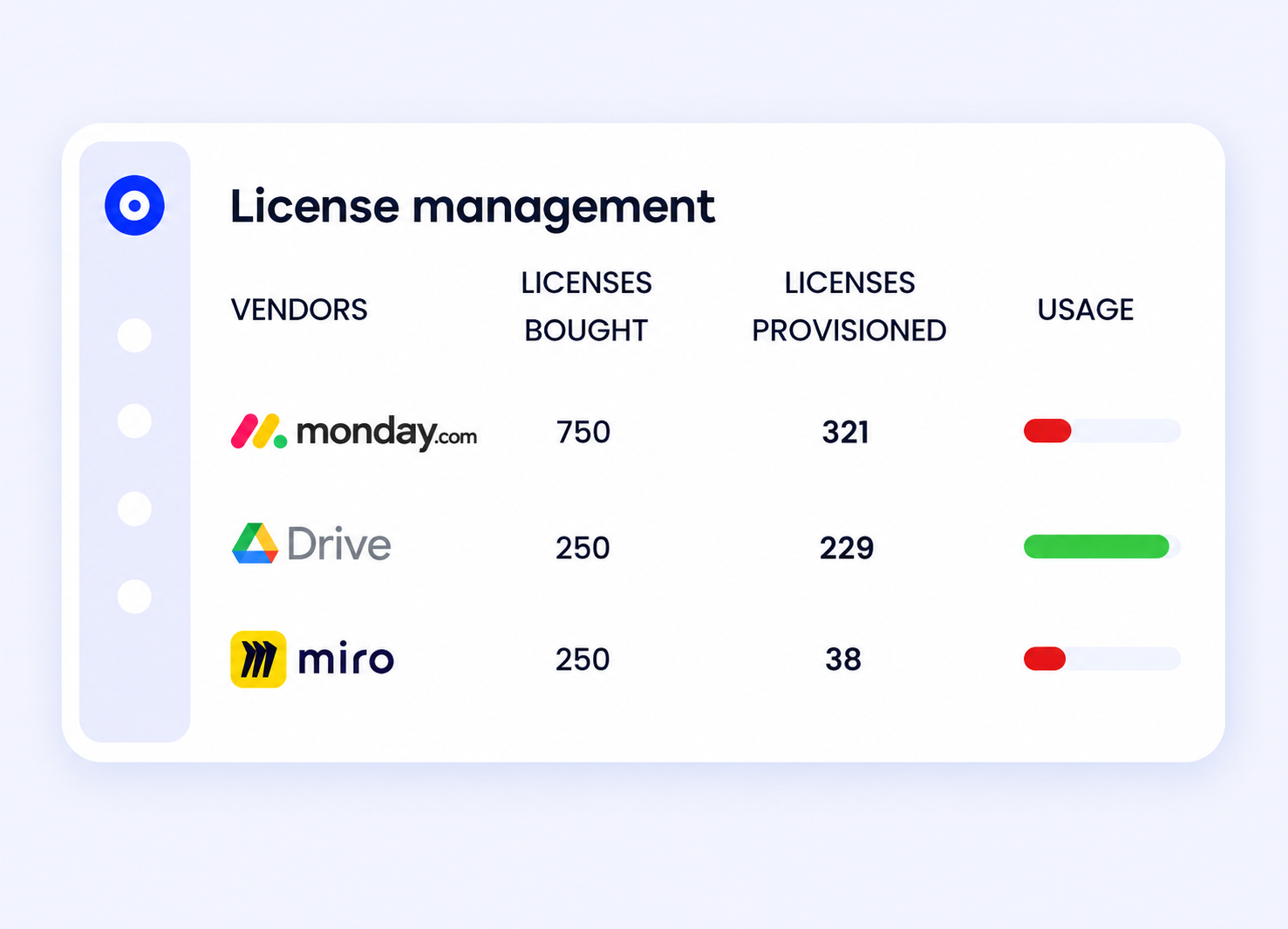
Right-size seats across every Monday.com product, not just one
Most teams manage Work Management seats reasonably well and never look at CRM, Dev, or Service seats bought separately by sales, engineering, or support.
License management pulls usage across all connected Monday.com products into one view, flags seats tied to inactive users, and reclaims them automatically instead of waiting for someone to notice at renewal.
See spend across Work Management, CRM, Dev, and Service in one place
Because each Monday.com product is billed separately, the same person can end up as a paid seat on two or three of them without anyone catching the overlap.
CloudEagle.ai's spend intelligence correlates usage, contract, and finance data across every Monday.com product connected to your account, so double-paid seats and redundant licenses show up in a single dashboard instead of four separate invoices.
Catch AI credit spend before it becomes a surprise
AI credits are metered, consumption-based spend layered on top of a per-seat contract, the same shape as the token spend AI tools have introduced elsewhere in the stack.
CloudEagle.ai tracks that spend the way it tracks license usage, so a credit overage shows up as a trend on a dashboard instead of a line item on next month's bill.
Walk into renewals with usage data instead of a sales call
CloudEagle.ai's renewal workflows trigger up to 90 days ahead of a Monday.com renewal, with a first-touch message that already includes current seat utilization, price benchmarking, and a recommendation on which tier and seat count to negotiate for.
That replaces a renewal conversation that starts from scratch with one that starts from data.
What companies actually pay for Monday.com
Monday.com pricing on the website is the starting point for a negotiation, not the outcome. Based on Vendr's transaction data, buyers with 10 to 25 seats on the Basic plan have landed pricing in the $8 to $10 per seat per month range through annual commitments and early engagement with sales, just under list.
Volume discounts tend to kick in around 50, 100, and 200-plus seat thresholds, and multi-year commitments (2 to 3 years) generally secure lower per-seat pricing along with protection against future price increases, though that comes at the cost of flexibility if seat count is still uncertain.
Best practices for cutting Monday.com license waste
- Audit seat counts against the 3-seat minimum on every product before renewal: This is the single biggest lever on Monday.com cost for small teams, since a team that dropped to two active users on Dev is still paying for three.
- Check whether the same person holds paid seats on more than one Monday.com product: Overlap between Work Management and CRM seats is the most common source of double-paying.
- Review AI credit usage monthly, not just at renewal: Credits are easy to underuse early and overrun later as teams adopt more AI features inside boards.
- Time seat additions around your renewal date, not around when a new hire starts: Adding seats mid-term at monthly rates costs more than waiting for the next annual cycle.
- Push for multi-year pricing only once usage has stabilized: Locking in a rate before seat count settles trades away flexibility you may need.
Monday.com Alternatives Worth Comparing
If seat sprawl across Work Management, CRM, Dev, and Service is the real driver of Monday.com pricing, sometimes the fix isn't better governance on Monday.com, it's a smaller footprint. A few alternatives worth weighing on cost, not just features:
- Asana runs a comparable per-seat model but keeps project management as a single product rather than four, so there's no equivalent to Monday.com's cross-product seat overlap.
- Trello is the cheaper option for smaller teams that don't need Gantt views or heavy automation, and its free tier supports more users than Monday.com's two-seat cap.
- ClickUp consolidates docs, goals, and chat into one plan, which can replace a Monday.com stack running Work Management plus a few point tools.
- Wrike is priced closer to Monday.com Pro and Enterprise, so it's a lateral move on cost, worth it mainly if the deciding factor is reporting depth rather than price.
- Notion is the cheapest of the group and works well if the real need is a shared knowledge base more than task tracking, though it lacks Monday.com's native Gantt and automation depth.
The right call depends on which Monday.com products are actually driving cost. If it's one bloated Enterprise contract, renegotiating usually beats switching. If it's four overlapping subscriptions nobody planned for, consolidating onto one tool, Monday.com or otherwise, is often the bigger saving.
Get Monday.com spend under control
Monday.com's per-seat price is the easy number. The harder number is what your organization is actually paying across every Monday.com product, every idle seat, and every AI credit nobody's tracking.
CloudEagle.ai puts all of that in one view, so you can right-size before the next renewal instead of after the invoice.
FAQs
1. How much does Monday.com cost per user?
Work Management runs $9/seat/month on Basic, $12 on Standard, and $19 on Pro, all billed annually with a 3-seat minimum. Monday CRM, Dev, and Service are priced separately, from $9 to $45 per seat/month depending on the product and tier.
2. Does Monday.com pricing include AI features?
Yes, every paid Work Management tier now bundles a monthly AI credit allotment, 1,000 to 3,000 credits depending on plan. Usage beyond that allotment is billed as additional consumption, which is a spend vector most teams aren't tracking yet.
3. Why is my company's Monday.com bill higher than the listed per-seat price?
Most commonly because Monday.com isn't one bill. Teams running Work Management alongside CRM, Dev, or Service are paying for four separately billed products, often with the same person holding a paid seat on more than one.
4. Can you negotiate Monday.com pricing below list price?
Yes. Based on Vendr's transaction data, buyers with 10-25 seats have landed pricing in the $8-$10/seat/month range on Basic through annual commitments, and volume discounts typically kick in around 50, 100, and 200+ seat thresholds.
5. What's the minimum number of seats required on Monday.com?
Every paid plan across every Monday.com product requires a 3-seat minimum, so a two-person team still pays for three seats on whichever product they're using.
Stop Guessing What Monday.com Costs You.




.avif)


.avif)
.avif)










.avif)
.avif)
.avif)


