
%201.svg)


HIPAA Compliance Checklist for 2025

An employee needs a new tool to finish a project. They submit a ticket to IT, wait two days, hear nothing, and sign up with their personal card instead. That's shadow IT, the predictable outcome of a slow access process.
According to CloudEagle.ai's IGA report, 60% of SaaS and AI tools in use across enterprises were never approved by IT. Gartner puts the cost at 30-40% of total IT spending in large enterprises.
CloudEagle.ai's Self-Service App Catalog gives employees a governed catalog of approved apps, with Slack-based approvals that take minutes instead of days. IT stays in control without becoming a bottleneck.
In this article, we will show what shadow IT is, how to prevent it, and how CloudEagle.ai’s self-service app catalog can detect and prevent shadow IT.
TL;DR
- Shadow IT often emerges when employees face slow access processes and seek tools outside approved channels.
- CloudEagle.ai’s self-service app catalog centralizes approved applications and simplifies access requests.
- Slack-based approvals and automated workflows reduce delays that typically drive unauthorized software purchases.
- Built-in governance controls ensure access remains secure, compliant, and fully auditable.
- CloudEagle.ai helps eliminate shadow IT by combining employee self-service with centralized visibility and control
1. How to Prevent Shadow IT and Optimize Your SaaS Stack?
The most effective way to prevent shadow IT is to make the official path easier. When employees can find, request, and get access to approved tools in minutes, there's no reason to route around IT.
- Role-based catalog visibility: Employees only see apps relevant to their role and department, so every request starts from an approved, curated list instead of a Google search.
- Slack-native access requests: Employees request tools where they already work, removing the friction of ticket queues and IT email threads.
- Analytics and usage monitoring: IT tracks which apps are being used, how often, and by whom to catch redundant purchases and unauthorized tools.
- Automated approval workflows:Approval chains are configured once and run automatically, so employees aren't waiting on manual reviews and losing patience.

2. How CloudEagle.ai’s Self-Service App Catalog Prevents Shadow IT?
Shadow IT doesn’t start with bad intent. It starts when employees need tools but can’t access them quickly through IT.
Here’s how CloudEagle.ai’s self-service app catalog can help you prevent shadow IT effectively:
A: Centralized App Catalog That Guides Employees to Approved Tools
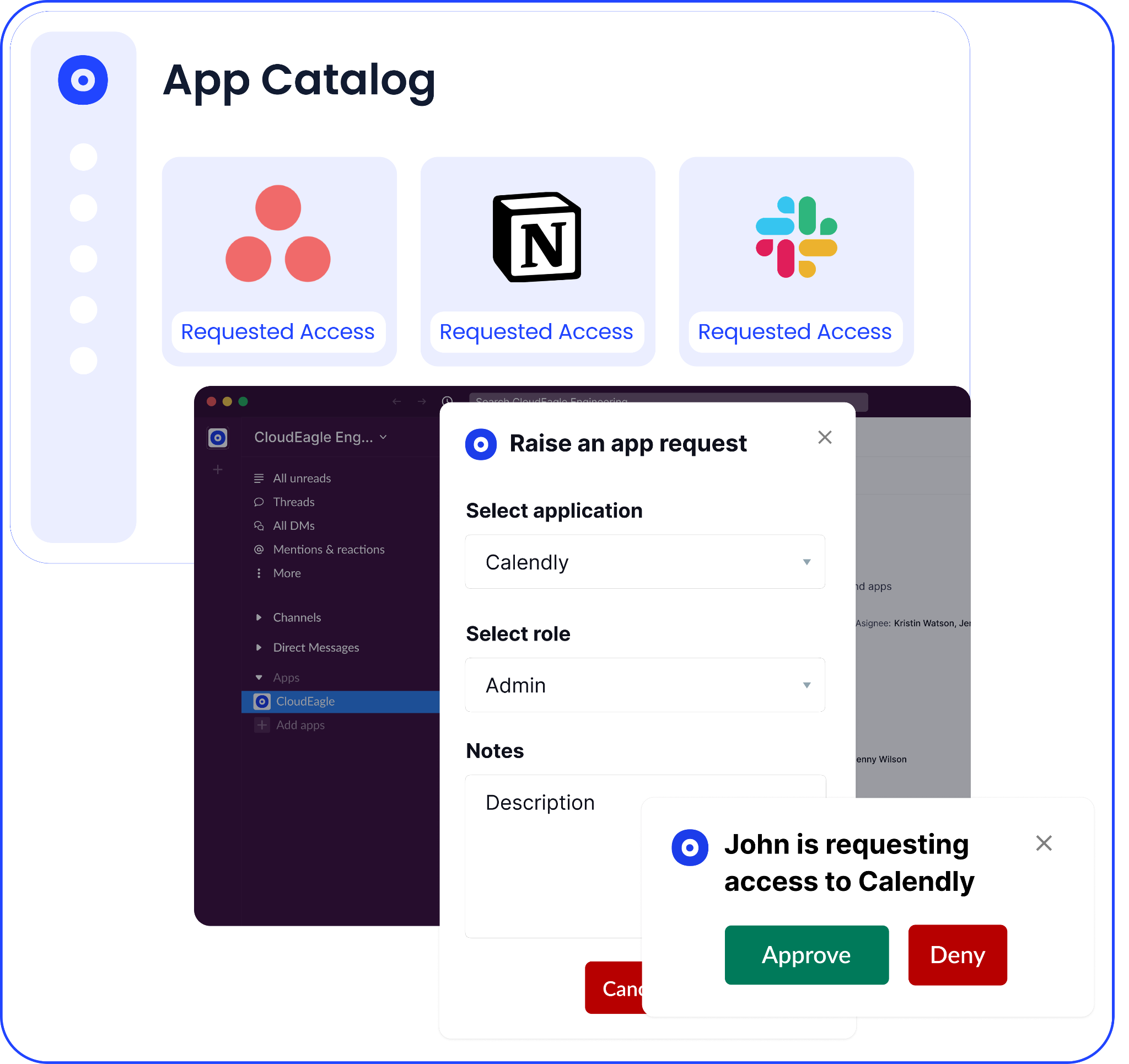
CloudEagle.ai provides a single, dynamic catalog of all approved SaaS applications, tailored by role, team, and department.
Current Process
Employees don’t know which tools are approved or already available. They search online or purchase tools directly.
Pain Points
Duplicate apps emerge across teams. Unapproved tools enter the environment without security or procurement review.
How CloudEagle Solves It
CloudEagle.ai auto-syncs your SaaS stack into a centralized catalog, showing only relevant, approved apps to each user.
Outcome
Employees choose from approved tools instead of introducing new shadow IT.
B: Slack-Based Approvals That Remove the Need for Workarounds
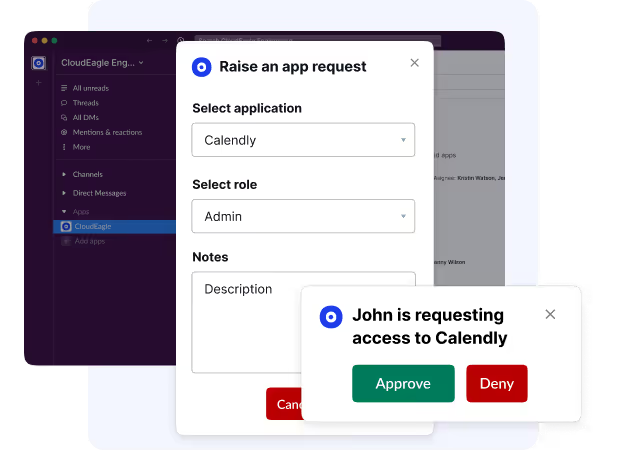
CloudEagle.ai enables managers to approve app access directly within Slack, removing delays that drive shadow purchases.
Current Process
Access requests sit in ticket queues. Managers approve over email or Slack threads, causing delays.
Pain Points
Employees bypass IT to avoid waiting. IT teams spend time chasing approvals across tools.
How CloudEagle Solves It
CloudEagle routes approvals into Slack with one-click actions, keeping the entire workflow in sync.
Outcome
Access is granted in minutes, eliminating the need for employees to buy tools independently.
C: Self-Service Access Requests That Reduce Shadow Purchases
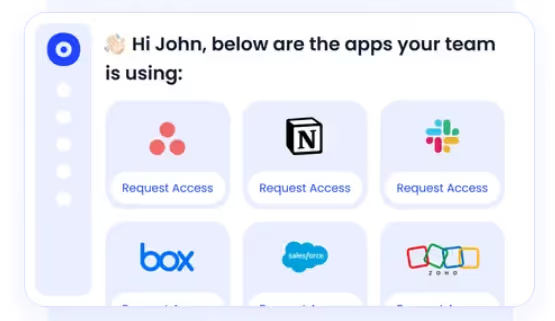
CloudEagle.ai allows employees to request access themselves instead of relying on IT to manage every request.
Current Process
IT manually handles repetitive access requests through tickets or messages.
Pain Points
High ticket volume slows response times. Employees create their own solutions outside IT control.
How CloudEagle Solves It
CloudEagle enables self-service requests with automated approval workflows and audit logging.
Outcome
Fewer tickets, faster access, and significantly reduced shadow IT across teams.
D: Built-In Controls for Sensitive and Privileged Access
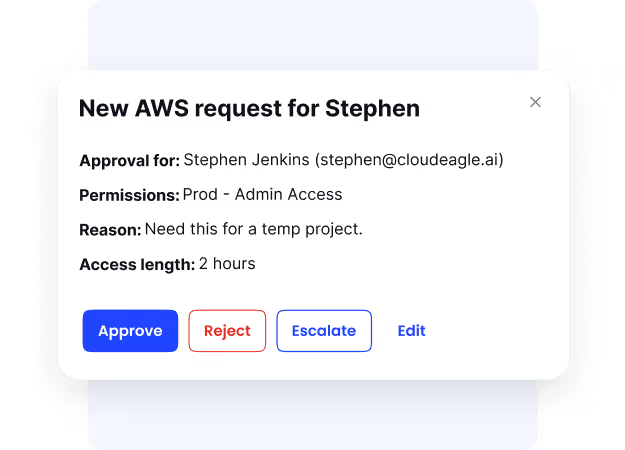
CloudEagle.ai ensures that even fast access follows strict approval and governance policies.
Current Process
Sensitive access is often granted inconsistently or without full visibility.
Pain Points
Privileged access can linger beyond necessity. Security teams lack confidence in approval enforcement.
How CloudEagle Solves It
CloudEagle enforces policy-based approvals and tracks all access decisions with complete audit trails.
Outcome
Access remains controlled, auditable, and compliant—without slowing down employees
Shadow IT Starts With One Request


3. Steps to Use CloudEagle.ai's Self-Service App Catalog Through Platform
Here's a step-by-step guide to help you use the self-service app catalog for all your SaaS application needs.
A. Configuring the intake request & workflow
Log into CloudEagle.ai, navigate to the “Admin module,” and click “Workflow Settings” to set up the workflow for handling access requests.
Within the “Workflow Settings,” create a new workflow template. This template will outline the approval process for access requests.

Assign a descriptive name to this template and specify the Access Permissions to define who can view or participate in this workflow. Customize the template by adding steps and tasks that align with your organization’s current approval process.
Once done, configure the template with specific steps like manager approval, app admin review, and final confirmation.

B. Creating an intake form
Proceed to the “Forms Library” section to create an intake form. Include mandatory questions in the form to gather all necessary information and save it once set up.

C. Linking the workflow template with the intake request
Go to “Intake Settings” and find the category for "Request Access." Link the newly created workflow template to this intake request category.

This ensures the workflow template activates with each access request. Verify its activity and assign a workflow owner and watchers to oversee and monitor it.
D. Requesting access from the platform
Go to the “App Access” module within CloudEagle.ai. This section displays a comprehensive list of all applications available in your organization, allowing you to browse them.

Use the search bar to find the specific application you need access to. If there are similar applications already in use within your organization, they will appear in the search results.

This helps you compare the new application with existing options, avoiding shadow IT and ensuring you choose the most suitable and approved application.
After identifying the desired application, click "Request Access." You'll need to answer several questions to help the application admin understand the purpose and necessity of your request.

After filling in the reason for your request, click the "Request" button to submit it. You’ll get a confirmation message, and the application admin will be notified via email to review and process your request.
4. Steps to Request App Access from Slack
Here are the steps to request new app access directly from Slack, thanks to CloudEagle.ai's native Slack integration.
A. Connect Slack Integration
To request access via Slack, first integrate Slack with CloudEagle.ai. Go to the "Messaging" tab in the Integrations section of the Admin module and connect Slack to your workspace.

B. Raise Access Request
Employees can then type the "/Application Request" command in any Slack channel.

They will be prompted to select the application they need access to and complete the intake form.

C. Submit and Confirm
After filling out the form, submit the request. The Slack bot will confirm receipt of the request and provide a link to track its progress.

D. Approvals on Slack
Once the request is submitted, a workflow is created based on the template. The manager receives a notification via the Slack bot and can approve or reject the request directly from the message.

Following manager approval, the app admin receives a notification to assign the license. The admin can mark the request as assigned once access is provided.

Final notification: After the app admin completes the license assignment, the requester receives a final message indicating whether their request was approved or rejected. If any step in the workflow is rejected, the entire process is canceled, and the requester will be notified accordingly.

By following these steps, you can efficiently configure and manage the process for handling access requests using CloudEagle.ai, ensuring smooth workflow operations and effective application use.
5. Conclusion
Shadow IT doesn't start with bad intentions. It starts with a slow process and an employee who can't afford to wait. Every unauthorized app is a signal that the official path has too much friction.
The solution isn't more policies or stricter enforcement. When employees can find what they need, request it in seconds, and get approval without opening a ticket, they stop going around IT entirely.
CloudEagle.ai's Self-Service App Catalog is built for exactly that, giving employees the speed they want while giving IT the visibility, control, and audit trail they need.
6. FAQs
1. What happens when an employee requests an app that isn't in the catalog yet?
The request is still captured and routed to IT for review. CloudEagle.ai tracks these out-of-catalog requests as demand signals, giving procurement teams visibility into which new tools employees actually need, so the catalog stays relevant over time.
2. Does the Self-Service App Catalog work for non-SSO and non-IDP apps?
CloudEagle.ai provisions and manages access across both IDP-managed apps and apps outside your identity provider, covering the full SaaS stack, not just what's behind Okta or Azure AD.
3. Can access granted through the catalog be time-limited?
IT can configure time-bound access for contractors, temporary projects, or short-term tool evaluations. Access expires automatically at the defined date, removing the need for manual cleanup and preventing permissions from lingering.
4. Does CloudEagle.ai integrate the catalog with ITSM tools like ServiceNow or Jira?
Access requests and approvals sync with your existing helpdesk systems, so IT teams don't have to manage two separate workflows. All actions remain trackable in one place.
5. Can IT identify which apps employees are attempting to use outside the catalog?
CloudEagle.ai's SaaS discovery continuously surfaces unauthorized apps in use across the organization. IT can see what's being accessed outside the catalog, assess the risk, and decide whether to add it as an approved option or block it.
Shadow IT Never Fixes Itself


.avif)


.avif)
.avif)




.png)





.avif)

.avif)
.avif)
.avif)


