You need to enable JavaScript in order to use the AI chatbot tool powered by ChatBot

10 Best FinOps Tools for Cloud Cost Optimization

Share via:
blog-cms-banner-bg
Little-Known Negotiation Hacks to Get the Best Deal on Slack
cta-bg-blogDownload Your Copy

HIPAA Compliance Checklist for 2025

Download PDF

Cloud spend is no longer a “finance problem” or an “engineering problem,” it’s an operating model problem. As usage scales across multi-cloud + Kubernetes + modern data stacks, costs get harder to attribute, forecast, and govern.

This guide compares the best FinOps tools for cloud cost optimization in 2025 and helps you choose the right platform based on your environment (AWS/Azure/GCP, Kubernetes, SaaS overlap) and the outcomes you need (allocation coverage, anomaly response time, forecasting accuracy, and automation-led savings).

If you’re evaluating tools right now, here’s the truth: dashboards don’t save money, workflows and automation do. The best platforms turn spend signals into actions routed to owners (Slack/Jira), enforce guardrails, and make unit economics measurable.

TL;DR

  • The best FinOps tools in 2025 prioritize allocation + automation + governance, not just reporting.
  • Enterprises need multi-cloud normalization, Kubernetes attribution, and policy guardrails.
  • Engineering-led orgs prioritize unit economics and real-time cost signals.
  • Finance-led orgs prioritize forecasting accuracy, renewal workflows, and commitment optimization.
  • The right tool depends on whether your biggest cost driver is compute waste, Kubernetes inefficiency, commitment risk, or SaaS overlap.

Optimize Cloud Spend With FinOps

Learn 6 practical FinOps strategies that deliver measurable cost savings and stronger governance.
Download Resources

Most companies don’t need another FinOps tool. They need one that finance actually trusts, engineering actually uses, and leadership actually understands.

If your current “FinOps stack” is just dashboards, alerts, and monthly cost reports, you’re not doing FinOps, you’re observing cloud spend.

And observation doesn’t reduce bills.

Unlike native dashboards, FinOps tools automate anomaly detection, commitment optimization, and cost ownership workflows.

1. How Should You Evaluate FinOps Platforms?

Choosing the best cloud cost optimization tools requires evaluating key capabilities:

  • Cost Visibility & Allocation: Real-time dashboards for tracking cloud spend by team, project, or service.
  • Anomaly Detection: AI-driven alerts to flag unusual spending patterns.
  • Automation: Tools that automate cloud spend reduction through rightsizing, scheduling, or discount optimization.
  • Multi-Cloud Support: Compatibility with AWS, Azure, Google Cloud, and Kubernetes.
  • Granular Tagging: Custom tags for precise cost allocation and reporting.
  • Forecasting & Budgeting: Predictive analytics to plan and prevent overruns.
  • Integration: Seamless connectivity with DevOps, CI/CD, and BI platforms.
  • User-Friendly Interface: Intuitive design for finance and engineering teams.

These features ensure cloud cost management software delivers actionable insights and measurable savings.

2. What Features Matter Most in a FinOps Tool for Cloud Cost Optimization?

In 2025, the best FinOps software for cloud cost optimization moves well beyond read-only dashboards, it automates decisions, routes work to the right owners, and eliminates manual spreadsheets. When evaluating top FinOps tools for managing cloud expenses, verify these seven capabilities:

  • Virtual tagging and cost mappings: achieve full allocation coverage without requiring perfect tagging discipline across every team.
  • Unit economics attribution: assign costs to features, services, or customers, not just accounts or cost centers.
  • Automated anomaly triage: route spend spikes to owners via Slack or Jira to cut MTTRfrom days to hours.
  • Commitment automation with guardrails: optimize Reserved Instances and Savings Plans continuously without the risk of over-commitment.
  • Policy-based governance: enforce tagging standards, budget thresholds, and generate audit-ready reports without manual exports.
  • Multi-cloud normalization + Kubernetes allocation: unified cost views across AWS, Azure, GCP, and container workloads.
  • Scenario-based forecasting: model growth or architecture changes, not just linear trend extrapolation.

3. Which FinOps Tools Are Best for Cloud Cost Optimization?

Choosing the best FinOps software for cloud cost optimization depends on your scale and architecture. While SMBs often succeed with native tools like AWS Cost Explorer, enterprises require multi-cloud platforms for cross-provider normalization and governance. Selection must align with team priorities: Finance needs reporting, Engineering requires automated rightsizing, and Kubernetes environments benefit from specialized optimization tools.

When evaluating top FinOps tools for managing cloud expenses, match pricing models and capabilities to your organization’s cloud maturity. Whether prioritizing flat-fee governance or percentage-of-savings commitment tools, the right platform should bridge the gap between your technical requirements and financial goals.

4. Which FinOps Tools Are Best for Cloud Cost Optimization in 2025?

FinOps Tool Best for Multi-Cloud Support Kubernetes Support Pricing Model Ideal Company Size
CloudEagle.ai SaaS + cloud spend governance & renewals Yes (AWS, Azure, GCP + SaaS) Partial Subscription (modular) Mid-market to Enterprise
Finout Enterprise allocation & cost visibility Yes Strong Flat-rate / Custom Enterprise
CloudZero Unit economics & product cost tracking Yes Good % of cloud spend Growth-stage SaaS & Enterprise
ProsperOps Commitment (RIs/SPs) automation Yes Limited % of realized savings Mid-market to Enterprise
Cast AI Kubernetes optimization Yes Excellent Performance-based Kubernetes-heavy teams
nOps AWS automation & rightsizing AWS-focused Moderate % of cloud spend SMB to Mid-market
Vantage Cost visibility for startups Yes Limited Tiered SMB & Startups
Flexera Enterprise governance & compliance Yes (Hybrid) Moderate Custom / Annual Enterprise
Harness DevOps-driven cost controls Yes Strong Modular Engineering-led orgs
Economize AI-driven multi-cloud savings insights Yes Moderate % of cloud spend Mid-market

Benefits of Using FinOps Tools

  • Reduce cloud spend through rightsizing, autoscaling, and eliminating idle resources
  • Cut compute costs with automated discount optimization (RIs, Savings Plans)
  • Improve accountability with real-time cost allocation and chargebacks
  • Prevent surprise bills using anomaly detection and automated alerts
  • Strengthen governance with tagging standards, guardrails, and audit trails
  • Accelerate budgeting with continuous forecasting by team, product, or service
  • Automate optimization actions so teams spend less time analyzing and more time building
  • Streamline renewals and avoid costly auto-renewals through centralized insights

SaaS Spend Optimization Playbook

Step-by-step methods to align SaaS spend with business value and governance goals
Download Resources

5.  What are the Top 10 FinOps Tools for Cloud management?

Several tools stand out as leading options for Cloud FinOps, offering capabilities to manage cloud costs effectively. CloudZero, CloudCheckr, and Apptio Cloudability are frequently cited as strong contenders, with each providing unique strengths in areas like cost visibility, security, and comprehensive cloud financial management. 

Here’s our curated list of the Cloud FinOps tools for 2025, designed to optimize cloud cost management and drive efficiency:

CloudEagle.ai

CloudEagle.ai Dashboard

CloudEagle.ai is a leading cloud spend management platform that empowers finance teams to optimize cloud cost management and optimization with a focus on SaaS and cloud spending. 

By providing unparalleled visibility, automation, and vendor negotiation support, CloudEagle has helped companies like RingCentral and Wefunder save 10-30% on software spend, processing over $2 billion in transactions and delivering $150 million in savings. Its AI-powered features streamline procurement, eliminate waste, and ensure every dollar spent delivers maximum ROI.

Key Features of CloudEagle:

Complete SaaS and Cloud Visibility: 

With over 500 integrations, CloudEagle.ai scans your entire tech stack in minutes, identifying all applications, licenses, and vendor spend. This eliminates shadow IT by detecting unauthorized or underutilized apps, providing a single dashboard for finance teams to track cloud spend across departments, cost centers, and entities.

AI-Driven Cost Optimization: 

Podcast Link

CloudEagle’s AI analyzes usage patterns to pinpoint redundant apps, unused licenses, and overprovisioned resources. For example, it can identify if a team is overpaying for a premium plan (e.g., Mailchimp’s Premium at $279/month) when a lower tier ($13.96/month) suffices, saving thousands annually.

Automated License Harvesting: 
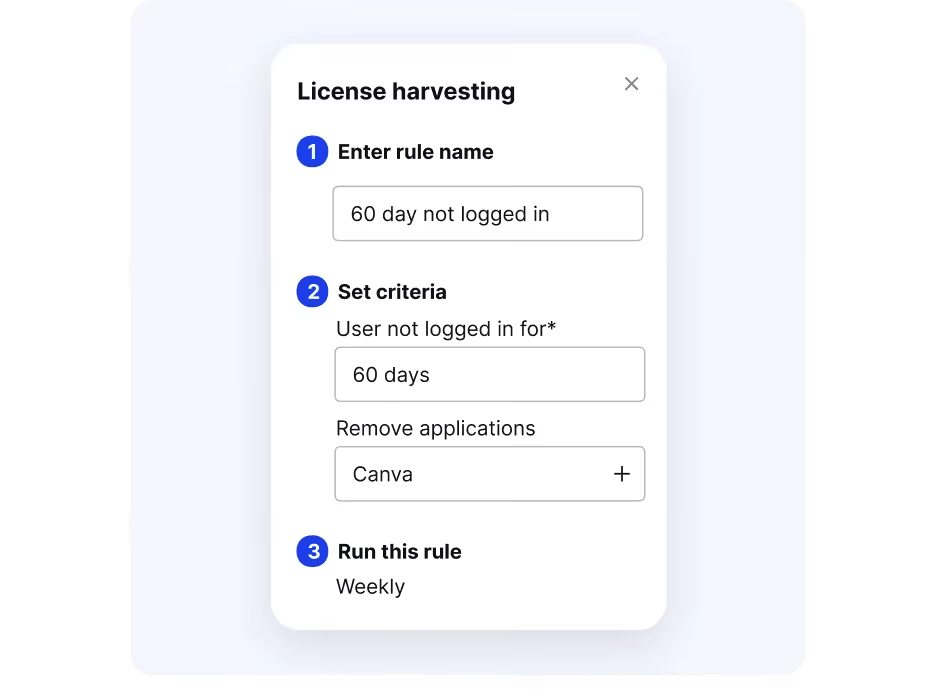
License Harvesting

The platform automates the reclamation of underutilized licenses, reallocating or downgrading them to optimize costs. This feature ensures finance teams avoid paying for unused or ex-employee access, streamlining cost savings tracking.

Vendor Negotiation and Benchmarking: 

Vendor Negotiation and Benchmarking

CloudEagle’s expert negotiators leverage a database of 150,000+ applications and pricing benchmarks to secure better vendor deals. Renewal alerts 90 days in advance give finance teams ample time to renegotiate or discontinue contracts, reducing auto-renewal risks.

No-Code Workflow Automation:

Slack-enabled workflows allow finance teams to manage approvals, procurement, and renewals directly from collaboration platforms. This reduces manual effort, ensures budget compliance, and speeds up decision-making.

Advanced Reporting and Forecasting:

CloudEagle provides detailed spend reports by department, user, or application, enabling accurate budgeting and forecasting. Finance teams can track ROI, monitor spending trends, and align budgets with business goals.

Seamless Integrations:

With 300+ connectors to tools like Coupa, Smartsheet, and SSO systems, CloudEagle integrates with existing finance and IT workflows, ensuring a hassle-free experience for cloud cost management.

Post-Merger Cost Optimization :

For organizations undergoing mergers, CloudEagle consolidates overlapping apps and provides entity-specific spend reports, helping finance teams save significantly by rationalizing the SaaS stack.

Security and Compliance:
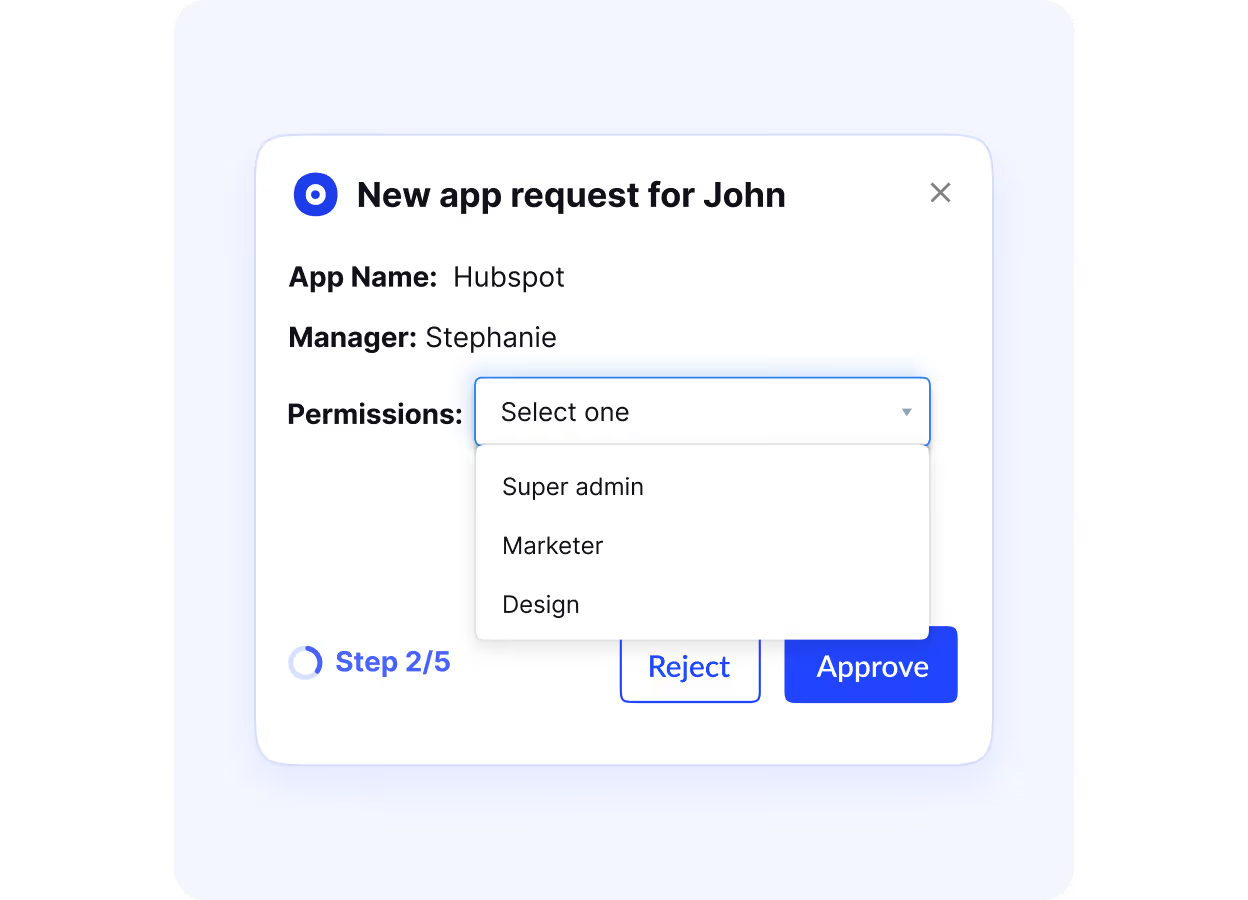
compliance Cloudeagle.ai

CloudEagle tracks app certifications and manages access risks, ensuring compliance with corporate standards and reducing security vulnerabilities from shadow IT.

Guaranteed Savings:

CloudEagle offers a savings guarantee, refunding fees if it fails to deliver cost reductions, making it a low-risk choice for finance teams seeking financial optimization tools.

Pros

  • Transparent, publicly available pricing
  • Modular plans, pay only for what you need
  • Scalable pricing suited for growing teams
  • Bundled discounts when combining modules
  • Free trial available for evaluation
  • Onboarding support included, no hidden setup fees

Cons

  • ROI may take time to realize without high SaaS/tool volume

Pricing

  • SaaS Management module starts at $2,500/month – includes license tracking, usage monitoring, renewals, and budgeting.
  • SaaS Governance module starts at $2,000/month – covers onboarding/offboarding, access controls, and compliance workflows.
  • SaaS Procurement module starts at $2,500/month – offers vendor negotiation support, price benchmarking, and procurement automation.

Bundle options:

  • Management + Governance: $4,500/month
  • Management + Procurement: $5,000/month
  • Full suite (Governance + Management + Procurement): $7,000/month

Free trial available; onboarding support included in packages. Designed for mid-to-large enterprises with scalable, modular pricing.

2. Economize

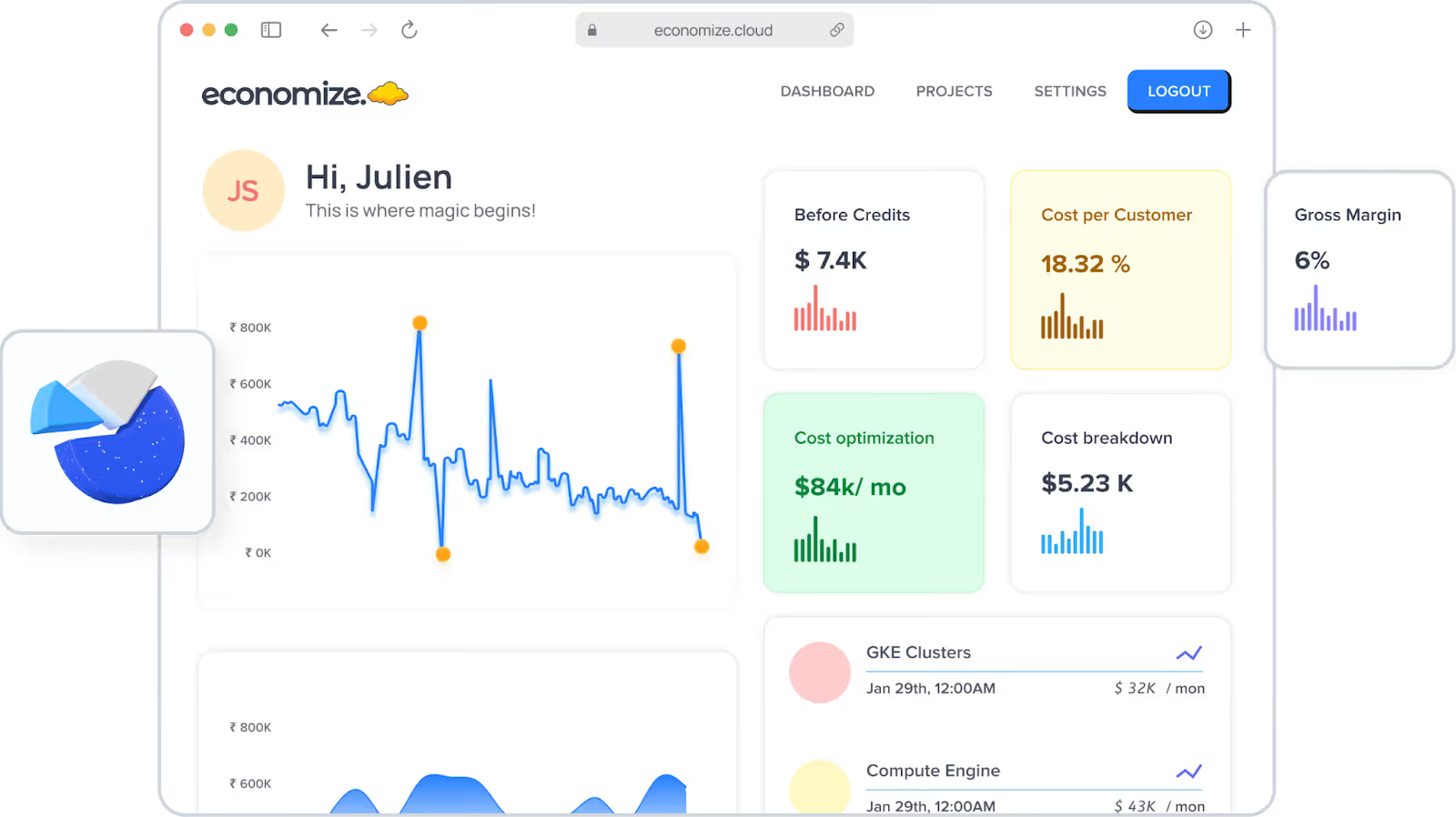
Economize Dashoard

Economize is a leading cloud cost optimization service focused on AWS, Azure, and Google Cloud. Its AI-driven platform provides real-time cost visibility, anomaly detection, and automated optimization recommendations. With features like detailed cost allocation and Kubernetes support, Economize empowers teams to reduce cloud costs effortlessly.

Key Features

  • Real-time cost visibility across AWS, Azure, and GCP
  • AI-based anomaly detection and savings recommendations
  • Kubernetes-native cost support

Pros

  • Intuitive UI for quick adoption
  • Strong multi-cloud analytics

Cons

  • Lacks deep governance and policy enforcement tools

Pricing

  • Starts at ~1% of cloud spend
  • Flexible based on usage scale
  • Free trial available for limited insights

3. Vantage
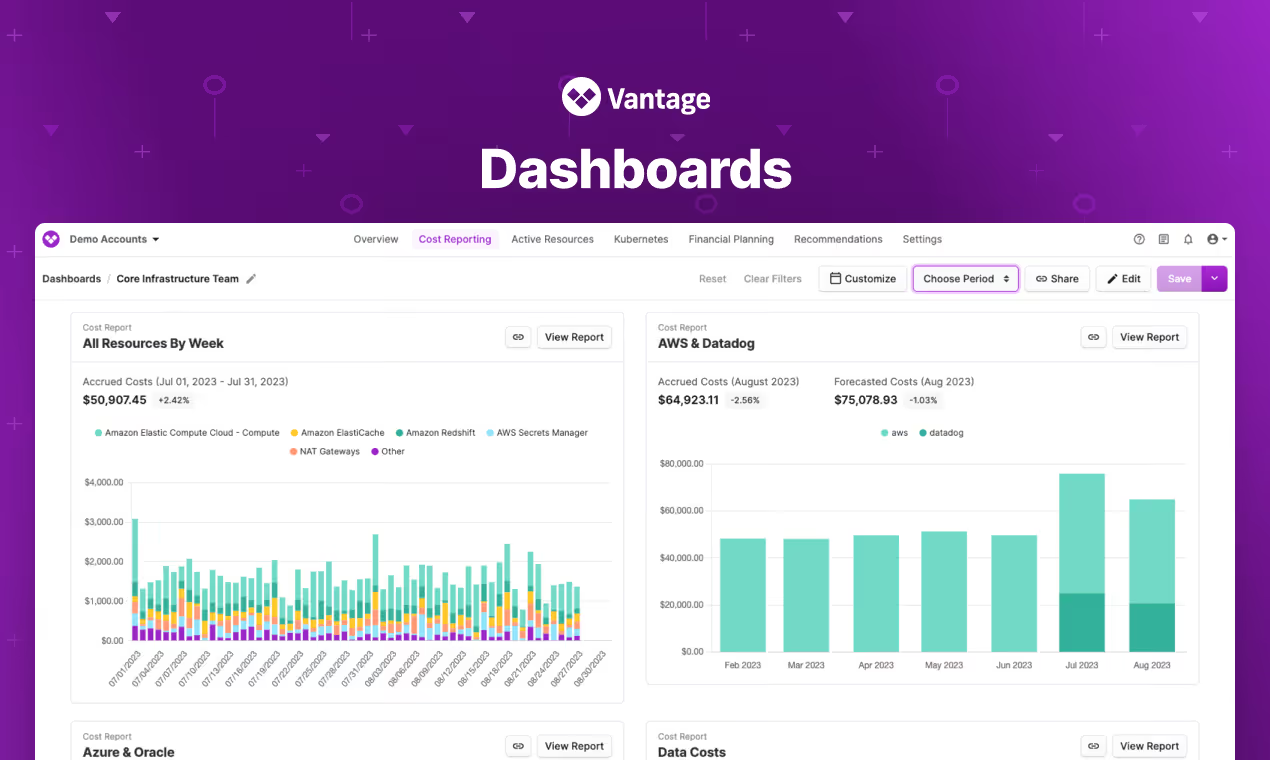
Vantage CloudEagle.ai

Vantage offers a unified cloud spend management platform with a focus on simplicity. It provides cost transparency across AWS, Azure, GCP, and SaaS apps like Datadog. Its intuitive dashboards and automated savings actions make it ideal for startups and mid-sized businesses.

Key Features

  • Unified view of cloud + SaaS spend (AWS, Azure, GCP, Datadog)
  • Automated savings and forecasting tools
  • Tagging and budgeting support

Pros

  • Simple onboarding and clean dashboards
  • Great for startups and SMBs

Cons

  • Not built for complex enterprise use cases

Pricing

  • Tiered based on cloud spend
  • Free tier available with limited features
  • Paid plans scale as usage grows

4. CloudZero
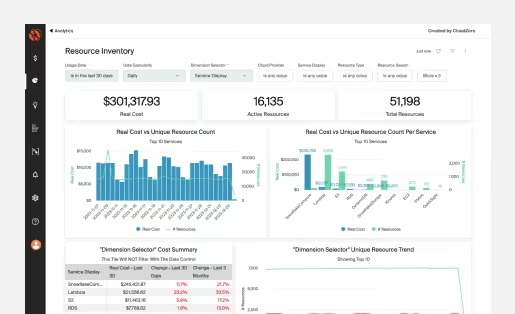
CloudZero Dashboard

CloudZero connects technical decisions to business outcomes, offering hourly cost insights across multi-cloud environments. Its cost savings tracking tool breaks down costs by feature or customer, making it a favorite for software-driven companies.

Key Features

  • Hourly cost breakdown by team, product, or customer
  • Deep integrations with engineering tools
  • Business-level metrics for cost attribution

Pros

  • Powerful cost insights for engineering-heavy orgs
  • Supports real-time product decisions

Cons

  • Learning curve for non-technical users

Pricing

  • ~2–3% of monthly cloud spend
  • Custom pricing for large orgs
  • ROI-driven pricing model

5. Finout

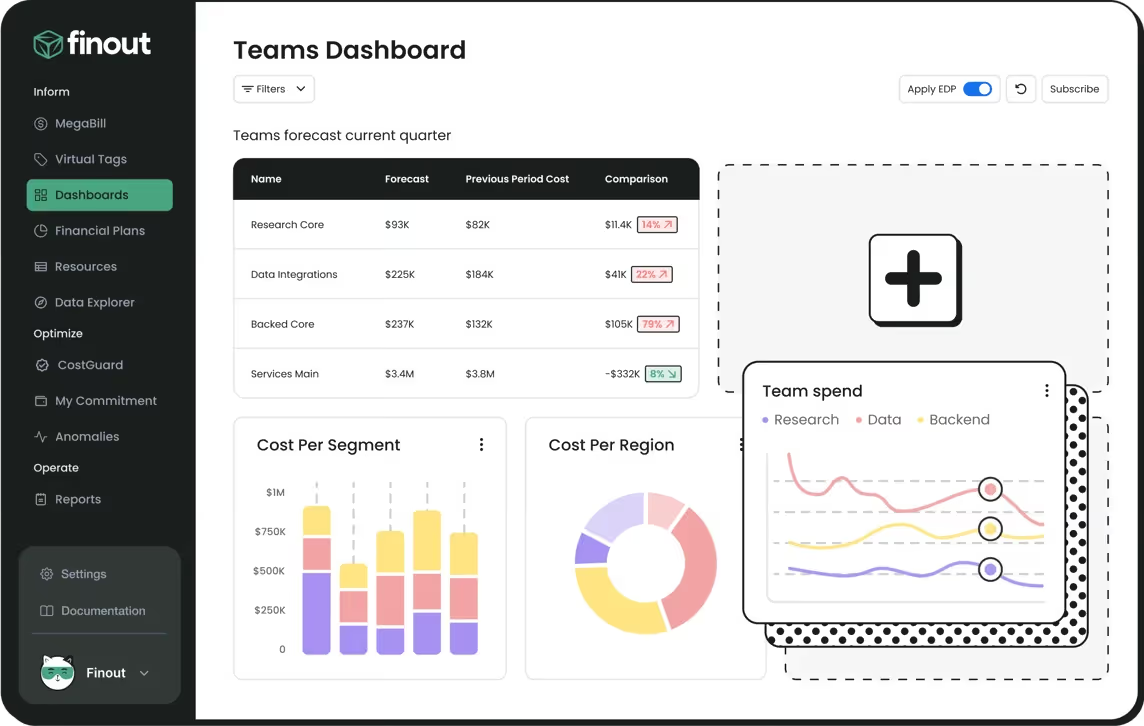
Finout Dashboard

Finout is an enterprise-grade FinOps solution with its MegaBill feature, consolidating costs across AWS, GCP, Azure, and Kubernetes. Its virtual tagging and anomaly detection ensure 100% cost allocation, making it a top choice for large organizations.

Key Features

  • MegaBill: consolidated billing across multiple clouds
  • No-code cost allocation with virtual tagging
  • Anomaly detection and budget tracking

Pros

  • Enterprise-grade visibility and allocation
  • Works well without needing engineering input

Cons

  • Higher cost for smaller teams

Pricing

  • Transparent flat-rate pricing
  • No surprise fees
  • Custom enterprise plans available

6. ProsperOps
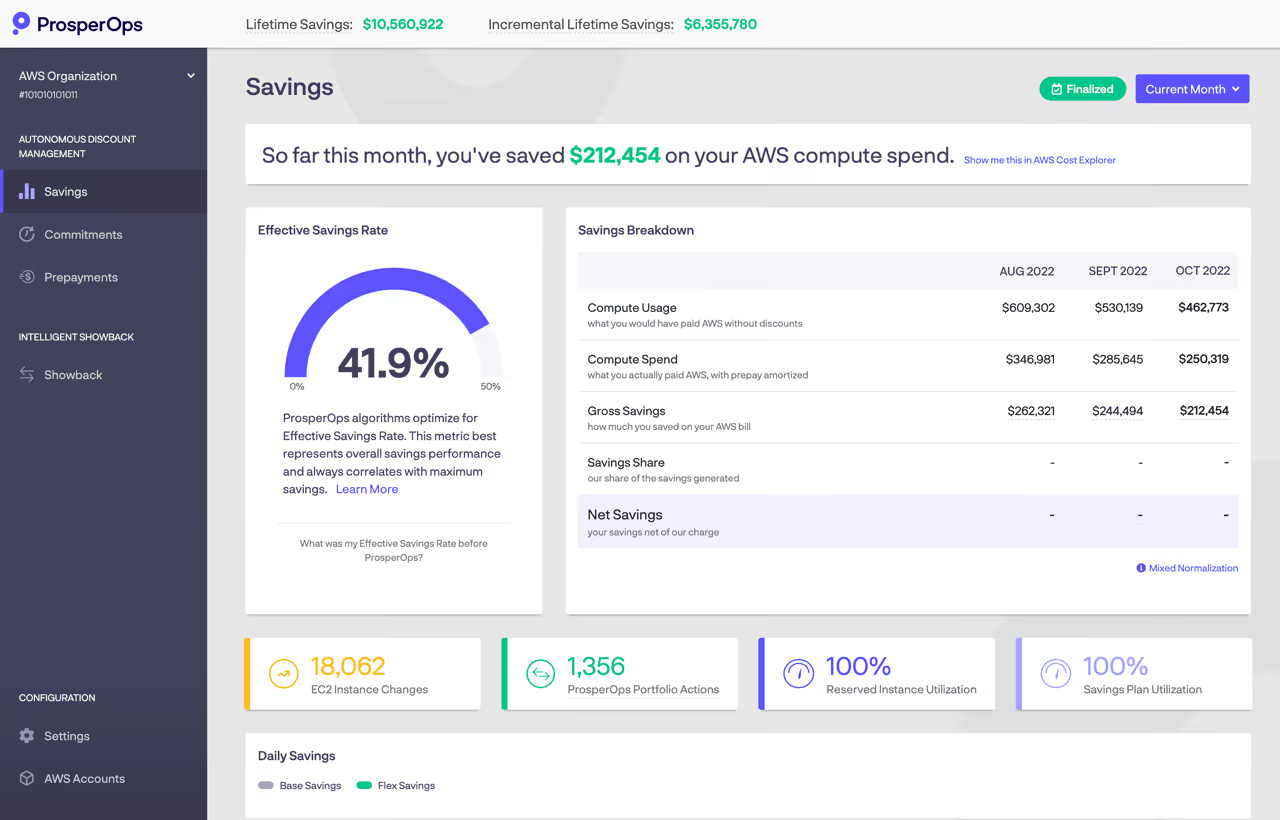
ProsperOps Dashboard

ProsperOps specializes in automating cloud spend reduction through commitment management. Its AI-driven platform optimizes AWS, Azure, and GCP discounts, delivering high savings with minimal risk.

Key Features

  • Automated discount management (RIs & Savings Plans)
  • AI-driven optimization for AWS, Azure, GCP
  • Passive savings engine

Pros

  • Hands-off savings approach
  • Optimizes commitments with minimal effort

Cons

  • Only focuses on commitment-based savings

Pricing

  • Charged as a % of realized savings
  • Performance-based, no savings, no fees
  • No upfront cost

7. Flexera

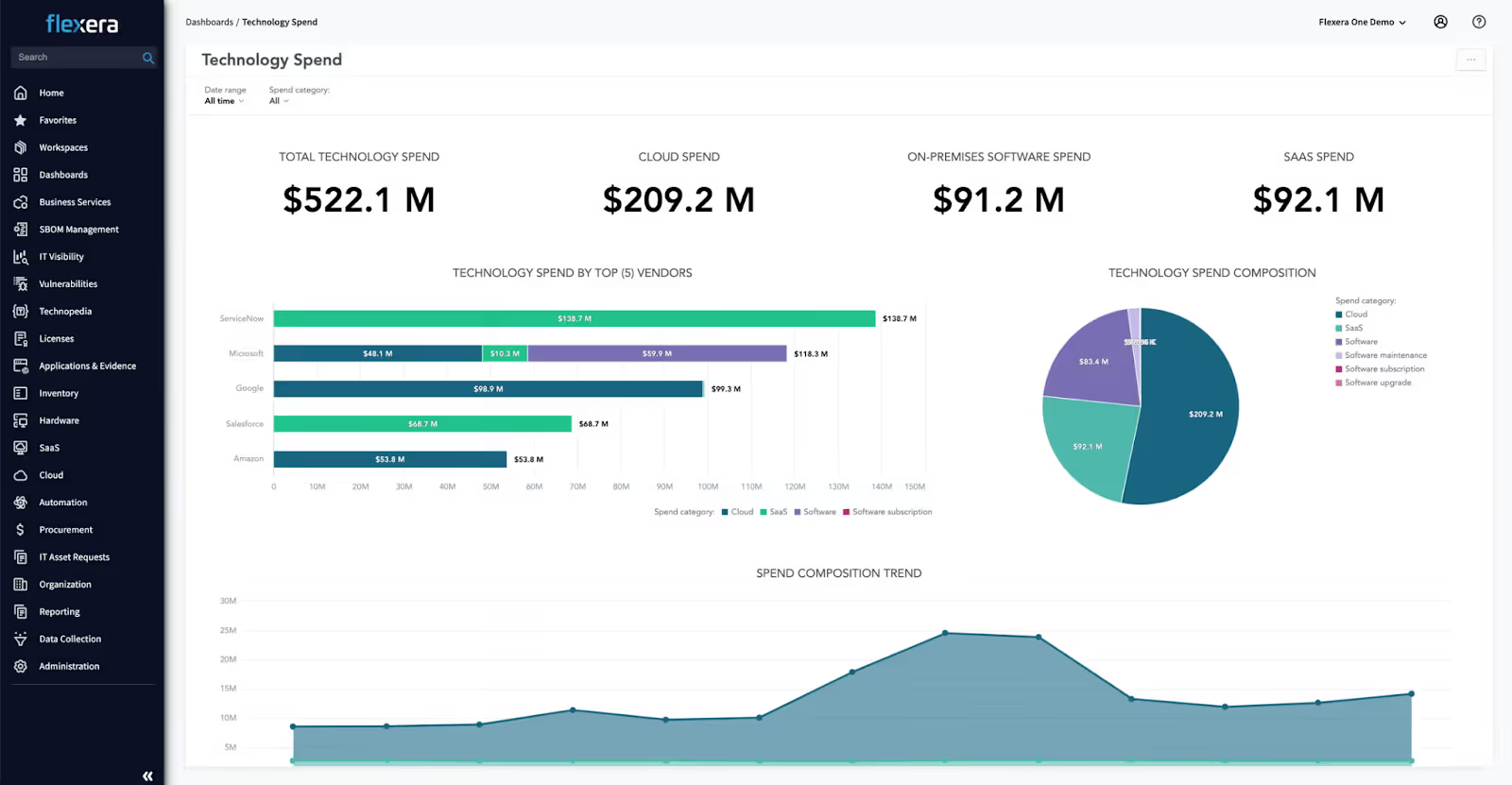
Flexera Dashboard

Flexera provides a SaaS cost managementsoftware solution with multi-cloud and hybrid reporting. Its actionable recommendations and commitment optimization make it ideal for enterprises seeking comprehensive cloud optimization software.

Key Features

  • Hybrid + multi-cloud cost optimization
  • Licensing and compliance tracking
  • Actionable cost-saving insights

Pros

  • Comprehensive enterprise tool
  • Supports governance and compliance

Cons

  • Complex for smaller or less mature teams

Pricing

  • Custom pricing based on infrastructure scale
  • Annual licensing model
  • Premium support costs extra

8. Ternary
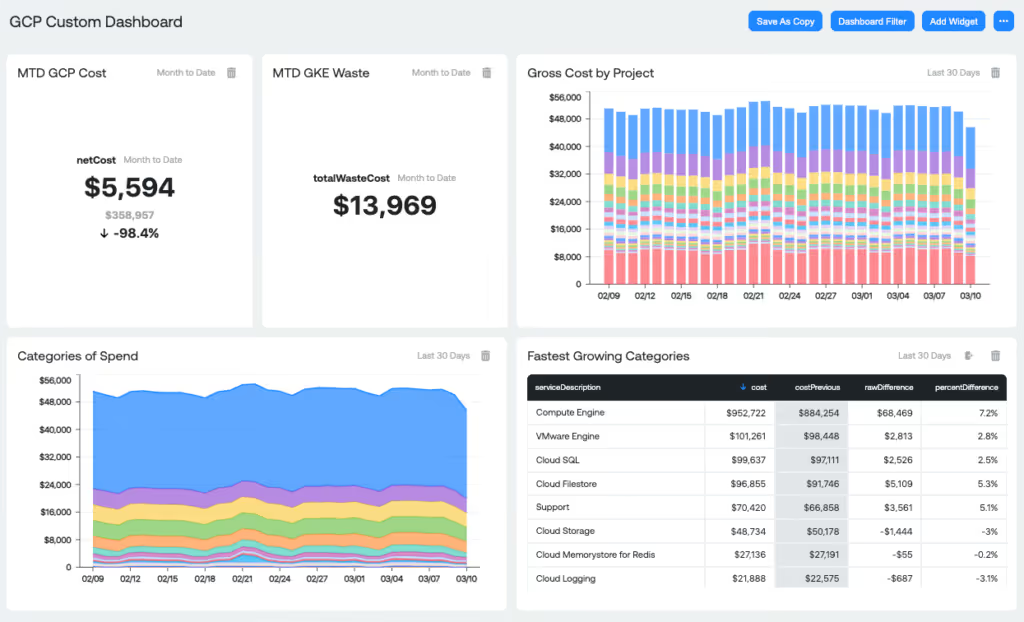
Ternary Dashboard

Ternary is a cloud-native FinOps tool designed for multi-cloud environments. It offers real-time analytics, cost allocation, and budgeting tools, with a focus on collaboration between finance and engineering teams.

Key Features

  • Real-time dashboards for finance + engineering
  • Cost allocation and budgeting across clouds
  • Native GCP support with multi-cloud expansion

Pros

  • Collaboration-focused UX
  • Transparent cost breakdowns

Cons

  • Limited automation and savings suggestions

Pricing

  • Subscription-based pricing
  • Requires direct contact for quotes
  • Scales with usage and features

9. nOps
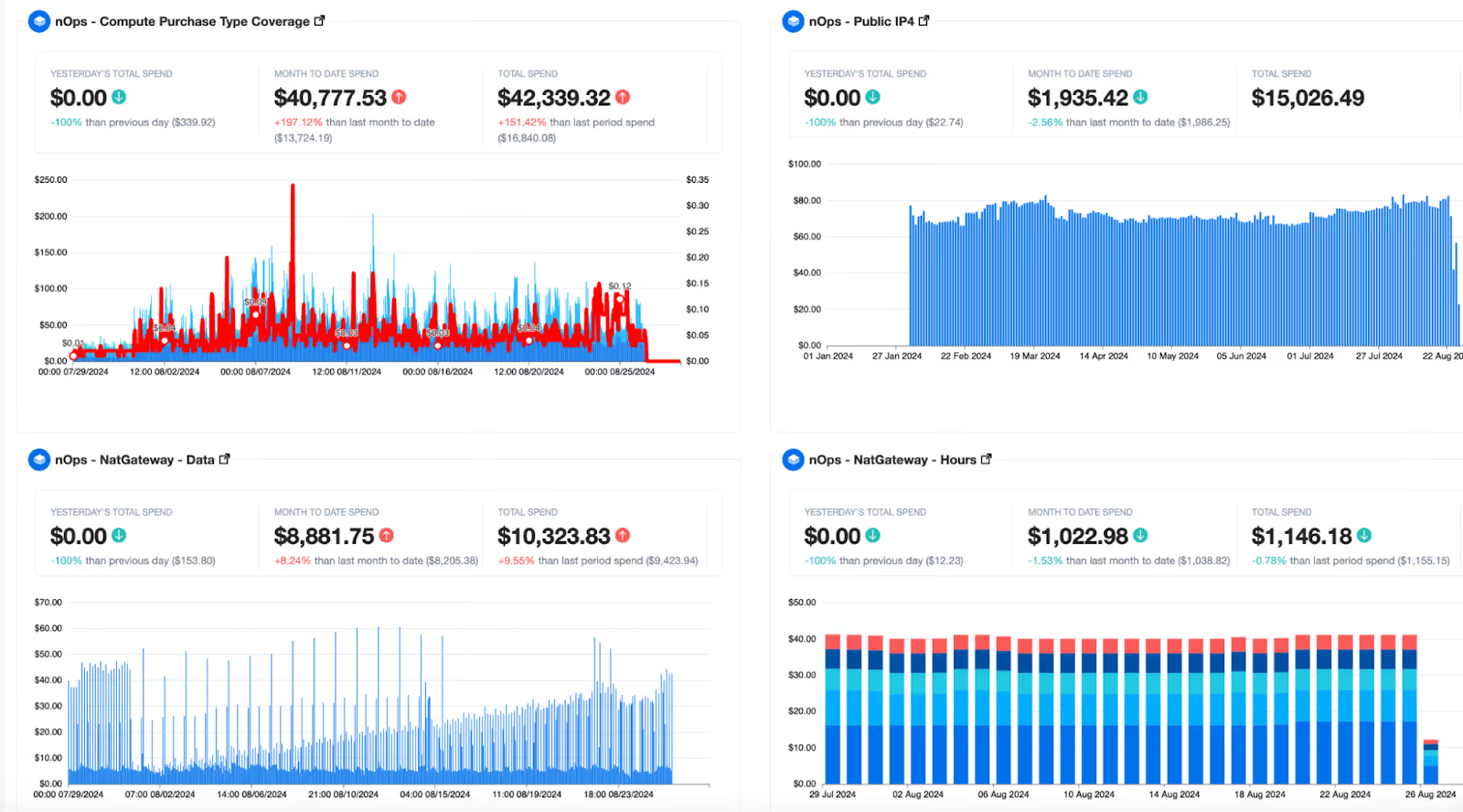
nOps Dashboard

nOps is an ML-powered cloud cost management tool for AWS, offering automation for rightsizing, scheduling, and commitment management. Its Business Contexts feature ensures 100% cost allocation, making it a top pick for AWS users.

Key Features

  • ML-powered automation (rightsizing, scheduling, RI/SP)
  • “Business Contexts” for 100% cost attribution
  • Native AWS integration

Pros

  • Highly automated cost-saving tasks
  • Reliable support and onboarding

Cons

  • AWS-focused, limited for Azure/GCP users

Pricing

  • Starts at ~1% of cloud spend
  • No savings, no fee option available
  • Scales with usage volume

10. Harness

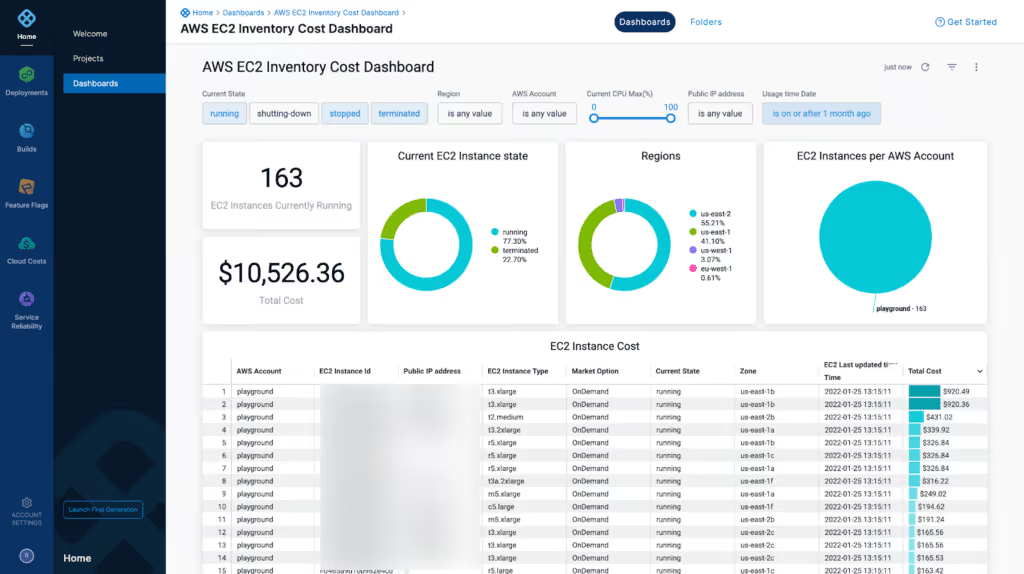
Harness dashboard

Harness integrates FinOps with CI/CD pipelines, enabling developers to optimize costs during development. Its cloud cost optimization tools focus on Kubernetes and multi-cloud environments, ideal for DevOps teams.

Key Features

  • FinOps integrated with CI/CD pipelines
  • Developer-first cost optimization tools
  • Kubernetes-native support

Pros

  • Ideal for DevOps and engineering teams
  • Seamless within the software delivery workflow

Cons

  • Lacks detailed financial reporting features

Pricing

  • Custom pricing based on usage
  • Modular pricing for FinOps module
  • Contact for enterprise quotes

FinOps platforms and categories

FinOps platforms generally fall into five categories. Understanding them helps you quickly select the top FinOps tools for managing cloud expenses and decide which FinOps software is best for cloud cost optimization in your environment.

  • Full-suite FinOps platforms: End-to-end cost visibility, allocation, forecasting, and governance; best for multi-cloud enterprises needing centralized control.
  • Cloud provider-native tools: Built-in AWS/Azure/GCP consoles for granular billing and basic optimization; ideal for single-cloud or early-stage FinOps.
  • Commitment optimization tools: Automate RIs/Savings Plans/CUDs to maximize discounts; optimal for steady-state workloads with predictable usage.
  • : Workload-aware rightsizing, autoscaling, and node efficiency; best for container-heavy teams seeking unit-level savings.
  • MSP-oriented solutions: Multi-tenant views, chargeback/showback, and policy enforcement; suited for service providers or centralized IT shared services.

Use these categories to shortlist the best FinOps software for cloud cost optimization 2025 among cloud FinOps tools.

6. When Do You Need a FinOps Tool Instead of Native Cloud Cost Dashboards?

You likely need one if:

  • Cloud spend is growing faster than revenue
  • You can’t confidently allocate 80–90% of the spend to owners
  • Kubernetes costs are difficult to attribute
  • Savings Plans/Reserved Instances are under-optimized
  • Anomalies take days to identify and assign
  • Multi-cloud reporting requires manual exports
  • SaaS and infrastructure optimization are siloed

If these issues exist, provider-native tools alone won’t solve the problem.

7. What Outcomes Should the Best FinOps Tools Deliver?

Modern FinOps platforms are judged on measurable outcomes, not dashboards.

Look for tools that improve:

  • Allocation coverage to 80–95%+
  • Anomaly MTTR from days to hours
  • Forecast accuracy within 5–10%
  • Commitment efficiency (maximize RI/SP coverage without over-commit risk)
  • Automation-driven savings of 10–30%

The right platform should reduce manual reporting, increase financial accountability, and automate optimization tasks across engineering and finance teams.

8. How Do You Choose the Right FinOps Tool for Your Organization?

Use this quick checklist to decide which FinOps software is best for cloud cost optimization and shortlist the top FinOps tools for managing cloud expenses in 2025.

  1. Cloud environment scope: single vs. multi-cloud and Kubernetes coverage.
  2. Required integrations: billing exports, data warehouse/BI, CI/CD, SSO, ITSM/ERP.
  3. Governance depth: policies, budgets, approval workflows, audit trails.
  4. Automation level: rightsizing, scheduling, commitment/discount management.
  5. Forecasting maturity: predictive models, scenario planning, unit economics.
  6. Team workflows: finance–engineering collaboration, alerts in Slack/Jira, ownership.
  7. Pricing model: fixed fee vs. % of spend or savings-based; total cost of ownership.
  8. Data granularity: tags/labels quality, account/project mapping, cost centers.
  9. Security/compliance: SSO/RBAC, SOC 2/ISO 27001, data residency andaccess controls.

Run a time-boxed pilot with success metrics: forecast accuracy, allocation coverage, anomaly MTTR, automation-driven savings %, and stakeholder adoption to validate the best FinOps software for cloud cost optimization 2025.

9. What Should a 30-60-90 Day FinOps Implementation Plan Look Like?

Start your FinOps journey by forming a cross-functional team across Engineering, Finance, and Procurement to align ownership and accountability. Establish clear tagging standards and cost allocation frameworks to track spend by team, project, or service. Set budgets with automated anomaly alerts to catch unusual spend early.

Launch with a pilot workload and define measurable outcomes, 10–15% cost reduction, 80%+ allocation coverage, and sub-24-hour anomaly response time.

Select a FinOps platform that fits your multi-cloud setup and operational workflows. Prioritize quick wins in the first 30 days, such as automated license reclamation and eliminating duplicate applications.

Final Thoughts

In 2025, managing cloud costs is non-negotiable. The Cloud FinOps tools empower businesses to reduce cloud costs, enhance visibility, and align spending with strategic goals. Whether you’re a startup seeking low-cost cloud management or an enterprise needing cloud optimization companies, tools like Economize, Finout, and nOps offer tailored solutions.

By adopting cloud cost management software and fostering a FinOps culture, you can transform cloud spending into a strategic asset, driving innovation without breaking the bank.

FAQs

1. What is FinOps for cloud?
FinOps is a practice that aligns finance, engineering, and operations to manage and optimize cloud spending, ensuring cost efficiency and business value from cloud investments.

2. What are the three pillars of FinOps?
The three pillars are: Visibility (real-time spend insights), Optimization (rightsizing and cost efficiency), and Governance (policies, accountability, and cost allocation).

3. Is FinOps just for cloud spending?
Primarily, yes, FinOps focuses on cloud costs, but its principles of cross-team collaboration, accountability, and optimization can be applied to other IT or operational expenses.

4. What is the FinOps tool evaluation?
FinOps tool evaluation involves assessing software that provides cost visibility, usage analytics, forecasting, optimization recommendations, and integration with cloud platforms and finance systems.

5. What are the three main parts of the FinOps lifecycle?
The lifecycle includes Inform (track and report cloud spend), Optimize (reduce waste, rightsize resources), and Operate (establish policies, accountability, and continuous improvement).

Advertisement for a SaaS Subscription Tracking Template with a call-to-action button to download and a partial graphic of a tablet showing charts.Banner promoting a SaaS Agreement Checklist to streamline SaaS management and avoid budget waste with a call-to-action button labeled Download checklist.Blue banner with text 'The Ultimate Employee Offboarding Checklist!' and a black button labeled 'Download checklist' alongside partial views of checklist documents from cloudeagle.ai.Digital ad for download checklist titled 'The Ultimate Checklist for IT Leaders to Optimize SaaS Operations' by cloudeagle.ai, showing checklist pages.Slack Buyer's Guide offer with text 'Unlock insider insights to get the best deal on Slack!' and a button labeled 'Get Your Copy', accompanied by a preview of the guide featuring Slack's logo.Monday Pricing Guide by cloudeagle.ai offering exclusive pricing secrets to maximize investment with a call-to-action button labeled Get Your Copy and an image of the guide's cover.Blue banner for Canva Pricing Guide by cloudeagle.ai offering a guide to Canva costs, features, and alternatives with a call-to-action button saying Get Your Copy.Blue banner with white text reading 'Little-Known Negotiation Hacks to Get the Best Deal on Slack' and a white button labeled 'Get Your Copy'.Blue banner with text 'Little-Known Negotiation Hacks to Get the Best Deal on Monday.com' and a white button labeled 'Get Your Copy'.Blue banner with text 'Little-Known Negotiation Hacks to Get the Best Deal on Canva' and a white button labeled 'Get Your Copy'.Banner with text 'Slack Buyer's Guide' and a 'Download Now' button next to images of a guide titled 'Slack Buyer’s Guide: Features, Pricing & Best Practices'.Digital cover of Monday Pricing Guide with a button labeled Get Your Copy on a blue background.Canva Pricing Guide cover with a button labeled Get Your Copy on a blue gradient background.

Enter your email to
unlock the report

Oops! Something went wrong while submitting the form.
License Count
Benchmark
Per User/Per Year

Enter your email to
unlock the report

Oops! Something went wrong while submitting the form.
License Count
Benchmark
Per User/Per Year

Enter your email to
unlock the report

Oops! Something went wrong while submitting the form.
Notion Plus
License Count
Benchmark
Per User/Per Year
100-500
$67.20 - $78.72
500-1000
$59.52 - $72.00
1000+
$51.84 - $57.60
Canva Pro
License Count
Benchmark
Per User/Per Year
100-500
$74.33-$88.71
500-1000
$64.74-$80.32
1000+
$55.14-$62.34

Enter your email to
unlock the report

Oops! Something went wrong while submitting the form.

Enter your email to
unlock the report

Oops! Something went wrong while submitting the form.
Zoom Business
License Count
Benchmark
Per User/Per Year
100-500
$216.00 - $264.00
500-1000
$180.00 - $216.00
1000+
$156.00 - $180.00

Enter your email to
unlock the report

Oops! Something went wrong while submitting the form.

Get the Right Security Platform To Secure Your Cloud Infrastructure

Please enter a business email
Thank you!
The 2023 SaaS report has been sent to your email. Check your promotional or spam folder.
Oops! Something went wrong while submitting the form.

Access full report

Please enter a business email
Thank you!
The 2023 SaaS report has been sent to your email. Check your promotional or spam folder.
Oops! Something went wrong while submitting the form.

Cloud spend is no longer a “finance problem” or an “engineering problem,” it’s an operating model problem. As usage scales across multi-cloud + Kubernetes + modern data stacks, costs get harder to attribute, forecast, and govern.

This guide compares the best FinOps tools for cloud cost optimization in 2025 and helps you choose the right platform based on your environment (AWS/Azure/GCP, Kubernetes, SaaS overlap) and the outcomes you need (allocation coverage, anomaly response time, forecasting accuracy, and automation-led savings).

If you’re evaluating tools right now, here’s the truth: dashboards don’t save money, workflows and automation do. The best platforms turn spend signals into actions routed to owners (Slack/Jira), enforce guardrails, and make unit economics measurable.

TL;DR

  • The best FinOps tools in 2025 prioritize allocation + automation + governance, not just reporting.
  • Enterprises need multi-cloud normalization, Kubernetes attribution, and policy guardrails.
  • Engineering-led orgs prioritize unit economics and real-time cost signals.
  • Finance-led orgs prioritize forecasting accuracy, renewal workflows, and commitment optimization.
  • The right tool depends on whether your biggest cost driver is compute waste, Kubernetes inefficiency, commitment risk, or SaaS overlap.

Optimize Cloud Spend With FinOps

Learn 6 practical FinOps strategies that deliver measurable cost savings and stronger governance.
Download Resources

Most companies don’t need another FinOps tool. They need one that finance actually trusts, engineering actually uses, and leadership actually understands.

If your current “FinOps stack” is just dashboards, alerts, and monthly cost reports, you’re not doing FinOps, you’re observing cloud spend.

And observation doesn’t reduce bills.

Unlike native dashboards, FinOps tools automate anomaly detection, commitment optimization, and cost ownership workflows.

1. How Should You Evaluate FinOps Platforms?

Choosing the best cloud cost optimization tools requires evaluating key capabilities:

  • Cost Visibility & Allocation: Real-time dashboards for tracking cloud spend by team, project, or service.
  • Anomaly Detection: AI-driven alerts to flag unusual spending patterns.
  • Automation: Tools that automate cloud spend reduction through rightsizing, scheduling, or discount optimization.
  • Multi-Cloud Support: Compatibility with AWS, Azure, Google Cloud, and Kubernetes.
  • Granular Tagging: Custom tags for precise cost allocation and reporting.
  • Forecasting & Budgeting: Predictive analytics to plan and prevent overruns.
  • Integration: Seamless connectivity with DevOps, CI/CD, and BI platforms.
  • User-Friendly Interface: Intuitive design for finance and engineering teams.

These features ensure cloud cost management software delivers actionable insights and measurable savings.

2. What Features Matter Most in a FinOps Tool for Cloud Cost Optimization?

In 2025, the best FinOps software for cloud cost optimization moves well beyond read-only dashboards, it automates decisions, routes work to the right owners, and eliminates manual spreadsheets. When evaluating top FinOps tools for managing cloud expenses, verify these seven capabilities:

  • Virtual tagging and cost mappings: achieve full allocation coverage without requiring perfect tagging discipline across every team.
  • Unit economics attribution: assign costs to features, services, or customers, not just accounts or cost centers.
  • Automated anomaly triage: route spend spikes to owners via Slack or Jira to cut MTTRfrom days to hours.
  • Commitment automation with guardrails: optimize Reserved Instances and Savings Plans continuously without the risk of over-commitment.
  • Policy-based governance: enforce tagging standards, budget thresholds, and generate audit-ready reports without manual exports.
  • Multi-cloud normalization + Kubernetes allocation: unified cost views across AWS, Azure, GCP, and container workloads.
  • Scenario-based forecasting: model growth or architecture changes, not just linear trend extrapolation.

3. Which FinOps Tools Are Best for Cloud Cost Optimization?

Choosing the best FinOps software for cloud cost optimization depends on your scale and architecture. While SMBs often succeed with native tools like AWS Cost Explorer, enterprises require multi-cloud platforms for cross-provider normalization and governance. Selection must align with team priorities: Finance needs reporting, Engineering requires automated rightsizing, and Kubernetes environments benefit from specialized optimization tools.

When evaluating top FinOps tools for managing cloud expenses, match pricing models and capabilities to your organization’s cloud maturity. Whether prioritizing flat-fee governance or percentage-of-savings commitment tools, the right platform should bridge the gap between your technical requirements and financial goals.

4. Which FinOps Tools Are Best for Cloud Cost Optimization in 2025?

FinOps Tool Best for Multi-Cloud Support Kubernetes Support Pricing Model Ideal Company Size
CloudEagle.ai SaaS + cloud spend governance & renewals Yes (AWS, Azure, GCP + SaaS) Partial Subscription (modular) Mid-market to Enterprise
Finout Enterprise allocation & cost visibility Yes Strong Flat-rate / Custom Enterprise
CloudZero Unit economics & product cost tracking Yes Good % of cloud spend Growth-stage SaaS & Enterprise
ProsperOps Commitment (RIs/SPs) automation Yes Limited % of realized savings Mid-market to Enterprise
Cast AI Kubernetes optimization Yes Excellent Performance-based Kubernetes-heavy teams
nOps AWS automation & rightsizing AWS-focused Moderate % of cloud spend SMB to Mid-market
Vantage Cost visibility for startups Yes Limited Tiered SMB & Startups
Flexera Enterprise governance & compliance Yes (Hybrid) Moderate Custom / Annual Enterprise
Harness DevOps-driven cost controls Yes Strong Modular Engineering-led orgs
Economize AI-driven multi-cloud savings insights Yes Moderate % of cloud spend Mid-market

Benefits of Using FinOps Tools

  • Reduce cloud spend through rightsizing, autoscaling, and eliminating idle resources
  • Cut compute costs with automated discount optimization (RIs, Savings Plans)
  • Improve accountability with real-time cost allocation and chargebacks
  • Prevent surprise bills using anomaly detection and automated alerts
  • Strengthen governance with tagging standards, guardrails, and audit trails
  • Accelerate budgeting with continuous forecasting by team, product, or service
  • Automate optimization actions so teams spend less time analyzing and more time building
  • Streamline renewals and avoid costly auto-renewals through centralized insights

SaaS Spend Optimization Playbook

Step-by-step methods to align SaaS spend with business value and governance goals
Download Resources

5.  What are the Top 10 FinOps Tools for Cloud management?

Several tools stand out as leading options for Cloud FinOps, offering capabilities to manage cloud costs effectively. CloudZero, CloudCheckr, and Apptio Cloudability are frequently cited as strong contenders, with each providing unique strengths in areas like cost visibility, security, and comprehensive cloud financial management. 

Here’s our curated list of the Cloud FinOps tools for 2025, designed to optimize cloud cost management and drive efficiency:

CloudEagle.ai

CloudEagle.ai Dashboard

CloudEagle.ai is a leading cloud spend management platform that empowers finance teams to optimize cloud cost management and optimization with a focus on SaaS and cloud spending. 

By providing unparalleled visibility, automation, and vendor negotiation support, CloudEagle has helped companies like RingCentral and Wefunder save 10-30% on software spend, processing over $2 billion in transactions and delivering $150 million in savings. Its AI-powered features streamline procurement, eliminate waste, and ensure every dollar spent delivers maximum ROI.

Key Features of CloudEagle:

Complete SaaS and Cloud Visibility: 

With over 500 integrations, CloudEagle.ai scans your entire tech stack in minutes, identifying all applications, licenses, and vendor spend. This eliminates shadow IT by detecting unauthorized or underutilized apps, providing a single dashboard for finance teams to track cloud spend across departments, cost centers, and entities.

AI-Driven Cost Optimization: 

Podcast Link

CloudEagle’s AI analyzes usage patterns to pinpoint redundant apps, unused licenses, and overprovisioned resources. For example, it can identify if a team is overpaying for a premium plan (e.g., Mailchimp’s Premium at $279/month) when a lower tier ($13.96/month) suffices, saving thousands annually.

Automated License Harvesting: 

License Harvesting

The platform automates the reclamation of underutilized licenses, reallocating or downgrading them to optimize costs. This feature ensures finance teams avoid paying for unused or ex-employee access, streamlining cost savings tracking.

Vendor Negotiation and Benchmarking: 

Vendor Negotiation and Benchmarking

CloudEagle’s expert negotiators leverage a database of 150,000+ applications and pricing benchmarks to secure better vendor deals. Renewal alerts 90 days in advance give finance teams ample time to renegotiate or discontinue contracts, reducing auto-renewal risks.

No-Code Workflow Automation:

Slack-enabled workflows allow finance teams to manage approvals, procurement, and renewals directly from collaboration platforms. This reduces manual effort, ensures budget compliance, and speeds up decision-making.

Advanced Reporting and Forecasting:

CloudEagle provides detailed spend reports by department, user, or application, enabling accurate budgeting and forecasting. Finance teams can track ROI, monitor spending trends, and align budgets with business goals.

Seamless Integrations:

With 300+ connectors to tools like Coupa, Smartsheet, and SSO systems, CloudEagle integrates with existing finance and IT workflows, ensuring a hassle-free experience for cloud cost management.

Post-Merger Cost Optimization :

For organizations undergoing mergers, CloudEagle consolidates overlapping apps and provides entity-specific spend reports, helping finance teams save significantly by rationalizing the SaaS stack.

Security and Compliance:

compliance Cloudeagle.ai

CloudEagle tracks app certifications and manages access risks, ensuring compliance with corporate standards and reducing security vulnerabilities from shadow IT.

Guaranteed Savings:

CloudEagle offers a savings guarantee, refunding fees if it fails to deliver cost reductions, making it a low-risk choice for finance teams seeking financial optimization tools.

Pros

  • Transparent, publicly available pricing
  • Modular plans, pay only for what you need
  • Scalable pricing suited for growing teams
  • Bundled discounts when combining modules
  • Free trial available for evaluation
  • Onboarding support included, no hidden setup fees

Cons

  • ROI may take time to realize without high SaaS/tool volume

Pricing

  • SaaS Management module starts at $2,500/month – includes license tracking, usage monitoring, renewals, and budgeting.
  • SaaS Governance module starts at $2,000/month – covers onboarding/offboarding, access controls, and compliance workflows.
  • SaaS Procurement module starts at $2,500/month – offers vendor negotiation support, price benchmarking, and procurement automation.

Bundle options:

  • Management + Governance: $4,500/month
  • Management + Procurement: $5,000/month
  • Full suite (Governance + Management + Procurement): $7,000/month

Free trial available; onboarding support included in packages. Designed for mid-to-large enterprises with scalable, modular pricing.

2. Economize

Economize Dashoard

Economize is a leading cloud cost optimization service focused on AWS, Azure, and Google Cloud. Its AI-driven platform provides real-time cost visibility, anomaly detection, and automated optimization recommendations. With features like detailed cost allocation and Kubernetes support, Economize empowers teams to reduce cloud costs effortlessly.

Key Features

  • Real-time cost visibility across AWS, Azure, and GCP
  • AI-based anomaly detection and savings recommendations
  • Kubernetes-native cost support

Pros

  • Intuitive UI for quick adoption
  • Strong multi-cloud analytics

Cons

  • Lacks deep governance and policy enforcement tools

Pricing

  • Starts at ~1% of cloud spend
  • Flexible based on usage scale
  • Free trial available for limited insights

3. Vantage

Vantage CloudEagle.ai

Vantage offers a unified cloud spend management platform with a focus on simplicity. It provides cost transparency across AWS, Azure, GCP, and SaaS apps like Datadog. Its intuitive dashboards and automated savings actions make it ideal for startups and mid-sized businesses.

Key Features

  • Unified view of cloud + SaaS spend (AWS, Azure, GCP, Datadog)
  • Automated savings and forecasting tools
  • Tagging and budgeting support

Pros

  • Simple onboarding and clean dashboards
  • Great for startups and SMBs

Cons

  • Not built for complex enterprise use cases

Pricing

  • Tiered based on cloud spend
  • Free tier available with limited features
  • Paid plans scale as usage grows

4. CloudZero

CloudZero Dashboard

CloudZero connects technical decisions to business outcomes, offering hourly cost insights across multi-cloud environments. Its cost savings tracking tool breaks down costs by feature or customer, making it a favorite for software-driven companies.

Key Features

  • Hourly cost breakdown by team, product, or customer
  • Deep integrations with engineering tools
  • Business-level metrics for cost attribution

Pros

  • Powerful cost insights for engineering-heavy orgs
  • Supports real-time product decisions

Cons

  • Learning curve for non-technical users

Pricing

  • ~2–3% of monthly cloud spend
  • Custom pricing for large orgs
  • ROI-driven pricing model

5. Finout

Finout Dashboard

Finout is an enterprise-grade FinOps solution with its MegaBill feature, consolidating costs across AWS, GCP, Azure, and Kubernetes. Its virtual tagging and anomaly detection ensure 100% cost allocation, making it a top choice for large organizations.

Key Features

  • MegaBill: consolidated billing across multiple clouds
  • No-code cost allocation with virtual tagging
  • Anomaly detection and budget tracking

Pros

  • Enterprise-grade visibility and allocation
  • Works well without needing engineering input

Cons

  • Higher cost for smaller teams

Pricing

  • Transparent flat-rate pricing
  • No surprise fees
  • Custom enterprise plans available

6. ProsperOps

ProsperOps Dashboard

ProsperOps specializes in automating cloud spend reduction through commitment management. Its AI-driven platform optimizes AWS, Azure, and GCP discounts, delivering high savings with minimal risk.

Key Features

  • Automated discount management (RIs & Savings Plans)
  • AI-driven optimization for AWS, Azure, GCP
  • Passive savings engine

Pros

  • Hands-off savings approach
  • Optimizes commitments with minimal effort

Cons

  • Only focuses on commitment-based savings

Pricing

  • Charged as a % of realized savings
  • Performance-based, no savings, no fees
  • No upfront cost

7. Flexera

Flexera Dashboard

Flexera provides a SaaS cost managementsoftware solution with multi-cloud and hybrid reporting. Its actionable recommendations and commitment optimization make it ideal for enterprises seeking comprehensive cloud optimization software.

Key Features

  • Hybrid + multi-cloud cost optimization
  • Licensing and compliance tracking
  • Actionable cost-saving insights

Pros

  • Comprehensive enterprise tool
  • Supports governance and compliance

Cons

  • Complex for smaller or less mature teams

Pricing

  • Custom pricing based on infrastructure scale
  • Annual licensing model
  • Premium support costs extra

8. Ternary

Ternary Dashboard

Ternary is a cloud-native FinOps tool designed for multi-cloud environments. It offers real-time analytics, cost allocation, and budgeting tools, with a focus on collaboration between finance and engineering teams.

Key Features

  • Real-time dashboards for finance + engineering
  • Cost allocation and budgeting across clouds
  • Native GCP support with multi-cloud expansion

Pros

  • Collaboration-focused UX
  • Transparent cost breakdowns

Cons

  • Limited automation and savings suggestions

Pricing

  • Subscription-based pricing
  • Requires direct contact for quotes
  • Scales with usage and features

9. nOps

nOps Dashboard

nOps is an ML-powered cloud cost management tool for AWS, offering automation for rightsizing, scheduling, and commitment management. Its Business Contexts feature ensures 100% cost allocation, making it a top pick for AWS users.

Key Features

  • ML-powered automation (rightsizing, scheduling, RI/SP)
  • “Business Contexts” for 100% cost attribution
  • Native AWS integration

Pros

  • Highly automated cost-saving tasks
  • Reliable support and onboarding

Cons

  • AWS-focused, limited for Azure/GCP users

Pricing

  • Starts at ~1% of cloud spend
  • No savings, no fee option available
  • Scales with usage volume

10. Harness

Harness dashboard

Harness integrates FinOps with CI/CD pipelines, enabling developers to optimize costs during development. Its cloud cost optimization tools focus on Kubernetes and multi-cloud environments, ideal for DevOps teams.

Key Features

  • FinOps integrated with CI/CD pipelines
  • Developer-first cost optimization tools
  • Kubernetes-native support

Pros

  • Ideal for DevOps and engineering teams
  • Seamless within the software delivery workflow

Cons

  • Lacks detailed financial reporting features

Pricing

  • Custom pricing based on usage
  • Modular pricing for FinOps module
  • Contact for enterprise quotes

FinOps platforms and categories

FinOps platforms generally fall into five categories. Understanding them helps you quickly select the top FinOps tools for managing cloud expenses and decide which FinOps software is best for cloud cost optimization in your environment.

  • Full-suite FinOps platforms: End-to-end cost visibility, allocation, forecasting, and governance; best for multi-cloud enterprises needing centralized control.
  • Cloud provider-native tools: Built-in AWS/Azure/GCP consoles for granular billing and basic optimization; ideal for single-cloud or early-stage FinOps.
  • Commitment optimization tools: Automate RIs/Savings Plans/CUDs to maximize discounts; optimal for steady-state workloads with predictable usage.
  • : Workload-aware rightsizing, autoscaling, and node efficiency; best for container-heavy teams seeking unit-level savings.
  • MSP-oriented solutions: Multi-tenant views, chargeback/showback, and policy enforcement; suited for service providers or centralized IT shared services.

Use these categories to shortlist the best FinOps software for cloud cost optimization 2025 among cloud FinOps tools.

6. When Do You Need a FinOps Tool Instead of Native Cloud Cost Dashboards?

You likely need one if:

  • Cloud spend is growing faster than revenue
  • You can’t confidently allocate 80–90% of the spend to owners
  • Kubernetes costs are difficult to attribute
  • Savings Plans/Reserved Instances are under-optimized
  • Anomalies take days to identify and assign
  • Multi-cloud reporting requires manual exports
  • SaaS and infrastructure optimization are siloed

If these issues exist, provider-native tools alone won’t solve the problem.

7. What Outcomes Should the Best FinOps Tools Deliver?

Modern FinOps platforms are judged on measurable outcomes, not dashboards.

Look for tools that improve:

  • Allocation coverage to 80–95%+
  • Anomaly MTTR from days to hours
  • Forecast accuracy within 5–10%
  • Commitment efficiency (maximize RI/SP coverage without over-commit risk)
  • Automation-driven savings of 10–30%

The right platform should reduce manual reporting, increase financial accountability, and automate optimization tasks across engineering and finance teams.

8. How Do You Choose the Right FinOps Tool for Your Organization?

Use this quick checklist to decide which FinOps software is best for cloud cost optimization and shortlist the top FinOps tools for managing cloud expenses in 2025.

  1. Cloud environment scope: single vs. multi-cloud and Kubernetes coverage.
  2. Required integrations: billing exports, data warehouse/BI, CI/CD, SSO, ITSM/ERP.
  3. Governance depth: policies, budgets, approval workflows, audit trails.
  4. Automation level: rightsizing, scheduling, commitment/discount management.
  5. Forecasting maturity: predictive models, scenario planning, unit economics.
  6. Team workflows: finance–engineering collaboration, alerts in Slack/Jira, ownership.
  7. Pricing model: fixed fee vs. % of spend or savings-based; total cost of ownership.
  8. Data granularity: tags/labels quality, account/project mapping, cost centers.
  9. Security/compliance: SSO/RBAC, SOC 2/ISO 27001, data residency andaccess controls.

Run a time-boxed pilot with success metrics: forecast accuracy, allocation coverage, anomaly MTTR, automation-driven savings %, and stakeholder adoption to validate the best FinOps software for cloud cost optimization 2025.

9. What Should a 30-60-90 Day FinOps Implementation Plan Look Like?

Start your FinOps journey by forming a cross-functional team across Engineering, Finance, and Procurement to align ownership and accountability. Establish clear tagging standards and cost allocation frameworks to track spend by team, project, or service. Set budgets with automated anomaly alerts to catch unusual spend early.

Launch with a pilot workload and define measurable outcomes, 10–15% cost reduction, 80%+ allocation coverage, and sub-24-hour anomaly response time.

Select a FinOps platform that fits your multi-cloud setup and operational workflows. Prioritize quick wins in the first 30 days, such as automated license reclamation and eliminating duplicate applications.

Final Thoughts

In 2025, managing cloud costs is non-negotiable. The Cloud FinOps tools empower businesses to reduce cloud costs, enhance visibility, and align spending with strategic goals. Whether you’re a startup seeking low-cost cloud management or an enterprise needing cloud optimization companies, tools like Economize, Finout, and nOps offer tailored solutions.

By adopting cloud cost management software and fostering a FinOps culture, you can transform cloud spending into a strategic asset, driving innovation without breaking the bank.

FAQs

1. What is FinOps for cloud?
FinOps is a practice that aligns finance, engineering, and operations to manage and optimize cloud spending, ensuring cost efficiency and business value from cloud investments.

2. What are the three pillars of FinOps?
The three pillars are: Visibility (real-time spend insights), Optimization (rightsizing and cost efficiency), and Governance (policies, accountability, and cost allocation).

3. Is FinOps just for cloud spending?
Primarily, yes, FinOps focuses on cloud costs, but its principles of cross-team collaboration, accountability, and optimization can be applied to other IT or operational expenses.

4. What is the FinOps tool evaluation?
FinOps tool evaluation involves assessing software that provides cost visibility, usage analytics, forecasting, optimization recommendations, and integration with cloud platforms and finance systems.

5. What are the three main parts of the FinOps lifecycle?
The lifecycle includes Inform (track and report cloud spend), Optimize (reduce waste, rightsize resources), and Operate (establish policies, accountability, and continuous improvement).

CloudEagle.ai recognized in the 2025 Gartner® Magic Quadrant™ for SaaS Management Platforms
Download now
gartner chart
5x
Faster employee
onboarding
80%
Reduction in time for
user access reviews
30k
Workflows
automated
$15Bn
Analyzed in
contract spend
$2Bn
Saved in
SaaS spend

Streamline SaaS governance and save 10-30%

Book a Demo with Expert
CTA image
One platform to Manage
all SaaS Products
Learn More