
%201.svg)


HIPAA Compliance Checklist for 2025

Enterprises today manage thousands of user identities across hundreds of applications. Every time someone joins, changes roles, or leaves, access needs to be provisioned, adjusted, or revoked across dozens of systems simultaneously.
Most organizations cannot do this accurately at scale without automation. The result is orphaned accounts, over-provisioned access, failed audits, and the kind of identity sprawl that attackers exploit.
According to IBM's 2024 report, the average cost of a data breach involving compromised credentials is $4.88 million, and these breaches take an average of 292 days to resolve.
Identity governance and administration (IGA) is how enterprises solve this. It provides the framework, automation, and visibility to control who has access to what, why they have it, and whether they still should.
TL;DR
- IGA ensures the right people get the right access at the right time through automated policy enforcement and identity lifecycle management
- IAM asks, "Can you access?" while IGA asks, "Should you access?" Governance sits above technical access controls
- IGA prevents security breaches, ensures regulatory compliance across SOX, GDPR, and HIPAA, and eliminates orphaned accounts that create attack vectors
- Core capabilities include automated access approvals, role-based permissions, regular access reviews, and policy enforcement with full audit trails
- Modern IGA tools use AI to detect risks, automate reviews, and optimize access continuously without manual IT intervention
What Is Identity Governance and Administration (IGA)?
Identity governance and administration (IGA) is a comprehensive framework that manages and controls digital identities and user access within an organization.
Modern enterprises implement an identity governance platform that automates provisioning, enforces least-privilege, and maintains audit-ready compliance across all SaaS applications simultaneously.
This also includes non-human identities (NHIs) like service accounts, bots, API tokens, and AI agents that often hold privileged access but are rarely governed with the same rigor as employee identities.
IGA integrates two distinct functions:
Governance (Strategic Control)
- Defines clear policies for who can access what and under what conditions
- Implements approval workflows to regulate access decisions
- Conducts regular access reviews to remove unnecessary permissions
- Maintains immutable audit trails for accountability and compliance
Administration (Operational Execution)
- Manages user provisioning and deprovisioning across all applications
- Handles the full identity lifecycle from onboarding through offboarding
- Fulfills access requests efficiently across IT systems
- Automates role changes when employees move between departments
Together, these functions ensure security by preventing unauthorized access, compliance with legal and regulatory frameworks, and operational efficiency through automation of manual identity management tasks.
Core questions IGA answers:
- Who has access and why?
- Is this access still appropriate for their current role?
- Can we prove it to an auditor right now?
Why IGA Is No Longer Just an IT Problem
Identity governance and administration has moved from a technical IT function to a board-level security and compliance concern.
Industry analysts have tracked this shift. See the IGA market report to understand the evolving vendor landscape and investment priorities for 2026.
- Identity sprawl has become unmanageable manually: Modern enterprises average 130+ SaaS applications. Between employees, contractors, service accounts, and AI agents, the number of identities an organization must govern is growing faster than any manual process can track. Varonis found that 26% of user accounts are stale, inactive for 90 days or more, but still enabled and exploitable.
- Shadow AI adds another layer of complexity: Employees adopt tools like ChatGPT, Claude, and Microsoft Copilot independently, often connecting them to business systems through OAuth approvals and API access that sit completely outside traditional governance controls. This creates unmanaged access paths that most legacy IGA programs were never designed to monitor.
- Regulations now mandate documented access controls: SOX, GDPR, HIPAA, and PCI-DSS all require organizations to demonstrate who has access to sensitive systems, when that access was granted, and whether it has been reviewed. Without automated IGA tools, producing that evidence means weeks of manual work ahead of every audit.
- Identity is now the primary attack vector: 35.5% of breaches originate from third-party vectors. Attackers exploit orphaned accounts, over-privileged service accounts, and excessive standing access, exactly the gaps that IGA is designed to close. Traditional perimeter security cannot address identity-level risk.

IGA vs IAM: Which One Actually Governs Access?
Identity and access management (IAM) and identity governance and administration work together but serve distinct roles. Understanding the difference prevents ownership gaps that create security blind spots.
How they work together:
Organizations typically implement IAM first to manage authentication and access control. Identity governance and administration is added to bring governance, compliance, and auditing capabilities on top. IGA integrates with IAM, leveraging its technical controls while adding the oversight layer that regulators and auditors require.
IAM ensures users can securely access the systems they need. IGA ensures those access decisions were appropriate, authorized, and documented in the first place.
CloudEagle.ai operationalizes Zero Trust for SaaS by continuously governing access, usage, and risk, not just reviewing it.
How CloudEagle.ai Strengthens IGA Across Your SaaS Stack
Traditional IGA platforms were built for on-premises environments where IT controlled every application. As enterprises now manage 130+ SaaS applications, many with access patterns that sit completely outside the IdP, the governance gap has grown significantly.
CloudEagle.ai is an AI-powered SaaS Management, Security, and Identity Governance platform that gives enterprises a unified command center to discover, secure, govern, and optimize both human and non-human identities across their entire SaaS and AI ecosystem.
Zero-Touch Joiner-Mover-Leaver (JML) Automation
When someone joins the organization, CloudEagle.ai automatically provisions access to the right applications based on their role, department, and location. When they move, access is adjusted.
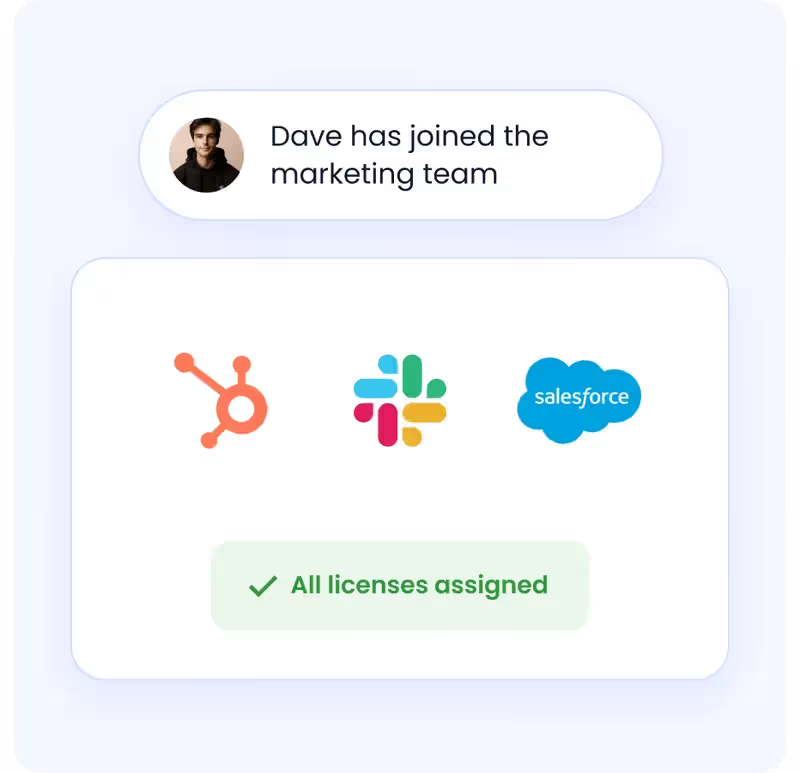
When they leave, it is revoked across every connected application, including apps that are not behind your IdP.
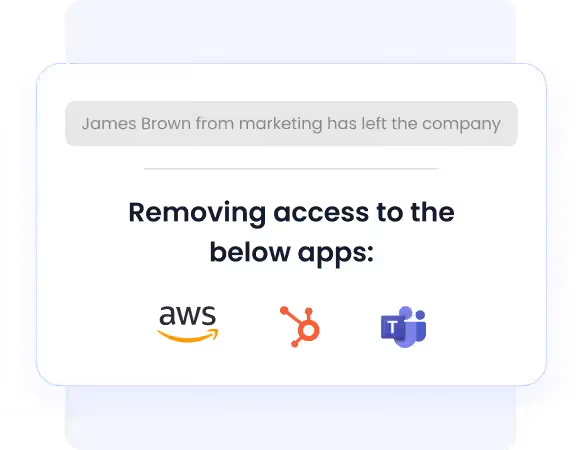
How it helps:
- Eliminates manual provisioning for IT teams logging into 30 to 40 apps per new hire
- Prevents orphaned accounts from ex-employees retaining access to critical systems
- Automatically releases licenses back into the pool when users are deprovisioned
- Proves compliance with complete, time-stamped deprovisioning evidence without manual documentation
Just-In-Time Access
CloudEagle.ai grants elevated permissions only when required and for a defined duration. Once the time window closes, access is revoked automatically without IT intervention.

How it helps:
- Reduces the attack surface from standing privileged access that is never revoked
- Eliminates unused licenses tied to temporary access that were never cleaned up
- Supports Zero Trust enforcement by ensuring access is never persistent by default
- Provides AI-driven risk assessments, real-time monitoring, and policy-based approvals
Employee App Catalog
CloudEagle.ai gives employees a governed self-service portal to request access to approved applications, with automated approval routing based on role, sensitivity, and department.
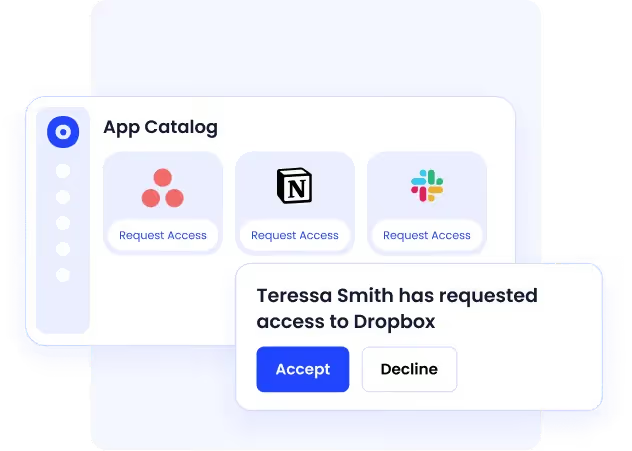
How it helps:
- Reduces mean time to resolution for access requests by up to 80%
- Eliminates shadow IT purchases from employees who cannot get timely access through official channels
- Maintains a complete approval audit trail without manual documentation across emails and Slack threads
- Supports time-based access limits so temporary permissions do not become permanent
Automated App Access Requests
Access requests often happen through emails, Slack messages, and manual IT tickets. Approvals get delayed, employees wait for access, and many turn to shadow IT when the process is too slow.
How it helps:
- Employees request access to approved apps through a governed self-service workflow
- Approval routing is automated based on role, department, and app sensitivity
- Temporary and time-based access can be assigned without permanent privilege creep
- Every request, approval, and access change is logged for audit readiness
CloudEagle.ai helps enterprises manage over $20B+ in SaaS spend, delivers more than $2B+ in savings, and provides identity governance across 500+ SaaS and AI applications.
See Every Identity Risk Across Your SaaS Stack Right Now


The Core Components of Identity Governance and Administration
IGA strategy works best when broken into a few core, repeatable components. These are the controls that ensure access is requested, granted, reviewed, and governed consistently.
Access Requests and Approvals
This is the entry point of access control.
Users request access through structured workflows, and approvals are routed based on predefined rules. Depending on sensitivity, approvals can involve managers, resource owners, or security teams.
- Self-service access requests with defined workflows
- Multi-level approvals based on risk and sensitivity
- Clear ownership and accountability for every access decision
Role-Based Access Control (RBAC)
RBAC simplifies access by assigning permissions to roles instead of individuals.
Users are grouped based on job function, and access is provisioned accordingly. This reduces manual effort and ensures consistency across teams.
- Access is assigned based on roles, not individual users
- Reduced administrative overhead
- Consistent and scalable access management
Access Reviews and Certifications
Access naturally accumulates over time, especially as roles change.
Regular reviews ensure users only retain what they need. Certification campaigns require managers or owners to validate access periodically.
- Periodic user access reviews across human and non-human identities
- Certification workflows with reminders and tracking
- Visibility into outdated or excessive access
Policy Enforcement and Compliance Reporting
Policies ensure access aligns with security and regulatory requirements.
Automated enforcement reduces human error, while reporting provides audit-ready visibility into access decisions and violations.
- Enforcement of access policies and segregation of duties
- Risk-based access controls
- Audit trails and compliance reporting
- Governance of AI agents, service accounts, and API tokens alongside human identities
6. What Does an Identity Governance Administrator Actually Do?
An Identity Governance Administrator ensures an organization's security posture and compliance stance by managing digital identities and their access rights across every system in the environment.
Strategic Responsibilities
- Develops governance policies aligned with business needs and regulatory requirements
- Assesses access risks and implements role-based access control models
- Establishes approval workflows that balance security with operational efficiency
- Keeps current with regulatory changes to ensure continuous compliance
Operational Responsibilities
- Manages onboarding and offboarding to ensure smooth identity lifecycle transitions
- Configures automated provisioning workflows to streamline user access across applications
- Conducts regular access reviews and certifications to prevent excessive permissions
- Resolves access conflicts and maintains emergency access procedures
Monitoring and Reporting
- Generates compliance reports to support audits and regulatory adherence
- Tracks identity management KPIs to identify security risks early
- Analyzes trends and anomalies that may indicate vulnerabilities or inefficiencies
- Enhances response to security incidents with proactive access monitoring
7. How to Implement IGA the Right Way
Implementing identity governance and administration effectively requires a structured rollout that aligns controls to business risk and audit needs rather than a big-bang deployment.
Phase 1: Assess and Define
- Audit current identities, applications, JML flows, and access risks
- Define least-privilege standards and a job-to-resource access matrix
- Create Segregation of Duties rules with a documented conflict library and risk scores
- Align policies to regulatory requirements: SOX, GDPR, HIPAA, PCI-DSS
Phase 2: Select and Integrate
- Choose identity governance tools that fit your scale, connector ecosystem, and reporting requirements
- Integrate directories, HRIS, SSO, and high-risk applications first
- Design approval, provisioning, and break-glass workflows before going live
Phase 3: Pilot and Iterate
- Start with one business unit and your most sensitive applications
- Train requesters, approvers, and administrators before expanding
- Publish RACI so ownership is clear across IT, Security, and business teams
Phase 4: Operate and Improve
- Run periodic access reviews and certifications on a defined schedule
- Measure KPIs: time-to-provision, revocation SLAs, policy violations, certification completion rates
- Use usage analytics and risk insights to continuously refine role definitions and policies
Common mistakes to avoid:
- Role explosion from over-engineering RBAC from the start
- Over-customized workflows that nobody can maintain six months later
- Skipping change management and treating IGA as a technical project rather than an organizational one
- Assuming SSO or IAM covers governance, they do not
8. What to Look for in IGA Tools
IGA tools automate and streamline identity management processes, ensuring organizations can securely control access while maintaining compliance at scale.
Key evaluation criteria when choosing an IGA solution:
- Does it go beyond logins to govern roles, entitlements, and permissions at the feature level?
- Can it automate the full JML lifecycle without requiring custom development?
- Does it integrate with your existing ITSM, PAM, and SIEM tools?
- How long does implementation actually take, not in the sales pitch but in practice?
- Can it govern both human and non-human identities on the same platform?
9. Is Your IGA Strategy Built for a SaaS-First Environment?
Most enterprises have IGA processes in place for their core on-premises systems. The problem is that 87% of work now happens in SaaS applications, many of which sit completely outside the governance controls that were designed for a different era.
If your team cannot confidently answer these questions, your identity governance and administration strategy has gaps:
- Do you know which employees have access to sensitive SaaS applications right now, including apps IT did not provision?
- Are any former employees or contractors still holding active access to systems after offboarding?
- Can you produce a complete, time-stamped access certification report for SOC 2 or HIPAA without a manual audit process?
- Are your access reviews catching excessive privileges, or are reviewers rubber-stamping entire lists due to review fatigue?
- Do your identity governance tools govern non-human identities, including service accounts, bots, and API keys?
The enterprises that get IGA right in a SaaS-first environment are the ones that extend governance beyond the IdP to cover every application in use, including the ones employees adopted without IT approval. CloudEagle.ai is built specifically for this environment.
Conclusion
Identity governance and administration has moved from a compliance checkbox to a business-critical security function. As SaaS sprawl grows, regulatory requirements tighten, and identity-related breaches become more costly, the organizations that invest in strong IGA foundations will be the ones that scale securely.
Successful IGA implementation requires a holistic approach integrating people, processes, and technology rather than relying solely on tools. It requires governance that runs continuously, not just at audit time.
CloudEagle.ai delivers that foundation, providing continuous lifecycle management for human and non-human identities across 500+ SaaS and AI applications, with the automation, visibility, and governance depth that modern enterprises require.
Ready to strengthen identity governance across your SaaS stack? Book a demo with CloudEagle.ai today.
FAQs
1. What is identity governance and administration (IGA)?
IGA is the framework that ensures the right people have the right access at the right time. It manages identities, access approvals, provisioning, deprovisioning, and compliance reporting while reducing security risks like orphaned accounts and excessive permissions.
2. What is the difference between IGA and IAM?
IAM controls authentication and access, answering “Can this user access this system?” IGA adds the governance layer, answering “Should this user have access?” It focuses on approvals, access reviews, compliance, and least-privilege enforcement.
3. What are identity governance and administration tools used for?
IGA tools automate joiner-mover-leaver workflows, access requests, approvals, certifications, and compliance reporting. They help organizations reduce manual work, prevent privilege creep, and maintain audit-ready access governance across all applications.
4. How often should access reviews be conducted in an IGA program?
High-risk applications and privileged accounts should typically be reviewed quarterly, while lower-risk systems may be reviewed semi-annually or annually. Modern IGA platforms automate these reviews continuously instead of relying only on periodic campaigns.
5. How does IGA support Zero Trust security?
IGA supports Zero Trust by enforcing least-privilege access, continuous verification, and just-in-time access controls. It ensures users only have access when needed and removes standing privileges that increase security risk.
6. What challenges do organizations face when implementing IGA?
Common challenges include managing SaaS sprawl, governing non-human identities, avoiding role explosion in RBAC, and integrating legacy systems. Successful IGA programs start with clean identity data, clear ownership, and phased implementation.
See Every Identity Risk Across Your SaaS Stack Right Now


.avif)


.avif)
.avif)




.png)








.avif)
.avif)
.avif)


